Subtitleedit: Proposal for a new ASS Style Manager
I know I got quite a few ideas to bother lately, but they just came like floods 🤣. As usual, a picture paints a thousand words:
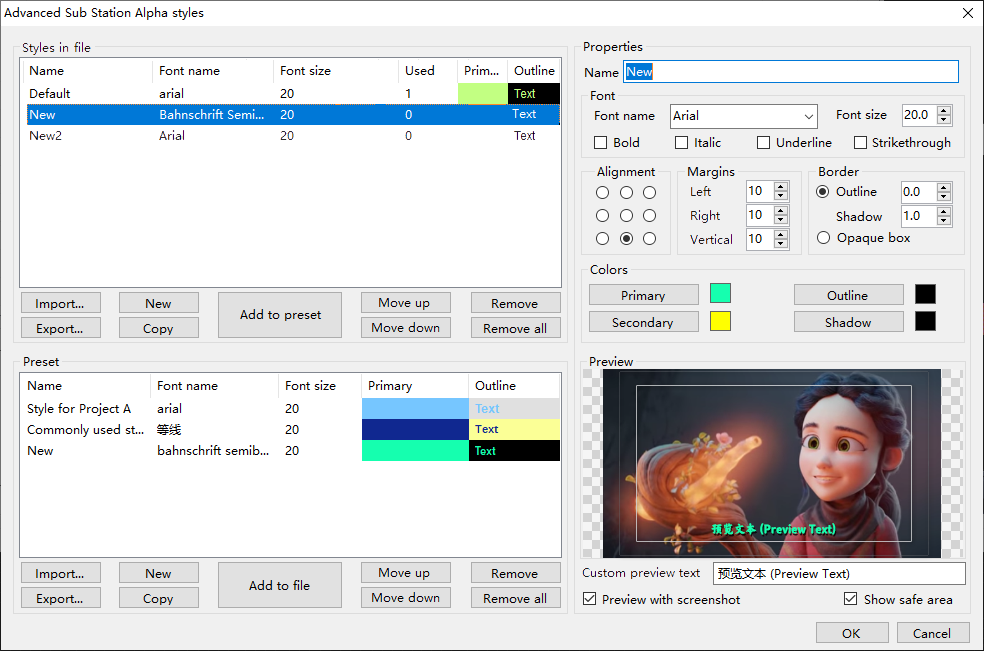
The basic idea is to make the layout compact without losing any current options while enriching it with more useful stuff.
BTW, I guess it might also well solve #4483?
 LeonCheung
All 14 comments
How is this: https://github.com/SubtitleEdit/subtitleedit/releases/download/3.5.18/SubtitleEditBeta.zip ?
Is Strikethough common?
What should margins for safe area be?
 niksedk
on 22 Dec 2020
niksedk
on 22 Dec 2020
Cool. :)
Why is the button's font bold in the upper section, though?
 OmrSi
on 22 Dec 2020
OmrSi
on 22 Dec 2020
@niksedk Awesome! Though I can see it's still WIP now, it's already pretty awesome!
For Strikethrough, for me, it's uncommonly used like Underline, just I noticed that at least two other sub editors supporting that, so, just FYI.
For safe area, it's also a FYI feature here. I personally don't use it but not sure if everyone doesn't. After all, many video editors like Premiere support it, in case we need to burn subtitles to the video. But I think it's only useful when the SE preview is resolution based. (Currently, it's not quite...)
Again, I know it's still WIP, since you ask:
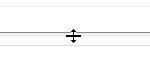
- Maybe it's nice to allow manual adjustment on the height ratio between Styles and Storage area? I mean, just try maximizing the style manager window, you'll notice that the storage area is oversized. So, maybe the height can be adjusted by putting the mouse cursor between the two areas then move up / down? Like:
- Again, a resolution-based preview can be really meaningful, especially for font size and position, so that we don't have to go back and forth, trial and error, to get perfect parameters according to how it looks like in SE player. So, even if it's not for safe area, a preview like this can also be nice to serve its name. :) (That's also why the real-time screenshot is needed here)
- When clicking "Add to..." buttons, it would be nice to ask whether we need to override the existing one with the same name. I mean, usually, auto-rename is convenient, just sometimes we need to update the same style to the other side. (Maybe another option is to add a little checkbox near the button? Or, rename the buttons as "Add / Update to...", and only ask for confirmation when it's for update.)
- An ad hoc button on the toolbar can be quite convenient when working with this format. I mean, like when we edit EBU-STL, a big red "N" would show up on the toolbar for Netflix quality check. Fine-tuning on styles can be very heavy lifting work here and we need to open the style manager quite, quite often. (maybe a big letter "A" is just enough lol)
- "Add to storage" is duplicated in the context menu.
- Multi-item selection can be welcome, say, when we want to add multiple styles to the other side by one single click.
- "Remove" can be kind of a serious operation, should require further confirmation to avoid misoperation.
@OmrSi Actually only the focused section is bolded, to keep reminding us that we are working on the right side. Imho it can make sense.
LeonCheung
on 23 Dec 2020
Btw, a few fine-tune suggestions on GUI side:
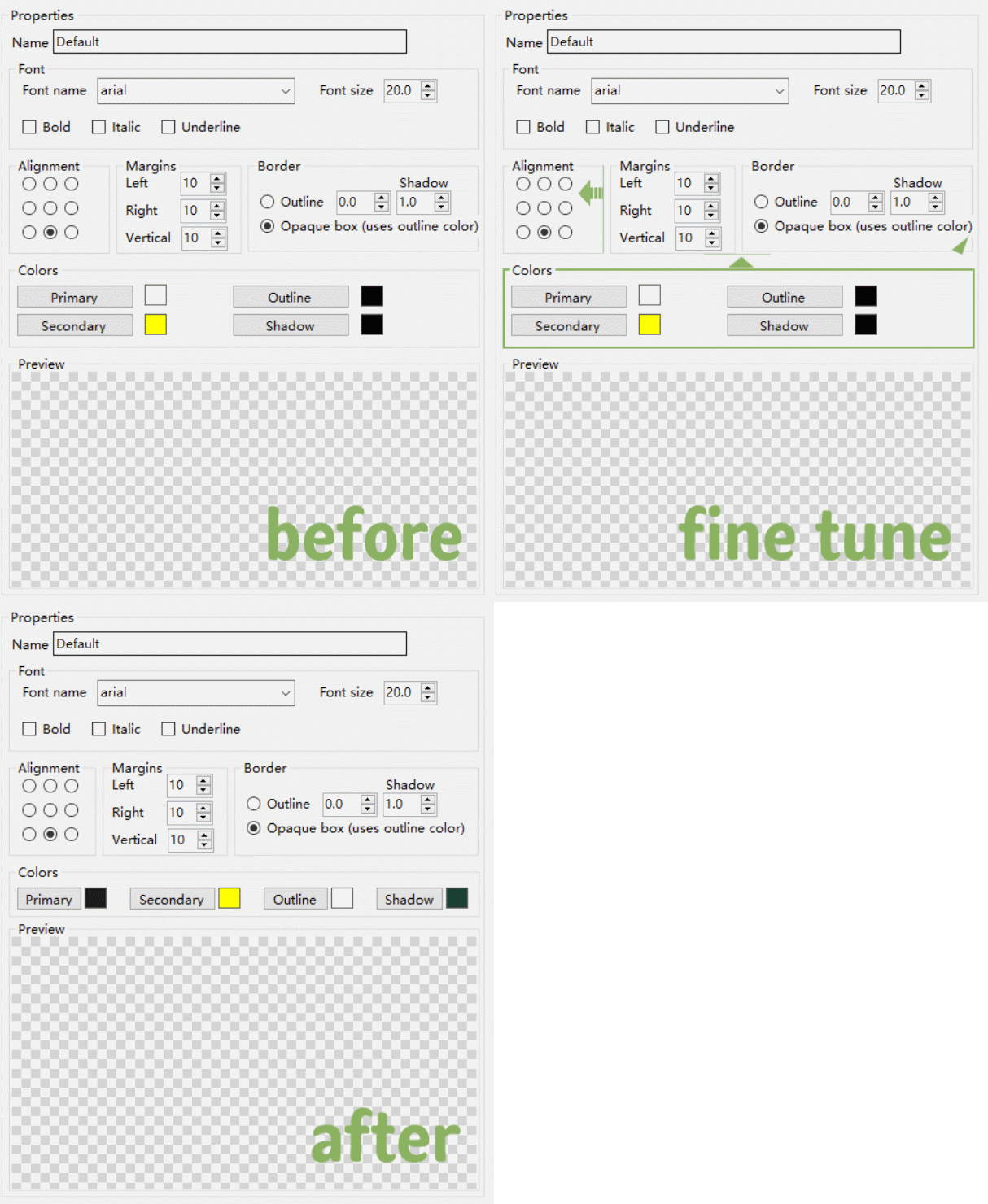
Preview area can be even larger in this way, maybe nice for 4:3 source.
LeonCheung
on 23 Dec 2020
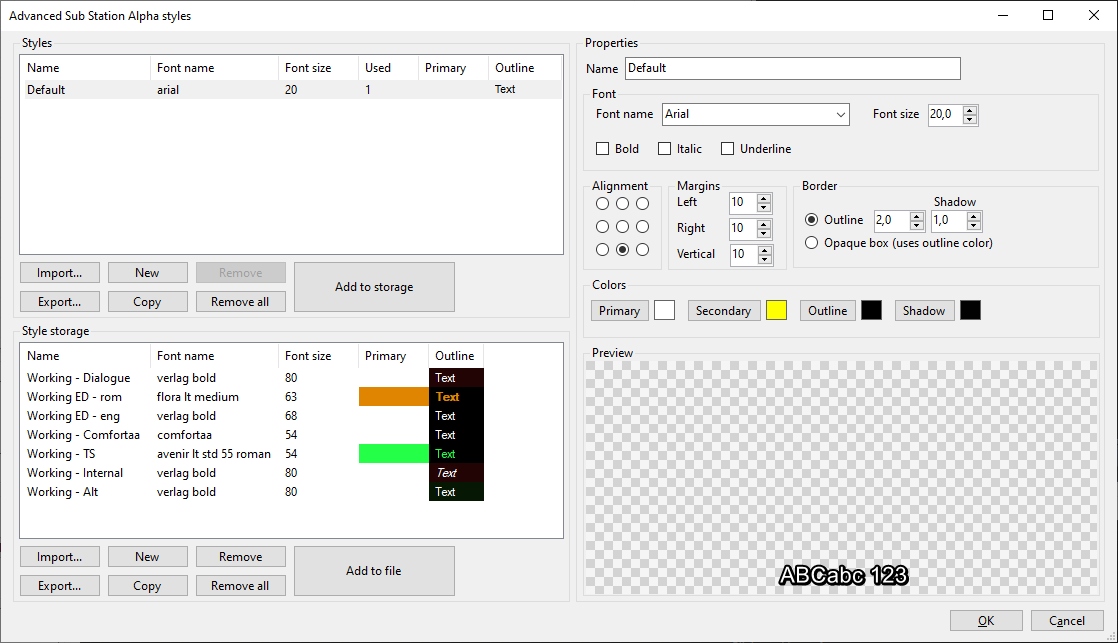
OK, the first working (hopefully) version: https://github.com/SubtitleEdit/subtitleedit/releases/download/3.5.18/SubtitleEditBeta.zip
1) height ratio between current styles + storage styles is 1:1 when resized and can be changed manually via a splitter.
2) the preview window is rather small, and not too well suited for a scaled preview as the text would be very small...
3) added prompt for overwrite
4) added a shortcut instead.
5) fix duplicate menu item
6) TODO
7) added prompt for delete (unless delete prompt has been disabled in setting)
niksedk
on 26 Dec 2020
Cool!
For Point 2, when I maximize the manager window, the preview area also gets larger enough to preview everything, but your concern matters too. Then maybe a better solution is by simply adding an "Apply" button Next to the "OK" button, so that we can see the updated result in SE player without closing the manager window, assuming THAT style is used by the current subtitle line. I think this could be a nice workaround too if possible.
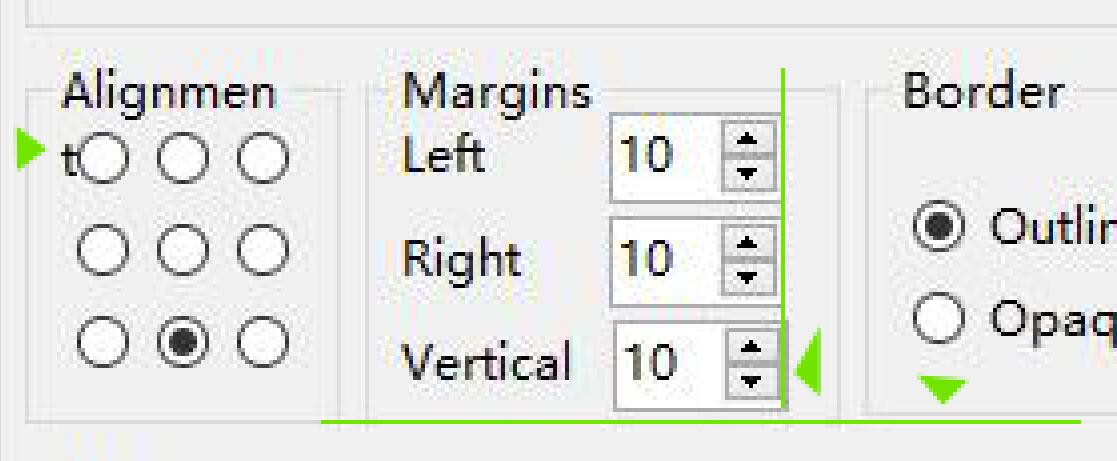
Plus a few GUI tweaks for perfectionists, which can be solved by simply offsetting one or two pixels:
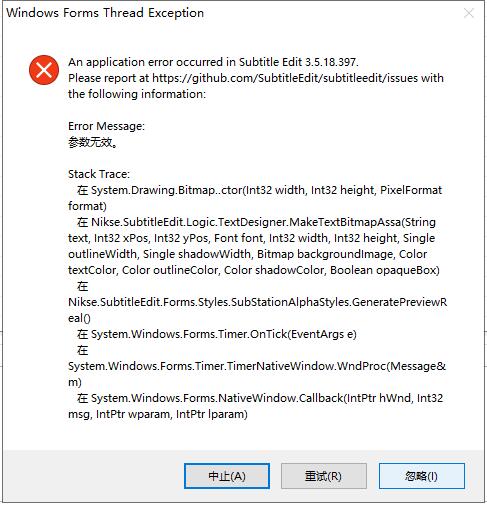
And just got an error message that says "invalid value (or param)", not sure why:
Again, thanks a lot for your amazing work on this.
LeonCheung
on 26 Dec 2020
@LeonCheung: How did you get the invalid value (or param) error?
Also, how did you get the small t before the alignment radio button?
niksedk
on 26 Dec 2020
For the error, I tried to re-produce but found nothing yet. I'll make sure it can be re-produced and let you know then. :)
The small t comes from the word "Alignment", now it's displayed as "Alighmen" + "t". I tested on another PC, the same. The OS font size is 100% standard btw.
LeonCheung
on 27 Dec 2020
Ah thx, made a bit more room for "Alignment" in latest beta: https://github.com/SubtitleEdit/subtitleedit/releases/download/3.5.18/SubtitleEditBeta.zip
niksedk
on 27 Dec 2020
Yes, Alignment fixed, thx.
LeonCheung
on 27 Dec 2020
I think it should be add to "Style Manager" the option of "Wrap style"
 moob158
on 28 Dec 2020
moob158
on 28 Dec 2020
@niksedk About the error message we mentioned, try simply minimizing the manager window (click the Minimize button), to see if it can pop up.
LeonCheung
on 28 Dec 2020
@moob158 I think the idea would better be a Tag Library, or Tag List that would simply work like Copy / Paste, since there are many tags and Wrap is just one of them.
LeonCheung
on 28 Dec 2020
thx - the minimize/reopen error should be fixed.
Beta (and code) updated: https://github.com/SubtitleEdit/subtitleedit/releases/download/3.5.18/SubtitleEditBeta.zip
I'll close this now as this is implemented as a version 1 :)
niksedk
on 28 Dec 2020
Related issues
 rgfx
·
5Comments
rgfx
·
5Comments
 ivandrofly
·
5Comments
ivandrofly
·
5Comments
 PannenkoekenNL
·
3Comments
PannenkoekenNL
·
3Comments
 teodargent
·
5Comments
teodargent
·
5Comments
 dvjrickkraft
·
4Comments
dvjrickkraft
·
4Comments
Most helpful comment
How is this: https://github.com/SubtitleEdit/subtitleedit/releases/download/3.5.18/SubtitleEditBeta.zip ?
Is
Strikethoughcommon?What should margins for
safe areabe?