Subtitleedit: Replacing default icon?
I noticed how gray and outdated icon that represents program looks.
So, I took the liberty of asking icon designer Philippe Hong make new, better one.
He agreed and only asked to credit him.
I hope you'll accept this, and replace that old gray icon with new, modern one

My apologies, I don't know how to add .ico through github, so I hosted it on box
.ico file is here:
https://app.box.com/s/ookg1eksrx8q95yyd4q7jm2498qzlqws
 diomed
All 23 comments
@niksedk What are your thoughts on this suggestion?
diomed
on 28 May 2015
Sorry, I'm not really too impressed... does not really look like an icon. Also tried to add it to an exe file - did not look pretty...
 niksedk
on 28 May 2015
niksedk
on 28 May 2015
 diomed
on 8 Jul 2015
diomed
on 8 Jul 2015
I like it.
 Betsy25
on 13 Jul 2015
Betsy25
on 13 Jul 2015
Much better than the previous one... still the "SE" text could be a little bigger and the bottom corners looks weird.
niksedk
on 22 Jul 2015
corners look weird only on png, not on small icon. you can't notice them on smaller sizes on screen.
I doubt anyone uses extra large icon size. on large size it looks okay.
diomed
on 22 Jul 2015
Also just got this one:

niksedk
on 3 Oct 2015
@niksedk Nice. BTW, your avatar image can be another nice option. LOL
 LeonCheung
on 3 Oct 2015
LeonCheung
on 3 Oct 2015
He, yes - just took the worst image I could find - I think I'm eating :)
niksedk
on 3 Oct 2015
3 years have passed since my suggestion, latest version being this one, sent to you via gitter in January:

do you have any wish at all to change default icon or is this gonna remain the same old grey one forever?
diomed
on 21 May 2018
shall we see program getting new icon in any foreseeable future?
diomed
on 23 Aug 2018
Now this is a beautiful one:

 OmrSi
on 30 Nov 2018
OmrSi
on 30 Nov 2018
This is one of the most disappointing threads I've ever started in my life.
After more than 3 and a half years no suggestion was taken into consideration,
no release was tried out with any of icons, and even when owner said he would, he didnt,
and now you suggest monochrome / gray version again, and I'm trying to escape from it to colors.
oh well... F this
(╯°□°)╯︵ ┻━┻
diomed
on 30 Nov 2018
Well, If you don't like the colors, some of us do.
I'm only suggesting it because it's what shows up when you search for "Subtitle Edit".
And what is up with this aggressive tone of yours?
"The owner" doesn't work for you... we only suggest and he decides what is best for HIS program.
Some people are just...weird!
OmrSi
on 30 Nov 2018
The point is that it is close to the original but with a new material design that goes with the current systems' design.
OmrSi
on 5 Dec 2018
@diomed You can make up your own icon and put it in the SE program file folder. Use filetypesman software to change the default icon to your icon. No need to wait for anyone else.
I am happy with the present one. Much better than the crappy icons inside SubtitleEdit.resources.dll
 Ding-adong
on 2 Feb 2019
Ding-adong
on 2 Feb 2019
@Ding-adong that unfortunately doesn't fix the icon on top left corner when the program is open.
also, primary point of this topic was change of default icon to fresh new look for all SE users, not just me.
because, I primarily use modified (outdated) version of this software, made for me by one developer who simply vanished... maybe even died 😞
diomed
on 2 Feb 2019
I never notice the icon on the top left corner until now, ha ha ha.
Ding-adong
on 2 Feb 2019
I'm currently using this one and I like it a lot:

OmrSi
on 8 Feb 2019
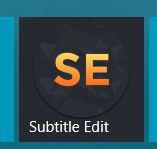
IMO the best looking icon was the very first. I put it into a tile and looks amazing. way better than the original or other icons suggested
 ArtexJay
on 22 Apr 2019
ArtexJay
on 22 Apr 2019
someone made this

ArtexJay
on 22 Apr 2019
Last two pics above.
1st - yuk.
2nd - too laughable, a 5 year old child can do better.
Ding-adong
on 22 Apr 2019
+1
 xmha97
on 19 Jan 2020
xmha97
on 19 Jan 2020
Related issues
 dvjrickkraft
·
4Comments
dvjrickkraft
·
4Comments
 darkred
·
4Comments
darkred
·
4Comments
 07416
·
5Comments
07416
·
5Comments
 amiremami
·
4Comments
OmrSi
·
6Comments
amiremami
·
4Comments
OmrSi
·
6Comments
Most helpful comment
3 years have passed since my suggestion, latest version being this one, sent to you via gitter in January:

do you have any wish at all to change default icon or is this gonna remain the same old grey one forever?