Subtitleedit: [Bug] Opening original without an opened file resets Recent Files
When I use open original without an open file, the Recent Files are deleted.
Reopen becomes empty.
 OmrSi
OmrSi
All 12 comments
Looks like it happens because the file name is empty.
OmrSi
on 16 Feb 2020
Now you have the original file in the recent menu which, if you open it, open the original and itself as an original file. But I guess it's better than deleting the whole list.
Thank you.
OmrSi
on 17 Feb 2020
I just noticed that it also always opens the most recent file when I open SE even if you close it before closing SE.
But I haven't tested after the last 2 commits.
OmrSi
on 17 Feb 2020
He, yes - that's what the second last commit is for... and the last commit is for a crash.
 niksedk
on 17 Feb 2020
niksedk
on 17 Feb 2020
Cool.
The original is now shown in the recent files as well, but if you open it, it opens alone.
I guess that's as good as it can get. :D
Thank you.
OmrSi
on 18 Feb 2020
@niksedk Just noticed something new.
Now when you open a file and open its original, you'll get both files in the "Recent files".
So, Look what happens when you open another file with a file that has an original opened:
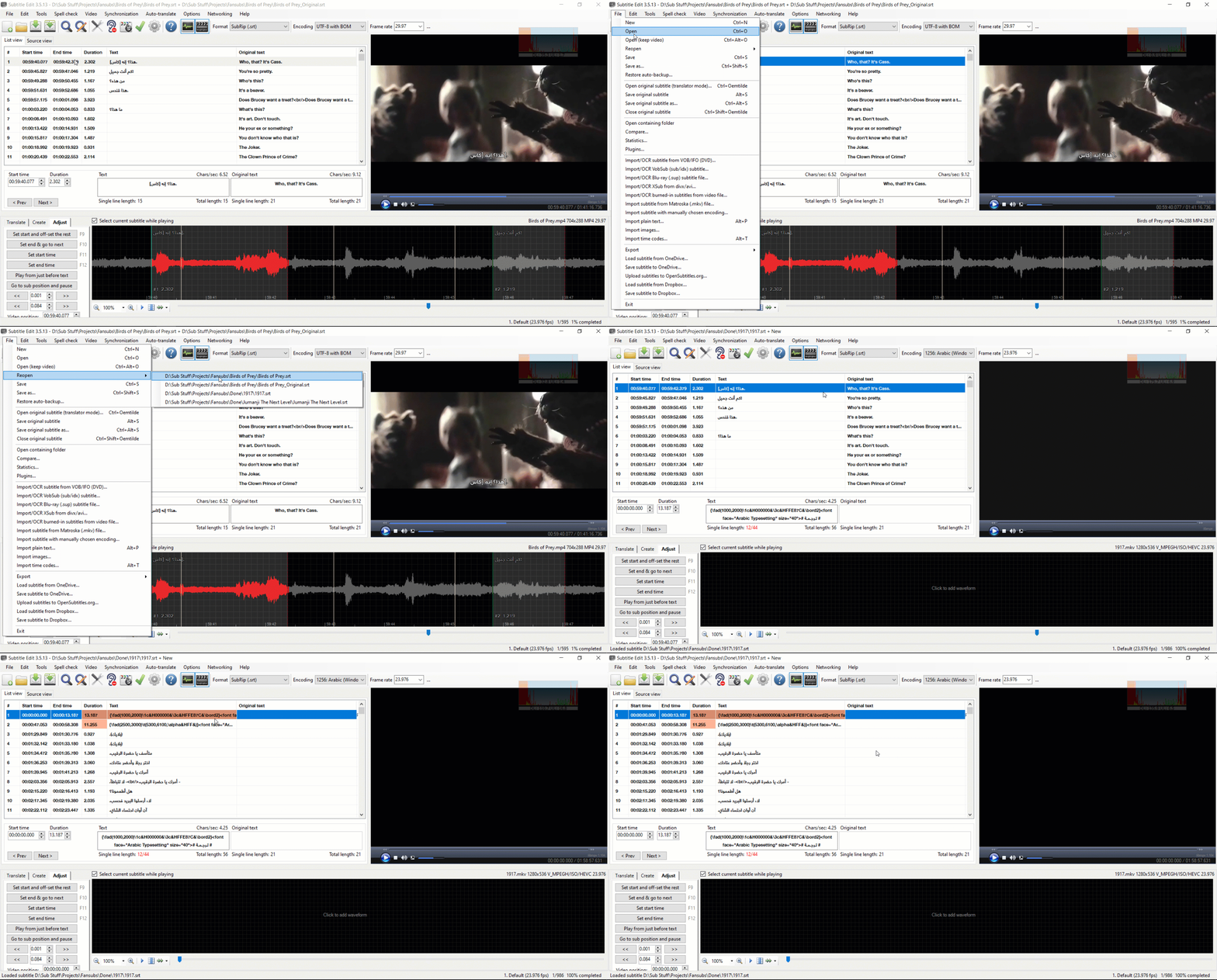
This is all because of the idea of opening original with no normal.
I mean, you don't have to save the file in the recent menu when you open just an original.
My idea is, as long as the file doesn't have a name, don't add it to the recent files menu, when the user gives it a name, it's added and linked to the original. I don't know if that's possible.
OmrSi
on 19 Feb 2020
@OmrSi: could you give it a test run (also in dialog style branch).
Actually found a few old errors regarding saving recent files with translation+original.
Also, recent files menu will show both translation + original now.
niksedk
on 19 Feb 2020
@niksedk Nice!
It's cool how translation + original is shown now.
A couple of things, it's opening the most recent file again when you close SE and open it.
And when you open an original, you'll have an entry for the translation file and another one for the translation + original, and if you remove that entry for the translation from the settings files and then close the original, you get that again with an entry for the translation file and another one for the translation + original.
So:
Openning "a", openning "a_original" gets you "a" and "a + a_original".
Closing "a_original" from "a + a_original" gets you "a" and "a + a_original".
I don't think there is a need for that repetition.
What I'm saying is, opening an original for a file should edit the existing entry and make it translation + original, closing the original should edit the entry removing the original part so you'd get one entry for the file, either its name only, if no original is opened, or name + original name if you have an original.
Also, now when you do the "open original" shortcut, you only get the original's name on the menu.
So if you open a file named: "a_original" then save the translation file that was created by the name of "a", you only get "a_original" in the menu, what I'm saying is it should be edited as well to become "a + a_original".
It's just like opening and closing a video.
When you open it, it's added to the entry, and it gets removed when you close it.
I don't know if any of that is possible.
This is just my two cents, hope I'm not annoying you. :D
OmrSi
on 19 Feb 2020
@niksedk Or maybe you can add the possibility of deleting an entry by pressing "Delete" or a "Delete" option in a context menu? Maybe that's easier and a good compromise.
If someone doesn't want the repetition, he can just delete it.
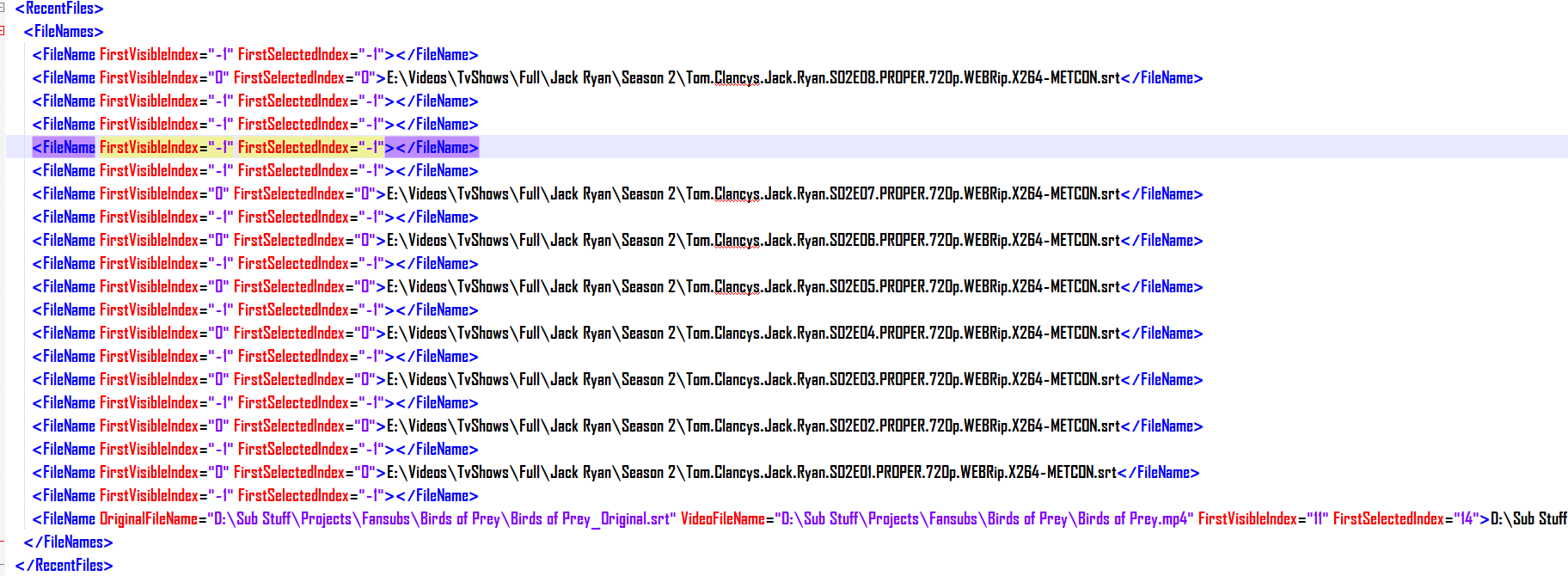
And It looks like there is something wrong, each time I open a file, one of these is added:
OmrSi
on 20 Feb 2020
@niksedk Okay, I got a better idea for a way to do this.
Bare with me, when you open original, the current entry of "translation" would be deleted and a new one of "translation + original" would be created.
Same if you close an original, "translation + original" is deleted and "translation" is created.
I think it would be easier as you would only have to delete the last entry.
_This is also causing another bug._
The index of "translation + original" isn't saved, it always goes back to the first line when opening it.
This only happens when you open "translation + original" from "Reopen" and doesn't happen when you close SE while the file is opened and open it again.
OmrSi
on 21 Feb 2020
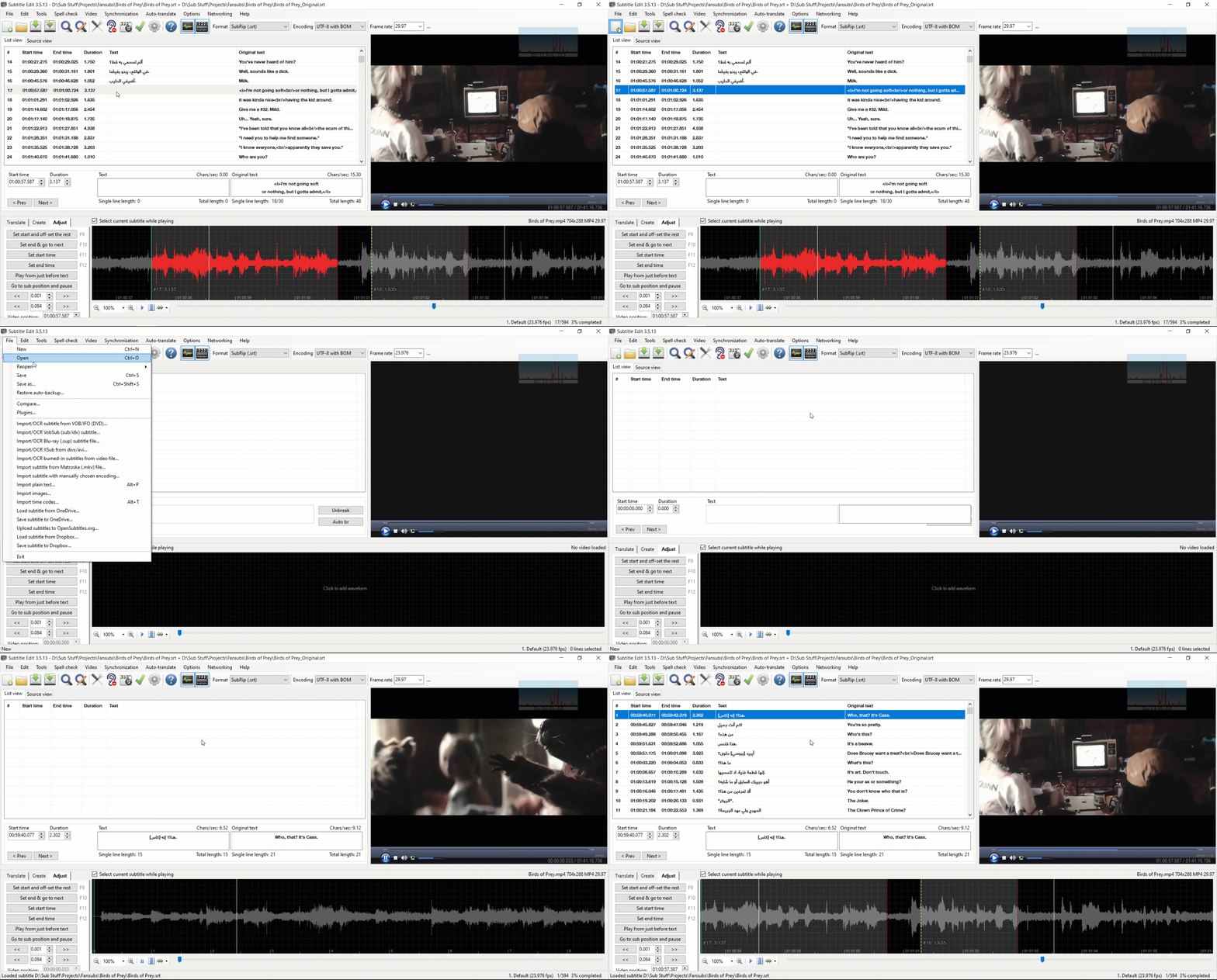
@niksedk
OmrSi
on 22 Feb 2020
Thank you.
You just fixed the index issue, right?
I saw Files.Remove(existingEntry); in the commit so I thought you made it remove the current when opening original. Just wanna make sure.
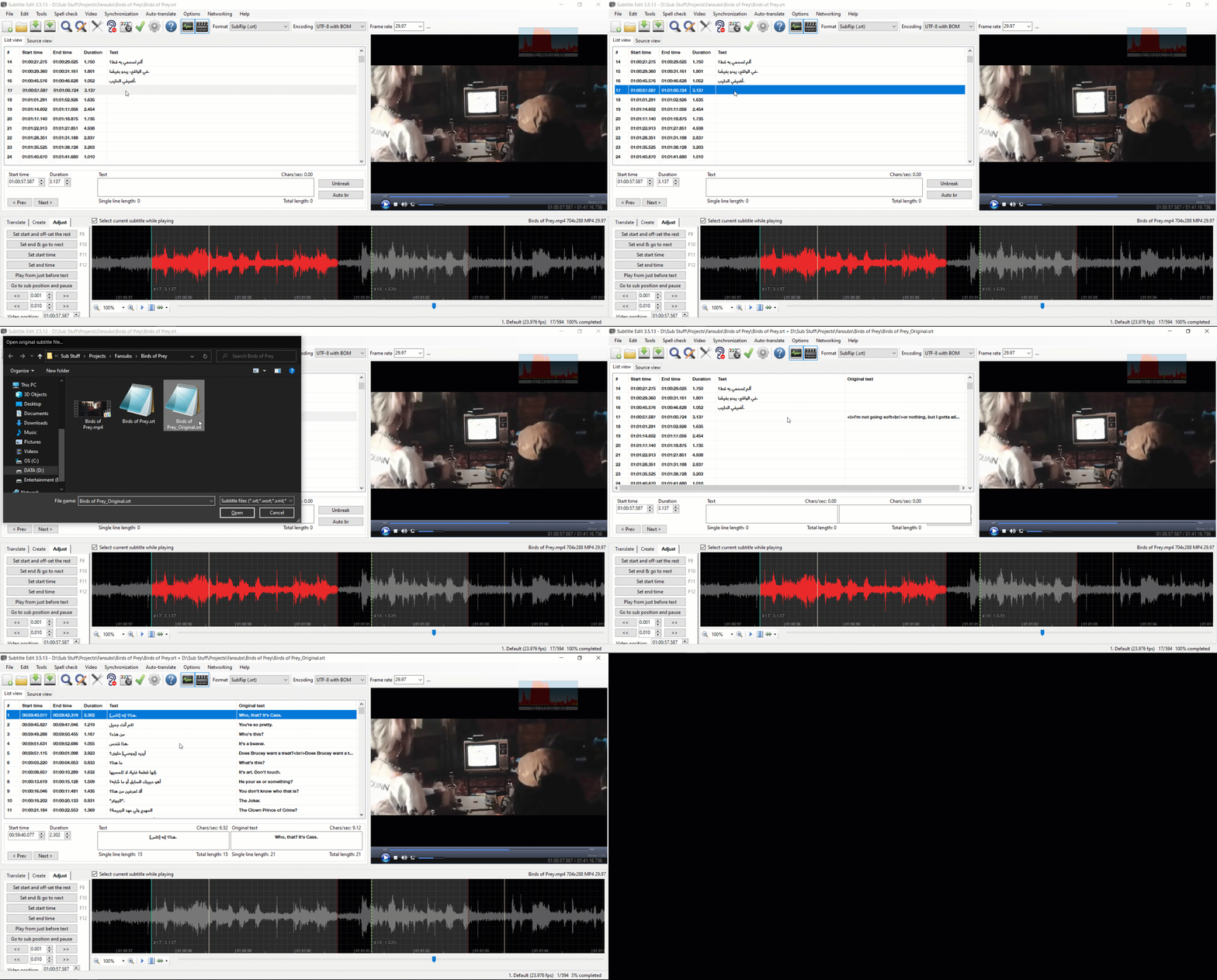
Anyway, now opening an original makes the file go to the first line, this didn't happen before:
OmrSi
on 22 Feb 2020
Related issues
 teodargent
·
5Comments
teodargent
·
5Comments
 NoRRt
·
6Comments
NoRRt
·
6Comments
 darkred
·
4Comments
darkred
·
4Comments
 PannenkoekenNL
·
3Comments
PannenkoekenNL
·
3Comments
 ivandrofly
·
5Comments
ivandrofly
·
5Comments