Subtitleedit: Binary image compare issue with spell check in the last version
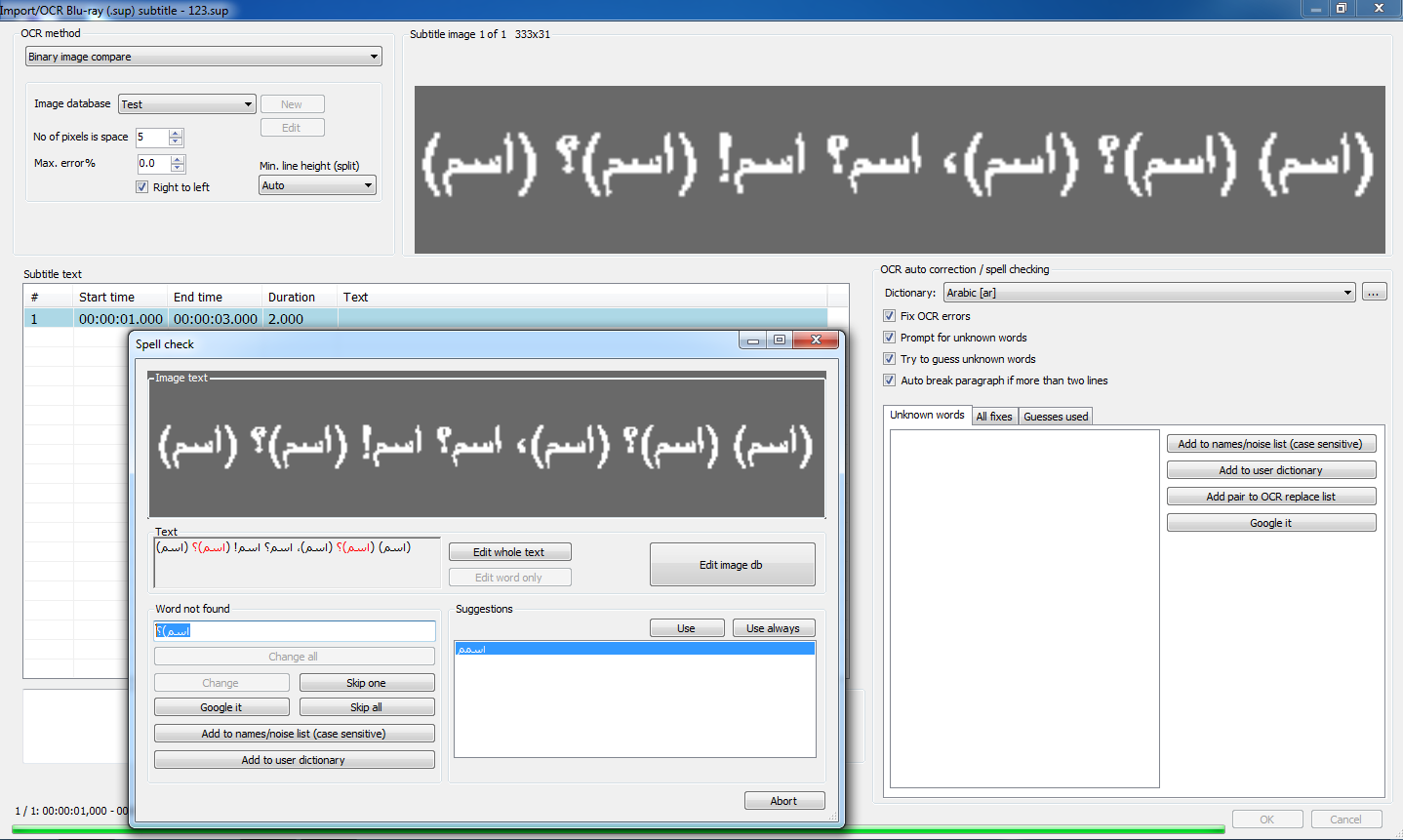
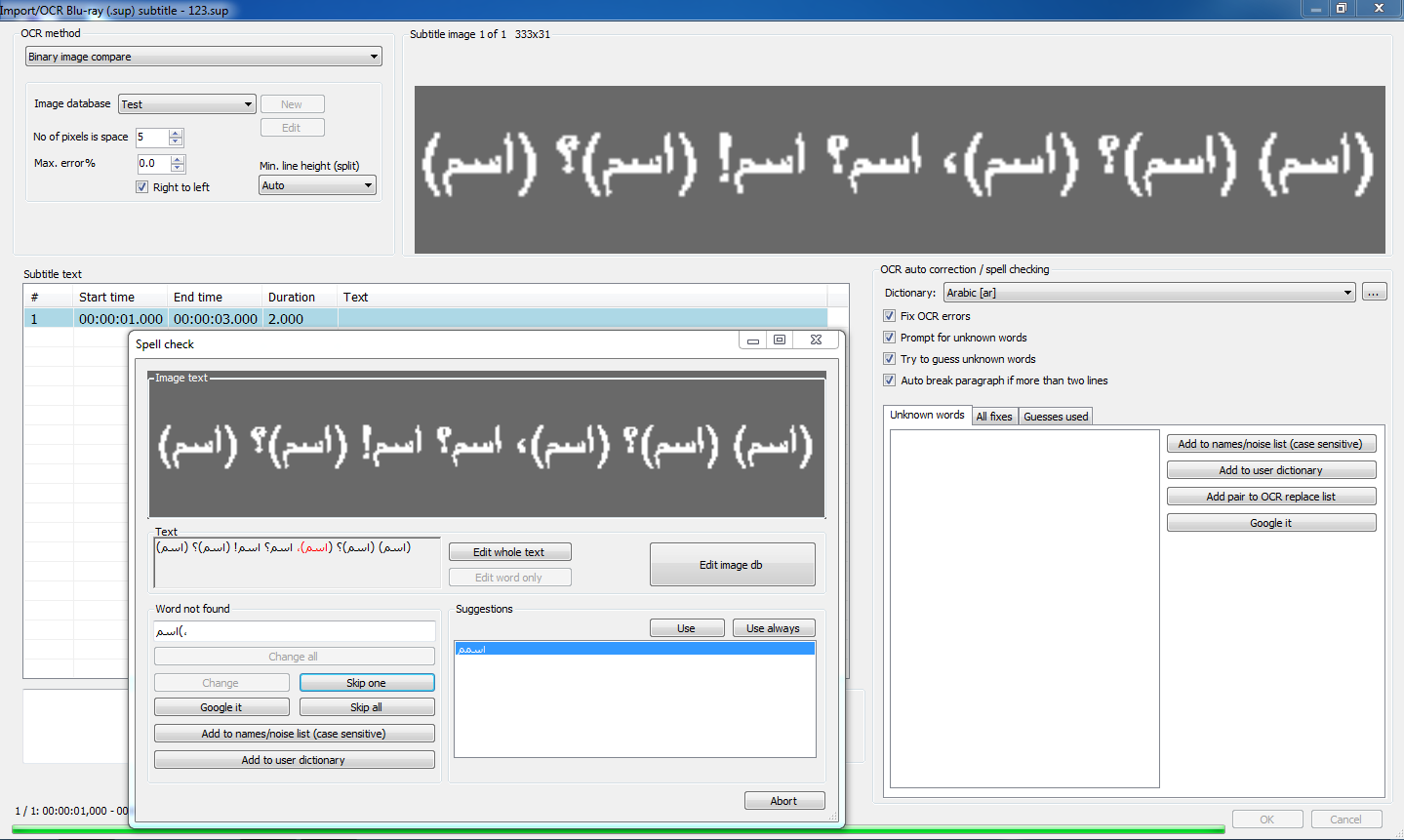
Spell check in Binary image compare is asking to check every word in some cases when the word is stuck to an Arabic comma "،" or question mark "؟":
 OmrSi
OmrSi
All 12 comments
How is this? https://github.com/SubtitleEdit/subtitleedit/releases/download/3.5.11/SubtitleEditBeta3824.zip
(I'm guessing a bit as no sub was attached)
 niksedk
on 3 Nov 2019
niksedk
on 3 Nov 2019
Here is a test sample, the comma part was solved, the question mark and the "ـ" haven't.
Keep in mind that "ـ" could be connected to any letter, like "لـ" or "بـ" or anything else.
OCR issue with Arabic.zip
OmrSi
on 4 Nov 2019
thx for the file - how is this: https://github.com/SubtitleEdit/subtitleedit/releases/download/3.5.11/SubtitleEditBeta.zip ?
niksedk
on 4 Nov 2019
Thank you.
It's better, but it caused another issue.
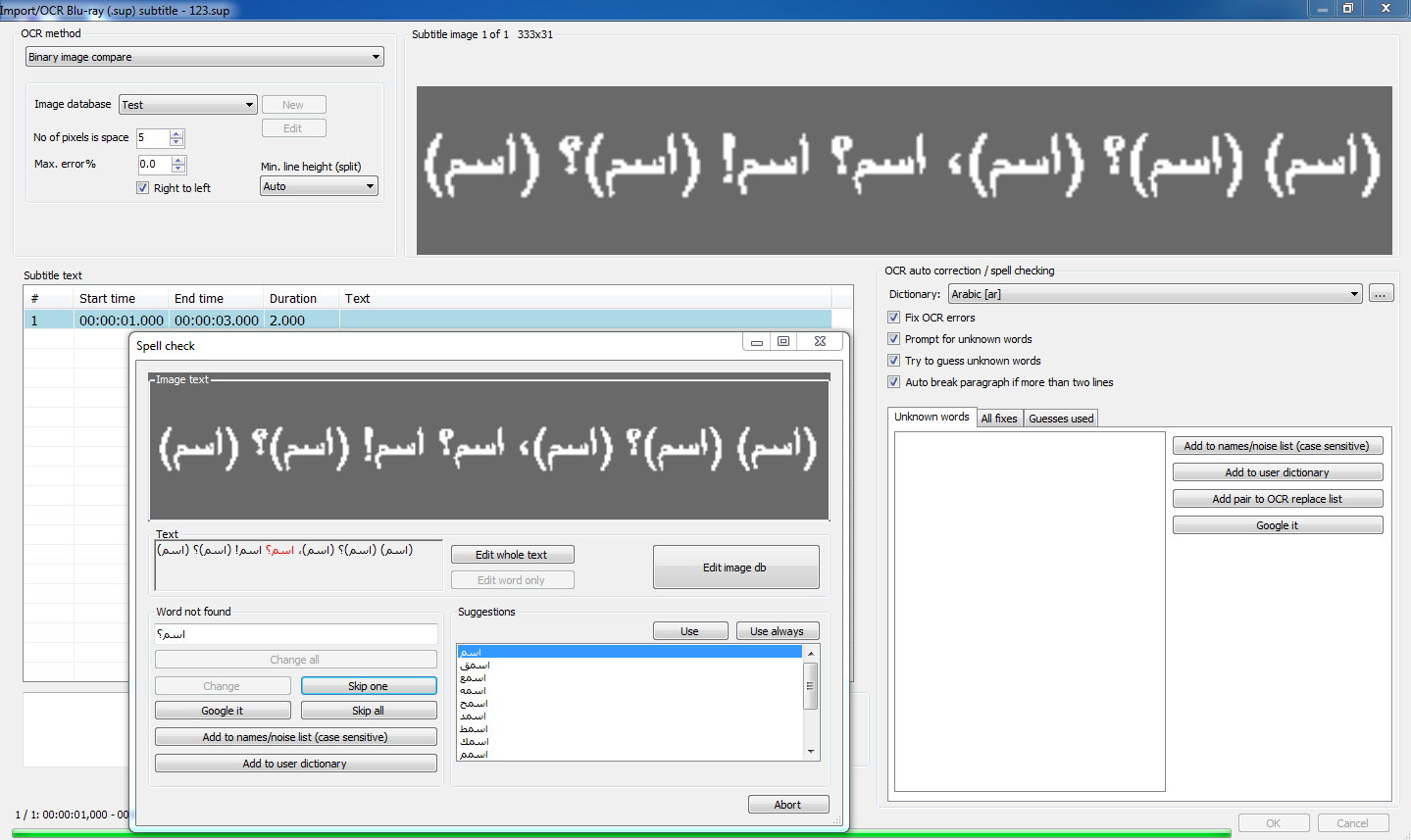
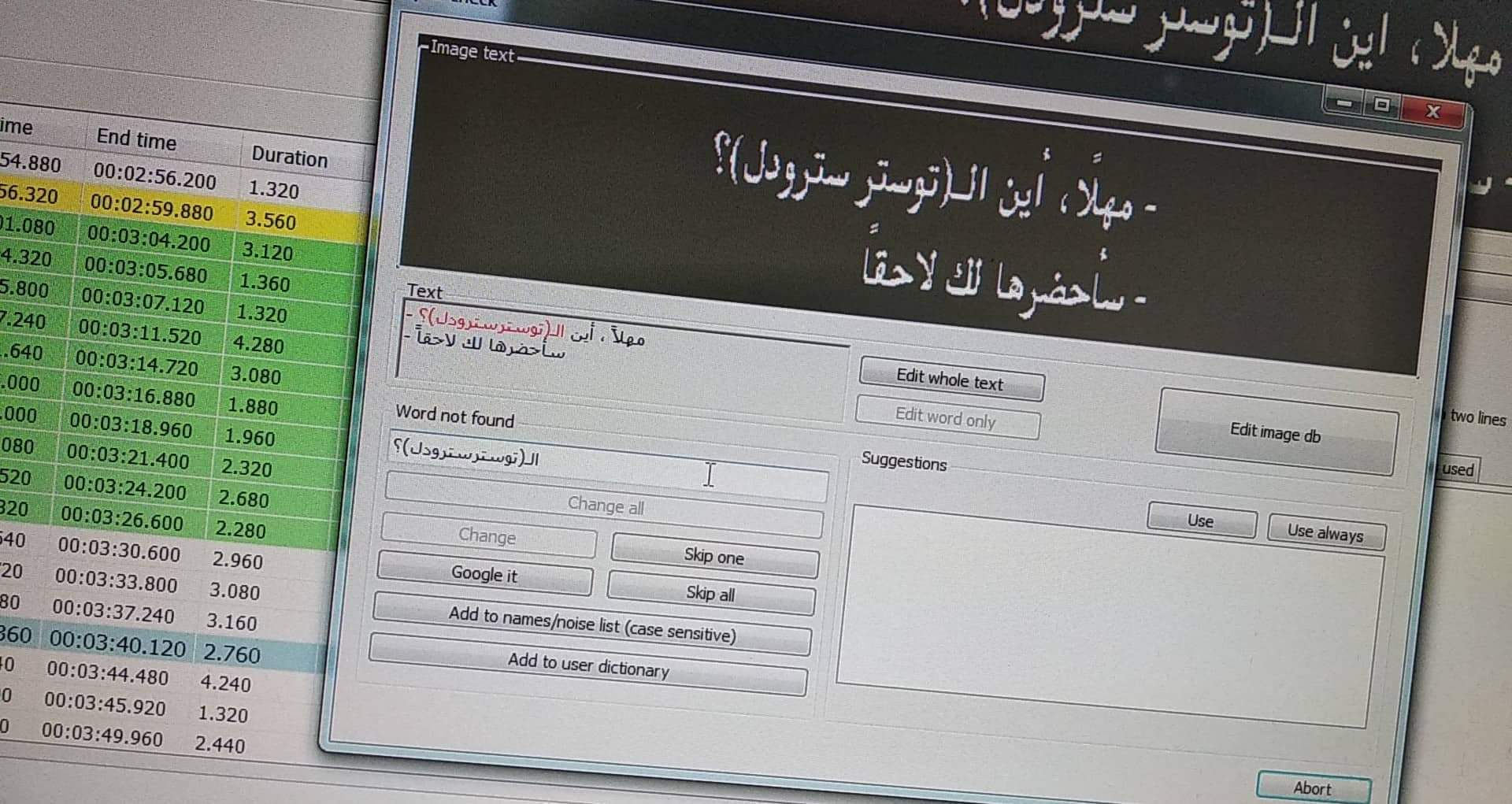
When you have an unknown word connected to some of the punctuations mentioned above, it asks to correct the whole thing like so:
OmrSi
on 5 Nov 2019
How is latest beta: https://github.com/SubtitleEdit/subtitleedit/releases/download/3.5.11/SubtitleEditBeta.zip ?
If it's not working... could you upload the sub? (or does the above sub contain this line?)
niksedk
on 6 Nov 2019
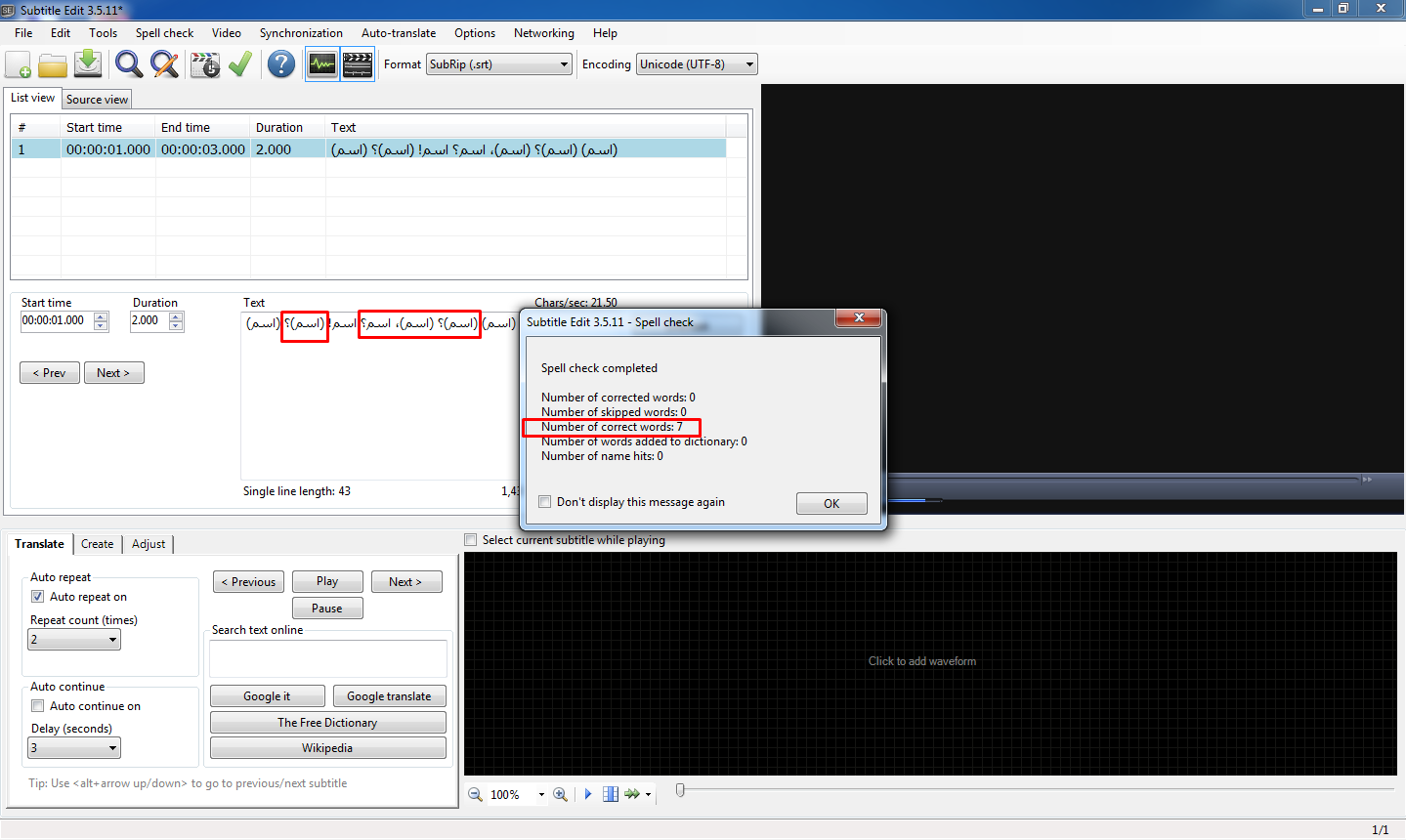
There is still a problem, even though the spell check doesn't show it, SE is considering them "Unknow words".
So if you have a known word with one of the mentioned punctuations, it will show up with that punctuation in the "Unknown words" section.
And the words that are really unknown and are connected to these punctuations are showing up in the unknown section with the punctuation.
Here, "اسم" is known, but the other word at the last 3 lines are gibberish:
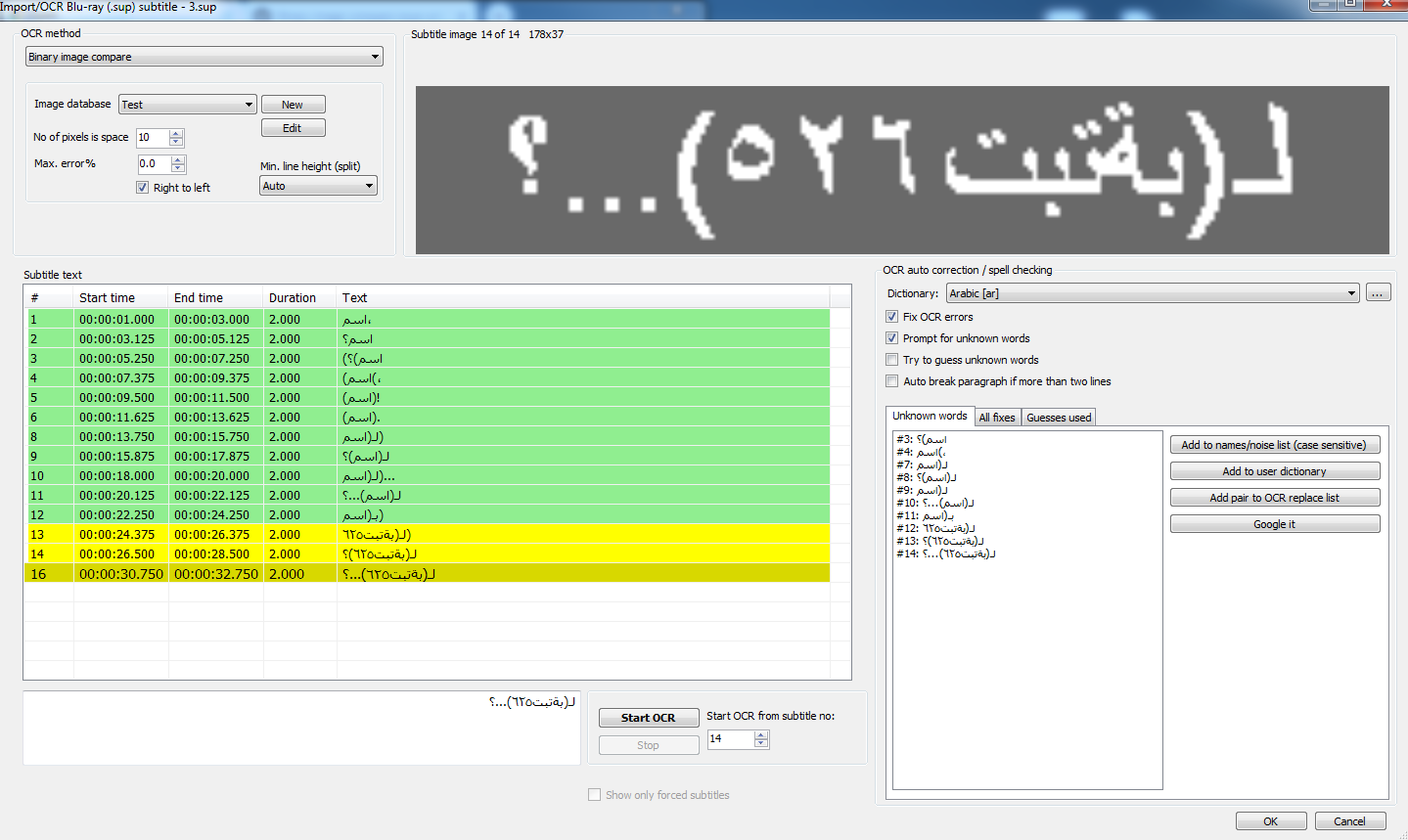
Notice that in the word on lines 9 and 12, it only shows the words with the first '('.
It didn't use to happen in the previous version.
Test.zip
OmrSi
on 7 Nov 2019
Is latest beta better: https://github.com/SubtitleEdit/subtitleedit/releases/download/3.5.11/SubtitleEditBeta.zip ?
niksedk
on 8 Nov 2019
It seems to be fixed. :D
Thank you so much for putting up with me.
OmrSi
on 9 Nov 2019
thx for testing :)
Unrelated - do you have any .ts files with Arabic teletext (as SE now supports some...)?
Also, next version will have more "auto br" options - see https://www.nikse.dk/Home/Details/637078432060000000
niksedk
on 9 Nov 2019
@niksedk
Sadly, I do not work with .ts files. :\
As for the auto break, just wow.
The bottom heavy idea is awesome. I do see it better to have the second line longer.
The comma break is also awesome, I had to add a regex to the do-not-break-after list to do it before but the regex caused SE to always break after the first comma while I only wanted it to not break after one word after comma ، \b\w+\b
Speaking of which, I hope the Arabic comma and question mark are included in these auto break options. :D
Arabic comma "،"
Question mark "؟"
Also unrelated, was there a hidden shortcut to switch between "HHMMSS" and "HHMMFF"?
I recall "Control + Shift + Alt + F" did that but it isn't working, I might be remembering wrong. ^^"
OmrSi
on 9 Nov 2019
Arabic comma and question mark are included... now, thx:
https://github.com/SubtitleEdit/subtitleedit/releases/download/3.5.11/SubtitleEditBeta.zip
I don't remember any such shortcut...
Let me know if you stumble upon a .ts with Arabic teletext.
niksedk
on 10 Nov 2019
I don't remember any such shortcut...
@niksedk Found it in the code ^^"

OmrSi
on 2 Oct 2020
Related issues
OmrSi
·
6Comments
 ivandrofly
·
5Comments
ivandrofly
·
5Comments
 07416
·
5Comments
07416
·
5Comments
 teodargent
·
5Comments
teodargent
·
5Comments
 SubEdict
·
3Comments
SubEdict
·
3Comments