Add bookmarking (optional with comments) to lines (indicator should be visible in list view + waveform).
Booksmarks are not saved atm, but could perhaps be saved in e.g. first line, config file, or ...
Suggestions/comments are welcome - latest beta contains some functionality/shortcuts for this: https://github.com/SubtitleEdit/subtitleedit/releases/download/3.5.8/SubtitleEditBeta.zip
( Was attempted earlier in #1806 )
 niksedk
All 31 comments
I guess this is closed https://github.com/SubtitleEdit/subtitleedit/issues/3162~~
- Maybe you can save the line numbers in the settings file with a list for each file under it, but saving them is, with no doubt, necessary.
- Adding a mark to the left is a little wired in my opinion, as it will not look good when there is no mark, so maybe changing the cell's color, like what happens when you have an error would be better...
- It might be good for the comments to show up when you click on the marked line's number or hover over it.
- I think there should be "go to previous" too.
- Maybe "toggle bookmarks - add text" should be "toggle bookmarks - add comment" or "toggle bookmarks with comment".
This is just my 2 cents, hope I helped.
 OmrSi
on 25 Dec 2018
OmrSi
on 25 Dec 2018
save the bookmarks is essential and see comments added as a tooltip for example not only on the waveform
 marb99
on 28 Dec 2018
marb99
on 28 Dec 2018
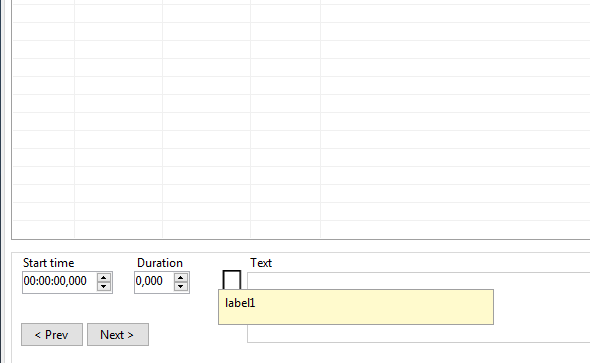
@niksedk it is possible hide the tooltip when open SE, hide tooltip without bookmarks added
marb99
on 29 Dec 2018
Language master minor https://github.com/SubtitleEdit/subtitleedit/blob/cf37883ce39925c39441d646250c9e8c75dac876/LanguageMaster.xml#L1749 "previous".
OmrSi
on 29 Dec 2018
@niksedk I can't compile this build 19 give me an error
"Error CS0117 'Resources' does not contain a definition for 'bookmark21' SubtitleEdit"

I think is need change "bookmark21" to "bookmark22" in Main.Designer.cs????
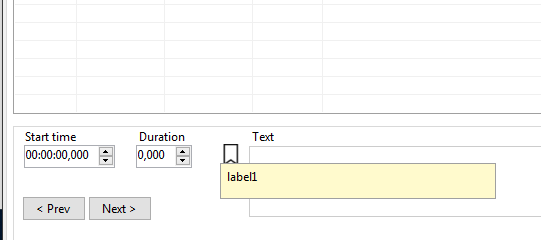
and continues to show the tooltip when open SE in build 19
marb99
on 29 Dec 2018
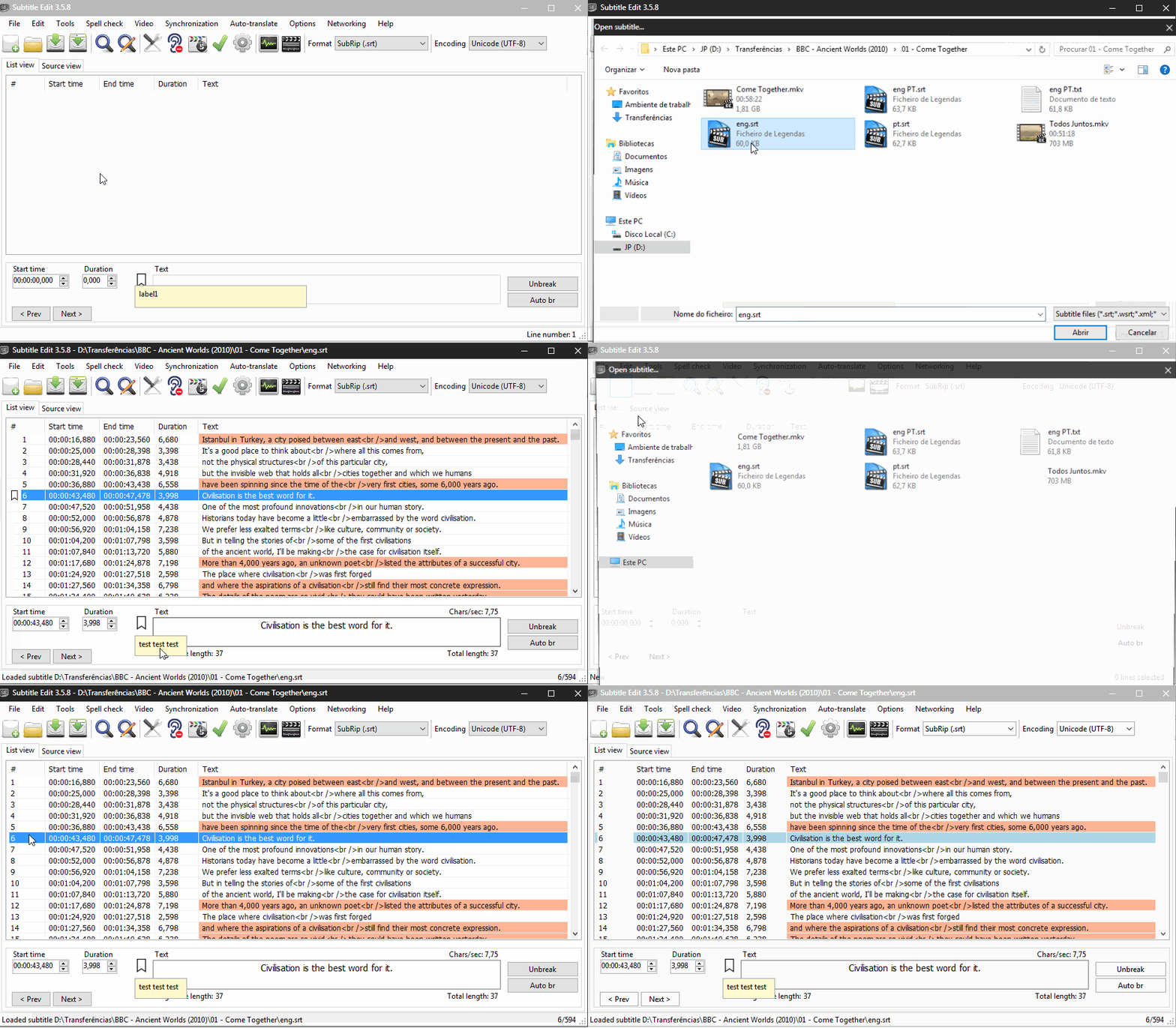
@niksedk see this gif, the line mark disappear after hit new sub and reopen
marb99
on 29 Dec 2018
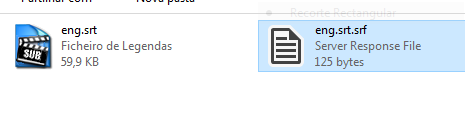
@niksedk the Subtitle Workshop saves the bookmarks in a separate file, not in subtitle file.
in the same folder as the open subtitle, I think it's a good idea because of the subtitle compatibility
and to avoid problems with other editors and players.
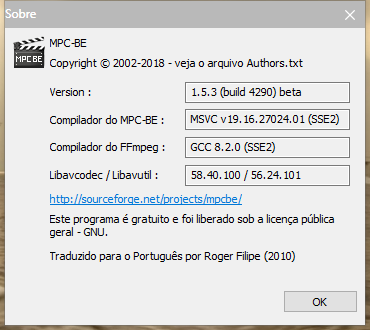
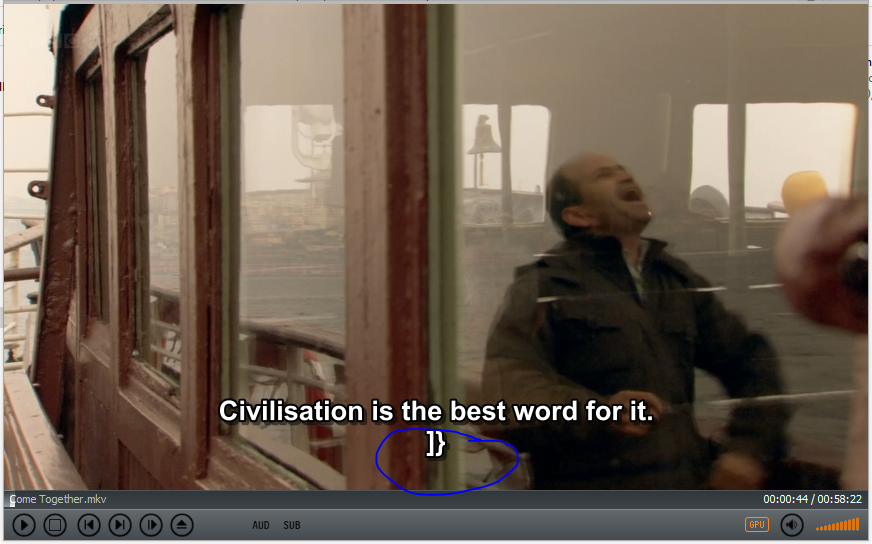
for example the MPC-BE player show the bookmarks as lines in subtitle
marb99
on 29 Dec 2018
Thx for the info :)
Source + beta updated: https://github.com/SubtitleEdit/subtitleedit/releases/download/3.5.8/SubtitleEditBeta.zip
The bookmark info is atm saved in first line... this could both be good and bad - good because you can share bookmarks - bad because you might accidentally share bookmarks without wanting to share bookmarks.... ;)
Perhaps a dismiss-able warning when saving?
@marb99: Ah, you just beat me posting about bookmark location...
niksedk
on 29 Dec 2018
What do you mean by for example the MPC-BE player show the bookmarks as lines in subtitle ?
niksedk
on 29 Dec 2018
Does not show the whole line but shows the close tags
marb99
on 29 Dec 2018
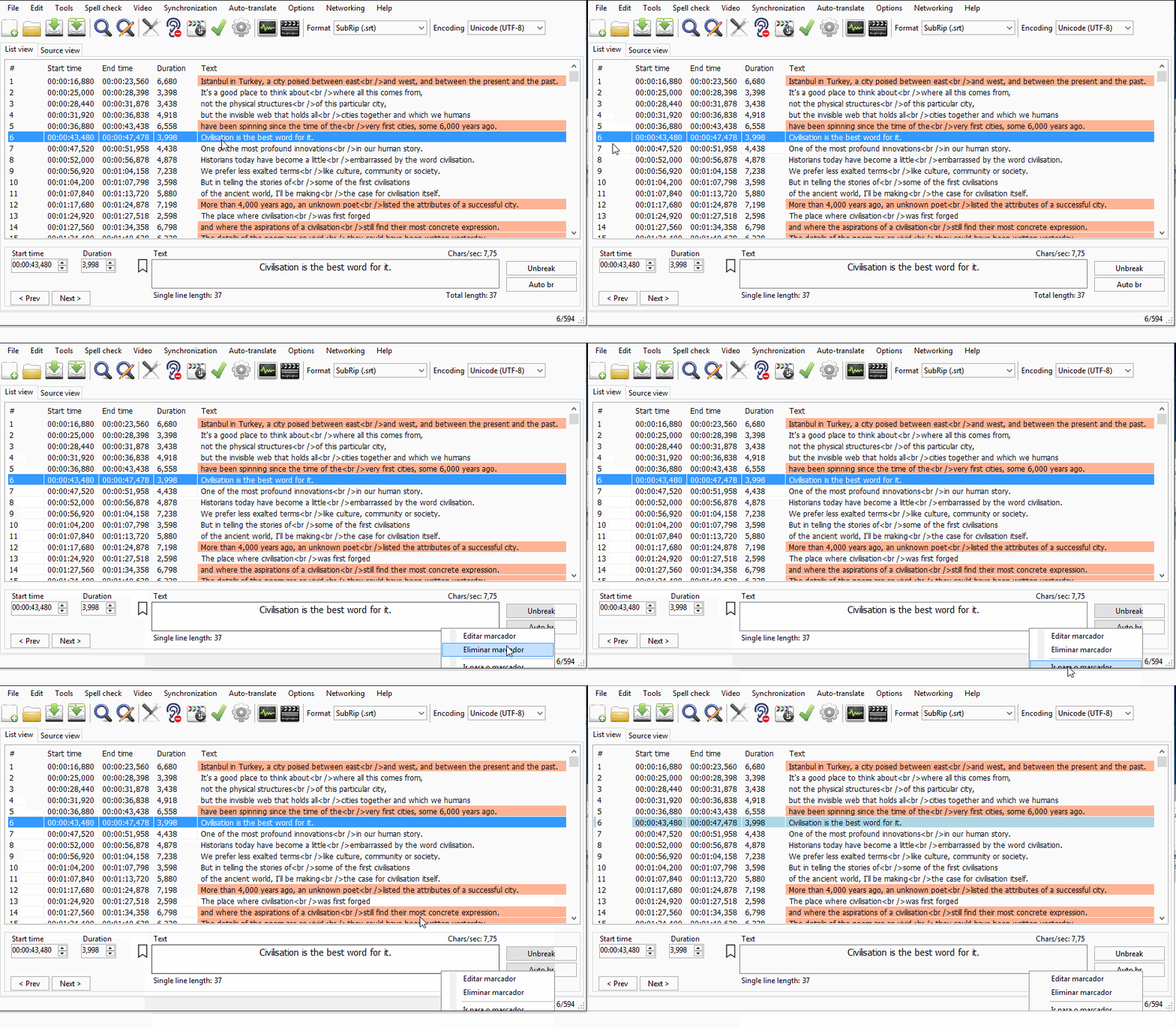
@niksedk the context menu for edit and remove bookmark appears in a very low position and cuts the menu.
And the bookmark in listview line number still not appear after hit the button new and reopen
marb99
on 29 Dec 2018
@niksedk after compile the built 23 when hit "remove or clear bookmarks the context menu appears in other place of screen

marb99
on 29 Dec 2018
@marb99: thx, hopefully fixed now.
niksedk
on 29 Dec 2018
@niksedk it works now, you've been doing an excellent job and I've been an pain in ass, my written English is not the best, but I try to help with what I can by detecting errors and testing.
Happy New Year ;)
marb99
on 29 Dec 2018
@marb99 Indeed. He's put up with me much, too. Wish he knows how much we appreciate this. :)
Since all above issues have been solved, I thought I'd bring this down here.
@niksedk This is all amazing, good work. Thanks a lot.
- I still have a comment about the appearance, though.
I don't think it looks good with spaces If there is a line with a number higher than 999.
So, maybe add a separator named B or has no name and move # to the right?
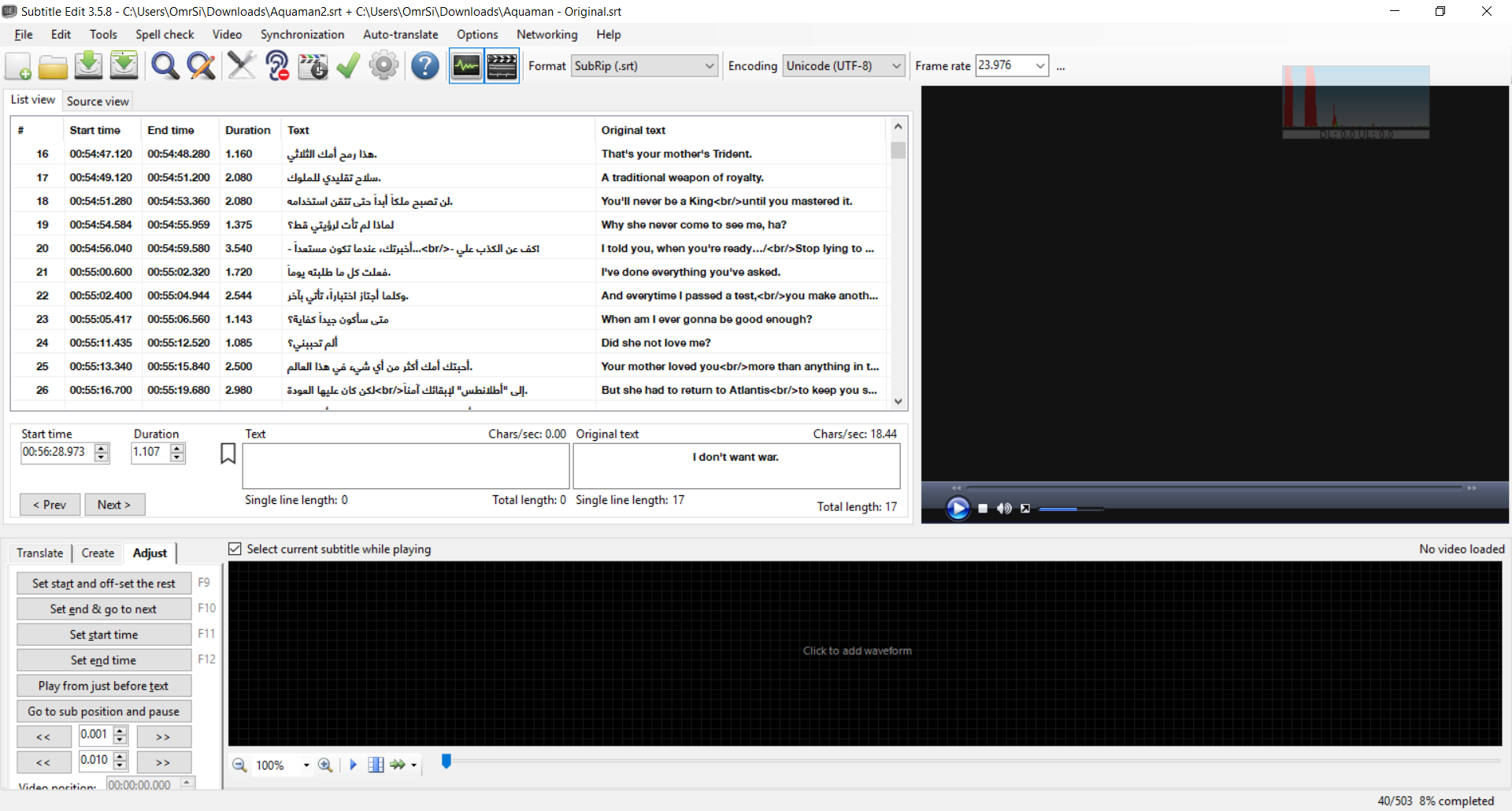
Another thing that supports this suggestion is that if you add then delete a bookmark, the numbers return left
- Noticed an issue with the shortcuts while testing:
They take the same one.
- Joining two subs makes a problem and 0 is counted as a line and that causes problems with joining, I joined two subs, one with and one without.
OmrSi
on 29 Dec 2018
@marb99 / @OmrSi: It's super nice with your useful comments and testing :)
It always makes SE better.
Happy New Year!
niksedk
on 30 Dec 2018
Happy new year! And thank you for all the work you do! SE truly makes me happy on a profound level, and I want you to know that it's appreciated.
 darnn
on 30 Dec 2018
darnn
on 30 Dec 2018
@niksedk Wouldn't it be better if the bookmarks file is saved in a folder named Bookmarks like waveform and scenechanges in appdata?
OmrSi
on 30 Dec 2018
@OmrSi I think it's okay like this, is a temp file, when the work on the subtitle is finished it is deleted and thus it is avoided to have a folder full of temp files.
@niksedk I think the name should identify the program so we know it's an SE file...
for example SE.bookmarks or something like that...
when you open SE without having any subtitles loaded it shows the bookmarks flag, for this not to happen it was not better to add this.pictureBoxBookmark.Visible = false; to Main.Designer.cs file???
marb99
on 30 Dec 2018
Beta updated: https://github.com/SubtitleEdit/subtitleedit/releases/download/3.5.8/SubtitleEditBeta.zip
Should be pretty ready now :)
niksedk
on 31 Dec 2018
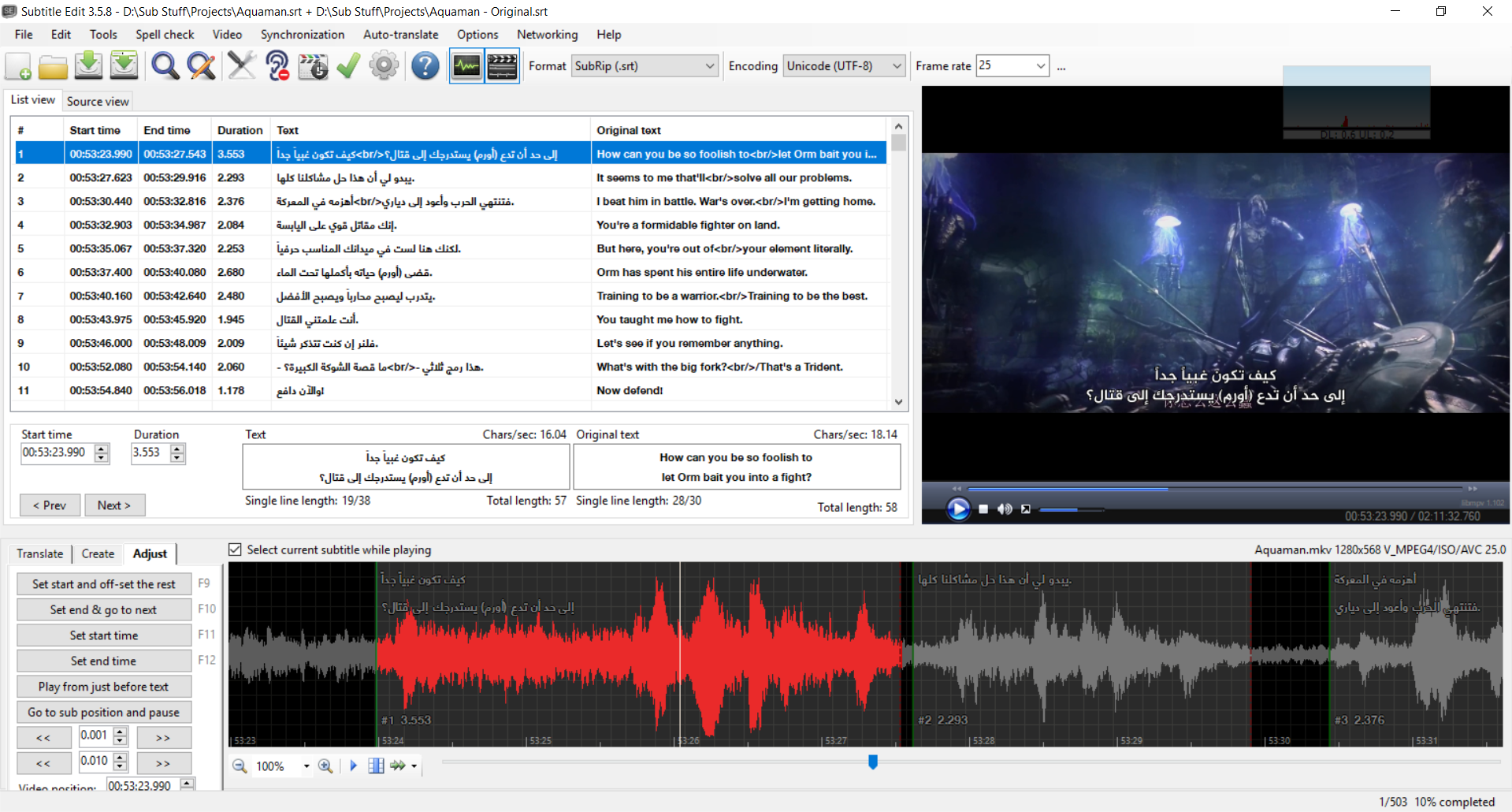
Looks good, but did you intend to make the line number go left if there is no bookmark?
I still think a separate column would be better.
OmrSi
on 31 Dec 2018
I have an idea, How about the column size changes depending on whether a bookmark exists in the file or not?
And this issue is still there https://github.com/SubtitleEdit/subtitleedit/issues/3255#issuecomment-450497687 (in build 34 that is).
OmrSi
on 1 Jan 2019
@OmrSi: Yes, that seems easy to do (I hope): https://github.com/SubtitleEdit/subtitleedit/releases/download/3.5.8/SubtitleEditBeta.zip
And this issue is still there #3255 (comment) (in build 34 that is).
Seems fixed :)
niksedk
on 1 Jan 2019
The second one is fixed. :D
About the first, now the default size is 50, which fits like 6 digits, 999999.
It would be better if it takes the number stored in the settings file, then add the bookmark size to it, I don't know if that would be possible. So, If I had 38 stored in my settings file, or resized the column to a size which is saved in the settings, it would take that number and add the bookmark icon size to it, not go back to the default 50 all the time. (Because the extra spaces between 3 and 6 digits don't look good, and subtitle files usually don't go over 4 digits)
OmrSi
on 1 Jan 2019
OK, gave it a try - how is this: https://github.com/SubtitleEdit/subtitleedit/releases/download/3.5.8/SubtitleEditBeta.zip ?
niksedk
on 1 Jan 2019
Perfect. :D
Thanks. <3
OmrSi
on 1 Jan 2019
I just noticed that something goes wrong with the size when you open an original subtitle:
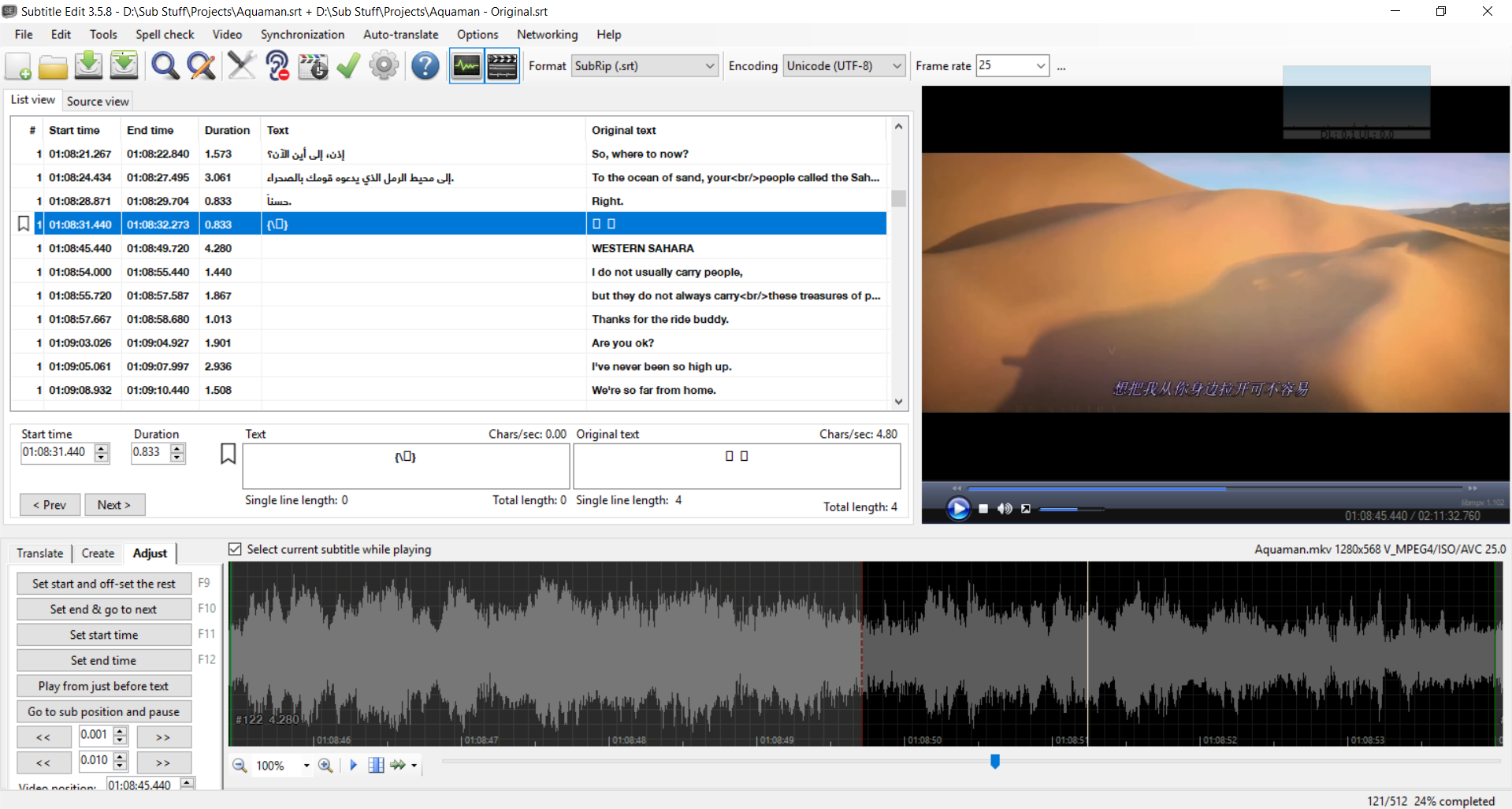
OmrSi
on 2 Jan 2019
@OmrSi: nice catch :)
Beta updated: https://github.com/SubtitleEdit/subtitleedit/releases/download/3.5.8/SubtitleEditBeta.zip
niksedk
on 2 Jan 2019
Works perfectly. :)
I don't think there is anything else.
OmrSi
on 2 Jan 2019
@niksedk This is a minor:
When opening SE # is:
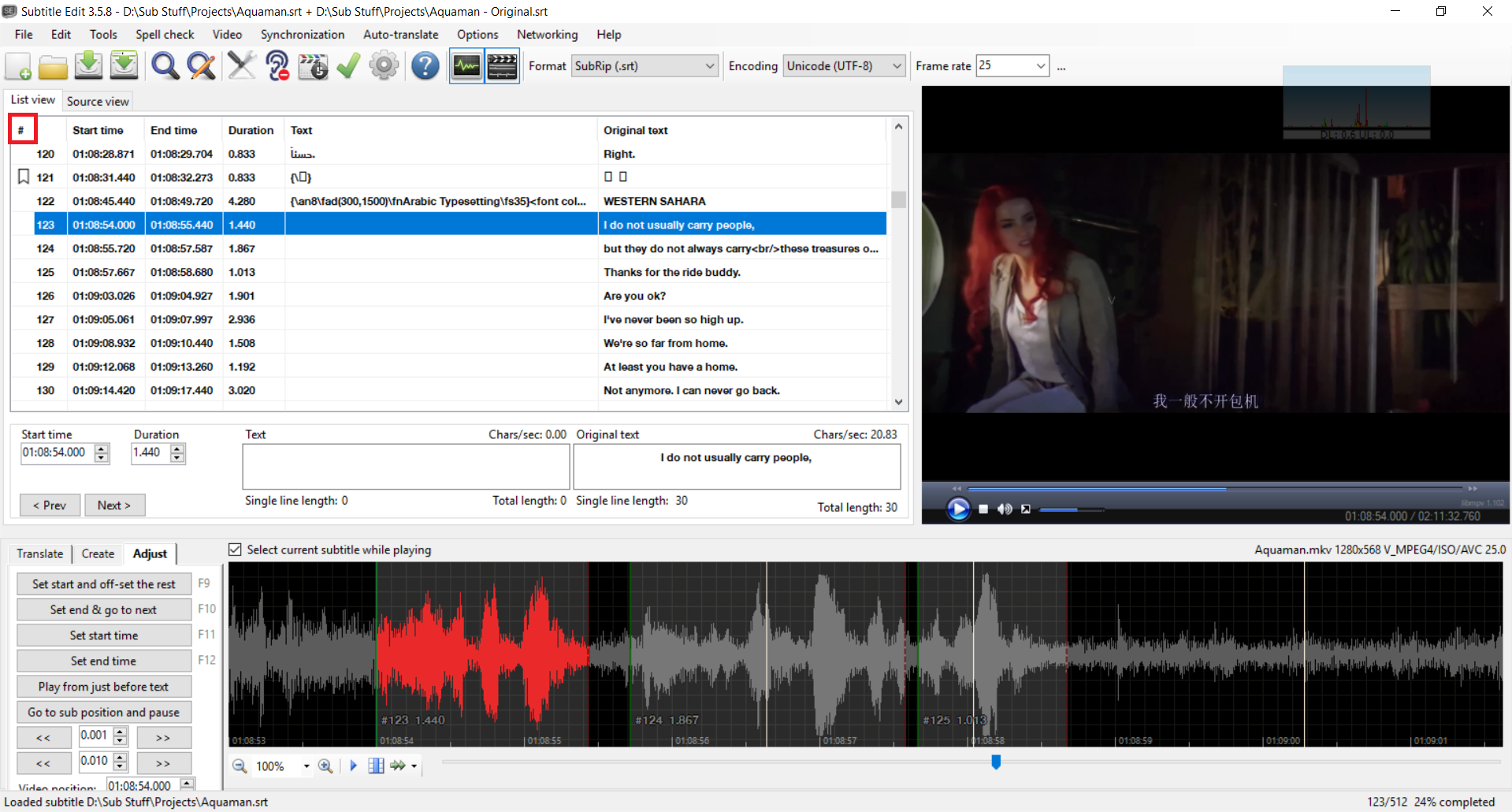
When closing and opening the file:
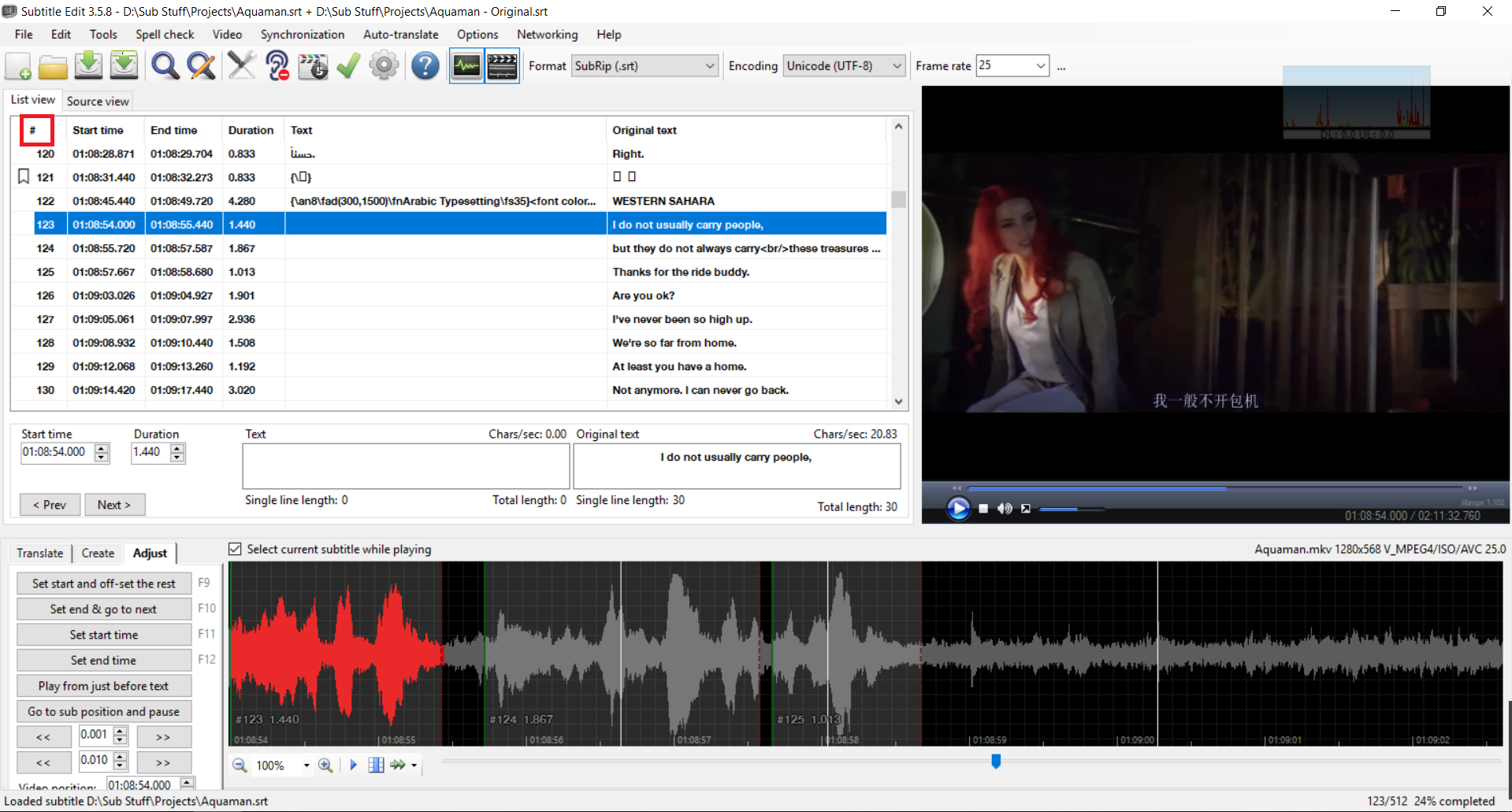
OmrSi
on 3 Jan 2019
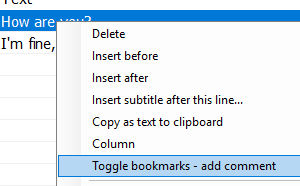
Bookmarks can also be toggled via the list view context menu:
niksedk
on 4 Feb 2019
Related issues
 m0ck69
·
5Comments
m0ck69
·
5Comments
 PannenkoekenNL
·
3Comments
PannenkoekenNL
·
3Comments
 ivandrofly
·
5Comments
ivandrofly
·
5Comments
 taxen
·
6Comments
taxen
·
6Comments
 07416
·
5Comments
07416
·
5Comments
Most helpful comment
@marb99 / @OmrSi: It's super nice with your useful comments and testing :)
It always makes SE better.
Happy New Year!