I guess it's really time for a new release mostly due to GT and Tesseract4... but the change log also contains many other nice stuff: https://raw.githubusercontent.com/SubtitleEdit/subtitleedit/master/Changelog.txt
TODO:
- [x] Test Tesseract OCR
- [x] Test Translate
- [x] Test "Batch convert"
- [x] Test spell check
- [x] General testing + (fixing bugs)
If you know any issue that should be included please do let us know :)
Link to latest portable beta: https://github.com/SubtitleEdit/subtitleedit/releases/download/3.5.7/SubtitleEditBeta.zip
 niksedk
All 34 comments
Great. I'll stay quiet after this. I think you've had enough of my mentions. :3
But I don't know If you see them, that's why I repeat them sometimes. 😅
I hope you can take a look at these: https://github.com/SubtitleEdit/subtitleedit/issues/3198~~ https://github.com/SubtitleEdit/subtitleedit/issues/3075 https://github.com/SubtitleEdit/subtitleedit/issues/3201
And this is closed: https://github.com/SubtitleEdit/subtitleedit/issues/1816
~~This also is closed Now: https://github.com/SubtitleEdit/subtitleedit/issues/3203~~
EDIT: Tested spell check, it's seeing the hidden character as a strange char, then ignores it after skipping all.
As for batch convert, the RTL feature you added is working well, Some of my friends tested it.
As for GT, The said it's working well with an API, without too, but it has a limit, of course.
The plugin is working very well here.
 OmrSi
on 11 Dec 2018
OmrSi
on 11 Dec 2018
I have a handful of old ones that still persist in the current version, if you'd like to take a look at them:
https://github.com/SubtitleEdit/subtitleedit/issues/2147
https://github.com/SubtitleEdit/subtitleedit/issues/2179
https://github.com/SubtitleEdit/subtitleedit/issues/2517
 darnn
on 11 Dec 2018
darnn
on 11 Dec 2018
Subtitle Edit 3.5.8 is Subtitle Edit 3.5.7 build 174
 wintermuts
on 13 Dec 2018
wintermuts
on 13 Dec 2018
@wintermuts: Was that a question? The beta version says 3.5.7 build
niksedk
on 13 Dec 2018
GT without Edge requirement for windows 7 users.
this is more for the section of plug-ins, but here is my request.
 marb99
on 13 Dec 2018
marb99
on 13 Dec 2018
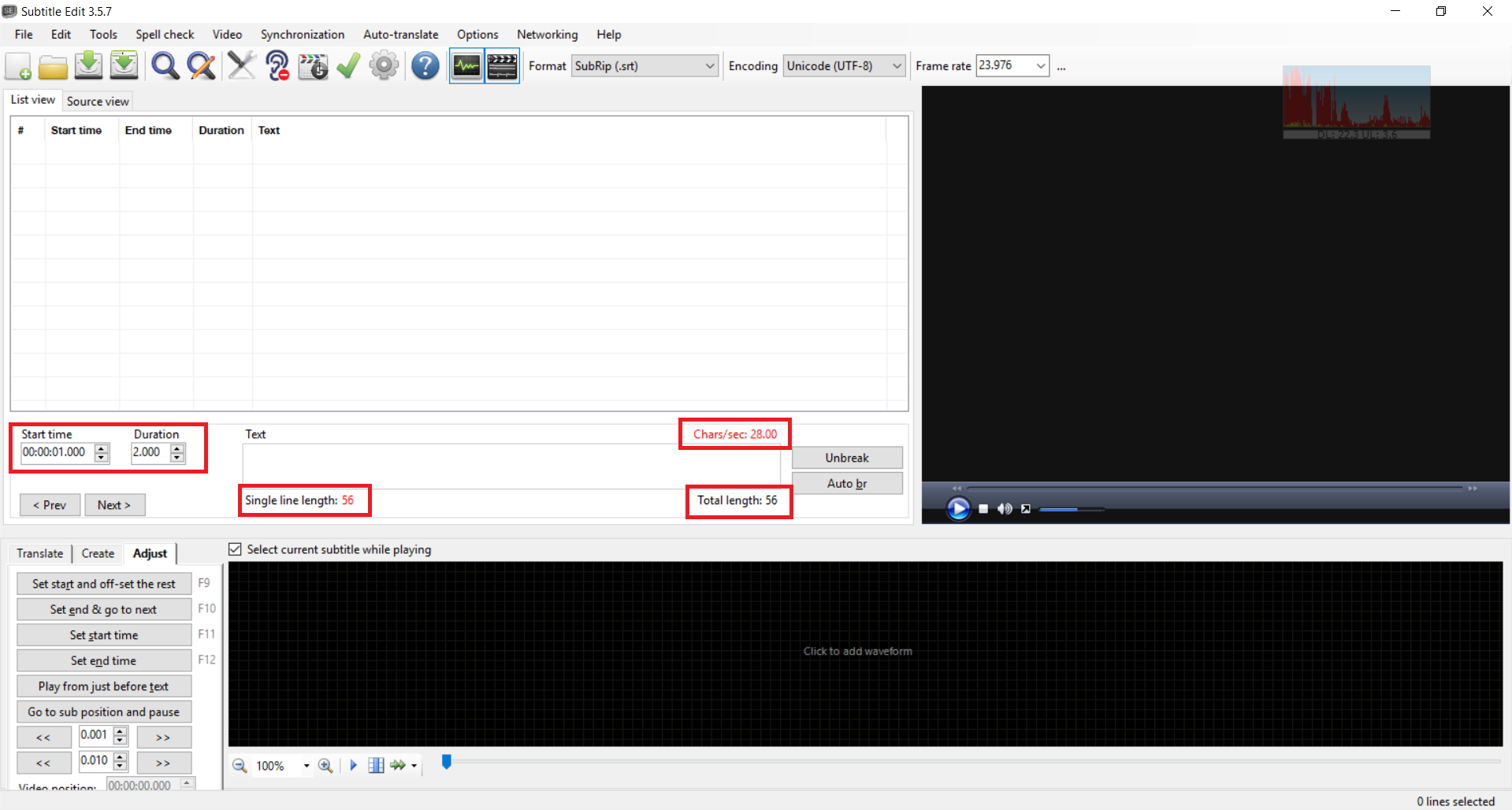
Also, instead of opening a new issue, here is another minor bug I just noticed:
After adding a bunch of lines and deleting them:
OmrSi
on 13 Dec 2018
https://github.com/SubtitleEdit/subtitleedit/issues/675
just mentioning this, as per every release, so you can ignore it once again.
 diomed
on 13 Dec 2018
diomed
on 13 Dec 2018
@niksedk see here #3239
marb99
on 14 Dec 2018
@niksedk I hope you have the chance to add "remove Unicode control char" option to the edit list as it exists in Batch convert.
And check https://github.com/SubtitleEdit/subtitleedit/issues/3198 again
And https://github.com/SubtitleEdit/subtitleedit/issues/2917 is closed, noticed it while searching for something.
OmrSi
on 16 Dec 2018
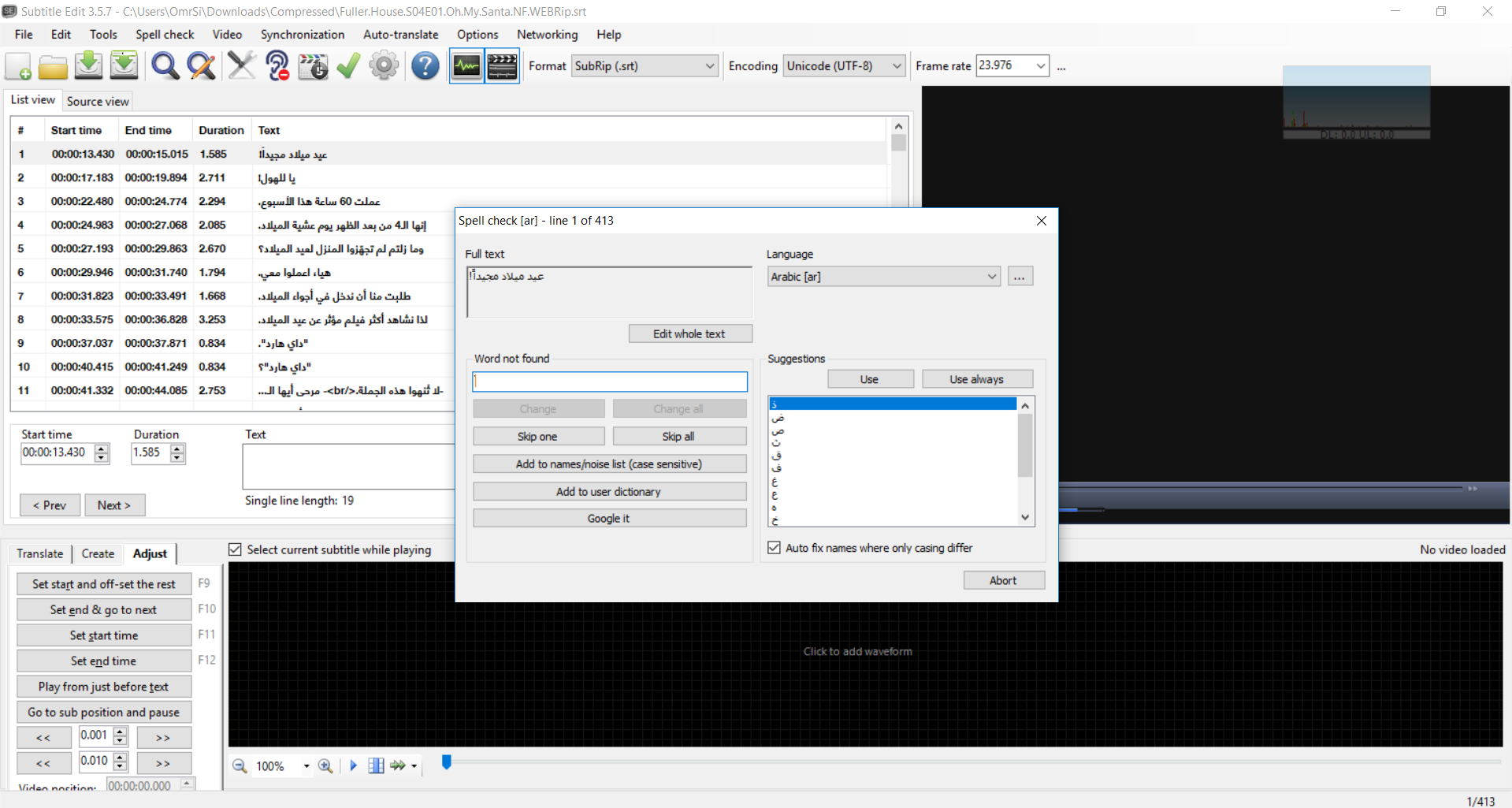
@OmrSi: Does the spell check still prompt for hidden character / strange char?
niksedk
on 17 Dec 2018
Sorry, I didn't test before scratching. It still requires a skip all...
This is u202B
OmrSi
on 17 Dec 2018
@OmrSi: Could you attach a subtitle with this spell check issue?
niksedk
on 17 Dec 2018
All files here, https://subscene.com/subtitles/fuller-house-fourth-season/arabic/1898379
I tried it with English, It didn't cause a problem, but in Arabic files, it does after using Reverse with Unicode control char method.
OmrSi
on 17 Dec 2018
@OmrSi: thx :)
Beta updated: https://github.com/SubtitleEdit/subtitleedit/releases/download/3.5.7/SubtitleEditBeta.zip
niksedk
on 17 Dec 2018
Fixed. 👍👍
OmrSi
on 17 Dec 2018
After bilingual splitting, the number duplicated:
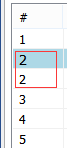
Now I know why I got #3171
 LeonCheung
on 18 Dec 2018
LeonCheung
on 18 Dec 2018
3158 If this is a corner case, I'll close it for good. :)
LeonCheung
on 18 Dec 2018
For the latest "Split at end chars" feature in "Import plain text" module, I think it works fine with half-width punctuations, but failed with full-width ones, such as:
,。!?、:;…
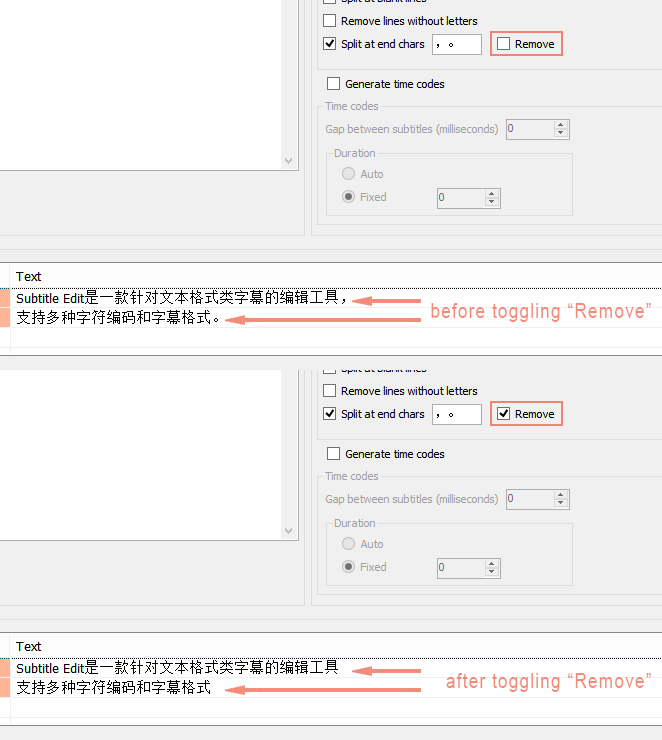
They are all needed to be set as end chars. And, if possible, pls consider adding a "Remove end chars" toggle, which is quite useful for languages like CJK, which don't use them in subs in many cases. Thx!
LeonCheung
on 18 Dec 2018
@LeonCheung: The "split at end chars" works fine with e.g. "…" for me and it's also a checkbox, so it's possibly to toggle. (I've added renumbering after bilangual split)
niksedk
on 18 Dec 2018
@niksedk I think I know why. It works fine if I manually add an extra space character after them. Hmm, I think that's the rule for English, maybe to avoid digits like "1.23" or "9,454,231" right? However you know for us we don't use that extra space in our writing forms.
LeonCheung
on 18 Dec 2018
full_width_end_chars_test.txt
A test file here, which contained all the punctuations mentioned above.
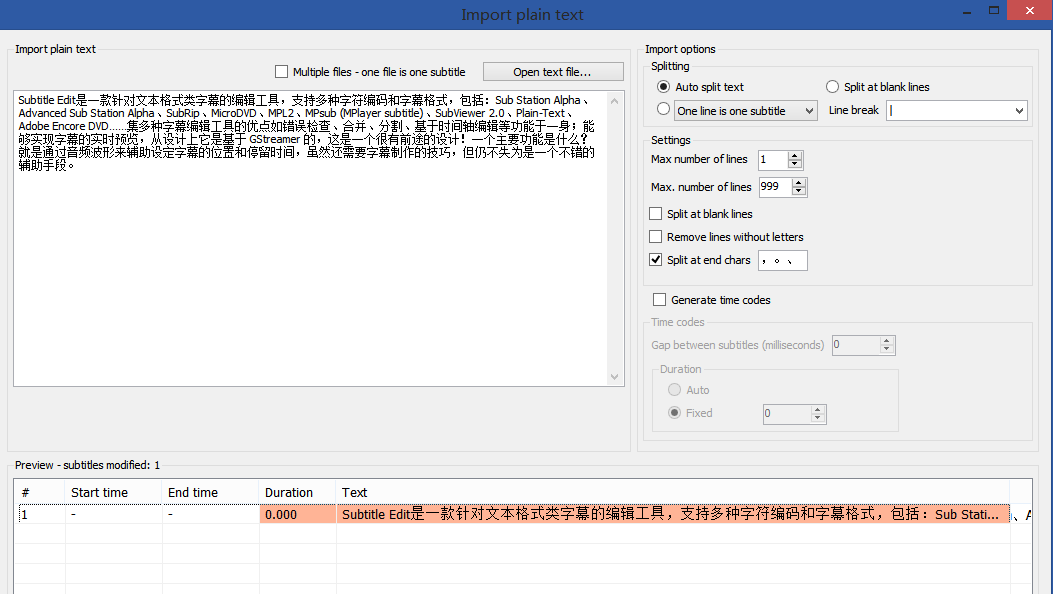
(PS: Since I don't want to auto split, I used a very large value for "Max. number of lines" value, which I hope won't affect anything here.)
LeonCheung
on 18 Dec 2018
Beta updated: https://github.com/SubtitleEdit/subtitleedit/releases/download/3.5.7/SubtitleEditBeta.zip
Fixed renumber after bilingual splitting + text in import plain text + some plain text fixes + some spell check fixes... hopefully very close the 3.5.8 final - so please do run it a bit :)
niksedk
on 18 Dec 2018
Awesome.
Just a couple of things, You started working on this, If it's too hard, it's not pressing https://github.com/SubtitleEdit/subtitleedit/issues/3075
Also, If this is normal or too hard to fix, either close or leave for later https://github.com/SubtitleEdit/subtitleedit/issues/3201
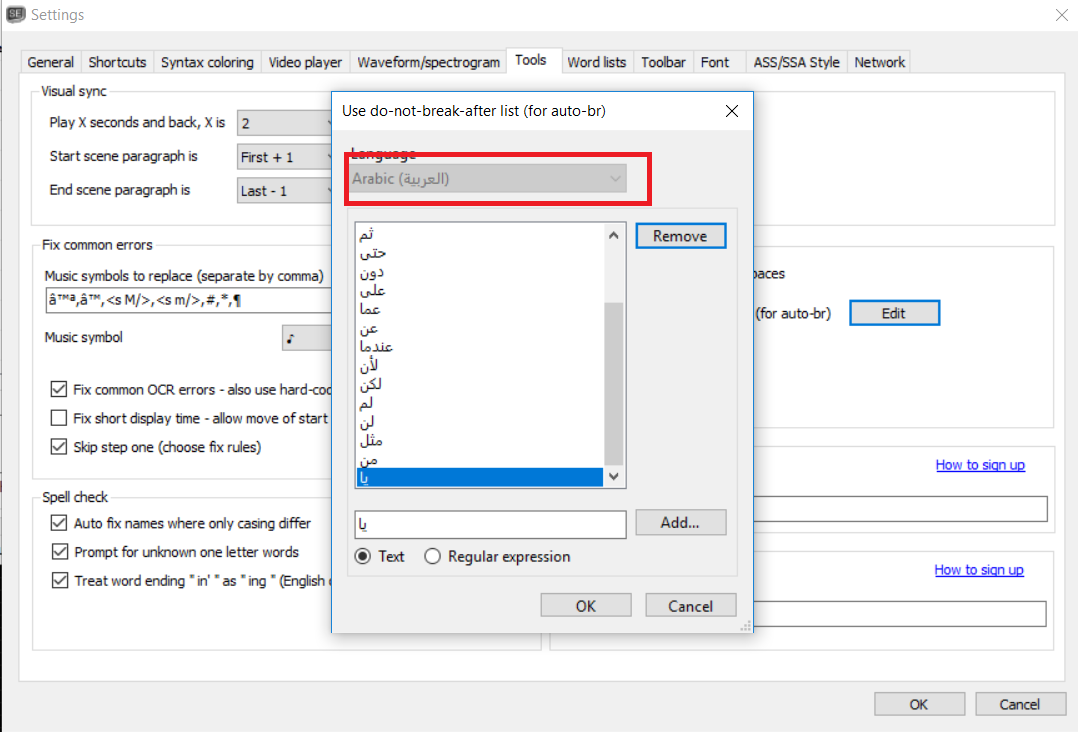
The last thing, this is more of a question, I added ، \b\w+\b to the do-not-break-after list, but when I test it on this:
ها ها ها ها ها ها ها ها ها، ها
ها ها ها ها ها ها ها ها ها ها.
it gives me this:
ها ها ها ها ها ها ها ها ها،
ها ها ها ها ها ها ها ها ها ها ها.
While it should be like this:
ها ها ها ها ها ها ها ها ها،
ها ها ها ها ها ها ها ها ها ها ها.
I want it to not break after one word of a comma.
Which leads me to this minor, after adding or removing to the list, language selection is grayed out.
OmrSi
on 18 Dec 2018
Could you see about using "a.m."/"e.g." in the no break after list? https://github.com/SubtitleEdit/subtitleedit/issues/3230
Also, I've added several entries to my file, is there any way to upload it here and merge it with the default file (provided you approve them all)?
darnn
on 18 Dec 2018
EDL Export - Option to have single lines placed on top line.
When creating subtitles I always stick to two line pairs like so:
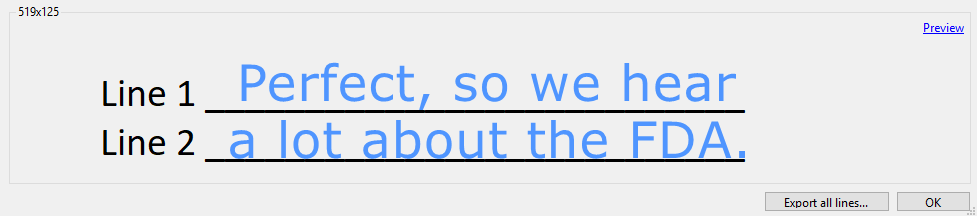
When exporting subitles to EDL, single lines are always placed on the bottom-most line like so:
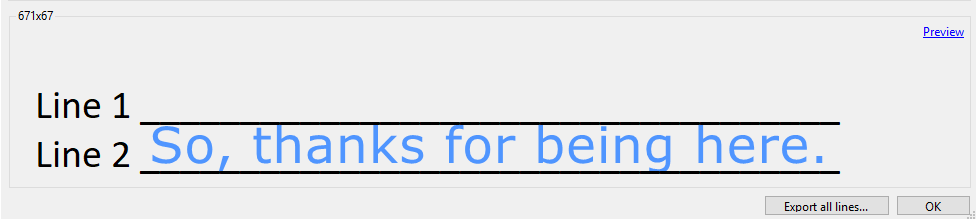
I have not been able to find a way around this (I've dug through all the settings with no luck and tried simply placing a blank line below the single line but blank lines are automatically removed).
It would be incredibly helpful and appreciated if there could be a option to place these single lines on the top line or to disable the automatic removal of blank lines.
Thanks!
 joedmartin
on 18 Dec 2018
joedmartin
on 18 Dec 2018
@LeonCheung: The "split at end chars" works fine with e.g. "…" for me and it's also a checkbox, so it's possibly to toggle. (I've added renumbering after bilangual split)
Very nice improvement. Just, for the checkbox, I'm not sure we are talking about the same thing, I mean something like the GIF below:
LeonCheung
on 19 Dec 2018
After using Tesseract-OCR all temp files remain in the temporary folder (C:*AppDataLocalTemp)
 borifax
on 19 Dec 2018
borifax
on 19 Dec 2018
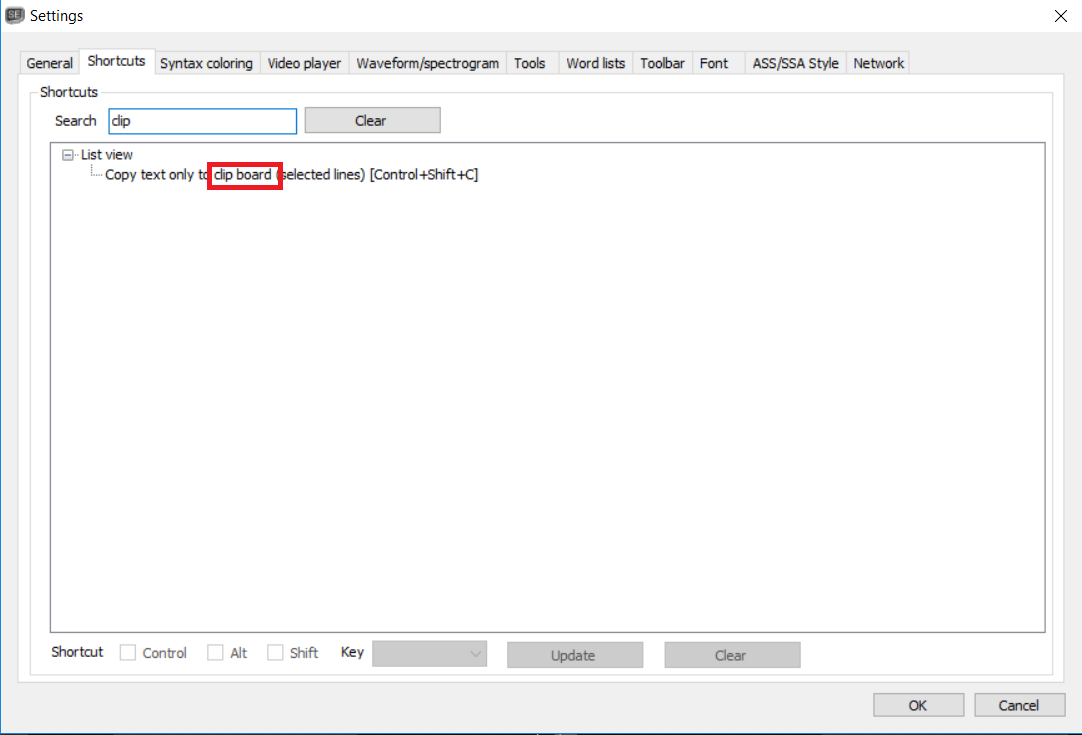
Language minor: "clipboard"
OmrSi
on 19 Dec 2018

OmrSi
on 19 Dec 2018
Beta updated: https://github.com/SubtitleEdit/subtitleedit/releases/download/3.5.7/SubtitleEditBeta.zip :)
niksedk
on 19 Dec 2018
@niksedk Question, I've set Alt + R as a shortcut for reversing punctuation for RTL, and Alt + OemQuestion for adding music symbols, when I focus on the text box and use Alt + R, the alt's work is done, so it doesn't select the "File" menu, but when I use Alt + OemQuestion, the "File" menu from the menu bar is selected, is this a bug?
OmrSi
on 19 Dec 2018
thanks for not including new icon once again. it would really be a drag to change anything to something new.
diomed
on 20 Dec 2018
@diomed: Sorry, my time is limited and requests seem not to be
niksedk
on 20 Dec 2018
Thank you for all your efforts. 😄😃
OmrSi
on 20 Dec 2018
Related issues
 SubEdict
·
3Comments
LeonCheung
·
5Comments
SubEdict
·
3Comments
LeonCheung
·
5Comments
 ivandrofly
·
5Comments
ivandrofly
·
5Comments
 taxen
·
6Comments
taxen
·
6Comments
 frozenspider
·
5Comments
frozenspider
·
5Comments