- Browser: Chrome, Version 86.0.4240.198 (Official Build) (x86_64)
- Operating System: MacOS
- Stylus Version: Stylus Beta
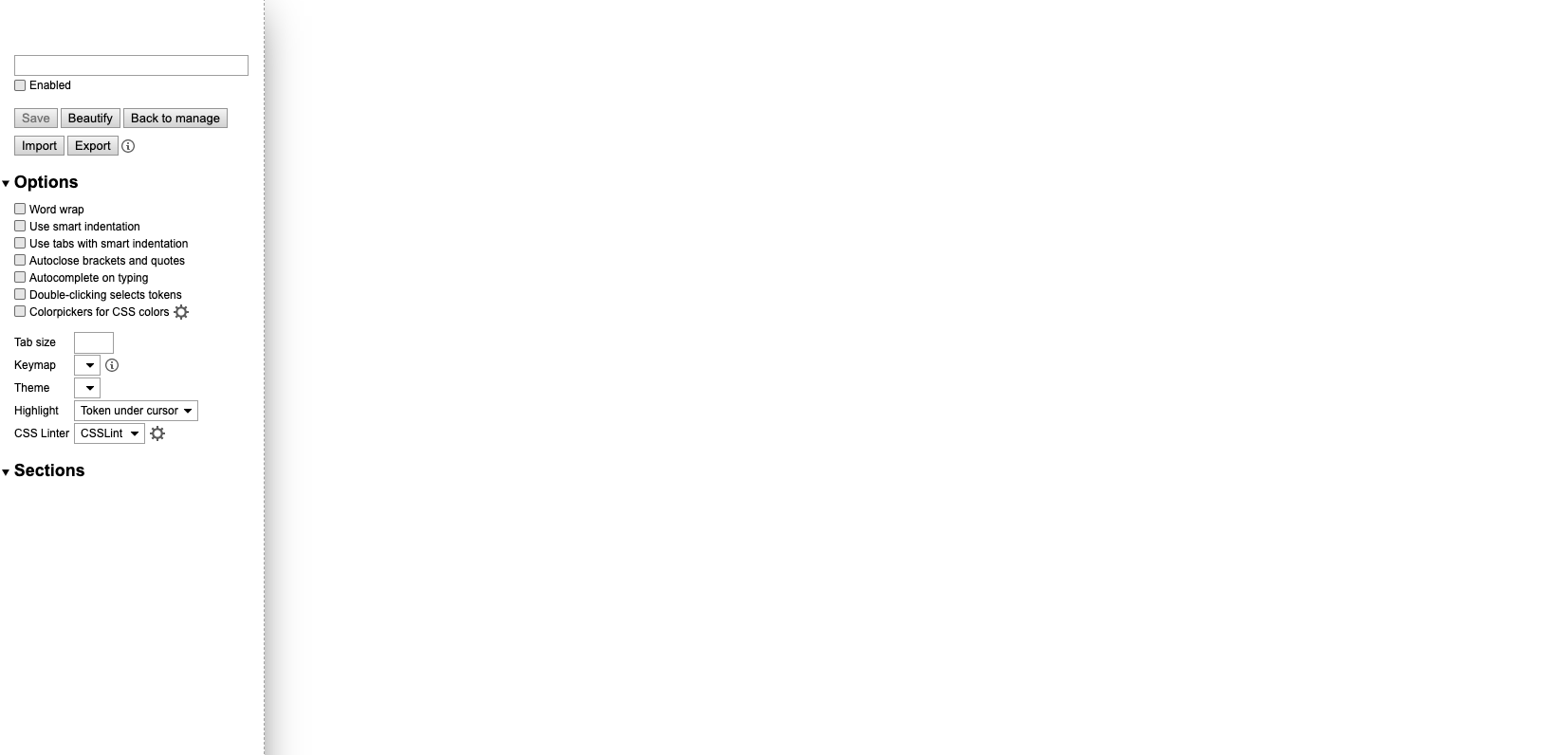
- Screenshot:
Hello,
I'm having trouble with accessing my code after I update my Chrome few days ago. The CSS I have for my website still functions well, however, when I open the edit page, and nothing's on there. Looks like it's broken, but I'm not sure what reasons was that.
 Yulin-Rog
All 6 comments
This is similar to #1113 but since it works for me, you'll have to do some digging to find out what's different in your case. Check the devtools console, the background console, see if the problem exists in a new browser profile, try fully uninstalling and reinstalling the extension (don't forget to backup the styles first), see if disabling your antivirus helps, make sure you don't use CCleaner and similar software.
 tophf
on 20 Nov 2020
tophf
on 20 Nov 2020
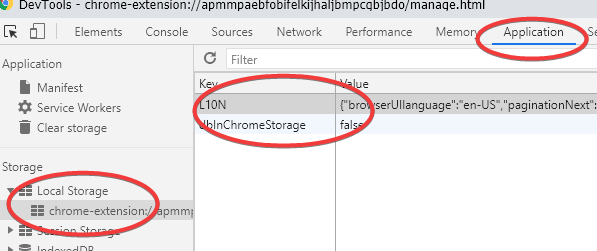
I have an idea:
- open devtools
- switch to
Applicationpanel - locate
Local Storage, and deleteL10N - reload the editor page
tophf
on 20 Nov 2020
Never presume they've already tried restarting their browser. Ideally, glitches like this would never occur regardless, but on more than one occasion, I've wasted a bunch of time troubleshooting, only to have someone tell me they've restarted their browser and now everything's fine.
 narcolepticinsomniac
on 20 Nov 2020
narcolepticinsomniac
on 20 Nov 2020
'default' thema is translated such as 'デフォルト' in Japanese.
So, error occurs in the following line .
https://github.com/openstyles/stylus/blob/420733b93a097ae7d917af5dedb2b0525d86b25c/edit/edit.js#L187
workaround is to open the develop console (Ctrl-Shift-j) on the editor page
and run the following command.
prefs.set('editor.theme', 'cobalt');
 Hamayama
on 20 Nov 2020
Hamayama
on 20 Nov 2020
@Hamayama, thanks, it's a recent bug indeed.
tophf
on 20 Nov 2020
Fixed in 70e3ba15, the next release will have the fix.
tophf
on 20 Nov 2020
Related issues
 FranklinYu
·
5Comments
FranklinYu
·
5Comments
 zmni
·
4Comments
zmni
·
4Comments
 safronov3d
·
3Comments
safronov3d
·
3Comments
 Raeffion
·
5Comments
Raeffion
·
5Comments
 farzadmf
·
3Comments
farzadmf
·
3Comments
Most helpful comment
Never presume they've already tried restarting their browser. Ideally, glitches like this would never occur regardless, but on more than one occasion, I've wasted a bunch of time troubleshooting, only to have someone tell me they've restarted their browser and now everything's fine.