Stripe-android: CardInputWidget looks ugly on small screens
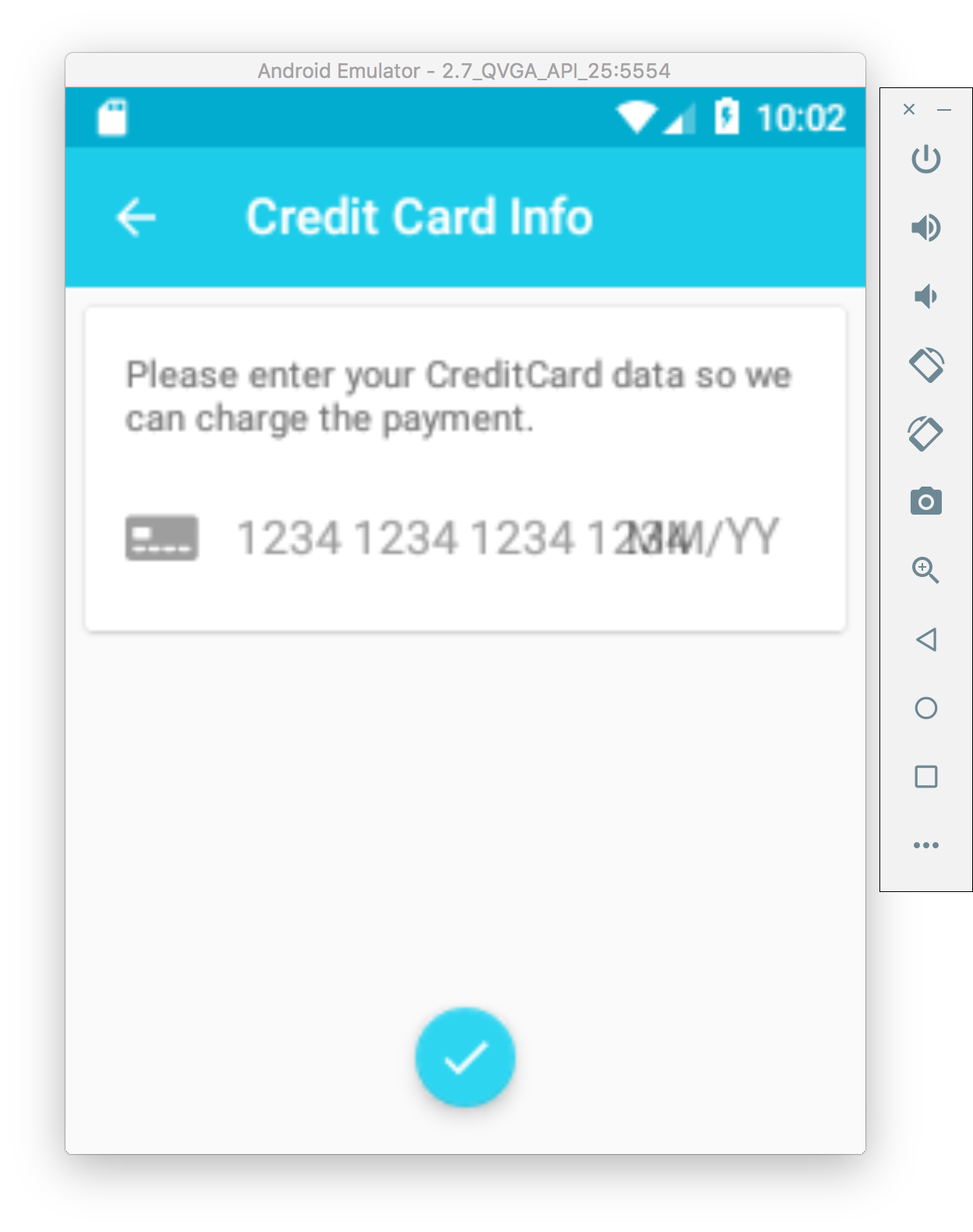
Im using a 2_7_QVGA emulator and input looks like:
 danielgomezrico
All 6 comments
How many DP is that across? We have a min width of 320dp, at which we've tested it and not seen that kind of overlap. It is designed to expand and contract, but there's a minimum on how small it can get (as you can see).
 mrmcduff-stripe
on 19 Oct 2017
mrmcduff-stripe
on 19 Oct 2017
It's 240x320 ldpi, it's the smaller size you can pick creating emulators on AS.
Maybe putting the fields vertical instead of horizontal fix it?
danielgomezrico
on 19 Oct 2017
Putting the fields vertical would break all the animations that occur with that widget. If you can use appcompat themes, the multiline card input widget might work better for you. I'll make sure to bump up the min size; I think I was testing with an mdpi when I saw that as the min width where things don't overlap. (Although I also thought the point of dp was that it didn't matter what res the screen was). In any case, there is sort of a minimum width beyond which the design doesn't quite make as much sense. You can add simpler text fields, or just use the CardNumberEditText by itself (or with the ExpiryDateEditText and StripeEditText for CVC) and stack them vertically, and they'll work fine to get you the information you need, which you can use to create a Stripe Card object.
Sorry the min width didn't prevent this from happening though -- but as is, the bug is in the min width not being large enough, not the desired functionality.
mrmcduff-stripe
on 19 Oct 2017
Closing this issue to wrap up -- we'll tweak that min size, but we've elected not to fundamentally alter the control to target small screen devices as a priority. Thanks for pointing it out though! We always want to know when a feature's in demand, even if it isn't one we're supporting.
mrmcduff-stripe
on 20 Oct 2017
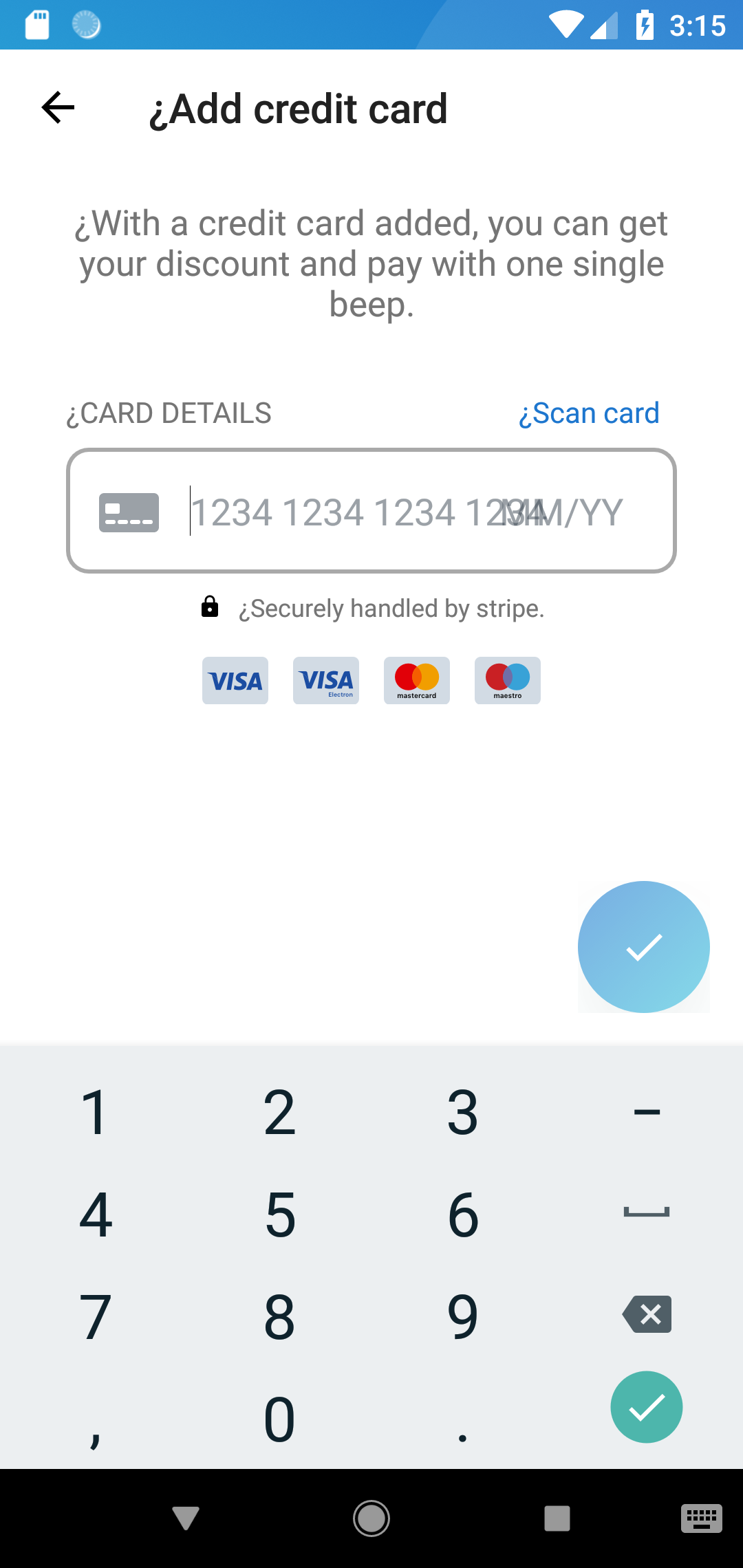
@mrmcduff-stripe I know this is an old issue and it has already been closed, but I'm seeing the exact same issue on a Huawei P20 Lite (screenresolution 2280x1080).
What are my options here?
 darwind
on 25 Sep 2018
darwind
on 25 Sep 2018
the same on mi a2 lite. How fix it?
 nesalexy
on 24 Dec 2018
nesalexy
on 24 Dec 2018
Related issues
 odedharth
·
4Comments
odedharth
·
4Comments
 andrewmunn
·
4Comments
andrewmunn
·
4Comments
 jose-t
·
8Comments
jose-t
·
8Comments
 OleksandrGrument
·
10Comments
OleksandrGrument
·
10Comments
 ema987
·
5Comments
ema987
·
5Comments