Stride: Reinstall fails on Win8.1 following uninstall via setup.
Release Type:
Official
Version:
3.0.0.6 Official
3.1 Beta Official
Launcher 3.0.5
Platform(s):
Windows 8.1
System
OS/device including version:
Windows 8.1 64bit, 8GB AMD FX 6350 6 core
.NET framework installed as of 1.21.19 .NET 4.7.2 Reg key: Release REG_DWORD 461814
Nuget 4.92
Graphics Chipset
AMD Radeon HD 7700 Series
Memory Size 1024 MB
Radeon Software Version 17.4.4
Describe the bug
For us an uninstall-Reinstall of Xenko and the launcher resulted in:
1) Local dev copy of Xenko 3.0.0.6 that was previously building and working exits with an invalid operation in mscorlib under debug in VS2017, built but would not run. XenkoGameStudio.exe shows in the process list but shuts down without window display.
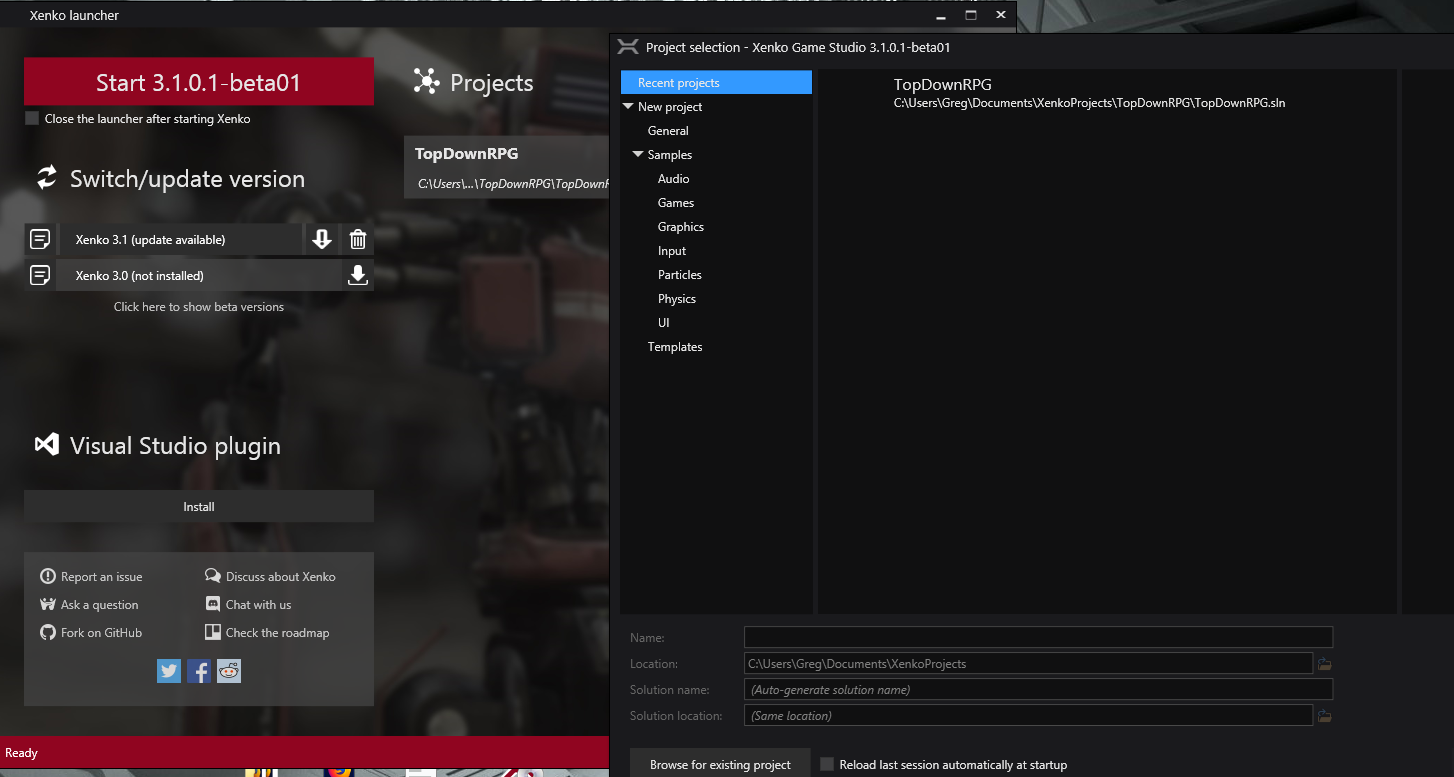
2) Clean reinstall (multiple times) of the Xenko launcher v.3.0.5 and attempted install of 3.0.0.6 or 3.1beta presents with the error shown in the launcher screenshot and below.
To Reproduce
Steps to reproduce the behavior:
- Download the launcher and attempt to install Xenko following an uninstall of Xenko (3.0.0.6 and 3.1 beta)
Expected behavior
A proper install without errors.
Screenshots
If applicable, add screenshots to help explain your problem (use GitHub drag & drop)

Log and callstacks
If any, please attach here any log or callstack (preferably in a .txt file using GitHub drag and drop)
An error occurred while installing version 3.0.0.6.
Number of entries expected in End Of Central Directory does not correspond to number of entries in Central Directory.
 at System.IO.Compression.ZipArchive.ReadCentralDirectory()
 at System.IO.Compression.ZipArchive.get_Entries()
 at NuGet.Packaging.ZipArchiveExtensions.GetFiles(ZipArchive zipArchive)
 at NuGet.Protocol.LocalV2FindPackageByIdResource.GetPackageInfosCore(String id, ILogger logger)
 at System.Collections.Concurrent.ConcurrentDictionary2.GetOrAdd(TKey key, Func2 valueFactory)
 at NuGet.Protocol.LocalV2FindPackageByIdResource.GetPackageInfos(String id, SourceCacheContext cacheContext, ILogger logger)
 at NuGet.Protocol.LocalV2FindPackageByIdResource.GetAllVersionsAsync(String id, SourceCacheContext cacheContext, ILogger logger, CancellationToken cancellationToken)
 at NuGet.Commands.SourceRepositoryDependencyProvider.<GetAllVersionsAsync>d28.MoveNext()
 --- End of stack trace from previous location where exception was thrown ---
 at System.Runtime.ExceptionServices.ExceptionDispatchInfo.Throw()
 at System.Runtime.CompilerServices.TaskAwaiter.HandleNonSuccessAndDebuggerNotification(Task task)
 at NuGet.Commands.SourceRepositoryDependencyProvider.<FindLibraryCoreAsync>d20.MoveNext()
 --- End of stack trace from previous location where exception was thrown ---
 at System.Runtime.ExceptionServices.ExceptionDispatchInfo.Throw()
 at System.Runtime.CompilerServices.TaskAwaiter.HandleNonSuccessAndDebuggerNotification(Task task)
 at NuGet.Commands.SourceRepositoryDependencyProvider.<>cDisplayClass19_0.<<FindLibraryAsync>b0>d.MoveNext()
 --- End of stack trace from previous location where exception was thrown ---
 at System.Runtime.ExceptionServices.ExceptionDispatchInfo.Throw()
 at System.Runtime.CompilerServices.TaskAwaiter.HandleNonSuccessAndDebuggerNotification(Task task)
 at NuGet.Commands.SourceRepositoryDependencyProvider.<FindLibraryAsync>d19.MoveNext()
 --- End of stack trace from previous location where exception was thrown ---
 at System.Runtime.ExceptionServices.ExceptionDispatchInfo.Throw()
 at System.Runtime.CompilerServices.TaskAwaiter.HandleNonSuccessAndDebuggerNotification(Task task)
 at NuGet.DependencyResolver.ResolverUtility.<>cDisplayClass7_1.<<FindLibraryFromSourcesAsync>b0>d.MoveNext()
 --- End of stack trace from previous location where exception was thrown ---
 at System.Runtime.ExceptionServices.ExceptionDispatchInfo.Throw()
 at System.Runtime.CompilerServices.TaskAwaiter.HandleNonSuccessAndDebuggerNotification(Task task)
 at NuGet.DependencyResolver.ResolverUtility.<FindLibraryFromSourcesAsync>d7.MoveNext()
 --- End of stack trace from previous location where exception was thrown ---
 at System.Runtime.ExceptionServices.ExceptionDispatchInfo.Throw()
Additional context
Googling the error "Number of entries expected in End Of Central Directory does not correspond to number of entries in Central Directory." shows similar issues with downloading/uploading zip files.
 aurodev
All 9 comments
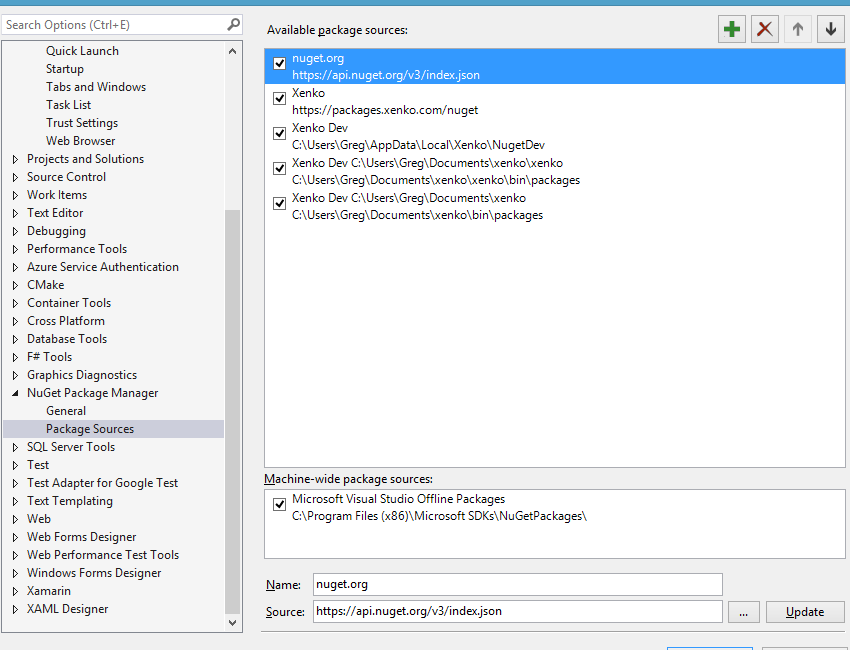
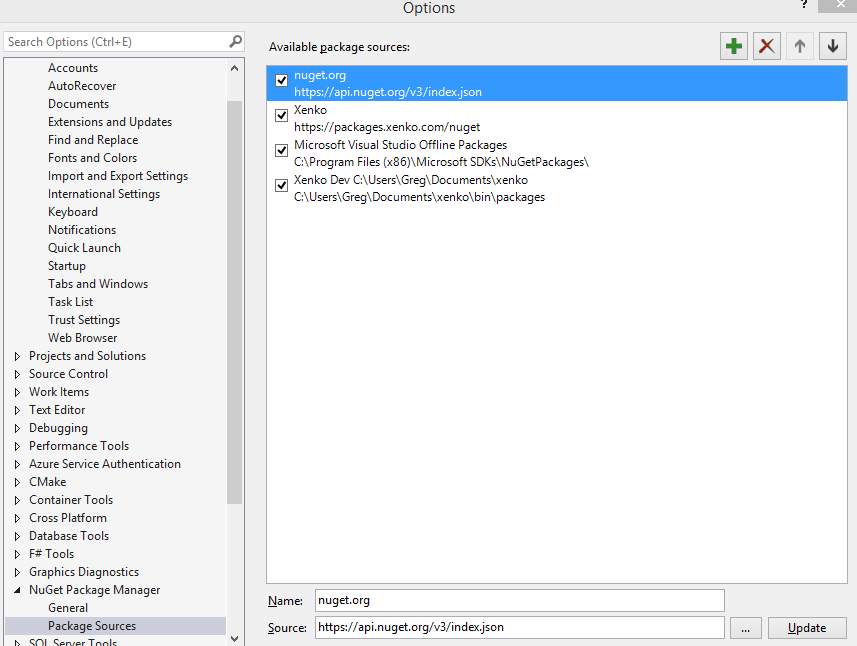
Could you give us the list of nuget package sources currently existing and activated?
In Visual Studio, go to Tools > Options command and scroll to NuGet Package Manager, then select Package Sources.
 Kryptos-FR
on 23 Jan 2019
Kryptos-FR
on 23 Jan 2019
Package sources
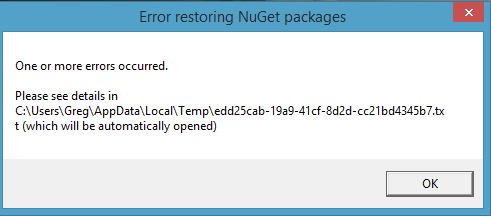
Also the latest master does build, after waiting 5 min as DiegoBM suggested but when XenkoGameStudio.exe is run a dialog box pops up that then automatically opens a text editor with a similar central directory error.
aurodev
on 23 Jan 2019
Even with a fresh reinstall of the launcher it seems to still end up with these errors.
Will try deselecting the other two local sources... is this how Xenko auto detects installed versions??
aurodev
on 23 Jan 2019
What happens if you delete xenko\xenko (4th source)? (not only uncheck but delete with X button)
If not enough, pleas do that also with xenko (5th source) and then xenko dev (3rd source)
 xen2
on 23 Jan 2019
xen2
on 23 Jan 2019
After deselecting the 2 local /Document sources and a rebuild all of the latest master XenkoGameStudio.exe runs, does the privacy acceptance box then shuts down and the error popup shows.
nuget_error2.txt
Will try with the other sources deleted and post that tomorrow...
aurodev
on 23 Jan 2019
A little early...
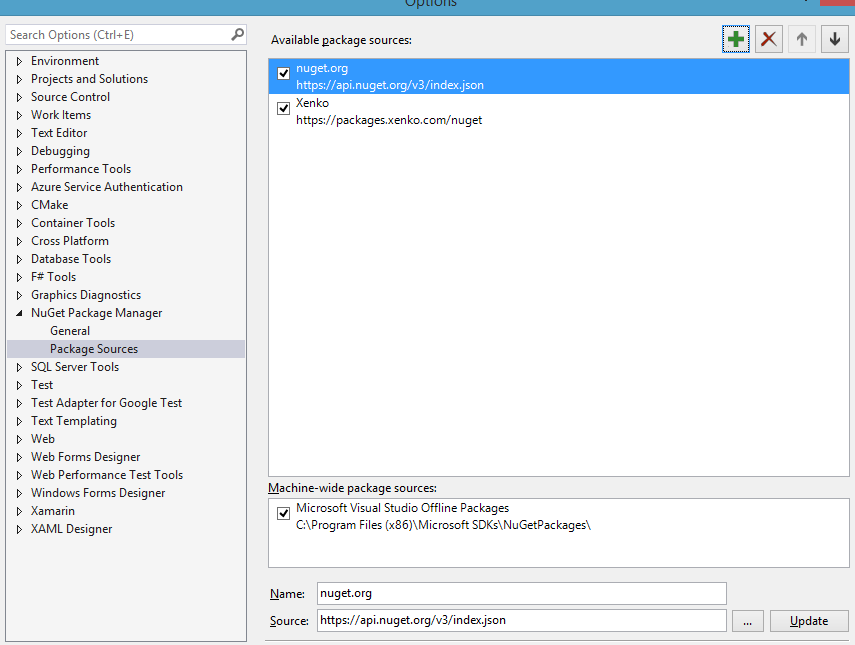
You were right. Deleting the 3 local sources worked.
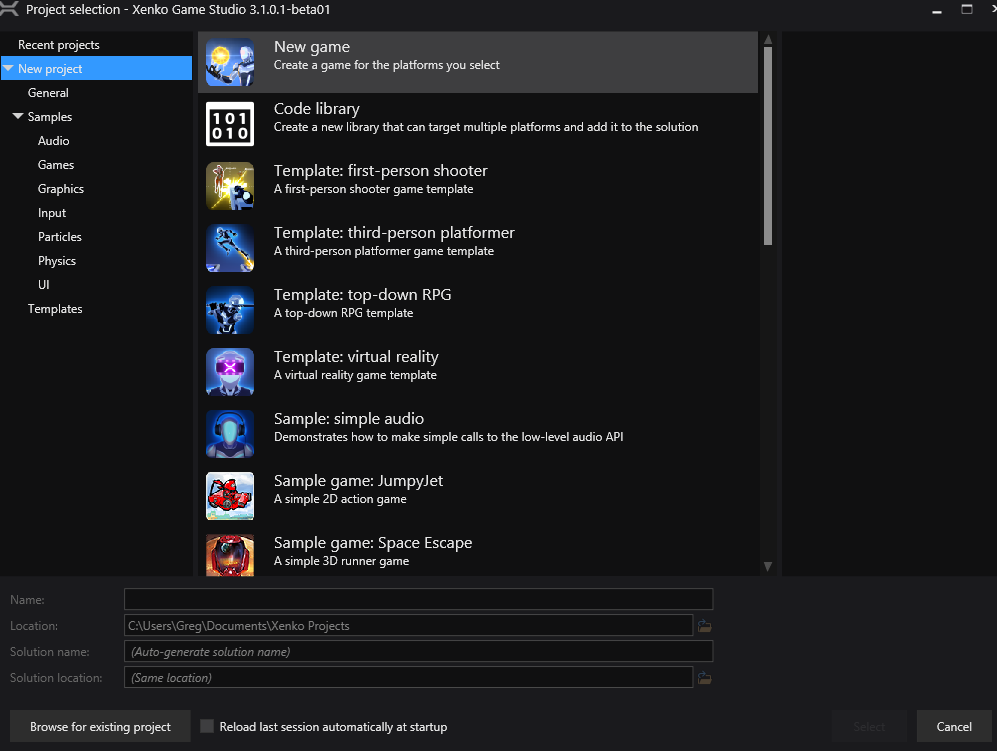
Will try reinstalling the launcher tomorrow.
aurodev
on 23 Jan 2019
OK thanks for the update!
I will think about automatically purging non-existant Xenko feeds automatically.
xen2
on 23 Jan 2019
Launcher and GameStudio now behave normally.
aurodev
on 23 Jan 2019
I will reopen to do the following improvement on Xenko side:
When Xenko or Xenko Launcher is started, check all Xenko package sources and delete the ones for which folder doesn't exist anymore.
xen2
on 25 Jan 2019
Related issues
 meriaizen86
·
5Comments
meriaizen86
·
5Comments
 MichaelJ1423
·
3Comments
MichaelJ1423
·
3Comments
 seelikes
·
4Comments
seelikes
·
4Comments
 sanslash332
·
3Comments
sanslash332
·
3Comments
 tebjan
·
4Comments
tebjan
·
4Comments