Streetmerchant: Email and Text notification's not working. error :: connect ECONNREFUSED
I'm able to get a discord message and everything else works, but it won't send a text message or email when running
npm run test:notification or when a card actually becomes available.
`> [email protected] test:notification /Users/administrator/nvidia-snatcher
npm run build && node build/__test__/notification-test.js
[email protected] build /Users/administrator/nvidia-snatcher
rimraf ./build && tsc
[12:13:21 PM] info :: Searching for sound player...
[12:13:21 PM] info :: Sound player found: afplay
[12:13:21 PM] error :: connect ECONNREFUSED 172.xxx.xxx.xxx:465
[12:13:21 PM] error :: connect ECONNREFUSED 172.xxx.xxx.xxx:465
[12:13:21 PM] info :: ↗ discord message sent: http://example.com/`
If i attempt to ping the IP it says 'cannot resolve 172.xxx.xxx.xxx:465: Unknown host.
Any other logs I can look at to see where it's failing to connect?
 naschenbrenner
All 16 comments
What is in you .env for email (remove personal info)
 geman220
on 24 Sep 2020
geman220
on 24 Sep 2020
``BROWSER_TRUSTED="false"
DISCORD_NOTIFY_GROUP="@general"
DISCORD_WEB_HOOK="https://discord.com/api/webhook"
EMAIL_USERNAME="[email protected]"
EMAIL_PASSWORD="mypassword"
HEADLESS="true"
IN_STOCK_WAIT_TIME="30"
LOG_LEVEL="info"
OPEN_BROWSER="true"
PAGE_TIMEOUT="30000"
PHONE_NUMBER="areacode7digitnumber"
PHONE_CARRIER="verizon"
PAGE_SLEEP_MIN="5000"
PAGE_SLEEP_MAX="10000"
SHOW_ONLY_BRANDS="evga,zotac,gigabyte,asus,nvidia,pny"
SHOW_ONLY_SERIES="3080"
STORES="bestbuy,bandh,nvidia,amazon,newegg,asus,officedepot,zotac"
COUNTRY="usa"
SCREENSHOT="true"
USER_AGENT="Mozilla/5.0 (X11; Linux x86_64) AppleWebKit/537.36 (KHTML, like Gecko) Chrome/78.0.3904.108 Safari/537.36"
naschenbrenner
on 24 Sep 2020
I'm assuming 72.xxx.xxx.xxx:465: isn't your IP correct? What is the IP it's trying to connect to? You can see your public IP here
geman220
on 24 Sep 2020
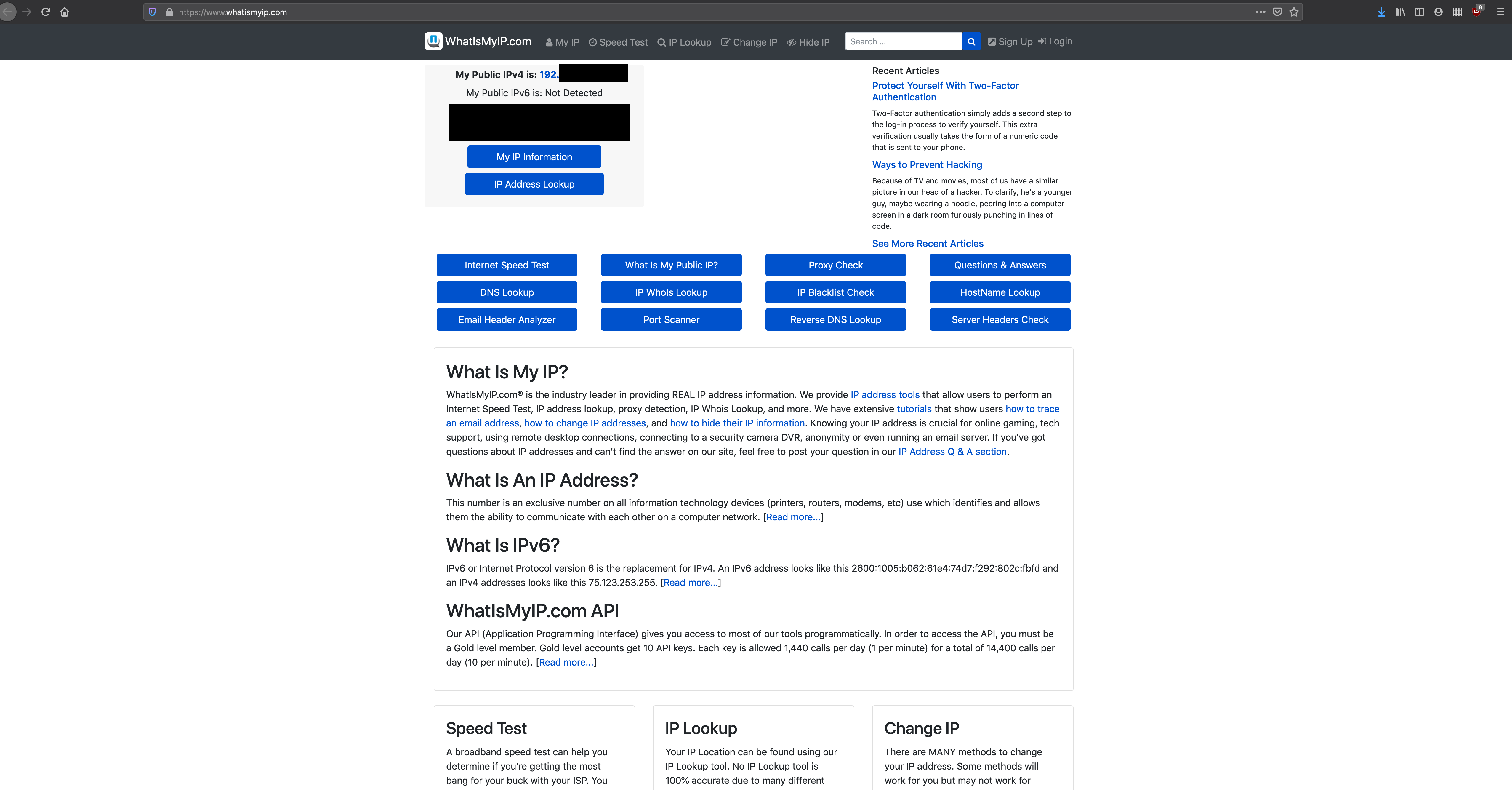
Yeah that's correct. My public IP is 192.xx.xxx.xxx (if you need the full IP I can post, just would rather not). But yeah I'm not sure where it's pulling the IP that starts with 172, and I was unable to find a spot to configure this.
naschenbrenner
on 24 Sep 2020
Your public IP is not 192.xxx.xxx.xxx that is a private address (probably something like 192.168.1.xxx). Anyway, go to https://whatismyip.com/ and is that IP the same as the 172.xxx.xxx.xxx? If they are not the same what is the 172.xxx.xxx.xxx address?
geman220
on 24 Sep 2020
No, my IP on what'smyip shows as the 192 address.
naschenbrenner
on 24 Sep 2020
What's the second part for the 172 address (172.___.xxx.xxx should be fine)? Some of 172 is reserved for private IPs, this look more like a networking/routing issue than a bot issue.
 vp-cshow
on 24 Sep 2020
vp-cshow
on 24 Sep 2020
@vp-cshow 217 is the second octet.
Edit for clarity:
172.217.xxx.xxx
naschenbrenner
on 24 Sep 2020
That seems fine... hm...
And the second octet for your public ip is not 168, correct?
vp-cshow
on 24 Sep 2020
@vp-cshow that is correct. 192.82.xxx.xxx
naschenbrenner
on 24 Sep 2020
My first guess would be a Windows Firewall issue. Try going down that route (add an exception to the nvidia-snatcher folder) and see if that solves anything.
vp-cshow
on 24 Sep 2020
192.xxx.xxx.xxx is not your public IP. That address space isn't registered publicly, it can only exist behind a router on a private network. It sounds like you have some network configuration problems, anti-virus, something that is causing these issues.
Edit: I'm dumb, ignore me but I'll leave this as proof of my stupidity.
geman220
on 24 Sep 2020
@vp-cshow I'm on a Mac with firewall disabled. I'll assume @geman220 is on the right path with network configuration issue and test on a more "standard" network.
naschenbrenner
on 24 Sep 2020
@geman220 I believe that's incorrect. AFAIK, only 192.168.0.0/16 is reserved for private networks, 192.82.0.0/16 should be valid public IP addresses. I could be wrong though :(
vp-cshow
on 24 Sep 2020
@geman220 I believe that's incorrect. AFAIK, only
192.168.0.0/16is reserved for private networks,192.82.0.0/16should be valid public IP addresses. I could be wrong though :(
Welp you are right embarrassing that I mixed that up since I work in this space hahahaha. I want to at least attempt to save face by saying I work in 10.0.0.0/8 a lot so I think I was just blanketing all private networks on the first octet x.x. Sorry!
geman220
on 24 Sep 2020
Well, it has to be something with the network because it works flawlessly on my neighbors. Apologies for wasting your time, but I certainly appreciate it.
naschenbrenner
on 24 Sep 2020
Related issues
 scot-onet
·
4Comments
scot-onet
·
4Comments
 wdrury-uk
·
4Comments
wdrury-uk
·
4Comments
 louij2
·
3Comments
louij2
·
3Comments
 zhirzzh
·
5Comments
zhirzzh
·
5Comments
 ATLTVHEAD
·
4Comments
ATLTVHEAD
·
4Comments
Most helpful comment
@geman220 I believe that's incorrect. AFAIK, only
192.168.0.0/16is reserved for private networks,192.82.0.0/16should be valid public IP addresses. I could be wrong though :(