Storybook: Customize Storybook panel via theming
Is your feature request related to a problem? Please describe.
I'm using the Storybook theming quickstart documentation about theming to 'brand' my Design System App.
Describe the solution you'd like
I don't see a variable that allows me to modify the brandTitle color, or the selected text in the pannel. There also doesn't appear to be a way to modify the background color of the pannel separately from the background color of the app (via appBg). It would be great to expose these variables (if they don't already exist) in order to allow for these types of customizations.
Describe alternatives you've considered
Making the changes above by overriding the css being applied by storybook (this doesn't seem ideal though)
Are you able to assist bring the feature to reality?
no | yes, I can...
Additional context
I'm not sure if what I'm asking for is already possible via storybook theming (hope so!). I can't find a list of all of the variables available to me which creating a customized theme.
* Update *
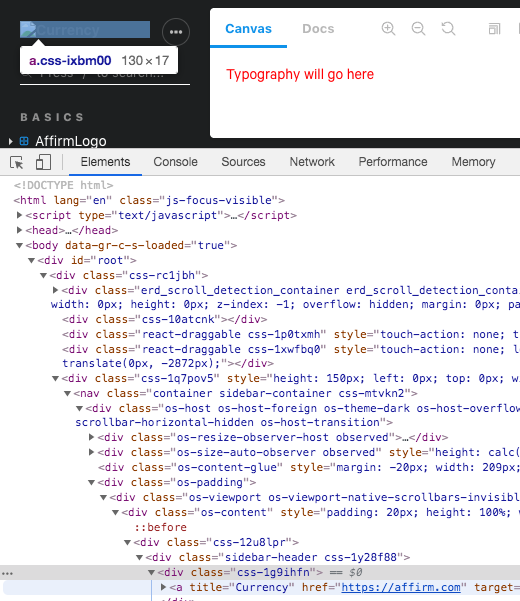
It actually appears as thought the brandTitle value doesn't display at all -
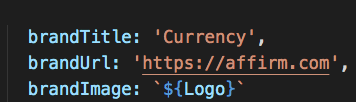
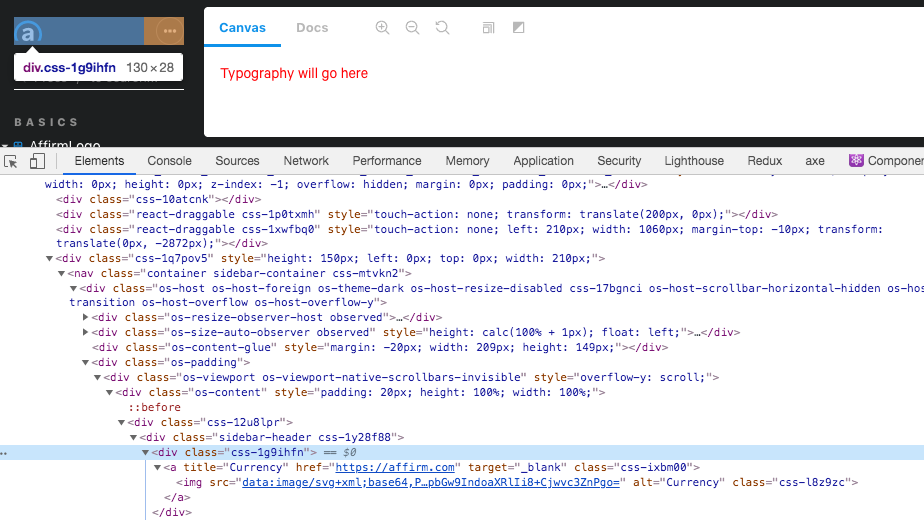
I tried removing the brandImage and got this:
 christinec01
All 8 comments
AFAIK the design rationale is that if you care about the brand look and feel, you should just use brandImage for that. @domyen @ndelangen might be able to elaborate.
 shilman
on 18 Jun 2020
shilman
on 18 Jun 2020
That’s correct. Most, if not all, theme customizers have a logotype (icon +
stylized text) that they use for brandImage.
We intentionally keep the theme api tight so we can be nimble and reduce
maintenance scope. If you’re looking for further customization, try the css
classes (escape hatches for intrepid theme creators).
On Wed, Jun 17, 2020 at 10:03 PM Michael Shilman notifications@github.com
wrote:
AFAIK the design rationale is that if you care about the brand look and
feel, you should just use brandImage for that. @domyen
https://github.com/domyen @ndelangen https://github.com/ndelangen
might be able to elaborate.—
You are receiving this because you were mentioned.
Reply to this email directly, view it on GitHub
https://github.com/storybookjs/storybook/issues/11222#issuecomment-645724055,
or unsubscribe
https://github.com/notifications/unsubscribe-auth/AACAJWJQZS6EDXPJWHBM5VDRXFYX3ANCNFSM4OBAMIZQ
.
 domyen
on 18 Jun 2020
domyen
on 18 Jun 2020
Got it! thanks all!
What about the ability to make the background color of the panel different than the background color of the app? (currently appBg styles both)
christinec01
on 18 Jun 2020
There’s a css escape hatch for that too I believe :)
On Thu, Jun 18, 2020 at 1:42 PM Christinec01 notifications@github.com
wrote:
Got it! thanks all!
What about the ability to make the background color of the panel different
than the background color of the app? (currently appBg styles both)—
You are receiving this because you were mentioned.
Reply to this email directly, view it on GitHub
https://github.com/storybookjs/storybook/issues/11222#issuecomment-646210896,
or unsubscribe
https://github.com/notifications/unsubscribe-auth/AACAJWOCVEY4UGBQI634WMDRXJGYFANCNFSM4OBAMIZQ
.
domyen
on 18 Jun 2020
There’s a css escape hatch for that too I believe :)
…
On Thu, Jun 18, 2020 at 1:42 PM Christinec01 @.*> wrote: Got it! thanks all! What about the ability to make the background color of the panel different than the background color of the app? (currently appBg styles both) — You are receiving this because you were mentioned. Reply to this email directly, view it on GitHub <#11222 (comment)>, or unsubscribe https://github.com/notifications/unsubscribe-auth/AACAJWOCVEY4UGBQI634WMDRXJGYFANCNFSM4OBAMIZQ .
Would it be possible to get a small example of "escape-hatch" in this scenario, or is there any related documentation to CSS escape-hatching, I've not been able to find anything and I'm in the process of applying our branding to storybook, unfortunately it's resulting in strange issues like white text on white backgrounds in panels etc..
Cheers.
 nedkelly
on 19 Jun 2020
nedkelly
on 19 Jun 2020
I think I finally figured this out, I created a manager-head.html and a preview-head.html file in .storybook and added my overrides there. It seems to work but requires the use of !important in more cases than I'd like.
<!-- manager-head.html -->
<style>
  /* Sidebar Overrides */
  .sidebar-subheading {
    text-transform: none !important;
  }

  svg.sidebar-svg-icon {
    color: #d5bc80;
  }

  /* Panel Overrides */
  .simplebar-content {
    color: #1b2024 !important;
  }
</style>
And the preview panel
<!-- preview-head.html -->
<style>
  /* Info Overrides */
  .info__show-button,
  .info__close-button {
    background-color: #6b5d39 !important;
  }
</style>
Is this feature intentionally not well documented? I looked for hours but couldn't find any clear reference to this in the docs, I had to trawl old github issues and the code to figure it out.
nedkelly
on 19 Jun 2020
@nedkelly Thanks for posting the solution! 🙇♂️
We intentionally keep the theme api tight so we can be nimble and reduce
maintenance scope.
The CSS escape hatches aren't a part of the "official" theming api. We can't make any guarantees about breaking changes in the future (unlike the theming api).
domyen
on 22 Jun 2020
Hi everyone! Seems like there hasn't been much going on in this issue lately. If there are still questions, comments, or bugs, please feel free to continue the discussion. Unfortunately, we don't have time to get to every issue. We are always open to contributions so please send us a pull request if you would like to help. Inactive issues will be closed after 30 days. Thanks!
![stale[bot] picture](https://avatars3.githubusercontent.com/in/1724?v=4&s=40) stale[bot]
on 13 Jul 2020
stale[bot]
on 13 Jul 2020
Related issues
 tlrobinson
·
3Comments
tlrobinson
·
3Comments
 alexanbj
·
3Comments
alexanbj
·
3Comments
 tirli
·
3Comments
shilman
·
3Comments
tirli
·
3Comments
shilman
·
3Comments
 sakulstra
·
3Comments
sakulstra
·
3Comments