Storybook: Coerced default value in DocsPage
Default values are being coerced in DocsPage.
So false is shown as "false"
You can check out this link and have a look at the Default column to see the exact issue
https://storybook-design-system.netlify.com/?path=/docs/design-system-avatar--large
I know that this behavior comes from react-docgen but I'd like to know is this intentional ?
If so, how can we fix this inside storybook?
 baldarian
All 6 comments
The issue seems to be that the values get stringified here - https://github.com/storybookjs/storybook/blob/next/lib/components/src/blocks/PropsTable/PropRow.tsx#L110-L112.
It could be solved by removing the stringification or stripping the opening and closing quotes (in case we want to pretty print objects and arrays). And since the values are _code_, we can display them as monospace like the following,
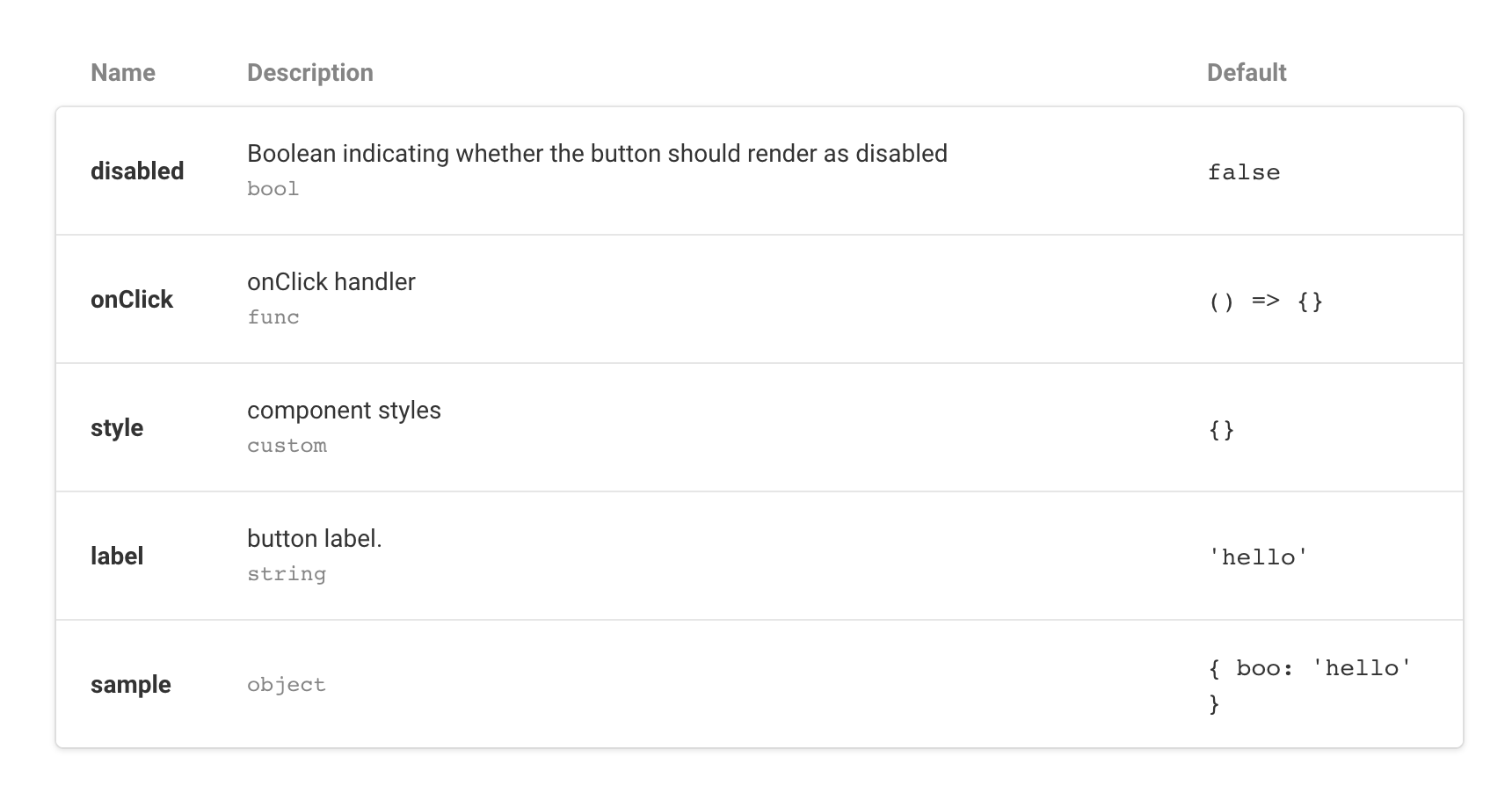
@shilman is there any component that's suitable for displaying the values? currently they're wrapped in <span>. <pre> would work better in this case.
 donysukardi
on 7 Nov 2019
donysukardi
on 7 Nov 2019
I will be working on this before the end of the week! Thanks for the issue.
 patricklafrance
on 7 Nov 2019
patricklafrance
on 7 Nov 2019
That's great. Just one thing.
I'm noticing that values gets stringified by react-docgen. You can check it out here: http://reactcommunity.org/react-docgen/
Number types have been coerced into string.
42 => "42"
21 => "21"
As I understood it gets stringified in 2 places. Firstly by react-docgen, then by storybook. Am I right ?
baldarian
on 7 Nov 2019
The issue I am encountering is more global then just displaying stringified types in docspage. I'm trying to access the __docgenInfo property and it already contains stringified values which is incorrect.
baldarian
on 7 Nov 2019
@baldarian That’s what react-docgen (or at least babel-plugin-react-docgen) does though. It’s supposed to read the default values as strings, e.g () => {} onto '() => {}' for documentation displaying purposes.
And yes, the issue is storybook stringifies it again, hence you get unwanted quotes around the values
donysukardi
on 7 Nov 2019
Closing this, since beta.3 fixed it, feel free to re-open.
patricklafrance
on 22 Nov 2019
Related issues
 Jonovono
·
3Comments
Jonovono
·
3Comments
 purplecones
·
3Comments
purplecones
·
3Comments
 shilman
·
3Comments
shilman
·
3Comments
 oriSomething
·
3Comments
oriSomething
·
3Comments
 arunoda
·
3Comments
arunoda
·
3Comments