I'm submitting a...
[ ] Regression (a behavior that used to work and stopped working in a new release)
[ X ] Bug report
[ ] Performance issue
[ ] Feature request
[ ] Documentation issue or request
[ ] Support request => https://github.com/ngxs/store/blob/master/CONTRIBUTING.md
[ ] Other... Please describe:
Current behavior
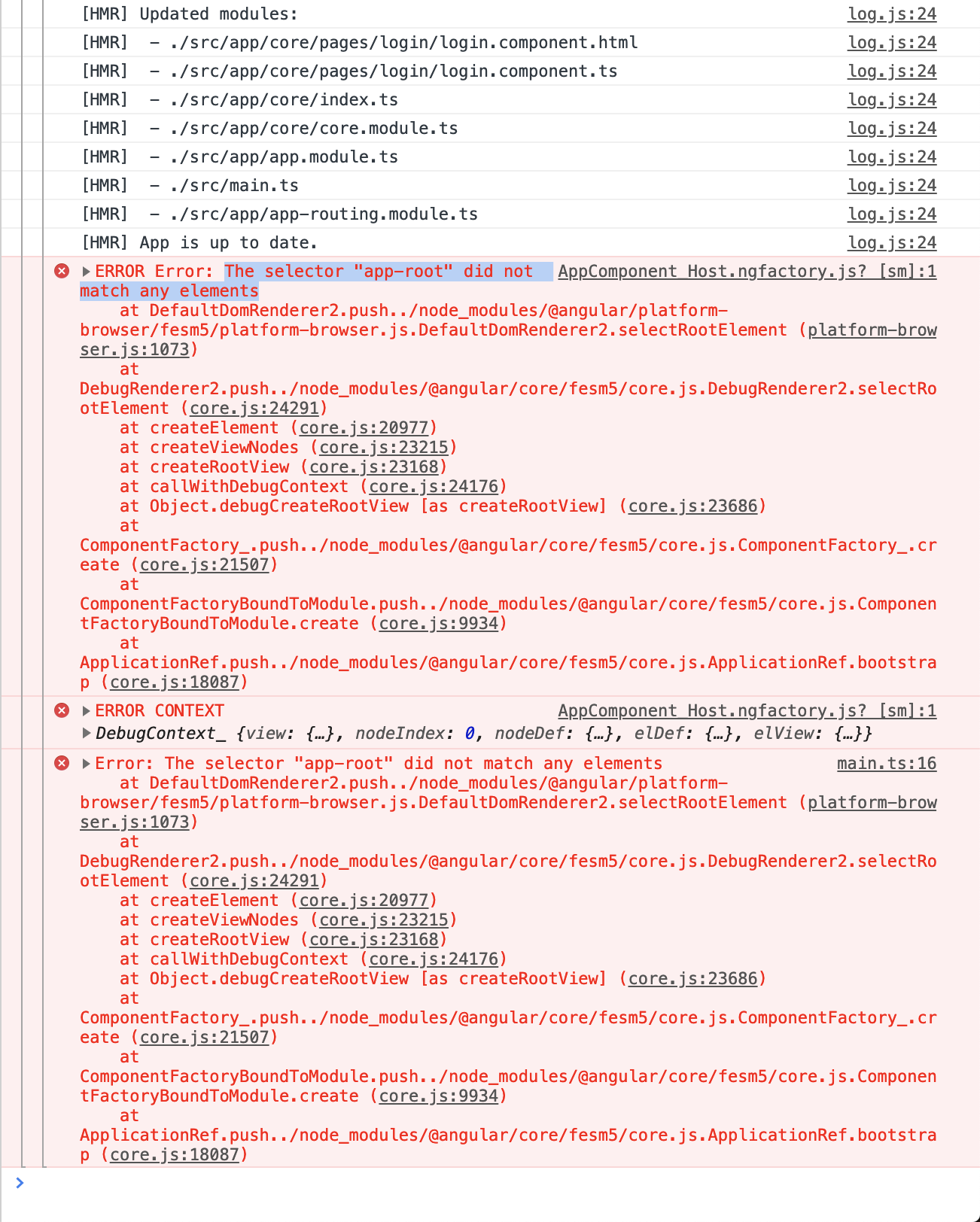
After following documentation to implement hmr plugin, its not working. When making changes i get the following error "Error: The selector "app-root" did not match any elements"
Expected behavior
After hot reloads, there should be no error and changes should be reflected
Minimal reproduction of the problem with instructions
https://github.com/joaqcid/ngxs-hmr
What is the motivation / use case for changing the behavior?
N/A
Environment
Libs:
- @angular/core version: 7.1.0
- @ngxs/store version: 3.4.0

Browser:
- [ ] Chrome (desktop) version XX
- [ ] Chrome (Android) version XX
- [X] Chrome (iOS) version 72.0.3626.119
- [ ] Firefox version XX
- [ ] Safari (desktop) version XX
- [ ] Safari (iOS) version XX
- [ ] IE version XX
- [ ] Edge version XX

For Tooling issues:
- Node version: 10.15.1
- Platform: Mac

Others:
 joaqcid
All 8 comments
@splincode This is the issue we saw with NG 5.
It is working perfectly with my production project. Not sure what the issue is here.
 markwhitfeld
on 4 Mar 2019
markwhitfeld
on 4 Mar 2019
I'm having the exact same issue. I followed the NGXS written tutorial for adding HMR support to my existing application. When I serve with HMR successfully and then make a component template change, HMR sees the update as expected, but I get a similar error in Chrome's console as @joaqcid
 MylesShannon
on 6 Mar 2019
MylesShannon
on 6 Mar 2019
Try install new Dev version
$ npm install @ngxs/hmr-plugin@dev
 splincode
on 11 Mar 2019
splincode
on 11 Mar 2019
Try install new Dev version
$ npm install @ngxs/hmr-plugin@dev
worked!
joaqcid
on 11 Mar 2019
The fix has been released in v3.4.3!
Please test and confirm that it is working as expected.
markwhitfeld
on 14 Mar 2019
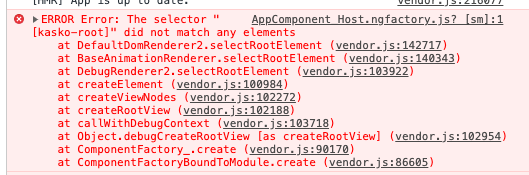
I'm experiencing the same issue in 3.5.1 with angular@next versions and ivy enabled.
 MatissJanis
on 28 Oct 2019
MatissJanis
on 28 Oct 2019
Please create repo for reproduce
splincode
on 28 Oct 2019
@MatissJanis Could you report this as a separate issue because it seems to be Ivy related. It would be good to track it on its own. (Please provide a repo for reproduction too)
markwhitfeld
on 29 Oct 2019
Related issues
 rweng
·
5Comments
rweng
·
5Comments
 abalad
·
5Comments
abalad
·
5Comments
 paulstelzer
·
5Comments
paulstelzer
·
5Comments
 msegmx
·
5Comments
msegmx
·
5Comments
 malfusion
·
4Comments
malfusion
·
4Comments
Most helpful comment
The fix has been released in v3.4.3!
Please test and confirm that it is working as expected.