The official stockfish compiles exe files can be run in any 32bit and 64bit windows Pc (win7,win8,win10), but whenever I compile using mingw, msys2 mingw , as instructed by on github, the exe file can't able to run on other pc, it wil only run on my pc which has msys2 and its lib. I don't know what is the problem and what are the difference between your compile and my compile.
 Rakicc
All 33 comments
typically, you just add the -static to the compile flags so that you link libraries in the executable and things are easier to distribute.
 vondele
on 19 Feb 2020
vondele
on 19 Feb 2020
@Rakicc please mind this comment in the wiki building script
# build the fastest stockfish executable
# delete CXXFLAGS='-march=native' if you want distribute the executable
CXXFLAGS='-march=native' make -j profile-build ARCH=${arch_cpu} COMP=mingw
strip stockfish.exe
mv stockfish.exe ../../stockfish_${arch_cpu}.exe
make clean
cd
 ppigazzini
on 19 Feb 2020
ppigazzini
on 19 Feb 2020
typically, you just add the
-staticto the compile flags so that you link libraries in the executable and things are easier to distribute.
How to add static?
I am using manual command,
Make -j profile-build ARCH=x86-64 Comp=gcc
It will compile the stockfish , but I don't know how to use the 'static'..
another things is for 32bit I used msys2.exe as well as mingw32.exe to build by command- make -j profile-build ARCH=x86_32 Comp=gcc ( optionally I used mingw), it will compile the stockfish but won't run on the same PC is there any problem in 32 bit?
Rakicc
on 19 Feb 2020
CXXFLAGS='-static' make -j build ARCH=... COMP=...
vondele
on 19 Feb 2020
@Rakicc please, read the wiki, for Windows you need to use COMP=mingw, not COMP=gcc
make -j profile-build ARCH=x86-64 COMP=mingw
@vondele building on Windows with mingw is already static.
ppigazzini
on 19 Feb 2020
@Rakicc I can't believe that you have PCs so old that need the slower ARCH=x86-64 directive; for a good compatibility try this:
make -j profile-build ARCH=x86-64-modern COMP=mingw
CXXFLAGS='-static' make -j build ARCH=... COMP=...
CXXFLAGS='static' make -j build ARCH=x86-64 COMP=mingw
It shows g++ error: static: no such file or directory
Rakicc
on 19 Feb 2020
@Rakicc make -j profile-build ARCH=x86-64 COMP=mingw
ppigazzini
on 19 Feb 2020
I want to distribute the exe file
Rakicc
on 19 Feb 2020
static will wont work here while compile, its makes error
Rakicc
on 19 Feb 2020
@Rakicc make -j profile-build ARCH=x86-64 COMP=mingw makes a static build that will work with any PC Windows 64 bit.
I never wrote to use CXXFLAGS='-static' make -j ..., and this type of syntax (setting the variable CXXFLAGS before the make command ) works only in a posix shell (e.g. MSYS2 MinGW 64-bit shell) not with command prompt or powershell.
ppigazzini
on 19 Feb 2020
I want to distribute the exe file
@Rakicc here you find all the up to date development builds for any CPU architecture/operating system
ppigazzini
on 19 Feb 2020
Ok sure I got it
Rakicc
on 19 Feb 2020
32 bit build working fine using the wiki instructions

ppigazzini
on 19 Feb 2020
Yeah working now on my system, 32 bit exe file. But I need to checkout is it work on other system too..
Thnk you
Rakicc
on 19 Feb 2020
32 bit working build using the wiki instructions
By using mysy2, the compiled 32 bit exe wil wont run, only run after compile by using mingw32.exe
Rakicc
on 19 Feb 2020
@vondele the wiki instructions for Windows 32 bit are still fine, the 32 build is static and it works on both Windows 32 and 64 bit. I'm done with the technical side of this issue :)
ppigazzini
on 19 Feb 2020
I have checked today I came into these results..
32 bit stockfish can Run on only 64bit System it cant run on 32bit System..
error

success on 64bit system
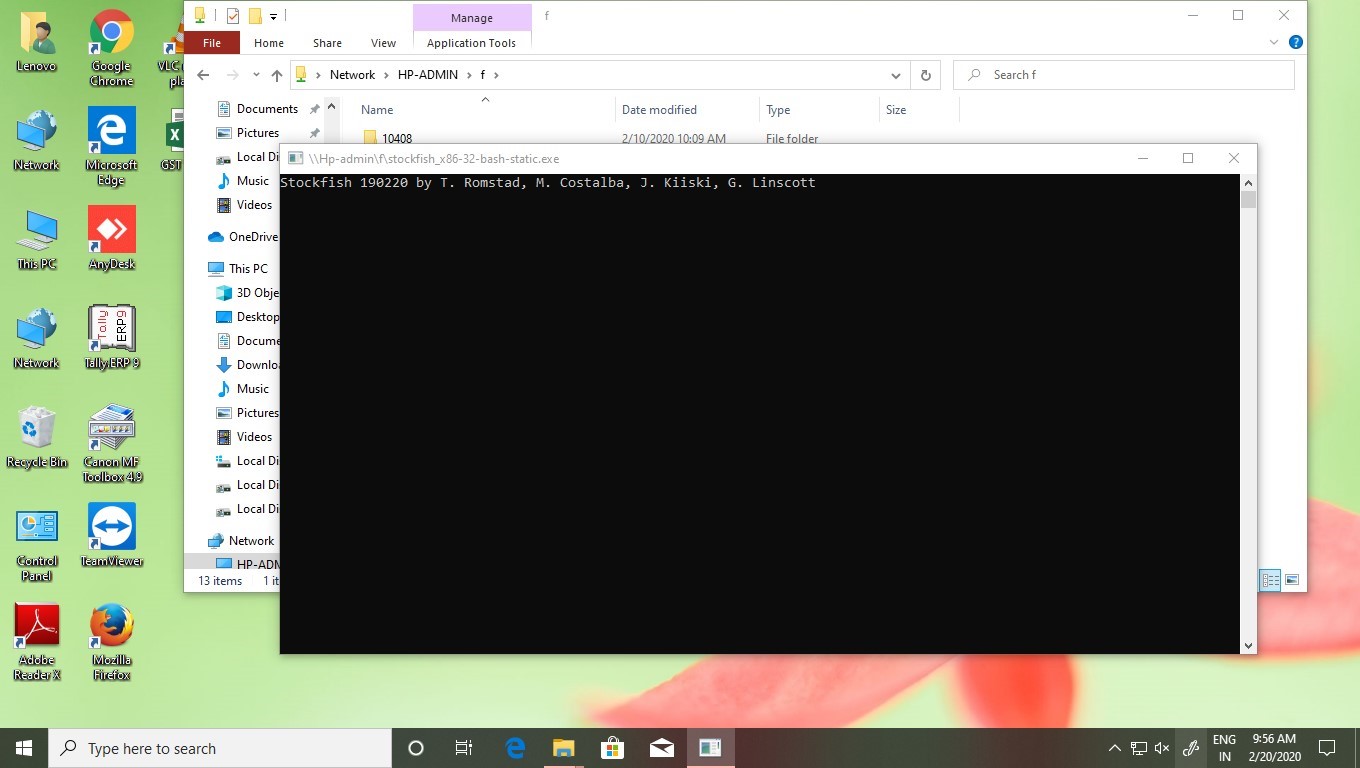
these are the results..,
Rakicc
on 20 Feb 2020
@vondele the wiki instructions for Windows 32 bit are still fine, the 32 build is static and it works on both Windows 32 and 64 bit. I'm done with the technical side of this issue :)
Where can I see wiki instructions?
Rakicc
on 20 Feb 2020
ppigazzini
on 20 Feb 2020
https://github.com/glinscott/fishtest/wiki/Building-stockfish-on-Windows
Does it needs to add flags -march native?
Rakicc
on 21 Feb 2020
only if you want to run exclusively on the computer (architecture) on which you compiled.
vondele
on 21 Feb 2020
only if you want to run exclusively on the computer (architecture) on which you compiled.
So using static means the compiled file can be run on any windows ARCH?
Rakicc
on 21 Feb 2020
Because I have mentioned error screen shot I got when I distributed exe file by compiling CXXFLAGS='-static' make -j profile-build ARCH=x86-32 COMP=mingw, the 32 bit exe file ran on other 64bit computer but failed in 32bit computer..
Is there anything to add while compiling?
Rakicc
on 21 Feb 2020
If we assume you are doing everything correctly ( this is not a given) , then there must be something wrong with your setup.
Try this - open a msys2 window:
type in the termnal
 'pacman -Syuu'
until there is no more updates to be found.

then type this in the Msys2 32 bit terminal windows  in this order
 ( your prompt should look like this: 'username@computer MINGW32 /:')

unzip -v &> /dev/null || pacman -S --noconfirm unzip
make -v &> /dev/null || pacman -S --noconfirm make
g++ -v &> /dev/null || pacman -S --noconfirm mingw-w64-i686-gcc

get https://github.com/official-stockfish/Stockfish/archive/master.zip
unzip master.zip
cd Stockfish-master/src
make -j profile-build ARCH=x86-32 COMP=mingw
strip stockfish.exe
mv stockfish.exe ../../stockfish_x86-32.exe
make clean
If you have any errors in these steps, then most likely you did not not install mysys2 correctly.
 MichaelB7
on 21 Feb 2020
MichaelB7
on 21 Feb 2020
If we assume you are doing everything correctly ( this is not a given) , then there must be something wrong with your setup.
Try this - open a msys2 window:type in the termnal 'pacman -Syuu' until there is no more updates to be found. then type this in the Msys2 32 bit terminal windows in this order ( your prompt should look like this: 'username@computer MINGW32 /:') unzip -v &> /dev/null || pacman -S --noconfirm unzip make -v &> /dev/null || pacman -S --noconfirm make g++ -v &> /dev/null || pacman -S --noconfirm mingw-w64-i686-gcc get https://github.com/official-stockfish/Stockfish/archive/master.zip unzip master.zip cd Stockfish-master/src make -j profile-build ARCH=x86-32 COMP=mingw strip stockfish.exe mv stockfish.exe ../../stockfish_x86-32.exe make cleanIf you have any errors in these steps, then most likely you did not not install mysys2 correctly.
Thank you... I tried in this way and reccompiled using mingw32 and now it works on both 64 and 32 bit system having win10 and win7, but I got error on other system having Windows xp 32 bit only, official stockfish 32 works on Win xp 32bit..
Rakicc
on 21 Feb 2020
https://github.com/msys2/MINGW-packages/issues/5139#issuecomment-510575800
From this commit MinGW-w64 targets Windows Vista and newer, here are the instructions to build for Windows XP downgrading some msys2 packages
#!/bin/bash
# makefish.sh

# install packages if not already installed
unzip -v &> /dev/null || pacman -S --noconfirm unzip
make -v &> /dev/null || pacman -S --noconfirm make
g++ -v &> /dev/null || pacman -S --noconfirm mingw-w64-i686-gcc

# downgrade packages to build for Windows XP 32 bit
wget http://repo.msys2.org/mingw/i686/mingw-w64-i686-libwinpthread-git-7.0.0.5273.3e5acf5d-1-any.pkg.tar.xz
wget http://repo.msys2.org/mingw/i686/mingw-w64-i686-winpthreads-git-7.0.0.5273.3e5acf5d-1-any.pkg.tar.xz
pacman -U --noconfirm mingw-w64-i686-libwinpthread-git-7.0.0.5273.3e5acf5d-1-any.pkg.tar.xz mingw-w64-i686-winpthreads-git-7.0.0.5273.3e5acf5d-1-any.pkg.tar.xz
rm mingw-w64-i686-libwinpthread-git-7.0.0.5273.3e5acf5d-1-any.pkg.tar.xz mingw-w64-i686-winpthreads-git-7.0.0.5273.3e5acf5d-1-any.pkg.tar.xz

# download the Stockfish source code
wget https://github.com/official-stockfish/Stockfish/archive/master.zip
unzip master.zip
cd Stockfish-master/src

# build the Stockfish executable
make -j profile-build ARCH=x86-32 COMP=mingw
strip stockfish.exe
mv stockfish.exe ../../stockfish_x86-32.exe
make clean
cd
msys2/MINGW-packages#5139 (comment)
From this commit MinGW-w64 targets Windows Vista and newer, here are the instructions to build for Windows XP downgrading some msys2 packages
#!/bin/bash
# makefish.sh

# install packages if not already installed
unzip -v &> /dev/null || pacman -S --noconfirm unzip
make -v &> /dev/null || pacman -S --noconfirm make
g++ -v &> /dev/null || pacman -S --noconfirm mingw-w64-i686-gcc

# downgrade packages to build for Windows XP 32 bit
wget http://repo.msys2.org/mingw/i686/mingw-w64-i686-libwinpthread-git-7.0.0.5273.3e5acf5d-1-any.pkg.tar.xz
wget http://repo.msys2.org/mingw/i686/mingw-w64-i686-winpthreads-git-7.0.0.5273.3e5acf5d-1-any.pkg.tar.xz
pacman -U --noconfirm mingw-w64-i686-libwinpthread-git-7.0.0.5273.3e5acf5d-1-any.pkg.tar.xz mingw-w64-i686-winpthreads-git-7.0.0.5273.3e5acf5d-1-any.pkg.tar.xz
rm mingw-w64-i686-libwinpthread-git-7.0.0.5273.3e5acf5d-1-any.pkg.tar.xz mingw-w64-i686-winpthreads-git-7.0.0.5273.3e5acf5d-1-any.pkg.tar.xz

# download the Stockfish source code
wget https://github.com/official-stockfish/Stockfish/archive/master.zip
unzip master.zip
cd Stockfish-master/src

# build the Stockfish executable
make -j profile-build ARCH=x86-32 COMP=mingw
strip stockfish.exe
mv stockfish.exe ../../stockfish_x86-32.exe
make clean
cd
thank you I will apply this method, can I able to re-upgrade to i686 from i386?
Rakicc
on 21 Feb 2020
thank you I will apply this method, can I able to re-upgrade to i686 from i386?
You can switch back and forth with:
- compatibility >= Windows XP
wget http://repo.msys2.org/mingw/i686/mingw-w64-i686-libwinpthread-git-7.0.0.5273.3e5acf5d-1-any.pkg.tar.xz
wget http://repo.msys2.org/mingw/i686/mingw-w64-i686-winpthreads-git-7.0.0.5273.3e5acf5d-1-any.pkg.tar.xz
pacman -U --noconfirm mingw-w64-i686-libwinpthread-git-7.0.0.5273.3e5acf5d-1-any.pkg.tar.xz mingw-w64-i686-winpthreads-git-7.0.0.5273.3e5acf5d-1-any.pkg.tar.xz
rm mingw-w64-i686-libwinpthread-git-7.0.0.5273.3e5acf5d-1-any.pkg.tar.xz mingw-w64-i686-winpthreads-git-7.0.0.5273.3e5acf5d-1-any.pkg.tar.xz
- compatibility >= Windows Vista
pacman -Syuu
I guess this issue is resolved. @Rakicc please close if this is the case.
As a side note, I really don't think we should invest much time in supporting OS versions that old, for which the vendor dropped support >5 years ago.
vondele
on 21 Feb 2020
Wiki updated with info to build stockfish also for very old windows.
The tests were time consuming because Hyper-V doesn't support officially Windows XP (mouse, network, direct file copy: all not working).
ppigazzini
on 21 Feb 2020
So using static means the compiled file can be run on any windows ARCH?
Not exactly, static means that the executable doesn't depend from external dll libraries.
Anyway COMP=mingw already makes a static build.
ppigazzini
on 21 Feb 2020
So using static means the compiled file can be run on any windows ARCH?
Not exactly,
staticmeans that the executable doesn't depend from external dll libraries.
AnywayCOMP=mingwalready makes a static build.
Than you.. everything working fine..
Rakicc
on 22 Feb 2020
Related issues
 d3vv
·
4Comments
d3vv
·
5Comments
d3vv
·
4Comments
d3vv
·
5Comments
 bftjoe
·
5Comments
bftjoe
·
5Comments
 BKSpurgeon
·
6Comments
BKSpurgeon
·
6Comments
 GBeauregard
·
7Comments
GBeauregard
·
7Comments