Stencil version:
any
I'm submitting a:
- [ x ] feature request
Current behavior:
I can't figure out how to use an Ionicon v4 in a Stencil component I am building.
Expected behavior:
It sounds as though Ionicons are being ported in by default? Has that already happened and I just can't get it? Or is there something I need to do?
Steps to reproduce:
I looked at the documentation and got confused. I'm pretty sure I could reproduce that behavior!
I've read ionicons #499 a few times, but I couldn't quite get how to connect it with Stencil.
Thank you!
 Aaron-Sterling
All 9 comments
It's simple. Just make sure you use the next version of ionicons: npm install --save ionicons@next, add { name: 'ionicons' } to collections array in stencil.config.js and then just use the icons as described <ion-icon name="star"></ion-icon>
 bfmatei
on 4 Feb 2018
bfmatei
on 4 Feb 2018
@bfmatei is right!
npm install --save ionicons@next
and:
 manucorporat
on 4 Feb 2018
manucorporat
on 4 Feb 2018
FYI, I posted a follow-up support question on the forum, but I don't think anyone knows the answer there yet! So if anyone here does and you have time to pop over there, please do.
Aaron-Sterling
on 6 Feb 2018
Collections is now deprecated, any idea how to import ionicons to the app's root component ?
As of v0.6.0, "config.collections" has been deprecated in favor of standard ES module imports. Instead of
           listing collections within the stencil config, collections should now be imported by the app's root
           component or module. The benefit of this is to not only simplify the config by using a standards approach
           for imports, but to also automatically import the collection's types to improve development. Please remove
           "config.collections" from the "stencil.config.js" file, and add this import to your root component or root
           module: import 'ionicons';
 leon-tno
on 17 May 2018
leon-tno
on 17 May 2018
I was able to make it work by adding import 'ionicons'; in my root component. Also works adding it in src/components.d.ts. Before that, install package with npm install --save ionicons@next
 Dellos7
on 25 Aug 2018
Dellos7
on 25 Aug 2018
You can import Ionicons from within the globalScript config property.
- Install Ionicons:
npm install ionicons - In
stencil.config.ts: AddglobalScript: 'src/global/app.ts'to the config object. - In
src/global/app.ts: Addimport 'ionicons' - Restart/Rebuild.
 matchatype
on 30 Dec 2018
matchatype
on 30 Dec 2018
how to build ONLY the used icons and NOT all??
 gino8080
on 14 Nov 2019
gino8080
on 14 Nov 2019
Using [email protected] icons are being loaded but they do not appear:
Inspected html is the following one:
<ion-fab-button class="md ion-activatable ion-focusable hydrated">
    <ion-icon role="img" class="md hydrated" aria-label="add"></ion-icon>
</ion-fab-button>
With shadow dom:
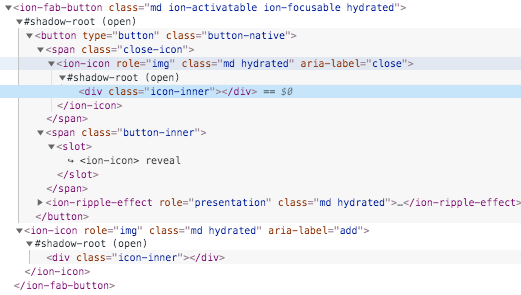
.icon-inner, svg {
    display: block;
    height: 100%;
    width: 100%;
}
.close-icon, ::slotted(ion-icon) {
    font-size: 24px;
}
::slotted(ion-icon) {
    line-height: 1;
}
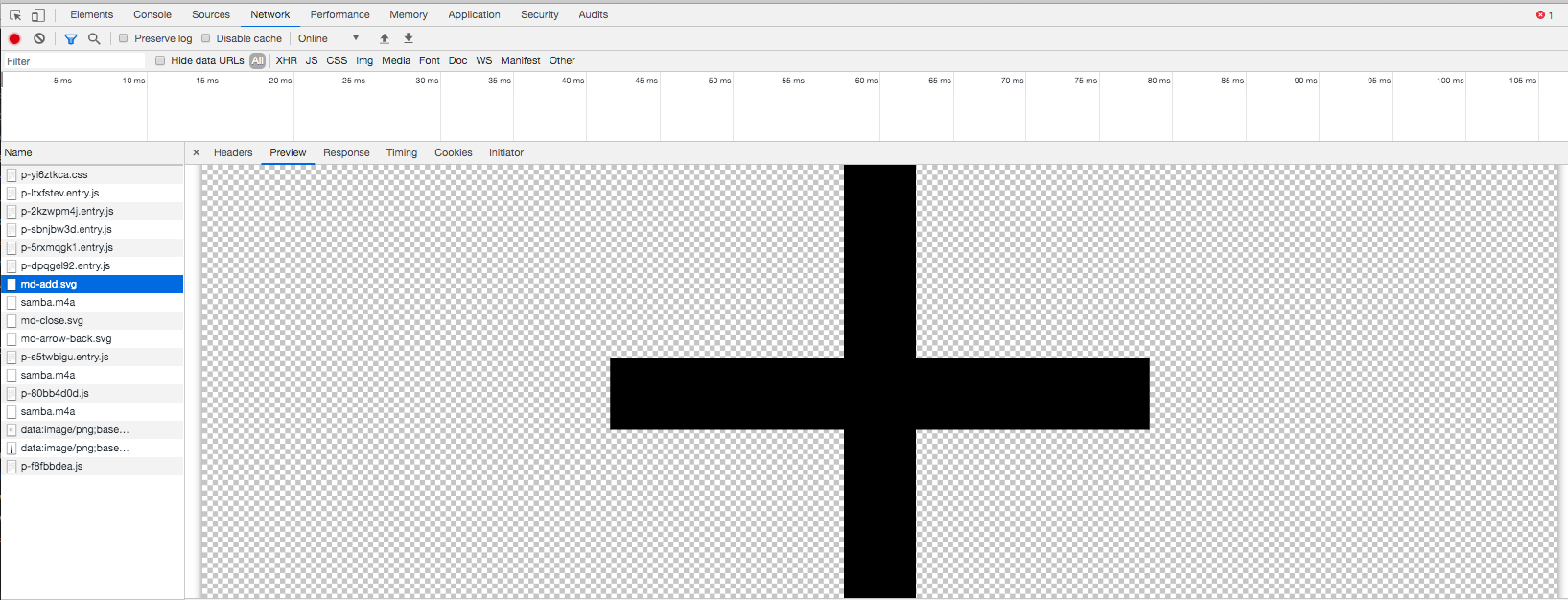
Also the image seems to have been correctly downloaded:
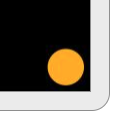
But in fact the button is empty:
I'm using:
"@stencil/core": "^1.8.3",
"ionicons": "^4.6.3",
And in app.ts:
import '@ionic/core';
import 'ionicons';
And stencil.config.ts:
export const config: Config = {
    outputTargets: [{
        type: 'www',
        serviceWorker: null,
    }],
    globalScript: `src/global/app.ts`,
    globalStyle: 'src/global/app.css',
};
 miqmago
on 22 Jan 2020
miqmago
on 22 Jan 2020
same here :(
Using [email protected] icons are being loaded but they do not appear:
Inspected html is the following one:
<ion-fab-button class="md ion-activatable ion-focusable hydrated">
    <ion-icon role="img" class="md hydrated" aria-label="add"></ion-icon>
</ion-fab-button>
With shadow dom:
.icon-inner, svg {
    display: block;
    height: 100%;
    width: 100%;
}
.close-icon, ::slotted(ion-icon) {
    font-size: 24px;
}
::slotted(ion-icon) {
    line-height: 1;
}
Also the image seems to have been correctly downloaded:
But in fact the button is empty:
I'm using:
"@stencil/core": "^1.8.3",
"ionicons": "^4.6.3",And in app.ts:
import '@ionic/core';
import 'ionicons';
And stencil.config.ts:
export const config: Config = {
    outputTargets: [{
        type: 'www',
        serviceWorker: null,
    }],
    globalScript: `src/global/app.ts`,
    globalStyle: 'src/global/app.css',
};
gino8080
on 2 Mar 2020
Related issues
 bekliev
·
3Comments
bekliev
·
3Comments
 romulocintra
·
3Comments
romulocintra
·
3Comments
 noahlaux
·
3Comments
noahlaux
·
3Comments
 karsvaniersel
·
3Comments
karsvaniersel
·
3Comments
 ryanmunger
·
3Comments
ryanmunger
·
3Comments
Most helpful comment
@bfmatei is right!
and:
https://github.com/ionic-team/ionic/blob/6d52b722e40811fd5b83d71bffbe7fa1ba81ae3b/packages/core/stencil.config.js#L46-L48