Spotify-downloader: FFMPEG issue
What is the purpose of your issue?
- [ ] Bug
- [ ] Feature Request
- [ ] Question
- [x] Other
Description
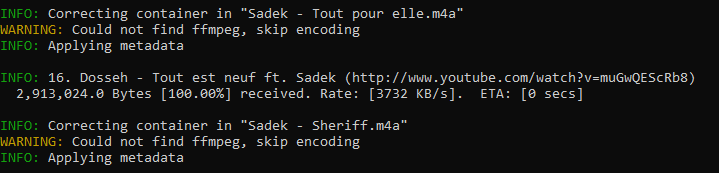
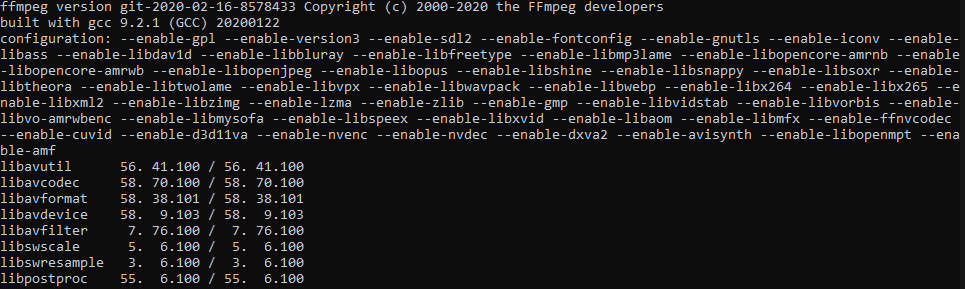
i have download and add ffmpeg to my path but i don't know why there is an error when i execute the script.
Log
 Ezeqielle
All 8 comments
I had the same error. I added the ff applications (ffmpeg ffplay ffprobe) to my python Scripts folder ( example, C:\Users\ user \AppData\Local\Programs\Python\Python38-32\Scripts) ran again and had no issues.
 xelam93
on 18 Feb 2020
xelam93
on 18 Feb 2020
make sure you have added the ffmpeg executable to this path C:\Windows\System32
 brayo-pip
on 2 Apr 2020
brayo-pip
on 2 Apr 2020
i have the same issue, but when check music folder on windows. the song is downloaded there with m4a format. that's fine i can still play it or convert it with another software.
 rikad
on 11 Apr 2020
rikad
on 11 Apr 2020
@xelam93 @brayo-pip ffmpegdoes not necessarily need to be in one of those folders but one included in your PATH variable.
@Ezeqielle please ensure you're using the correct folder in your PATH variable and (depending on your OS) reload your shell / start a new session.
 mash1t
on 12 Apr 2020
mash1t
on 12 Apr 2020
Are you guys still facing this issue when you already have ffmpeg added to PATH?
 ritiek
on 22 Apr 2020
ritiek
on 22 Apr 2020
Are you guys still facing this issue when you already have ffmpeg added to PATH?
I am encountering the same error. I have tried ffmpeg.exe (and the other 2) in system32, have put the .exes in C:\portableapps\ffmpeg\bin and added \bin to the system PATH, and have installed ffmpeg through pip, all with no success. what worked was putting it in the scripts folder up in appdata
also, on Windows -f C:\ gives ffmpeg error, but not anywhere in my Users folder
 hoffr
on 1 May 2020
hoffr
on 1 May 2020
Are you guys still facing this issue when you already have ffmpeg added to PATH?
I've added ffmpeg to System 32, added it to path in different ways and installed it using pip. Still getting this error.
 satomlins
on 12 May 2020
satomlins
on 12 May 2020
Same issue. I have to use ffmpeg manually to convert files.
 jmn90
on 5 Jul 2020
jmn90
on 5 Jul 2020
Related issues
 iateadonut
·
4Comments
iateadonut
·
4Comments
 isdito
·
5Comments
isdito
·
5Comments
 MangoTornado
·
6Comments
MangoTornado
·
6Comments
 adrcotfas
·
5Comments
adrcotfas
·
5Comments
 Maxino22
·
4Comments
Maxino22
·
4Comments
Most helpful comment
I had the same error. I added the ff applications (ffmpeg ffplay ffprobe) to my python Scripts folder ( example, C:\Users\ user \AppData\Local\Programs\Python\Python38-32\Scripts) ran again and had no issues.