Spinnaker: [GCE] Cannot view server details from the Load Balancer view
Issue Summary:
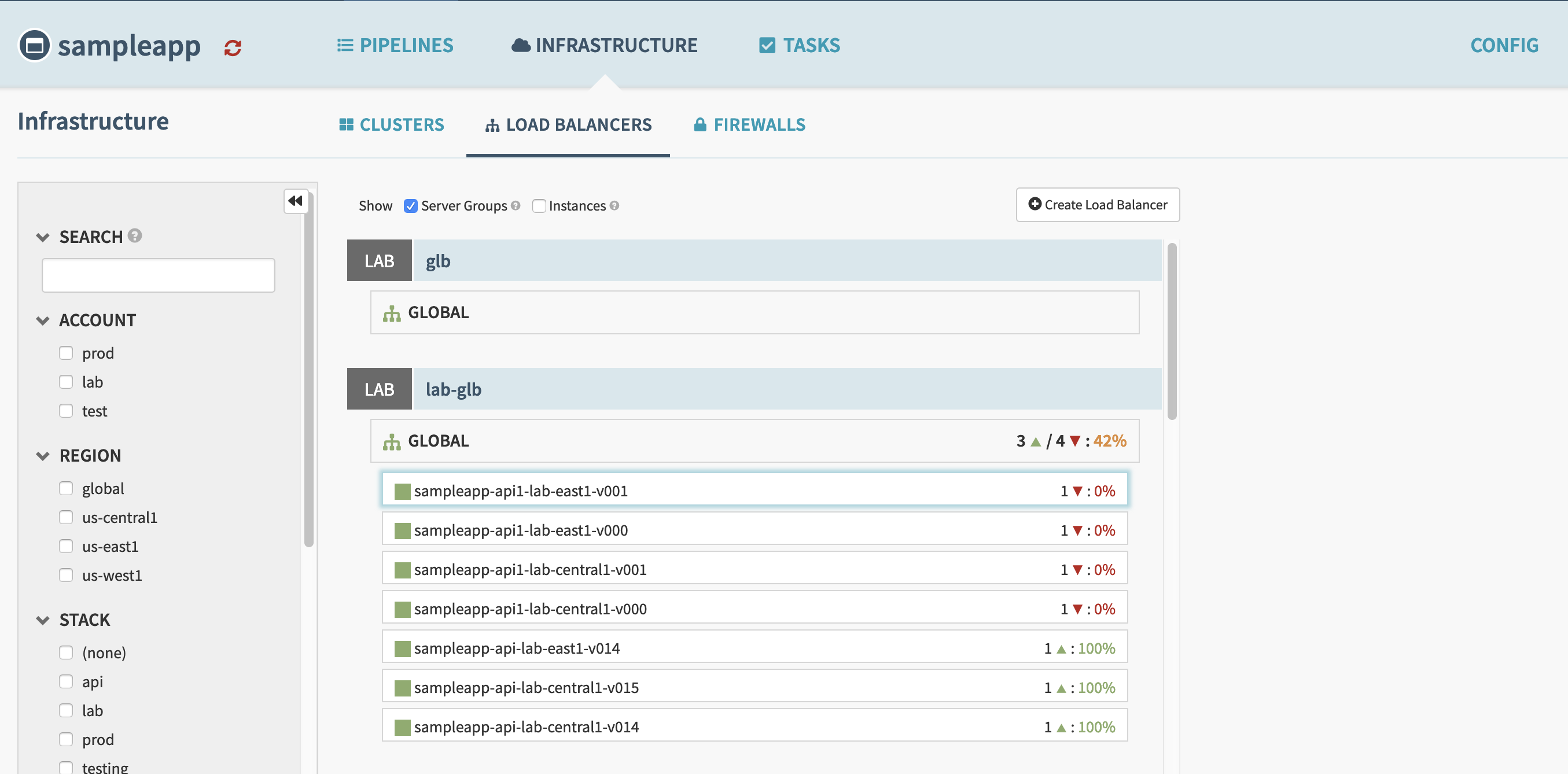
When on the Load Balancer view, selecting a server group that is a part of a load balancer does not pop up with the usual server group view that you get under the Clusters view. We are able to interact fully from the Clusters view, so the functionality itself is there, just not on the Load Balancer view.
Cloud Provider(s):
GCE/Google
Environment:
Spinnaker 1.12.4
Feature Area (if this issue is UI/UX related, please tag @spinnaker/ui-ux-team):
@spinnaker/ui-ux-team
Description:
Selecting a server group that is behind a load balancer in the Load Balancers view under Infrastructure throws 2 console errors and does not display the server group details pane.
stateService.js:35 Transition Rejection($id: 6 type: 6, message: The transition errored, detail: Error: Transition Rejection($id: 5 type: 4, message: This transition is invalid, detail: The following parameter values are not valid for state 'home.applications.application.insight.loadBalancers.serverGroup': [provider:undefined]))
stateService.js:37 Error: Transition Rejection($id: 5 type: 4, message: This transition is invalid, detail: The following parameter values are not valid for state 'home.applications.application.insight.loadBalancers.serverGroup': [provider:undefined])
    at invalidTransitionHook (invalidTransition.js:11)
    at TransitionHook.invokeHook (transitionHook.js:92)
    at Function.TransitionHook.invokeHooks (transitionHook.js:65)
    at Transition.run (transition.js:607)
    at StateService.transitionTo (stateService.js:367)
    at StateService.go (stateService.js:267)
    at Sref._this.handleClick (UISref.js:59)
    at Object.<anonymous> (react-dom.production.min.js:14)
    at ma (react-dom.production.min.js:15)
    at react-dom.production.min.js:15
In this view I can see details for the load balancer itself though, and the correct backends are displayed, just can't see details.
Steps to Reproduce:
- Create a Load Balancer in GCE
- Deploy a Server Group behind that Load Balancer
- Navigate to the Load Balancer view and select the server group you deployed
- You will see an error in the chrome console similar to the one posted above, and no details pane is displayed.
Additional Details:
Load balancer view that is not displaying the sidebar:
 seanpeters86
All 3 comments
This is still happening on 1.13.0
seanpeters86
on 27 Mar 2019
@seanpeters86 Thank you so much for reporting this, looks like a long-standing bug for not only GCE but _all_ cloud providers. Will try to get this patched into 1.13!
 maggieneterval
on 28 Mar 2019
maggieneterval
on 28 Mar 2019
Yes I too got same kind of issue .
After deployment also the instance not visisble
 rampatnaik
on 26 Apr 2019
rampatnaik
on 26 Apr 2019
Related issues
 iniinikoski
·
3Comments
maggieneterval
·
3Comments
iniinikoski
·
3Comments
maggieneterval
·
3Comments
 Rigdon
·
3Comments
Rigdon
·
3Comments
 rguthriemsft
·
4Comments
rguthriemsft
·
4Comments
 axot
·
3Comments
axot
·
3Comments
Most helpful comment
@seanpeters86 Thank you so much for reporting this, looks like a long-standing bug for not only GCE but _all_ cloud providers. Will try to get this patched into 1.13!