Spinalcordtoolbox: Parts of this page are note secure - use SSL for forum
To follow-up on https://github.com/neuropoly/spinalcordtoolbox/pull/2814#issuecomment-669163684, the site spinalcordtoolbox.com shows "Parts of this page are note secure". As pointed out by @Drulex, it is possibly related to the forum badge which points to a domain (spinalcordmri.org) that doesn't use SSL.
 jcohenadad
All 28 comments
How is spinalcordmri.org hosted? We can simply generate the SSL certificate and change the webserver config. I can help with that.
 Drulex
on 5 Aug 2020
Drulex
on 5 Aug 2020
How is spinalcordmri.org hosted?
spinalcordmri.org redirects to https://spinalcordmri.github.io/, so it's a github page. Does that answer the question?
jcohenadad
on 5 Aug 2020
This page has some info (see step 8 particularly): https://docs.github.com/en/github/working-with-github-pages/managing-a-custom-domain-for-your-github-pages-site.
Let's see if this is enough (I don't think the ssl cert name will match the domain, but maybe github does some magic under the hood).
Drulex
on 5 Aug 2020
ok done-- i guess we have to wait a few hours now
jcohenadad
on 5 Aug 2020
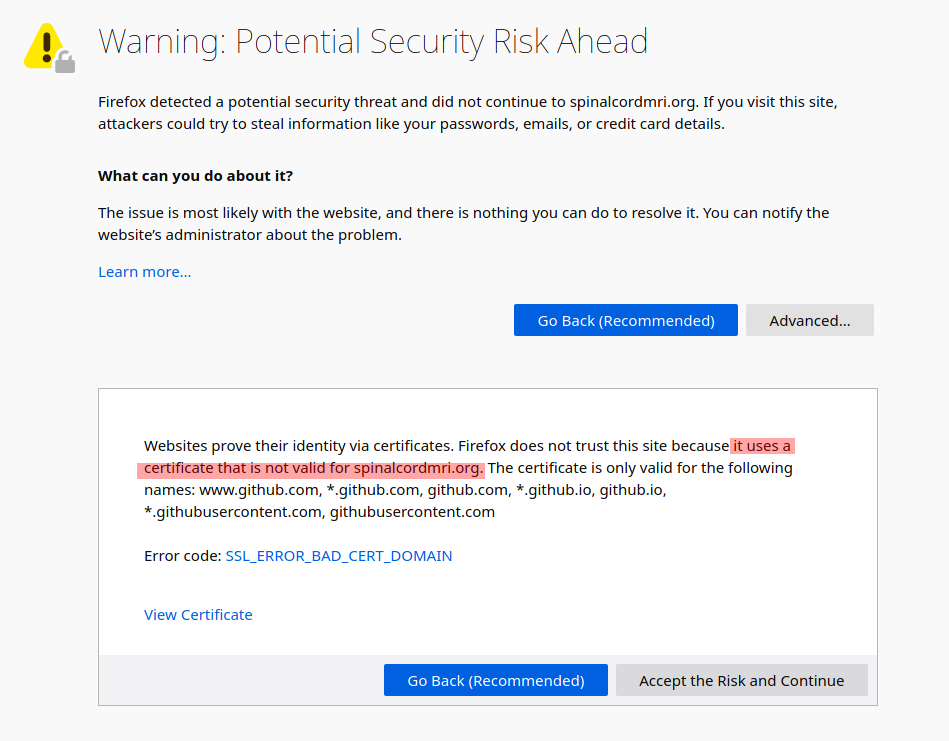
As I suspected:
 .
.
There are two options:
- To use the Github generated SSL certificate we should redirect https://spinalcordmri.org to https://spinalcordmri.github.io. Currently this is not the case, I think probably a
cnamewas setup since when visiting https://spinalcordmri.org the domain name stays the same instead of changing to spinalcordmri.github.io. - Figure out if Github pages allow providing our own certificates. We would need to generate an SSL cert for
spinalcordmri.org(matching the domain name).
I couldn't find info about the second option, I think 1 is simpler.
Drulex
on 5 Aug 2020
does this look good?
on namecheap: i replaced cname by URL redirect:

on github: i removed the "custom domain"
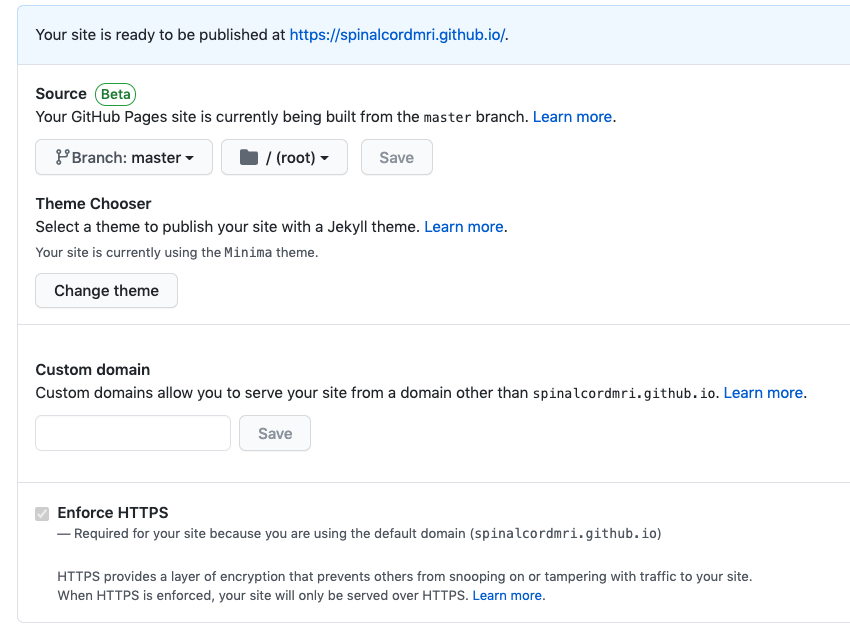
it might take some time to take effect
jcohenadad
on 5 Aug 2020
ok, i think i screwed up, and now neither spinalcordmri.org nor our SCT forum http://forum.spinalcordmri.org/c/sct are available.
so yes, i wouldn't mind some help @Drulex. I'll send you the credentials to namecheap and will make you admin of the GH site.
jcohenadad
on 5 Aug 2020
After looking at how http://spinalcordmri.org is setup I understand why the above didn't work.
spinalcordmri.orgis hosted by github pages atspinalcordmri.github.io. The domainspinalcordmri.orguses acnameentry to point atspinalcordmri.github.io. Apparently Github pages serves both SSL and non-SSL (can be accessed viahttps://)- The Github page
spinalcordmri.github.iois configured with custom domain via CNAME entry making it point tospinalcordmri.org. forum.spinalcordmri.orgis hosted on a DigitalOcean droplet that is running the Discourse forum.
In our case we are ok with the github pages server, but whatever is running the Discourse forum is not configured for SSL.
Any SSL-enabled website pointing to the forum will have the warning described in this issue. It is the case for the docs, but also for the main page of spinalcordmri.org: https://spinalcordmri.org/.
So basically the only thing we need to do is to serve the forum via https.
Certificate I got while visiting https://spinalcordmri.org/software/ :
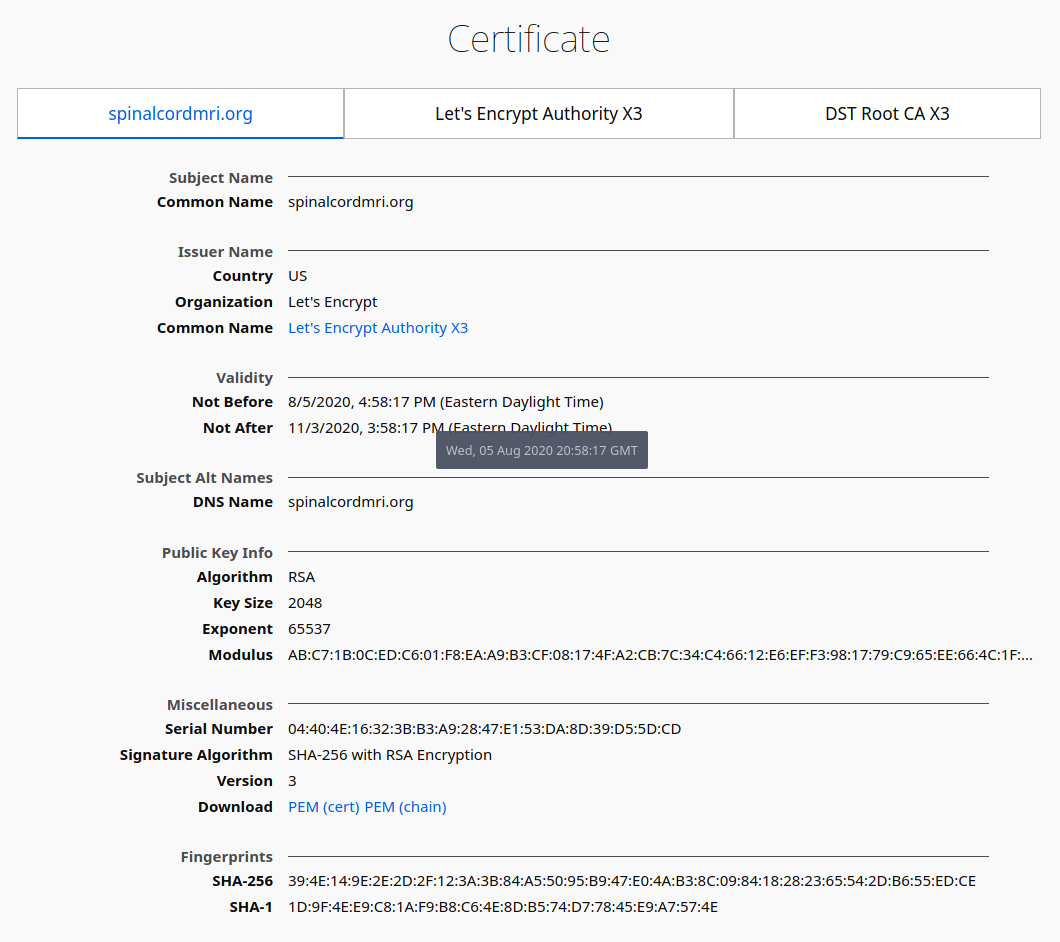
It would also be a good idea to force only SSL connections, but as we saw earlier today that didn't work (https://github.com/neuropoly/spinalcordtoolbox/issues/2830#issuecomment-669462412) and github switched to serving with a different certificate..
Drulex
on 6 Aug 2020
@Drulex @jcohenadad I could configure the ssl certificate on the discourse forum as explained here. I just need to rerun ./discourse-setup
 alexfoias
on 6 Aug 2020
alexfoias
on 6 Aug 2020
@jcohenadad Did you change the configuration in namescheap for spinalcordmri.org ? I cannot see the subdomain for the forum as it should be. Info here
alexfoias
on 6 Aug 2020
@jcohenadad Did you change the configuration in namescheap for spinalcordmri.org ? I cannot see the subdomain for the forum as it should be. Info here
It's there, maybe you need to press "show more" because there are multiple entries.
Drulex
on 6 Aug 2020
@Drulex @jcohenadad I could configure the ssl certificate on the discourse forum as explained here. I just need to rerun
./discourse-setup
Sure if you feel comfortable doing it. At the moment the mapping of the forum domain to the correct IP isn't working for some reason. It think we should open a ticket with Namecheap as it's been like this since yesterday.
Drulex
on 6 Aug 2020
Agree, cause the configuration is correct.

The http://159.89.119.65/ seems to work correctly, it might be on the DNS side.
I'll open a ticket.
alexfoias
on 6 Aug 2020
I'll open a ticket.
Ok, for context the record was changed yesterday pm and reverted to the original setting while experimenting.
Drulex
on 6 Aug 2020
so they told me to change the host to forum and remove the domain and keep the same value. I changed it we'll have to wait 30 min.
Here is the chat:
17:23 Lilia Semerenko: The thing is that the domain name itself should not be included to the Host field.
17:23 Lilia Semerenko: It means that you need to add only forum as a Host value. This is a system requirement.
17:24 Alexandru Foias: even if we want to have a subdomain forum.spinalcordmri.org?
17:25 Lilia Semerenko: Yes, you just add the subdomain itself to the host field without the domain name.
17:26 Alexandru Foias: okay, and how long does the update take to be propagated ?
17:27 Lilia Semerenko: Normally, the changes should take effect within 30 minutes.
working now 🎉
jcohenadad
on 6 Aug 2020
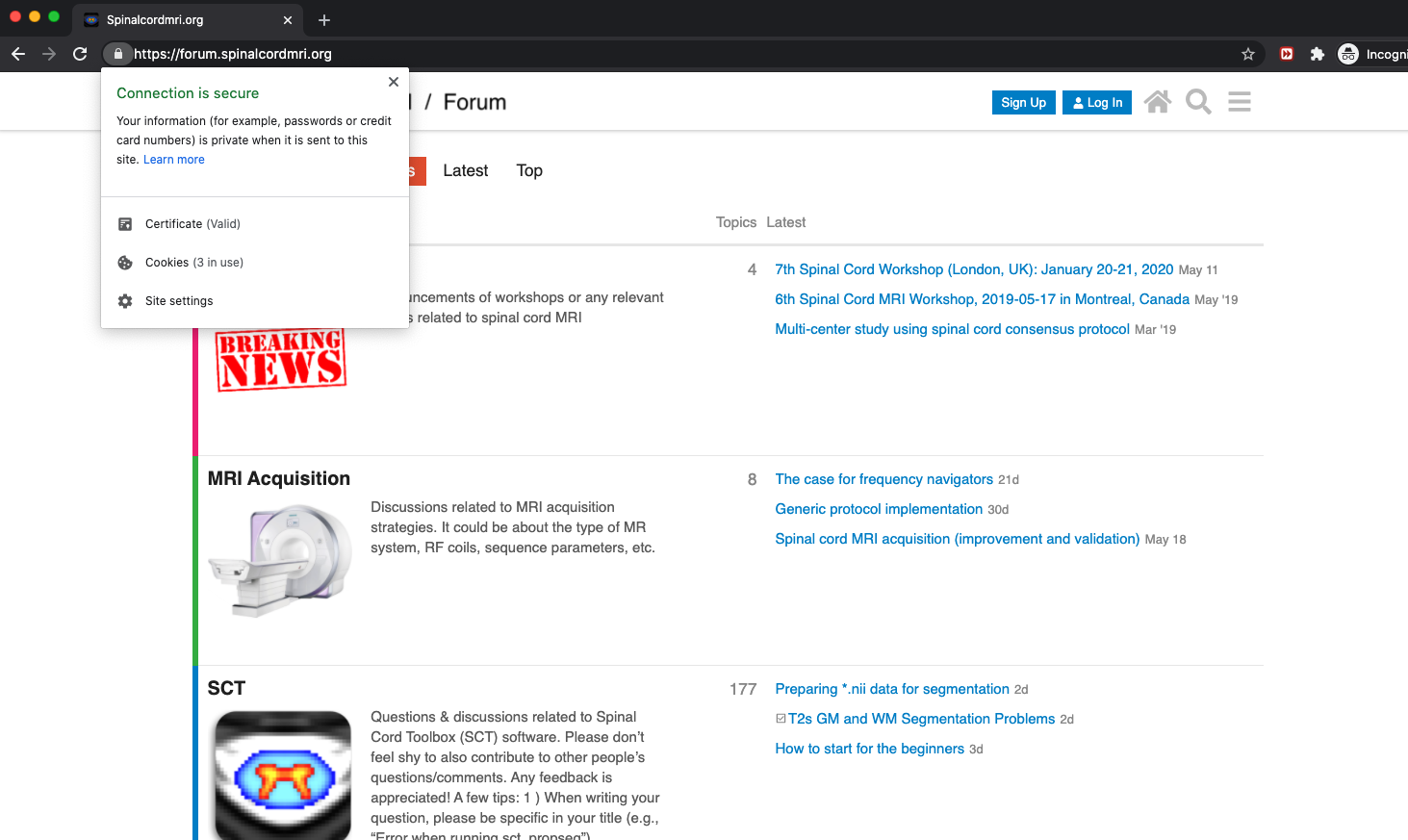
I re ran the setup for discourse, now it should be secured. The only issue is the DNS that we still have to wait for.
alexfoias
on 6 Aug 2020
alexfoias
on 6 Aug 2020
It seems like now they create a chrome app from discourse which is cool. you can see on top at the address bar.
alexfoias
on 6 Aug 2020
yay! working now. thanks @alexfoias !
jcohenadad
on 6 Aug 2020
hum, this guy is still unsecured:

jcohenadad
on 6 Aug 2020
Looking at the requests:

It's the mailing list badge img request that is unsecure: http://img.shields.io/badge/mailing%20list-development-green.svg?style=flat
Seems to be the last non-https request that the page makes.
Drulex
on 6 Aug 2020
Looking at the requests:
how do you do that?
It's the mailing list badge img request that is unsecure
maybe we could find badge from somewhere else, e.g. herokuapp. The weird thing is that other badges are using img.shield.io, e.g. https://img.shields.io/discourse/status?label=forum&server=http%3A%2F%2Fforum.spinalcordmri.org
jcohenadad
on 6 Aug 2020
if you replace the badge img with this seems to be secured
alexfoias
on 6 Aug 2020
thanks @alexfoias ! let me try that
jcohenadad
on 6 Aug 2020
how do you do that?
On Firefox: Developer tools -> network monitor -> network request details.
https://developer.mozilla.org/en-US/docs/Tools/Network_Monitor/request_details
It's similar if you are using chrome. I think you can press F12 -> Network.
Drulex
on 6 Aug 2020
yay!

jcohenadad
on 6 Aug 2020
closing because fixed
jcohenadad
on 6 Oct 2020
Related issues
 joshuacwnewton
·
20Comments
jcohenadad
·
20Comments
jcohenadad
·
22Comments
joshuacwnewton
·
20Comments
jcohenadad
·
20Comments
jcohenadad
·
22Comments
 kousu
·
21Comments
Drulex
·
25Comments
kousu
·
21Comments
Drulex
·
25Comments
Most helpful comment