Spacevim: 设置了for power line字体,还是出现了问号乱码
Expected behavior, english is recommended
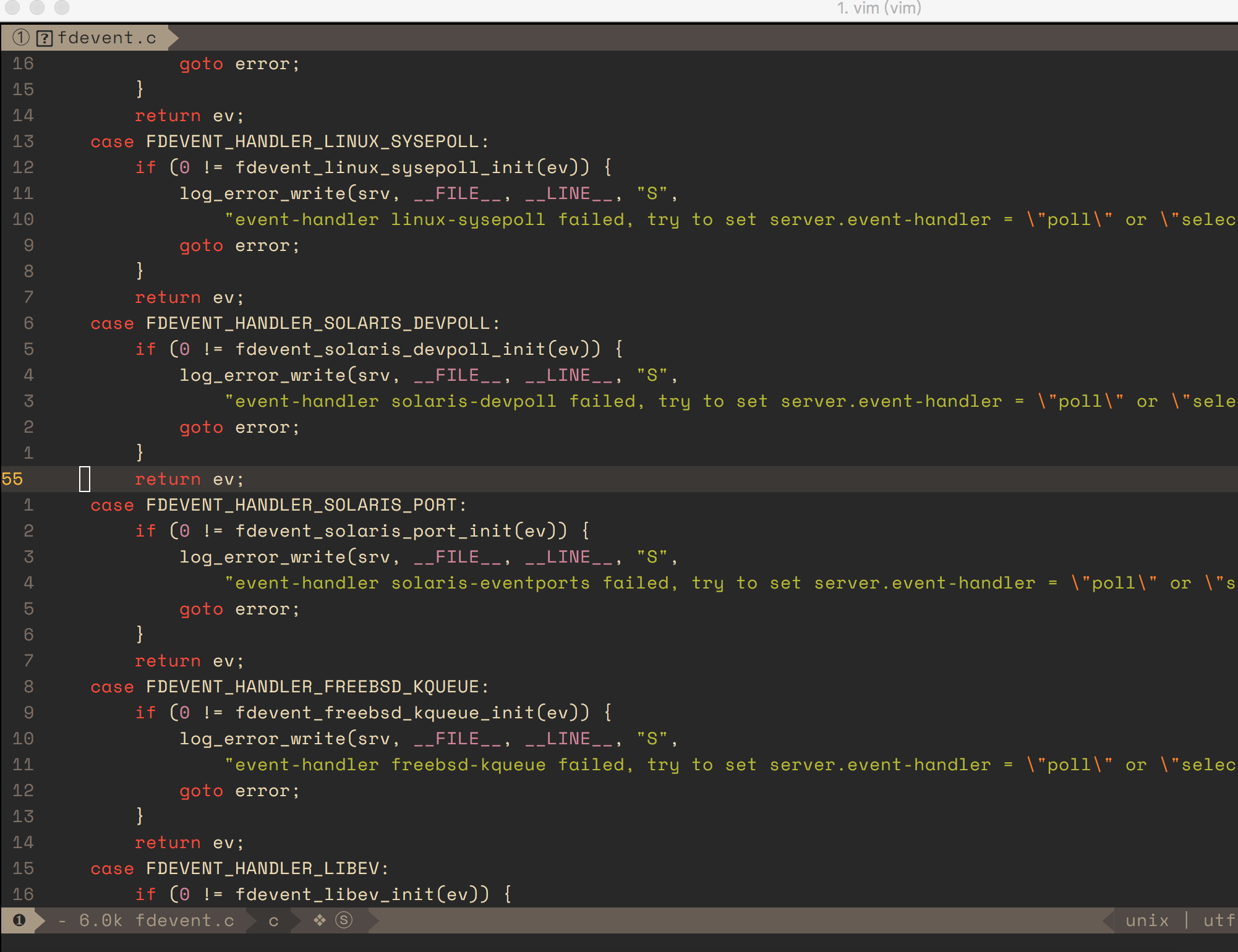
设置了for power line字体,大部分乱码都解决了,但左上角还是出现了问号乱码,其次觉得箭头有些偏小,不知道上啥原因,麻烦帮忙分析一下,谢谢
Environment Information
- OS: MacOS 10.12.6
- vim version: VIM - Vi IMproved 8.0
- neovim version: None
The reproduce ways from Vim starting (Required!)
Homebrew
Output of the ':SPDebugInfo!'
please post log below, if you want me to reproduce your issue quickly, including your custom config here will be better.
Screenshots
If you have any screenshots for this issue, please upload here. BTW you can use https://asciinema.org/ for recording video in terminal.
 gradyjiang
All 7 comments
The question mark on the top left corner is an ICON for file. Check Nerd font. You could download a patched font or patch a your own file, it's up to you.
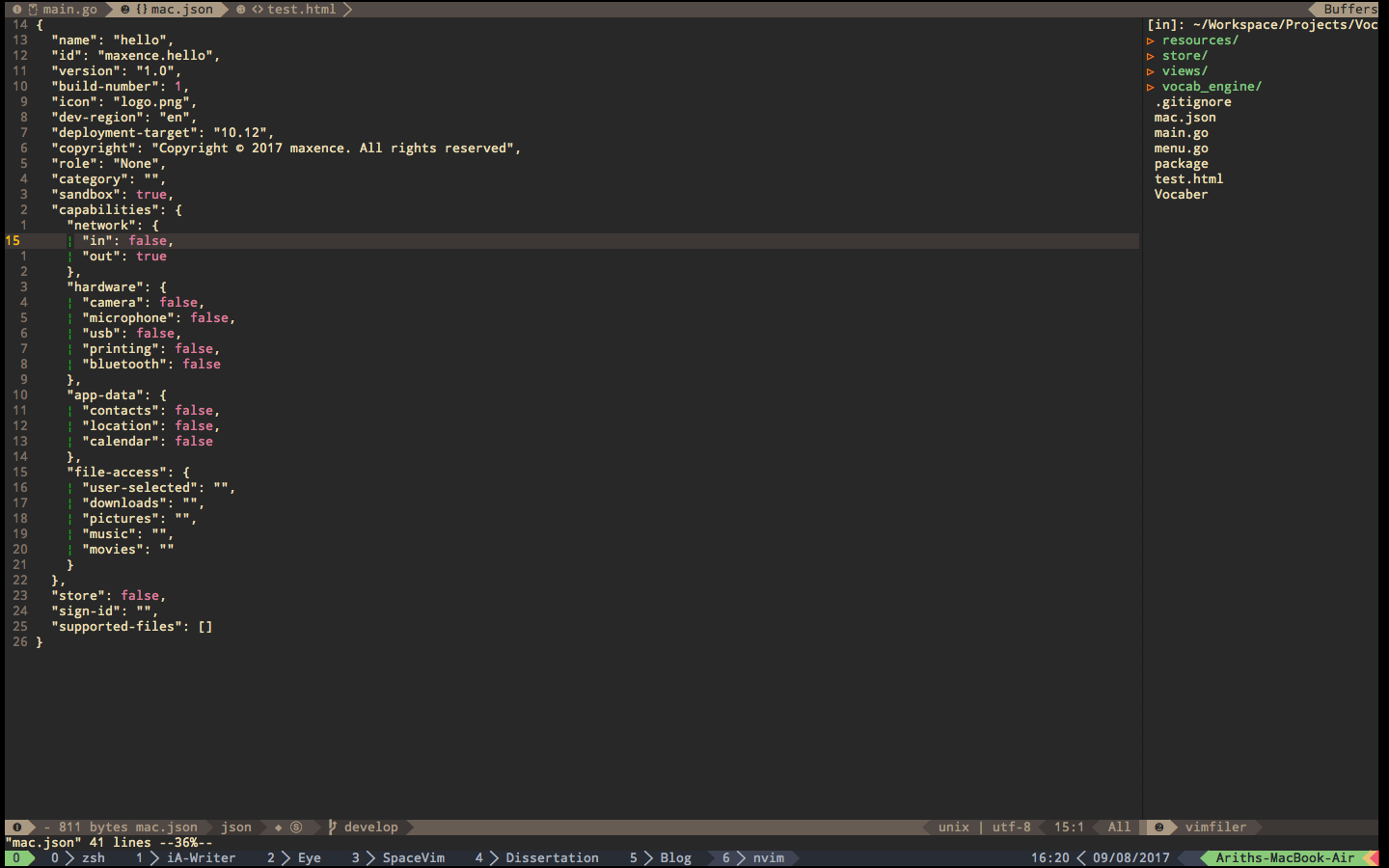
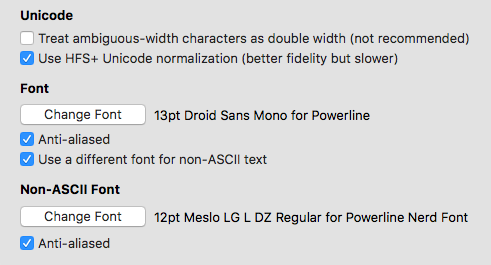
Alignment: this issue is often related to ASCII font and NON-ASCII font setting. Some of the font shows a pretty good performance. A pic is as follows:
Font configuration is also provided:
 icearith
on 9 Aug 2017
icearith
on 9 Aug 2017
@icearith thank you , your tips is very effective
gradyjiang
on 12 Aug 2017
Homebrew Fonts on macOS (OS X)
brew tap caskroom/fonts
brew cask install font-hack-nerd-font
 milkdeliver
on 6 Mar 2018
milkdeliver
on 6 Mar 2018
I met same problems. Thanks to @icearith @milkdeliver
Below is the way to solve it
- install nerd font with homebrew:
brew tap caskroom/fonts
brew cask install font-hack-nerd-font
Change font setting in your terminal preference (e.g. iTerm2):
chooseHack Nerd Font

Restart vim
 lixplor
on 29 May 2018
lixplor
on 29 May 2018
a nice guide for set fonts.
 wsdjeg
on 29 May 2018
wsdjeg
on 29 May 2018
好看呐,这是啥主题?
 Peresh
on 21 Sep 2018
Peresh
on 21 Sep 2018
thanks
 finalxcode
on 8 Feb 2019
finalxcode
on 8 Feb 2019
Related issues
 zeroasterisk
·
5Comments
zeroasterisk
·
5Comments
 well1791
·
4Comments
wsdjeg
·
3Comments
well1791
·
4Comments
wsdjeg
·
3Comments
 s97712
·
4Comments
s97712
·
4Comments
 eperfect
·
4Comments
eperfect
·
4Comments
Most helpful comment
I met same problems. Thanks to @icearith @milkdeliver
Below is the way to solve it
Change font setting in your terminal preference (e.g. iTerm2):

choose
Hack Nerd FontRestart vim