Spaceship-prompt: How to use Awesome Powerline font or Nerd font with Spaceship Theme
I knew that Spaceship uses Emoji for its glyph, but I wonder if there is a way to use Awesome Powerline font or Nerd font with Spaceship.
For reference:
- https://github.com/ryanoasis/nerd-fonts

These fonts look really good in terminal and are tailor-made for developers.
 luong-komorebi
All 9 comments
You could configure SPACESHIP_*_SYMBOL to use nerd-fonts. In #193 @AramC92 has displayed using nerd-fonts with spaceship-prompt.
 salmanulfarzy
on 18 Mar 2018
salmanulfarzy
on 18 Mar 2018
Thank you so much. I fixed that. Should I submit a pull request to instruct people like me? @salmanulfarzy
luong-komorebi
on 18 Mar 2018
That's great 👏 . I think configurations would better fit to our presets wiki. If there are any instructions or troubleshooting guidelines about this feel free to open a PR.
salmanulfarzy
on 18 Mar 2018
Mind to share your conf with screenshot @luongvo209 ?
salmanulfarzy
on 19 Mar 2018
@salmanulfarzy I will definitely share it. Just give me some time I am busy with deadlines right now 😅😅
luong-komorebi
on 19 Mar 2018
@luong-komorebi Could you share it? I hope you are less busy with deadlines now 😱
 hugo-vrijswijk
on 26 Feb 2019
hugo-vrijswijk
on 26 Feb 2019
@hugo-vrijswijk Sorry this got forgotten for too long. I have now moved away from the system that i used a year ago. Below is a very small part of what's left:
# Git symbol
SPACESHIP_GIT_SYMBOL=$'\uf113 '
SPACESHIP_GIT_STATUS_PREFIX=' '
SPACESHIP_GIT_STATUS_SUFFIX=''
SPACESHIP_GIT_STATUS_UNTRACKED=$'\uf059 '
SPACESHIP_GIT_STATUS_ADDED=$'\uF055 '
SPACESHIP_GIT_STATUS_MODIFIED=$'\uF06A '
SPACESHIP_GIT_STATUS_RENAMED=$'\uf45a '
SPACESHIP_GIT_STATUS_DELETED=$'\uf056 '
SPACESHIP_GIT_STATUS_STASHED=$'\uF01C '
SPACESHIP_GIT_STATUS_AHEAD=$'\uF01B '
SPACESHIP_GIT_STATUS_BEHIND=$'\uF01A '
SPACESHIP_GIT_BRANCH_PREFIX=$'\uf113 '
SPACESHIP_GIT_STATUS_DIVERGED=$'\uf47f '
Basically, the trick here is the $ and \u part. For example, github icon has the code :
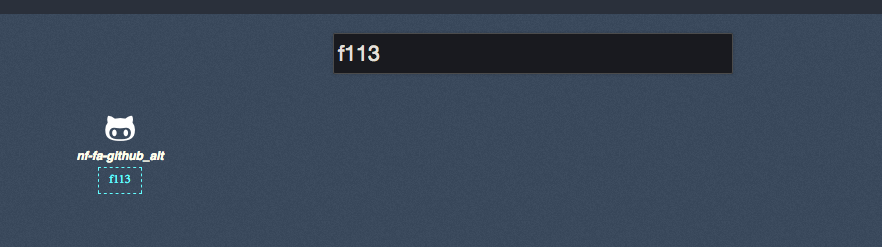
But when you config spaceship, you cannot paste the symbol or the code alone, you have to do it like :
SPACESHIP_GIT_SYMBOL=$'\uf113 '
This helped me in the past. Not sure if there are any other problems that I did solve (and forgot 😢 )
Link to find icon code: https://nerdfonts.com/
luong-komorebi
on 27 Feb 2019
@luong-komorebi Very cool! Thanks a lot!
hugo-vrijswijk
on 5 Mar 2019
Oh, so it did solve your problem? Glad to hear that, you re welcome @hugo-vrijswijk
luong-komorebi
on 5 Mar 2019
Related issues
 martincartledge
·
4Comments
martincartledge
·
4Comments
 gabrielpedepera
·
3Comments
gabrielpedepera
·
3Comments
 conradwt
·
3Comments
conradwt
·
3Comments
 doole
·
4Comments
doole
·
4Comments
 olets
·
3Comments
olets
·
3Comments
Most helpful comment
@salmanulfarzy I will definitely share it. Just give me some time I am busy with deadlines right now 😅😅