Sp-dev-fx-webparts: modern Script - Jira Widget
Dear Team,
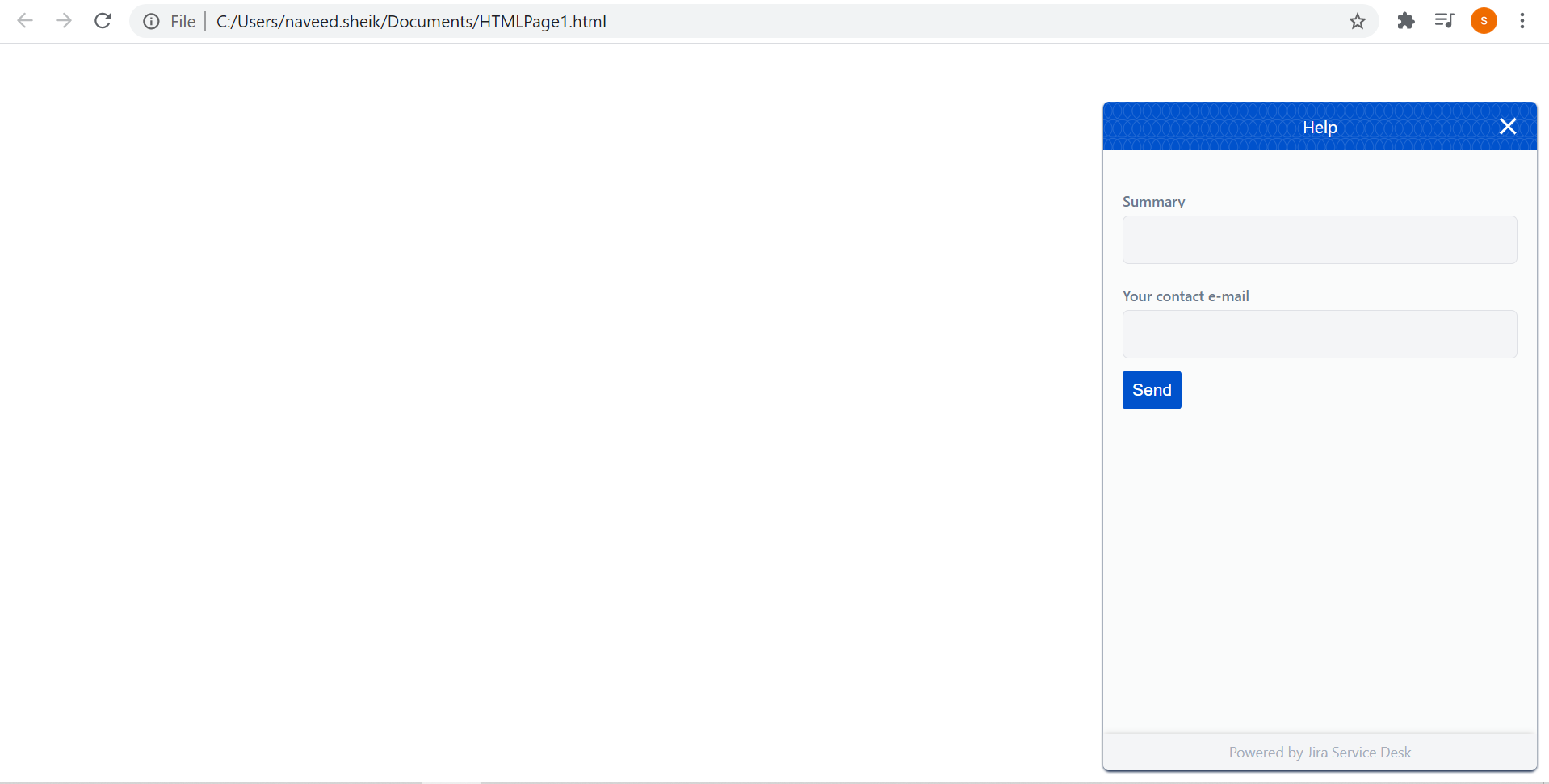
Can anyone help me on how can I embed jira widget on sharepoint modern page. I am able to embed the below script in classic sharepoint site. Also I can use this code in an html page which workd fine. Below is how it should look.

 sheiknaveed87
All 16 comments
Thank you for reporting this issue. We will be triaging your incoming issue as soon as possible.
![msftbot[bot] picture](https://avatars2.githubusercontent.com/in/26612?v=4&s=40) msftbot[bot]
on 18 Sep 2020
msftbot[bot]
on 18 Sep 2020
Before trying to embed this generic widget, did you look into custom connectors that Atlassian might have made available to Microsoft 365 users? I don't know about SharePoint (check the marketplace), but I know that for Microsoft Teams there are Jira connectors for both server and cloud.
If you really need this widget, there are solutions around to replicate in SPFx the behavior of the classic CEWP. I didn't see any in this repository though, I guess that's because it's not considered a best practice.
 PathToSharePoint
on 18 Sep 2020
PathToSharePoint
on 18 Sep 2020
I checked with Atlassian support team. They do not have any custome
connector. Even i checked in sgarepoint store.
On Fri, 18 Sep 2020, 11:59 pm PathToSharePoint, notifications@github.com
wrote:
Before trying to embed this generic widget, did you look into custom
connectors that Atlassian might make available to Microsoft 365 users? I
don't know about SharePoint (check the marketplace), but I know that for
Microsoft Teams there are Jira connectors for both server and cloud.If you really need this specific widget, there are solutions around to
replicate in SPFx the behavior of the classic CEWP. I didn't see any in
this repository though, I guess that's because it's not considered a best
practice.—
You are receiving this because you authored the thread.
Reply to this email directly, view it on GitHub
https://github.com/pnp/sp-dev-fx-webparts/issues/1508#issuecomment-695058327,
or unsubscribe
https://github.com/notifications/unsubscribe-auth/AOQUV3LDJTN5L7DYUSNLZDLSGO3Z7ANCNFSM4RSNSVQQ
.
sheiknaveed87
on 18 Sep 2020
I was thinking, you might help me in this
On Sat, 19 Sep 2020, 12:01 am sheik naveed, sheik08363@gmail.com wrote:
I checked with Atlassian support team. They do not have any custome
connector. Even i checked in sgarepoint store.On Fri, 18 Sep 2020, 11:59 pm PathToSharePoint, notifications@github.com
wrote:Before trying to embed this generic widget, did you look into custom
connectors that Atlassian might make available to Microsoft 365 users? I
don't know about SharePoint (check the marketplace), but I know that for
Microsoft Teams there are Jira connectors for both server and cloud.If you really need this specific widget, there are solutions around to
replicate in SPFx the behavior of the classic CEWP. I didn't see any in
this repository though, I guess that's because it's not considered a best
practice.—
You are receiving this because you authored the thread.
Reply to this email directly, view it on GitHub
https://github.com/pnp/sp-dev-fx-webparts/issues/1508#issuecomment-695058327,
or unsubscribe
https://github.com/notifications/unsubscribe-auth/AOQUV3LDJTN5L7DYUSNLZDLSGO3Z7ANCNFSM4RSNSVQQ
.
sheiknaveed87
on 18 Sep 2020
Sure! I might have some suggestions, but let's first see what others who know the repository better have to say.
cc @hugoabernier
PathToSharePoint
on 18 Sep 2020
@PathToSharePoint , can you help me to resolve this case
sheiknaveed87
on 20 Sep 2020
Here is a solution you could try:
https://spjsblog.com/modern-cewp/
Disclaimers:
- as I said above this is not a best practice, rather a quick fix
- I haven't tried the solution myself, I just know the site as a reputable source
PathToSharePoint
on 21 Sep 2020
I tried this but still it doesnt show on the modern sharepoint page
On Mon, Sep 21, 2020 at 5:35 AM PathToSharePoint notifications@github.com
wrote:
Here is a solution you could try:
https://spjsblog.com/modern-cewp/Disclaimers:
- as I said above this is not a best practice, rather a quick fix
- I haven't tried the solution myself, I just know the site as a
reputable source—
You are receiving this because you authored the thread.
Reply to this email directly, view it on GitHub
https://github.com/pnp/sp-dev-fx-webparts/issues/1508#issuecomment-695867304,
or unsubscribe
https://github.com/notifications/unsubscribe-auth/AOQUV3JDSBNBWVSZHWVH6O3SG2UWLANCNFSM4RSNSVQQ
.
sheiknaveed87
on 21 Sep 2020
If you are having an issue with that specific Web Part, I would recommend to contact the author on his forum:
https://spjsblog.com/forums/forum/modern-cewp/
PathToSharePoint
on 21 Sep 2020
other code world but this specific code dosent work.
On Mon, Sep 21, 2020 at 7:21 AM PathToSharePoint notifications@github.com
wrote:
If you are having an issue with that specific Web Part, I would recommend
to contact the author on his forum:
https://spjsblog.com/forums/forum/modern-cewp/—
You are receiving this because you authored the thread.
Reply to this email directly, view it on GitHub
https://github.com/pnp/sp-dev-fx-webparts/issues/1508#issuecomment-695883802,
or unsubscribe
https://github.com/notifications/unsubscribe-auth/AOQUV3IUXSGEIAYSQB6C7XLSG3BFBANCNFSM4RSNSVQQ
.
sheiknaveed87
on 21 Sep 2020
I talked to the Microsoft dev team and they had two suggestions.
The first one is what I already suggested: use a third party custom CEWP. This removes the safety net offered by SPFx and you are on your own. If your specific code doesn't work, again I would recommend to talk to the Web Part author directly and be specific about the error message you are getting.
The second option is a lot more involved and AFAIK there is no solution published, so no guarantee it would work. The idea is to use the Teams SDK instead of SPFx, and build a custom solution that leverages the Jira connectors. Then you can package the Teams solution to publish it on SharePoint.
PathToSharePoint
on 26 Sep 2020
Hi @sheiknaveed87...Thank you for the inquiry.
Are you looking to have the JIRA component displayed on every page within a site collection or only a specific page?
If you are looking to display it only on a single page, then as @PathToSharePoint pointed out, a CEWP could be used for you.
Although, I believe you are likely wanting to display the JIRA assets on every page in your desired site collection.
This can be easily accomplished using an SPFx Application Customizer Extension. From my experiences integrating JIRA, their JS is fairly unobtrusive and will absolutely position the JIRA call to actions within the DOM.
The SharePoint documentation provides an excellent tutorial on creating an SPFx Application Customizer extension. The SPFx AC allows you to include custom functionality that is loaded on every page in the Site Collection where the AC is installed.
https://docs.microsoft.com/en-us/sharepoint/dev/spfx/extensions/get-started/build-a-hello-world-extension
 PopWarner
on 2 Oct 2020
PopWarner
on 2 Oct 2020
This issue has been automatically marked as stale because it has marked as requiring author feedback but has not had any activity for 7 days. It will be closed if no further activity occurs within next 7 days of this comment. Thank you for your contributions to SharePoint Developer activities.
msftbot[bot]
on 9 Oct 2020
@sheiknaveed87 I just released a "Dangerous Content Web Part" that is meant as a replacement for a classic CEWP.
The current version is 0.9.1 and license is MIT - use at your own risk. You can download the sppkg file from github directly:
https://github.com/PathToSharePoint/dangerous-content-web-part/tree/main/sharepoint/solution
I also found out that sp-dev-fx-webparts has a sample for this purpose:
https://github.com/pnp/sp-dev-fx-webparts/tree/master/samples/react-script-editor
PathToSharePoint
on 9 Oct 2020
This issue has been automatically marked as stale because it has marked as requiring author feedback but has not had any activity for 7 days. It will be closed if no further activity occurs within next 7 days of this comment. Thank you for your contributions to SharePoint Developer activities.
msftbot[bot]
on 16 Oct 2020
Closing issue due no response from original author. If this issue is still occurring, please open a new issue with additional details. Notice that if you have included another related issue as additional comment on this, please open that also as separate issue, so that we can track it independently.
msftbot[bot]
on 23 Oct 2020
Related issues
 jbranders
·
5Comments
jbranders
·
5Comments
 shrirampophali
·
4Comments
shrirampophali
·
4Comments
 joshburns49
·
3Comments
joshburns49
·
3Comments
 Abiman194
·
4Comments
Abiman194
·
4Comments
 ChristianSaldivar
·
3Comments
ChristianSaldivar
·
3Comments