Sp-dev-fx-webparts: Broken command `gulp package-solution --ship` for web parts
Category
- [ ] Question
- [x] Bug
- [ ] Enhancement
Expected or Desired Behavior
gulp task package-solution --ship should build a package prepared to be deployed to the prod environment.
Observed Behavior
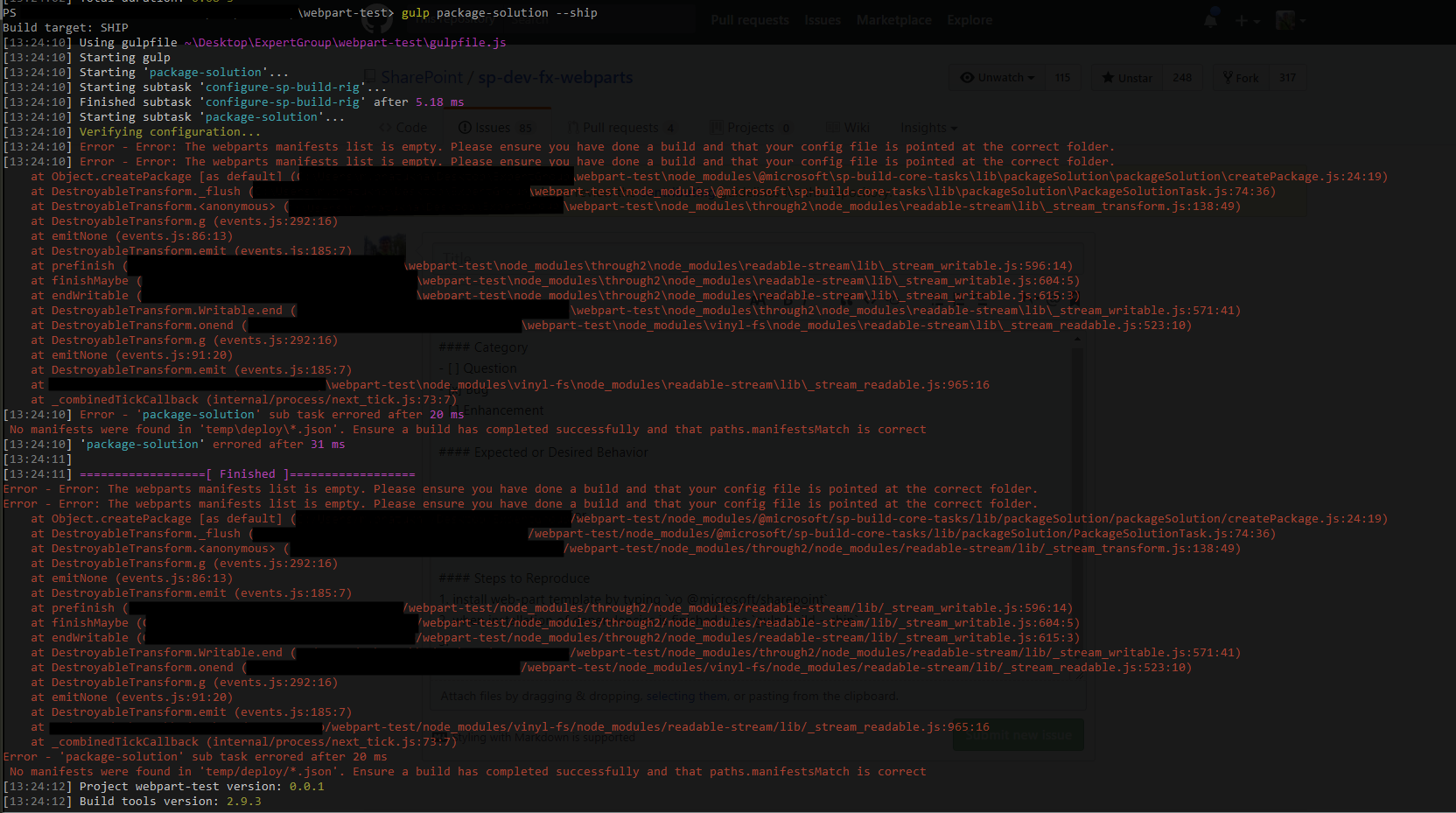
gulp task throws an exception:
Steps to Reproduce
- install web-part template by typing
yo @microsoft/sharepoint - choose web-part template without react
- when installation is finished type
gulp build --ship - and then type
gulp package-solution --ship
It doesn't matter whether property cdnBasePath in the file ./config/write-manifests.json is properly defined or not. The exception is always the same.
The workaround that I've found is to use command gulp serve --nobrowser --ship before executing gulp build --ship.
Any ideas? Am I doing something wrong?
 mbratukha
All 8 comments
gulp package-solution --ship depends on the gulp bundle --ship task. This dependency isn't explicit, but it is required for the package-solution task to run properly. If you don't run bundle first, you will the error that you're seeing.
 waldekmastykarz
on 28 Sep 2017
waldekmastykarz
on 28 Sep 2017
Yep, that was the problem!
I've missed the gulp bundle --ship command.
It works now, thank you!
mbratukha
on 28 Sep 2017
You're welcome!
waldekmastykarz
on 28 Sep 2017
Hi waldekmastykarz ,
I am facing the same issue even after i tried gulp bundle --ship.
Thanks, Pal
 rpalanivel83
on 6 Feb 2018
rpalanivel83
on 6 Feb 2018
@rpalanivel83 what error do you see? Can you reproduce it in a clean solution?
waldekmastykarz
on 7 Feb 2018
Hi Waldekmastykarz,
Thanks for your response. I have resolved this issue. This is due to I had included external js in config.json without “http://“.
Thanks,Pal
rpalanivel83
on 7 Feb 2018
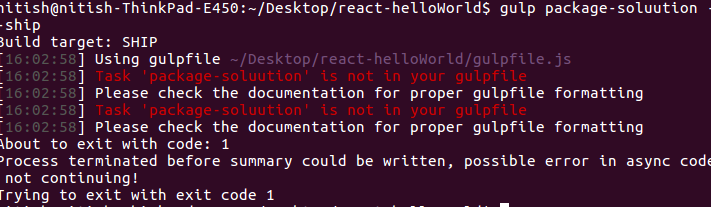
Hi @waldekmastykarz I have choose web-part template wtih react. Now I'm running _gulp bundle --ship_ at that moment, I'm not able to find any additional file inside teams after that agian I run _gulp package-solution --ship_. So, it is throwing error. Please check it and try to resolve it.
Looking forward for your response.
 nitish166
on 20 May 2020
nitish166
on 20 May 2020
Hello @waldekmastykarz The error is resolved. just I restart everything and try again now it is working fine.
nitish166
on 20 May 2020
Related issues
 Abiman194
·
4Comments
Abiman194
·
4Comments
 PathToSharePoint
·
4Comments
PathToSharePoint
·
4Comments
 russgove
·
4Comments
russgove
·
4Comments
 MaxDaxDax
·
4Comments
MaxDaxDax
·
4Comments
 parmira5
·
4Comments
parmira5
·
4Comments