Snipe-it: Custom CSS Direct Descendant Character ( > ) Not Working
Expected Behavior (or desired behavior if a feature request)
I am trying to modify a specific CSS string in Snipe using the Custom CSS text-box. The string I am trying to modify is:
.skin-blue .sidebar-menu>li.active>a, .skin-blue .sidebar-menu>li:hover>a
Actual Behavior
Nothing.
The custom CSS text-box doesn't seem to interpret the direct descendant (Greater than symbol ">") correctly and my CSS is not applied. I assumed this was due to some markdown issue, although I'm not the most knowledgeable CSS user.
Please confirm you have done the following before posting your bug report:
- [ x ] I have enabled debug mode
- [ x ] I have read checked the Common Issues page
Provide answers to these questions:
- Is this a fresh install or an upgrade?
Fresh install - Version of Snipe-IT you're running
4.0.15 build 339 - Version of PHP you're running
7.0.22-0 - Version of MySQL/MariaDB you're running
5.4.29 - What OS and web server you're running Snipe-IT on
Ubuntu0.16.04.1 - What method you used to install Snipe-IT (install.sh, manual installation, docker, etc)
Manual - What specific Snipe-IT page you're on, and what specific element you're interacting with to trigger the error
https://assets.magnoliamarket.com/admin/branding
 davidwashburn
All 12 comments
That content is escaped, so it's likely converting the > to the HTML special character. I'm not really comfortable outputting kinescoped user entered data though, so not sure there's a workaround.
 snipe
on 15 Nov 2017
snipe
on 15 Nov 2017
Thanks for the prompt response, I appreciate it. Do you know if there's a way I can edit this from the server? We self-host our Snipe instance but after looking through the CSS files in the Public folder I don't see a great place to adjust this.
This probably falls outside your purview since I'm a self-hosted client. In any case, I appreciate the response. I can work around it if need be.
davidwashburn
on 15 Nov 2017
Well, the problem is that you're going to have to keep applying that update every time you upgrade Snipe-IT. :-/
We use Laravel mix + npm to generate CSS and javascript files, so your best bet will probably be to make the change directly in the resources/views/layout/default.blade.php, versus having to set up node/npm, and overwrite ALL of the CSS and JS files with your generated versions.
You can either hardcode that CSS in resources/views/layout/default.blade.php, or switch to un-escaped output for the custom CSS in resources/views/layout/default.blade.php:
Around line 54, change:
 @if ($snipeSettings->custom_css)
            {{ $snipeSettings->show_custom_css() }}
@endif
to:
 @if ($snipeSettings->custom_css)
            {!! $snipeSettings->show_custom_css() !!}
@endif
We could also maybe see about still escaping the CSS but, re-un-encoding just the greater-than symbol. That should still keep users safe from XSS attacks, but would make your setup work.
snipe
on 15 Nov 2017
Huh. We're actually already doing that.
$custom_css = str_replace('>', '>', $custom_css);
Can you show me in the HTML source what your custom CSS output looks like?
snipe
on 15 Nov 2017
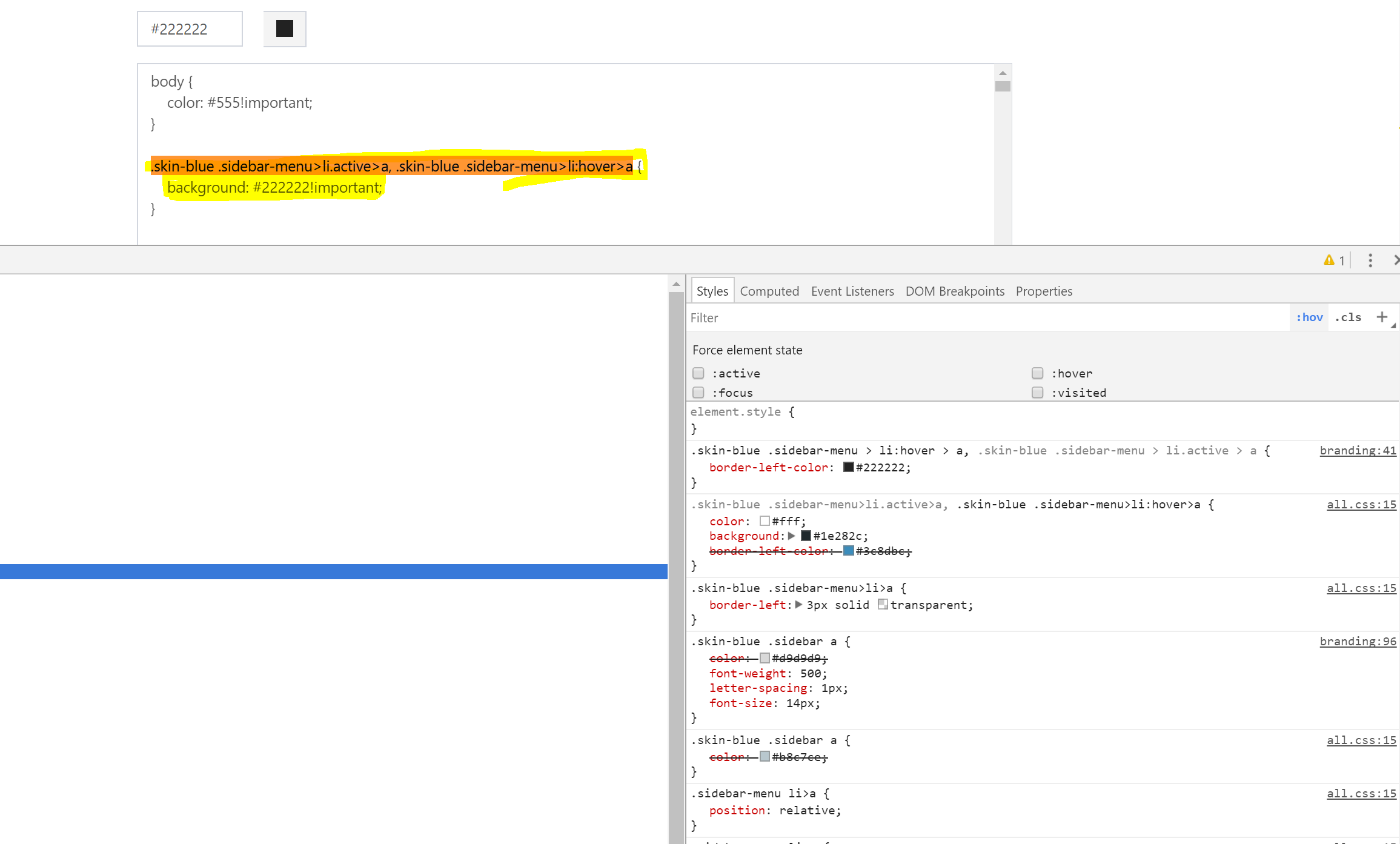
Certainly. This screenshot shows the CSS i've placed into the Custom text field, and then the CSS the page displays after I save it. Normally when I do this my CSS will show up at the top of the Chrome Dev console and overwrite the default CSS, however in this instance (and every instance with a special character > ) it just never shows up in the chrome console as even being in the CSS.
davidwashburn
on 15 Nov 2017
Can I see the raw HTML, not the computed style?
snipe
on 15 Nov 2017
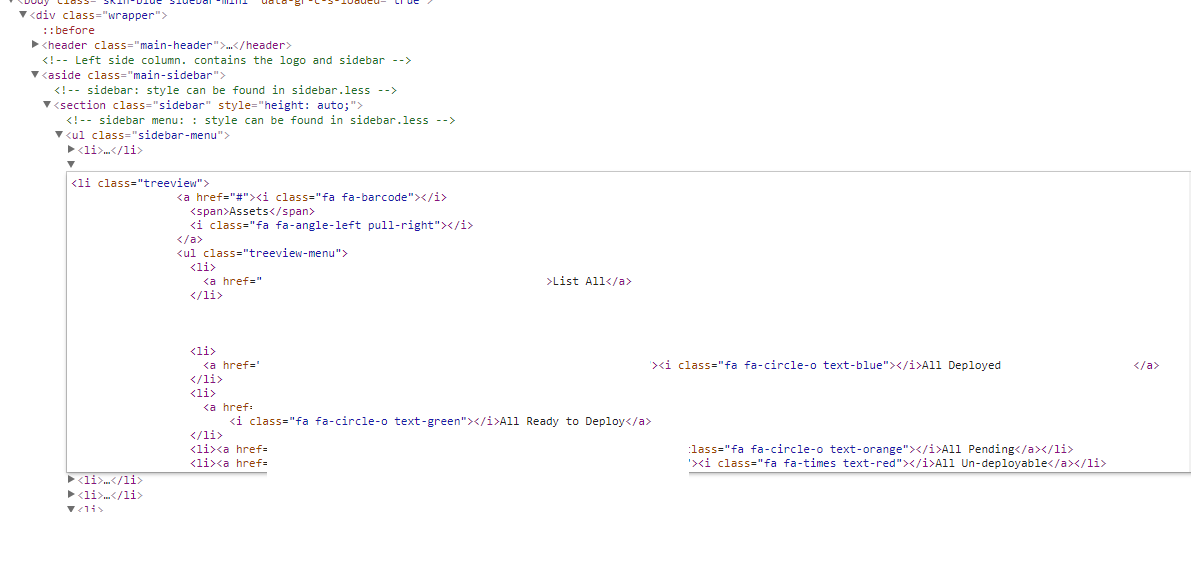
Sorry for being thick, I've attached a screenshot of the HTML from the console. Is this what you are looking for?
davidwashburn
on 15 Nov 2017
Heh almost. It's okay, I reproduced it locally.
It looks like we're double-encoding those styles, that's why it's still converting the > to >. I've got almost ready for develop.
snipe
on 15 Nov 2017
Okay, fix is on master and develop.
snipe
on 15 Nov 2017
And documentation is updated :)
https://snipe-it.readme.io/v4.0/docs/branding
snipe
on 15 Nov 2017
You're an MVP.
davidwashburn
on 15 Nov 2017
Related issues
snipe
·
60Comments
 dubs3c
·
82Comments
dubs3c
·
82Comments
 MSTigers
·
54Comments
MSTigers
·
54Comments
 ss-dsheets
·
91Comments
ss-dsheets
·
91Comments
 WELLBOREIS
·
83Comments
WELLBOREIS
·
83Comments