Slick: Draggable action on desktop increments slide position by just 1, not the amount you've dragged.
When I use the mouse to drag multiple slides on Desktop they seem to only scroll a single slide position, which it then rebounds back to. This creates a frustrating 'jumpy' effect if you're trying to speed drag through a large amount of slides.
http://jsfiddle.net/brightonconsumer/dfkvw6pc/
I'm using just the simple settings of:
slidesToShow: 5
slidesToScroll: 1
Example (see jsFiddle):
If I drag slide 5 to where slide 1 is the first slide will rebound back to slide 2, not slide 5. A drag only increments the slider by 1, not the amount you've dragged.
What I would have expected to see is that slide 5 would now occupy the former position of slide 1. It would be the first visible slide because it has been dragged to that position.
I know I have set slidesToScroll to 1 (I still use left and right buttons either side of my slider) but shouldn't the 'draggable' functionaly be separate from that? Is there any way a new 'free' setting could be applied to the draggable on desktop component?
Thank you.
 KingWebsites
All 14 comments
Agreed. Might be something coming in 2.0. If you felt interested enough, the you could grease the skids with a PR! Thanks @KingWebsites
 leggomuhgreggo
on 14 Apr 2016
leggomuhgreggo
on 14 Apr 2016
I feel this is a really important feature and quite standard across most sliders.
If you could implement the feature by setting:
.slick({
slidesToScroll: auto
or
dragToSlide: auto
Which would temporarily disable an image from snapping to the middle when you drag.
 jakeoblivion
on 20 Apr 2016
jakeoblivion
on 20 Apr 2016
I don't think it's a good idea to change slidesToScroll option, to achieve the result.
slidesToScroll is used by next/prev controls. Dragging shouldn't use it at all.
 vovayatsyuk
on 20 Apr 2016
vovayatsyuk
on 20 Apr 2016
fixed your fiddle.
http://jsfiddle.net/dfkvw6pc/5/
 simeydotme
on 21 Apr 2016
simeydotme
on 21 Apr 2016
Great thanks! Noticed a really small glitch with infinite: true
At the moment it if you go from slide 3 to slide 12 it bounces back to 3. Not a huge problem though.
jakeoblivion
on 21 Apr 2016
...?

simeydotme
on 21 Apr 2016
Thanks for pointing out that config setting. It works like a charm.
I'm sure I went though the settings looking for options last week and couldn't see anything. My mistake.
KingWebsites
on 21 Apr 2016
@KingWebsites / @jakeoblivion ... I have no doubt the readme is not explicit/clear enough :laughing: -- if you would like to get some contribution action going, and help others who have trouble... go ahead and edit the readme.md file's swipeToSlide description to what you think would be easier to understand :smiley: -- I'll accept the pull request after a quick review :+1:
https://github.com/kenwheeler/slick/edit/master/README.markdown
simeydotme
on 21 Apr 2016
Thanks for the gif example, however you went form slide 3 (in the center) to 2, rather than 3 to 12.
Try swiping backwards where slide 1 is on the left (3 in the center), until slide 10 (12 in the center) is on the left (for example).
Not a huge issue, but something i noticed.
jakeoblivion
on 21 Apr 2016
ah, yeh... i see :( looks like a bug ... possibly already raised.
simeydotme
on 21 Apr 2016
Your documentation is really good, just didn't see the swipeToSlide. I think for one of the the features on the main demo page should be set to true as this is a great feature.
Thanks again for your contributions to fixing everything! Great carousel slider!
jakeoblivion
on 21 Apr 2016
Hello @kenwheeler and @all Git users
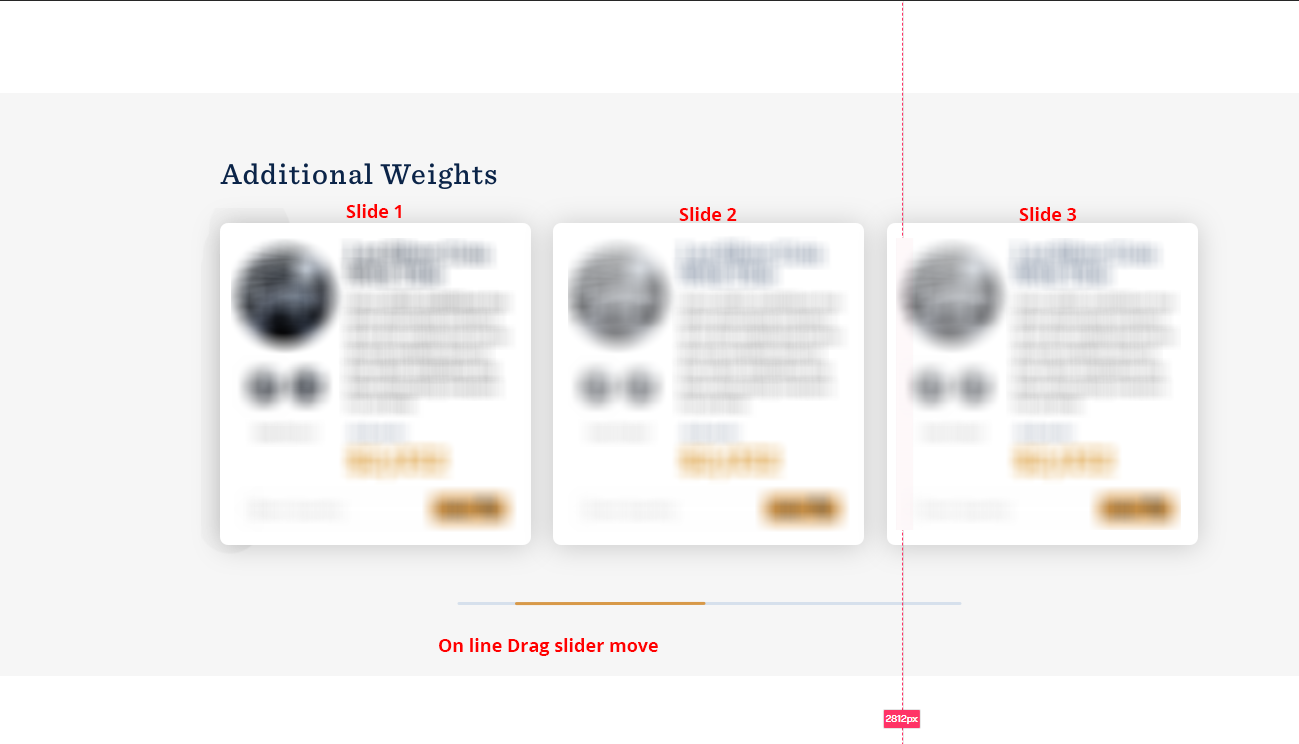
I want a slider like that on my website
Does anyone have any idea? How to set a slider on line drag and slick slider arrow click slider move?
 agzwt
on 14 Sep 2020
agzwt
on 14 Sep 2020
Has this been solved? If so, where can I find the solution so mouse drags work more intuitively?
 andrewst123
on 29 Dec 2020
andrewst123
on 29 Dec 2020
No one can solve this.
Also, I'm waiting for a replay from @kenwheeler so we clear that this is possible or not!
agzwt
on 29 Dec 2020
Related issues
 xitongzou
·
3Comments
xitongzou
·
3Comments
 msavov
·
3Comments
msavov
·
3Comments
 crstauf
·
3Comments
crstauf
·
3Comments
 niccih
·
3Comments
niccih
·
3Comments
 NozX18
·
3Comments
NozX18
·
3Comments
Most helpful comment
Your documentation is really good, just didn't see the swipeToSlide. I think for one of the the features on the main demo page should be set to true as this is a great feature.
Thanks again for your contributions to fixing everything! Great carousel slider!