Sitespeed.io: Visual metrics not captured in SPA application
I am executing a script with few user actions after login, the script is able to capture all the metrics in the application while there a change in the URL for every user action. It stops capturing the metrics when there is an user action on a modal popup with angular interface without the URL change. Scripts works fine from the bowser and it does all the scripted actions inside the modal pop-up, but its missing the metrics with the error message "Could not add meta data to the HAR, miss page
I tried various options such as using --spa & --useHash, no luck :(
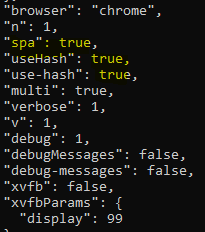
Here is screen shot from the verbose log, I see the metrics are captured in the last few lines form the browsertime, but its not there as a transaction in the html report;
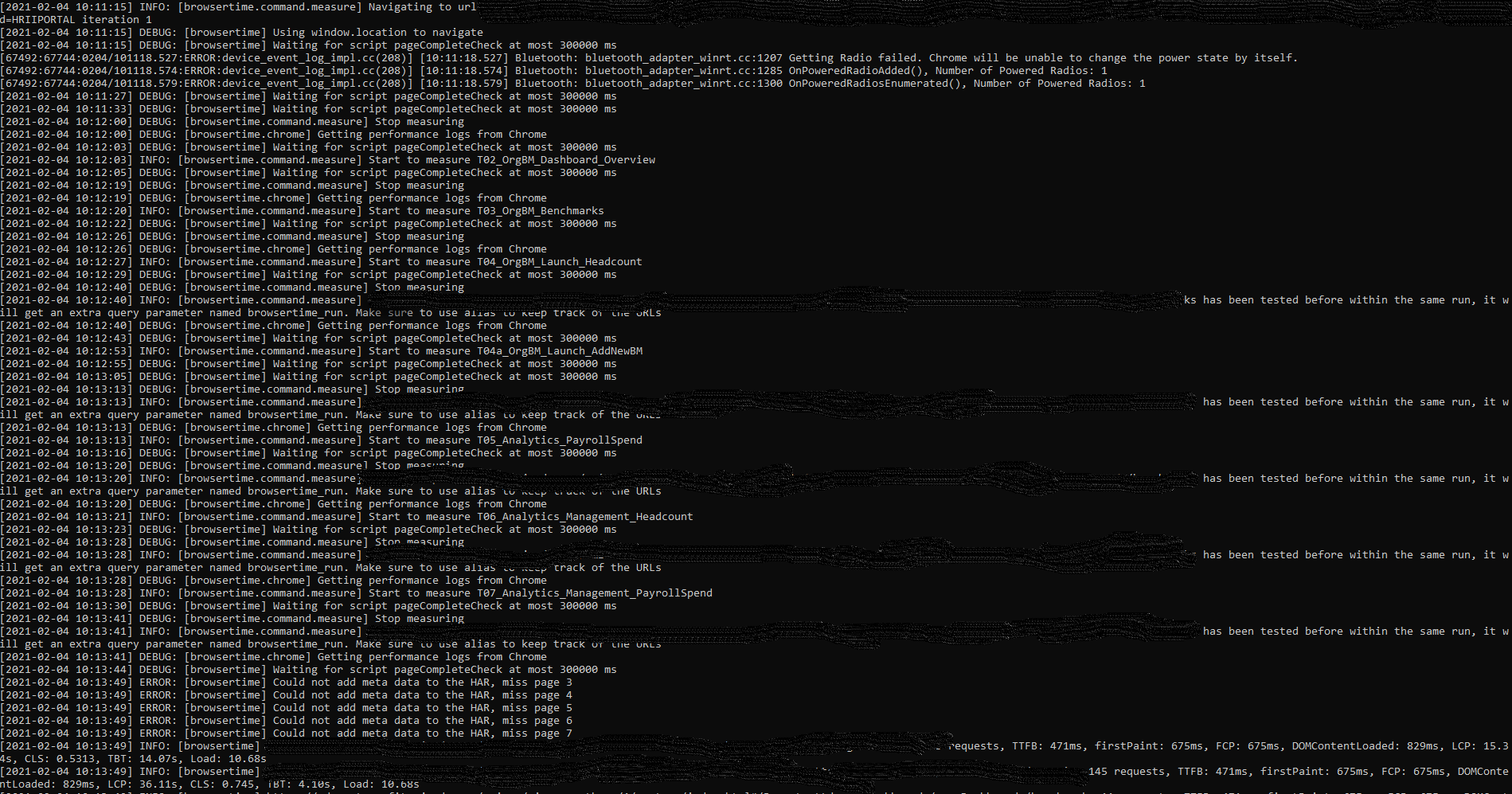
I also tried using URL alias in the transaction name like this, but no use :(

Please let me know if there is a workaround to capture metrics in a SPA application when there no change in the URL's while performing user actions !
Your help is much appreciated, stuck with this issue for 2 days now !
Thanks,
Deena.
 deena9291
All 12 comments
@soulgalore , Please have a look at this when you get a chance !
deena9291
on 8 Feb 2021
I'm also joining to this issue. I've faced such errors multiple time recently. And for me it crashes whole HTML report.
 Icecold777
on 8 Feb 2021
Icecold777
on 8 Feb 2021
Hi @deena9291 in your case, what do you want to measure, what metrics are looking for?
Do your actions generates requests? For example, for each user action you do, does something load in the browser? If it does, it should work, so if you can help me with a reproducible test case https://www.sitespeed.io/documentation/sitespeed.io/bug-report/#explain-how-to-reproduce-your-issue that would be great!
For actions that do not generate requests, people been using the User Timing API to measure how long time things take. Maybe that can help you?
Best
Peter
 soulgalore
on 8 Feb 2021
soulgalore
on 8 Feb 2021
@Icecold777 even though some logs look the same, the underlaying issue could be something else, so if you can create an issue for your case, that would be great, thanks. Usually new errors that happens come from that the HTML page changes on the page.
soulgalore
on 8 Feb 2021
Hi @soulgalore,
Unfortunately I will not be able to share the logs or the video of the site which I am testing. The application I test is an SPA, it uses angular modal pop up and all the user action I do on the pop up will send requests to back end API's but there is no change in the main URL reflected in the browser.
I am trying to capture all the visual metrics like TTFB, TTLB, Page size etc.., I get all these metrics for the pages which will trigger a URL change in the browser, but these metrics are not being captured when the application doesn't change the URL for every user action and a pop up is opened.
This issue is almost same as this one;
https://github.com/sitespeedio/sitespeed.io/issues/3196
Do we have any options explicitly make a call to start and stop the measure even without the URL change?
Thanks,
Deena.
deena9291
on 8 Feb 2021
I believe User Timing API, will give us the timings for only java script execution in the page., but my use case to record the timing including API calls and its rendering.
deena9291
on 8 Feb 2021
I fixed the issue with the below code, essentially updating the URL history with empty values to force browsertime to start measuring metrics even though there is no change in the URL;

Insert the below code after each start transaction;
var currentURL = await driver.getCurrentUrl();
var script  = 'history.pushState({}, "", "' + currentURL + '")'
console.log('script is : ' + script);
await driver.executeScript(script);
deena9291
on 9 Feb 2021
@deena9291, cool! it works for me too. The only thing I add logical page name eg. currentURL + /checkout. Now it creates folder with clear name at filesystem instead of 'query-6bc054f4'
@soulgalore is it possible to implement such behavior? smth like commands.setURL?
Icecold777
on 11 Feb 2021
So I think the code should fix it it, else it is a bug. If someone can help me by sharing a reproducible example I'm happy to take look and try to fix it. I think it would be better if it just works, instead of that you as a developer needs to add something in your script.
soulgalore
on 12 Feb 2021
@soulgalore, unfortunately I can't share the link I'm testing against and can't find any SPA app with similar behavior in public access. The key feature is no changing page URL during navigation from one "page" to another.
Icecold777
on 23 Feb 2021
I fixed the issue with the below code, essentially updating the URL history with empty values to force browsertime to start measuring metrics even though there is no change in the URL;
Insert the below code after each start transaction;
var currentURL = await driver.getCurrentUrl(); var script = 'history.pushState({}, "", "' + currentURL + '")' console.log('script is : ' + script); await driver.executeScript(script);
I'm trying to use your solution but i'm getting the following error, [2021-03-03 09:59:30] ERROR: ReferenceError: driver is not defined
Do you have a more detailed example on how you did this?
 Vout
on 3 Mar 2021
Vout
on 3 Mar 2021
Hi @Vout,
First of all you should initiate webdriver instance as we use its API directly
const webdriver = context.selenium.webdriver;
const driver = context.selenium.driver;
Please refer to https://www.sitespeed.io/documentation/sitespeed.io/scripting/#use-selenium-directly
Icecold777
on 4 Mar 2021
Related issues
 davidgrankvist
·
6Comments
davidgrankvist
·
6Comments
 jangrewe
·
7Comments
jangrewe
·
7Comments
 grantyoung
·
4Comments
grantyoung
·
4Comments
 atiro
·
6Comments
atiro
·
6Comments
 rschoessler
·
9Comments
rschoessler
·
9Comments
Most helpful comment
I'm also joining to this issue. I've faced such errors multiple time recently. And for me it crashes whole HTML report.