Site-kit-wp: AMP plugin compatibility: Analytics error when AMP Analytics is configured
Bug Description
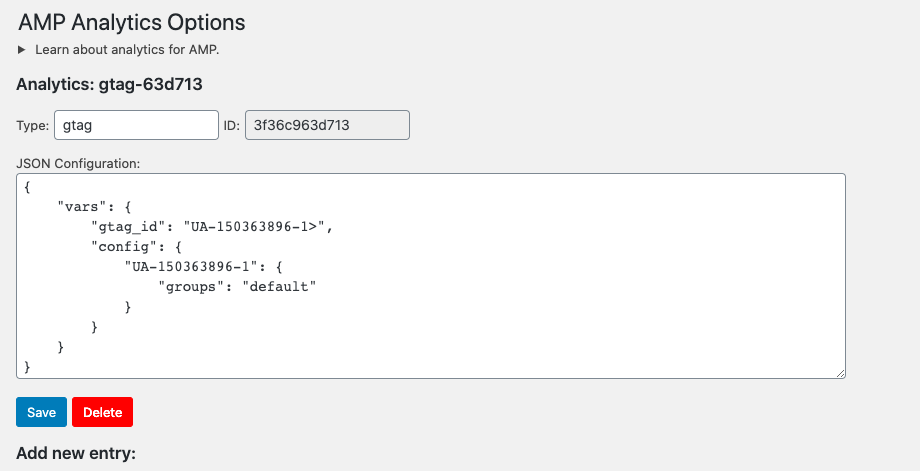
When using the _Analytics_ section of the AMP plugin:
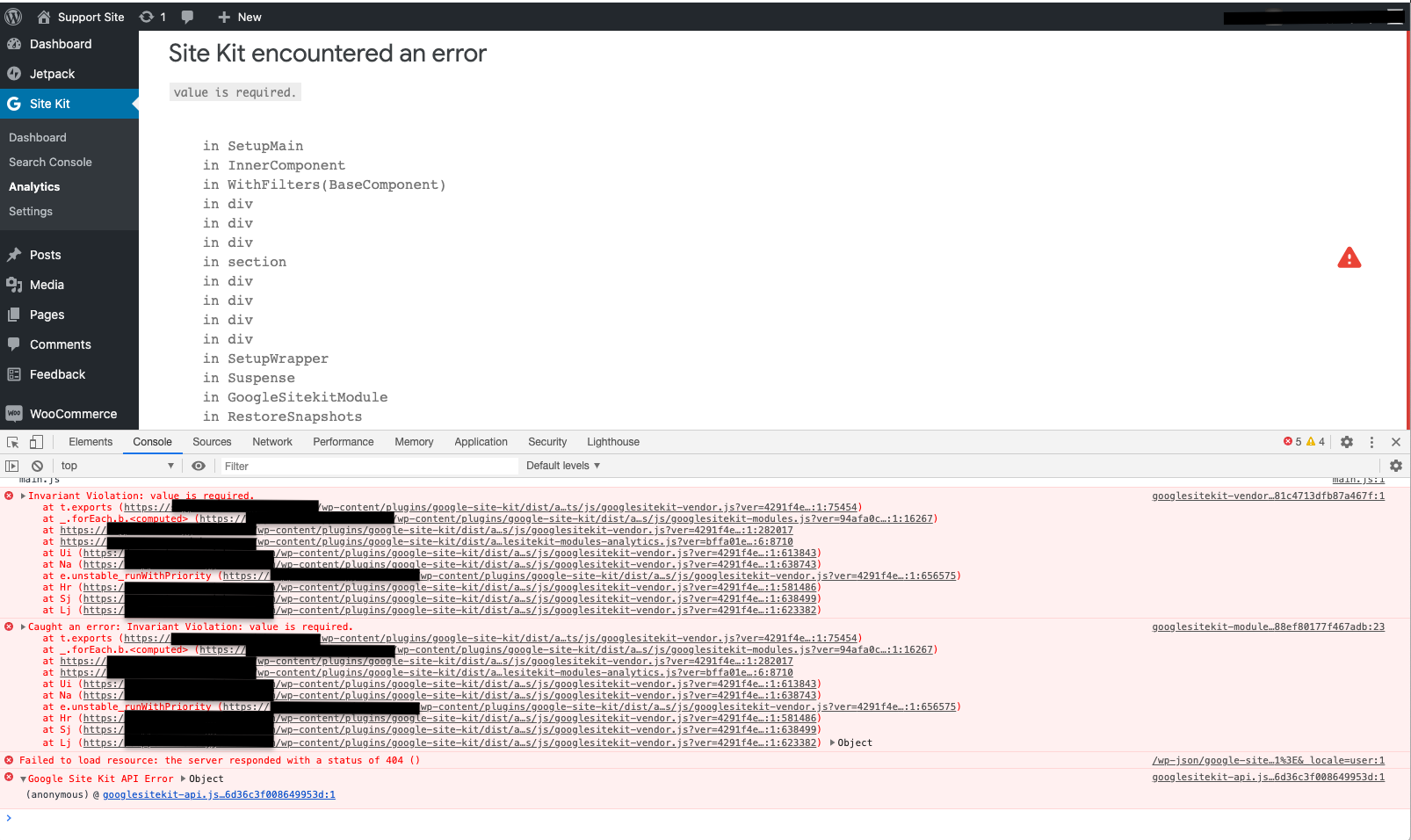
Attempting to connect Analytics via Site Kit causes the following error:
Occurs when using all modes of the plugin: _Standard_, _Transitional_, _Reader_
Steps to reproduce
- In the AMP plugin, configure the _AMP > Analytics_ section
- Attempt to connect _Analytics_ in Site Kit
- Go to the _Site Kit > Analytics_ page
- See the Site Kit error
Screenshots
Additional Context
- PHP Version: 7.3.16
- OS: MacOS
- Browser: Chrome
- Plugin Version: 1.9.0
- Device: MacBook Air
- AMP plugin version: 1.5.3
_Do not alter or remove anything below. The following sections will be managed by moderators only._
Acceptance criteria
- There should be no errors during the Analytics setup (except the potentially expected user-facing error that they don't have access to the existing tag) when the existing tag extracted from a URL snippet is not a valid property ID.
- In such a case, the existing tag should be ignored, since Site Kit cannot assume anything here.
Implementation Brief
- Return
nullinhasExistingTag()if an existing tag for Analytics has an invalid PropertyID. - Merge #1760
QA Brief
Changelog entry
- Fix bug where placing an invalid Analytics tag through another plugin could cause the Site Kit Analytics setup UI to break.
 ernee
ernee
All 15 comments
@ernee I was able to reproduce this using the JSON in the example, however from what I've read in the AMP analytics documentation. I think that the issue may be that the gtag_id in the example contains a typo and is including a trailing > character.
When I remove that character, I no longer get the Site Kit error but rather am correctly seeing the user-facing error that the ID is not associated with my account.
Can you confirm that the JSON is correct, please?
 ryanwelcher
on 18 Jun 2020
ryanwelcher
on 18 Jun 2020
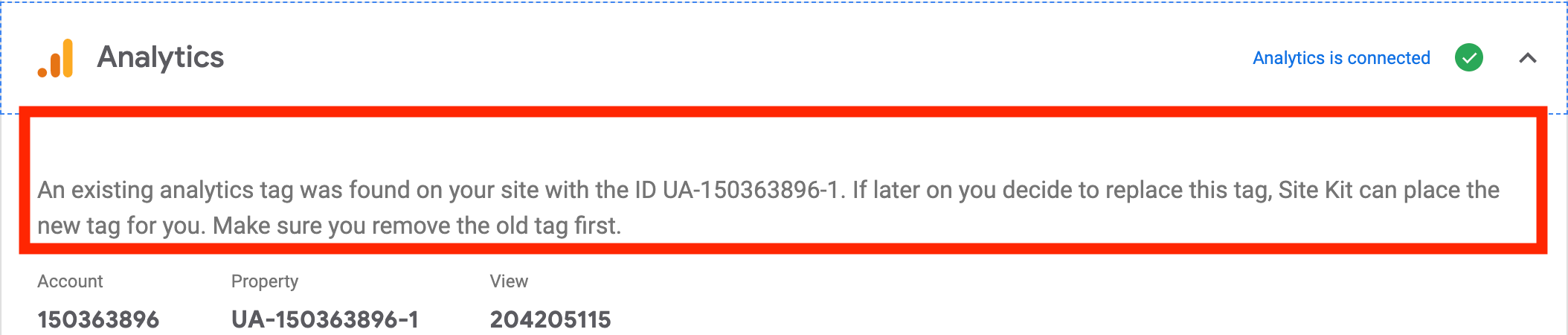
@ryanwelcher you're right! When I correct the JSON, the error isn't thrown. Instead, I believe the expected result is the detection of the additional snippet in the Analytics settings:
ernee
on 18 Jun 2020
@ernee thank you for confirming! @felixarntz @aaemnnosttv do you think we should look into some better error handling for this case?
ryanwelcher
on 18 Jun 2020
@ryanwelcher Yeah definitely, we shouldn't have this result in an uncaught error like this. I'll work with @marrrmarrr on updated ACs.
 felixarntz
on 18 Jun 2020
felixarntz
on 18 Jun 2020
Try as I might I'm unable to reproduce this issue in develop, and I suspect some other changes I made to the JSON parsing of analytics data might've fixed this bug as we better protect against bad JSON data in Analytics.
Could you confirm it's still happening @ernee, and provide the exact JSON string you're using to get the error? I think this might have actually been fixed, at least in develop.
 tofumatt
on 1 Jul 2020
tofumatt
on 1 Jul 2020
Hi @tofumatt ! So I was able to replicate the error with the tester plugin's develop branch. Here's the JSON I entered (note the trailing > character after the first Tracking ID):
{
    "vars": {
        "gtag_id": "UA-XXXXXXXXX-1>",
        "config": {
            "UA-XXXXXXXXX-1": {
                "groups": "default"
            }
        }
    }
}
Hmm, sadly I tried to replicate the issue with the steps and code provided here but I couldn't get an error. I used that JSON and got no error.
@ernee Could you record a screencast of exactly what you did to get the error so I can follow the steps and see where it is? I feel like I'm missing something here because I'm not able to reproduce.
tofumatt
on 3 Jul 2020
(Screencast sent to me so I'm taking a look at this again.)
tofumatt
on 9 Jul 2020
Looks like the error it's encountering is here: https://github.com/google/site-kit-wp/blob/766e3860b083cc8b679af66d717b0c7e4b37872b/assets/js/googlesitekit/data/create-settings-store.js#L281
Reporting that for now, but looking into the issue and fix further...
tofumatt
on 10 Jul 2020
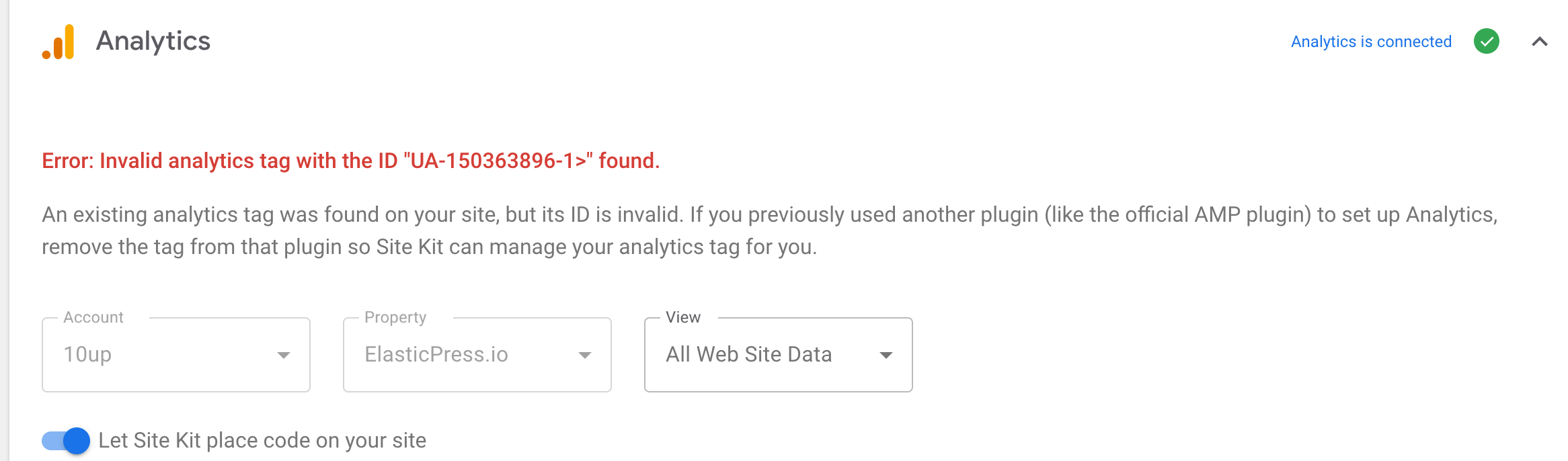
The error is actually that we consider an invalid tag an existing tag on the site. I suppose this is fair, but it's a bit odd that an invalid ID (that presumably won't cause Analytics events to fire) is flagged as an existing tag. Weirder is that we weren't verifying if the tag was valid before setting it, so we'd end up with 404s for a tag with invalid characters and invariant errors trying to set the invalid tag—because we _do_ validate the tag on set, but not on receive.
The fix here should be to check that the existing tag is valid before limiting user interaction to the existing tag and showing an error when it's invalid.
Also, we'll want to have checks on disabling the account/profile select for only a _valid_, existing tag or we'll wind up with this situation:
tofumatt
on 10 Jul 2020
@tofumatt Agreed, if the tag is invalid, there is something wrong outside of our reach, so we should proceed as if there was no existing tag altogether.
felixarntz
on 10 Jul 2020
@tofumatt I'm not sure about your suggested approach. I think we should apply the fix closer to the root of the problem: If there is an existing tag but it is invalid, there is nothing we can do, so it should just return false as if there was no existing tag. This also caters for the ACs "the existing tag should be ignored".
The current approach you're taking via the IB and #1760 is quite error-prone and involves a lot more code to make it work. For example, hasExistingTagPermission is still broken in the PR. There's just lots of areas to cover just to cater for such a specific problem.
I don't think we even need to display a warning about an invalid tag being found (that's also not mentioned in the ACs). If anything, such a warning should be emitted by the plugin where that tag is entered. That's another reason why modifying getExistingTag to return null if the tag property ID is invalid is a simpler solution.
felixarntz
on 10 Jul 2020
My thinking is that saying that we _found a tag_ but that it isn't valid is a more flexible approach, but that's a good point. I'll adjust it so that any invalid tag is simply treated as not returning a truthy value from hasExistingTag.
I original thought about your proposed idea but wanted to see if I could provide a warning without too much effort. But I like the idea of it just saying an invalid tag is the same as no tag, so I'll adjust the IB. 👍
tofumatt
on 10 Jul 2020
IB ✅
felixarntz
on 13 Jul 2020
Tested
Installed latest SK release candidate for 1.12.0 and AMP plugin.
Setup AMP:
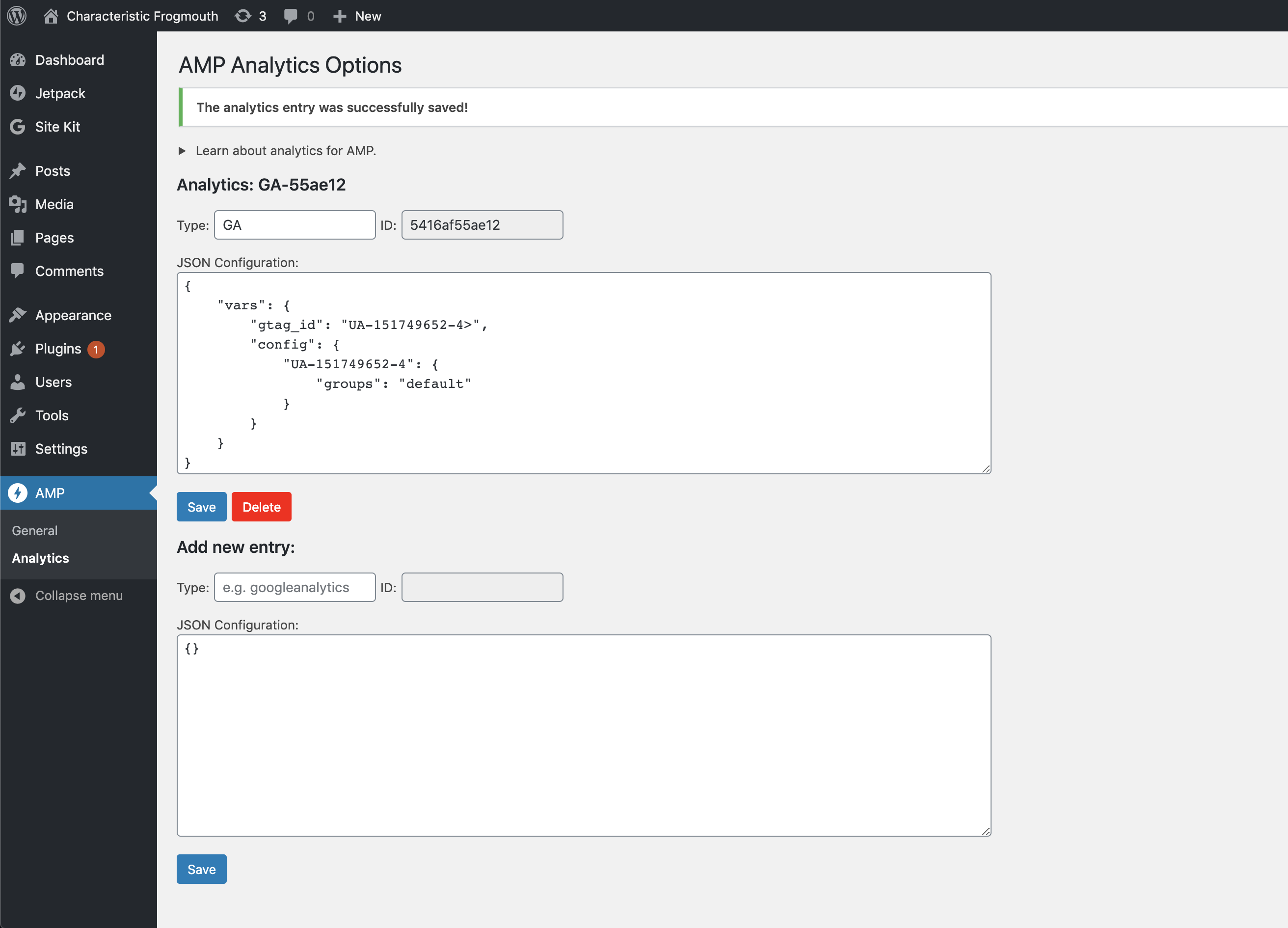
According to @ernee above added the trailing >
Setup Analytics:
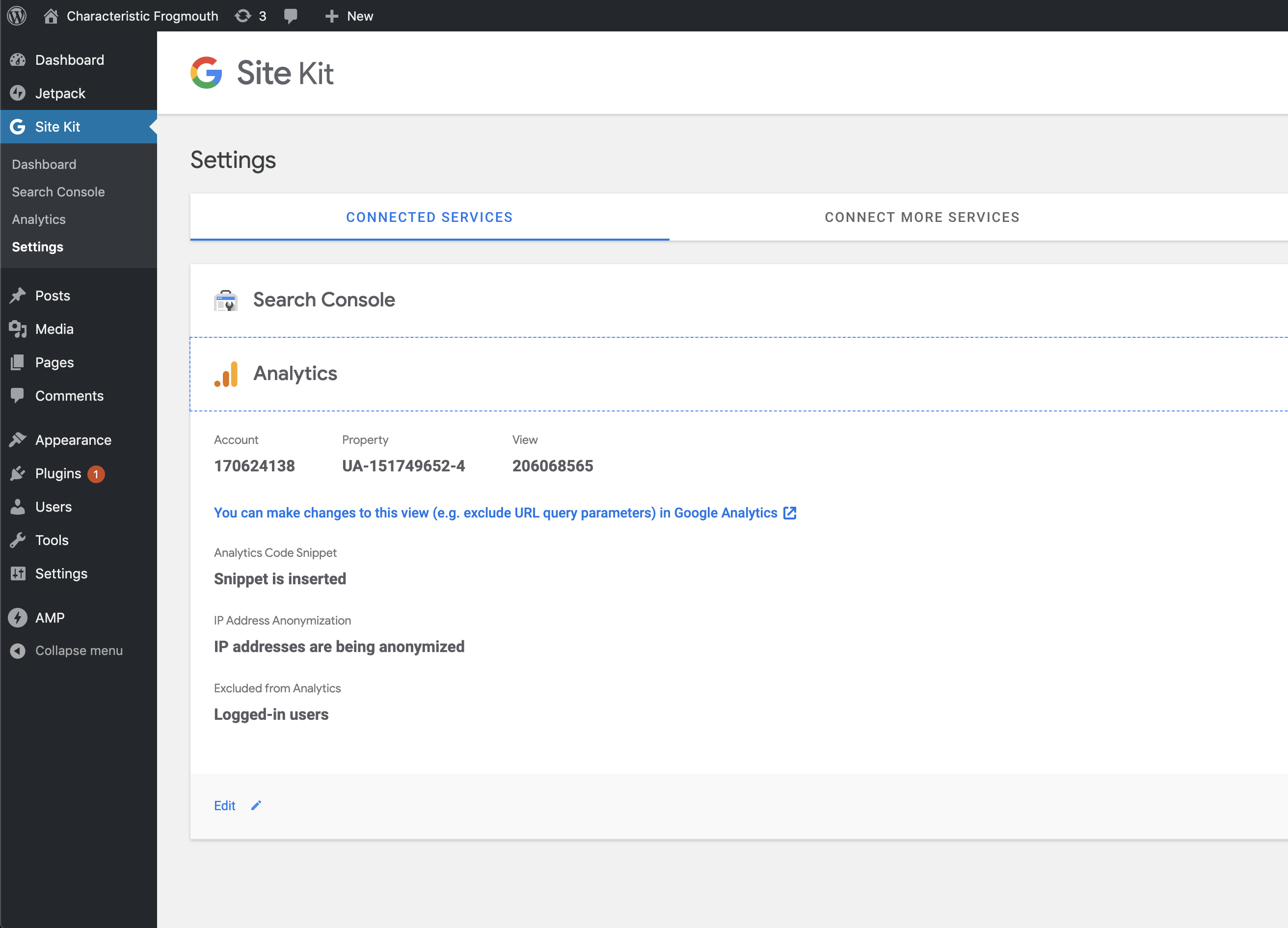
Notice Analytics setup properly with AMP installed as well.
Checked FE:
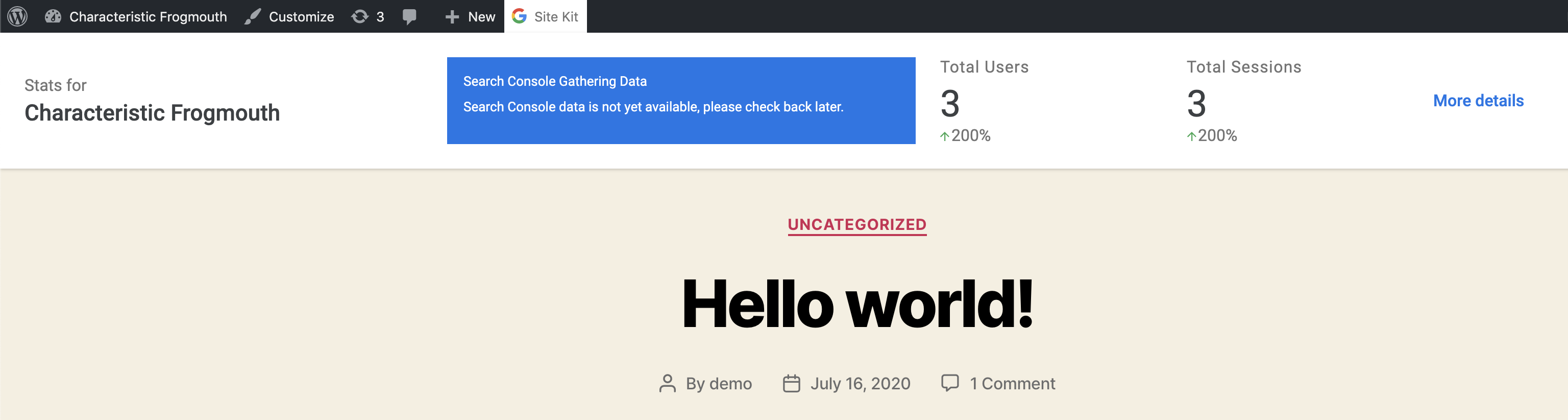
No error to report.
Passed QA ✅
 cole10up
on 16 Jul 2020
cole10up
on 16 Jul 2020
Related issues
felixarntz
·
5Comments
 tunakode
·
4Comments
tunakode
·
4Comments
 jamesozzie
·
3Comments
felixarntz
·
4Comments
tofumatt
·
3Comments
jamesozzie
·
3Comments
felixarntz
·
4Comments
tofumatt
·
3Comments