Site-kit-wp: Only display Reset link in setup flow when relevant
Bug Description
753 added a Reset link displayed in the setup screen. However, this is permanently shown there now, even when you access the page for the first time. Furthermore, there's no confirmation message after resetting, which can especially be confusing as the link to reset remains available afterwards (both problems outlined in https://github.com/google/site-kit-wp/issues/753#issuecomment-548581164). Let's fix this.
_Do not alter or remove anything below. The following sections will be managed by moderators only._
Acceptance criteria
- Only display
Resetlink on proxy setup screen when there is data to reset. We can do a basic check like:
- If site ID and/or site secret are present in the DB, we can consider the plugin "resettable". This is the first data that typically ever gets set, so that is a good indicator.
- Show a confirmation message after successful reset:
- Message: "Site Kit by Google was successfully reset."
Implementation Brief
Define and expose whether Site Kit is in a resettable state or not
- Add a new
isResettableto localized setup data in:
\Google\Site_Kit\Core\Authentication\Authentication::inline_js_setup_data
- Boolean based on presence of non-empty credentials option for now (could be filterable or more robust in the future)
- Would be nice if
Credentialsexposed a new method to check if its option is set, but not required here.
_Credentials:hasno longer works for this purpose since it does not differentiate between the source of the credentials (option/filter)_
- Use this new data to conditionally display the reset button on the setup screen
- Can likely add this to the
ResetButton- if Site Kit is not resettable, don't render it
- Can likely add this to the
Display Feedback on Reset
- Add a new query parameter to the URL the user is sent to after resetting in https://github.com/google/site-kit-wp/blob/102e534484f8b9735621c459eff72586cfde286b/assets/js/components/reset-button.js#L63
getSiteKitAdminURL( 'googlesitekit-splash', { notification: 'reset_success' } )
- Conditionally render a success
<Notification>insetup-proxy.jsbased on the presence and value of this query parameter
- For copy and behavior see ACs
Changelog entry
- Only display the Reset button on the setup screen if there actually is something to reset, and provide a feedback notice.
 felixarntz
All 5 comments
@aaemnnosttv
Add a new
hasCredentialsOptionto localized setup data in
I think we should keep this more generic as hasDataToReset or hasResettableData.
Also note that the IB doesn't yet cover the feedback notice.
felixarntz
on 4 Nov 2019
Thanks @felixarntz - I've updated the IB to include both items you mentioned.
One thing to highlight here that's missing in the AC are the details of the notice (exactly what it should say, etc) which I added to the IB as something which is still needed as well. (cc: @marrrmarrr)
 aaemnnosttv
on 5 Nov 2019
aaemnnosttv
on 5 Nov 2019
@aaemnnosttv Added this information to the ACs and referenced them in the IB.
felixarntz
on 6 Nov 2019
Tested:
Installed latest SK Develop and disconnected.
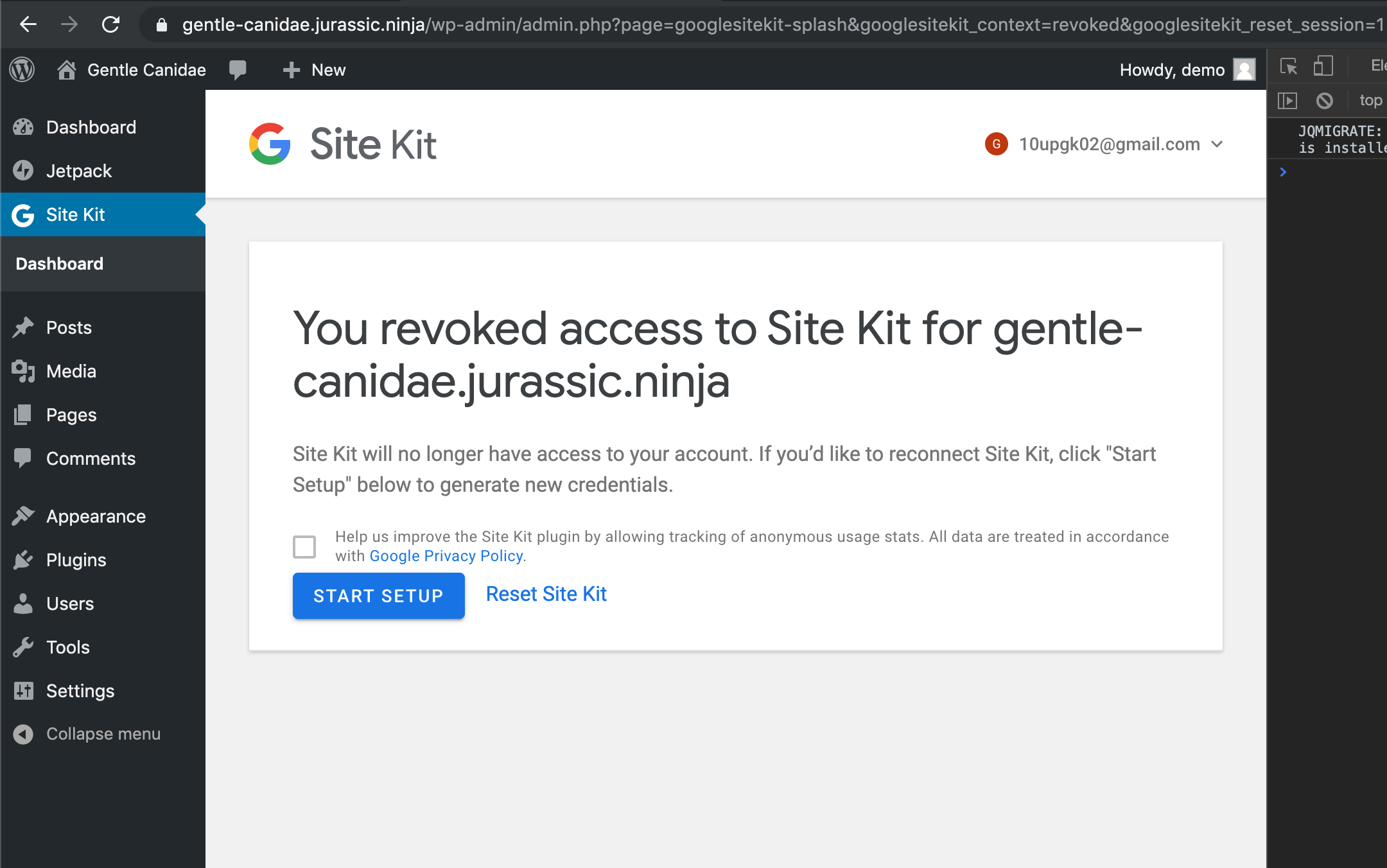
Selected Reset Site Kit - functioned properly
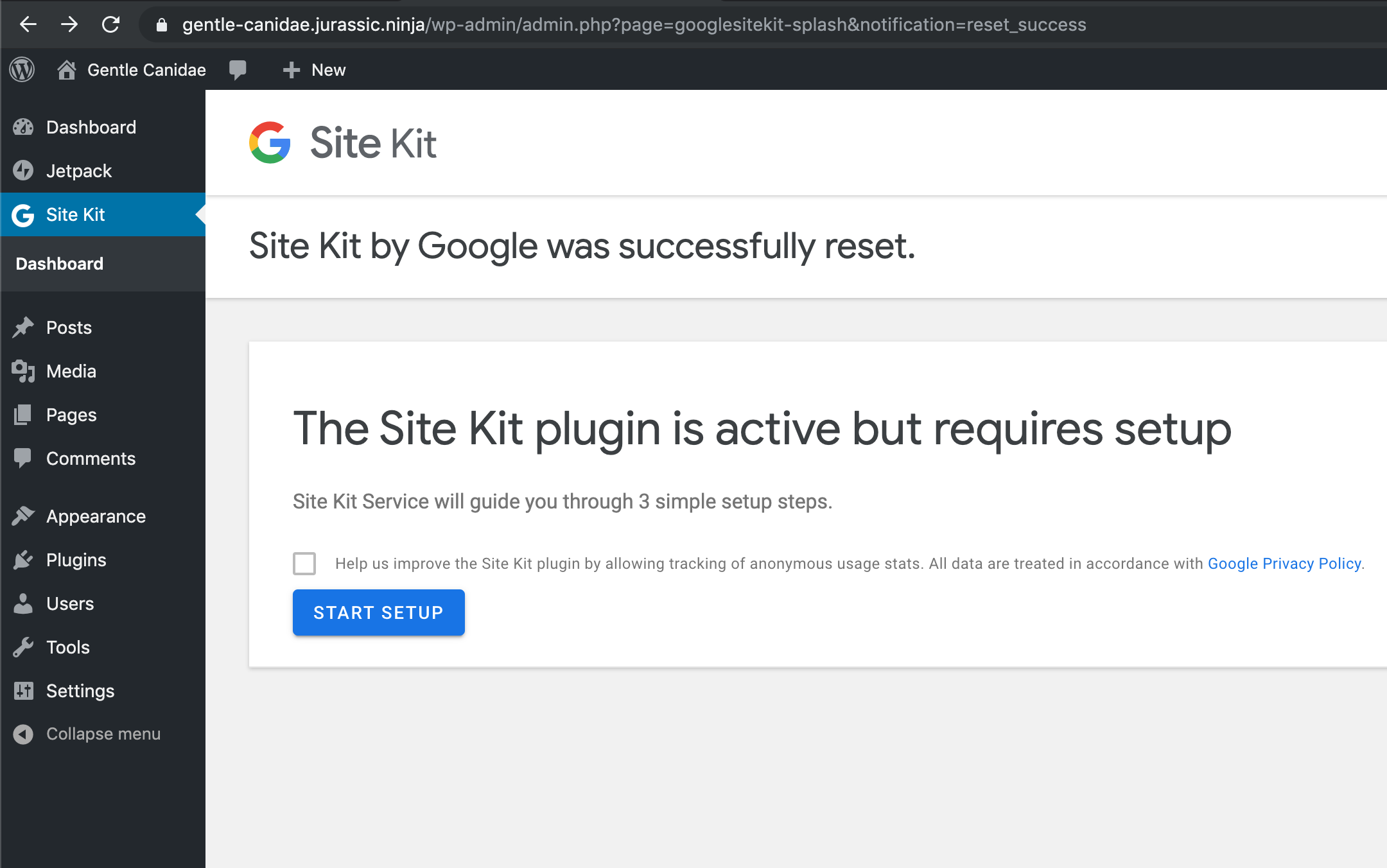
Confirmed setting SK back up through the proxy functioned properly.
No reset link appears during setup:
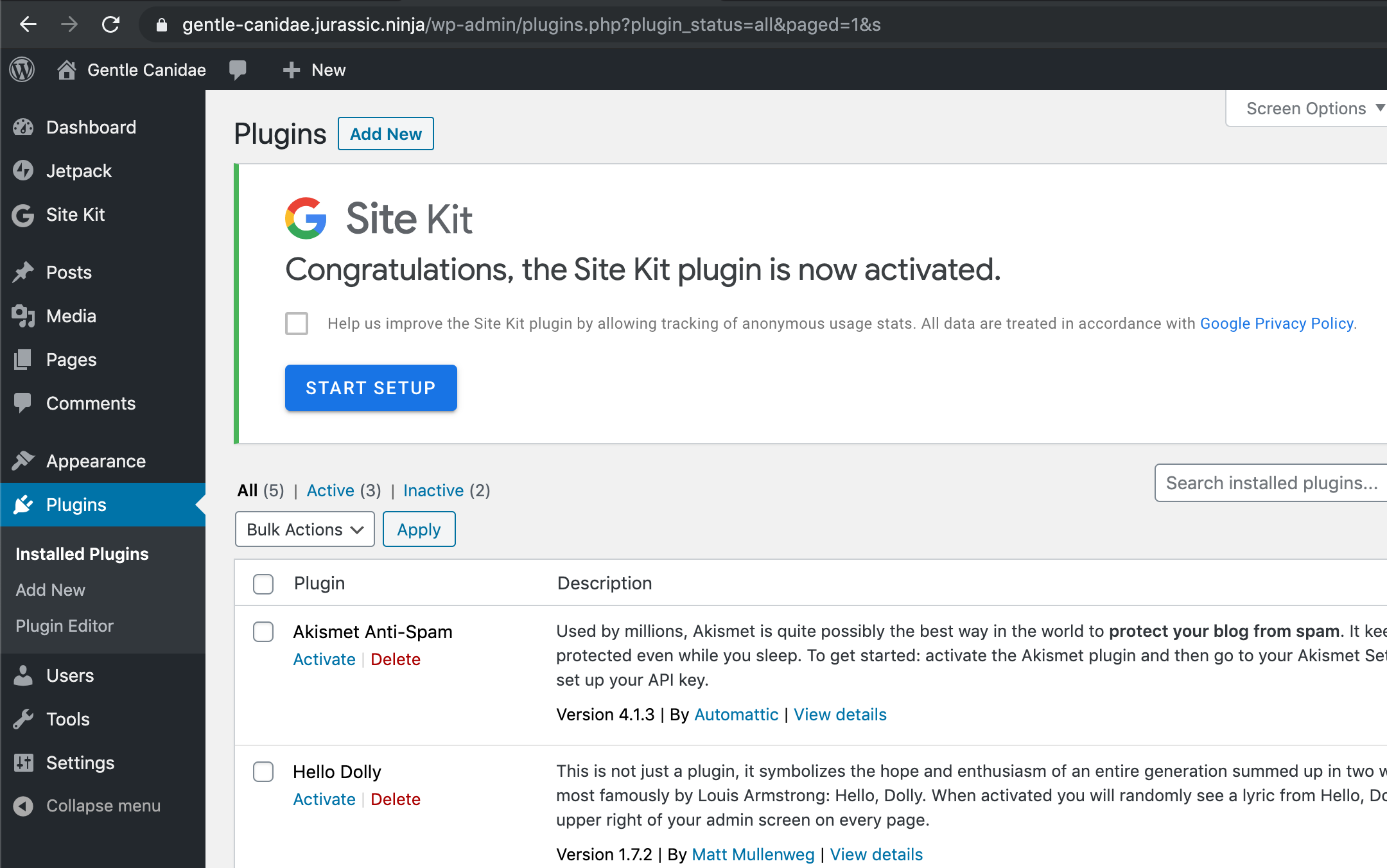
Passed QA ✅
 cole10up
on 14 Nov 2019
cole10up
on 14 Nov 2019
LGTM
 marrrmarrr
on 21 Nov 2019
marrrmarrr
on 21 Nov 2019
Related issues
 quangbahoa
·
5Comments
marrrmarrr
·
5Comments
quangbahoa
·
5Comments
marrrmarrr
·
5Comments
 Loganson
·
5Comments
felixarntz
·
4Comments
Loganson
·
5Comments
felixarntz
·
4Comments
 quindo
·
5Comments
quindo
·
5Comments