Site-kit-wp: JetPack widget stats not loading with Site Kit activated (from WP dashboard)
Bug Description
With Site Kit activated the main WP JetPack dashboard widget doesn't load.
Issue arises with default configurations, using basic JetPack setup.
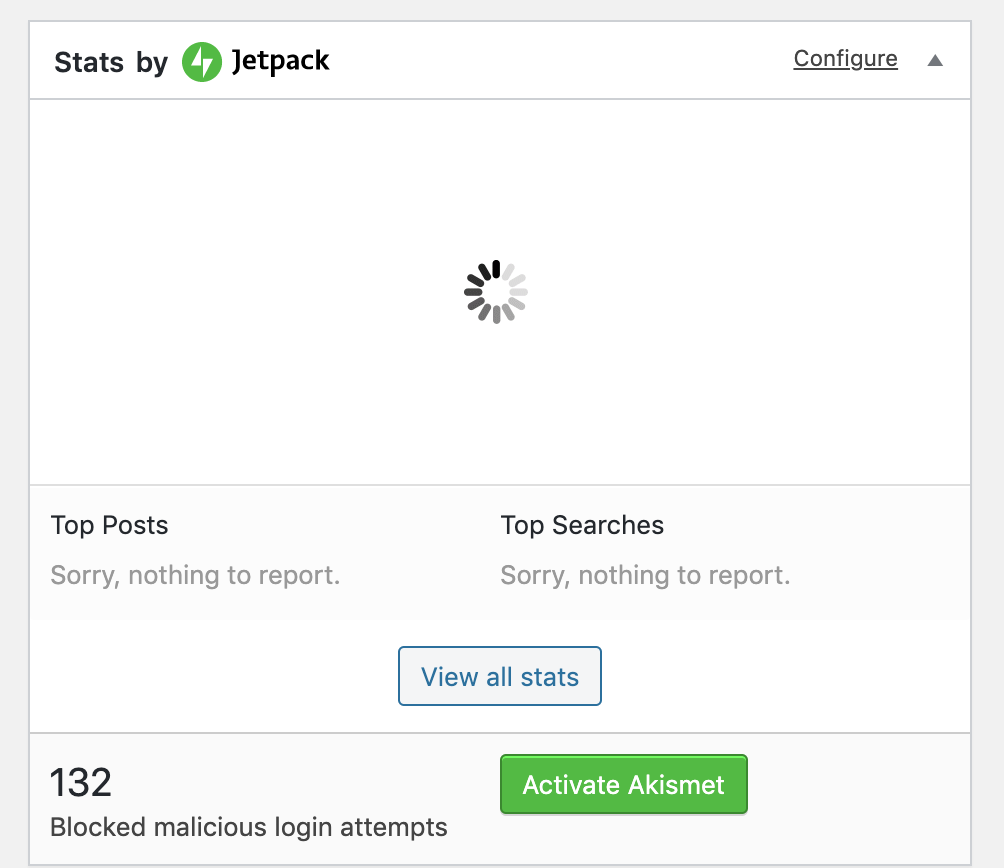
Initial issue reported on WordPress support forum:
https://wordpress.org/support/topic/sitekit-is-crashing-the-jetpack-statistics/#post-12447143
Steps to reproduce
- Go to '...'
- Click on '....'
- Scroll down to '....'
- See error
Screenshots
Video of issue
https://www.loom.com/share/80f5fc8a07b549258c7c2ecc783037de
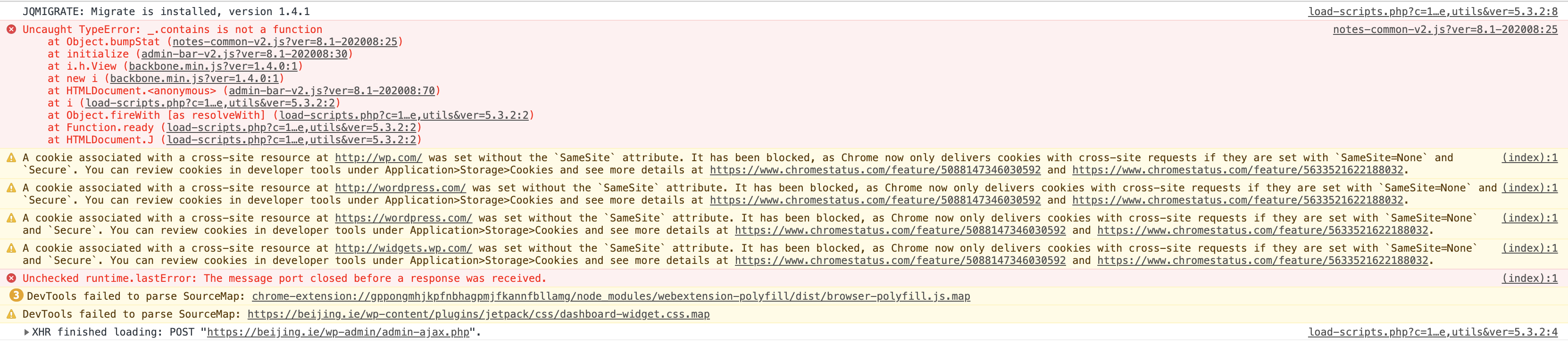
Console error below (with screenshot):
notes-common-v2.js?ver=8.1-202008:25 Uncaught TypeError: _.contains is not a function
    at Object.bumpStat (notes-common-v2.js?ver=8.1-202008:25)
    at initialize (admin-bar-v2.js?ver=8.1-202008:30)
    at i.h.View (backbone.min.js?ver=1.4.0:1)
    at new i (backbone.min.js?ver=1.4.0:1)
    at HTMLDocument.<anonymous> (admin-bar-v2.js?ver=8.1-202008:70)
    at i (load-scripts.php?c=1&load[chunk_0]=jquery-core,jquery-migrate,utils&ver=5.3.2:2)
    at Object.fireWith [as resolveWith] (load-scripts.php?c=1&load[chunk_0]=jquery-core,jquery-migrate,utils&ver=5.3.2:2)
    at Function.ready (load-scripts.php?c=1&load[chunk_0]=jquery-core,jquery-migrate,utils&ver=5.3.2:2)
    at HTMLDocument.J (load-scripts.php?c=1&load[chunk_0]=jquery-core,jquery-migrate,utils&ver=5.3.2:2)
_Do not alter or remove anything below. The following sections will be managed by moderators only._
Acceptance criteria
- No Site Kit assets should result in there being a
window._object (potentially overriding the other one). - In order to test this, on all WP screens that Site Kit interacts with (e.g. the WP dashboard)
window._should either beundefined, orwindow._.VERSIONshould be something like1.8.3(the WP-shipped version of Underscore, which is often loaded independently from us, e.g. by core).
Implementation Brief
- Add
{ parser: { amd: false } }to the mainrulessection in our webpack config (https://github.com/google/site-kit-wp/blob/ddcd425db69ec84e2d888cebfdee3ab10b92fc72/webpack.config.js#L80). Right now files innode_modulesare excluded from our existing instruction not to use AMD parser. - Remove
lodash-esandlodash-webpack-pluginfrompackage.json; they aren't used anywhere in the codebase.
QA Brief
Changelog entry
- Fix incompatibility issue with Jetpack by resolving bug where the bundled
lodashwas causing a conflict.
 jamesozzie
All 6 comments
We've had several reports in Jetpack support about this same issue after updating to the latest version of Site Kit.
 brucea8c
on 18 Feb 2020
brucea8c
on 18 Feb 2020
I tested this out on my personal site and was able to reproduce the issue:
- I had Jetpack with stats enabled and an older version of Site Kit enabled (1.1.x)
- No issues visiting the Dashboard
- Upgraded to Site Kit latest version
- Error visiting dashboard: "_.contains is not a function" coming from use in this file: https://s1.wp.com/wp-content/mu-plugins/notes/notes-common-v2.js?ver=8.0-202008
- Checked
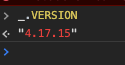
_.VERSION, looks like lodash:
- Disabled Site Kit plugin
- Returned to dashboard. No errors, Jetpack stats load fine.
- Checked
_.VERSION, looks like underscore:

It looks like possibly lodash is still promoting itself to the _ global. I'm wondering about the presence of both lodash and lodash-es in packages.json - I feel like all imports should come from or transform to come from lodash-es, do we really need lodash`?
 adamsilverstein
on 20 Feb 2020
adamsilverstein
on 20 Feb 2020
Looks like this is an issue with https://github.com/lodash/lodash/issues/1798. I didn't catch this as I don't tend to run Jetpack on sites I test with.
lodash-es (as well as lodash-webpack-plugin) being included in addition to lodash seems like an oversight, but instead of changing the imports we use just for lodash, we can prevent this from happening with other modules that may leak globals with RequireJS—there's a lot of reading to unpack (see: https://github.com/webpack/webpack/issues/4465#issuecomment-285850829), but the short version is if we don't use the AMD parser for all JS we reduce the likelihood of this happening for any modules that might expose a global like lodash does.
I've added an IB for the fix here, and have a tested PR incoming as well. 😄
 tofumatt
on 20 Feb 2020
tofumatt
on 20 Feb 2020
IB ✅
 felixarntz
on 20 Feb 2020
felixarntz
on 20 Feb 2020
I believe given the release timeline and involved workload I don't think it's worth pushing this in a hotfix. It can be included in 1.4.0, which is due Thursday.
felixarntz
on 22 Feb 2020
✅ QA
- Confirmed error with Site Kit 1.3.1 and latest JetPack (requires Site Kit has initial setup)
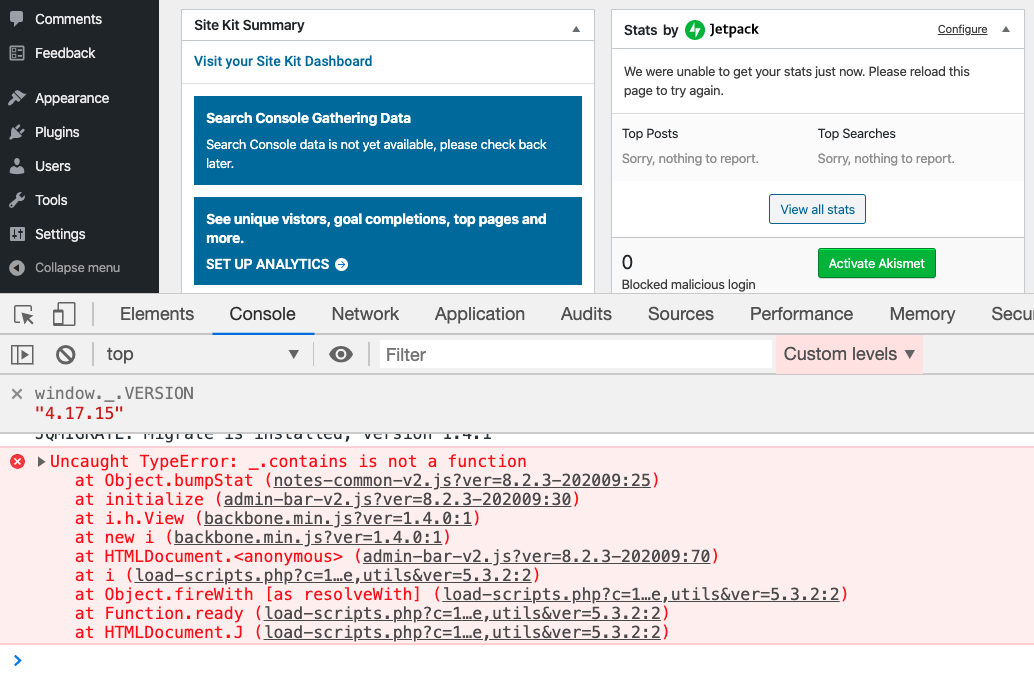
window._.VERSIONmatches lodash
- Confirmed error is no longer present with latest build of Site Kit
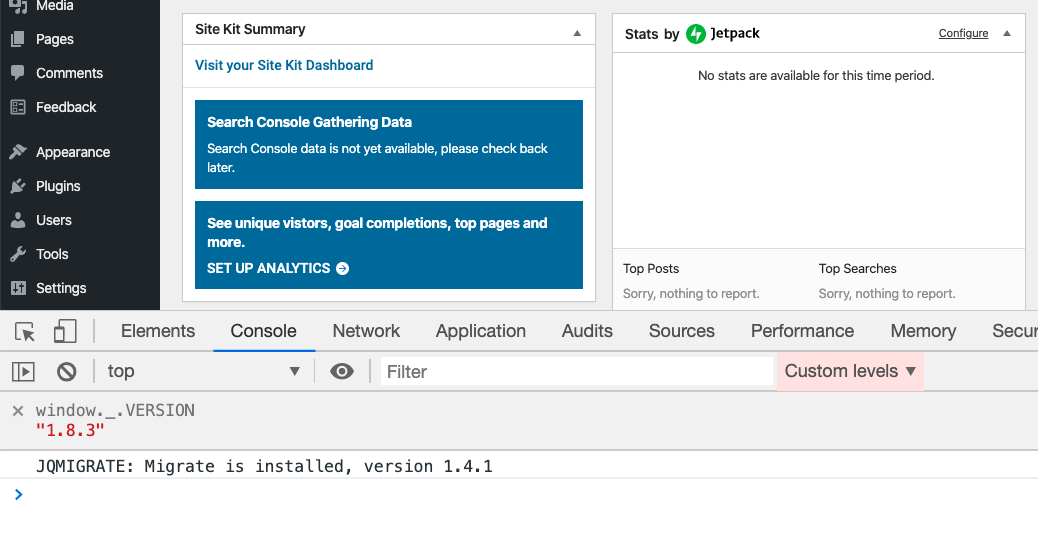
window._.VERSIONmatches underscore
Moving to Approval
 aaemnnosttv
on 26 Feb 2020
aaemnnosttv
on 26 Feb 2020
Related issues
felixarntz
·
5Comments
 theeducatedbarfly
·
4Comments
theeducatedbarfly
·
4Comments
 marrrmarrr
·
5Comments
felixarntz
·
4Comments
jamesozzie
·
3Comments
marrrmarrr
·
5Comments
felixarntz
·
4Comments
jamesozzie
·
3Comments
Most helpful comment
I believe given the release timeline and involved workload I don't think it's worth pushing this in a hotfix. It can be included in 1.4.0, which is due Thursday.