Site-kit-wp: URLs displayed with duplicate path segment (for language/WPML, but also generally)
Bug Description
Modified for UI issue only
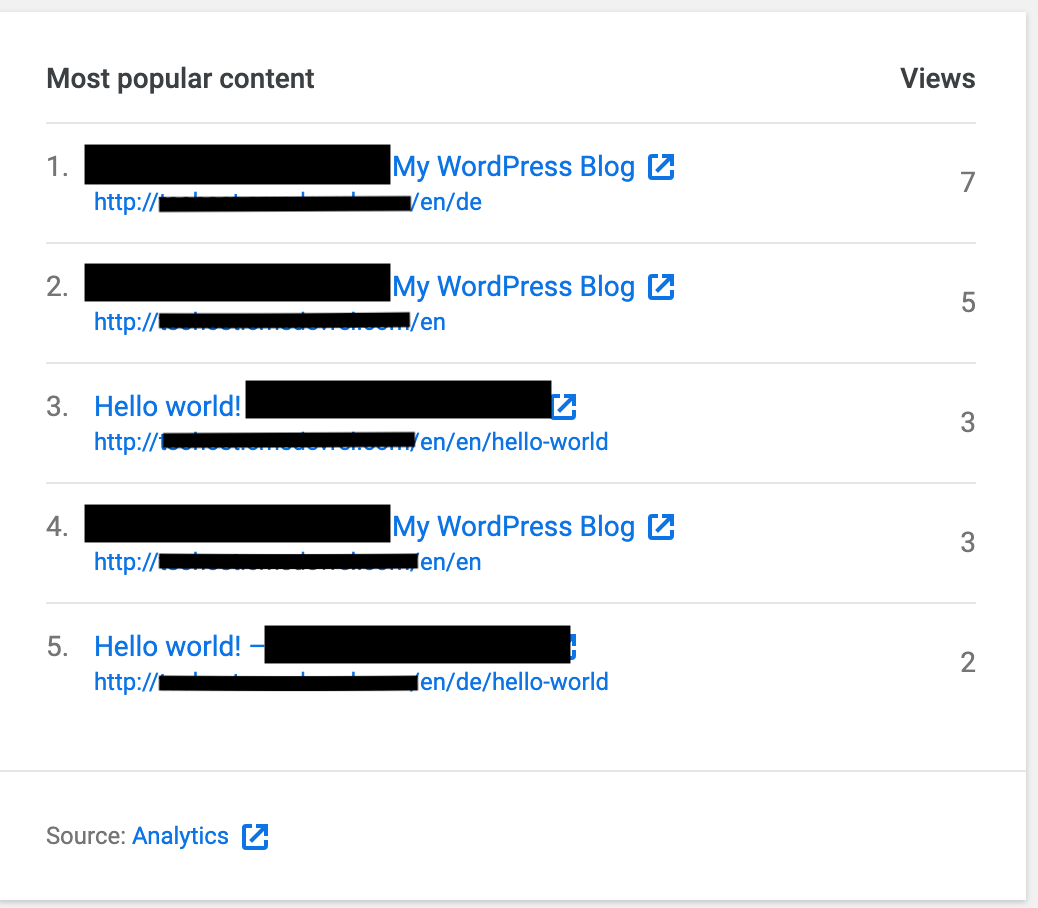
URLs are displayed with a duplicate path when using the WPML plugin _different languages in directories_ setting with the _use directory for default language_ sub-option checked:

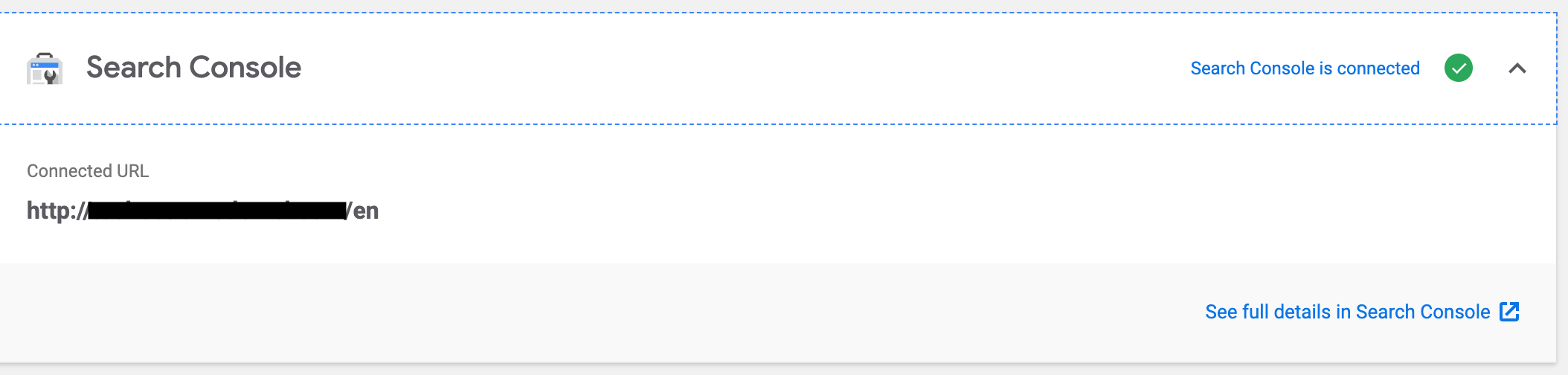
Site Kit chooses the default language URL as the Site URL:
URLs reported in the UI append the directory additionally:
Further context about the setting:
https://wpml.org/faq/server-setting-for-languages-in-directories/
https://wpml.org/documentation/getting-started-guide/language-setup/cannot-activate-language-directories/
Related support topic:
https://wordpress.org/support/topic/doesnt-handle-multiple-languages-correctly/
_Do not alter or remove anything below. The following sections will be managed by moderators only._
Acceptance criteria
- Site Kit should be fully compatible with WPML.
- In particular: with the WPML settings: "different languages in directories" and "use directory for default language sub-option" checked, and the SiteURL set to
{domain}/{default_language}, the URLS displayed in the "Top content over the last 28 days" table on the WordPress Dashboard, and for the "Most popular content" table on the Site Kit Dashboard should appear correctly.
Implementation Brief
- When constructing the url to display for top a pages use only the
url(path) data returned from the API (don't prepend the site URL):
- In WPAnalyticsDashboardWidgetTopPagesTable
assets/js/modules/analytics/wp-dashboard/wp-dashboard-widget-top-pages-table.jsand - In AnalyticsDashboardWidgetPopularPagesTable -
assets/js/modules/analytics/dashboard/dashboard-widget-popular-pages-table.js:
- In WPAnalyticsDashboardWidgetTopPagesTable
links[ i ] = siteURL + url; should change to links[ i ] = url;
QA Brief
Changelog entry
- Display only paths instead of full URLs in Analytics tables for better visibility and consistency with Analytics frontend.
 ernee
ernee
All 21 comments
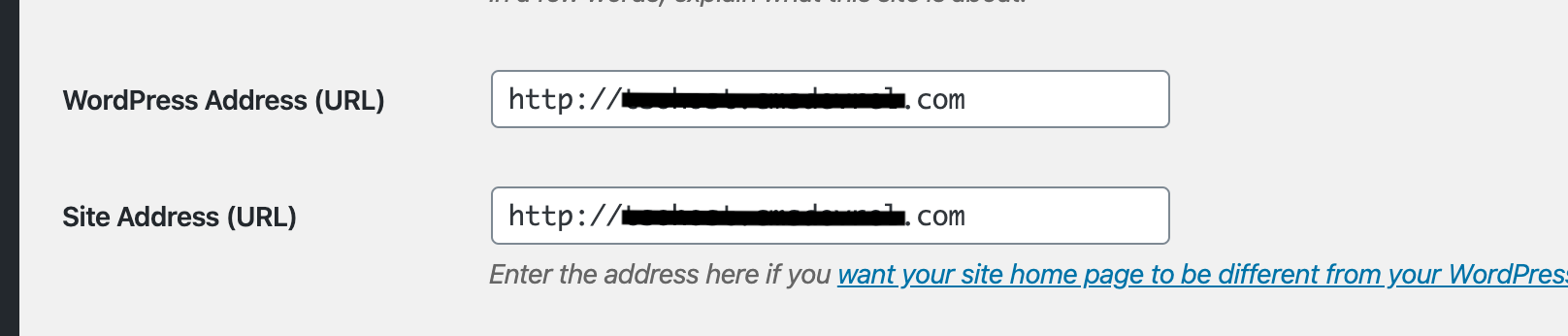
Just noting that values for the _WordPress URL_ and _Site URL_ under Settings > General from the Dashboard don't change for this setting in WPML. With that said, updating permalinks is required after changing the Language URL format settings.
In some cases, the effect may be similar to those reported in #922
ernee
on 11 Feb 2020
Similar behavior is seen in the TranslatePress plugin, with the setting _Use a subdirectory for the default language_. Results in a ‘redirect_uri’ mismatch error. More about the setting:
https://translatepress.com/docs/settings/#default-launguage-subdirectory
Related support topic: https://wordpress.org/support/topic/unable-to-sign-in-redirect_uri-mismatch/
ernee
on 27 Feb 2020
@ernee The redirect_uri_mismatch problem is a different one. They're both related to subdirectories, but the original one outlined here is UI-related, while the one in your last comment is setup-related.
I'll open a separate issue for that.
 felixarntz
on 7 Apr 2020
felixarntz
on 7 Apr 2020
This problem here is not strictly related to a language plugin - it most likely affects all sites which are in a subdirectory. I assume it is because we combine the full paths returned from Google APIs with the site URL in the wrong way: If the site URL includes a path already, that path should not be included twice in the combined URL.
cc @adamsilverstein
felixarntz
on 7 Apr 2020
@felixarntz thanks for the clarification! I tested this again and got the ‘redirect_uri’ mismatch with the noted WPML settings.
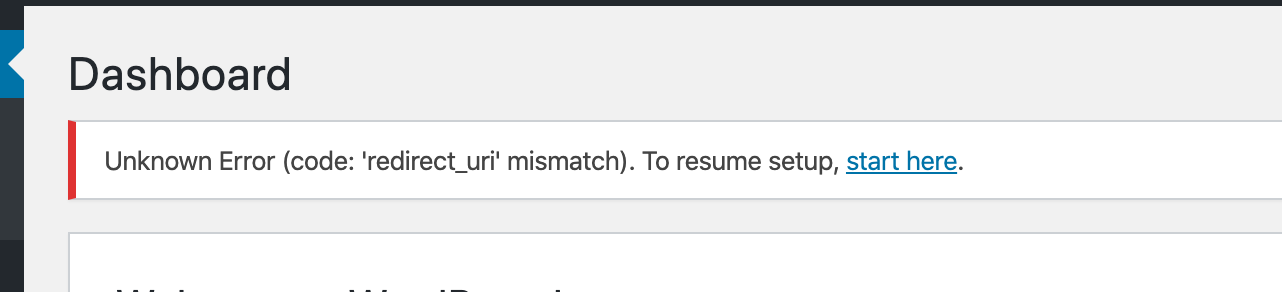
I'm not sure if recent updates changed the outcome, but noting this here.
ernee
on 7 Apr 2020
Regarding WPML, I am also investigating this issue which a user said the _a different domain per language_ option leads to a 404 (note the callback URL): https://wordpress.org/support/topic/doesnt-support-multidomain-config/
I haven't been able to recreate it, but should this be a separate issue ?
ernee
on 7 Apr 2020
I haven't been able to recreate it, but should this be a separate issue ?
This is likely a related issue so you can leave it here. All these redirect_uri errors are at least potentially related to the issue we are working on in https://github.com/google/site-kit-wp/issues/1357 - and will be resolved with the fixes there.
 adamsilverstein
on 9 Apr 2020
adamsilverstein
on 9 Apr 2020
@felixarntz / @adamsilverstein - can you clarify if this is still an issue? I see that the redirect_uri_mismatch problem is separate than this one, but it isn't very clear what the remaining issue is, if there is one.
 aaemnnosttv
on 10 Apr 2020
aaemnnosttv
on 10 Apr 2020
@aaemnnosttv I think there's some confusion in this issue overall, things got mixed up. The issue description talks about a 404 in setup, but the linked support thread talks about a completely different problem, related to how URLs are displayed. My comment further above applies to that URL problem.
We should separate these into distinct issues. cc @ernee
felixarntz
on 10 Apr 2020
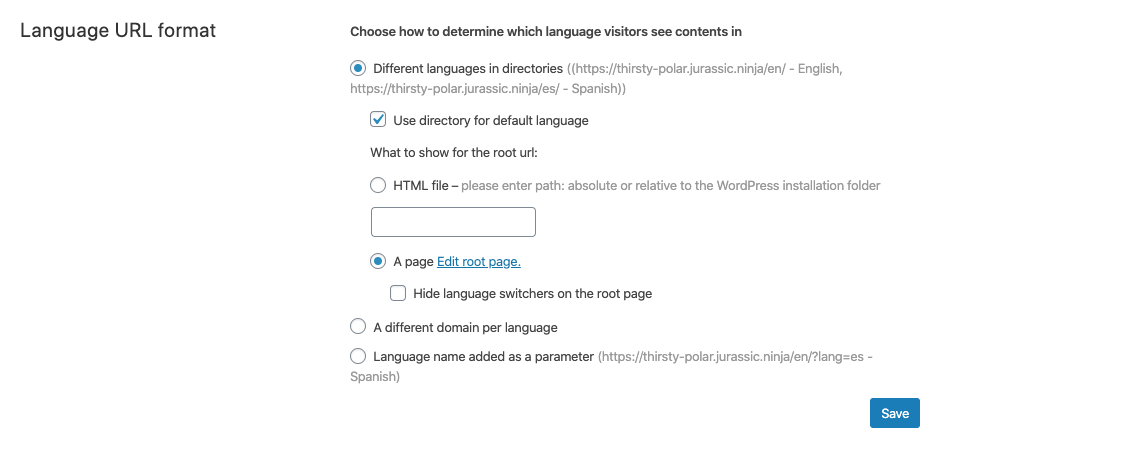
@ernee - Regarding the WPML plugin, I did some testing with the latest version of wpml and site kit. Running with languages in a subdirectory, setup worked fine and was not blocked...
Some things worth noting:
My site was set up in search console and verified as
{domainname}/default_language- meaning by default I wouldn't get Search Console data for any other languages. If the user wanted to collect data for all languages they could probably set up a domain property (for {domainname}) in search console and connect to that in the setup flow (it is offered during setup in a dropdown if found).For Analytics, I see the tag output on both sites so data for all languages would be combined in the display. This feels like expected behavior.
Tested on a jurassic.ninja
My settings:
adamsilverstein
on 10 Apr 2020
@felixarntz / @adamsilverstein - can you clarify if this is still an issue? I see that the redirect_uri_mismatch problem is separate than this one, but it isn't very clear what the remaining issue is, if there is one.
In my testing WPML no longer has a setup issue. It might be worth noting the search console limitation (noted above) in our FAQ or so people aren't confused. I think we can close this one once we have a follow up issue for the linked support thread item ("the linked support thread talks about a completely different problem, related to how URLs are displayed.").
adamsilverstein
on 10 Apr 2020
Let's follow up separately on the setup issue - the support thread linked above is about displaying incorrect URLs, so it's purely a UI issue. If needed, let's create a separate one for the setup part.
felixarntz
on 10 Apr 2020
Looking at the code, in the plugin displays full URLS when displaying the "Top content over the last 28 days" on the WordPress Dashboard, and for the "Most popular content" List on the Site Kit Dashboard.
These data points come from the Analytics API, which returns paths (not full urls). The plugin constructs the url to display by appending the item path to the site URL:
In the case of the user reporting the issue, I suspect that they have configured {domain}/{default_language} as their WordPress site URL (which matches the WPML configuration where users put their default language into a subfolder). When the Analytics API responds with the full file path, the resulting constructed path duplicates the /{default_language} part.
For the purposes of displaying URL's we should construct the URLs to display by using only the domain name from the siteURL before adding the API returned path.
Updated AC accordingly and asked follow up questions on the support thread.
adamsilverstein
on 13 Apr 2020
IB ✅
@adamsilverstein Would the URLs ever _not_ start with the path that's actually part of the site? E.g. site URL is https://example.com/blog, and the path to display as URL is /something-other-than-blog/something. Probably we can ignore that case, shouldn't make a difference, but it's something to consider.
Also this needs an estimate.
felixarntz
on 13 Apr 2020
Would the URLs ever not start with the path that's actually part of the site? E.g. site URL is https://example.com/blog, and the path to display as URL is /something-other-than-blog/something.
@felixarntz - Fair point - I'm not certain.
Perhaps we should take a step back and consider showing only the paths in these tables? That is what I see in the Analytics UI so I am not sure why we show full URLs in Site Kit. From a UX perspective, I feel like the site URL is extraneous information that doesn't help the user.
What do you think?
One other option: we could also use the ga:hostname value instead of the local URL, which should be more accurate.
adamsilverstein
on 14 Apr 2020
@adamsilverstein I like these ideas. Let's talk through it with @marrrmarrr
felixarntz
on 14 Apr 2020
Discussed with Felix, SGTM to show only relative URL paths.
 marrrmarrr
on 22 Apr 2020
marrrmarrr
on 22 Apr 2020
@adamsilverstein Can you update the IB to account for the decision of showing only paths? Would be good to include where to do it (we have multiple places, like dashboard, Analytics module page, WP dashboard widget).
felixarntz
on 22 Apr 2020
@felixarntz this table is only shown on the WP and SK dashboards, not on the Analytics dashboard - should it be? If so, that's a separate issue, just checking.
✅ IB
aaemnnosttv
on 23 Apr 2020
@aaemnnosttv I was just including these examples based on where I _thought_ it may be displayed from the top of my head - no need to add it elsewhere :)
felixarntz
on 23 Apr 2020
Confirmed with the help of @ernee that this is fixed.
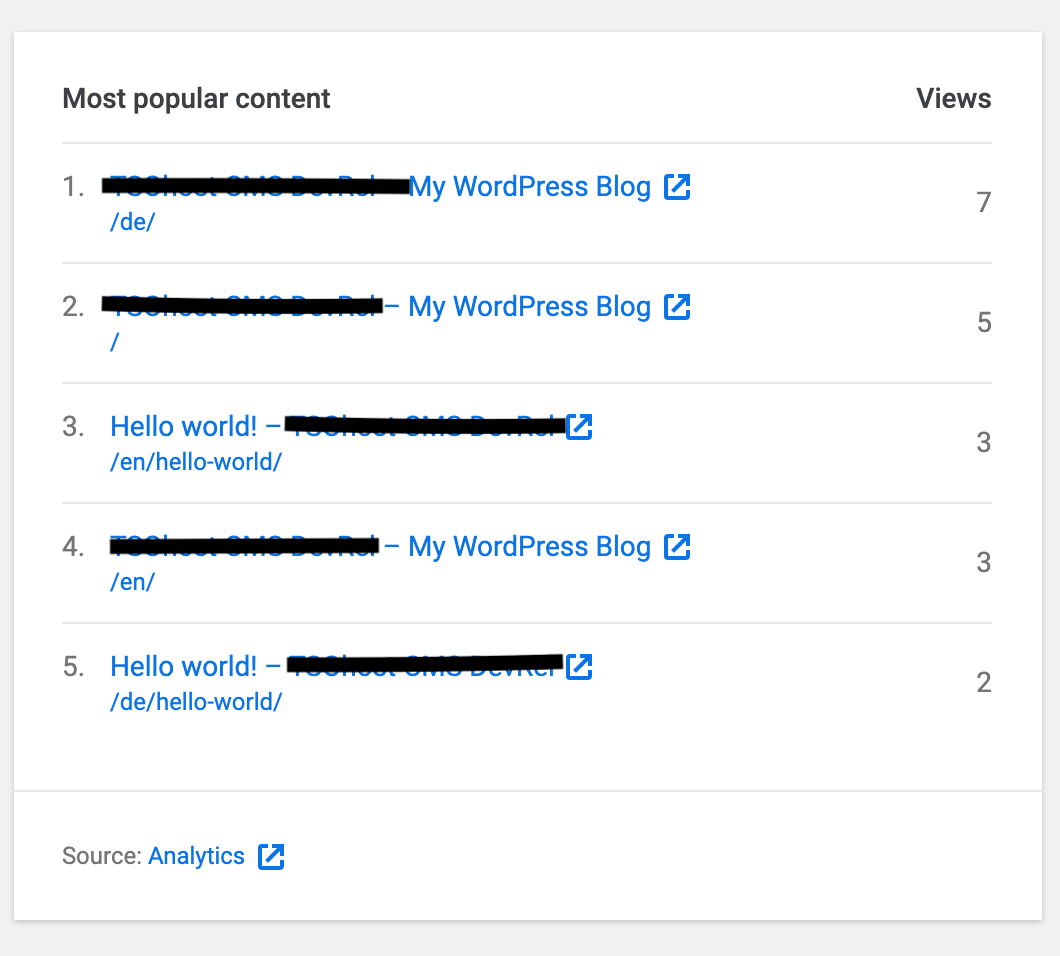
Passed QA ✅
 cole10up
on 7 May 2020
cole10up
on 7 May 2020
Related issues
aaemnnosttv
·
3Comments
aaemnnosttv
·
5Comments
aaemnnosttv
·
3Comments
 tofumatt
·
5Comments
tofumatt
·
3Comments
tofumatt
·
5Comments
tofumatt
·
3Comments