Site-kit-wp: Analytics false positive during existing tag detection
Bug Description
The existing tag detection for Google Analytics is currently too loose in its matching where it may match tags of other services used in the same place in a script, such as AdWords.
E.g. #732
<!-- Global site tag (gtag.js) - Google Ads: CONVERSION_ID -->
  <script async src="https://www.googletagmanager.com/gtag/js?id=AW-CONVERSION_ID"></script>
  <script>
    window.dataLayer = window.dataLayer || [];
    function gtag(){dataLayer.push(arguments);}
    gtag('js', new Date());

    gtag('config','AW-CONVERSION_ID');
  </script>
Source: https://support.google.com/google-ads/answer/7548399?hl=en
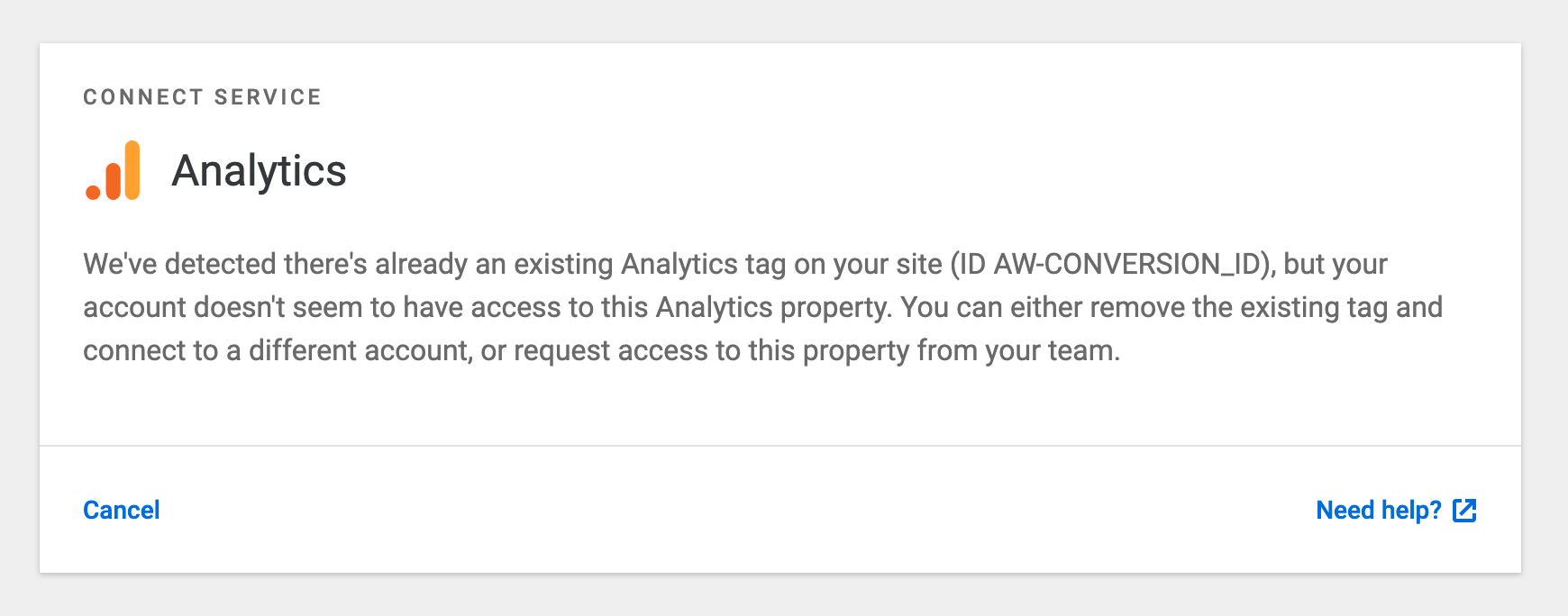
This script matches as an existing Analytics tag of AW-CONVERSION_ID (see below).
Steps to reproduce
- Add the script above to the rendered html of the front page
- Attempt to activate the Analytics module
- See existing tag
AW-..., unable to proceed
Screenshots
_Do not alter or remove anything below. The following sections will be managed by moderators only._
Acceptance criteria
- Tighten Analytics script detection to only pick up Analytics tags.
Implementation Brief
- Update pattern matching for existing tags to only match those of their specific service by including the appropriate prefix
- Analytics
UA- - Tag Manager
GTM-(implemented in #433) - AdSense
ca-pub-
- Analytics
Changelog entry
- Fix false positive when detecting existing Analytics tags, which previously blocked users from completing the module setup.
 aaemnnosttv
All 3 comments
IB LGTM!
PS: the snippet detection has be quite fragile historically and @adamsilverstein has done quite a bit of work on it originally if I recall well.
 ThierryA
on 5 Nov 2019
ThierryA
on 5 Nov 2019
@ThierryA @felixarntz while working on this one, I realized that the fetch request used for detecting tags was making the request with the current logged in state of the current user which is the default for fetch as long as the URL is same-origin. This will cause the tag detection to fail in many cases as many Analytics plugins don't output the tracking code for logged in users, or users of a particular role.
This is a simple fix that I've included in the PR so that this request is always made without authentication.
aaemnnosttv
on 5 Nov 2019
This passes QA in my testing, moving to Approval.
Testing Procedure
- reset plugin
- activate analytics with no tag present, verify setup works as expected, property preselected (don't complete setup)
- add code sample from ticket description to site header
- refresh analytics setup: note tag is not erroneously picked up - setup can continue
- Add the snippet added in the test in https://github.com/google/site-kit-wp/pull/795 to the header
<script>
    (window,document,'script','//www.google-analytics.com/analytics.js','ga');
    ga('create', 'UA-12345-1', 'auto');ga('send', 'pageview');
</script>
- Reload setup, note tag is detected and setup is blocked
- Test AdWords setup - note test tags are not detected.
One possible unrelated issue I noticed while testing this is that there no existing tag detection for Tag Manager setup. Speaking to @aaemnnosttv there is an existing issue to cover adding this.
 adamsilverstein
on 6 Nov 2019
adamsilverstein
on 6 Nov 2019
Related issues
 bjackson27
·
6Comments
aaemnnosttv
·
4Comments
bjackson27
·
6Comments
aaemnnosttv
·
4Comments
 tunakode
·
4Comments
aaemnnosttv
·
5Comments
aaemnnosttv
·
3Comments
tunakode
·
4Comments
aaemnnosttv
·
5Comments
aaemnnosttv
·
3Comments
Most helpful comment
@ThierryA @felixarntz while working on this one, I realized that the fetch request used for detecting tags was making the request with the current logged in state of the current user which is the default for
fetchas long as the URL issame-origin. This will cause the tag detection to fail in many cases as many Analytics plugins don't output the tracking code for logged in users, or users of a particular role.This is a simple fix that I've included in the PR so that this request is always made without authentication.