Site-kit-wp: Split Analytics module setup and settings into dedicated components
Feature Description
Currently the AnalyticsSetup component is overly complex and becoming more and more difficult to maintain. In line with the goals and trajectory of the future architecture for JSR, we should split this into multiple dedicated components with less logical complexity in each.
The main separation to make is between the setup and settings components, however there will need to be some pieces which are shared between both, such as the dropdowns shown during setup and settings-edit.
This iteration should both serve as the approach to use for other modules but also as a stepping stone to get as close as we can to the end goal of having each module responsible for its full output rather than just the inner contents. This step will eventually be taken but should happen later when all modules can be migrated at once. With this in mind, we should architect the new components in such a way that makes the next step as easy as possible.
In addition to this separation of component responsibilities, many enhancements and general cleanup can be done as well such as:
- Replacing magic values with named constants
- Improving flow control with better error handling
- Avoid mixing placeholder options/values in state with API responses
- Introduce utilities for validating account/property/profile IDs
_Do not alter or remove anything below. The following sections will be managed by moderators only._
Acceptance criteria
AnalyticsSetupshould be responsible for rendering the module's setup component only- A new component should be introduced for rendering the module's settings component
- A new component should be introduced for rendering the common interface shared between module setup and edit settings
- When not in edit mode, settings views should always display current saved values and messaging
- Supporting data which is not part of settings can be requested on demand but should be cached temporarily in the browser where possible
E.g. Property name
- Supporting data which is not part of settings can be requested on demand but should be cached temporarily in the browser where possible
- New components should be covered by component tests with Jest
- Existing E2E tests should require minimal changes
- New components should follow JSR guidelines for file structure
Implementation Brief
- Create a new
AnalyticsSettingsViewcomponent for displaying saved settings - Create a new
AnalyticsSettingsEditcomponent for rendering the settings edit view composed of shared components with setup
- Use separate components to only trigger API requests when
componentDidMountin edit mode
(currently these happen more often than necessary due to a shared component)
- Use separate components to only trigger API requests when
- Extract dedicated components for settings inputs
AnalyticsAccountPropertyProfileSelect- dropdowns for account, property, and profileAnalyticsUseSnippetToggle- updated to be consistent with those for TagManager and AdSense using aSwitchinternally with alternate descriptions for on/off states
See #1048AnalyticsIPAnonymizationToggleAnalyticsExclusionsListToggles- different in that it renders a list of toggles for each optional exclusion
- General improvements
- Replace magic values (such as
-1for create new) with a named constant - Throw errors rather than manually setting state
isEditinglogic should no longer exist with the exception of top-level component renderingonSettingsPagelogic should no longer exist due to the use of explicit components which are set using different filters- More declarative components using composition
AnalyticsSetupshould no longer contain any settings/settings-page related logic or components at all- Aim to minimize future refactoring (i.e. switch to data stores)
- Replace magic values (such as
Changelog entry
- Significantly improve stability and maintainability of Analytics module setup and settings.
 aaemnnosttv
All 18 comments
Something else to consider here and make a decision: https://github.com/google/site-kit-wp/pull/1094#discussion_r376795835
Alternatively, in a follow-up issue
 felixarntz
on 9 Feb 2020
felixarntz
on 9 Feb 2020
@aaemnnosttv
New components should follow JSR guidelines for file structure
What do you mean by this?
felixarntz
on 9 Feb 2020
What do you mean by this?
I was referring to the Module Structure guidelines from the JSR doc. Currently most modules have their setup component in the module's root directory (e.g. Analytics) rather than in modules/analytics/setup/component.js. Also, since the current implementation is used for both setup and settings, there would be new component(s) in modules/analytics/settings/component.js, and likely common directories as well.
aaemnnosttv
on 15 Feb 2020
Makes sense. Let's move this forward, would be great to get this done before we get to GA account provisioning (as that would make the current codebase even more messy).
felixarntz
on 18 Feb 2020
The IB here sounds good. The aim being to improve the code incrementally and make way for future refactors sounds good.
The new components especially are a good call 👍
One thing to note on "New components should follow JSR guidelines for file structure"—we recently nixed the .private files (last of them are going away in #1215/1216), so we should make sure not to mirror that approach. But of course, the rest of that point is valid.
IB ✅ from me.
 tofumatt
on 5 Mar 2020
tofumatt
on 5 Mar 2020
@aaemnnosttv Let's try to use the new datastore from #1224 here as much as possible, but we shouldn't bend ourselves to address some potential oddities in the existing code by cluttering the #1224 datastore with kind of unrelated things.
If the end result of this issue is a generally solid infrastructure which mostly relies on the datastore, it is an acceptable trade-off for now to still have some legacy things (e.g. window.googlesitekit PHP data references that really wouldn't have fitted into the Analytics store). We should just do it in a way that we could later refactor these out easily.
felixarntz
on 5 Mar 2020
Tested
Built and installed latest develop zip, setup and activated Analytics through the dashboard:
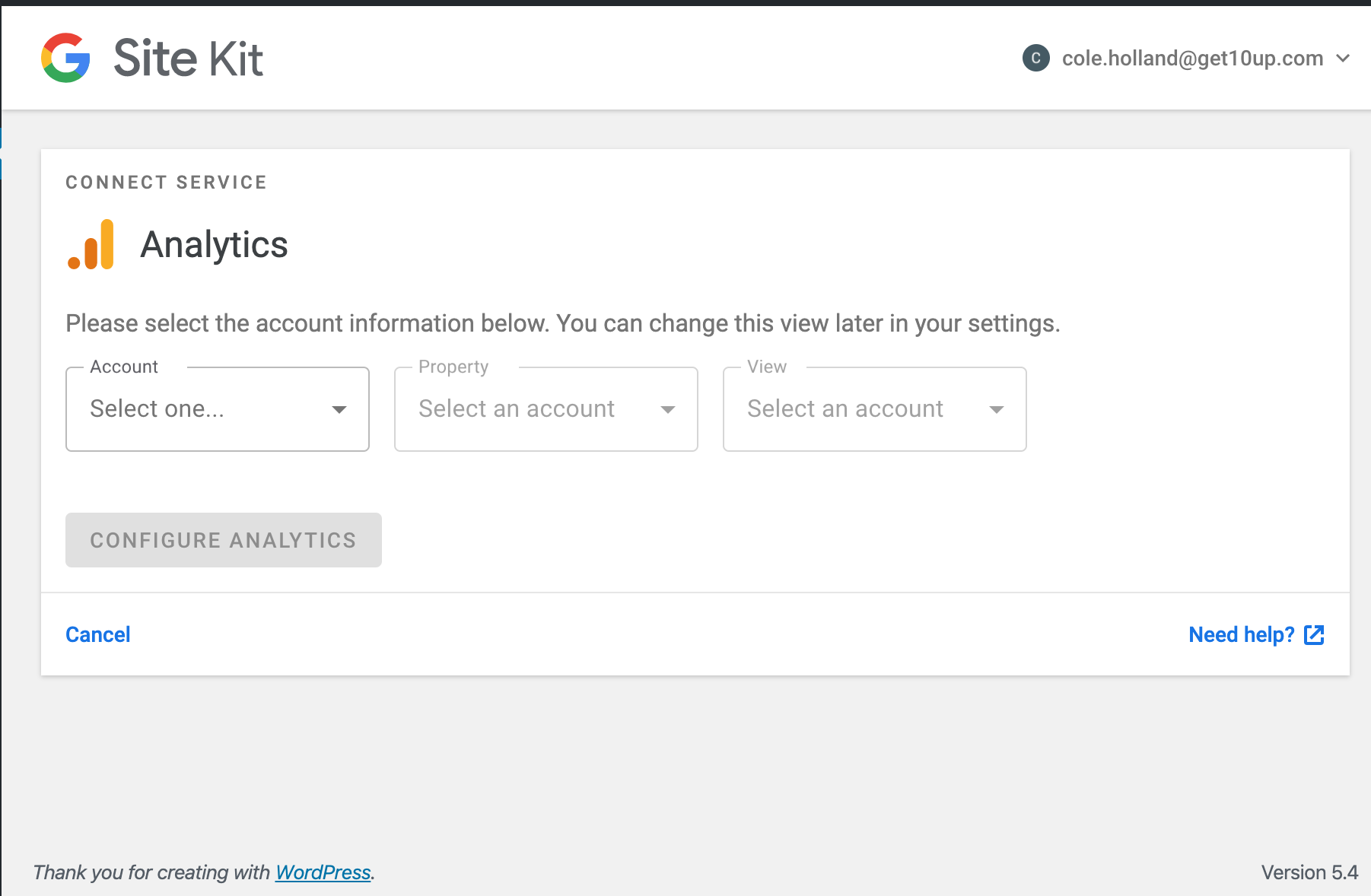
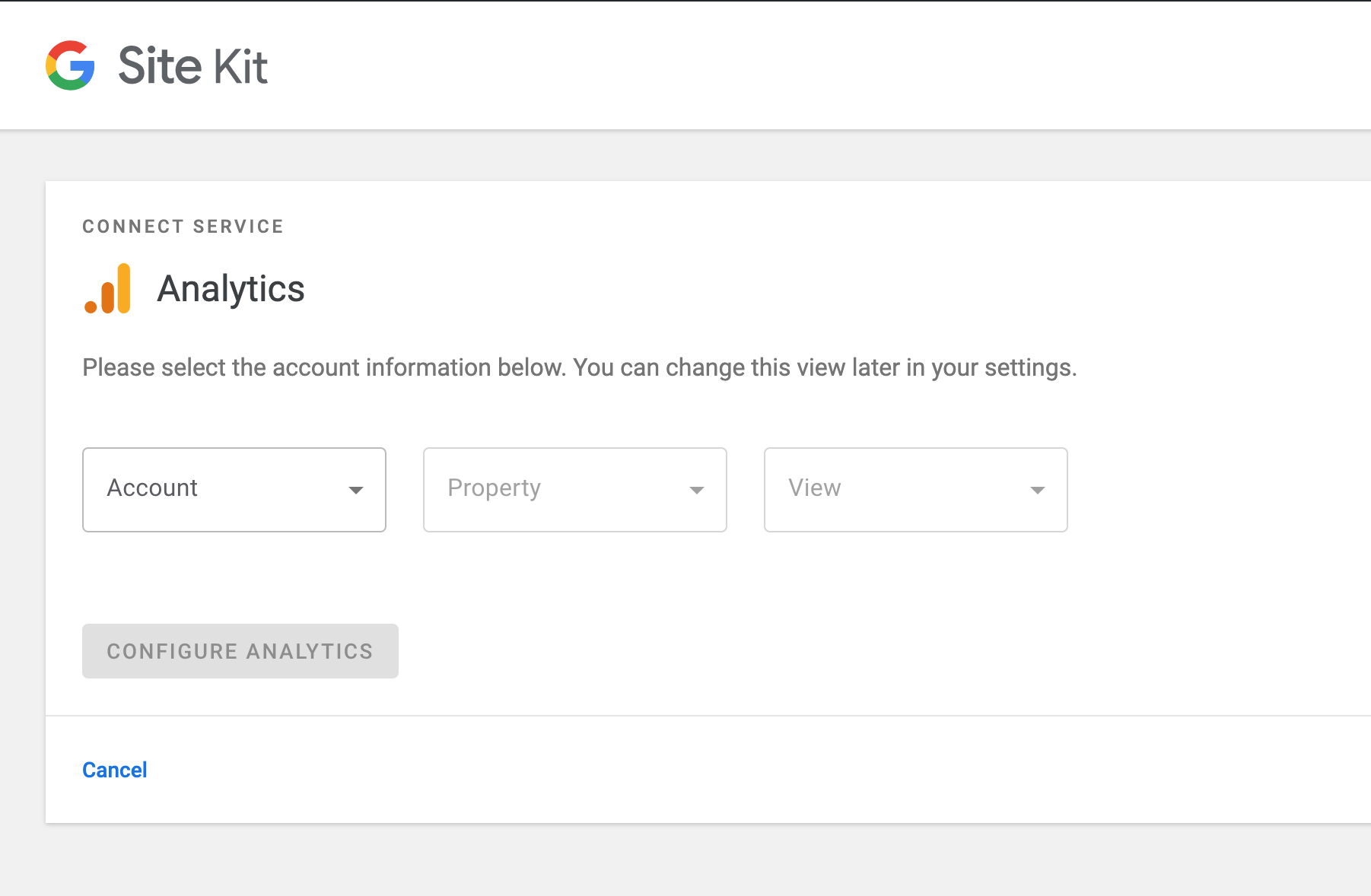
Noticed padding difference between drop downs from prior 1.7.1 zip:
To current zip:
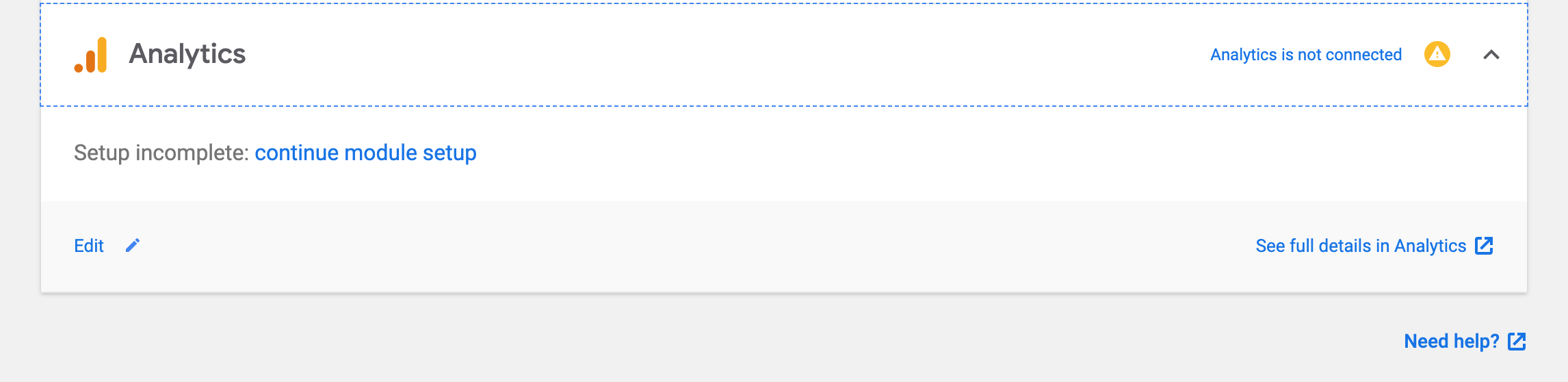
Confirmed Cancel button drives to settings and not connected flow:
Issue: Setup of new property doesn't function
Selecting setup of new property drives the user back to the dashboard with the congrats message without triggering a new property being setup:
1.7.1 zip experience:
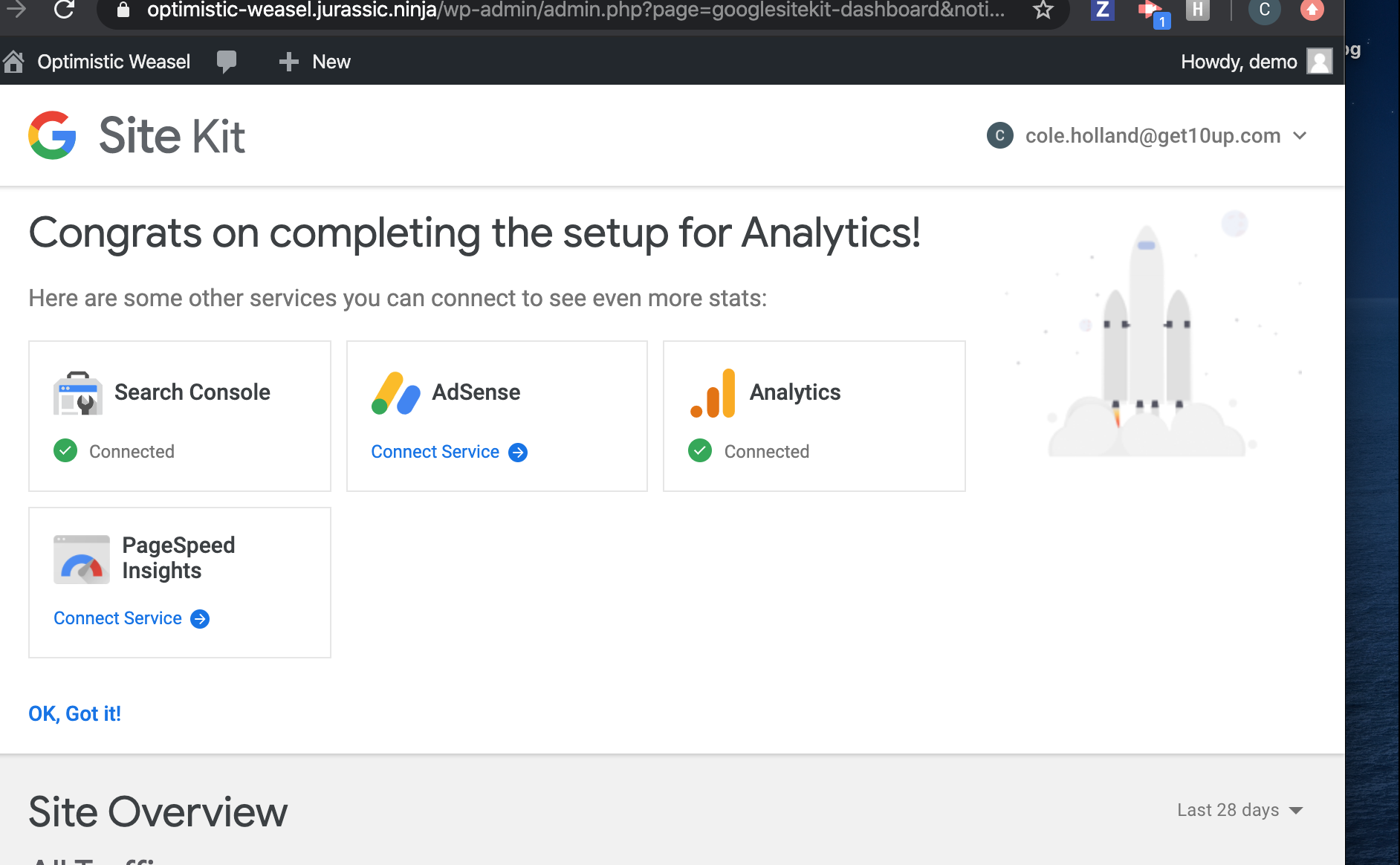
Current zip:
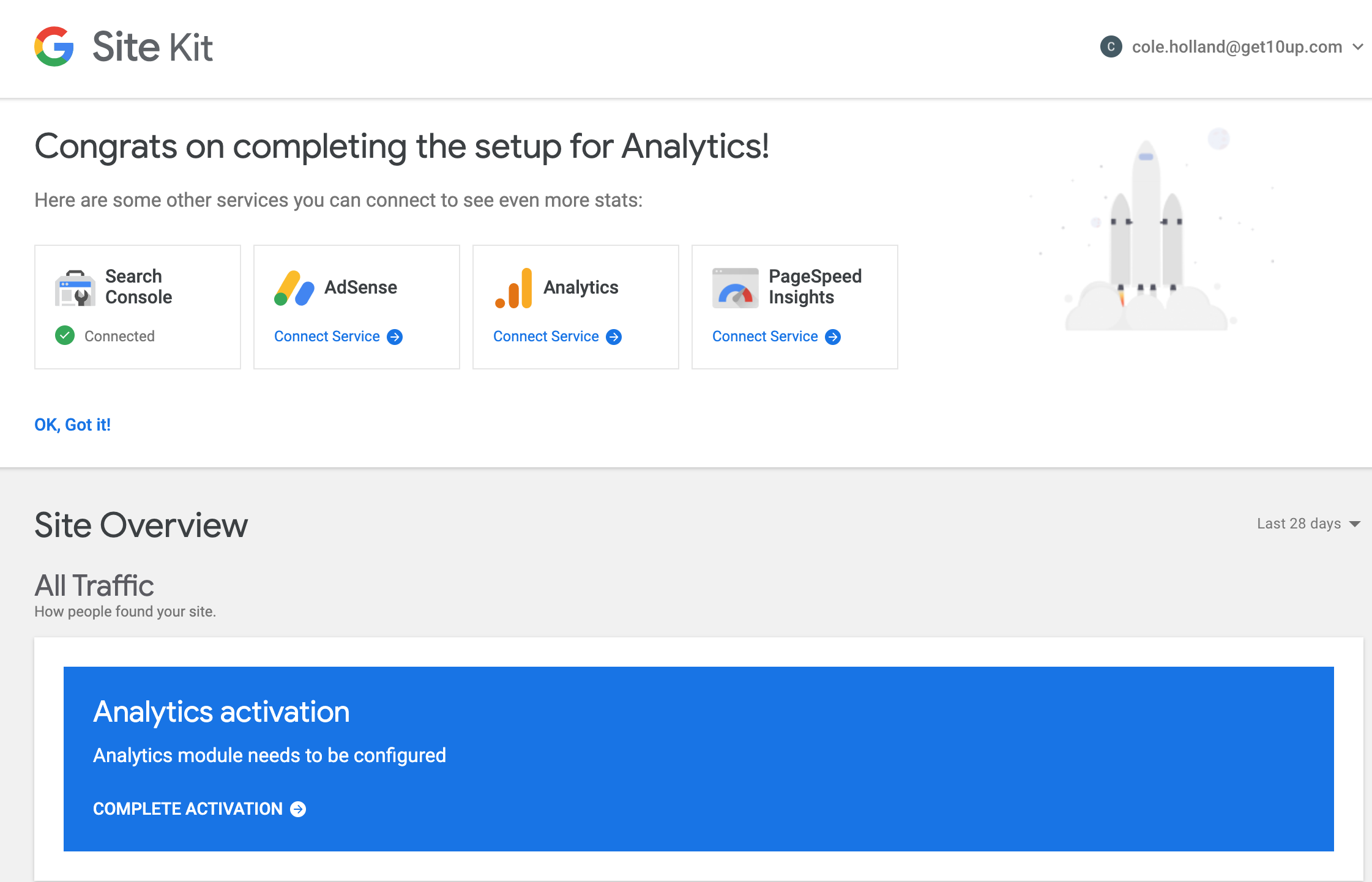
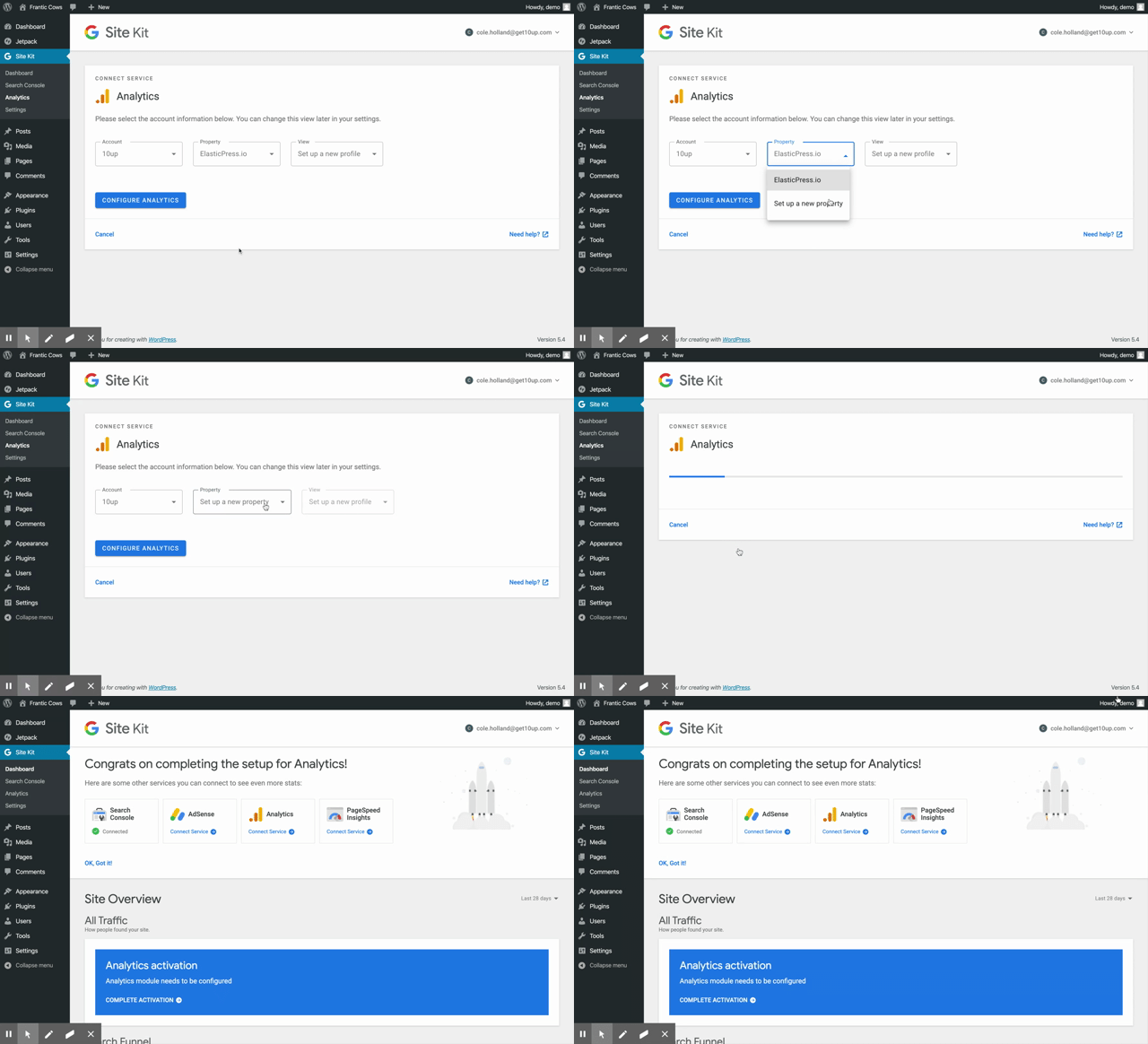
Notice same experience setting up a new profile drives user to the dashboard
Confirmed create account drives to the correct GA URL:
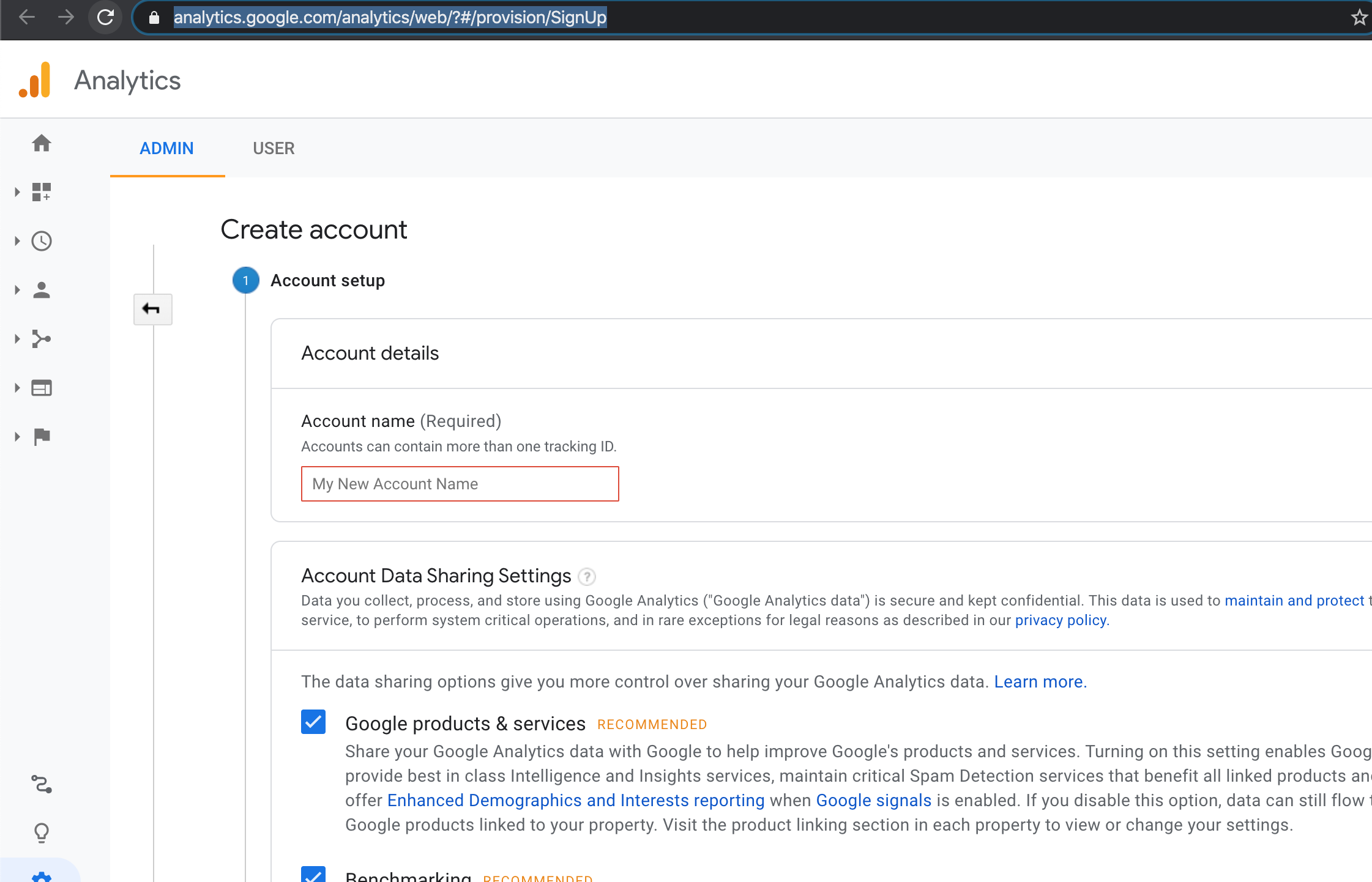
Confirmed refetch functioned properly
After successfully connecting service and navigating to Settings page, notice duplications of drop down items
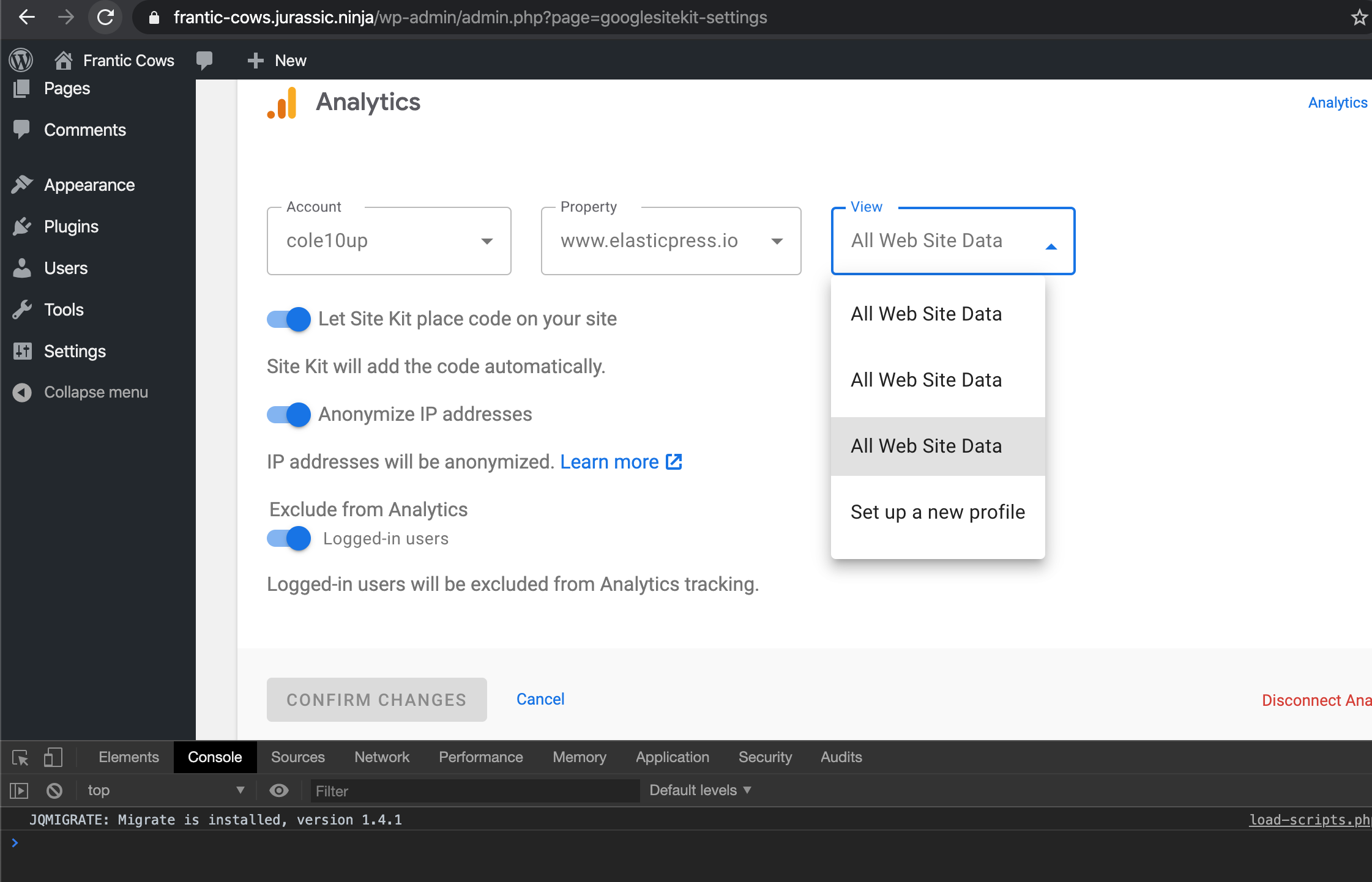
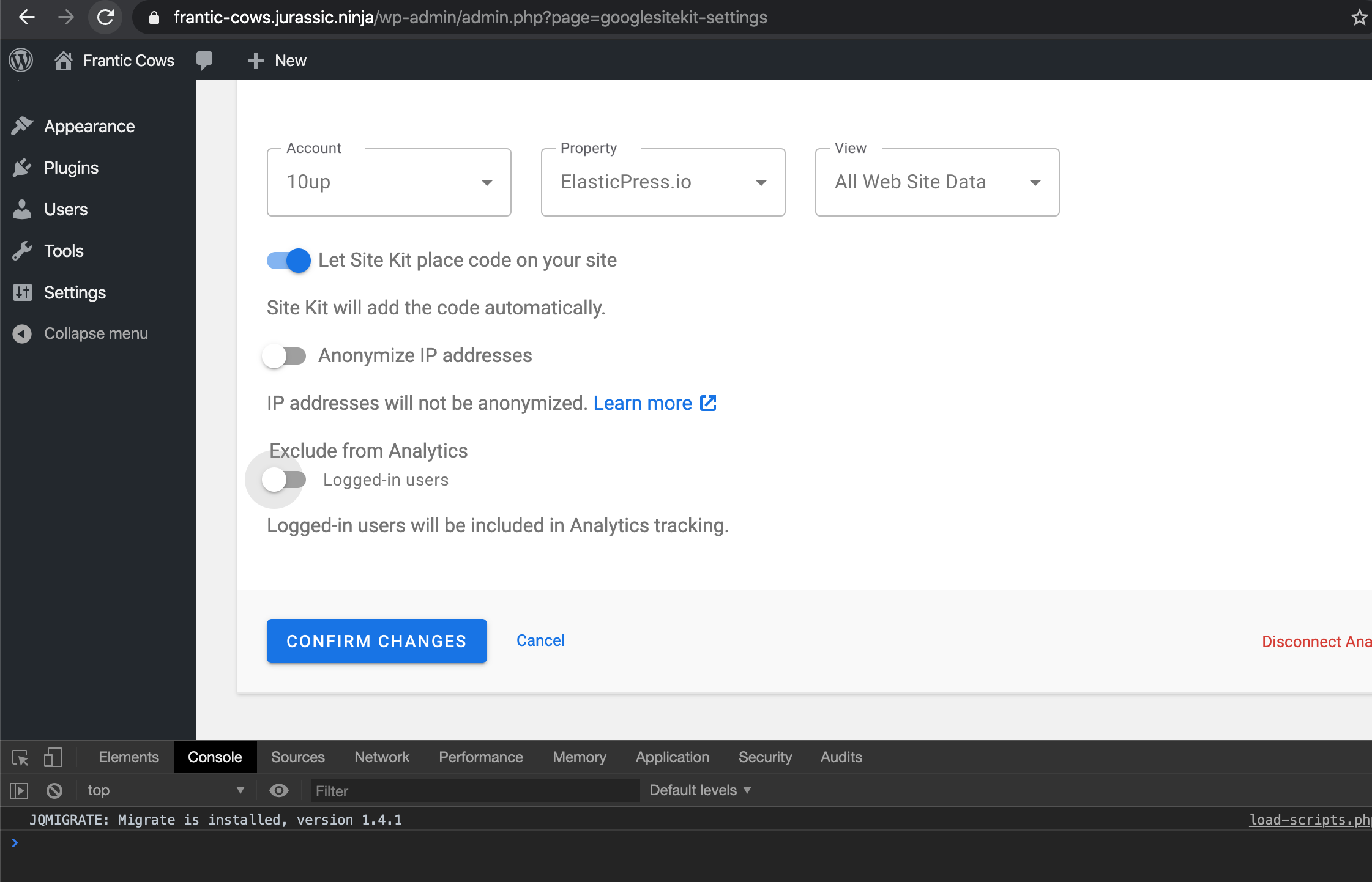
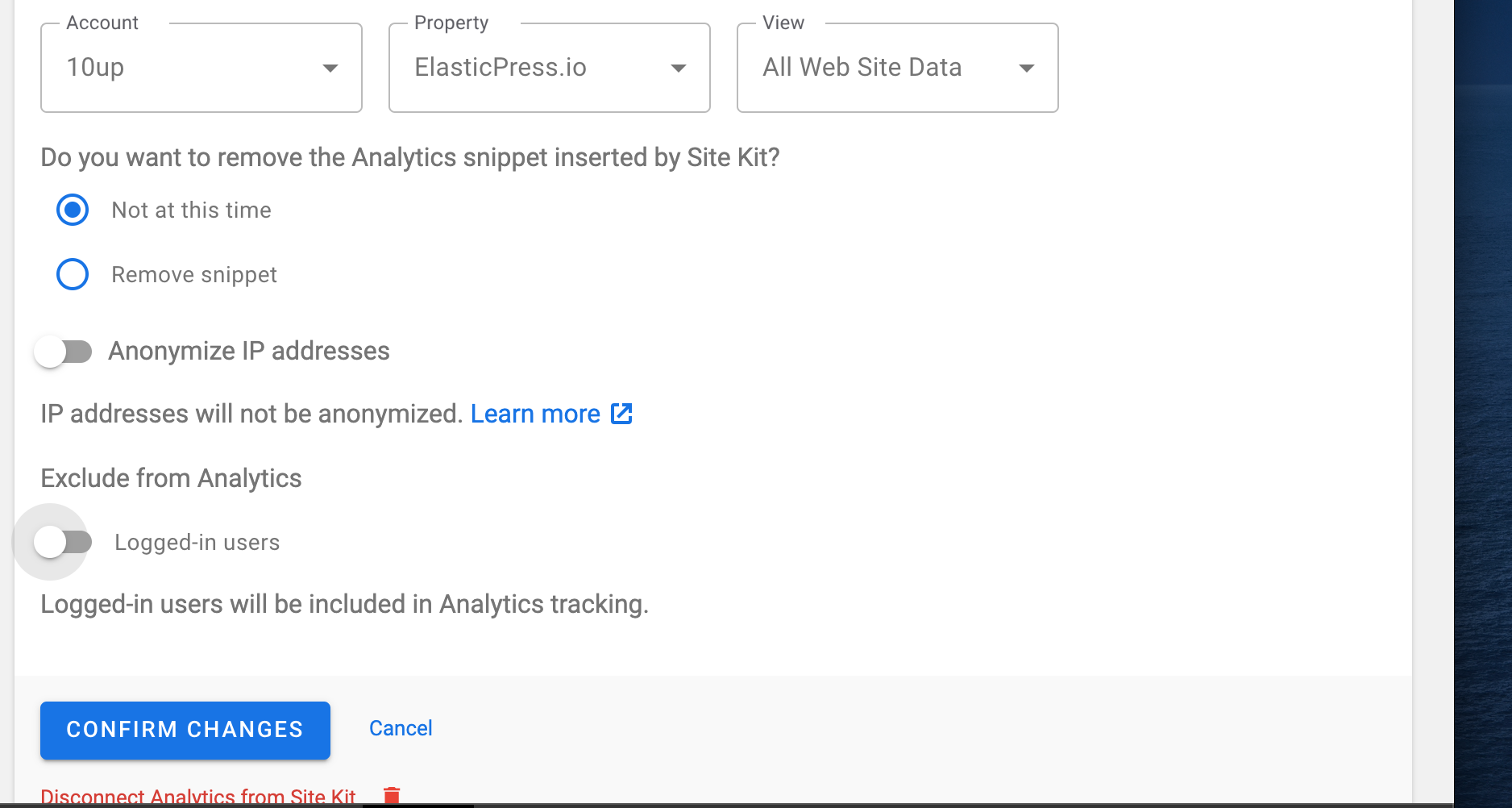
Notice toggle for Exclude in Analytics is too close to copy
Current:
Expected:
Confirmed adjusting toggles in setting functioned properly
Confirmed disconnect and reconnecting module functions
Confirmed resetting SK, setting up again and connecting module functions
Tested on the attached zip:
google-site-kit.v1.7.1.[email protected]
Sending back to execution to address my findings.
 cole10up
on 29 Apr 2020
cole10up
on 29 Apr 2020
Thanks for your attention to detail on this one @cole10up !
Noticed padding difference between drop downs from prior 1.7.1 zip
This is due to the inputs (including the first paragraph there) being rendered in a <form> now. The difference is due to some existing CSS to remove the bottom margin from the first paragraph after the setup title. I'm not sure if this is necessary to preserve. If we wanted to, the easiest fix would be an inline style on the <p> since there isn't a great way to otherwise select it.
Setup of new property doesn't function
@cole10up in your screencast you tried to create a property in an account that you don't have sufficient permissions to do so. I was able to replicate this as well. The problem is that the error is not displayed in the settings view. I'm providing a fix for this.
Ideally, it would not switch to the SettingsView in this case (error) but that's beyond the scope of this issue as it relates to the legacy settings components.
I confirmed that property+profile creation works as expected when you have an account selected that you have sufficient permissions for.
Notice toggle for Exclude in Analytics is too close to copy
This is related to changes in the elements used for this setting. The setting label/heading changed from a <p> tag to the proper <legend>. Both elements have the same googlesitekit-setup-module__text class but the margin is coming from the p style, which is why it is no longer there. I'll see if we can use this class to preserve the styles.
After successfully connecting service and navigating to Settings page, notice duplications of drop down items
I couldn't reproduce this. It could be that you may have multiple profiles with the same name for that property? This is related to another known issue regarding profile creation always using the same name, but I did not see any duplication of profiles just from connecting the service.
aaemnnosttv
on 29 Apr 2020
QA ❌
Noticed one other tiny, but worth fixing issue here: Prior to these changes, in the Analytics settings view would state "Inserted by another plugin or theme" for the existing tag (see https://github.com/google/site-kit-wp/blob/master/assets/js/modules/analytics/setup.js#L831).
The functionality in that original code bit there is slightly incorrect, as it should only say this if
- the snippet is not already inserted by Site Kit (
useSnippetistrue) - the
existingTagis actually the same property that is currently active
If 1. or 2. is not the case, then the message would be irrelevant.
In the refactored component, this message is not present at all, and it should be added.
felixarntz
on 1 May 2020
@aaemnnosttv I noticed one more thing that we should double-check. While working on AdSense (which foundation-wise is a ton of copy+paste from the work here), I noticed that the code in https://github.com/google/site-kit-wp/blob/06159d2fde9339dc57d8eb72f4cdf24b1ade2148/assets/js/modules/analytics/setup/setup-form.js#L49 likely does not work (error will always be undefined because the return value overall is undefined), which means that currently the module will complete the setup even if that last save request failed. It seems like controls cannot return a value like we do here in the SUBMIT_CHANGES one. There is currently no test verifying that this return value works, so maybe that would be a good start.
Update: This one is trivial to fix. The submitChanges action creator is simply missing the part where it returns the response from the control. Did the same thing here: https://github.com/google/site-kit-wp/pull/1410/commits/a0a4a5b00c3034db1d00562f3def036d1df27536#diff-956a8c9b04a0a272e62e4897eda8ae47R137-R156. I also think it makes sense to return an empty object from there in the success case - avoids having to write the weird syntax || {} when calling the action.
felixarntz
on 1 May 2020
Good catch @felixarntz.
https://github.com/google/site-kit-wp/pull/1480 is ready for your review now which fixes this and a few other issues I found with the tests. More details on the PR.
aaemnnosttv
on 1 May 2020
@aaemnnosttv Reviewed and will merge. Note https://github.com/google/site-kit-wp/issues/1101#issuecomment-622157548 still needs to be addressed.
felixarntz
on 1 May 2020
Prior to these changes, in the Analytics settings view would state "Inserted by another plugin or theme" for the existing tag (see https://github.com/google/site-kit-wp/blob/master/assets/js/modules/analytics/setup.js#L831).
The functionality in that original code bit there is slightly incorrect, as it should only say this if
- the snippet is not already inserted by Site Kit (
useSnippetistrue)- the
existingTagis actually the same property that is currently activeIf 1. or 2. is not the case, then the message would be irrelevant.
In the refactored component, this message is not present at all, and it should be added.
Thanks for highlighting this @felixarntz - I forgot that this had changed, but it was intentional at the time. I thought we had discussed it at some point but perhaps not.
The main reason I removed the "Inserted by another plugin or theme" display value is that it hides the actual saved value of useSnippet. If the user has an existing tag, and useSnippet is true then it's really important that they're able to see that because it means they're potentially double recording analytics.
Another reason for this change is more of a UX concern which is that it would be a bit of a poor experience for the user if after opening the settings view (which is shown immediately now) and an existing tag is detected some second or so later, the display value for useSnippet would flicker/change based on this logic which would look bad. This is a bit of a bug on its own in a different way as if the user does not have access to the detected tag, they won't be able to turn useSnippet off as they are blocked from changing the settings at all. The only option currently is to disconnect the Analytics module which is a bit of a poor experience.
As it is now, if an existing tag is detected, the notice will appear at the top of the settings (it didn't before) which is consistent with other views but no other changes happen to the displayed settings which should always reflect the current saved values.
aaemnnosttv
on 4 May 2020
@aaemnnosttv
The main reason I removed the "Inserted by another plugin or theme" display value is that it hides the actual saved value of
useSnippet. If the user has an existing tag, anduseSnippetistruethen it's really important that they're able to see that because it means they're potentially double recording analytics.
The previous logic was indeed hiding the original value, but with the logic I outlined it wouldn't do that anymore. We would only say "Inserted by another plugin or theme" if useSnippet is false and there is a matching existing tag. Without having this message there, the user could unnecessarily feel alarmed when seeing a text that the snippet is not placed - which is actually not true because the correct snippet _is_ placed, just not by Site Kit. This is a valid state which we should cater for in the UI - and while the original logic was inaccurate and hid the real value, here it doesn't really. Furthermore, if you edit settings, you'll see the real value either way.
Showing the ExistingTagNotice and ExistingTagError in SettingsView doesn't make too much sense to me because their wording is more applicable to the editing experience. The only thing that matters for the view part is whether the existing tag is the same as the one in GA settings - not whether the user has permissions to access it or not.
I'd suggest to do something like the following for SettingsView:
- When there is an existing matching tag...
- If
useSnippetis false, display special value "Inserted by another plugin or theme" for the setting (this is the only state here that is okay to have basically, so there should be no notice or error) - If
useSnippetis true, display some kind ofDuplicateTagError.
- If
- When there's an existing non-matching tag
- Always display a notice almost similar to the current
ExistingTagError, but "but your account doesn\'t seem to have access to this Analytics property" replaced with something like "that conflicts with the current Analytics property".
- Always display a notice almost similar to the current
Anyway, I think as a whole this goes beyond the scope of this issue, and we can have a follow-up. Removing the "inserted by another plugin or theme" though is a change made here that I think makes UX for that case worse than it was before (again, original logic was incorrect, but doing it the right way here is easy to do). So I think this particular bit should be handled here.
felixarntz
on 4 May 2020
Retested findings
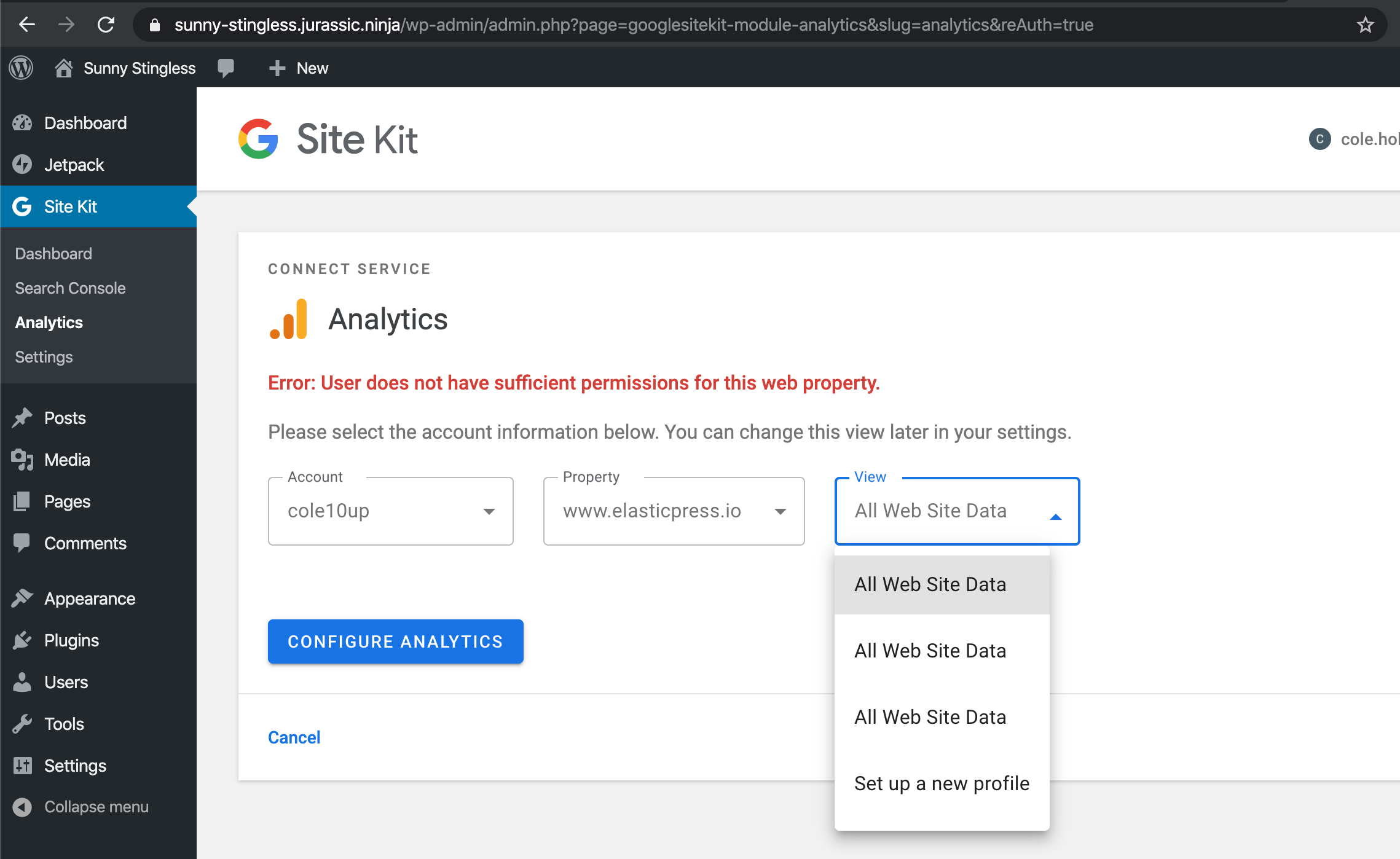
Confirmed setting up a new property both shows correct messaging for success
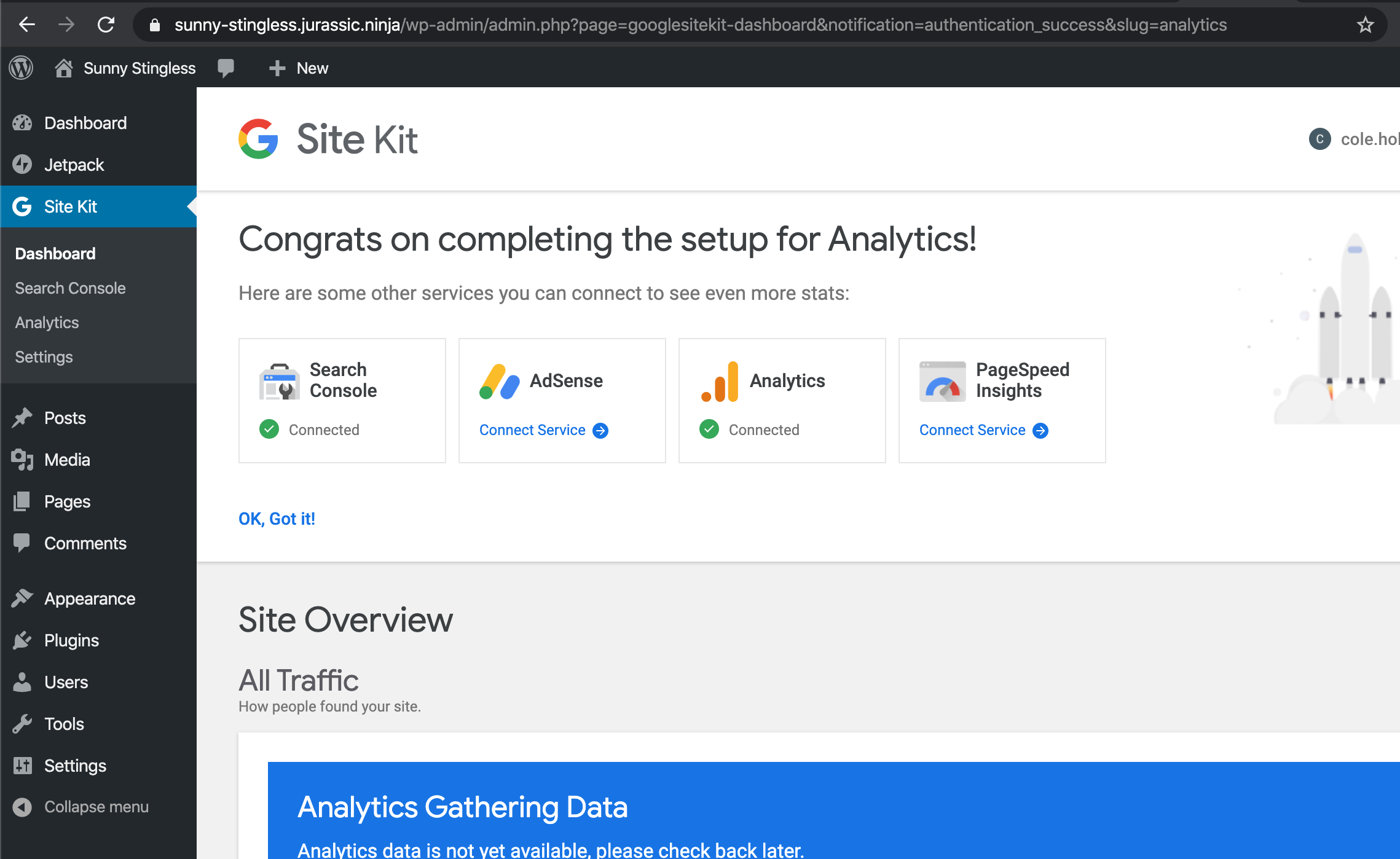
And Error:
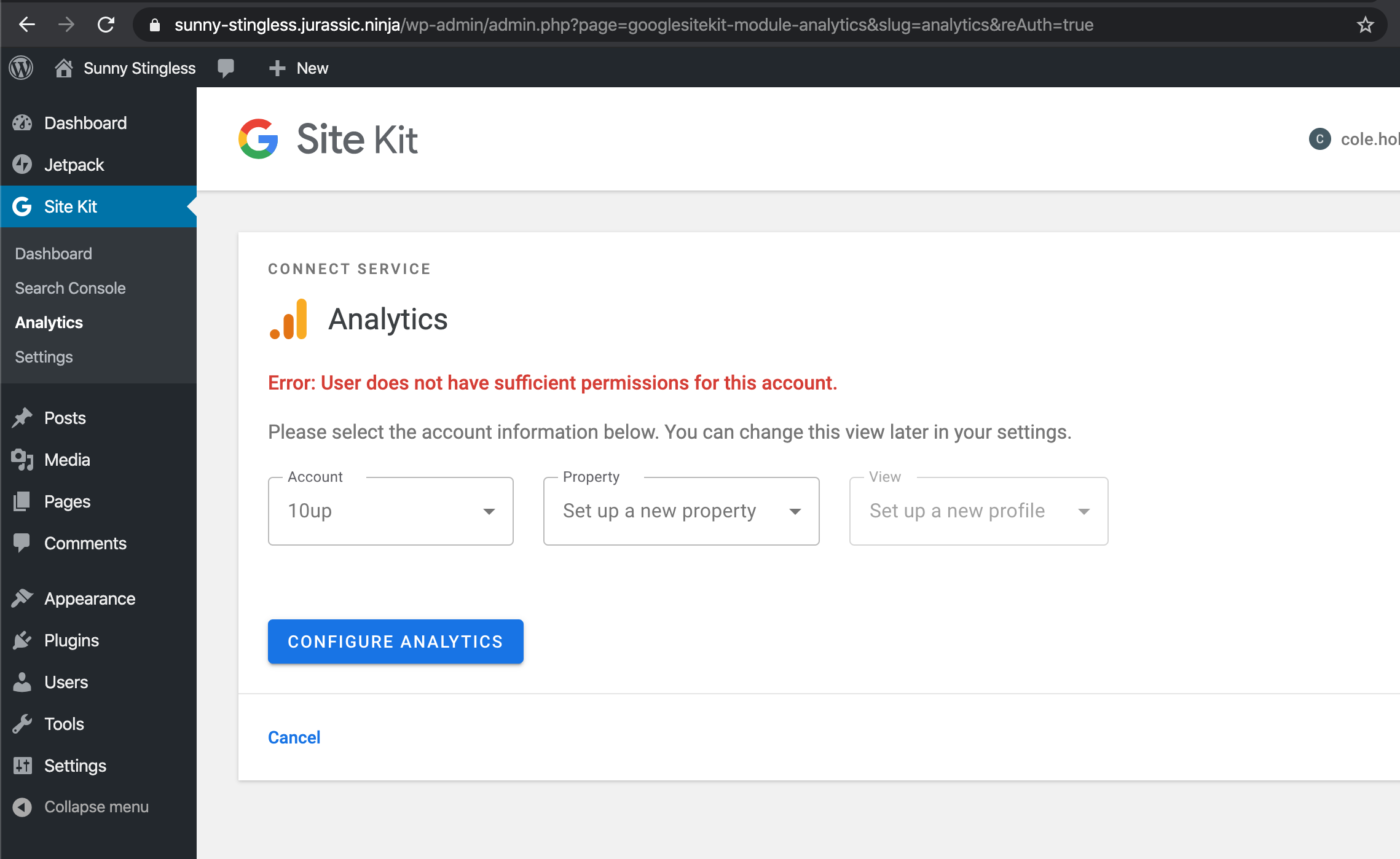
Multiple profile options still displaying according to https://github.com/google/site-kit-wp/issues/716
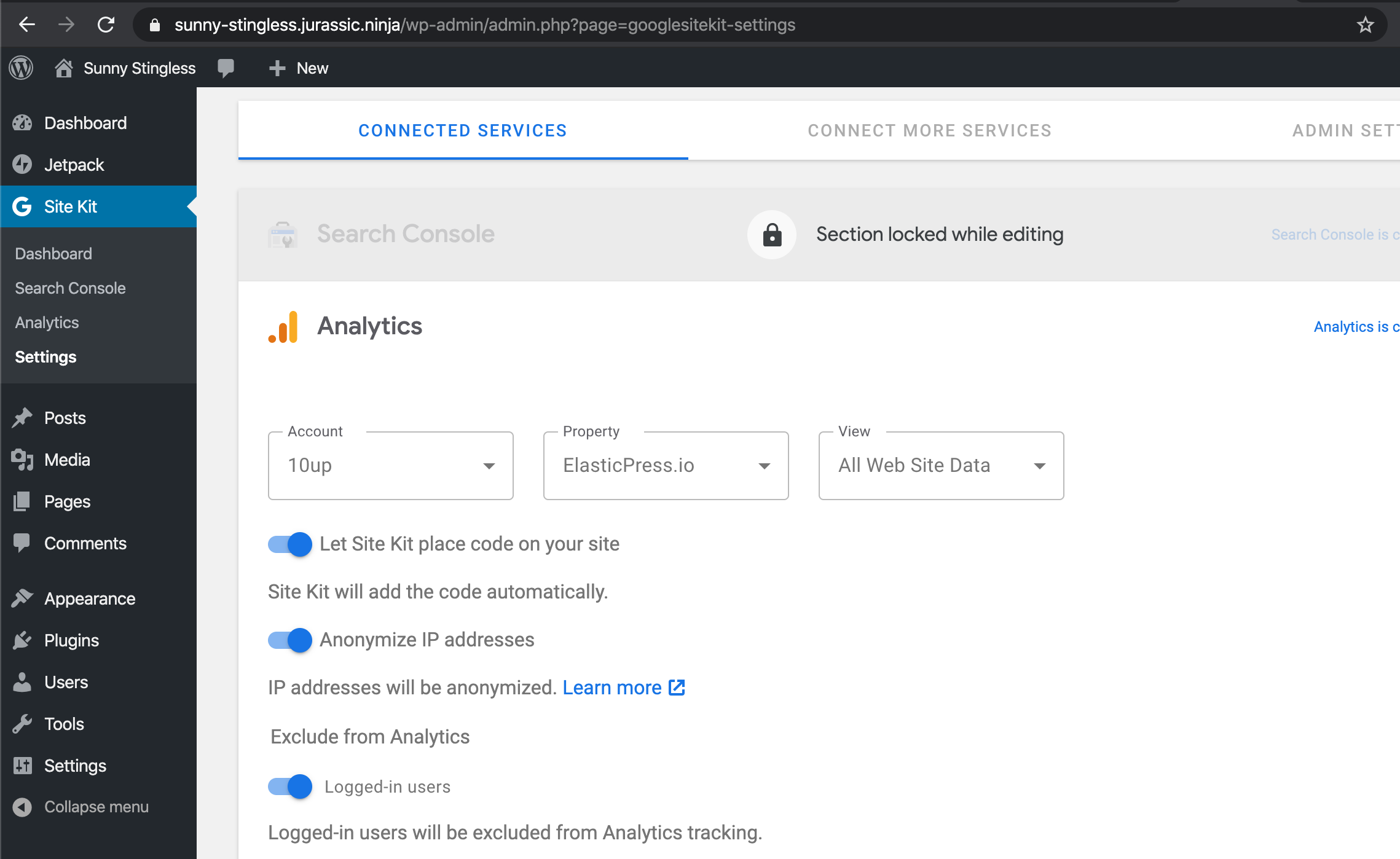
Confirmed styling has proper padding on 'Logged in users' toggle
Note: Font sizes differ from the 2 toggles above versus the 'Logged in users'
toggle
Noticed frustrating behavior trying to adjust drop downs with a marginally slower mouse click
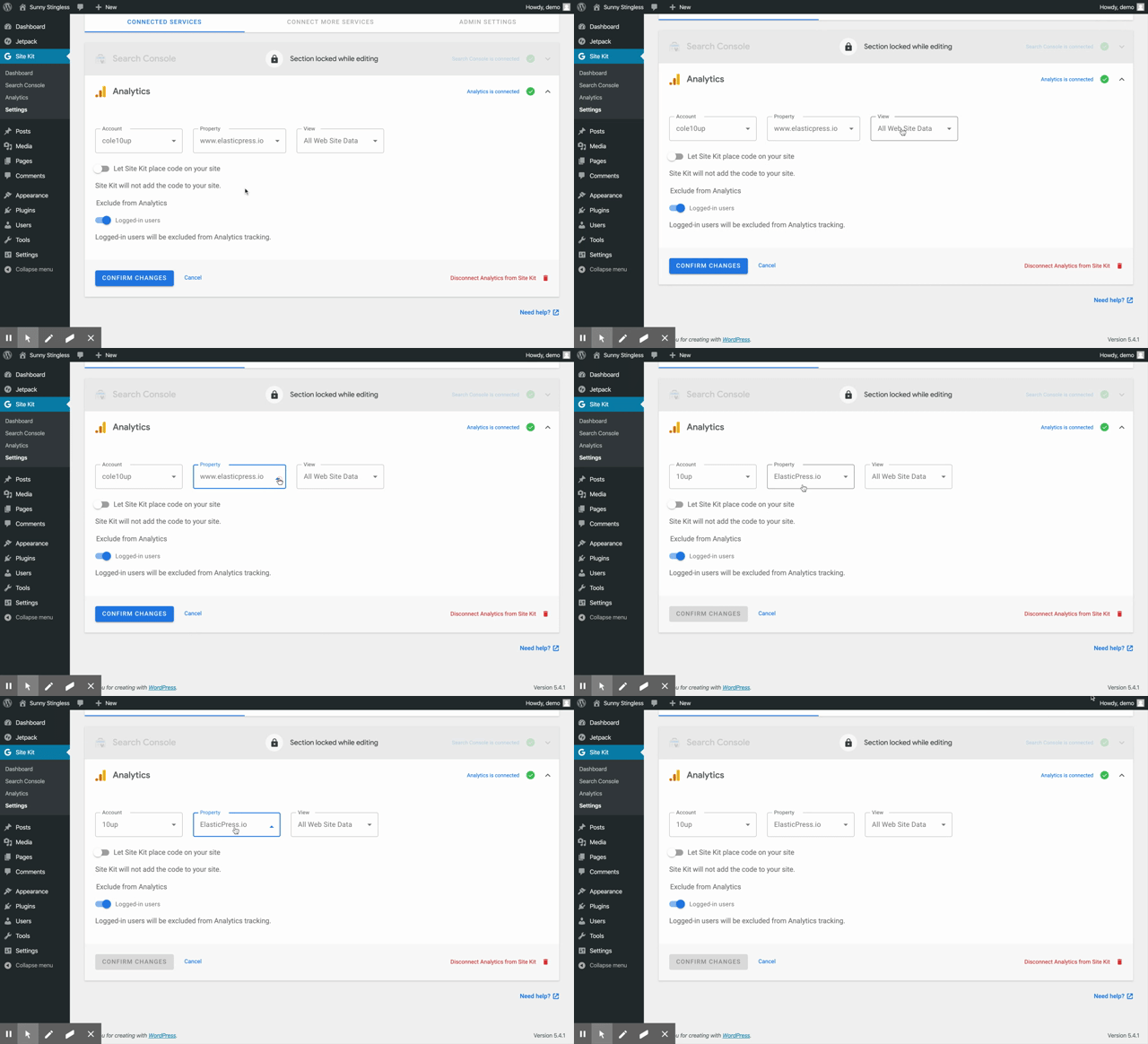
Sending back to Execution to make a decision to fix in this ticket or approve and create separate tickets. @aaemnnosttv
cole10up
on 6 May 2020
Thanks for your close eye @cole10up - see my responses below. Assigning to @felixarntz to make the final call if there is any further action needed here for final QA.
Note: Font sizes differ from the 2 toggles above versus the 'Logged in users'
toggle
This should be the same with what's there in 1.7. It's slightly smaller because it's a list item (exclude from Analytics is a list of options, although there's currently only one) where all the rest are single options.
Noticed frustrating behavior trying to adjust drop downs with a marginally slower mouse click
I don't think there's anything specific to these changes although I have noticed something similar in other places like date ranges; I believe it's related to the underlying select component.
Multiple profile options still displaying according to #716
There's nothing stopping you from creating multiple profiles with the same name in Analytics so this is a valid state, although not great from a UX perspective because the user can't tell which is which. 716 is just about letting the user customize the new profile name to avoid duplicates.
aaemnnosttv
on 6 May 2020
@aaemnnosttv Could we change the font size on the list Switch label to match the regular one for this issue? I'd assume that should be fairly straightforward and will make this look a lot more polished. If it's harder than it seems, we can have a separate issue, but let's try to get it in here.
The other problems here I agree are broader and partially already covered elsewhere.
felixarntz
on 6 May 2020
Confirmed font size adjustment
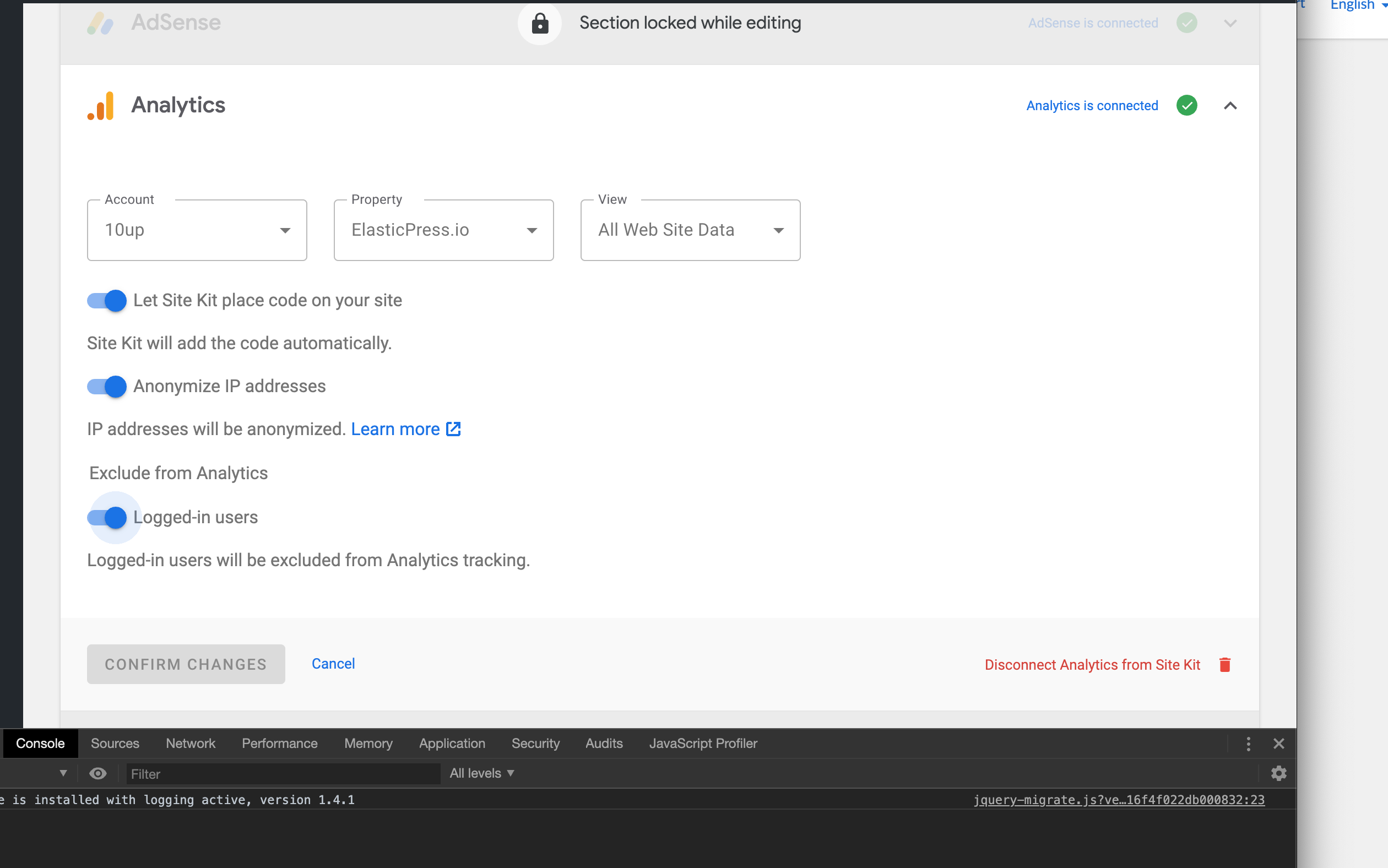
Retested functionality with 1.8.0 - confirmed happy path.
Confirmed disconnecting and reconnecting Analytics, adding new properties functions properly.
Good on my end.
Passed QA ✅
cole10up
on 7 May 2020
Related issues
 quangbahoa
·
5Comments
aaemnnosttv
·
3Comments
quangbahoa
·
5Comments
aaemnnosttv
·
3Comments
 Loganson
·
5Comments
felixarntz
·
4Comments
aaemnnosttv
·
4Comments
Loganson
·
5Comments
felixarntz
·
4Comments
aaemnnosttv
·
4Comments