Site-kit-wp: Adsense "continue" link inconsistent with other modules after completing setup for existing user
Bug Description
When completing setup for the AdSense module, the primary action "continue" is not consistent with other modules.
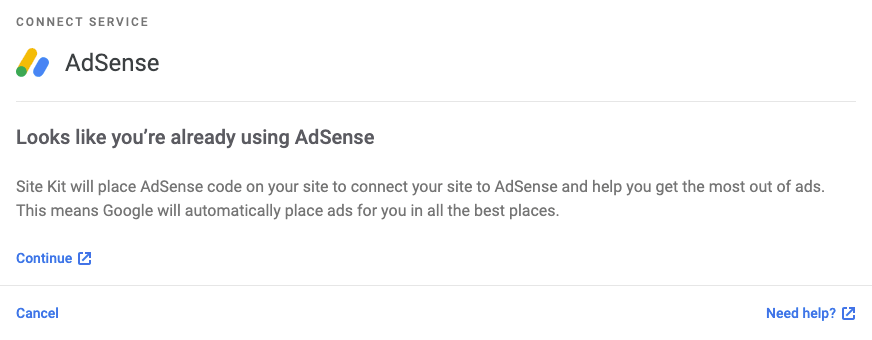
Note that the continue link is not the obvious next action (visually) compared to other modules which have a solid blue primary button to click. Also, this link opens the AdSense module page in a new tab, as if it is expected to link to an external page. This should link directly to the page without opening a new tab.
Steps to reproduce
- Set up AdSense using an approved account that has data
- On final step, see "continue" as an external link to the AdSense module page which opens in a new tab when clicked
Screenshots
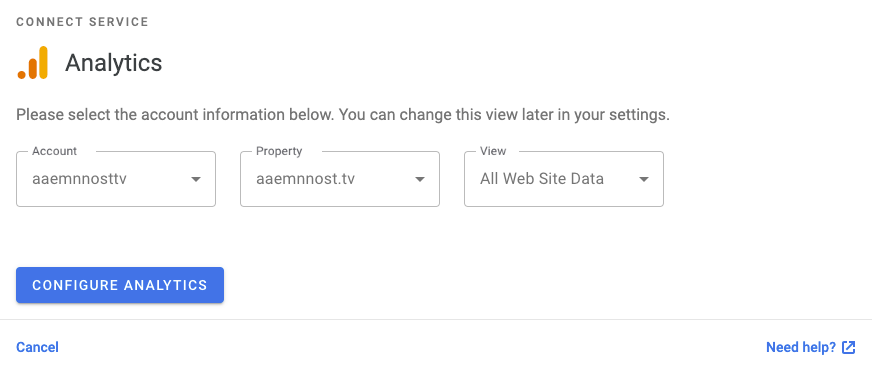
Compare to final step in Analytics setup
_Do not alter or remove anything below. The following sections will be managed by moderators only._
Acceptance criteria
On this screen:
- Replace the "Continue" link with a blue button.
- Add toggle (on by default) + text "Let Site Kit place code on your site":

1) If the user deactivates the toggle:
- Site Kit won't place any code on their site
- The user gets redirected to the AdSense report in the plugin where their account data is displayed.
2) If the user leaves the toggle activated:
- Site Kit should place the code on their site
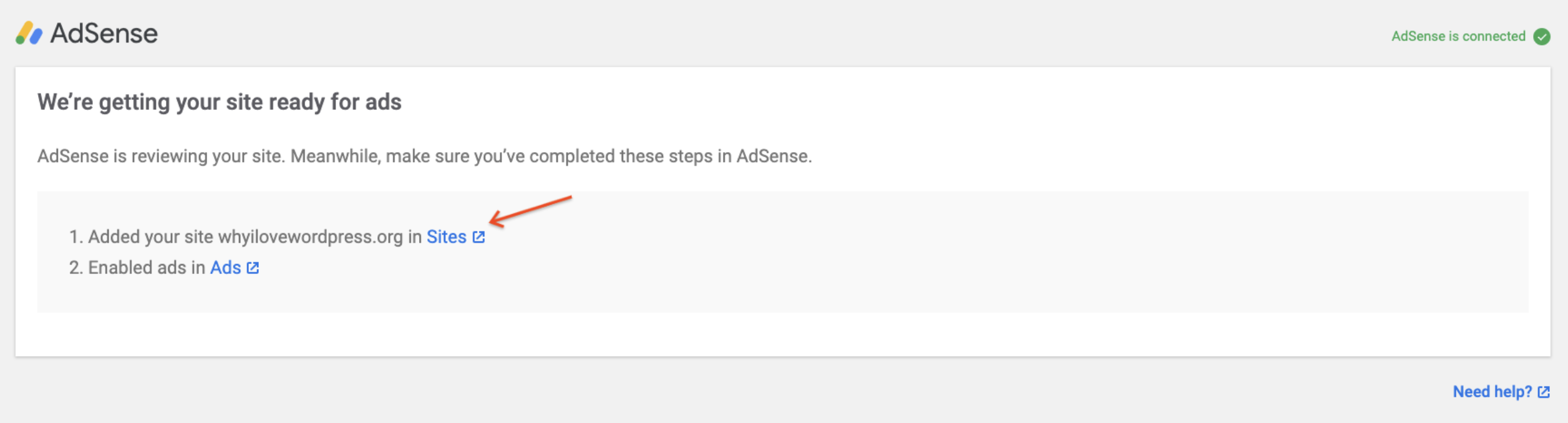
- The user should be shown "We're getting your site ready for ads" screen:
Implementation Brief
- Pass the
clientIDto the component that renders the "continue" button by changingupdateAccountStatus()inassets/js/modules/adsense/dashboard/adsense-module-status.jsto:
async updateAccountStatus() {
    const existingTag = await getExistingTag( 'adsense' );
    const setLoadingMessage = ( message ) => {
        this.setState( { loadingMessage: message } );
    };

    const { accountStatus, clientID } = await getAdSenseAccountStatus( existingTag, setLoadingMessage );

    this.setState( { accountStatus, clientID } );
}
- Load the
clientIDfrom state and pass it to https://github.com/google/site-kit-wp/blob/ca665a5c966b131150f0373aa6ca38b1602abcb0/assets/js/modules/adsense/dashboard/adsense-module-status.js#L323
Changelog entry
- Fix critical AdSense issue where users were not able to place the snippet and would end up on a blank screen under certain conditions.
 aaemnnosttv
All 9 comments
I'm also experiencing this. 3 additional issues with the "existing AdSense user scenario".
An existing AdSense user should have the toggle for the AdSense code.
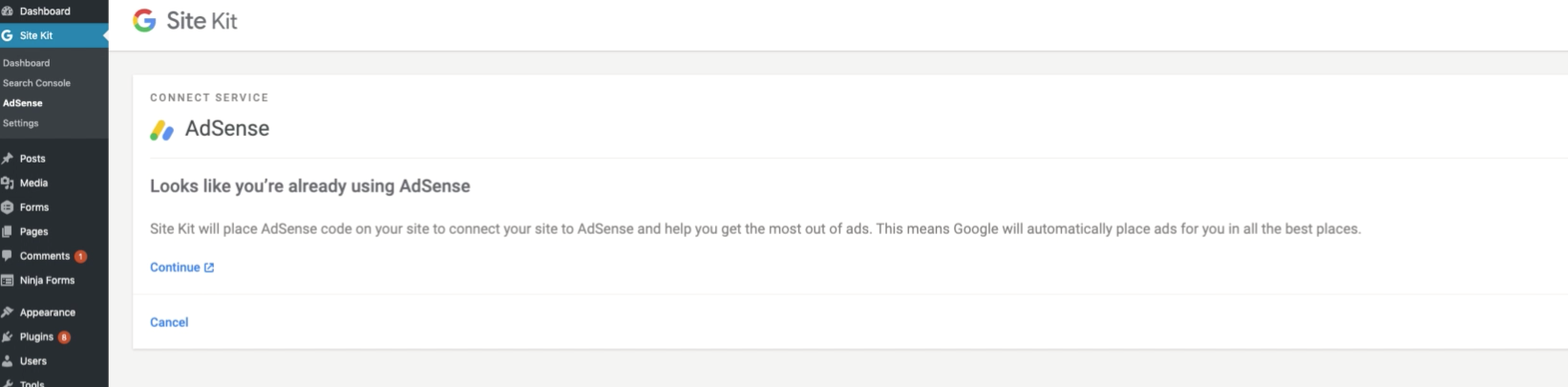
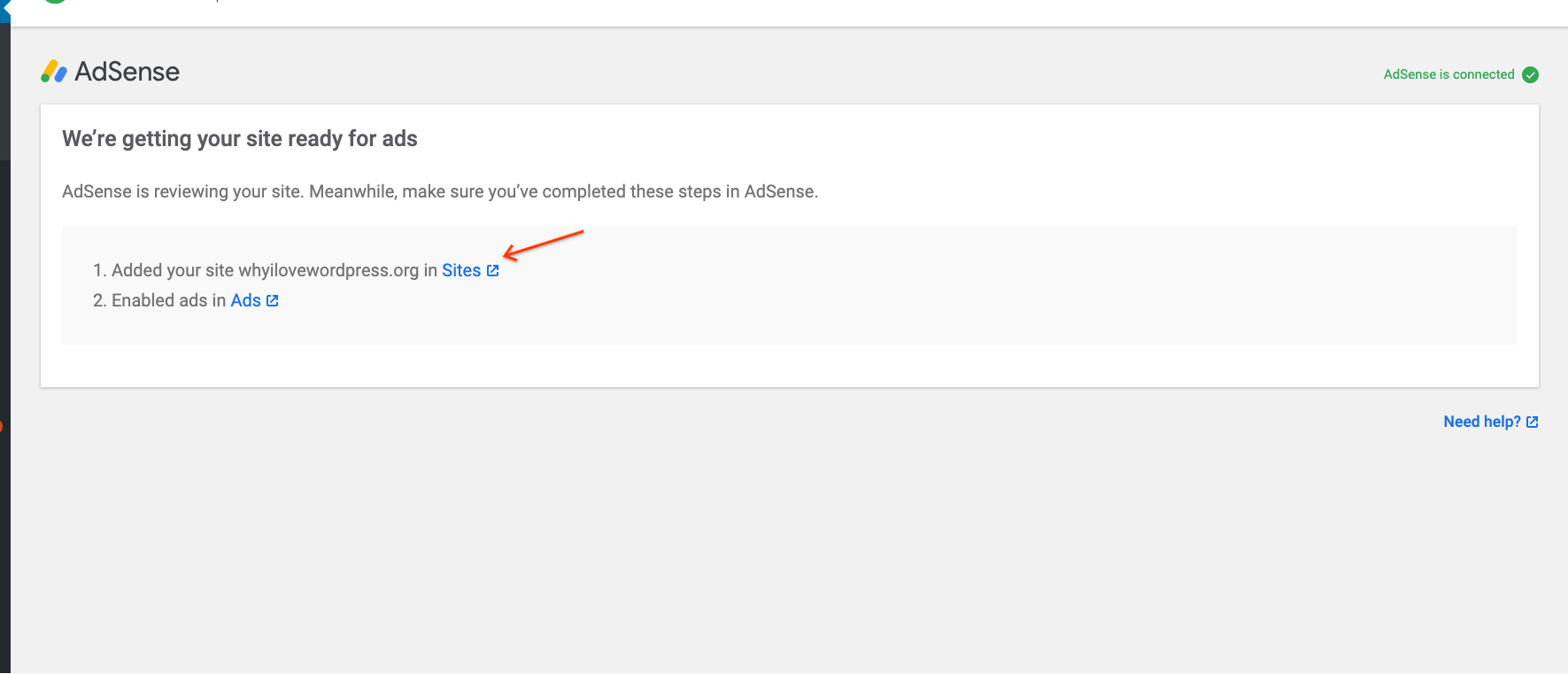
The screen that gives the "Sites" and the "Ads" links (below) that an existing AdSense user should see, is not showing (image 1).
Should be (and has been in previous versions):
Currently is:
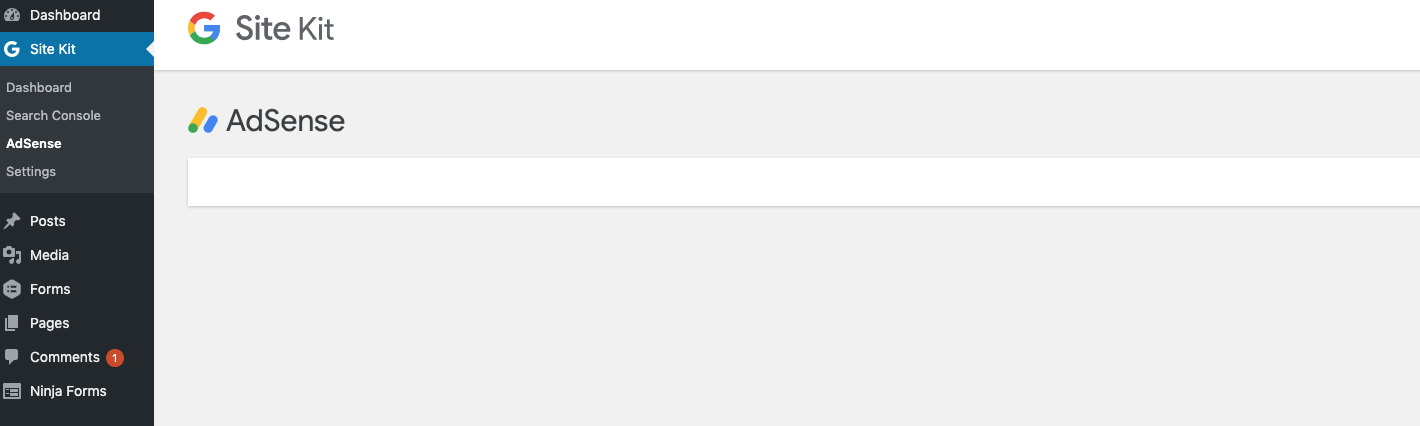
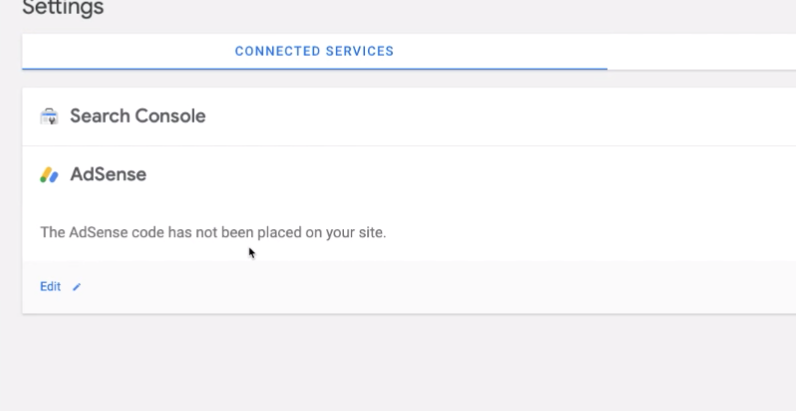
The code doesn't get placed on the site.
 OisinOConnor
on 28 Nov 2019
OisinOConnor
on 28 Nov 2019
Might be related to https://github.com/google/site-kit-wp/issues/936
OisinOConnor
on 2 Dec 2019
Posting my discoveries/thoughts here as I find them until I get a full-fledged IB:
- The lack of a button seems to stem from me removing them. The thinking was that these are external links and not "buttons" for accessibility purposes. In the case of some actions they could be? But in the case of "Create new AdSense account" it's an external link and should not be a button.
- Still investigating the lack of toggle as I'm still working on getting an AdSense account in that state to appear...
 tofumatt
on 4 Dec 2019
tofumatt
on 4 Dec 2019
I spent a little time testing this for #936 and confirming that going back to a previous commit where this worked correctly (c57ffd23) I see this:
- When AdSense is set up correctly, user should reach confirmation dialog indicating code will be placed on the site (with a toggle to opt out)
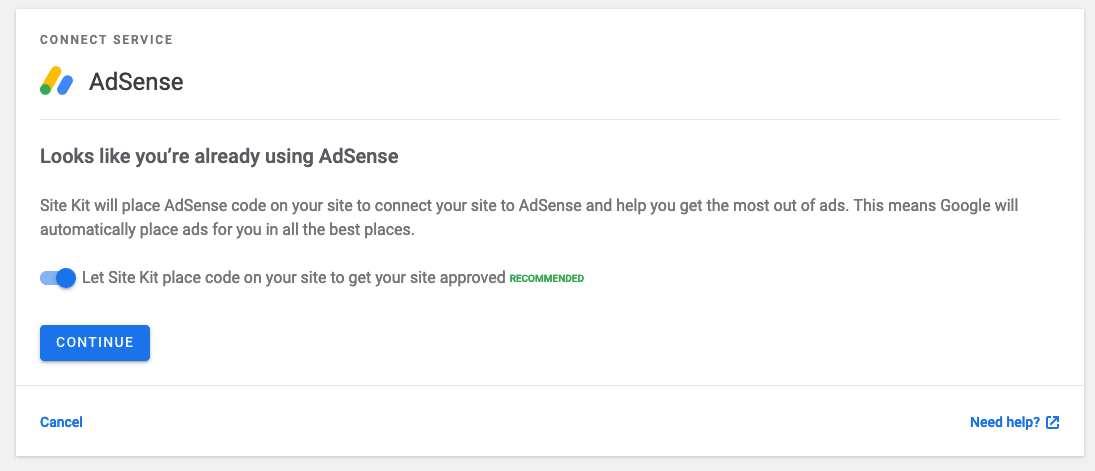
If user toggles, shows this:

- In my testing on develop I did not see the "We're getting your site ready for Ads" notice that @OisinOConnor reported (and from #936)
For the Acceptance Criteria I would suggest we add:
- The "Continue" action should be a button instead of an external link
ie  instead of

 adamsilverstein
on 4 Dec 2019
adamsilverstein
on 4 Dec 2019
Looking into this a little more I found it started breaking in work on #427 (git bisect pointed to https://github.com/google/site-kit-wp/commit/97d5f974a5f1b2f5aaa0d2a930065e114ec830e5)
Not certain on IB without more digging.
The missing toggle and Button changes go in https://github.com/google/site-kit-wp/blob/develop/assets/js/modules/adsense/dashboard/adsense-in-process-status.js
We need to handle the case when everything has gone right and the account is set up, identified, matches the website etc... That is accountStatus is account-connected - https://github.com/google/site-kit-wp/blob/develop/assets/js/modules/adsense/dashboard/adsense-module-status.js#L72-L99 (Ivan K2 has access to an account with this status)
In this case we will:
- Show the "Continue" action as a button, with a click handler that saves/completes the setup and sends users to the AdSense page
- Show the toggle to let users opt out of script insertion
We may also need to address the user state account-connected-nonmatching, where we provide an option to continue even when the user has AdSense code from another account. They click a button labeled "Continue anyway" to complete the setup, and a "Continue" button to confirm (i think, based on https://github.com/google/site-kit-wp/blob/develop/assets/js/modules/adsense/dashboard/adsense-module-status.js#L100-L120) . One of the test users should be able to reach this state for testing - the final action should be a button.
adamsilverstein
on 4 Dec 2019
The issue here is that the user's clientID is no longer passed to the component that renders the continue button. We need to set the clientID in the state as well as accountStatus, which is pretty straightforward. IB added, and I'll push a branch that fixed this problem for me locally.
tofumatt
on 9 Dec 2019
Excellent @tofumatt - thanks for tracking this down! I'll give the PR a test when you have it ready.
adamsilverstein
on 9 Dec 2019
The PR made against the master branch is ready at https://github.com/google/site-kit-wp/pull/957, feel free to give that a go and let me know how it went 😄
tofumatt
on 9 Dec 2019
@tofumatt Great, thanks for tracking down the underlying issue - nice work!
I made a few tiny adjustments to the PR and it tests well with my confirmed user now. I'll take some time tomorrow to run thru testing with any test user accounts I can access and let you know how that goes.
adamsilverstein
on 10 Dec 2019
Related issues
 marrrmarrr
·
5Comments
marrrmarrr
·
5Comments
 felixarntz
·
4Comments
felixarntz
·
4Comments
 tunakode
·
4Comments
tunakode
·
4Comments
 Loganson
·
5Comments
aaemnnosttv
·
3Comments
Loganson
·
5Comments
aaemnnosttv
·
3Comments