Simulator: Routing for lane change or switching between lanes map annotation issue or Apollo?
Apollo 5.5
- I did map annotation and export HD map for apollo 5.5.
- I uploaded HD map to dream view and check the routing for the real car recorded file.
- The routing (red line as shown) for straight-line is possible but
The problem is when I apply to route for a lane change then the routing does not work?
Is that a problem of map annotation (e.g boundary lines or width of lanes or lane overlaps issue) or that is the problem of apollo?
Thanks in advance.

 Addi2020
All 17 comments
This is an issue with Apollo. Confirming with @rongguodong
 EricBoiseLGSVL
on 18 Sep 2020
EricBoiseLGSVL
on 18 Sep 2020
@Addi2020 Please check routing related messages and planning messages in cyber_monitor.
Can you post a screenshot of your cyber_monitor?
 rongguodong
on 18 Sep 2020
rongguodong
on 18 Sep 2020
@Addi2020 Can you check whether your parallel lanes are sharing correct boundary lines? Probably this is an issue of lane relations.
 luqiang21
on 19 Sep 2020
luqiang21
on 19 Sep 2020
@luqiang21 , I checked the routing in two ways and I assign boundary lines correctly to map lanes.
- two parallel lanes shear the same boundary line
- parallel lanes having separate boundary lines but these boundary lines overlap with each other.
but still, when I send two-points for routing between two lanes, the dream view shows a "Routing failed!" message.
Addi2020
on 19 Sep 2020
@rongguodong
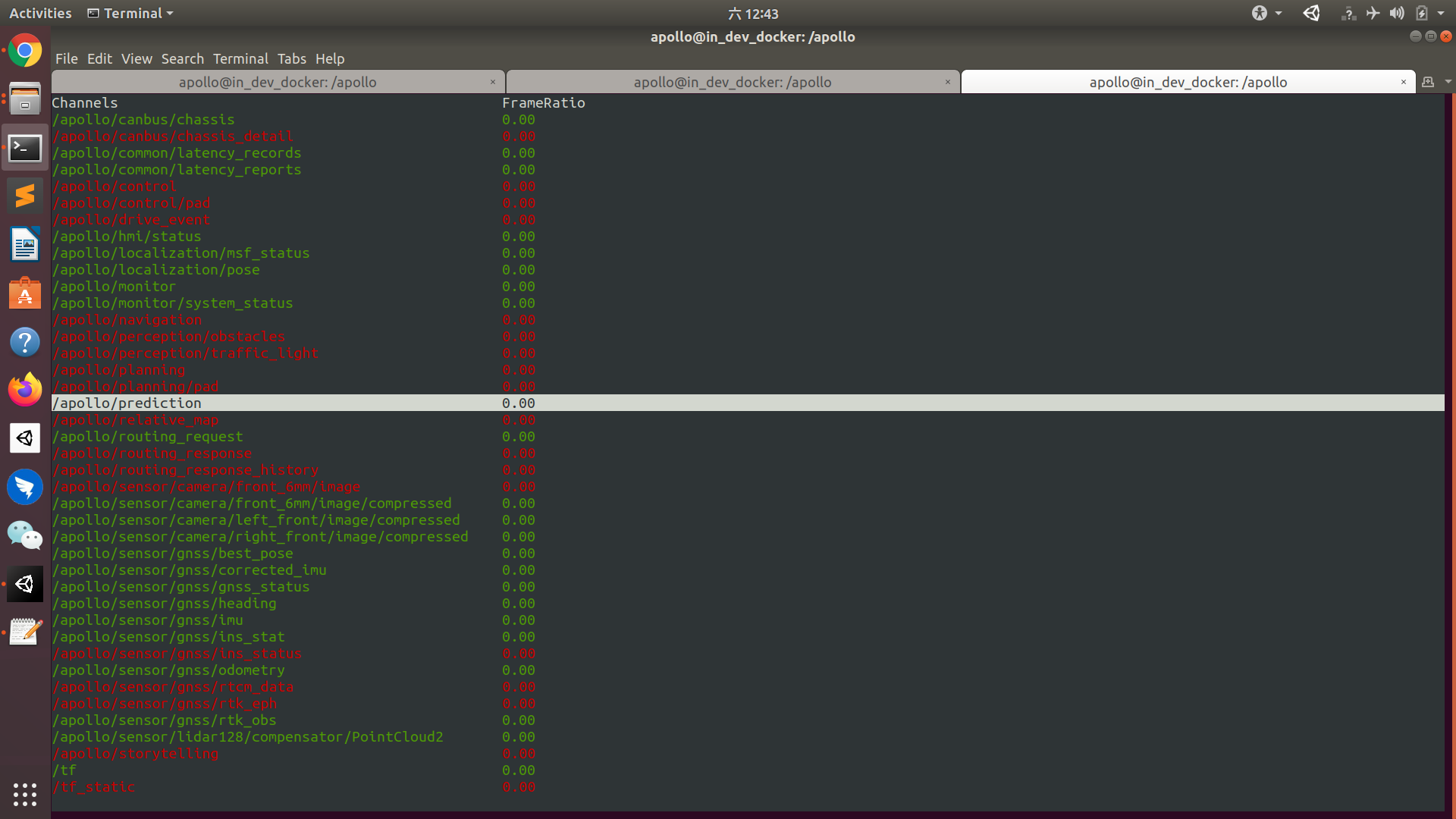
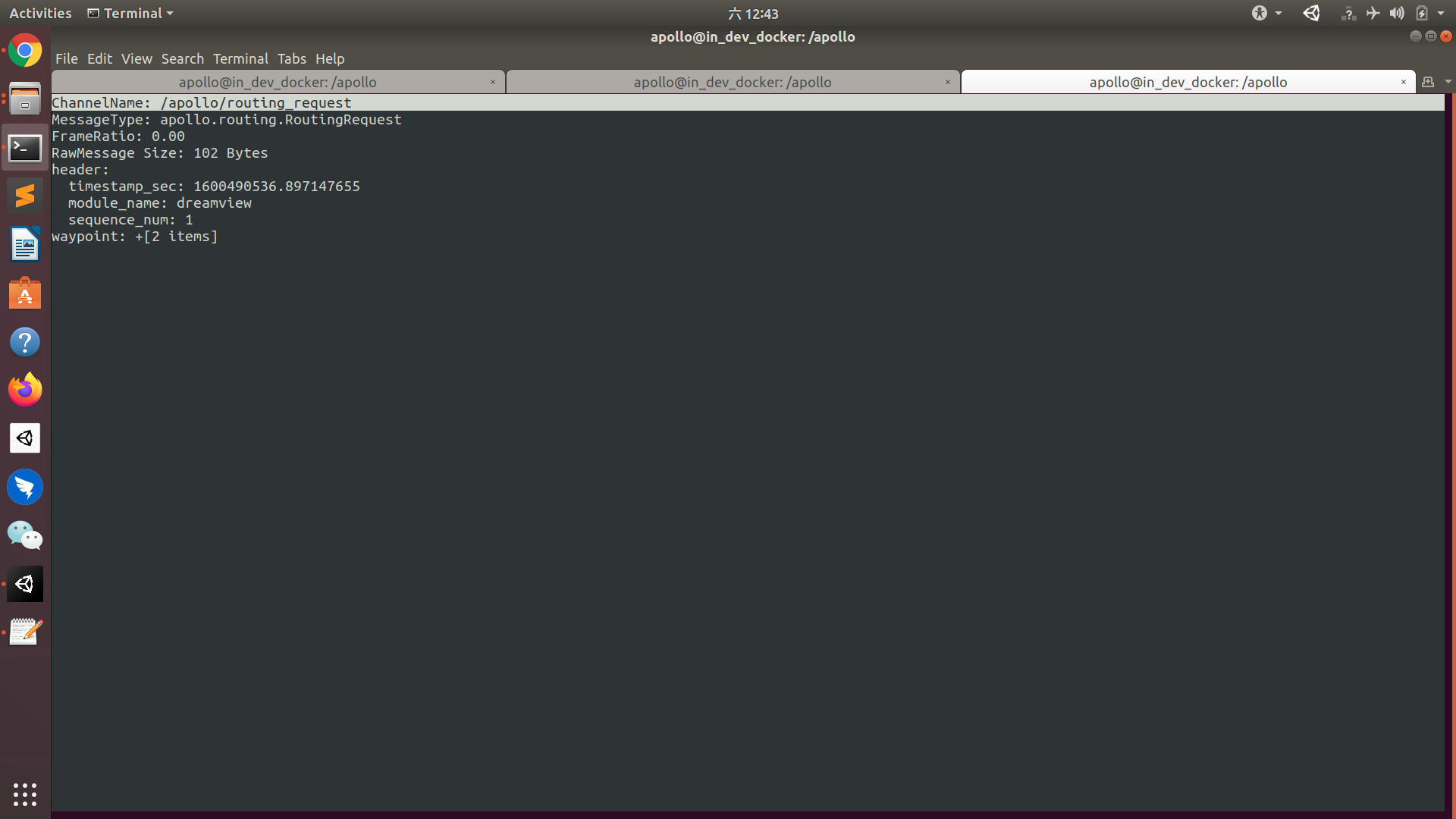
Addi2020
on 19 Sep 2020
When you see routing failed, can you check the log (under /apollo/data/log) to see what errors it gave out?
When routing is success, all three channels naming "routing_xxx" should be green, but you only have one.
rongguodong
on 19 Sep 2020
@rongguodong thank you for the quick response.
When I do routing in a straight line (same lane), then everything is ok. "routing_xxx" is green. BUT the issue is, the routing for lane change is not possible. So i am confused about this issue.
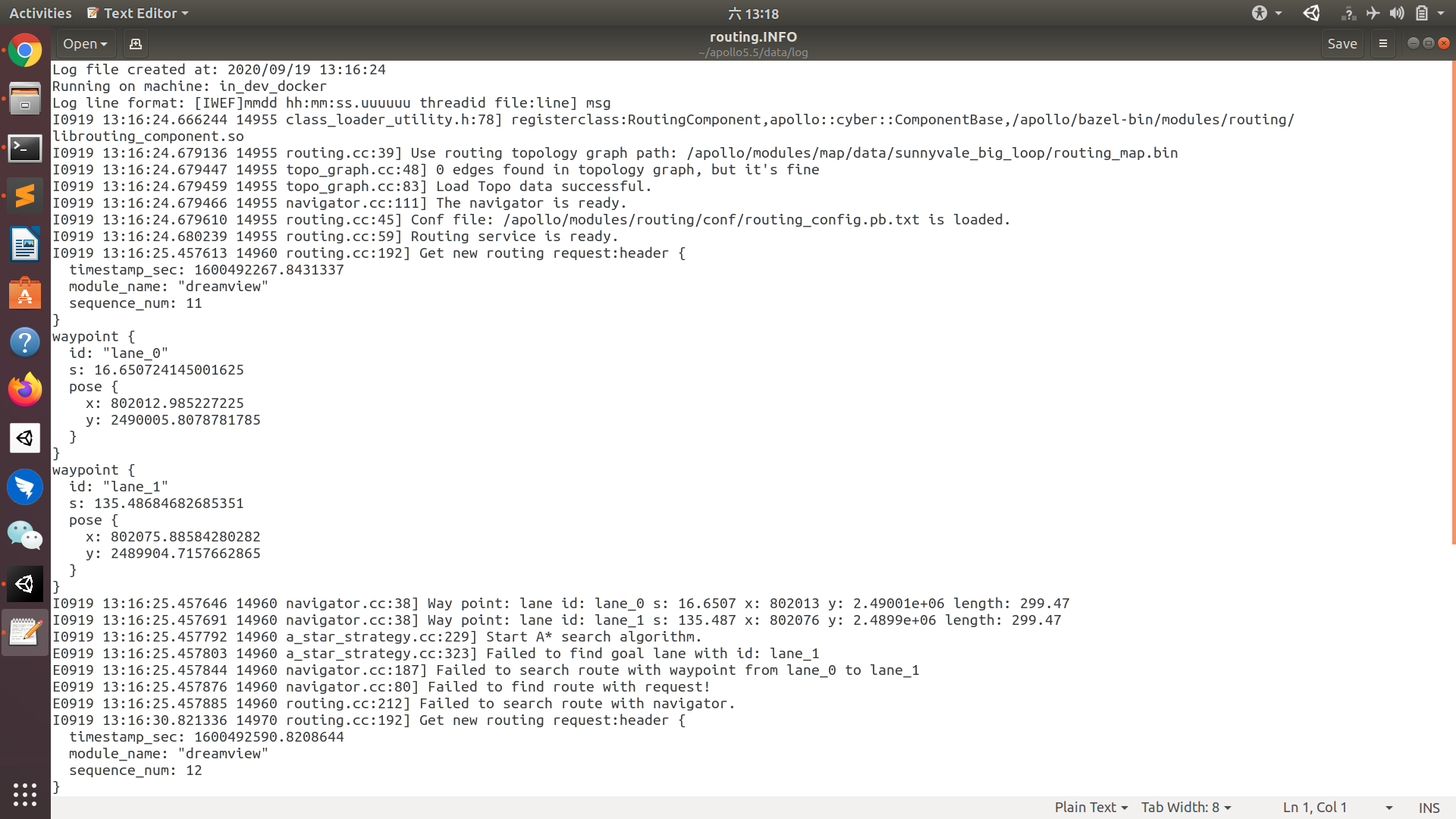
Addi2020
on 19 Sep 2020
@luqiang21 , I checked the routing in two ways and I assign boundary lines correctly to map lanes.
- two parallel lanes shear the same boundary line
- parallel lanes having separate boundary lines but these boundary lines overlap with each other.
but still, when I send two-points for routing between two lanes, the dream view shows a "Routing failed!" message.
Can you convert your base_map.bin to base_map.txt and check the content of the map? If the lanes' relations are correct, you will see those relationships inside the map. Trying following command:
protoc --decode=apollo.hdmap.Map modules/map/proto/map.proto --proto_path=. < /apollo/modules/map/data/your_map_folder/base_map.bin > base_map.txt under /apollo inside docker.
luqiang21
on 19 Sep 2020
@Addi2020 Does it only happen on your own map? If so, it should be something wrong in your map.
If it also happens on one of our default maps, please share details on how to reproduce it.
rongguodong
on 19 Sep 2020
@rongguodong I only check this issue on my own created map. Could you please share .bin files of the default maps?
Addi2020
on 21 Sep 2020
@rongguodong I only check this issue on my own created map. Could you please share .bin files of the default maps?
You can find the default maps here: https://content.lgsvlsimulator.com/maps/
rongguodong
on 21 Sep 2020
@rongguodong Got it. Thanks!
@luqiang21 , I have converted .bin file to .txt file and check the relations between lanes and boundaries. Everything looks correct.
Addi2020
on 21 Sep 2020
@rongguodong I checked the default maps, Routing on two or more than two lanes are successful on default maps. Red lines as shown in the picture.
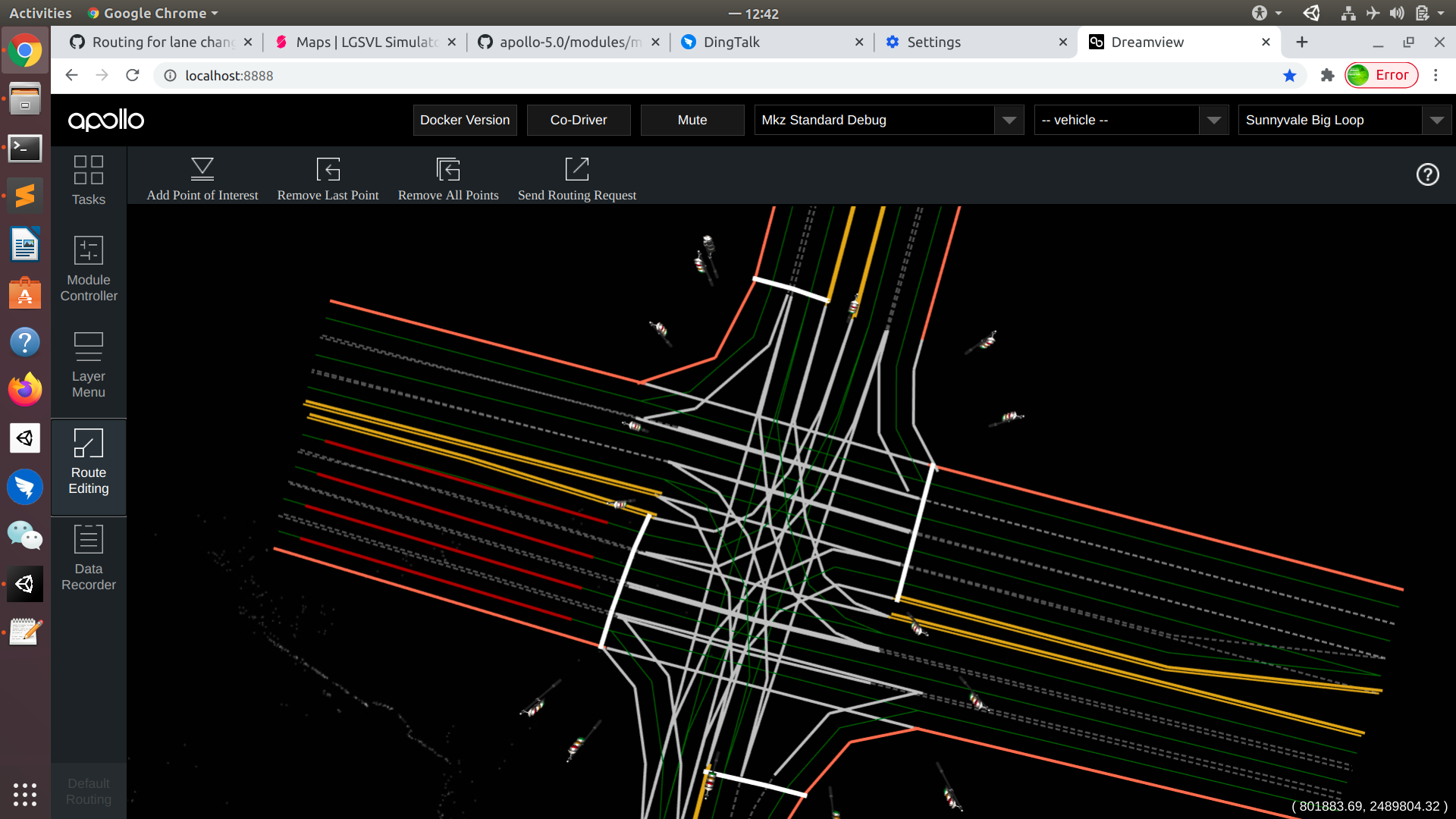
I think i did some mistakes while creating my own map.
The procedure I followed is right?
- import .pcd file
- create map annotation (lanes and boundaries, assign boundary to lanes)
the map lanes and boundary lines are created under (Mapholder->Trafficlanes)(shown in pic)
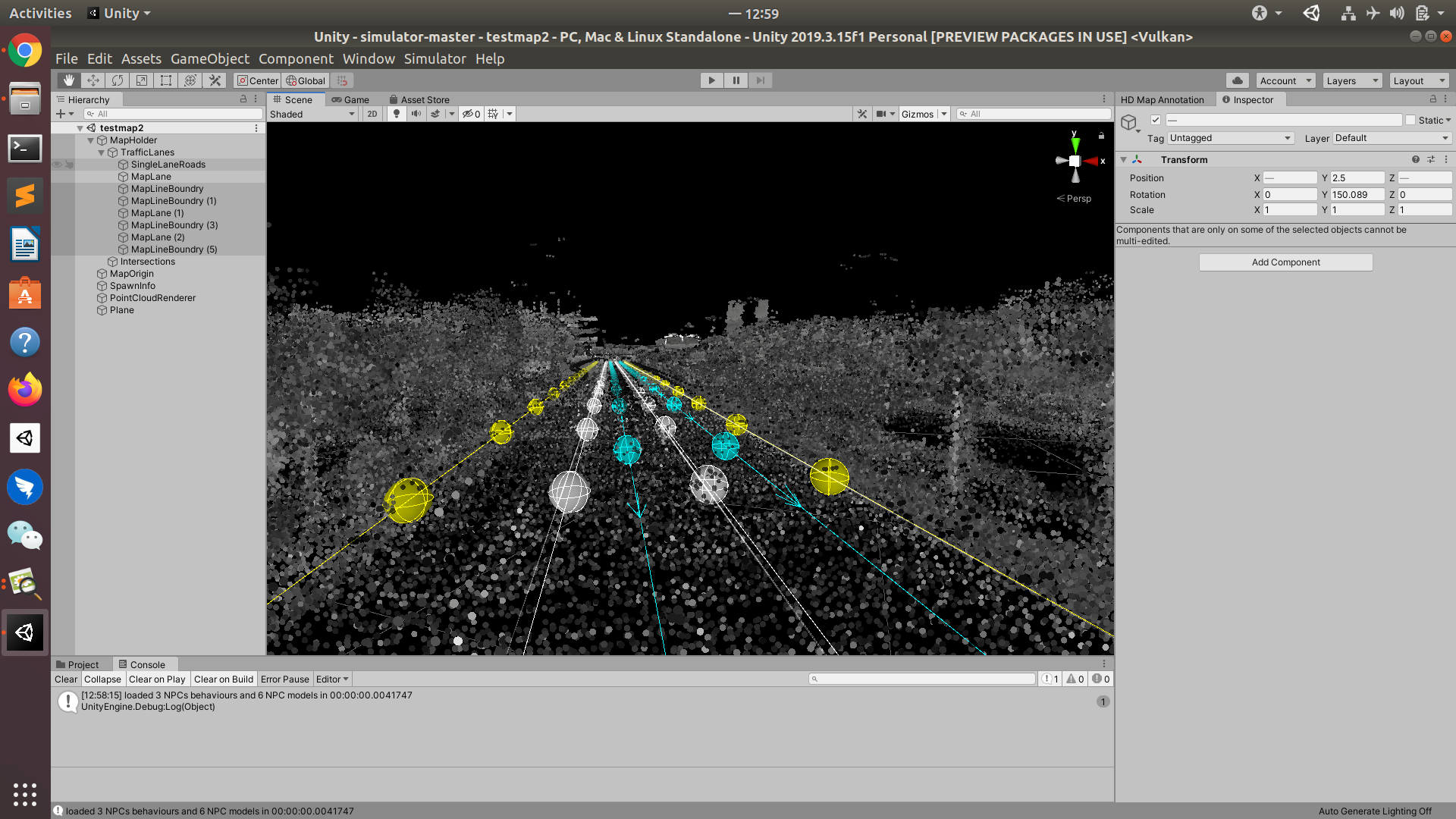
- export HD map (.bin file)
Addi2020
on 21 Sep 2020
@luqiang21 Do you have any suggestions on map creation? It seems his map is not correctly created?
rongguodong
on 21 Sep 2020
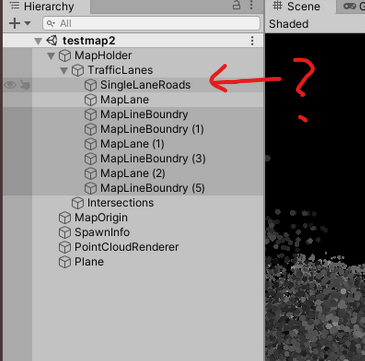
@Addi2020 What is this object in the hierarchy?
EricBoiseLGSVL
on 21 Sep 2020
@Addi2020 In the screenshot, I see you are not using MapLaneSection for parallel lanes. That is the object that will compute relations between parallel lanes. You need to group parallel lanes under a MapLaneSection section. Refer here
luqiang21
on 21 Sep 2020
@luqiang21 .. Got it. The issue is solve by using MapLaneSection for parallel lanes.
Thank you for your details guidance and quick response.
@luqiang21 @rongguodong @EricBoiseLGSVL
Addi2020
on 22 Sep 2020
Related issues
 VentiOvaltine
·
13Comments
VentiOvaltine
·
13Comments
 MccAlfh
·
14Comments
MccAlfh
·
14Comments
 manonechu
·
30Comments
manonechu
·
30Comments
 ImCabbage
·
17Comments
ImCabbage
·
17Comments
 frontw
·
14Comments
frontw
·
14Comments
Most helpful comment
@luqiang21 .. Got it. The issue is solve by using MapLaneSection for parallel lanes.
Thank you for your details guidance and quick response.
@luqiang21 @rongguodong @EricBoiseLGSVL