When I run project,fisheye flashing like this picture :

Fisheye Params :
{
"type": "Color Camera",
"name": "Fish Camera",
"params": {
"Width": 1920,
"Height": 1080,
"Frequency": 15,
"JpegQuality": 75,
"FieldOfView": 50,
"MinDistance": 0.1,
"MaxDistance": 1000,
"Topic": "/simulator/fish_camera",
"Frame": "camera",
"Distorted": true,
"DistortionParameters": [
-0.25349, 0.11868, 0, 0
],
"Fisheye": true,
"Xi":1,
"CubemapSize":1024
},
"transform": {
"x": 0,
"y": 1.7,
"z": -0.2,
"pitch": 0,
"yaw": 0,
"roll": 0
}
}
 jiayiyi1991
All 12 comments
It is a known issue. We are investigating a solution for this.
 rongguodong
on 14 Aug 2020
rongguodong
on 14 Aug 2020
It is a known issue. We are investigating a solution for this.
ok,thank you very much!
Do you use other asset for fisheye now?
like assetstore:
https://assetstore.unity.com/packages/vfx/shaders/fullscreen-camera-effects/dome-tools-62664
jiayiyi1991
on 14 Aug 2020
No, we developed our own distortion, which matches the calibration model used by Apollo.
Most of fisheye effects online are not following any calibration models. But I will take a look of the one your provided to learn more about it. Thanks for the information!
rongguodong
on 14 Aug 2020
@rongguodong
I find LensDistortion function can run in built-in render pipeline.
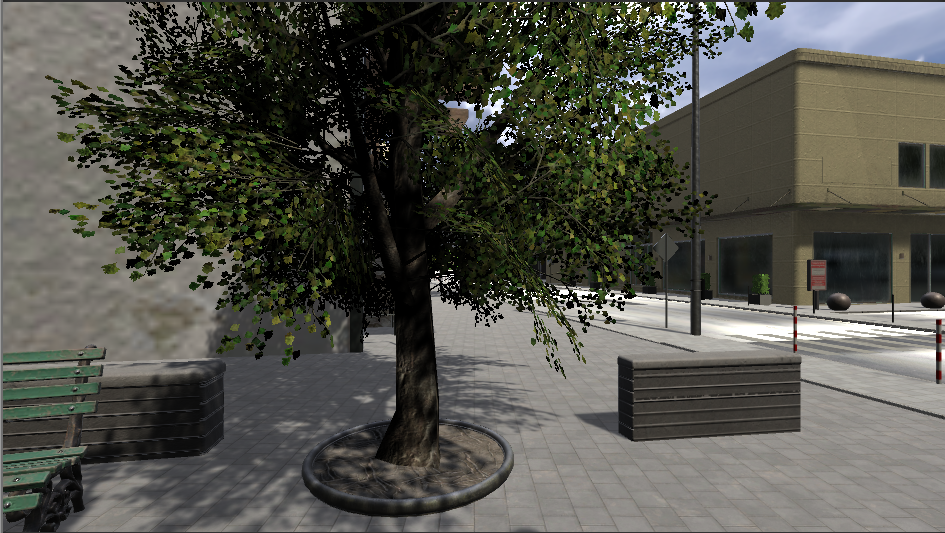
Main Camera:
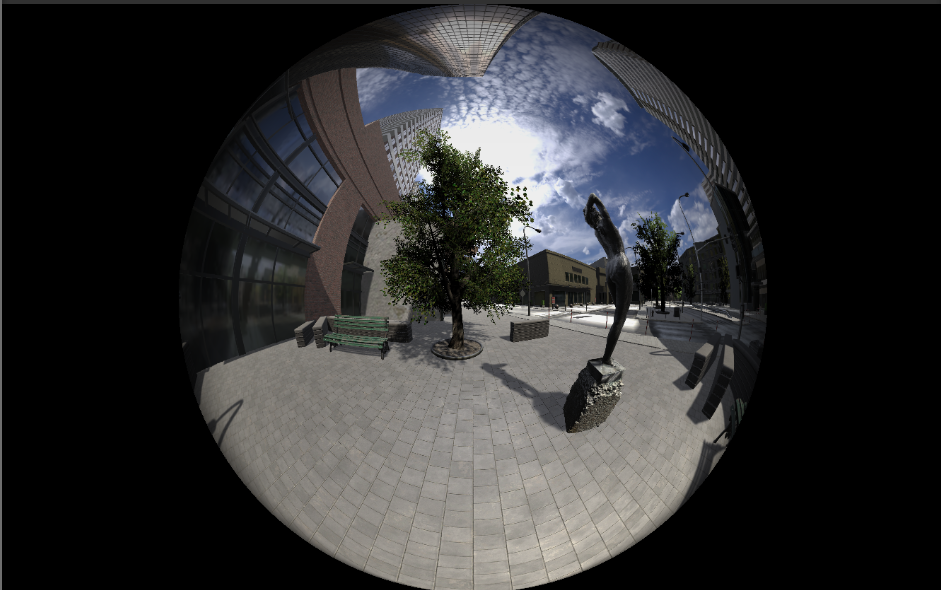
Dome Tools:
Lgsvl LensDistortion(xi:1, DistortionParameters: -0.25349f, 0.11868f, 0, 0):
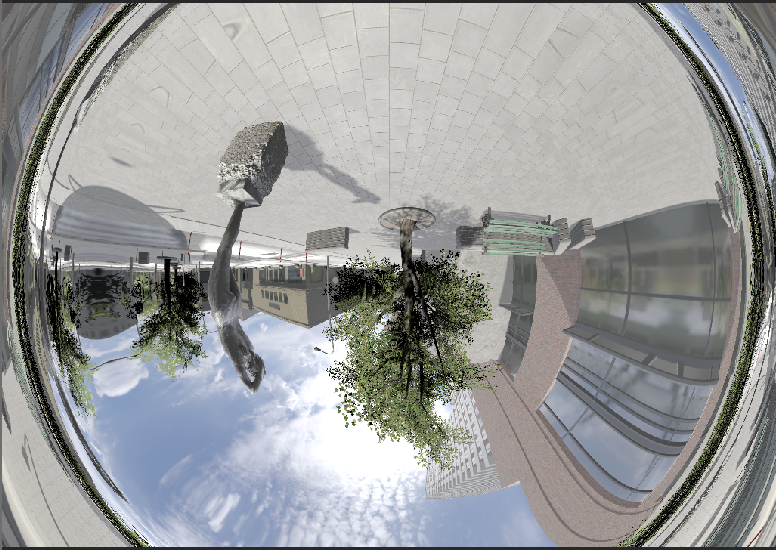
Is this right?
jiayiyi1991
on 17 Aug 2020
What do you mean by "LensDistortion function can run in built-in render pipeline"?
rongguodong
on 17 Aug 2020
What do you mean by "LensDistortion function can run in built-in render pipeline"?
I mean the default render pipeline before "HDRP & SRP".
I create a built-in render pipeline project, than create a fisheye camera by "lgsvl CameraSensorBase" code:
void Start()
{
SensorCamera = GetComponent
len = new LensDistortion(LensDistortionShader);
var DistortionParameters = new List
var Xi = 1;
var FrustumHeight = 2 * Mathf.Tan(FieldOfView / 2 * Mathf.Deg2Rad);
var FrustumWidth = FrustumHeight * Width / Height;
len.InitDistortion(DistortionParameters, FrustumWidth, FrustumHeight, Xi);
CubemapTexture = new RenderTexture(CubemapSize, CubemapSize, 24, RenderTextureFormat.ARGB32, RenderTextureReadWrite.sRGB)
{
dimension = UnityEngine.Rendering.TextureDimension.Cube,
antiAliasing = 1,
useMipMap = false,
useDynamicScale = false,
wrapMode = TextureWrapMode.Clamp,
filterMode = FilterMode.Bilinear,
};
CubemapTexture.Create();
DistortedTexture = new RenderTexture(Width, Height, 24, RenderTextureFormat.ARGB32, RenderTextureReadWrite.sRGB)
{
dimension = UnityEngine.Rendering.TextureDimension.Tex2D,
antiAliasing = 1,
useMipMap = false,
useDynamicScale = false,
wrapMode = TextureWrapMode.Clamp,
filterMode = FilterMode.Bilinear,
enableRandomWrite = true,
};
DistortedTexture.Create();
Target.texture = DistortedTexture;
}
private void LateUpdate()
{
SensorCamera.stereoSeparation = 0f;
SensorCamera.RenderToCubemap(CubemapTexture, 63, Camera.MonoOrStereoscopicEye.Left);
len.UnifiedProjectionDistort(CubemapTexture, DistortedTexture);
}
jiayiyi1991
on 18 Aug 2020
@jiayiyi1991 Yes, the older Unity render pipeline had this functionality but things are different with HDRP. We are looking into the exposure issues with a fisheye camera effect.
 EricBoiseLGSVL
on 19 Aug 2020
EricBoiseLGSVL
on 19 Aug 2020
@EricBoiseLGSVL thank you! I‘ll do some tests by old pipeline, and study on Lens Distortion simulation.
jiayiyi1991
on 19 Aug 2020
Sounds good. We are looking into it also. We have found that Unity is getting different exposure values at different locations, you will need to force HDRP exposure to be a constant
EricBoiseLGSVL
on 19 Aug 2020
Sounds good. We are looking into it also. We have found that Unity is getting different exposure values at different locations, you will need to force HDRP exposure to be a constant
yes, It looks better:
(fov270, xi:1, DistortionParameters: -0.25349f, 0.11868f, 0, 0)

jiayiyi1991
on 19 Aug 2020
hi can any one help me how to setup dome tools ??
 sanjay1794
on 19 Sep 2020
sanjay1794
on 19 Sep 2020
@sanjay1794 Can you explain dome tools please? @jiayiyi1991 set the sensor config parameters and made an adjustment to the HDRP post processing effect Exposure.
EricBoiseLGSVL
on 21 Sep 2020
Related issues
 fgrzeszc
·
4Comments
fgrzeszc
·
4Comments
 yumianhuli2
·
3Comments
yumianhuli2
·
3Comments
 nniranjhana
·
5Comments
nniranjhana
·
5Comments
 eyadshak
·
5Comments
eyadshak
·
5Comments
 christian-lanius
·
3Comments
christian-lanius
·
3Comments