Simulator: [Apollo 3.5] Radar triggers safe mode
Hi!
At this moment, I can't get the vehicle to move with Apollo 3.5 and simulator version 2019.04.
I already tried to download and compile everything from scratch, but this does not seem to have any effect.
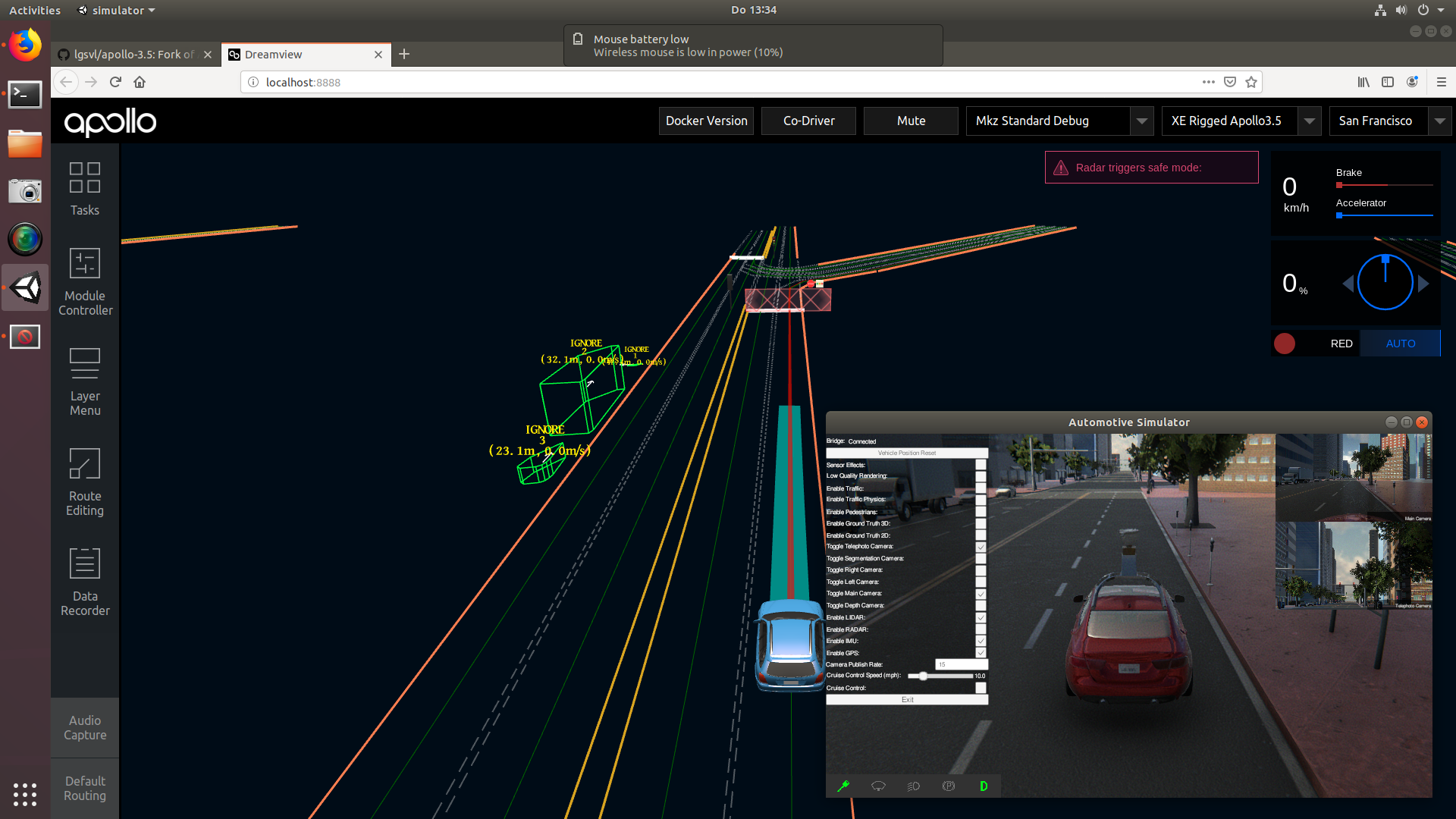
The car is clearly routing and trying to move, but my guess is that the "radar triggers safe mode" message is somehow involved in it not being able to. Enabling the radar in both the simulator and Apollo does not help.
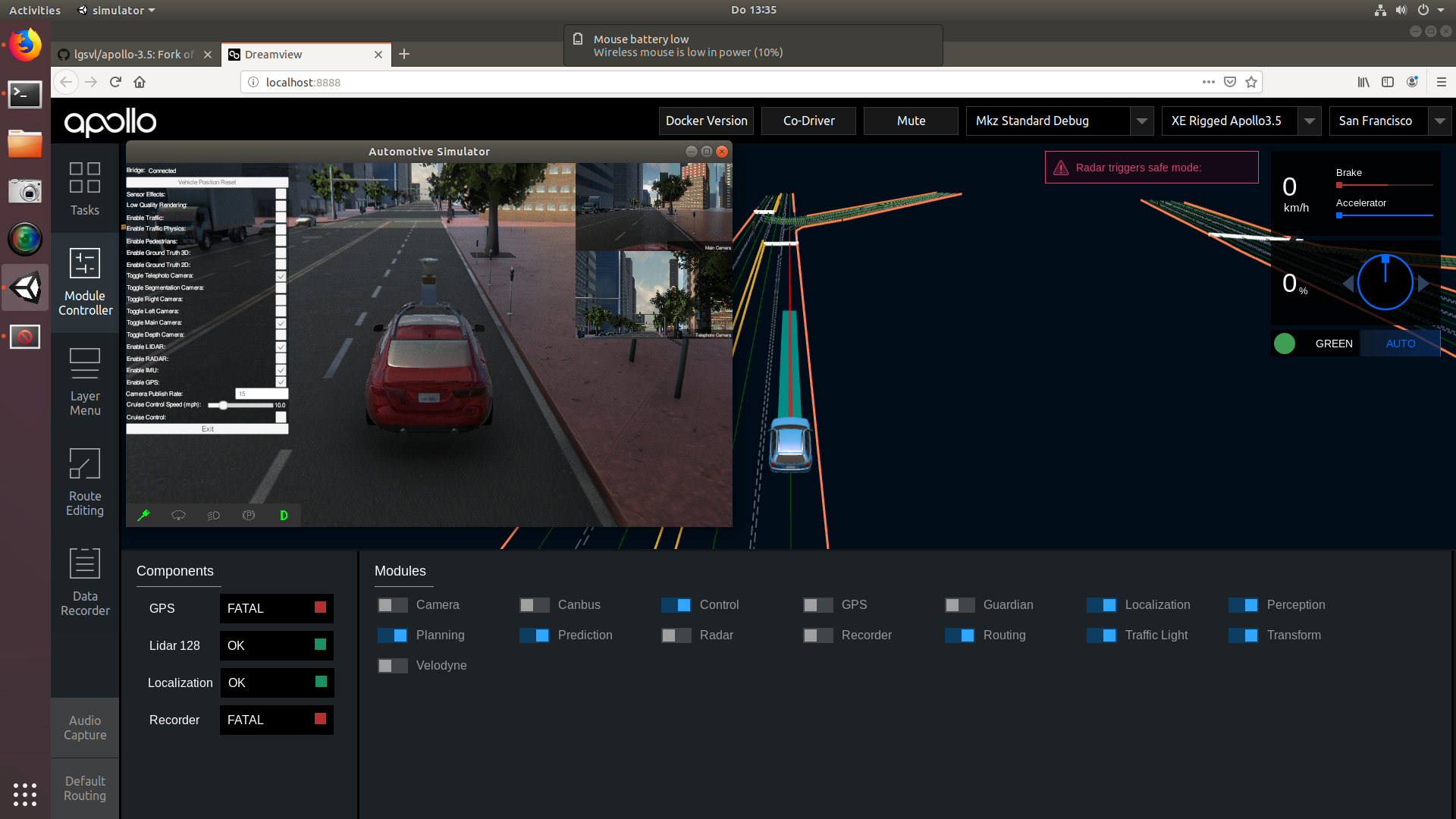
I think the order in which the modules are enabled should not matter, but does it?
Hope it's just a minor misconfiguration on my side.
Thanks in advance for any help!
Edit: another screenshot of the module controller
 yanbec
All 18 comments
@yanbec The order does matter. The control module should be launched as the last module. You can check the control message inside docker by using cyber_monitor. If the car is not moving while everything else is working, you'll probably see something related to estop due to empty planning trajectory. You just need to restart the control module to move the car. We will disable the persistent estop in our next update of Apollo 3.5 fork.
 luqiang21
on 23 May 2019
luqiang21
on 23 May 2019
Hi @luqiang21 and thanks for your reponse!
I made sure to start the modules in the exact order listed an the apollo-3.5 readme. To be sure, I delayed the startup by at least 20 seconds per module (will try with a minute or so though).
The behaviour stays the same, except it sometimes doesn't show the radar but the camera triggering the safe mode. cyber_monitor does not show anything about estop as far as I can see.
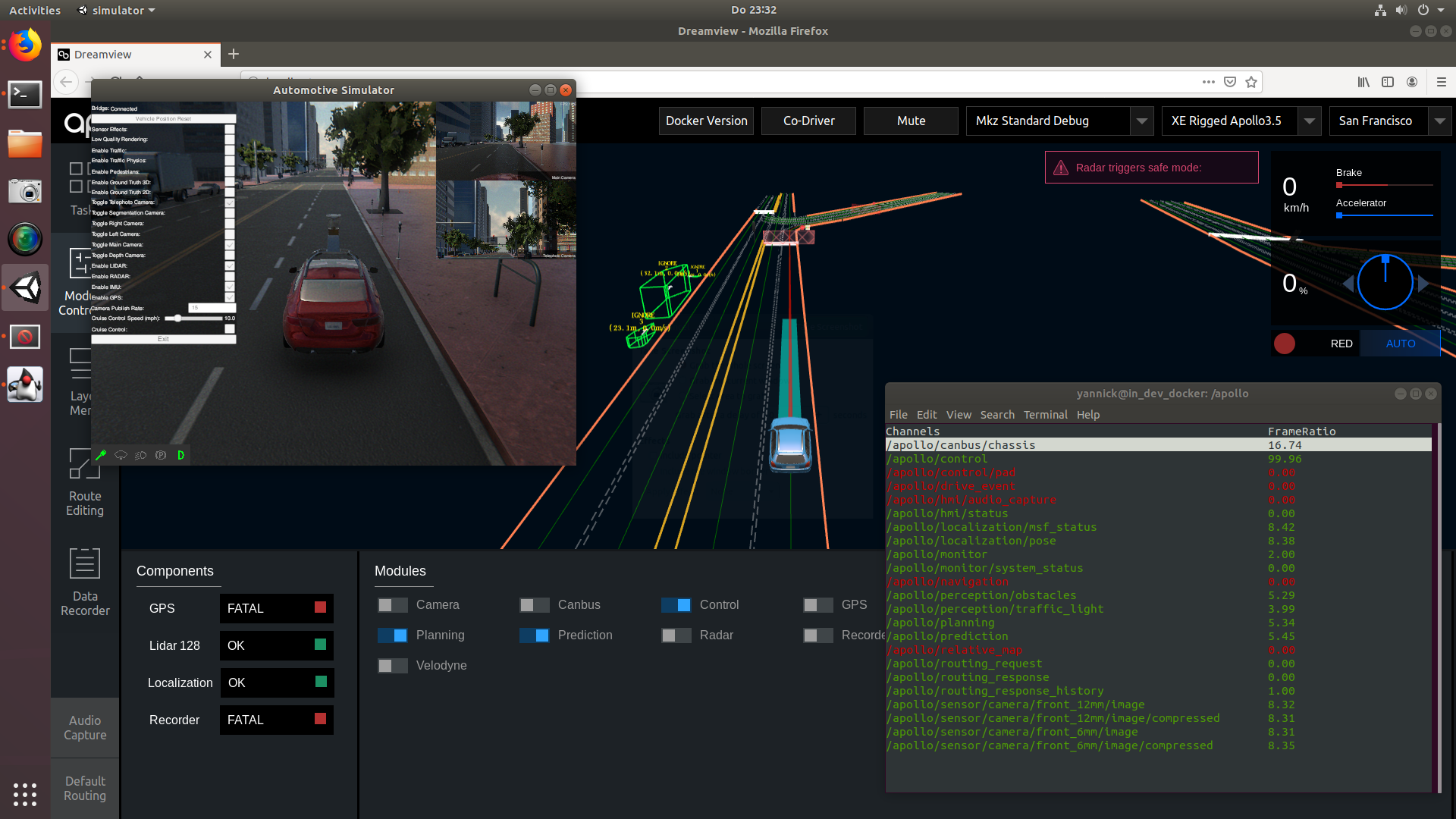
Restarting the control module kind of works, but
a) only when I already set the destination
b) the car just accelerates as fast as possible and does not steer or brake, no matter what.

I keep on trying and will report back the minute I found a solution.
yanbec
on 23 May 2019
Hi @yanbec, it is right, you need to set the destination to get routes which then gets planning work. And then you can enable the control module. Only after planning works, the control will have trajectory points to follow.
The estop message you will see it in cyber_monitor for control messages. To see detailed control messages, you need to press d or Right arrow or Enter key when the control channel is highlighted.
There is a known bug for the simulator if the position of the ego car is reset. Sometimes the control cmd will be nan. We are fixing that. If you are seeing the car not steering, you need to reopen the simulator.
Please let me know if this does not solve your problem.
luqiang21
on 24 May 2019
Hi!
Thanks again for your efforts - sadly it still does not work for me. Maybe it is actually a seperate issue now, I don't know.
I tried:
- Starting Apollo and the simulator, activate everything except control module, set a destination, activate control
- Restart the simulator after activating the control module
- Restart the control module
- Activating control before setting the destination and restarting it after to get the car moving
- Starting everything except control, then restarting the simulator before setting the destination, then activating the control module
- resetting the vehicle position in the simulator
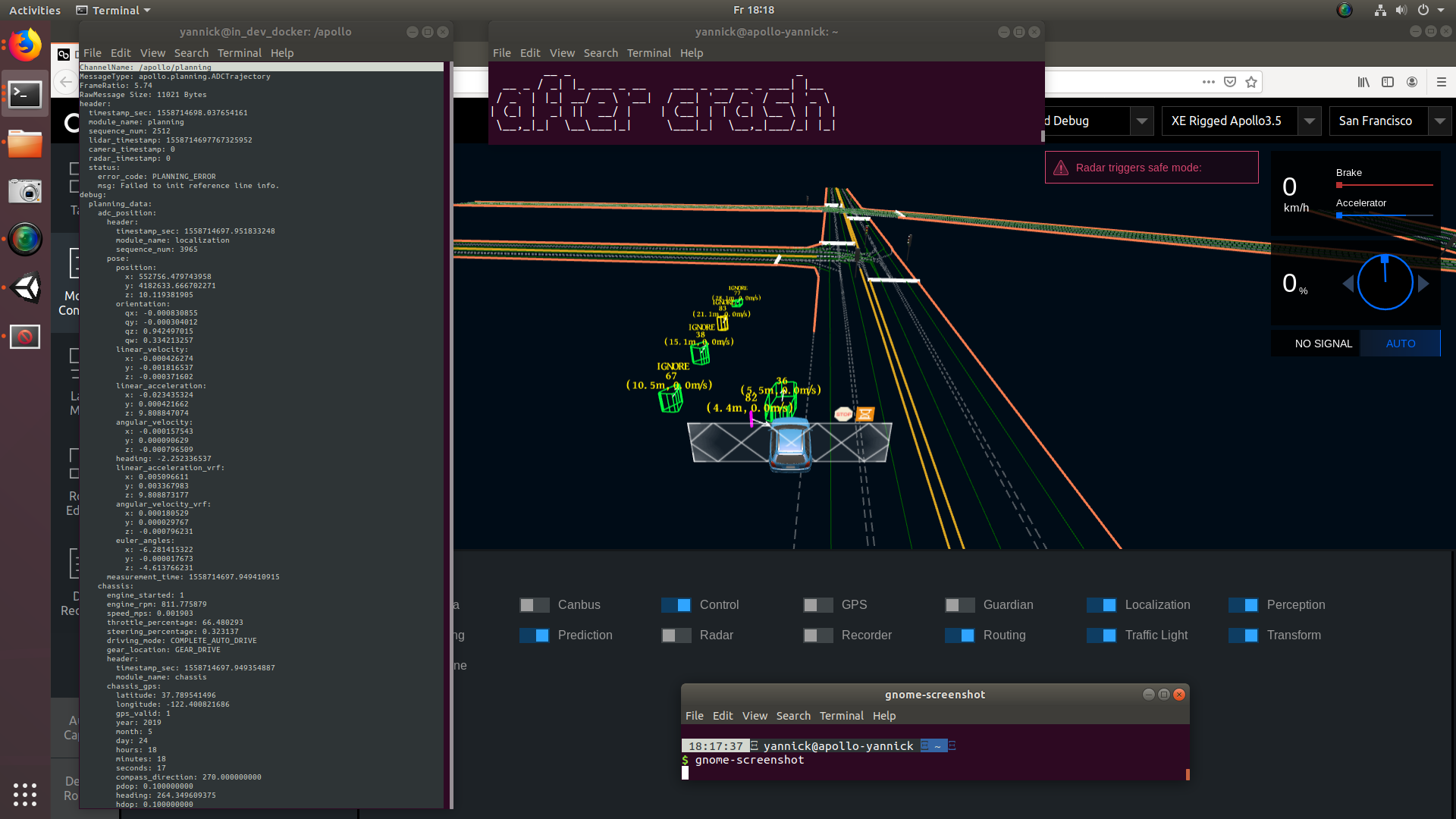
The car seems to start normal, but after a few meters it just keeps accelerating. When the error happens, there is an "Failed to init reference line info" error on the planning topic, before that it seems okay.
I also prepared a Video showing the exact behavior including my startup procedure. To save you time, it links directly to the point where the destination gets set, but maybe I'm still doing something wrong in the startup (Video). Everything until the crash is scripted to make testing easier and reproducible in the end, as that's actually what I plan on doing - combined with the new Python API. (The scripting has nothing to do with the issue, I tried manually before - but it needed to get done anyway)
yanbec
on 24 May 2019
@yanbec Thank you so much for recording the video. I tried to follow your steps on my machine. It didn't happen. Can you share the screenshot of control message when the car is out of control? We know an issue the steering angle will become nan sometimes. I am not sure whether it is the problem on your simulator.
luqiang21
on 24 May 2019
I think a video is often the easiest way to show what people are doing wrong ;) I still hope it's a little odd thing on my side.
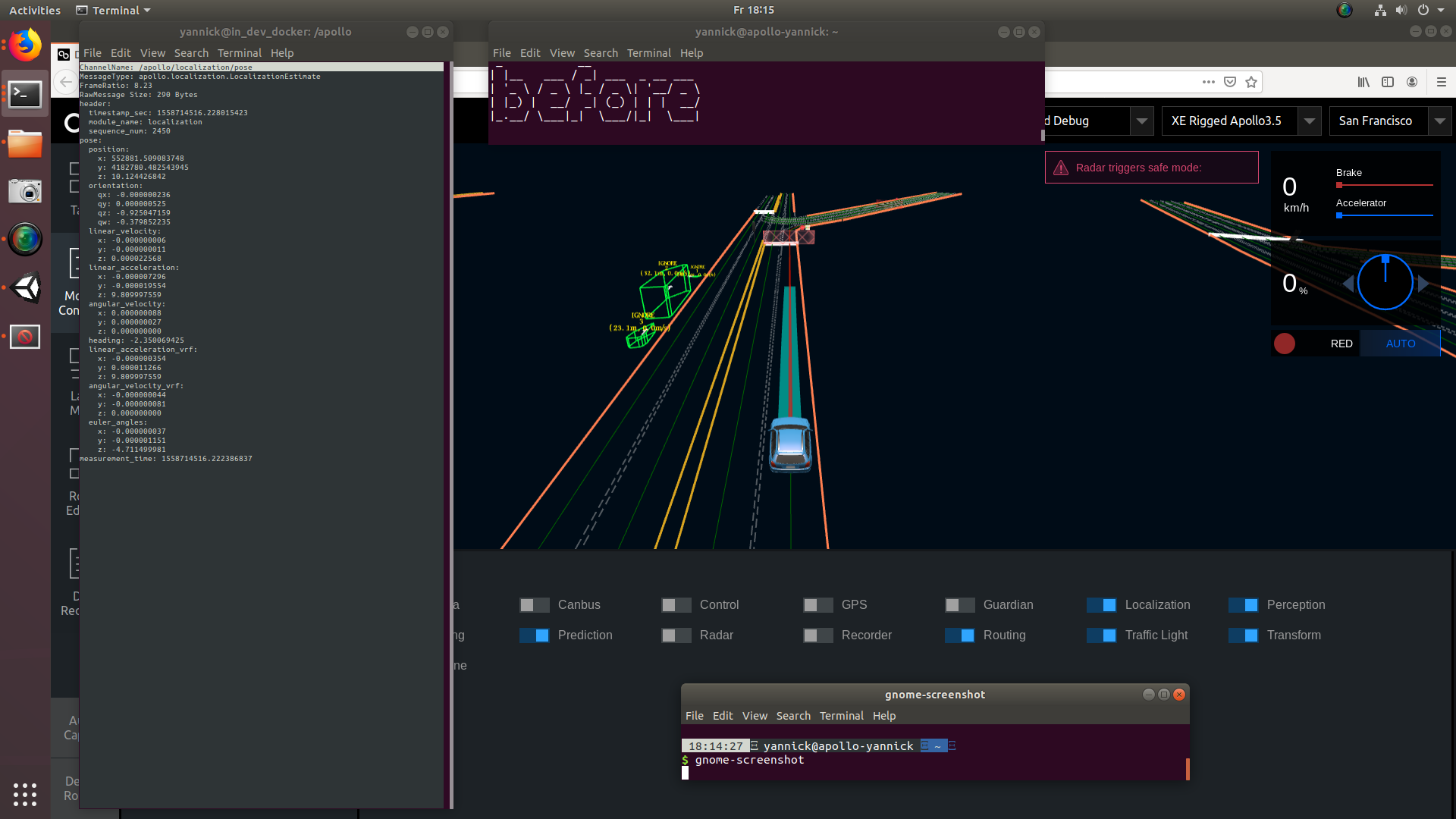
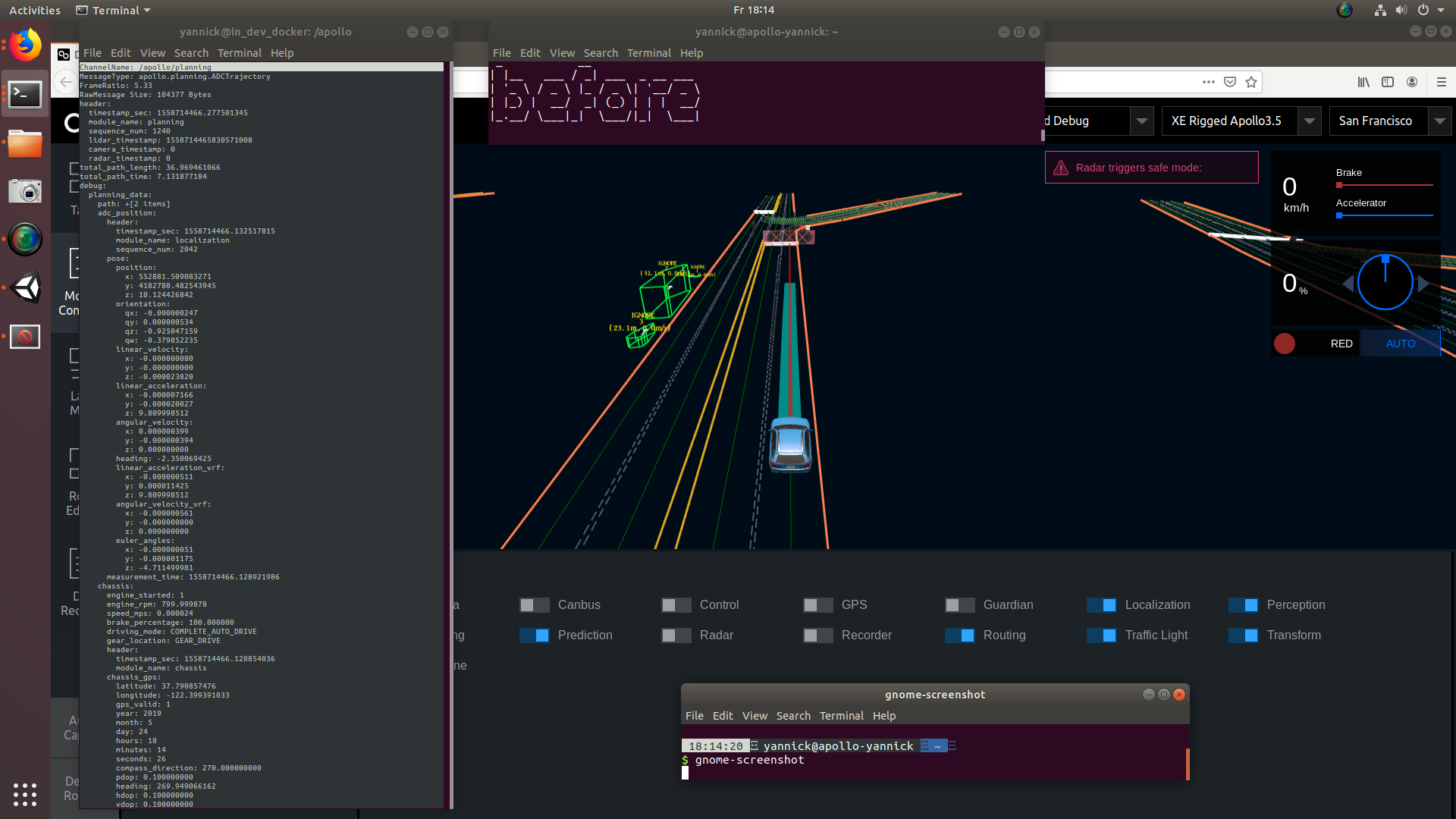
You mentioned the nan problem before, I couldn't see this so far. I'll attach some screenshots of topics that could be relevant, as far as I can tell. They are labelled "before" (enabling control), "during" (the "drive") and "after the crash".
Interestingly enough, the control commands don't seem to change a bit:
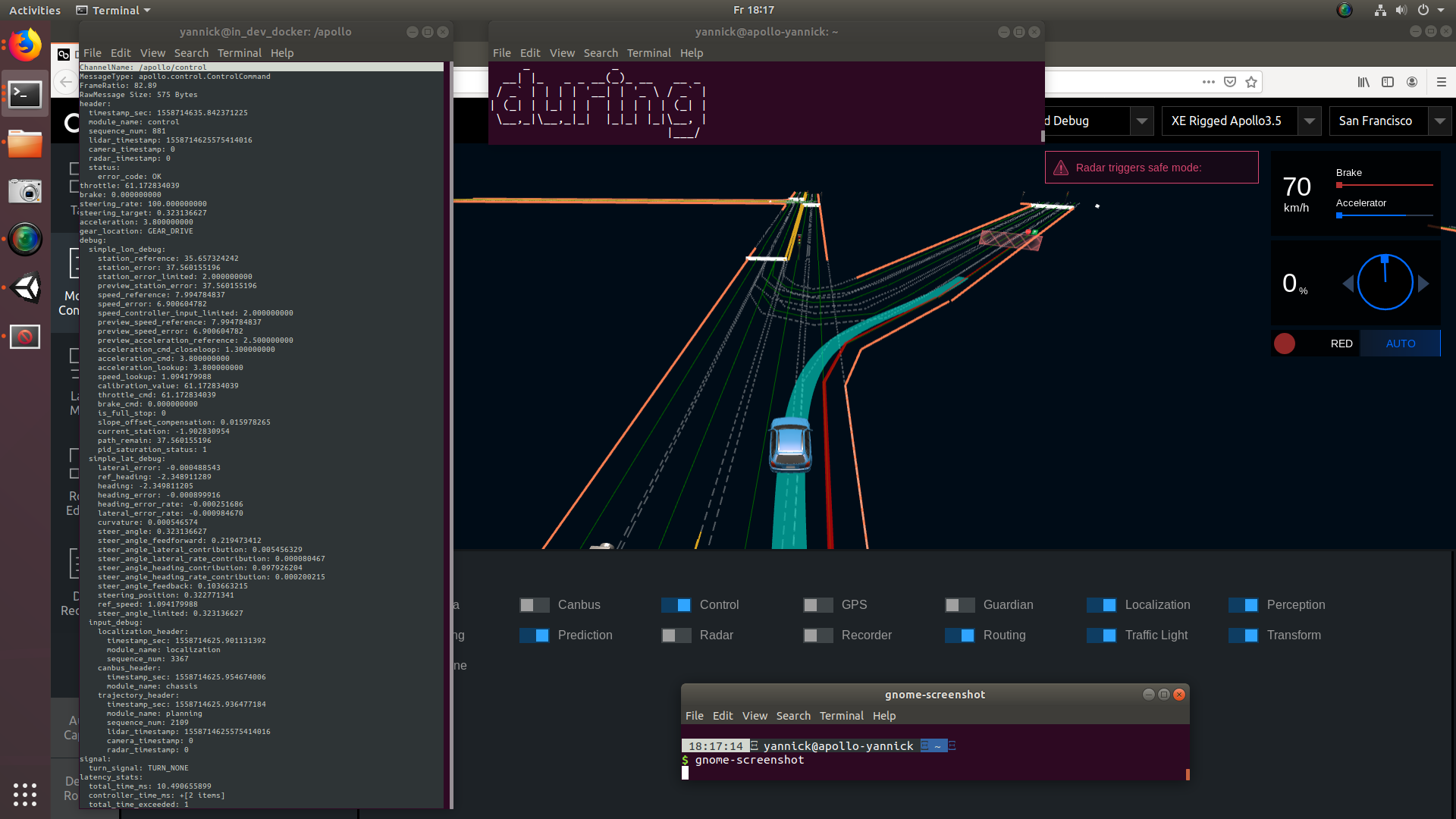

Here are the others:
Localization:
Planning:
yanbec
on 24 May 2019
@yanbec Thank you for the screenshots. I noticed that the lidar timestamp stopped updating after crashing for the control message. We are working on fixing related bugs, you can expect a release next week.
luqiang21
on 25 May 2019
Oh, you're right, I didn't catch that. I will keep you posted after the fixes are out and I had the chance to test it.
yanbec
on 25 May 2019
@yanbec The order does matter. The control module should be launched as the last module. You can check the control message inside docker by using
cyber_monitor. If the car is not moving while everything else is working, you'll probably see something related toestopdue to empty planning trajectory. You just need to restart the control module to move the car. We will disable the persistent estop in our next update of Apollo 3.5 fork.
Hi, the vehicle is experiencing a wired behaviour every time it stops before a junction when it's red light.
After the vehicle is stopped behind the stop line of the junction, the vehicle no longer moves even though everything else seems to work properly.
Only until I disable the "Control" module and enable it back again does the vehicle starts to follow the path..
Is this behaviour related to the "estop" you mention ? Thank You
 ntutangyun
on 4 Jun 2019
ntutangyun
on 4 Jun 2019
@luqiang21 I just tested the 2019.05-rc1 version of the simulatur, which has the following release note:
Changed protobuf serialization library to protobuf-net. This fixes issue where Apollo 3.5 sometimes lost control of vehicle due to mismatch in protobuf serialization.
Is this the fix you mentioned? At least for me, there is no difference regarding this issue. Is the problem, as far as predictable, in the simulator or in apollo itself?
@ntutangyun I had this problem with 3.0 before, can't tell you how I fixed it, but it was a problem with traffic light recognition. On the right side in dreamview, does it show the recognized traffic light status or "unknown"? If unknown, it's supposed to stop.
yanbec
on 6 Jun 2019
@yanbec will check the traffic light status. Thanks.
ntutangyun
on 6 Jun 2019
@yanbec Yes, we changed protobuf to avoid the nan problem. We were able to reproduce your problem with one of our team member's computer recently. I'll keep you updated once we find where the problem is.
luqiang21
on 6 Jun 2019
Hey, folks
Any progress on that? I'm experiencing the issue with stuck acceleration.
 vadbut
on 13 Jun 2019
vadbut
on 13 Jun 2019
@yanbec @vadbut @ntutangyun , we rebased our apollo-3.5 fork with official apollo repo. The control problem is not happening in our team. Please update with our latest apollo-3.5 and pull our latest docker image as well.
luqiang21
on 26 Jun 2019
Thanks for your message, yesterday I tried a reinstallation of the whole system, but had some problems cloning the apollo repo/the lgsvl_pkgs (or lgsvl_msgs, not totally sure) submodule.
error: Server does not allow request for unadvertised object
I will check more extensively in the next days and report back.
yanbec
on 27 Jun 2019
So, it's working!
Again, I can't let the opportunity pass to show this in a video: https://youtu.be/-9CoSgObUp4
The last thing I had to do was manually checkout the correct branch of lgsvl_msgs, as the clone including submodules doesn't seem to work right now. That's probably something someone should have a look at.
What's working for me:
Apollo 3.5 at commit 38e90811c6fa62761d9101e66fedec88e9f3271b
submodule lgsvl_msgs on branch apollo_3_5 at commit aa3eba60dc508f39e3049da7498530f8ae8373f7
submodule apollo-simulator-map at commit e289b0d84a7beb2b3b99fac138d678f61ffcc0a7
I'll close this issue for now, as the initial problem seems to be resolved. I will now start working on the scenarios using the API and make sure to keep you posted if anything of interest comes out of it.
I appreciate all the help very much, thank you!
yanbec
on 30 Jun 2019
The last thing I had to do was manually checkout the correct branch of lgsvl_msgs, as the clone including submodules doesn't seem to work right now. That's probably something someone should have a look at.
@yanbec This should be fixed now from #230. Thanks for your patience!
 daviduhm
on 5 Jul 2019
daviduhm
on 5 Jul 2019
Great work, you mentioned that you are working on the scenarios using the API, I am doing the same thing as well, and I wonder that can we use API to control the scenarios when the simulator is under Apollo's control (auto-driving)?
 ForresterLu
on 21 Jul 2020
ForresterLu
on 21 Jul 2020
Related issues
 InitialDuan
·
5Comments
InitialDuan
·
5Comments
 wsp50317
·
5Comments
wsp50317
·
5Comments
 jonghl9
·
4Comments
jonghl9
·
4Comments
 clepz
·
6Comments
clepz
·
6Comments
 AlexandrZabolotny
·
4Comments
AlexandrZabolotny
·
4Comments
Most helpful comment
So, it's working!
Again, I can't let the opportunity pass to show this in a video: https://youtu.be/-9CoSgObUp4
The last thing I had to do was manually checkout the correct branch of lgsvl_msgs, as the clone including submodules doesn't seem to work right now. That's probably something someone should have a look at.
What's working for me:
I'll close this issue for now, as the initial problem seems to be resolved. I will now start working on the scenarios using the API and make sure to keep you posted if anything of interest comes out of it.
I appreciate all the help very much, thank you!