Simplenote-electron: V.1.16.0 - A slow reaction when clicking 'info' button.
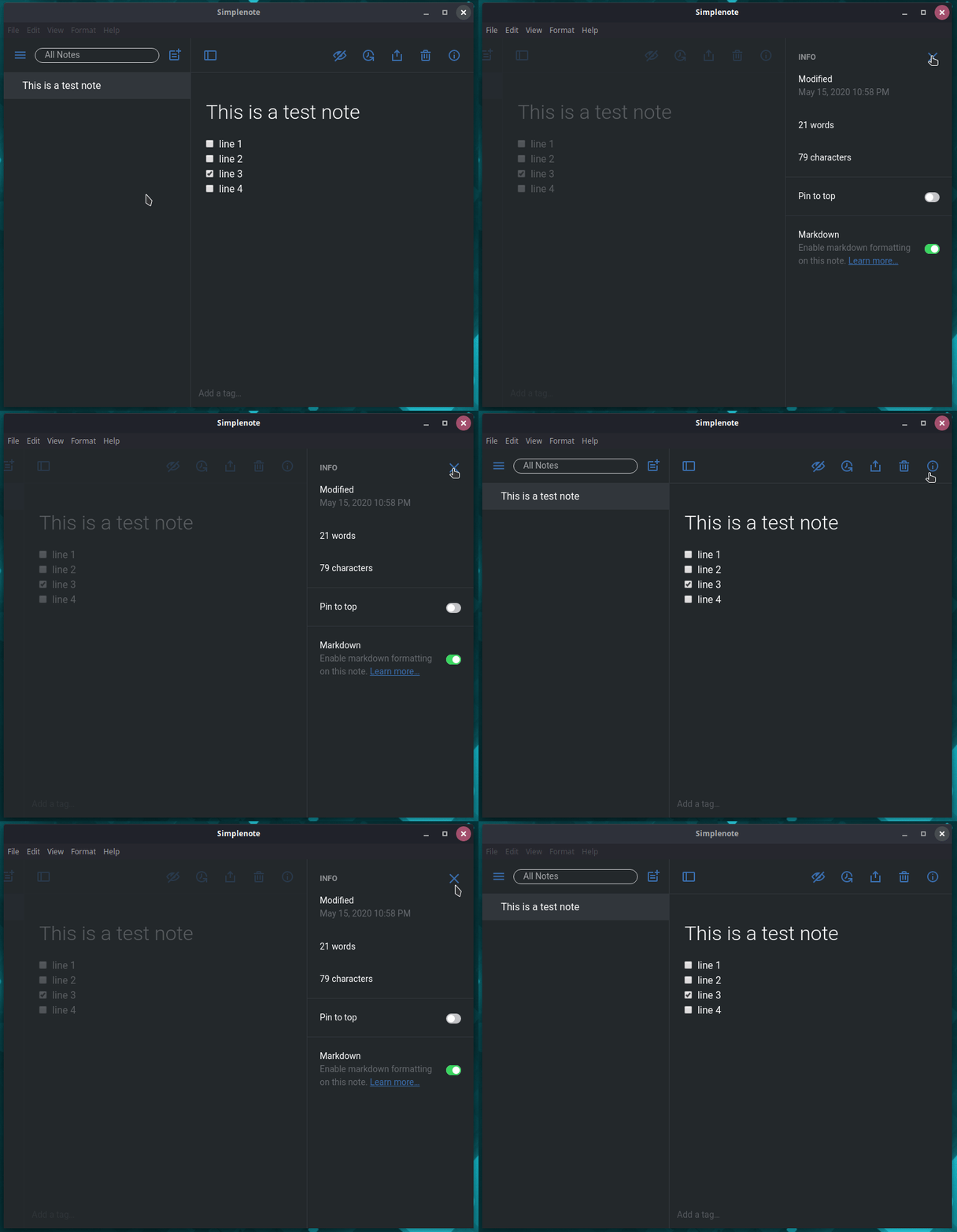
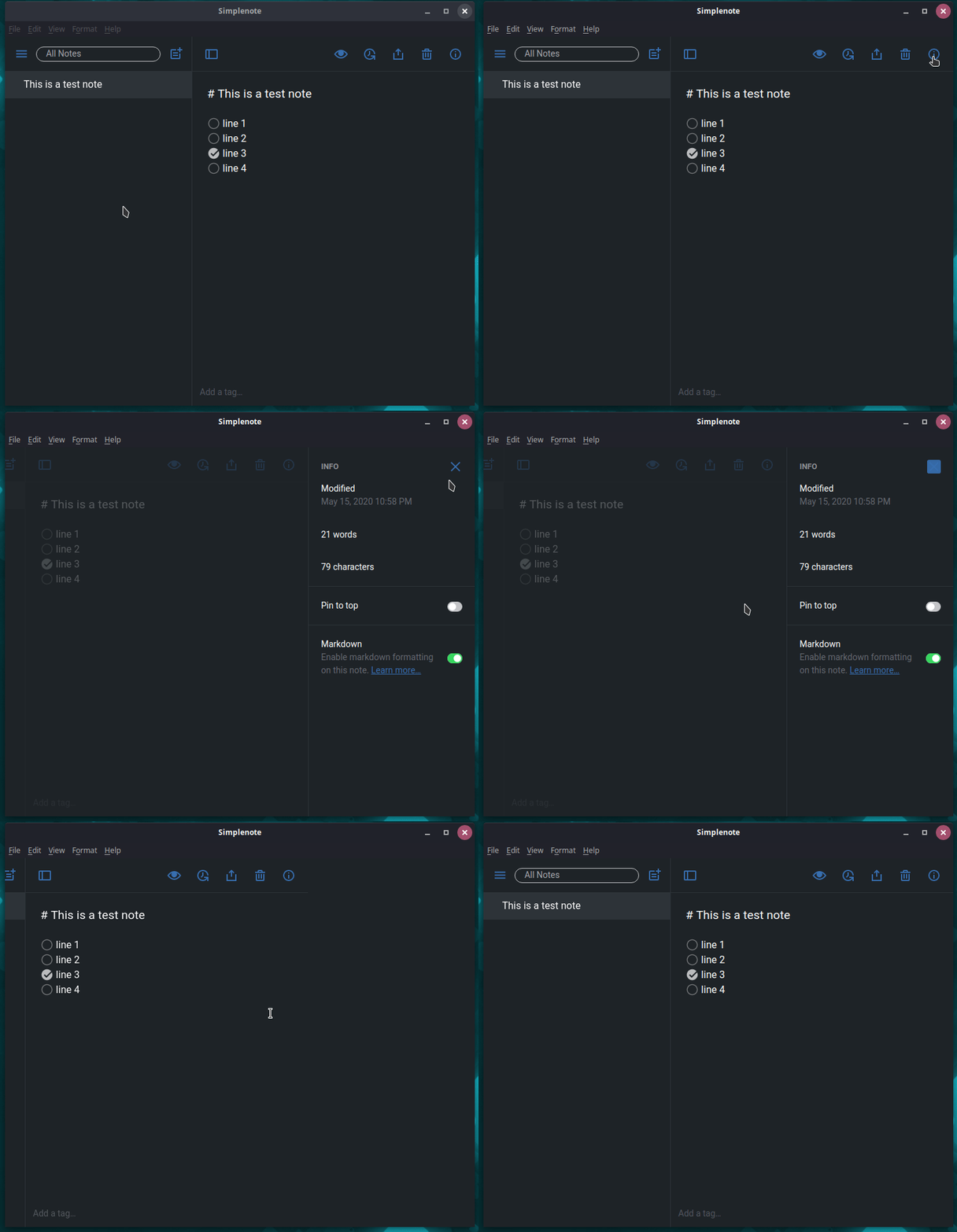
There is a bug when clicking on 'info' button. Expected behaviour should be like version 1.14.0
Simplenote version 1.14.0
Simplenote version 1.16.0
OS: Solus Budgie 4.1
 algent-al
All 16 comments
That is quite odd. I don't think we made any changes to the info panel or closing and opening it. We will take a look.
 belcherj
on 19 May 2020
belcherj
on 19 May 2020
I can't reproduce this, even on a quite long note. I tried it with Markdown preview enabled and disabled and in the browser as well as Electron build.
@algent-al, is this happening on every note, or only certain notes? Every time or only after a certain action (e.g. loading the app for the first time, creating a new note, etc.)?
I don't know anything about Solus Budgie; are you using the desktop build of the app? Does it behave the same way in a web browser?
 codebykat
on 20 May 2020
codebykat
on 20 May 2020
Can't reproduce it too. I have tried with and without Markdown preview on several notes.
OS: Ubuntu 20.04
Simplenote v1.16.0 (.deb package)
 Trits
on 21 May 2020
Trits
on 21 May 2020
I have tried this with Simplenote-linux-1.16.0-x86_64.AppImage,Simplenote-linux-1.16.0-x64.tar.gz also with Simplenote-linux-1.16.0-amd64.deb repackaged to eopkg. Same behaviour is with v.1.15.0 and v.1.15.1.
Haven't tried yet to build it from source or test it on another PC.
algent-al
on 22 May 2020
@codebykat This is happening every time with every note, with or without markdown enabled.
No issues using web, just tested with Firefox and Brave.
algent-al
on 22 May 2020
Tested Simplenote-linux-1.16.0-x86_64.AppImage in my other PC with better hardware. This issue there is not present at all. Everything is running smooth. Apparently I have to throw that old PC or just stay on v.1.14.0.
algent-al
on 26 May 2020
@algent-al if you are able to reproduce it on that old PC still and want to help, you could record a performance trace of the app when you close the info panel. I don't want to assume your technical level so you can let me know if this sounds like something you'd want to do and how much help you want.
We can open the developer tools through the help menu and on the performance tab we can start recording, click the close button, stop recording, then capture that trace.
Based purely on speculation it looks to me like if there's anything in the code leading to this it could be some internal deep down in the React UI library we use that changed and is interacting with your hardware strangely.
Are you willing to share how many CPU cores you have?
It's also possible that there's a setting on your old PC that is interacting with the app to cause this that the new PC doesn't have. Are they both Ubuntu 20.04 and was Simplenote installed in the same way on both machines?
 dmsnell
on 26 May 2020
dmsnell
on 26 May 2020
The way how I did install Simplenote is by repackaging a deb file to eopkg, to install it on Solus system. I am using this package.yml file: https://hasteb.in/ekimabas.nginx
This are some some specs of the PC that having issues: https://hasteb.in/uqofizim.yaml
I did that test by opening "Debugging Console" and then:
Performance tab > Start Recording > Click and Close info button > Stop Recording.
But don't have any idea how to save it, or if it was, can't find it on my system.
algent-al
on 26 May 2020
I think it is this .json file.
Profile-20200526T203845.zip
algent-al
on 26 May 2020
Thanks for sending that @algent-al. The performance trace appears to indicate that some styling animation is lasting for 4s which is the delay you are experiencing. This confuses me greatly.
Can you try to replicate this at https://app.simplenote.com? I would like to know if Chrome does it there too. Also I'd like to know if Firefox does this. It makes me wonder if something odd is going on with animation support in the stylesheets.
dmsnell
on 26 May 2020
No issues for Firefox, and tested on Brave Browser (if this counts as Chrome) overall OK but not as smooth as Firefox. Usually electron apps don't perform good in this PC.
Brave-Browser.zip
algent-al
on 26 May 2020
yeah I still see that animation taking a long time, even though it's 0.5s faster in Brave.
Could you give it a go with hardware GPU acceleration disabled? In Brave I think it's toggle able with the following option: advanced.hardware-acceleration-enabled accessed probably from about:config (I'm not a Brave user (or a brave user for that matter 🤔))
I don't have much confidence in this idea but it would be interesting if there were an issue with your video card causing animations, or at least this one animation, to freeze or take substantially longer than normal.
dmsnell
on 26 May 2020
You were right, Disabling hardware acceleration fixed the overall performance of Brave.
The option was at:
Settings > Additional Settings > System > Use hardware acceleration when available
algent-al
on 26 May 2020
Nice. I don't know if this resolves your issue but if indeed it's related to the interaction of Chromium's renderer and the GPU in your PC then there's nothing we can probably do. I'm betting that React changed something that shouldn't have had an effect but ended up having one.
It should be possible to tell Simplenote to start with hardware acceleration disabled but at the moment I don't have the tools ready to look into how to do that with our releases. Probably it's in the .desktop file is my guess. I can update later after I investigate, or if you know what it would take please don't wait on me.
dmsnell
on 26 May 2020
simplenote --disable-gpu did the trick
algent-al
on 26 May 2020
that's great to read. I'm going to close this then as it seems like that's a stable resolution. feel free to re-open if something else arises.
dmsnell
on 27 May 2020
Related issues
 moniuch
·
3Comments
moniuch
·
3Comments
 rachelmcr
·
3Comments
rachelmcr
·
3Comments
 RCDCL5
·
3Comments
RCDCL5
·
3Comments
 iamgabrielma
·
3Comments
iamgabrielma
·
3Comments
 sean185
·
4Comments
sean185
·
4Comments