Simplenote-electron: Simplenote cannot be opened in Windows 10
This seems an edge case, as we haven't been able to replicate it (cc: @msilbers ) and we only had one report from an user.
Windows 10 app will not work. Seems to install and appears on the task bar but will not show up on desktop when I open it.
They have tried:
- Uninstalling it and downloading a new version.
- Uninstalled that and then went to the windows 7/8 version and install that – no difference, same problem.
Details:
Windows 10 Pro version 1803
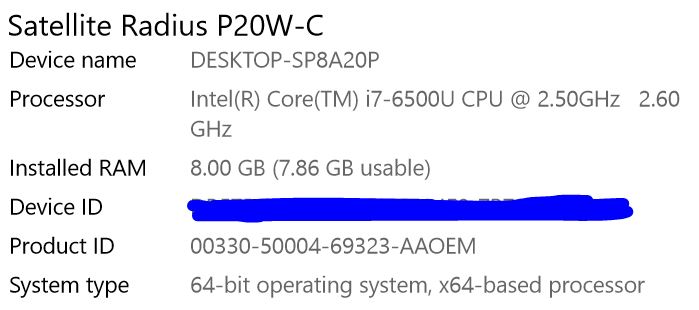
Anything we could ask to the user or tell them to try in order to debug this further?
 iamgabrielma
All 3 comments
Another case on 1576084-zen

The original error occurred after I updated a note on one of my Android devices and the app began to "runaway" pasting characters at "computer speed" (something that has happened in the past... a separate problem!!). I was able to exit the app and delete the errant note on my other Android device. But when I went to my PC, the app opened and (according to Task Manager) kept growing in memory to well over 2GB before it (I'm guessing) ran out of available computer memory.
At this point I rebooted the computer and uninstalled the Simplenote app. I reinstalled Simplenote from the website and now it opens, but does nothing once it is open. (can't open new note, no place to "sign on", can't find version number, etc.).
I wonder if it's hung up from some remaining files/ data after doing the "Remove Simplenote" uninstall
Removing the remaining data from C:\Users(username)\AppData\Roaming\Simplenote , then reinstalling Simplenote using the executable file from the v 1.2.1 seems to be working fine for this user
cc: @msilbers @kriskorn
iamgabrielma
on 21 Nov 2018
We're working on a fix (#1029) to delete the AppData so an uninstall is actually a clean uninstall.
The runaway characters may be related to #642.
 mirka
on 21 Nov 2018
mirka
on 21 Nov 2018
We're working on a fix (#1029) to delete the AppData so an uninstall is actually a clean uninstall.
This fix was released in v1.3.2 🎉
mirka
on 19 Dec 2018
Related issues
 uncertainquark
·
4Comments
uncertainquark
·
4Comments
 hindsholm
·
4Comments
hindsholm
·
4Comments
 damamasss
·
4Comments
damamasss
·
4Comments
 rachelsquirrel
·
5Comments
rachelsquirrel
·
5Comments
 danielh-official
·
4Comments
danielh-official
·
4Comments
Most helpful comment
This fix was released in v1.3.2 🎉