Simple-tab-groups: Tabs are not restored when restarting firefox
This might be a feature request, I am not quite sure whether this is officially supported. But as #766 is worded, the author of that issue expects it as well.
Describe the bug
The opened tabs are not restored when I re-open firefox.
To Reproduce
Steps to reproduce the behavior:
- If None exist, create some tab groups.
- Open a few tabs in one or multiple of the groups.
- Press Ctrl-Q
- Press “close tabs” on the dialogue that warns you that you are about to close multiple tabs.
- Open firefox.
- Observe that the tabs group are there, but all groups are empty. Also, the tabs are not listed under „other tabs“ when opening the menu.
Expected behavior
The groups should load the opened tabs.
Desktop (please complete the following information):
- OS and version: Arch Linux
- Firefox version: Firefox 85.0b9 64bit as installed from
firefox-developer-edition v85.0b9-1 - Simple Tab Groups version: 4.7
 lukasjuhrich
All 5 comments
I have the same problem, but only with a second Firefox profile. With the first, default, profile the tabs with in the groups are saved along with the groups. With the second, new, profile, the groups are saved but are empty on restarting Firefox.
Configuration
- OS: Debian 10
- Firefox: 78.7.0esr
- STG: 4.7
 tardigradus
on 11 Feb 2021
tardigradus
on 11 Feb 2021
New user, same problem. I expect all of my tab groups and the tabs they contain to persist unless I close individual tabs and/or delete groups.
If this add-on doesn't support that then I'm misunderstanding the utility. Thank you!
 ryandeussing
on 18 Feb 2021
ryandeussing
on 18 Feb 2021
- Press “close tabs” on the dialogue that warns you that you are about to close multiple tabs.
Simple Tab Groups is not a session manager.
If you accept closure of tabs when ending your Firefox session (when quitting Firefox) without enabling session restoration, then Firefox will have the ability to reopen what was closed, through its History menu. Firefox session management lacks group capability, so if you closed tabs in that way, the (Simple Tab Groups) group context was lost.
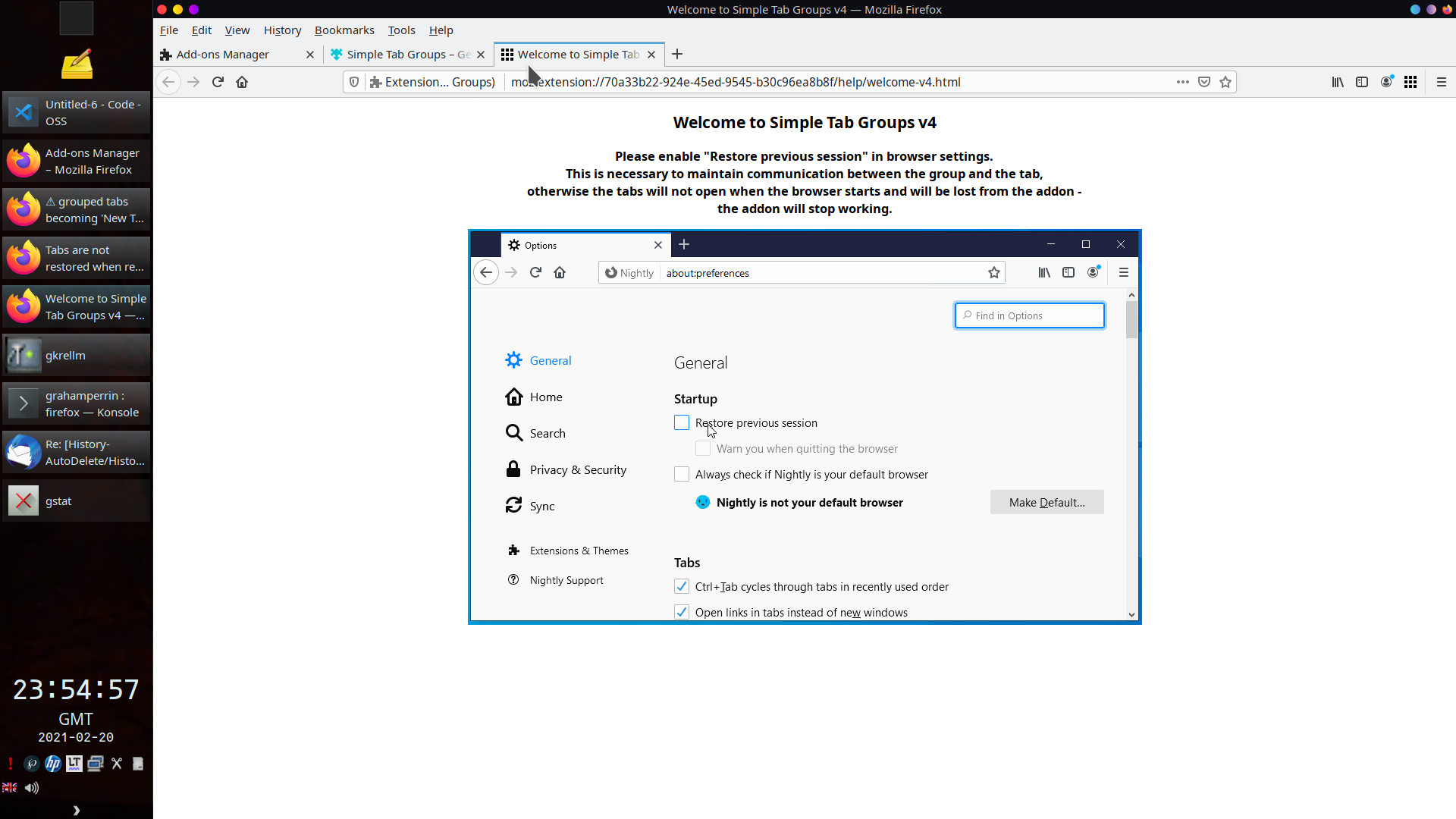
For tabs to be restored, you should set the required preference in Firefox:

– and Simple Tab Groups will maintain the group context.
 grahamperrin
on 20 Feb 2021
grahamperrin
on 20 Feb 2021
Yep! Yep, that's it. Thank you so much.
I'm also just realizing that this option is already heavily hinted at in the store description by means of a screenshot.
Since I already was determined to use STG, I just pressed install in the search results page and never saw that screenshot.
Sorry about that.
lukasjuhrich
on 20 Feb 2021
… I just pressed install …
I suspect, many people do the same – no more than that.
I wonder whether there's the hint elsewhere. Like, on screen after adding the extension for the first time … there should be, ideally …
True. There's an automated new tab with animated instruction.
A frame from the animation:
grahamperrin
on 21 Feb 2021
Related issues
 ddTech
·
4Comments
ddTech
·
4Comments
 tomaszkane
·
3Comments
tomaszkane
·
3Comments
 Sophia10
·
4Comments
Sophia10
·
4Comments
 HASJ
·
3Comments
HASJ
·
3Comments
 inspector71
·
6Comments
inspector71
·
6Comments