Silent-hill-2-enhancements: Reflective Surfaces, Missing Camera Effects, Soft White Glow, and Misc. Issues
I really appreciate the work you guys are doing here making the absolute best way to experience Silent Hill 2!
I was hoping I could leave some information I've come across to help make the experience better. I want to present some issues found in the SH2:EE version against the PCSX2 SH2:GH version. If you are aware of some, or even all, of the issues following, I apologize for the redundancy ^-^;
I don't take any credit for these images. All of them are screenshots from YouTuber VergilHilts' videos comparing the two:
VergilHilts Comparison Part 1
https://youtu.be/hT4phG7XxKk
VergilHilts Comparison Part 2 BEWARE AUDIO SPIKE @9:12
https://www.youtube.com/watch?v=PjpNkB_7YUM
I'm mostly posting here for easy reference on major-ish issues that I haven't seen mention or at least from what I've found here on these issues as far as I'm aware. I'll be trying to keep them grouped into related issues rather than in the order they were discovered.
Also, to be clear, the SH2:EE version is on the top of each example, while the PCSX2 version is on bottom. Each example is separated with a gray line.
ISSUE 1: Reflective Surfaces

Character models' eyes aren't reacting to light as they should and are missing the dollop of shine. The whites and iris are dull which lessens the expressiveness of the characters (especially James).
This lack of "shininess" carries over to Health Drink models, windows, Pyramid Head's helmet, Maria's skirt, the Labyrinth save point, and the garden wall in the Otherworld Hospital. There may be other examples.
ISSUE 2: Missing or Weak Camera Effects

In the first example with the Observatory Deck bathroom scene, the Depth of Field effect seems to be missing. The urinal should be blurry as the camera adjusts focus on James.
The motion-blur effect is difficult to notice if present at all. It does seem to be in the final Mary/Maria boss fight but to a much lesser extent. These effects are essential to the surreal mood of SH2, in my opinion.
(Also missing the Hospital Roof scene when James falls as well as the "heat-wave" effect in the "Angela staircase" scene, both not pictured here.)
ISSUE 3: Missing "White Glow"
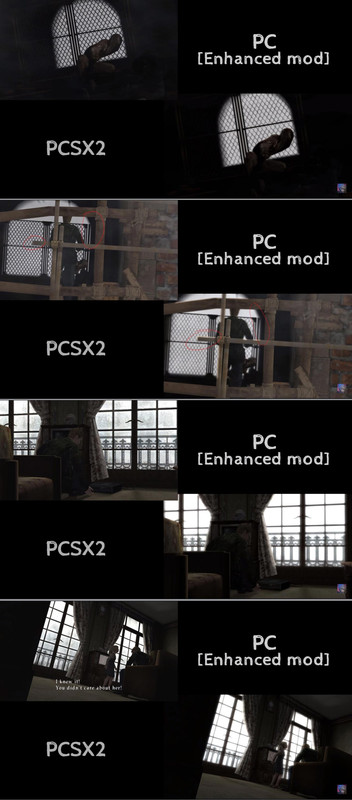
The contrast against certain white backdrops is too low and take away from the atmosphere and mood. More importantly, there's a sort of rim light that effects characters and other geometry in the scene that borders the white giving it a sort of "glow". Most prominently featured in the "Lying Figure" scene and "Lakeview Hotel Room 312" scene.
OTHER MISC. ISSUES
_(Most of the miscellaneous issues are mostly nitpicks or one-off issues. I present them in the hope of a perfect resemblance to the PS2 original but also that maybe in researching these small issues, find solutions to larger ones.)_
- Accessing the inventory in Angela's mirror room in the apartments and backing out will cause an inappropriate change of background music.
- Audio levels of certain sounds are too high (particularly Eddie's damage vocals during his boss fight). [Refer to second comparison video].
- Audio fade-out missing in certain locations (ex: Prison --> Labyrinth Elevator startup and stop). [Refer to second comparison video].
- [Theory: High levels are causing us to actually hear the cut off. The fade-out is still present but lowers the volume to an audible level, hence, the cut off.] - Audio in general is missing a bit of "body" to it with the PS2 having slightly better depth to its playback.
- [Theory: Not an issue with the actual sound files but rather the playback levels and amplification, I think.] - Blood volume too low[?].
- [Theory: Blood texture is too transparent. Carries over to footprints as well.] - Some particles are too small/transparent[?]. (ex: Angela's smashed TV glass, "dust" from walking in watery tunnels of the Labyrinth, water splashes, Lying Figure spray attack, staircase smoke[?]...)
- The fire in the "Angela staircase" scene is blotchy.
- Water "wave" effect isn't strong enough, especially in the Labyrinth watery tunnels.
- Some water that can be walked through has less detail or wavy-ness. Very noticeable in motion.
- [Theory: The above two water issues seem to be related to transparency of the water surface textures and/or the reflective surfaces issue mentioned above.]
- Eddie's shadow is missing on the double-doors leading into the Prison proper (cafeteria room).
- Mary's room in the endings is missing a light source from the window to illuminate the wall. this issue has been addressed here: https://github.com/elishacloud/Silent-Hill-2-Enhancements/issues/62
- The "Leave" ending is missing an audio/musical cue after Mary's letter.
- James' flashlight is not on during the "closet/Pyramid Head" scene in the apartments while still illuminating in front of him.
- The Lakeview Hotel light/beacon is dim and difficult to see.
- The powerline seen upon exiting the Blue Creek apartments (after the first Pyramid Head boss fight) has a small graphical bug.
- Hotel glass door transparency is too opaque.
- Kind of a cool bug where previous scenes will flash in during some of James' jumps down the holes.
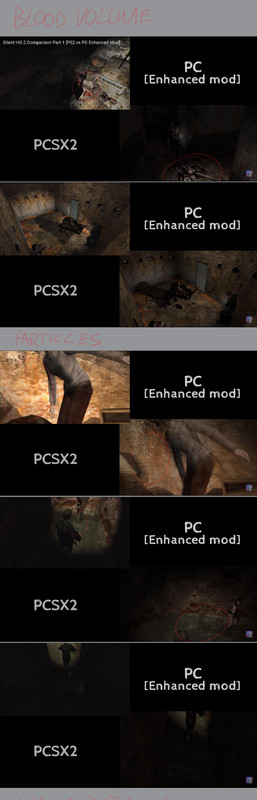

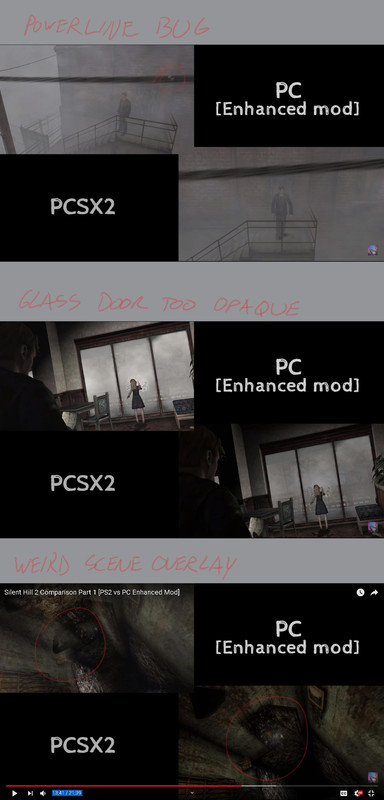
Everything else, I've seen discussed or being worked on (like the apartment Room 205 Mannequin and Hotel Room 312 chair shadow). Hopefully this helps in some way and it's not just all old information ^-^;
I'm still mostly amateur at program-y stuff, but I know my way around mods, level edit hack tools (lots of Pokemon and Skyrim), and 3D programs. If you guys need some help with tedious, time-consuming work, or just someone to take notes while poking and prodding at this thing, let me know :P I once built a whole .ini file for all the dialogue in Pokemon Emerald by manually searching for the strings. (I'm also an artist so I have an eye for minute aesthetics.)
I got time to kill and want to help! I just don't have tools/software or know what to do. Let me know if I can do anything to speed this project along :D
- Nick aka "GlitchyReal"
 GlitchyReal
All 99 comments
P.S. I could also have no idea what I'm talking about :P
GlitchyReal
on 26 Nov 2018
Hi Nick,
Thanks for the detailed post.
You've gone over a lot of different points here! I'll try my best to comment on most of them and keep my answers short due to how many points you've brought up. I'll clump similar/same issues together as well to make things a bit easier.
It's probably worth noting that many of these issues are things I've been aware of for years but have purposefully not brought them up with the rest of the team yet so as not to overwhelm (they're currently working on other fixes at the moment).
ISSUE 1: Reflective Surfaces
Yes, I've been aware of this for a while. In fact, I've recently reached out to modder Nekorun to ask if he could figure out how this works on the PCSX2/PS2 version. Nekorun is currently having PC issues so I'm not sure when he'll look into this. My thought is if he can determine how it works on the PS2 version, it may help us determine what to look for in the PC version.
The one thing I believe I learned from experimenting with this myself (and I'm definitely no modder/programmer) is that the 64x64 soft white circle texture seems to be contained within the main binary and is not an external texture. I _can_ confirm this texture is still present in the PC version as, when I used the Intel Graphics Frame Analyzer, that texture was captured within a frame grab.
In any case, this is something I've been aware of and am currently asking Nekorun if he can provide any more info on how this works so we can hopefully use that info for the PC build.
ISSUE 2: Missing or Weak Camera Effects
This is another issue I've discussed with Aero about but has been put on the back-burner. All the effects ARE there but wildly toned-down. The can be toggled by turning the "Advanced Filter" in the game's Advanced Options menu on/off.
Most likely these effects were neutered to accommodate terrible GPUs of the time. The lead programmer for the PC port confirmed that Konami required them to ensure this game would run on the lowest-end graphics cards of the time.
ISSUE 3: Missing "White Glow"
This is related to ISSUE 2. I already have a post ready to go discussing this one in more detail but am holding off so as not to overwhelm the rest of the team's workload. But I can provide a photo (here and here) from my own upcoming post showing this effect IS still there.
I believe what would need to be done here is find what addresses affect the intensity of these effects and crank them up or down. But we'd need one of the modders to confirm if that's how these effects work or not. Bigmanjapan has found the addresses that toggle the Advanced Filters so hopefully those addresses could be used to backtrace every other address used that affects motion blur, DoF, pseudo-bloom, etc.
VergilHilts Audio Comparison Video [...] Audio in general is missing a bit of "body" to it with the PS2 having slightly better depth to its playback.
The PC and PS2 audio will never be 1:1. It's due to a difference in hardware and how that hardware processes the audio. With the 12+ months we've been working on this particular mod we've had to come to terms with this.
Audio fade-out missing in certain locations (ex: Prison --> Labyrinth Elevator startup and stop). [Refer to second comparison video].
This is a limitation of the Xbox/PC version. Whereas the PS2 version grabbed multiple samples of the elevator starting/running/ending/etc the Xbox/PC version cannot do this. So Team Silent spliced tracks together to compensate. There's nothing we can do for certain cases like this.
The same is true for the Hospital basement pig squeal. For whatever reason, once it plays at full volume once, the volume then gets cranked down to practically nothing. It's still there and looping; it's just incredibly hard to hear. We were made aware of this issue as we were working on the Enhanced Audio mod. This is something that would need to be addressed within the main binary itself.
Similarly, the audio of the Labyrinth elevator running can sometimes "glitch" out or skip a little on the PC build. We have no earthly clue why this does that. We've experimented with different track lengths, different bitrates, etc and nothing fixes it. This is something else that would require digging into the binary to possibly fix, so something that has been pushed aside for now due to task priorities.
Eddie's shadow is missing on the double-doors leading into the Prison proper (cafeteria room).
This is a limitation of the PC version and shadows. Dynamic objects (characters, enemies, movable objects such as doors from cutscenes) cannot have shadows cast upon them. If/when we can find the right talent to implement soft shadows this will be something else we'd request to have looked in to.
The "Leave" ending is missing an audio/musical cue after Mary's letter.
Funny timing with this as I found a universal bug with the Leave ending just yesterday and noticed then the music wasn't playing. We'll look into this in the future. Thanks.
The powerline seen upon exiting the Blue Creek apartments (after the first Pyramid Head boss fight) has a small graphical bug.
I'll look into this one sometime. It may just be a bad UV placement for the texture in this spot.
Some water that can be walked through has less detail or wavy-ness. Very noticeable in motion [Theory: The above two water issues seem to be related to transparency of the water surface textures and/or the reflective surfaces issue mentioned above.]
I believe this may be related to ISSUE 1. I can't boot up the game at this moment but I believe the water mesh on the PS2 version has some sort of specularity to it.
It may also be related to the PC version's water texture having a more intense transparency vs. the PS2 version. This part (texture-related) is something I can look in to at a later time.
James' flashlight is not on during the "closet/Pyramid Head" scene in the apartments while still illuminating in front of him.
I believe we're at the mercy of how the PC version renders the lens flare. There's logic behind the way the lens flare works (when it shows/doesn't show) that's apparently different than the PS2 version and if it doesn't show for this particular scene, we may just have to deal with it. :(
Kind of a cool bug where previous scenes will flash in during some of James' jumps down the holes.
I believe I know what you're referring to. I don't know how to easily replicate it but I believe if you cancel a cutscene whenever an advanced filter is also taking place (such as motion blur or depth of field) it will "retain" the image of where you cancelled the cutscene and, whenever you transition elsewhere in the game (opening doors, inventory screen, etc) that retained image will keep flashing back up. This is a bug that's fairly hard to produce.
Hotel fire [...] waves [...] foggy window [...] certain audio higher than PS2 version [...] etc
These would be great things to tweak and fine tune later on in the project for sure, once more prominent visual issues/bugs are addressed. Some things we'd like to seen done first is removing WineD3D from the installation process, fixing the missing catacomb meat when using ReduceCutsceneFOV, specialized room improvements (especially the Woodside flashlight/mannequin room), toning down the flashlight to prevent it from blowing out certain walls/rooms, and a "Fullscreen Image Enhancement Pack."
However, many of the comparisons you've provided are excellent things to address down the line; especially if they don't require any memory/hex address editing (i.e. things we can fix by editing 2D texture files).
I got time to kill and want to help!
Great! One of the things I can immediately think of to help with is play testing in the future, if you'd like. After a mod/fix is implemented we typically need to play test it (sometimes requiring us to fully play/beat the game) and the more sets of hands/eyes we have on it the better it helps to prevent releasing a fix that may break something else.
I think that covers a lot of your points here. Thanks for sharing!
 Polymega
on 26 Nov 2018
Polymega
on 26 Nov 2018
- [ ]
Test new .cam position to alleviate Woodside apt powerline glitch (looks as though camera is clipping into it... may also happen on PS2 version?) - [ ]
Implement "Leave" ending final music - [ ]
Look into blood pool opacity - [ ]
Hotel foggy window (Laura) - make more transparent - [ ] Hotel water transparency (grab via Texmod/PCSX2?)
- [ ] Brighten hotel light from lake
- [ ]
Ask Aero about if the lens flare effect is just disabled during RPT closet cutscene after his work on improved flashlight modSolution found.
Polymega
on 26 Nov 2018
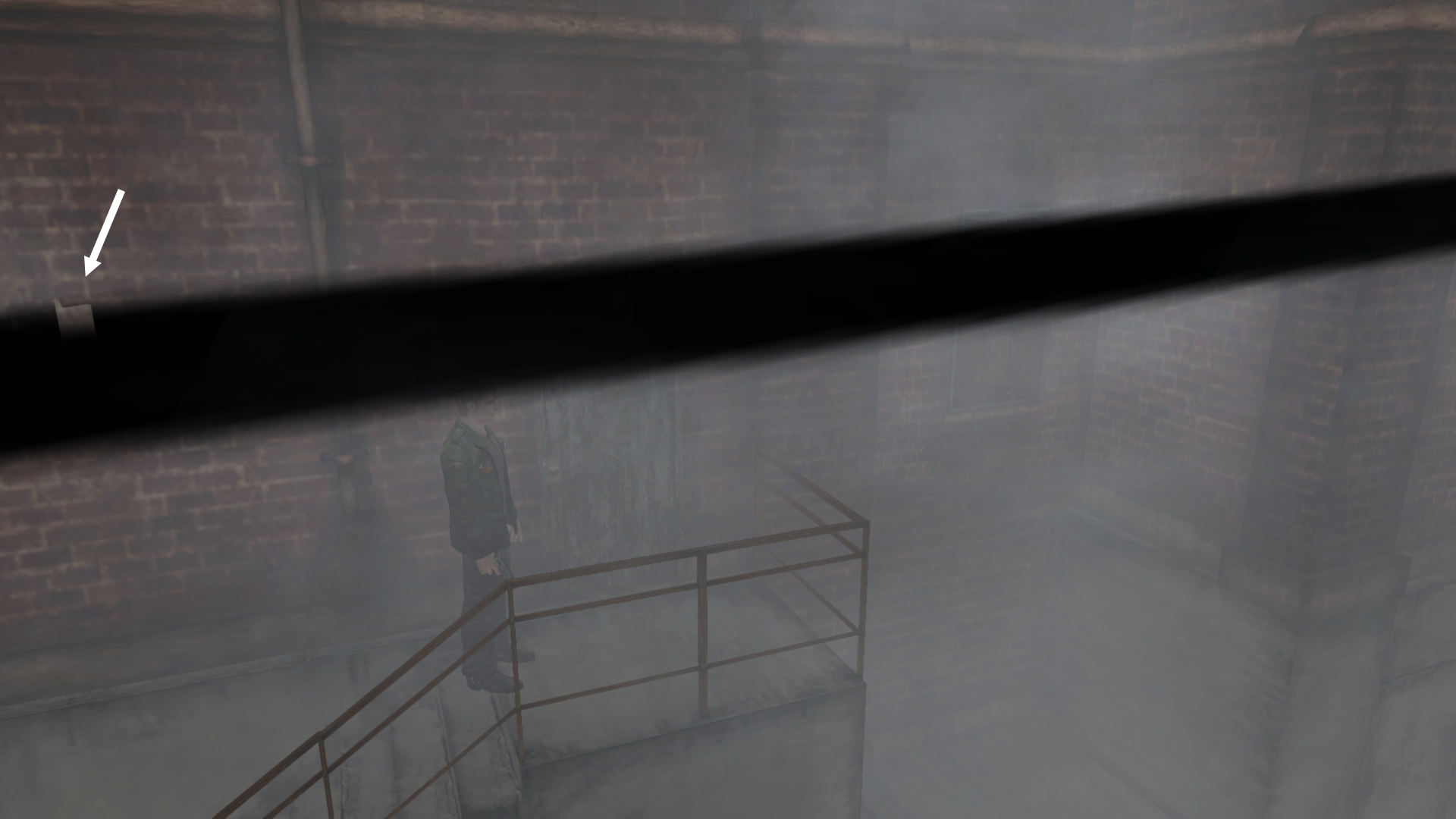
@GlitchyReal FYI unfortunately the powerline thing can't be fixed through texture editing. It seems to have something to do with alpha sorting for multiple poly planes near each other. Adjusting the camera's location didn't help this problem any:
Polymega
on 27 Nov 2018
Accessing the inventory in Angela's mirror room in the apartments and backing out will cause an inappropriate change of background music.
I replicated this on PCSX2 using SH2:GH NTSC. Are we sure this is a bug?
Polymega
on 27 Nov 2018
@Polymega
Thanks for getting back to me and taking the time to address each issue.
Most of these issues, for me, are very minor. It's too bad about the audio. I wonder if it could be manually edited to have the fade-out baked into the actual sound file instead of relying on the playback in-game. Bit of a brute-force method but, in theory, could work?
So it seems a lot of issues kinda come down to the same core problems, which makes things simpler (though definitely not easier). I wonder how that blinn/phong/texture isn't showing up :\ I wouldn't even know where to start. That said, could you provide me with a list of tools I could use to poke at things like the Intel Frame Analyzer (though I have AMD and would likely need a different tool).
I'd love to contribute as much as I can (even if it isn't much, I want to learn how to crack stuff like this!). I'm going through the game again with a more critical eye and have access to both the emulated "Greatest Hits" PS2 version as well as the hard copy disc and physical system with composite cables (probably with slight, but negligible[?] display differences in SD composite vs the HD emulated version).
I've already found another minor visual bug in the Prison. I've linked the video below.
Anyway, let me know if there's anything I can do to help. I'm not afraid of figuring out new software on my own if I gottta :) Thanks again and do let me know if I'm hindering more than helping.
GlitchyReal
on 27 Nov 2018
Interesting note:
Angela's eyes have the reflections from James' flashlight during the cutscene after the Abstract Daddy boss fight. That effect seems to be missing otherwise (so far).
Edit: Accidentally closed the issue. Still learning GitHub, sorry Dx
Edit 2: Laura has her eye reflections too (Hotel restaurant scene). In both cases seems to be only reacting to the flashlight.
GlitchyReal
on 27 Nov 2018
I'm making notes of things I notice that may or may not need to be addressed or are just interesting to me. I'll edit as I go:
- Grammatical typo on Hanged Man puzzle. "This man was hung for the crime of __________." Should be "_hanged_".
- Fluorescent tube bulbs on the Labyrinth ceiling (and other areas) seem to use the same texture as the bugged out black one referred to in #63 but isn't affected by the flashlight toggle. Probably doesn't mean anything but thought to point it out.
- The water geometry is absolutely reacting to James' movement. The issue seems to purely related to texture/specularity. During the boat sequence, to my eyes, appears the water texture is much lower resolution and/or transparent[?]
- In the Hotel staircase leading to the third floor behind the iron bars, there seems to be an issue with the FoV revealing the hallway through the walls on the upper-left of the screen.
_(I'll be getting video and screenshots on my second run.)_
GlitchyReal
on 27 Nov 2018
@Polymega
re: Angela room music, I'm not sure if it is a bug. I vaguely remember that happening in the XBox version (the one I'm most familiar with but don't have access to anymore). Maybe it's present in all versions?
GlitchyReal
on 27 Nov 2018
That said, could you provide me with a list of tools I could use to poke at things like the Intel Frame Analyzer (though I have AMD and would likely need a different tool).
Unfortunately I'm probably the _least_ qualified to give you recommendations on this as I am far from any sort of modder or programmer! However, I know the main tool of trade for most of the work here is Cheat Engine. It's used for both the PC version of the game and the PCSX2 version. (But don't ask me how to sniff out specific addresses for fixes; that's something I'm still definitely struggling to learn myself.)
The Intel Graphics Frame Analyzer will take a "snapshot" of the current scene in the game and then you can go back (using the software) and analyze the scene's API/texture/mesh/etc data. A similar piece of software, from what I hear, is called PIX. May also be worth looking in to.
Besides that, the more game-specific tools we use are things like the SH Level Viewer, SH Texture Viewer, etc. Most of these tools can be found here: http://alchemillahospital.net/modding/
Members like FrozenFish24 and Stan Bobovych also have injected apitrace into the SH Level Viewer and used custom-made scripts to extract geometry/vertices from .map files.
Grammatical typo on Hanged Man puzzle. "This man was hung for the crime of __________." Should be "hanged"
Nice catch! I'll update this soon.
I've already found another minor visual bug in the Prison. I've linked the video below.
Good eye! There are actually many spots that exhibit this behavior throughout the game. What's happening here is that an overlaid, flat poly plane with a transparent "grunge" texture sits above the wall's geometry. The problem is that this poly plane is resting too close to the wall's geometry and, depending on camera orientation, the "grunge" poly plane will start to "clip" into the wall.
Edit: Probably the same issue as the powerline bug mentioned above. Here's info on 3D transparency sorting.
One solution to fix this would be to find the poly plane that holds the overlaid grunge texture and slightly move it out/away from the wall plane. Another example of this is in Woodside Apartment Room 307. Pay attention to the light fixture right near the main door. The overlaid grunge plane around that light fixture does the same thing, more or less.
Polymega
on 27 Nov 2018
- The corpse hung > hanged text has been updated and will release with v1.0.3 of the Enhanced Edition Essential Files (not yet released).
- The "Leave" ending's music has been restored and can be downloaded right now: http://enhanced.townofsilenthill.com/SH2/#installAudioEnhancementPack
- The volume of the blood pool seems to be randomly generated. For example: I got quite a lot of blood on the PC version after killing this nurse with the shogtun:

Polymega
on 28 Nov 2018
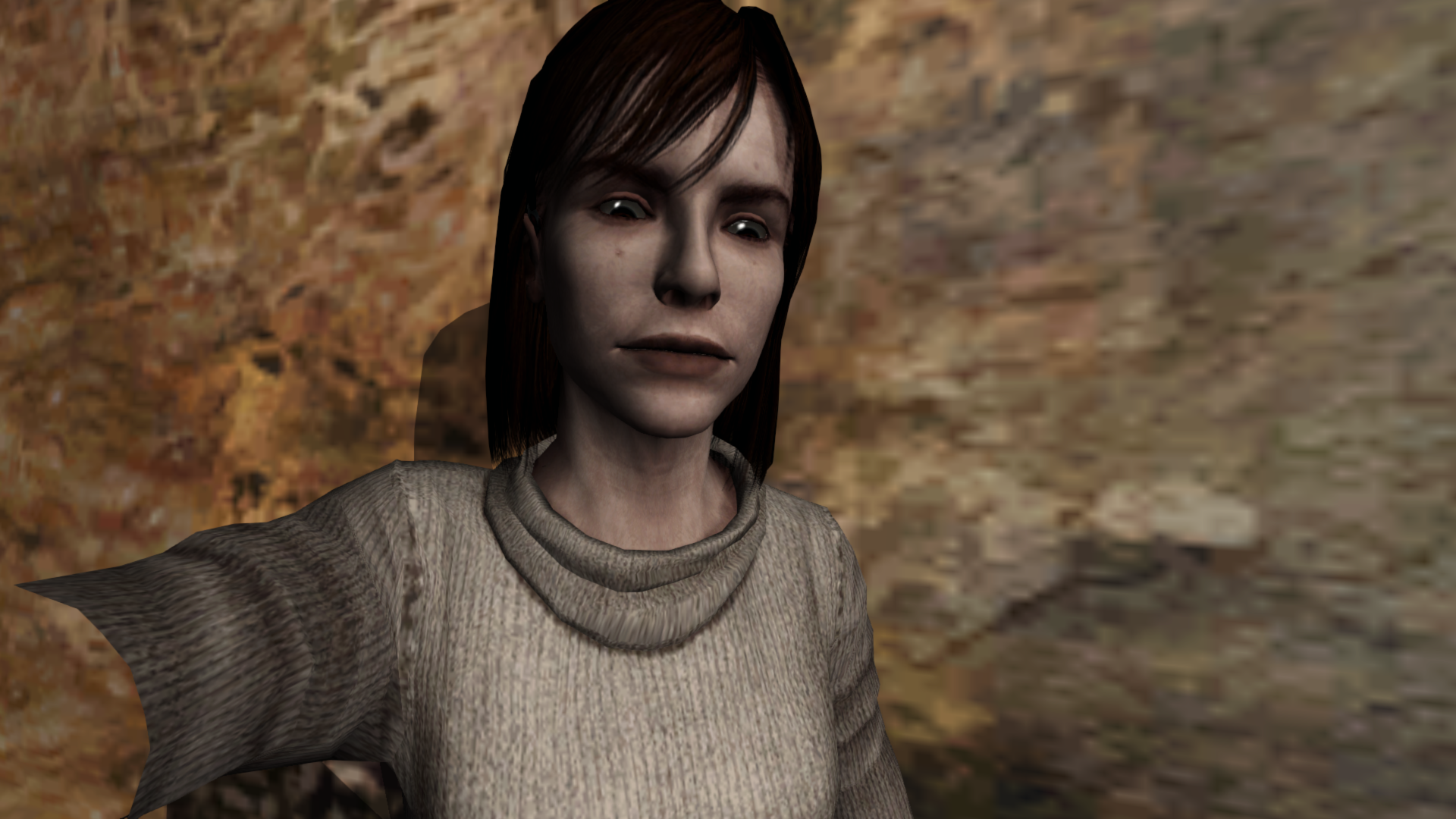
Something interesting: In the "flesh room" Angela's eyes have specularity but James' eyes do not. Neither does his flashlight.

Polymega
on 28 Nov 2018
Something interesting: In the "flesh room" Angela's eyes have specularity but James' eyes do not. Neither does his flashlight.
I did notice this. This is also the case with Laura in the Hotel restaurant scene. Very odd but maybe if we can figure out why Angela/Laura's eyes are reflecting, it'll lead to fixing everything else. I don't know much about 3D but I do know reversed normals can screw with lighting bad (like the "Leave" ending wall, I believe). Perhaps all the specular normals (or whatever I mean) are flipped? I remember this happening to me between exporting 3D files to a different file format in Maya. (Just throwing stuff out there.)
Unfortunately I'm probably the _least_ qualified to give you recommendations on this as I am far from any sort of modder or programmer! However, I know the main tool of trade for most of the work here is Cheat Engine...
Hey, no problem, this actually helps me a lot and gives me a jumping-off point to work with. So thank you! I'll start digging and see what kinda garbled nonsense I can find :D
GlitchyReal
on 28 Nov 2018
Ah! In the tutorial video for the SH Texture explorer, apparently, each character has different texture files based on different lighting conditions. That might explain Angela/Laura.
I don't know what to do with this information though.
GlitchyReal
on 28 Nov 2018
I'm about to go to sleep so I can't check on this tonight but, @FrozenFish24 if you were to capture Angela in the "flesh room" using the Intel Graphics Frame Analyzer and capture her out in the cemetery where I believe her eyes are NOT specular you can single out her eye ball meshes and see what shaders/diffusion/Direct3D calls are applied to the eyes.
The only thing else you'd probably need to do is use the SH2 PC Camera Editor to position the camera right at her eyes (similar to the snapshot I posted above) before capturing the frame so any edits made to her eyes in the Frame Analyzer can be easily seen in the preview window off to the side: http://etc.townofsilenthill.com/sh2pc_camera_editor/
Angela stays idle after the cemetery cutscene and while you're fighting Abstract Daddy in the "flesh room".
Perhaps whatever is making her eyes specular in the flesh room could be transposed to her eyes in the cemetery scene. As @GlitchyReal pointed out and what @Bigmanjapan pointed out a long time ago, there are many texture files used for each character model depending on the time of day. Perhaps something got "lost" for many of these files that directly corresponds to the specularity?
I plan to give this a try myself soon sometime @FrozenFish24 but wanted to share my thoughts on the matter with you, too, in case you can tinker with it first (that, and you'd better know what the shader codes mean when looking at its info).
Polymega
on 28 Nov 2018
I found a couple of model files called noa.mdl and nor.mdl that are just greyscale gradients on a plane. I have no idea what they're for unless it was related to lighting and possibly related to our missing spec maps?
They're located at:
KONAMI\Silent Hill 2data\char\item\noa.mdl
KONAMI\Silent Hill 2data\char\item\nor.mdl
In other news, I've been messing about with a program called 3D Ripper DX and it allowed me to pull the shaders out of any scene in SH2 PC. They all came out in .psh and .vhs formats that I have no idea what to do with. But! I found our shader files! (I hope...?)
I captured it in the entrance room to the Woodside Apartments where there is a save point and a health drink, plus the flashlight and James' eyes which all are supposed to have specularity. I'm not sure if this helps but maybe it's _something_...? I don't know how to take efficient screenshots besides just _prt scr, ctrl+v_ (perhaps someone could point me to some good software?) but I'll try to get some screens showing what I'm talking about.
3D Ripper DX can be downloaded here:
http://www.deep-shadows.com/hax/3DRipperDX.htm#Overview
Password: _ripper_
GlitchyReal
on 28 Nov 2018
I don't know what I'm doing but James popped up half-rendered in Blender.
Edit: That's the save point square behind him. These aren't the actual in-game models/textures but just captures. I think.

GlitchyReal
on 28 Nov 2018
One more thing for the night. It looks like that "grunge" texture I found in the Prison isn't actually lying on top of the wall, at least not in SH Viewer. There's a small gap between the poly planes. I don't know if the flickering is lighting, rendering, or what.

GlitchyReal
on 28 Nov 2018
It looks like that "grunge" texture I found in the Prison isn't actually lying on top of the wall [...]There's a small gap between the poly planes
That's more or less what I meant. :) A more _proper_ fix would be to somehow adjust/manipulate the distance/threshold for how the game renders transparency sorting. The more archaic fix would be my suggestion of moving the grunge poly plane even further out from the wall.
In other news, I've been messing about with a program called 3D Ripper DX
May I ask how you got this program to work? I used to use this program with SH2 PC many, _many_ years ago but am struggling to remember how I got it to work.
PS - Be sure to check your links on your posts. I noticed none of them are working. If you're pasting a link as-is you only need to paste the URL in and GitHub will convert it to a hyperlink. If you want to embed a link in text you'd do the following:
[Google link](url)
within (url) portion you'd paste your link
[Google link](http://www.google.com)
End result: Google link
Polymega
on 28 Nov 2018
@Polymega Do you happen to have a save file for the flesh room with Angela? I think I might have some ideas.
 FrozenFish24
on 28 Nov 2018
FrozenFish24
on 28 Nov 2018
I sure do; just place these in your \data\save\Folder 01\ folder, then load up the Quick Save save file. Take a step forward and you'll be there: sh2pc.zip
Polymega
on 28 Nov 2018
Awesome, thanks!
FrozenFish24
on 28 Nov 2018
Thank you! By the way @FrozenFish24 , if you use the PC Camera Editor tool and press "Page Up" to brighten the room it will also make you invincible (until you press "Page Dn" to disable the brightener). I mention this to say you can make yourself invincible so the Abstract Daddy can't kill you while you experiment and/or capture Angela and her eyes in a frame grab.
Polymega
on 28 Nov 2018
Cool that should make things easier
FrozenFish24
on 28 Nov 2018
Actually, I don't know if changing values to brighten the room would have any negative effects on researching the specularity.
If it does affect it, here's a Cheat Engine table just for James' health. Launch the game and Cheat Engine, set the process to "SH2PC Title" within Cheat Engine, then simply check the box off to the side and it will lock James' health in place, preventing him from gaining or losing any more health: SH2 PC V1.0 Health.zip
^ Only works with sh2pc.exe v1.0

Polymega
on 28 Nov 2018
sh2pc.exe+542C50 (00942C50) byte
sh2pc.exe+542C51 (00942C51) byte
sh2pc.exe+542C52 (00942C52) byte
You can try using loading zone color/brightness addresses to make white glow stronger in room 312. Unfortunately, it doesn't give that "almost spills into the room" effect like it is on PS2.
 Bigmanjapan
on 28 Nov 2018
Bigmanjapan
on 28 Nov 2018
Looks like Abstract Daddy Angela has an extra specular and cubemap texture over Cemetery Angela. She also has a pixel shader that combines the textures together to give the specular effect whereas Cemetery Angela has none. Both Angelas use the same model data too (agl.mdl).

To fix this you'd have to bind the extra textures and shader before drawing, and I'm not sure how you'd go about doing that.
FrozenFish24
on 28 Nov 2018
Interesting... I'm 99% sure those textures (the gradient white circle and cube map rainbow gradient) are contained within the main binary and are not external textures.
Let me see if I can word this next question right: The fact that the Intel Graphics Frame Analyzer didn't grab that spec & cube map on the Cemetery frame grab; do you reckon it did not grab those textures simply because they weren't called (but they would still exist here?) or that those textures don't exist here to begin with for this area?
Polymega
on 28 Nov 2018
Regarding diminished blur effects that play when James jumps into the holes. Have you noticed that the effect looks corrupted initially? For example, during the first jump in the prison, there is an unnatural black flash which happens prior to the blur effect.
If I set a lower timer value for the blur effect initialization (so it starts earlier in the cutscene), then it loops the same small chunk (at 0:30 in the video). Something prevents the effect from rendering fully?
It's possible to "disable" the black flash but I have no idea what really happens due to my slipshod ASM knowledge (at 1:23 in the video). Maybe @AeroWidescreen can look into it.
sh2pc.exe+633404 (00A33404) byte — one of the advanced filters addresses that enable / disable blur effect during the jump cutscenes
Bigmanjapan
on 30 Nov 2018
Have you noticed that the effect looks corrupted initially?
Yes, I have as well. For the longest time I thought this had to deal with the PS2CameraSpeed mod but I just disabled it and the one-frame-flicker still happens. So I guess this has always been a thing. Also, as you mentioned, the flicker happens on multiple hole jumps throughout this area. I think it may also flicker in other areas outside of the prison/labyrinth as well?
sh2pc.exe+633404 (00A33404) byte — one of the advanced filters addresses that enable / disable blur effect during the jump cutscenes
I'm guessing the address here for the motion blur is _just_ for this cutscene? Meaning, you'd have to find entirely new addresses to adjust the motion blur for other cutscenes? It would be amazing if there was a universal address/value for the effect but I highly doubt that's the case...
I don't know if this would help any with the research, but, once you deal the killing blow to Eddie during his boss fight, the motion blur should initiate _before_ the cutscene starts: https://youtu.be/nH-cbmXymdw?t=13096
There's no flicker in the PC version during this part. But there's also no motion blur... So I don't know if motion blur is just disabled for this brief moment here or if it's just turned way down. I bring it up because, if the effect is still present here, the screen does not flicker and could maybe be used as a research point.
Polymega
on 30 Nov 2018
Specularity spottings
This is NOT a comprehensive list! It will be updated when I randomly find new spottings:
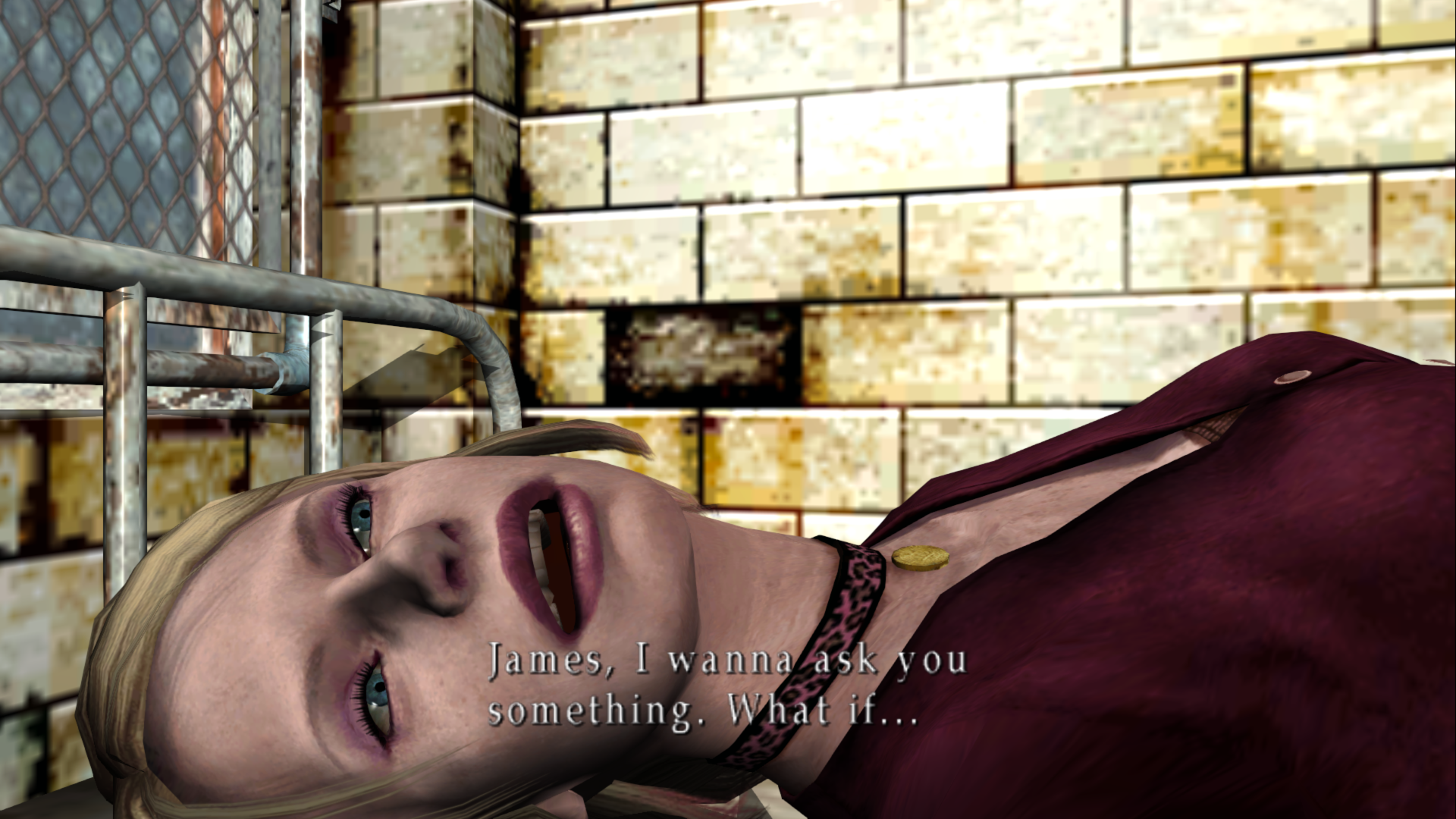
Maria's eyes and skirt shine when you put her in the bed in the hospital (and while in this room):
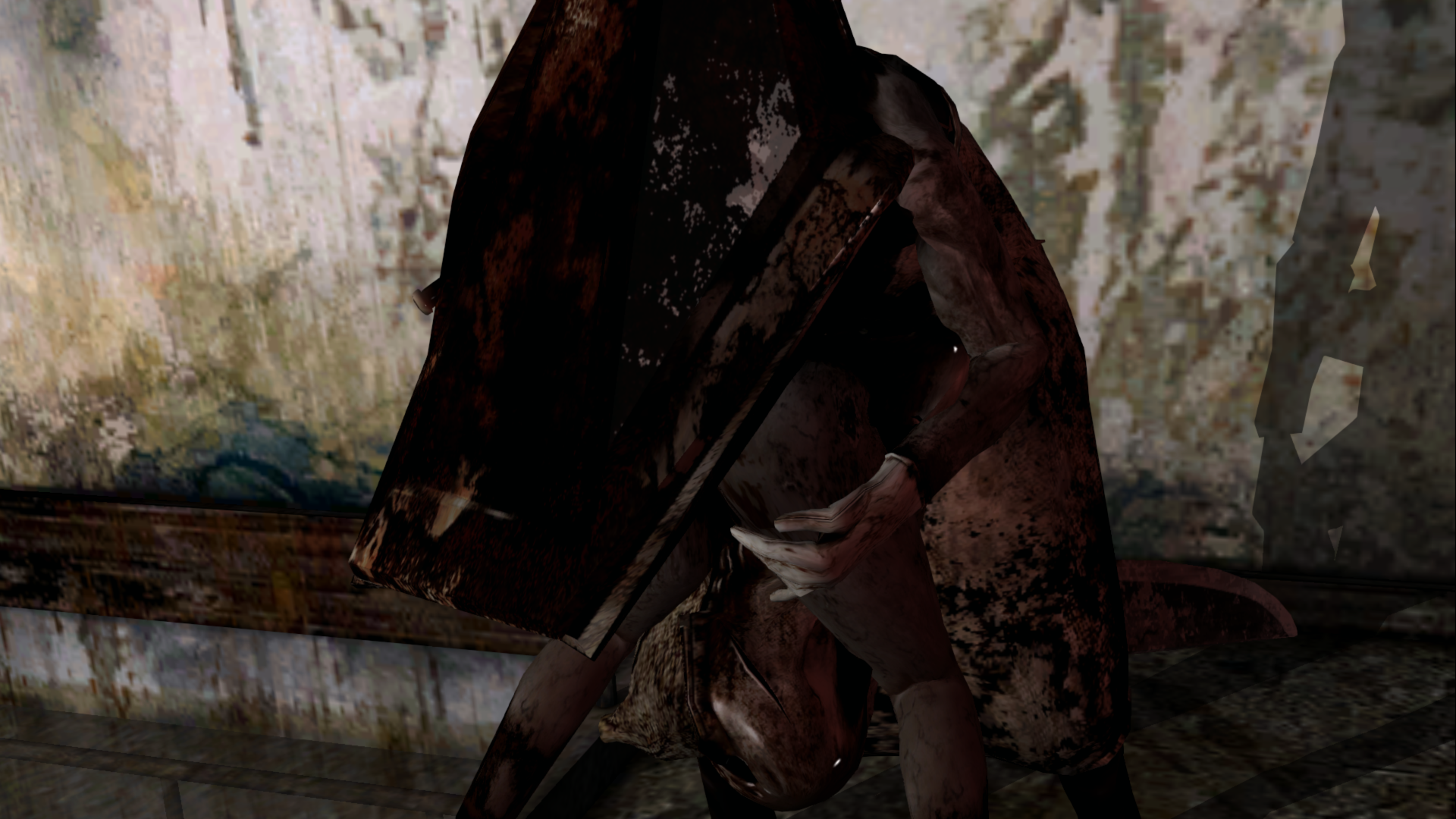
RPT's helmet shines during the cutscene/boss fight in the apartment stairway
Angela's eyes shine in the "flesh room"
Laura's eyes shine in the hospital but it's remarkably hard to see... the shine is more-or-less "up and underneath" her upper eyelids. Edit: It's like that on the PCSX2 version as well so this is normal:
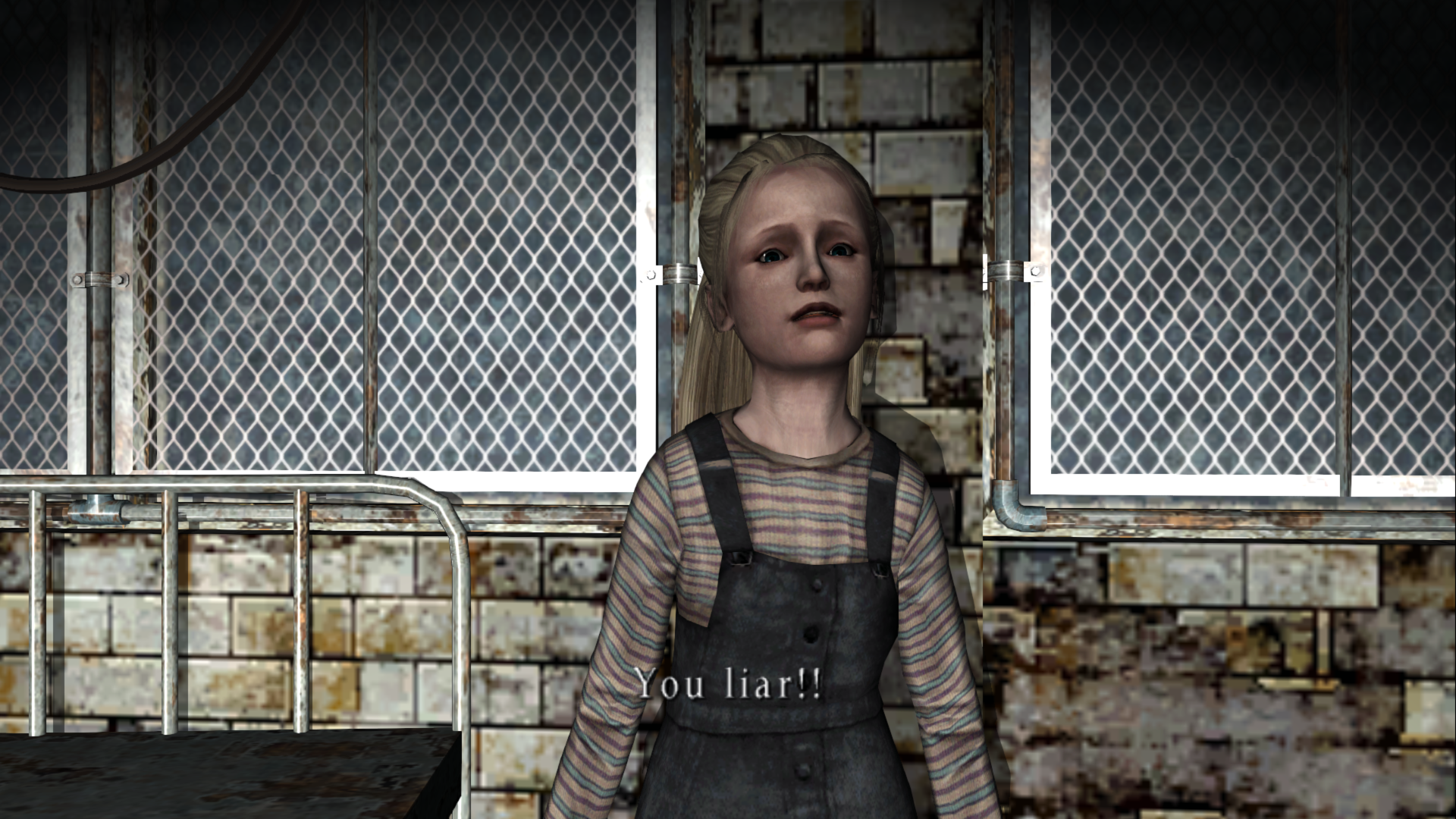
Laura's eyes shine in the Hotel's restaurant:
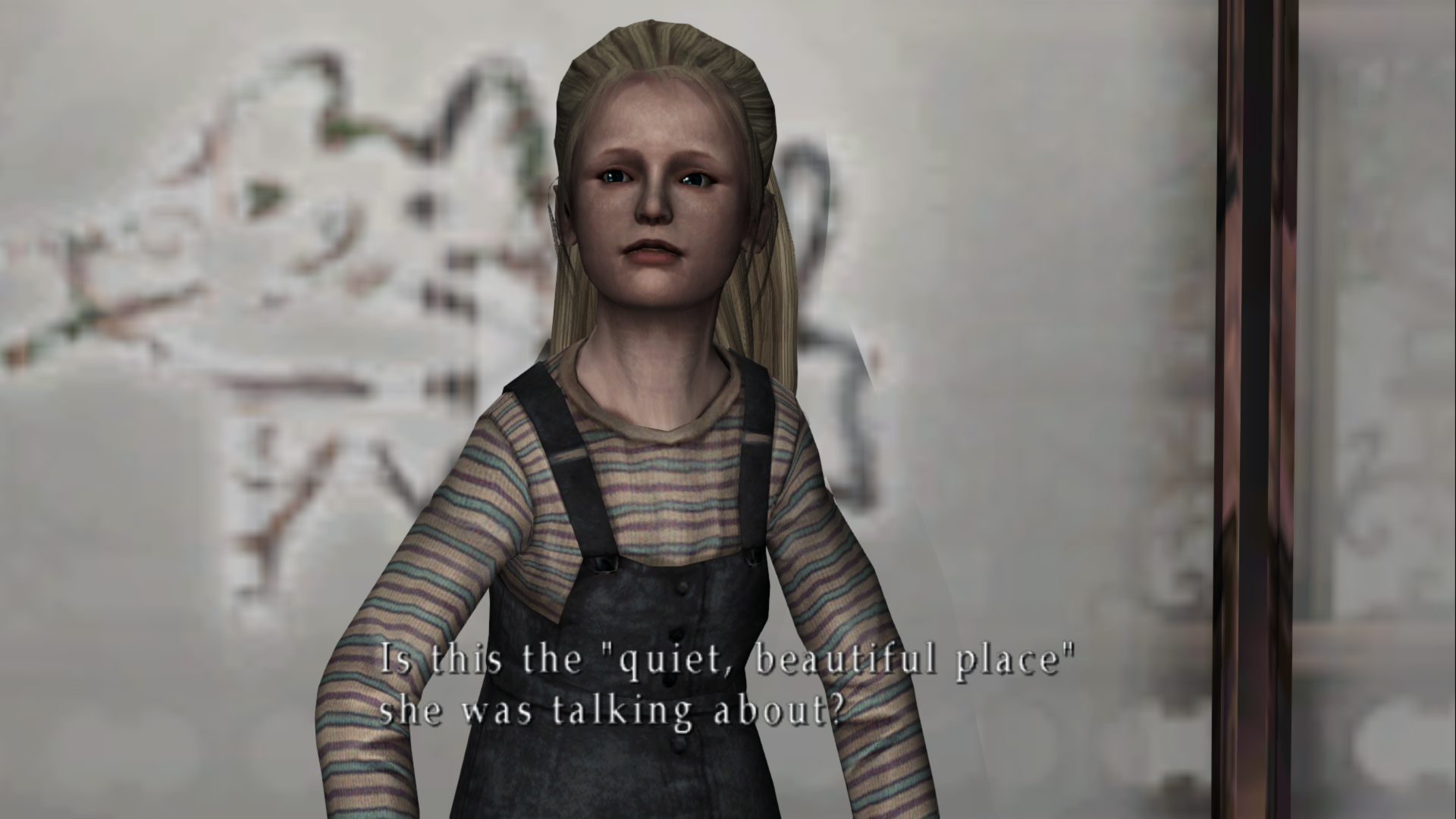
On the stairway immediately after the Angela Hotel Fire room James' eyes and flashlight shine:
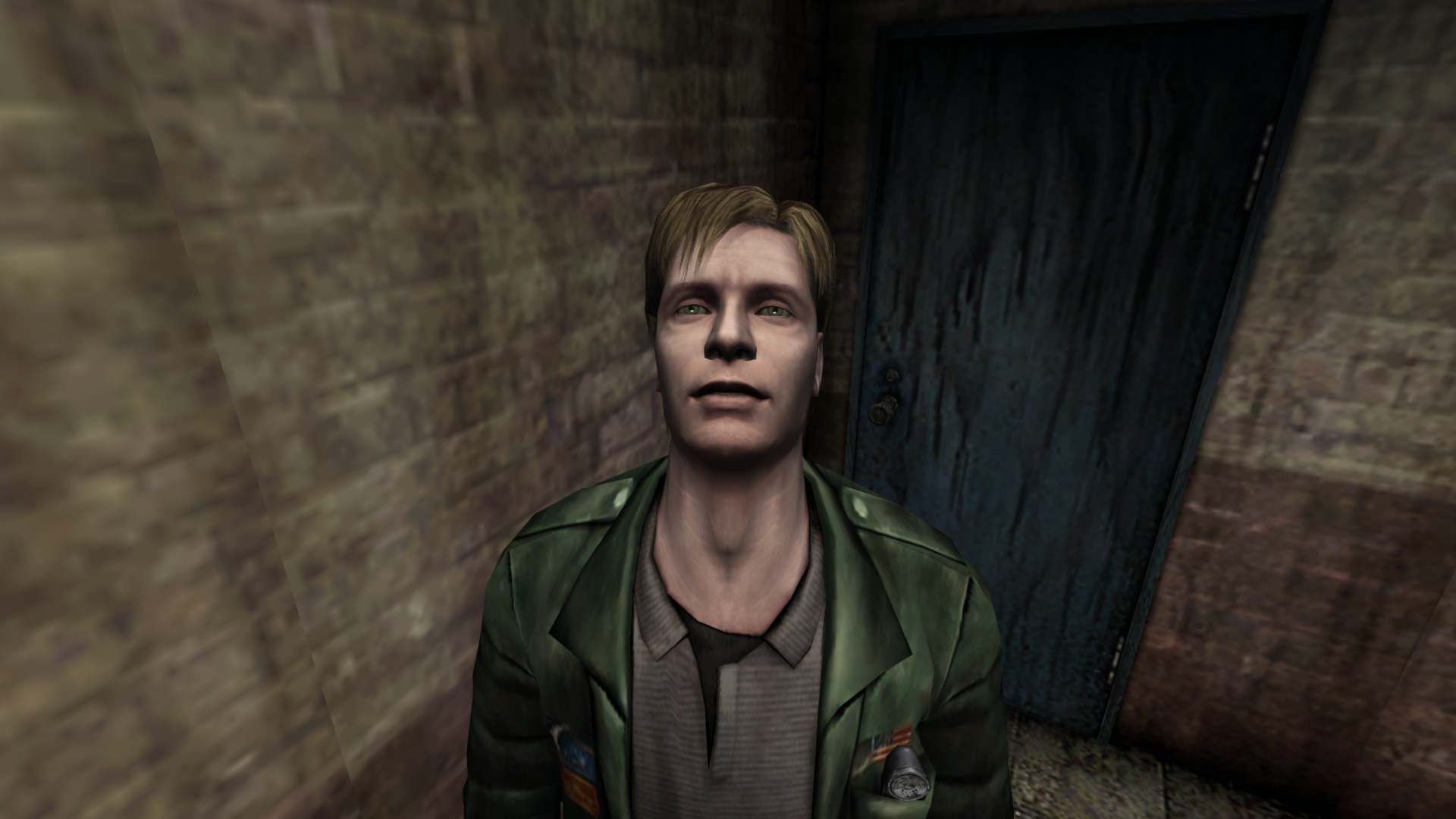
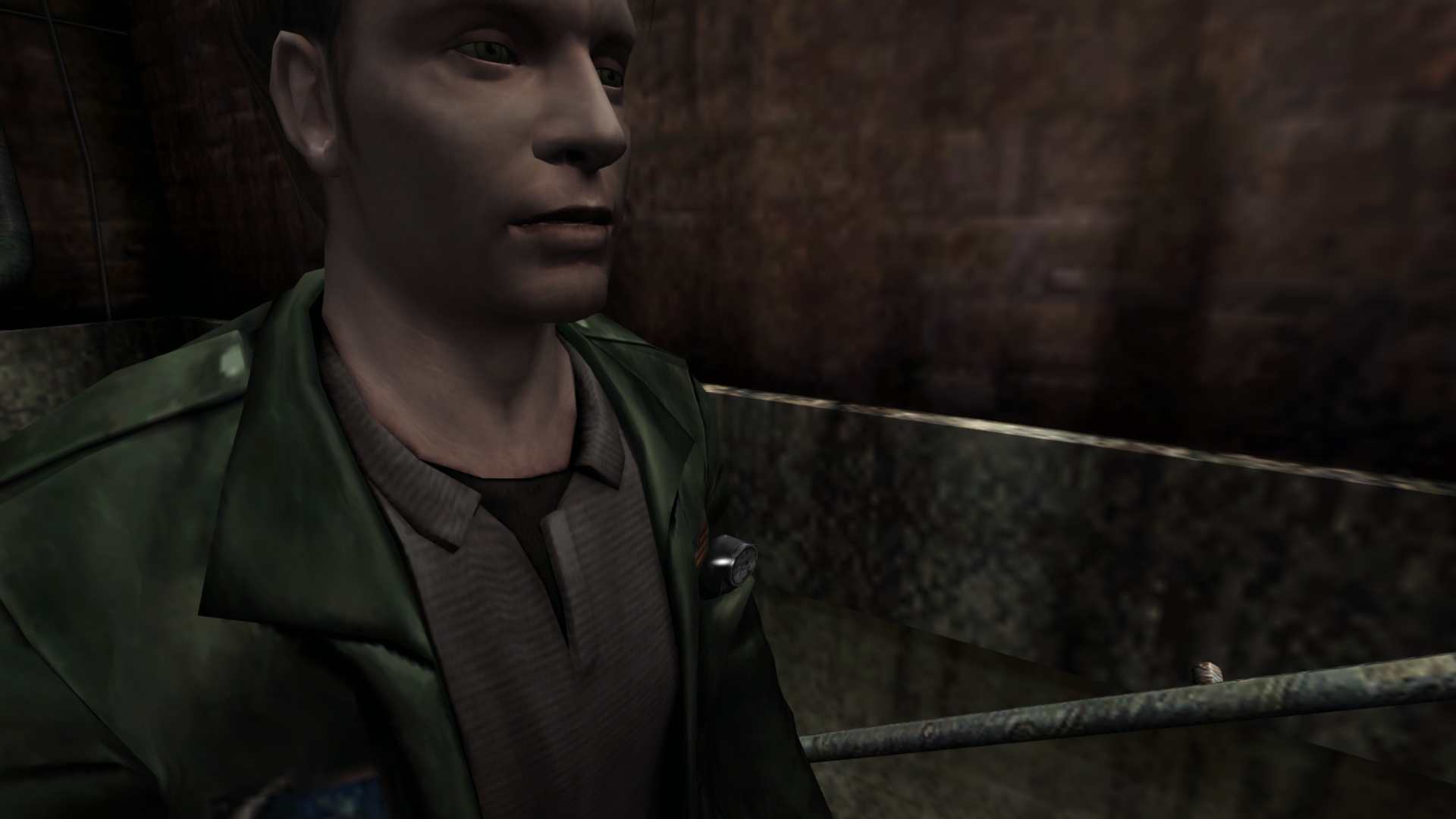
EVERYTHING that should shine in this cutscene/room does. Maria and James' eyes, James' flashlight, RPT's helmets & spears. All checks out:
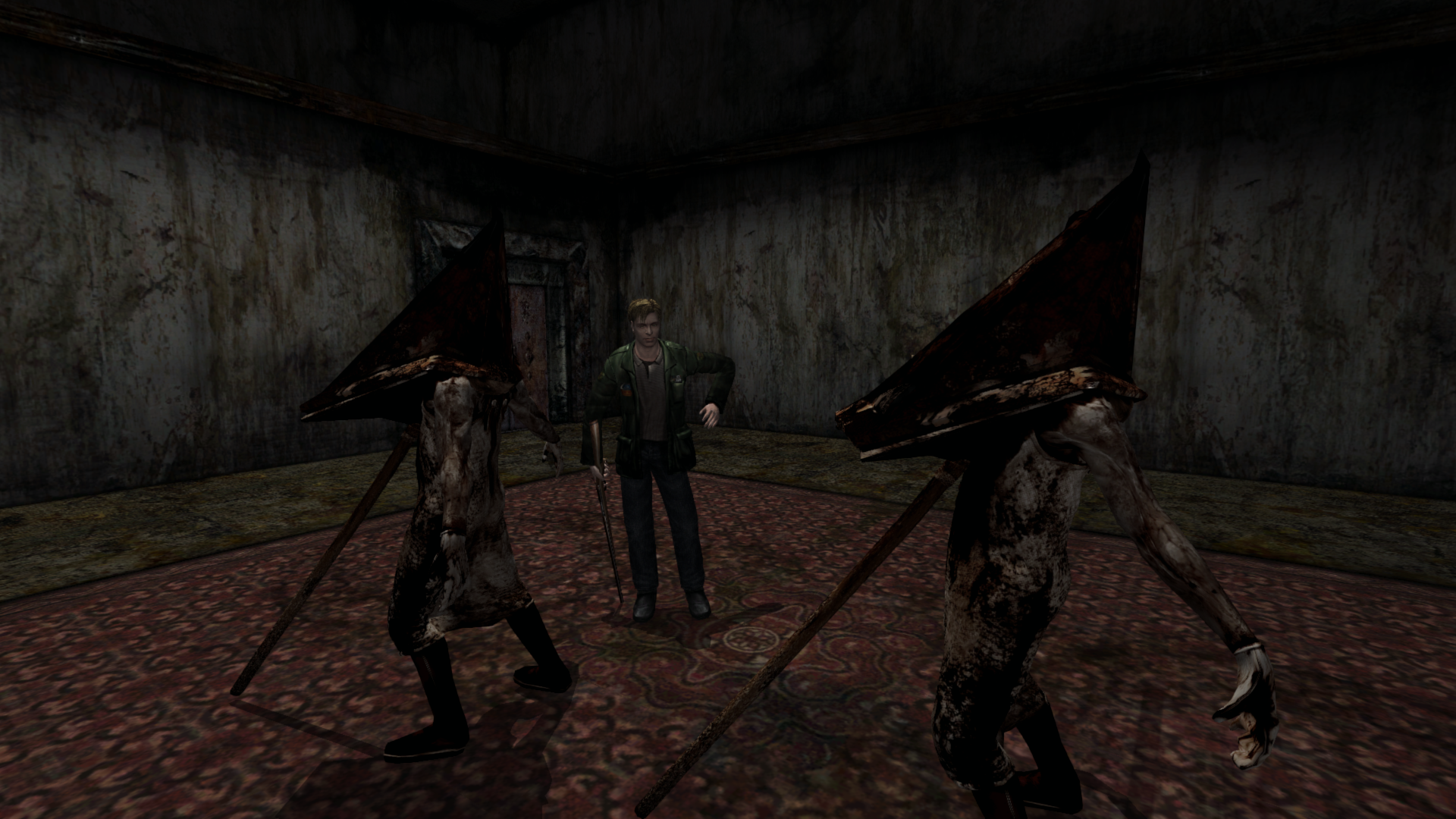
In Lakeview Hotel Room 204/205 (2F) James' eyes and flashlight shine:
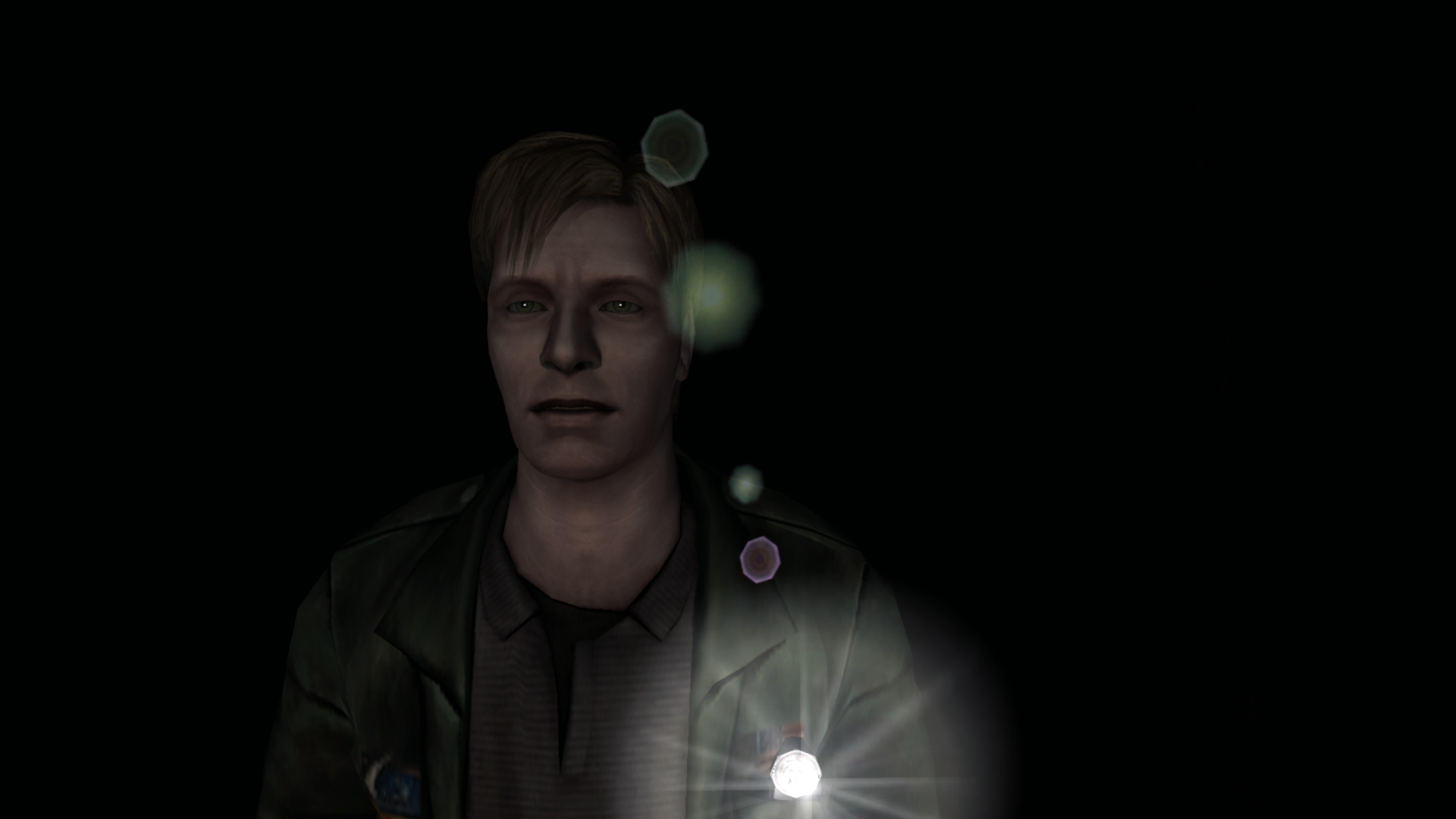
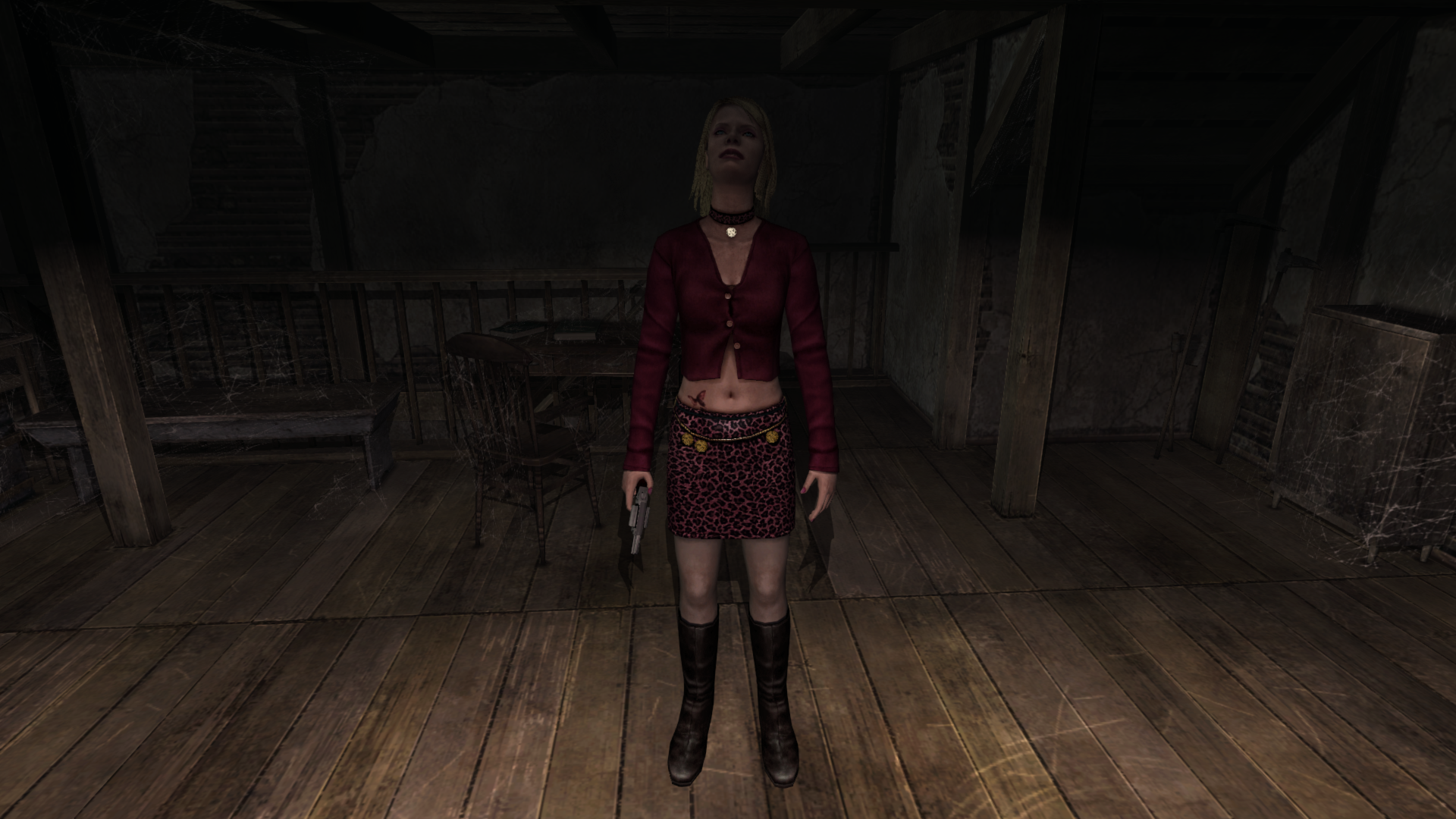
Maria in the mansion's attic when the candle is lit:
Polymega
on 1 Dec 2018
@elishacloud you've really got me curious now. In reference to FrozenFish24's post here: https://github.com/elishacloud/Silent-Hill-2-Enhancements/issues/66#issuecomment-442524366
Which stemmed from this idea here: https://github.com/elishacloud/Silent-Hill-2-Enhancements/issues/66#issuecomment-442327691
In summary: Things like James' eyes and flashlight should always be specular throughout the whole game like the PS2 version, but, for _many_ areas, that's not the case.
However, there are some rooms/cutscenes where things properly shine as they should seen in this post: https://github.com/elishacloud/Silent-Hill-2-Enhancements/issues/66#issuecomment-443391958
Just from reading those brief notes from the first two links above on the matter, is it also possible to restore calls to separate, specific texture and cube map files in shaders to restore this shine? The texture file in question is that simple white, gradient circle seen in FrozenFish24's post.
I can also provide more details about the shaders from Intel Frame Captures and send you those captures as well.
Polymega
on 6 Dec 2018
On PCSX2 the wall that creates the "white glow" in the hotel room has an additional geometry element in from of a second frontal layer that gets wrapped over any object that is positioned against it?
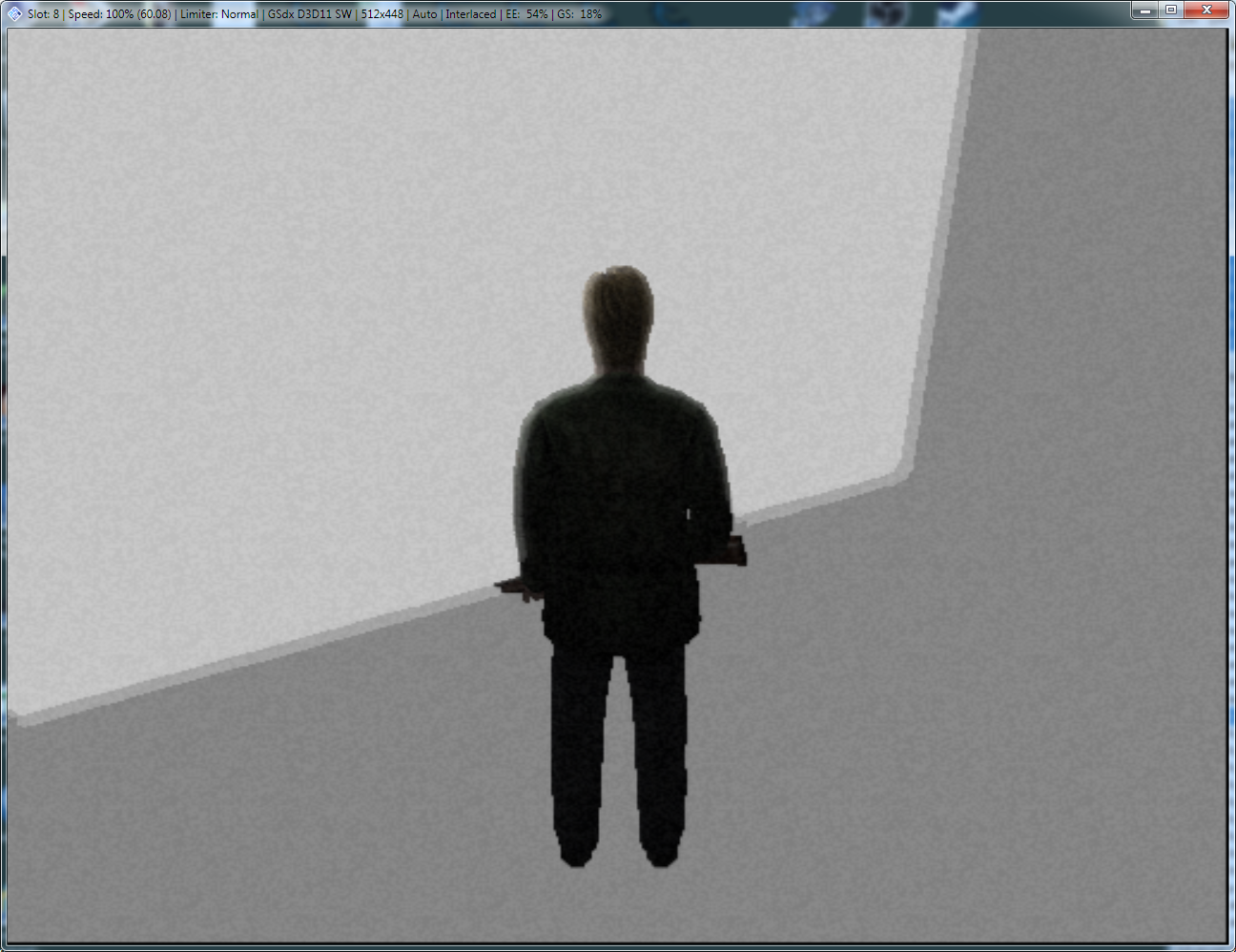
It seems that this wrapping effect is present on a real PS2 hardware: https://youtu.be/NG06Yfd5UOY?t=9822
Less on an Xbox version (is there any at all?): https://youtu.be/krOtR5J28uU?t=25121
Some addresses that control geometry of the wall on SLUS-20228GH build:
21F27998 float
21F2798C float
21F2799C float
21F279CC float
21F279D0 float
21F27A0C float
21F27A18 float
21F27A4C float
Set 2036B978 (4 bytes) to 0 to disable all textures while in the hotel room (like on the screenshot above).
PC version's white wall seems to have a second layer but it's diminished in comparison to PCSX2 version. You can see a tiny outline on James' jacket:
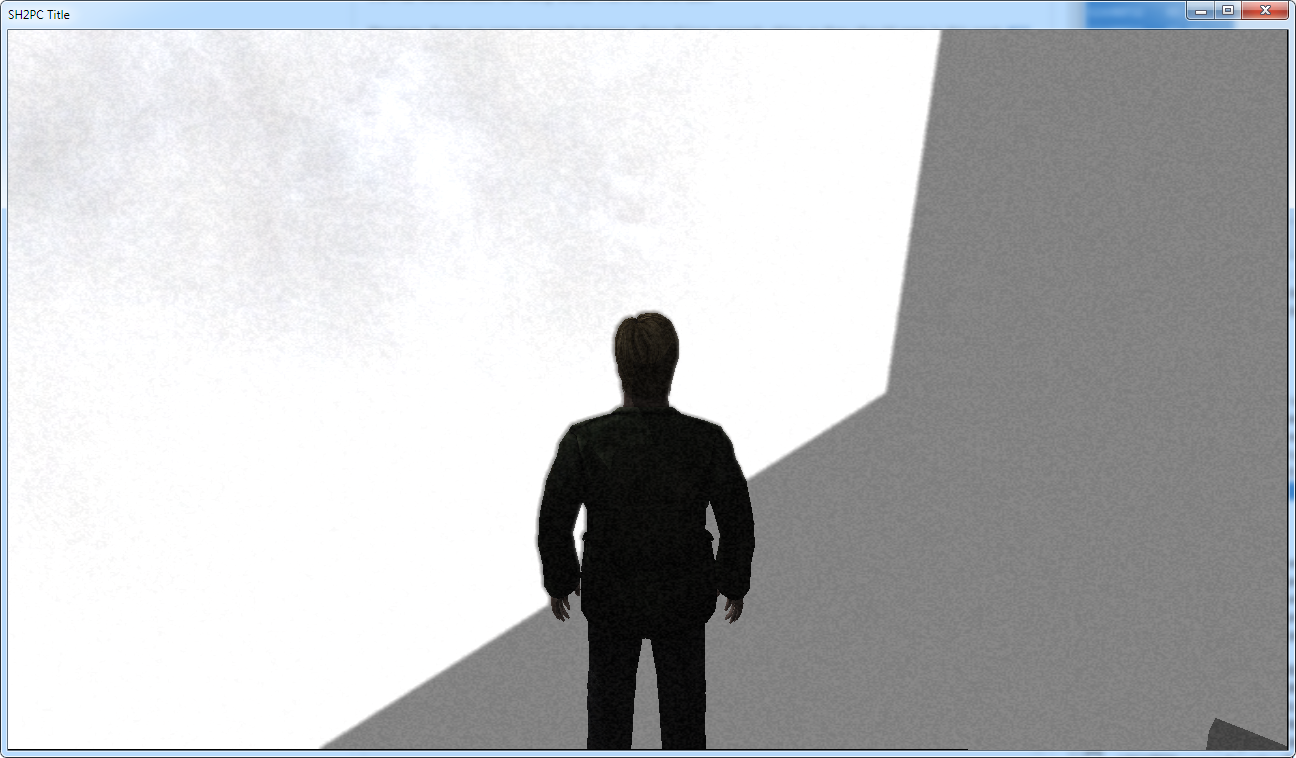
sh2pc.exe+542EF0 (00942EF0) byte — set to 0 to disable all textures in the room like on the screenshot above
White wall brightness seems to be OK, the windows' glass are too "stained" instead?
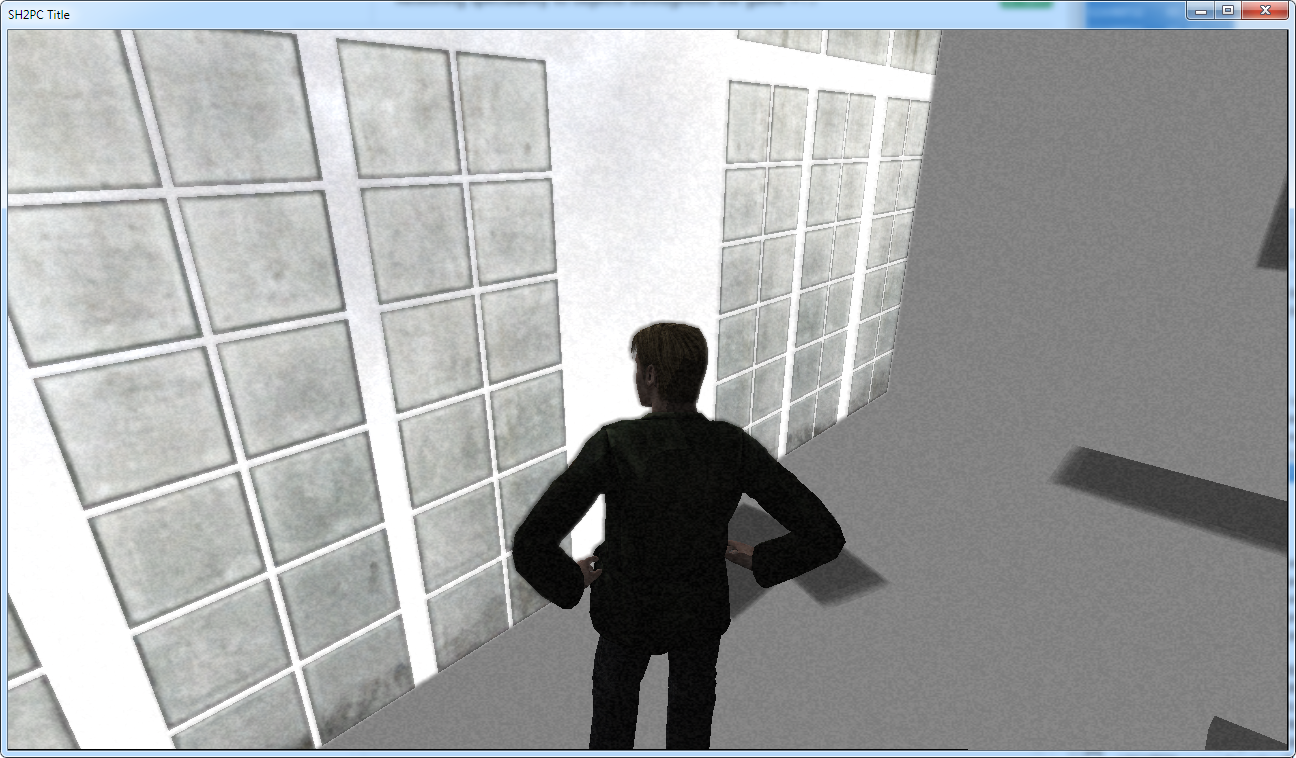
sh2pc.exe+4F0378 (008F0378) 4 bytes — set to 0 to disable all textures in the room like on the screenshot above
As I have mentioned above, loading zone colours addresses can make a difference in the white glow intensity and also several new addresses:
sh2pc.exe+19B87C0 (01DB87C0)
sh2pc.exe+19B87CC (01DB87CC)
Some addresses that control white wall geometry on PC version:
sh2pc.exe+4C962C (008C962C) float
sh2pc.exe+4C9630 (008C9630) float
sh2pc.exe+4C9634 (008C9634) float
sh2pc.exe+4C9638 (008C9638) float
sh2pc.exe+4C963C (008C963C) float
sh2pc.exe+4C9640 (008C9640) float
sh2pc.exe+4C9644 (008C9644) float
sh2pc.exe+4C9648 (008C9648) float
sh2pc.exe+4C964C (008C964C) float
On a side note: invoking Menu by pressing Esc premanently make noise filter or white glow in the room darker? Not sure if it only happens to me.
Bigmanjapan
on 1 Jan 2019
@Bigmanjapan
I've had this post saved for a while to share on the other GitHub thread, as I have found a way to solve the flickering shadow issue for this room. But I'll copy + paste it here as it also goes over the room glow a little too:
rr91.map
_This will be released with v1.0.3 of the "Enhanced Edition Essential Files" (not yet published)_
This one will require a little bit of explaining as this adjustment fixes an annoying visual glitch that otherwise ruins a very important cutscene.
First, let's show the issue with this room. During a "Very Important" cutscene the top edge of the Hotel Room 312 canopy doors produces a flickering shadow glitch which detracts and takes you out of the scene:
SPOILERS: https://youtu.be/lfGt7oshGeI
You can also see this shadow glitch if you step back far enough afterwards:
PC default:
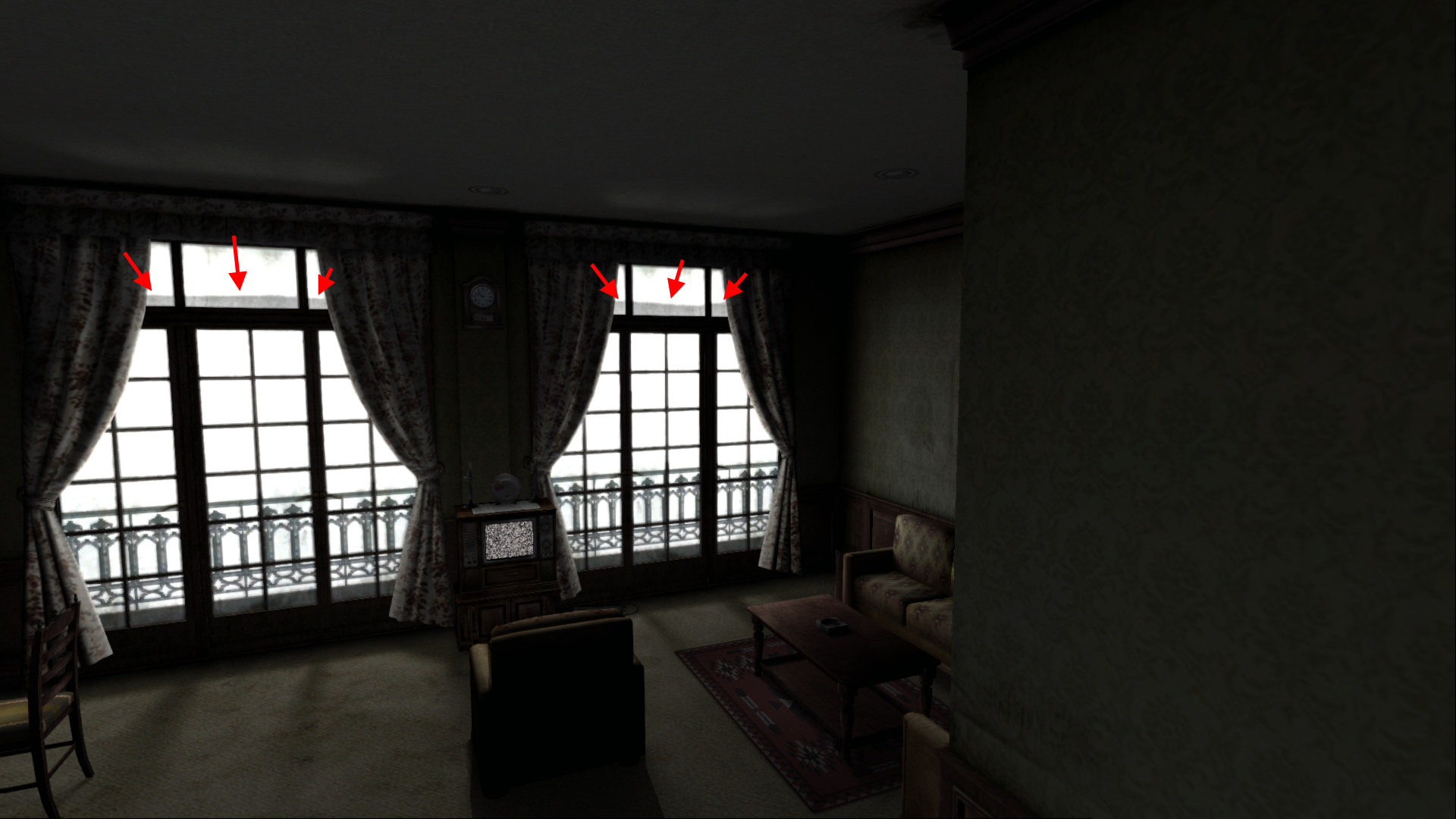
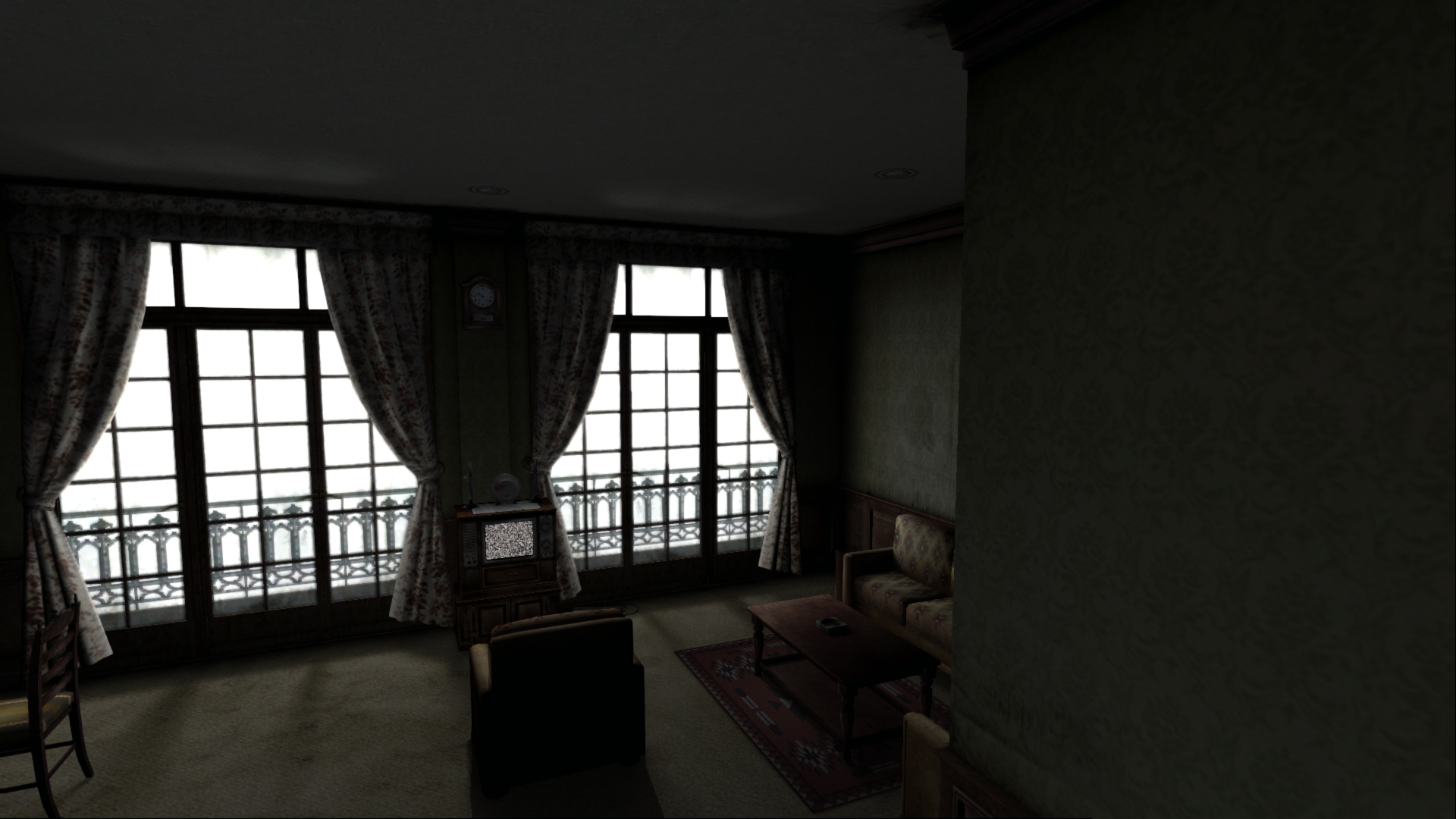
This fix involves modifying the alpha channel for the top-most glass windows to remove the shadow bug by making the bottom-half of these particular glass windows fully transparent.
PC adjusted:
What's also interesting is enabling/disabling Advanced Filters (referred to as AF from this point) in the game's options menu affects this area; the outside white levels become much darker, which is caused by the alphas on the window being more opaque when AF is off:
PC Advanced Filters On:
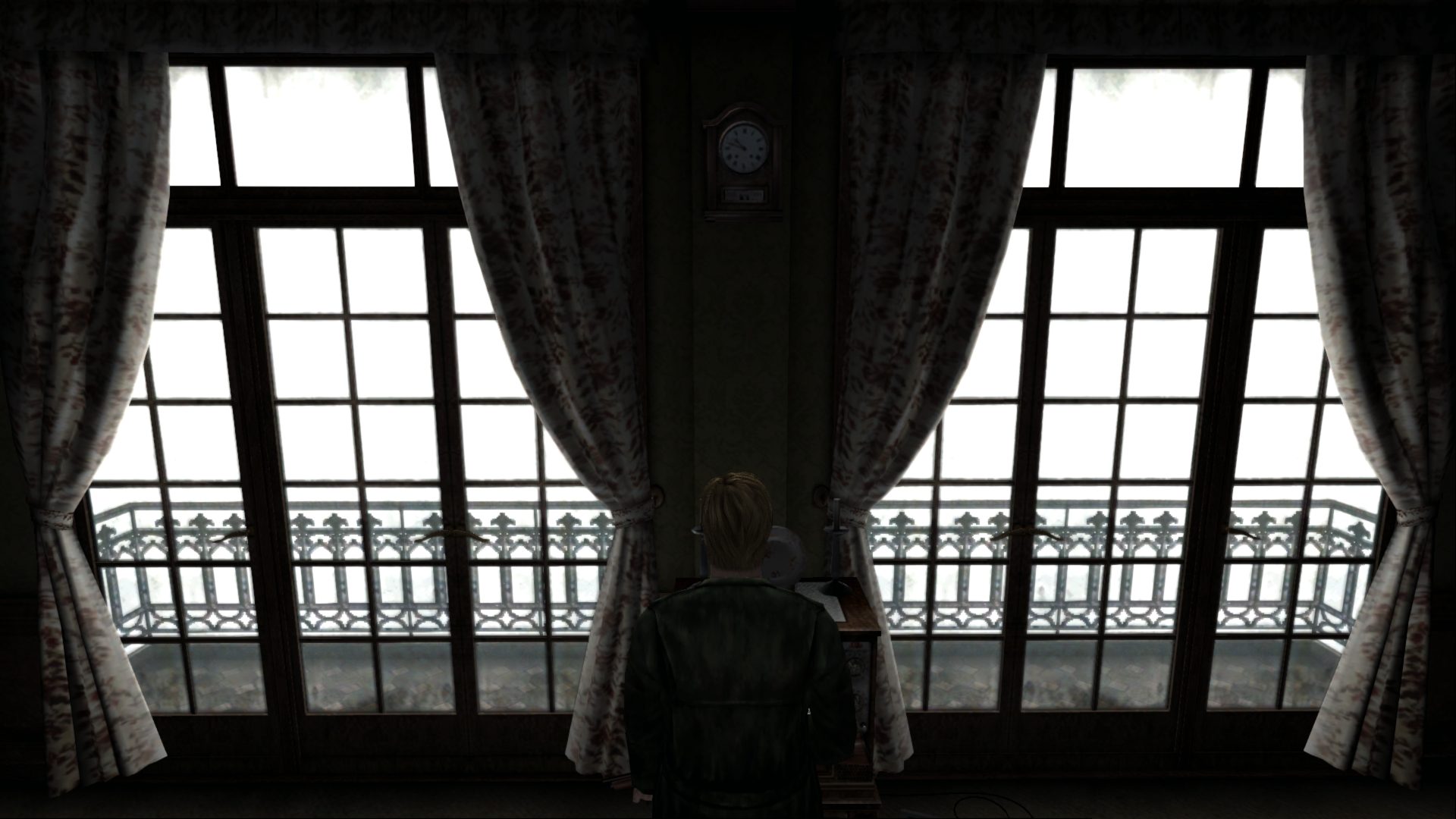
PC Advanced Filters Off:
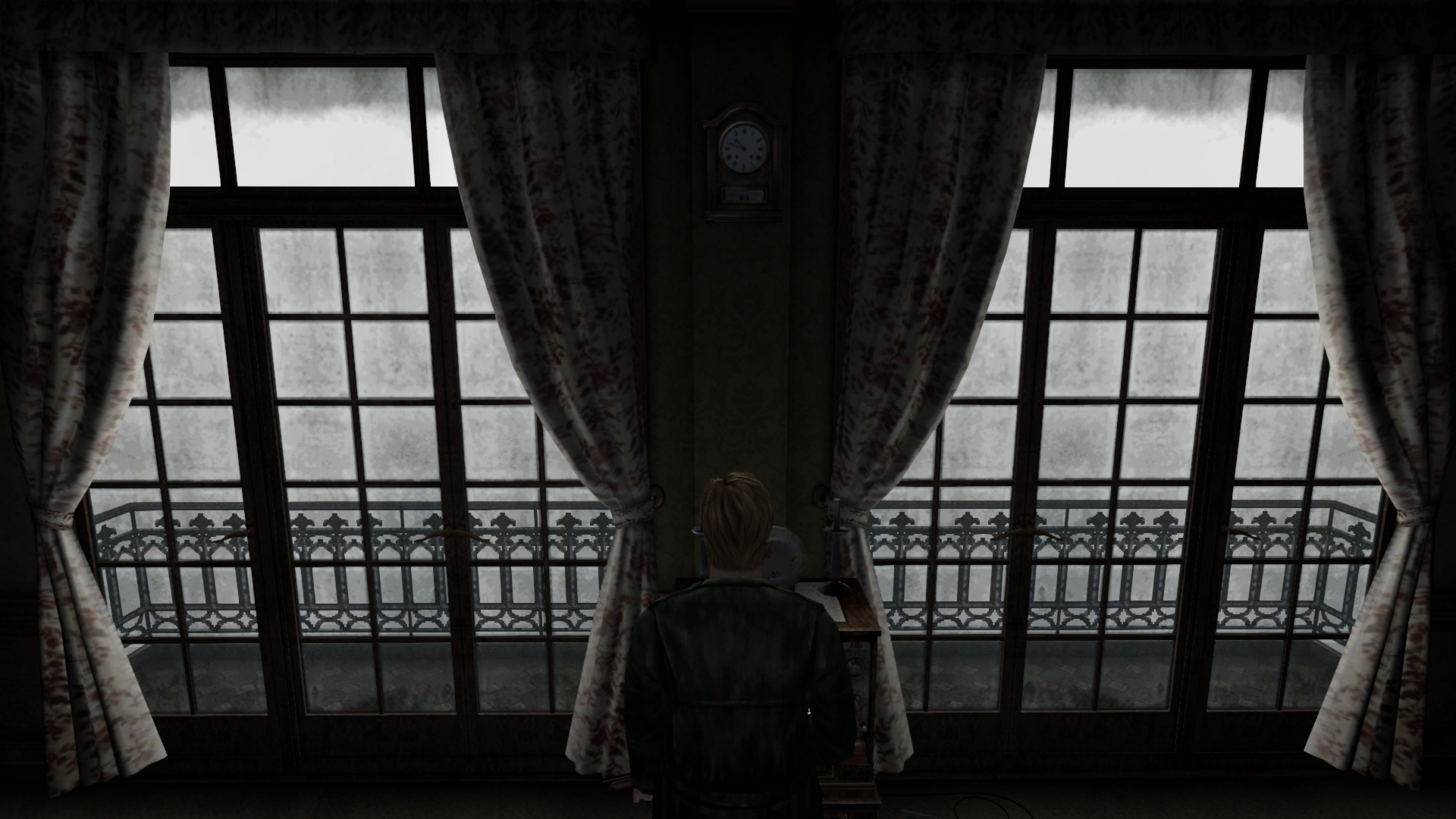
Not only that, but there's a new problem: As seen directly above, if, for whatever reason, someone decides to play the game with AF turned off the top-most glass windows now look drastically different because their bottom halves are now fully transparent (which was done to fix the shadow bug when AF is on). To fix this, we can adjust the alpha channels for the other glass panes to make them all better match:
PC Advanced Filters Off (glass alphas further adjusted):
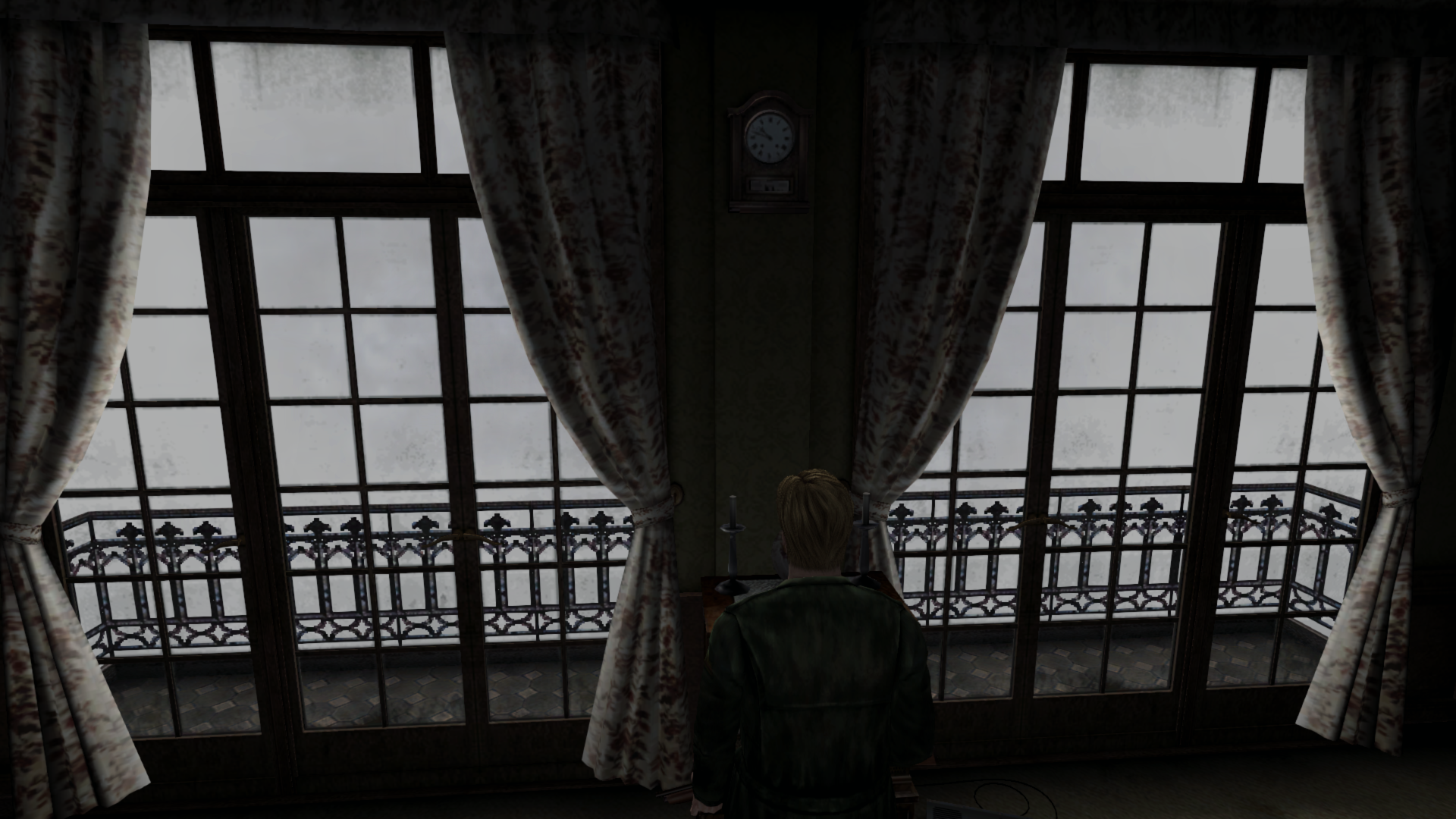
Not bad. We had to tone done the "dirtiness" of the windows overall but this makes the glass look good/consistent with or without AF turned on. The _correct_ way for this room to look is with Advance Filters turned ON. Here's a (terrible) camera shot I took of my PS2 copy showing that the outside of this room should be basically pure white (the same as it looks on the PC version when AF is turned on):
PS2 snapshot:
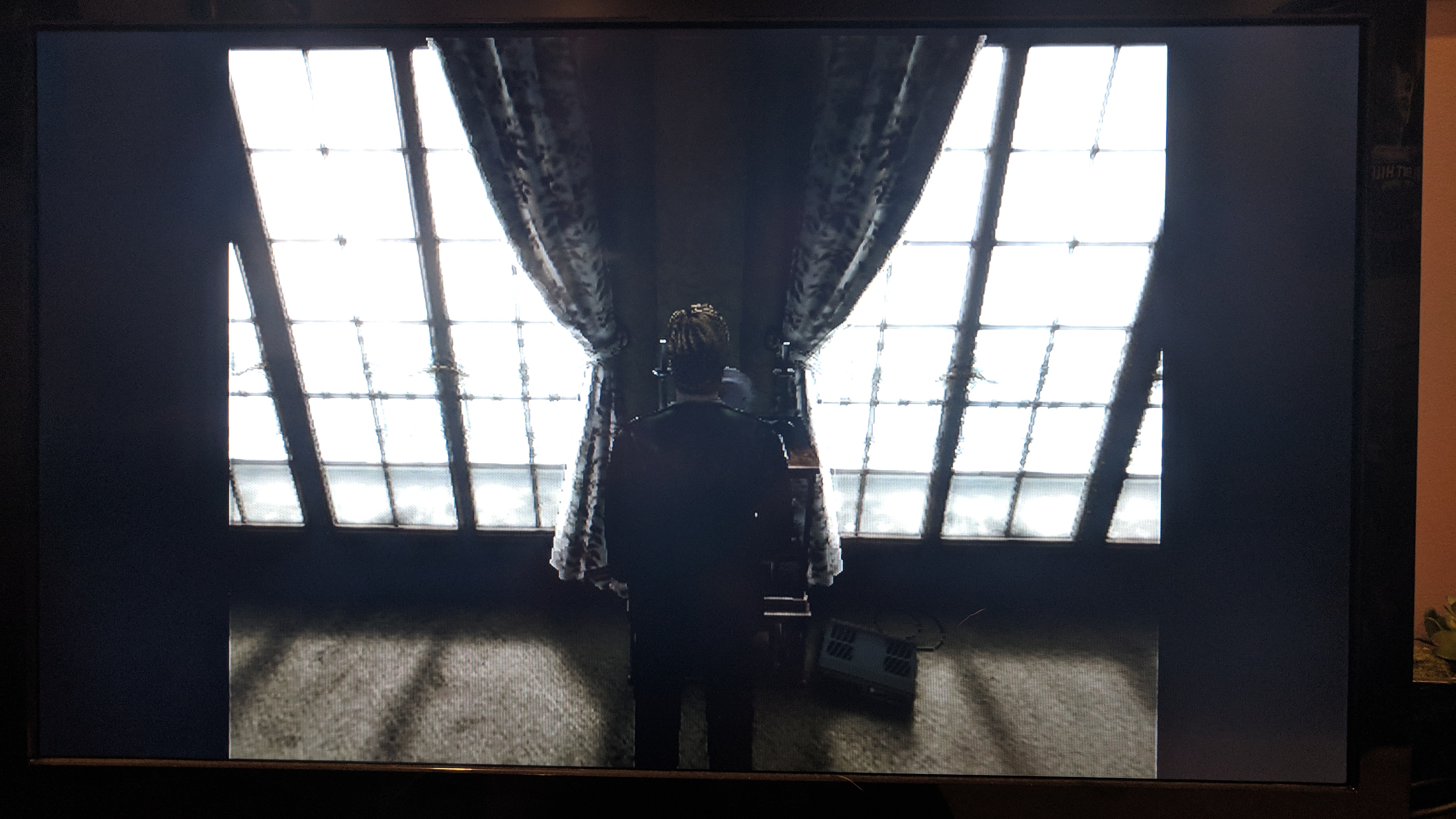
The thing is, when AF is turned on the white levels from outside are so bright _it practically masks out all the dirt textures on the window anyway_ (this is also true for the PS2 version). This is why it's not a big compromise to tone down the dirtiness on the glass to both a) fix the shadow glitch when Advanced Filters is turned on and b) also make it still look good with the filter is turned off.
We could take this one step further and combine hex editing in conjunction with the glass texture fix. By doing such a thing, we can use the modified glass texture to fix the aforementioned issues and also bring back some of the dirt texture for when AF is turned on (near the top of the doors like the PS2 version) and also brighten up the outside for when AF is turned off:
PC (AF on, modified texture, modified addresses):
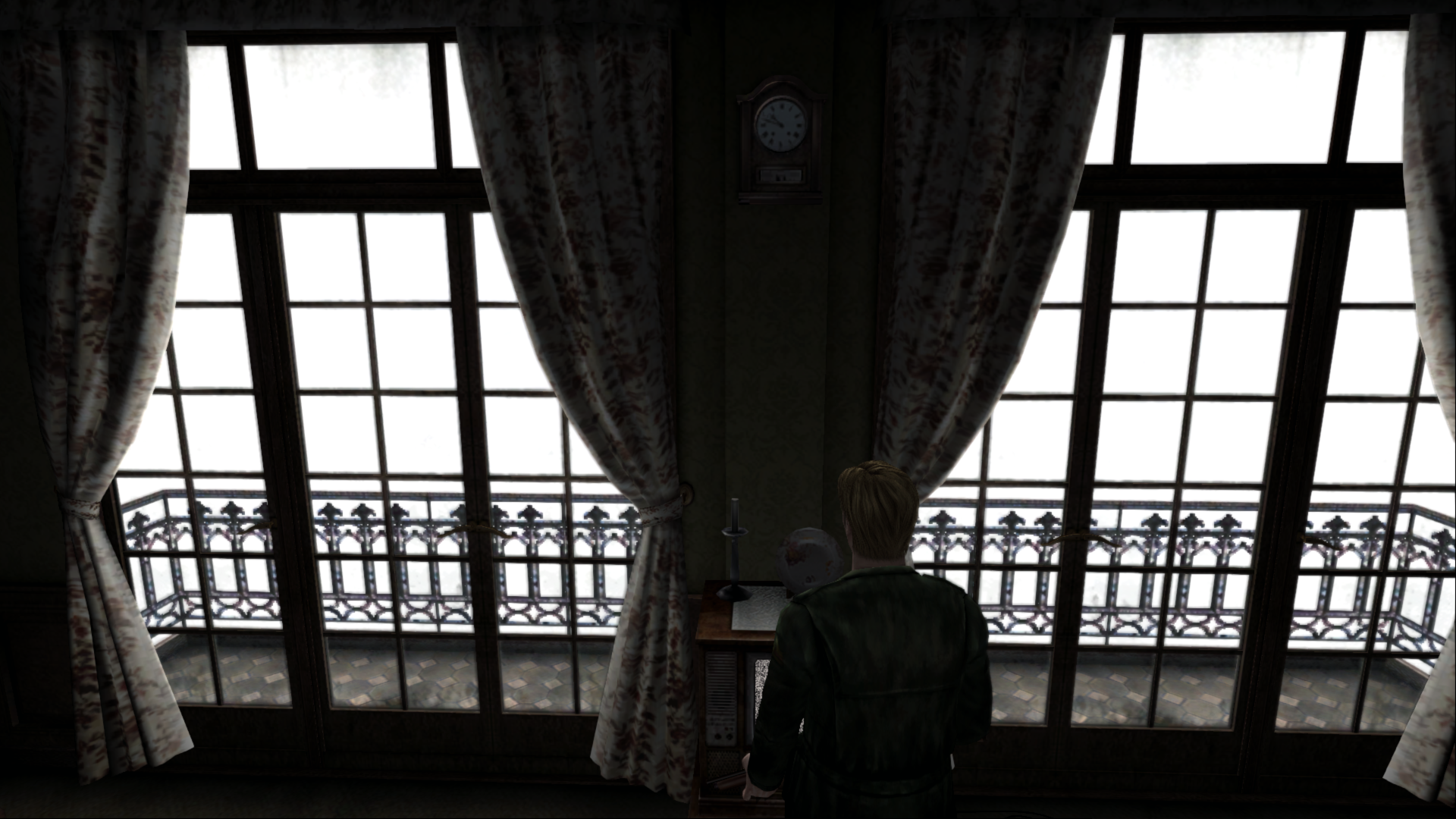
PC (AF off, modified texture, modified addresses):
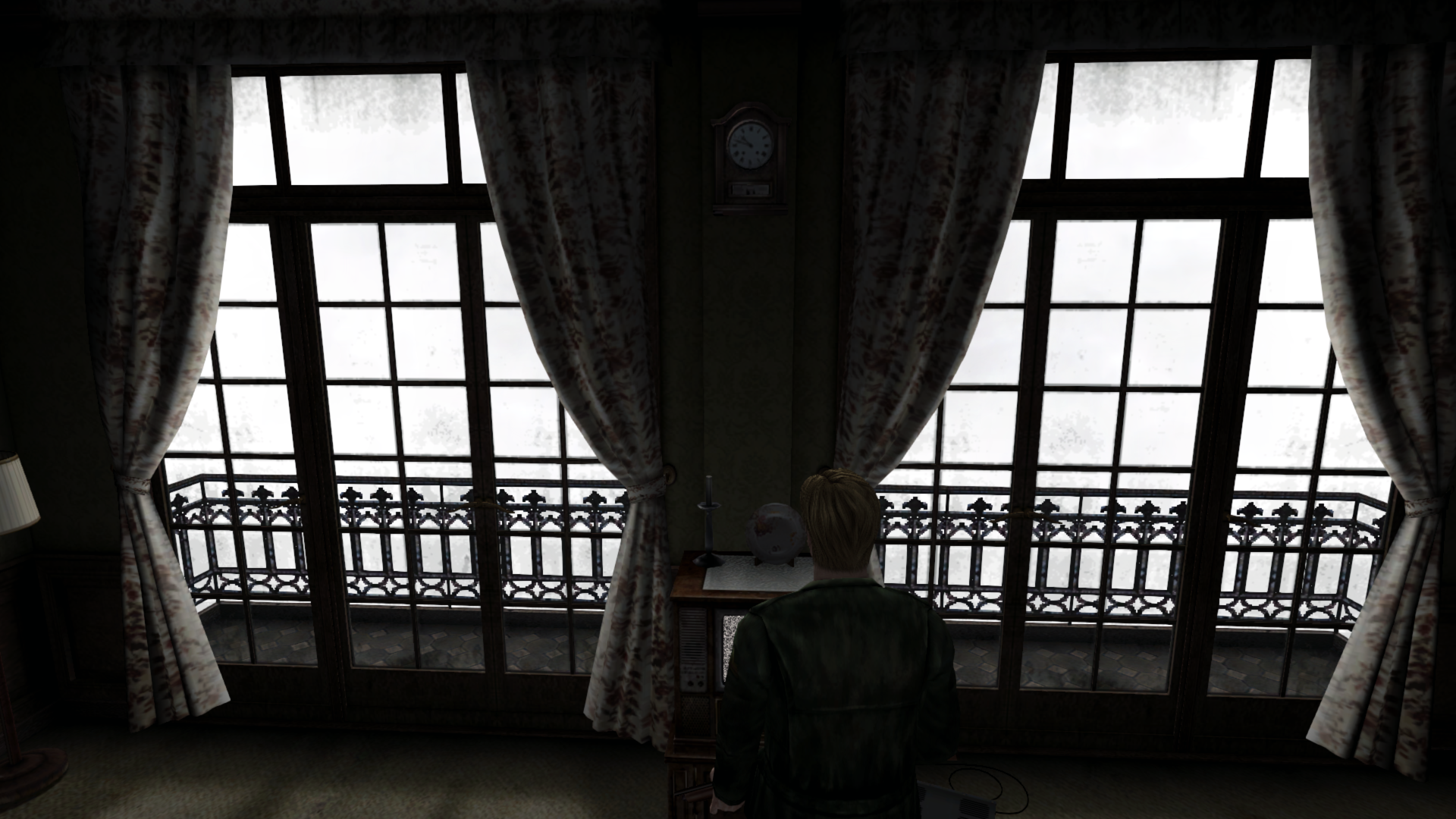
Of course, AF off isn't going to look identical to when AF is on, but the two pictures above show we can get them looking pretty close to one another by adjusting loading zone and fog colors/intensities (addresses for these found by @Bigmanjapan ).
IF in Room 312 AND custom .map is detected AND AF is ON:
Description | Address | Type | Original Value | New Value
-- | -- | -- | -- | --
Loading Zone Color R | 00942C50 | Byte | 170 | 120
Loading Zone Color G | 00942C51 | Byte | 170 | 120
Loading Zone Color B | 00942C52 | Byte | 170 | 120
Fog Color R | 01F7A6AE | Byte | 128 | 128 (same)
Fog Color G | 01F7A6AD | Byte | 128 | 128 (same)
Fog Color B | 01F7A6AC | Byte | 128 | 128 (same)
IF in Room 312 AND custom .map is detected AND AF is OFF:
Description | Address | Type | Original Value | New Value
-- | -- | -- | -- | --
Loading Zone Color R | 00942C50 (byte) | Float | 170 | 255
Loading Zone Color G | 00942C51 (byte) | Float | 170 | 255
Loading Zone Color B | 00942C52 (byte) | Float | 170 | 255
Fog Color R | 01F7A6AE (byte) | Float | 128 | 200
Fog Color G | 01F7A6AD (byte) | Float | 128 | 200
Fog Color B | 01F7A6AC (byte) | Float | 128 | 200
Also, this is one of very few areas where playing on hardware vs. software mode in PCSX2 _does_ make a difference:
PCSX2 (Direct3D 9 software, OpenGL hardware, & OpenGL software):
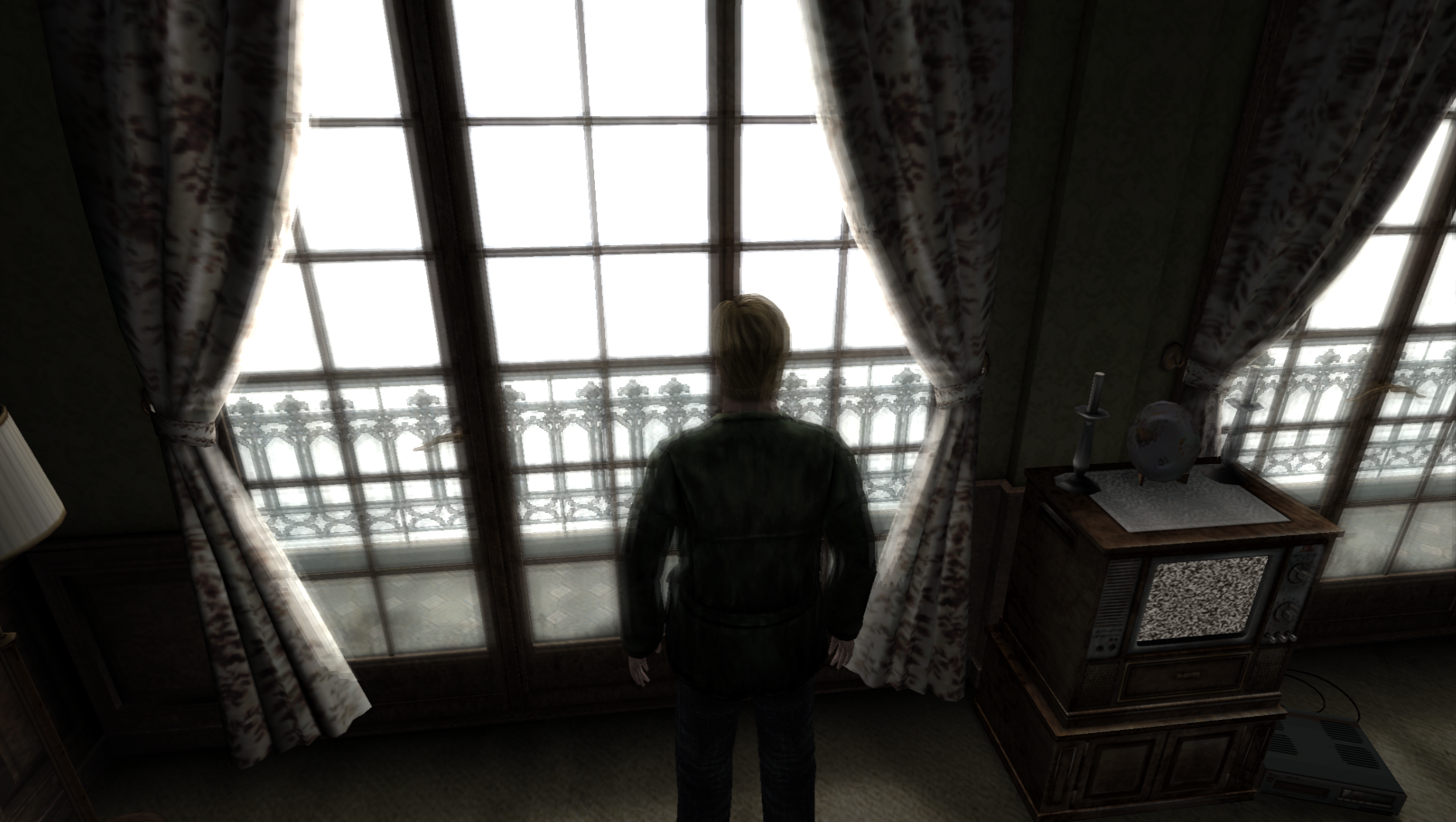
PCSX2 (Direct3D 9 hardware):
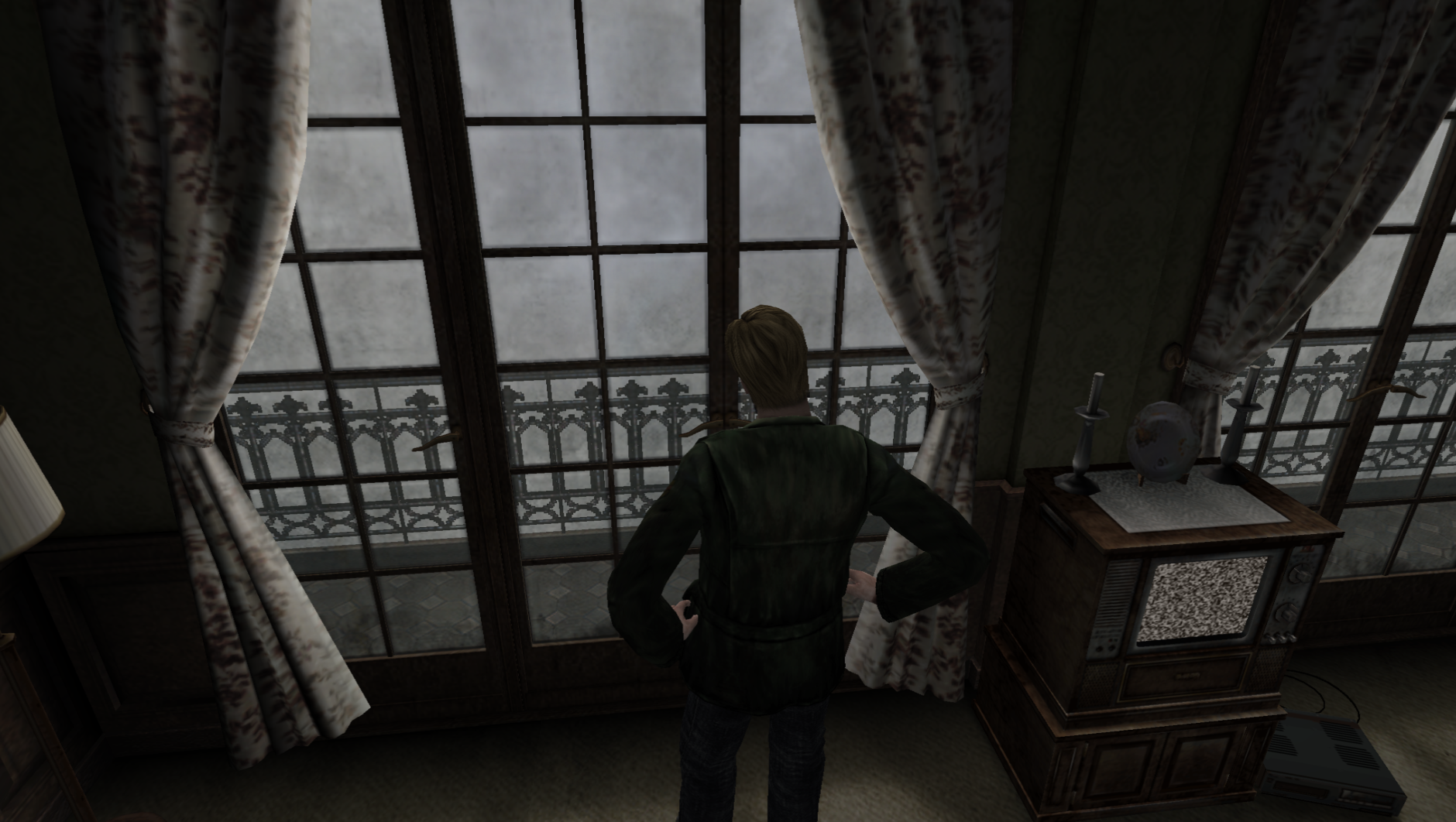
As we can see, playing in Direct3D 9 hardware on PCSX2 gives us similar visual results when AF is off on the PC version.
Lastly, there seems to be another effect drastically toned down (like the motion blur and DoF) on the PC build. The PS2 (and probably Xbox) version simulates/does a fake bloom effect around the windows/curtains/James (when he's close to the windows). The PC version does this too but it's so minor it almost looks like it's not working. Let's look back at the PCSX2 version (actual PS2 version looks the same):
PS2/PCSX2 bloom-like effect:
PC version (very slight bloom-like effect):
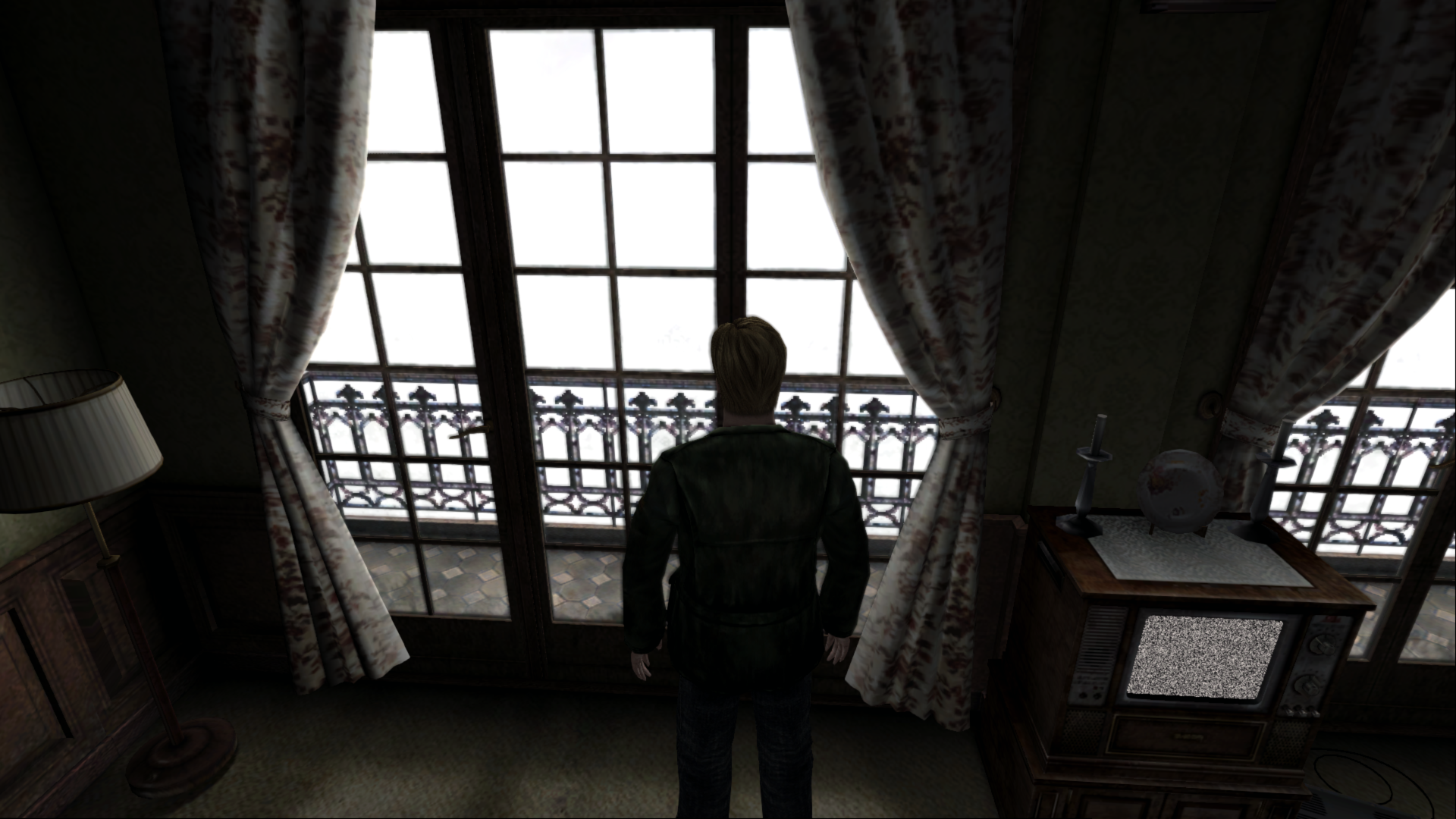
...and here's a photo showing that the pseudo bloom effect is there and working:

...and here's a close-up of some of the spots from the PC pic showing an object's coloring blooming/"bleeding" out around themselves:
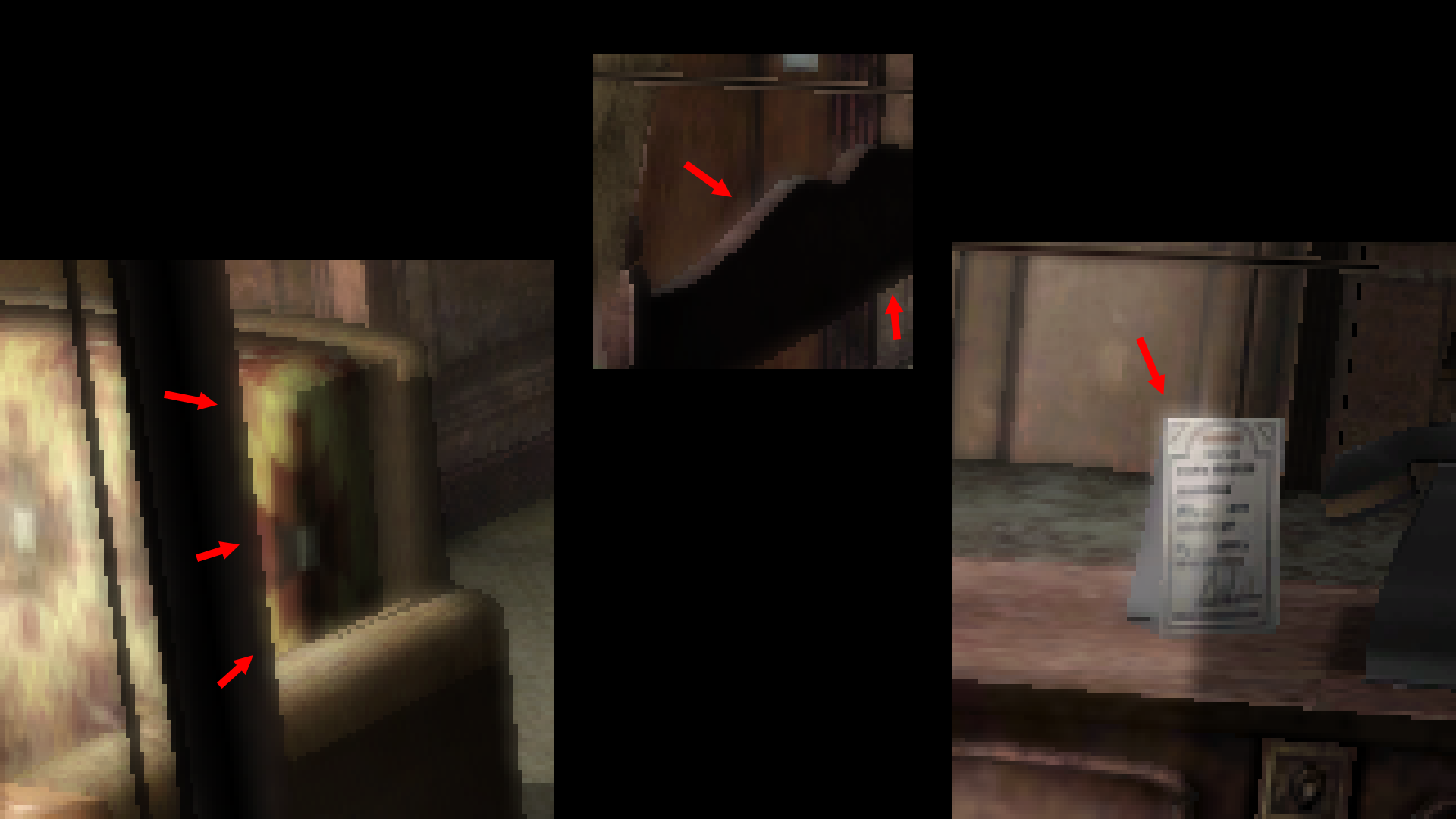
While working on this room I've learned that the Advanced Filter is what makes the (very toned down) motion blur, depth of field, and pseudo bloom active in the game. I wonder if there's a single, universal value that would affect all these effects? Essentially cranking them all back up to match what the PS2 produced?
Polymega
on 1 Jan 2019
I believe this is the pixel shader code for the PC version that affects the fake bloom effect:
def c0, 0.5, 0.5, 0.5, 0.5
tex t0
tex t1
tex t2
tex t3
add_d2 r0, t0_bias, t1_bias
add_d2 r1, t2_bias, t3_bias
add_d2 r0, r0, r1
add r0, r0, c0
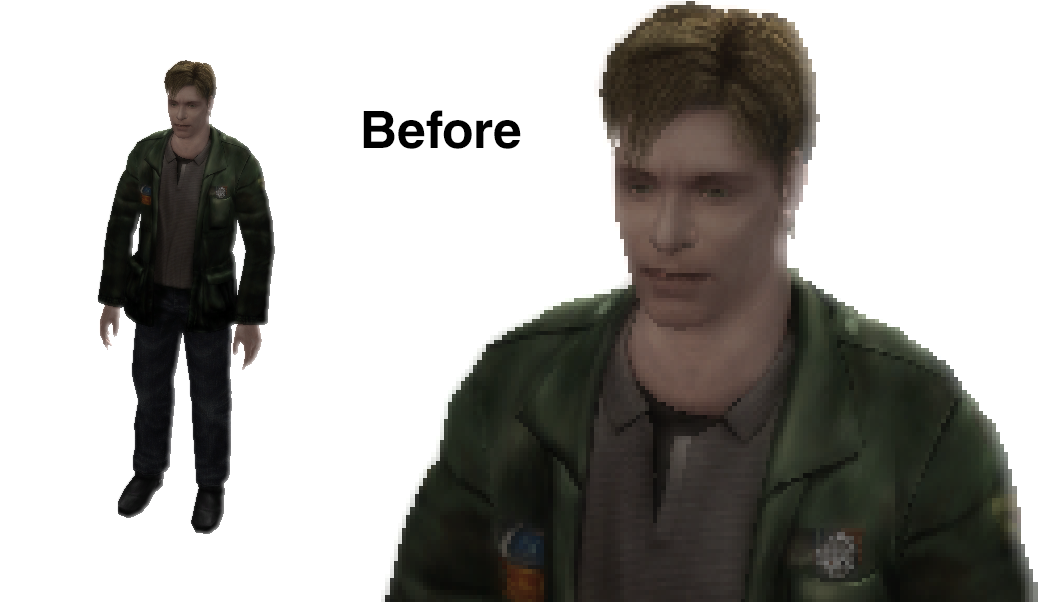
Here is what happens if I modify the code. Keep in mind, I don't know what I'm doing here; I'm just adjusting numbers around in the hopes I get a positive result:
def c0, 0.5, 0.5, 0.5, 0.5
tex t0
tex t1
tex t2
tex t3
add_d2 r0, t0_bias, t1_bias
add_d2 r1, t2_bias, t3_bias
add_d2 r0, r0, r1
add r0, r1, c0 <--- changed from 'r0, r0, c0'
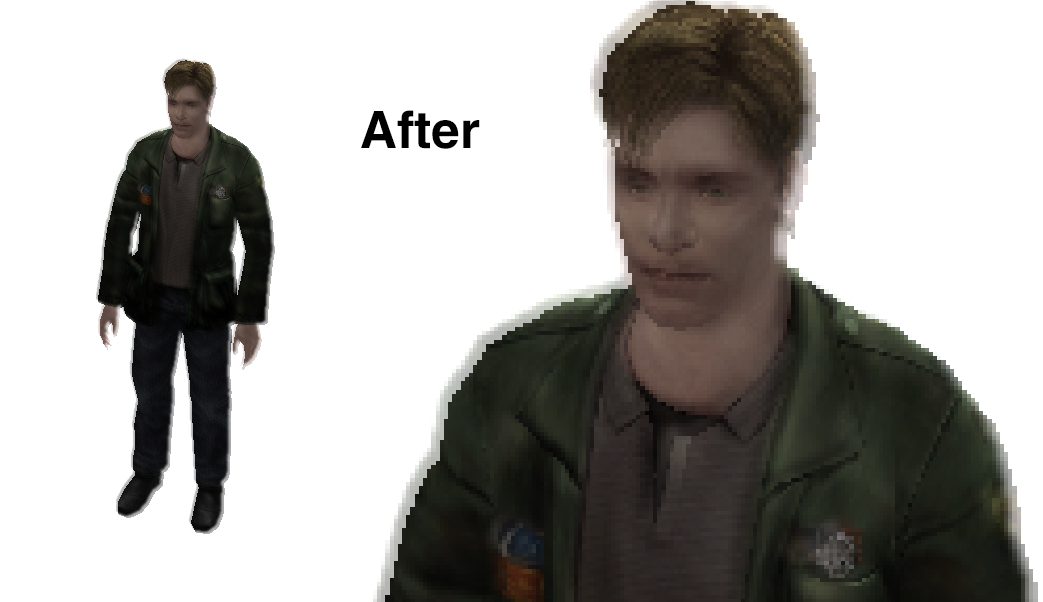
Perhaps the pixel shader code could be adjusted further for a more accurate fake bloom effect because, again, I'm not sure what I'm doing with these types of adjustments.
Polymega
on 1 Jan 2019
@Polymega
the outside white levels become much darker, which is caused by the alphas on the window being more opaque when AF is off
From what I can see, it's the white wall being completely disabled:
PCSX2 https://youtu.be/VCwH7fmD6wo
PC https://youtu.be/9RRQxxtuiM4
Advanced Filter is what makes the (very toned down) motion blur, depth of field, and pseudo bloom active in the game.
If this white wall is a separate effect tied to the AF selector in the Options, then maybe it's possible to cut it off from the selector making is permanently on. It's not possible to disable it on a real PS2 and it's not like modern PCs wouldn't be able to handle the effect. Just a thought though.
Hotel Room 312 canopy doors produces a flickering shadow glitch
Does the same glitch happen during the RPT elevator scene? Around the elevator door.
https://youtu.be/MlH49MyOvPA?t=1
Edit:
How about using this address to get rid of the flickering (works for the cutscene too)?
sh2pc.exe+6333C5 (00A333C5) byte — set to 7 (might break something else in the room but I haven't noticed)
Bigmanjapan
on 2 Jan 2019
@Bigmanjapan @elishacloud @Aerowidescreen @FrozenFish24
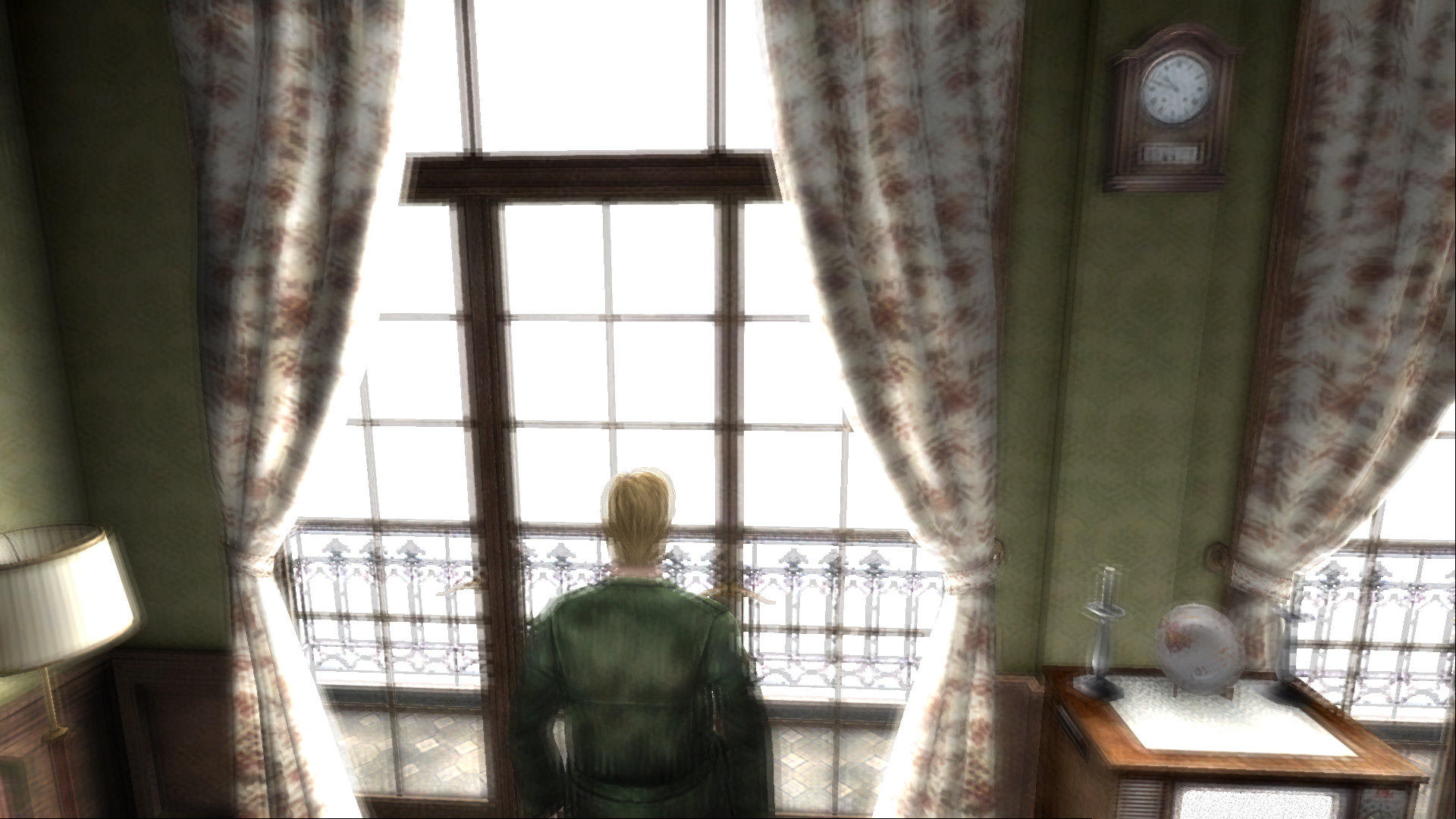
Thoughts? This is completely changing the pixel shader code. Bumping it up to ps.1.4 you can do some fancier things. Basis of the code taken from here. And of course this can be tweaked some.
Worth nothing: The Intel Frame Analyzer renders this pixel shader over everything and not just the areas around the windows as it would appear in the game. So the images you see below have the effect applied over the whole image. You'll have to use your imagination and pretend it's only being applied where it should be. The only concern I have is the effect is too bright? But maybe if applied in-game it'd look right?
def c0, 0, 0.00499999989, 0, 0.75 <--- Adjust 0.004 for y-shift bloom (lower the number, the tighter the bloom), 0.75 for overlaid intensity
def c1, 0.00499999989, 0, 0, 0.75 <--- Adjust 0.004 for x-shift bloom (lower the number, the tighter the bloom), 0.75 for overlaid intensity
texcrd r0.xyz, t0
sub r3.xyz, r0, c1
sub r2.xyz, r0, c0
add r1.xyz, r0, c1
add r0.xyz, r0, c0
phase
texld r0, r0
texld r1, r1
texld r2, r2
texld r3, r3
add r0, r1, r0
add r0, r2, r0
add_d2 r0.xyz, r3, r0 <--- _d4 and _d8 will "tighten" bloom effect
+ mov r0.w, c1
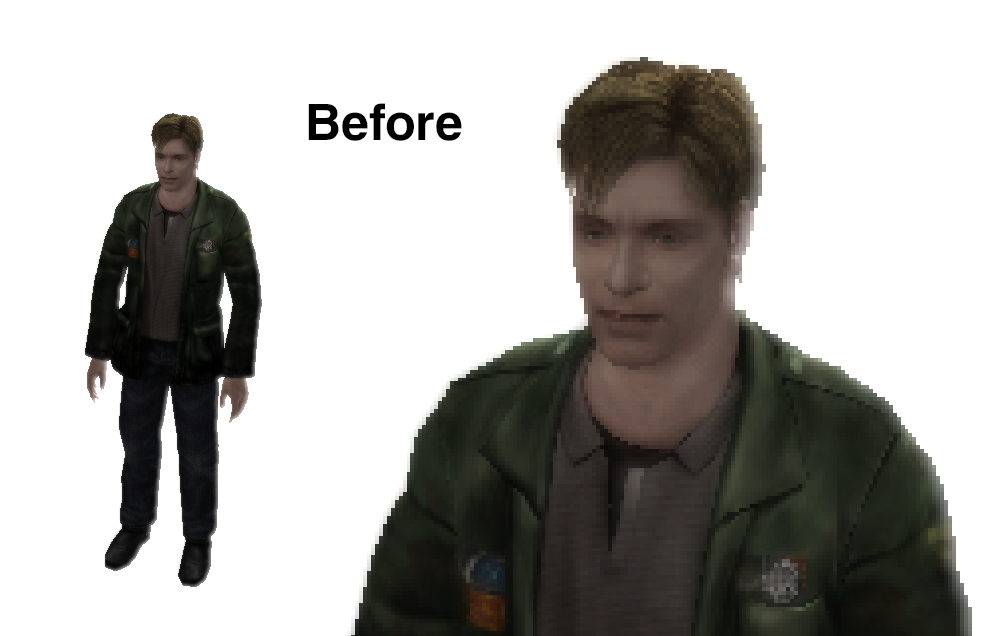
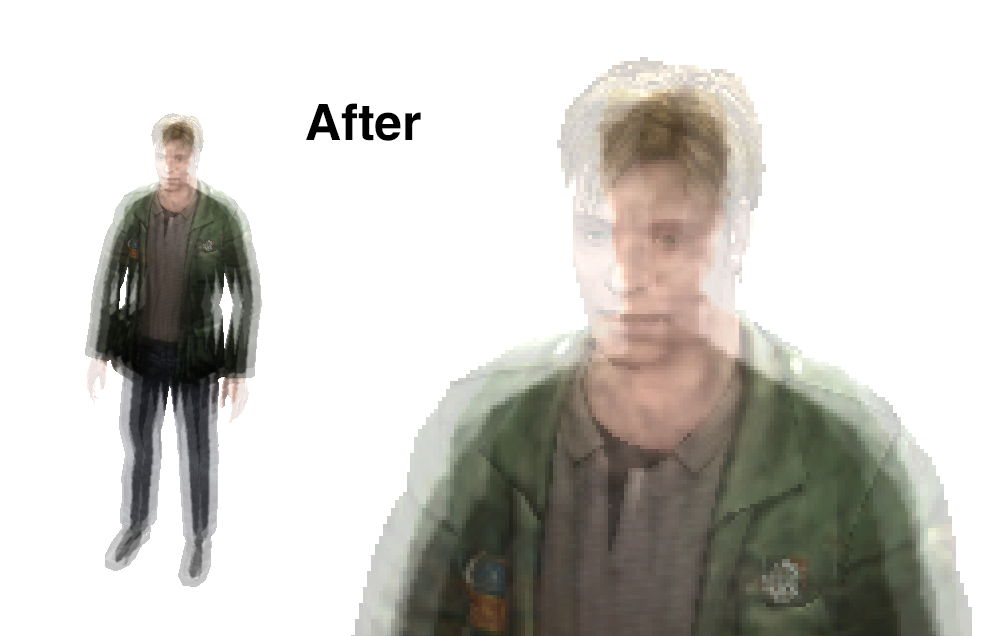
Before:
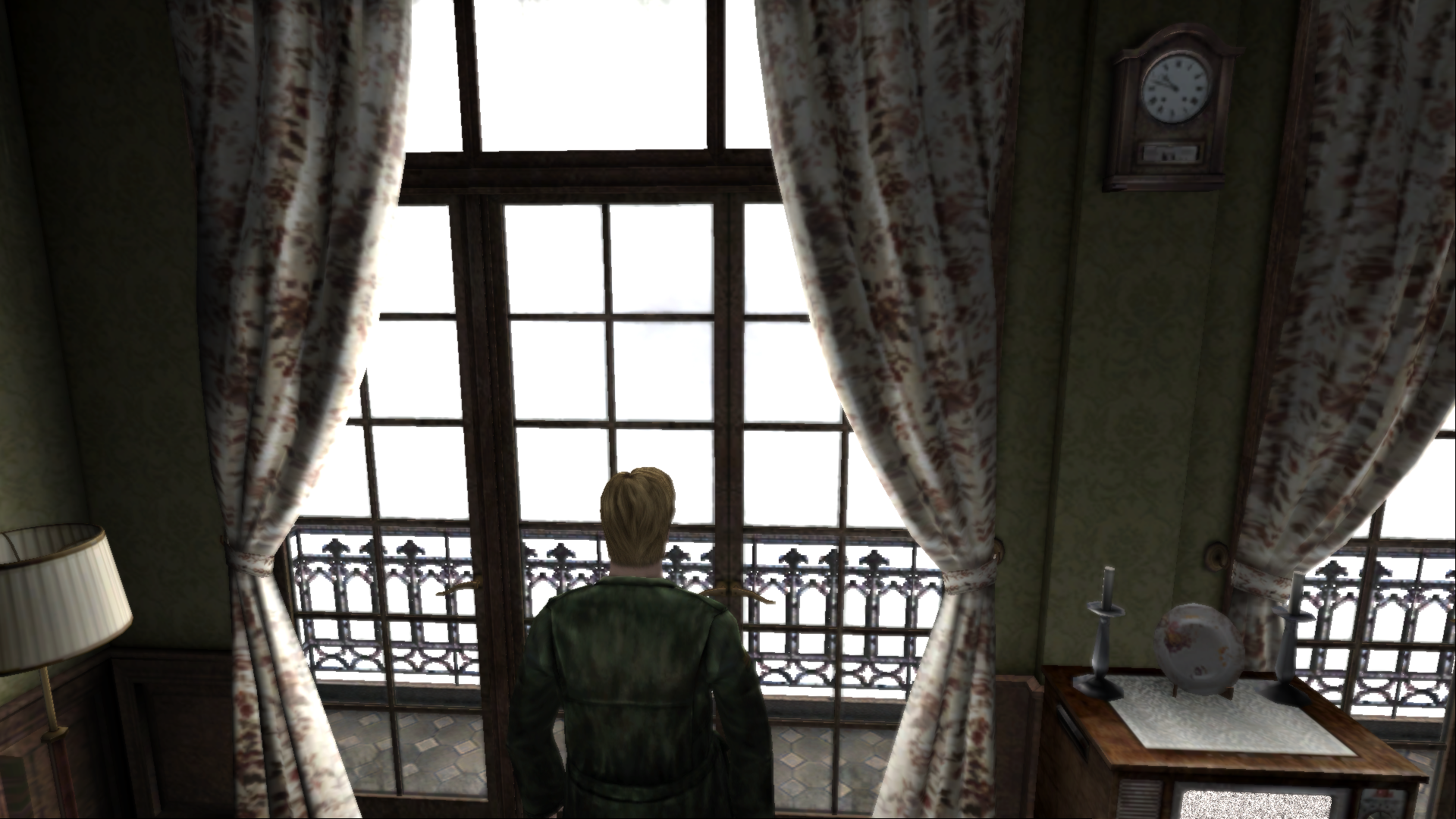
After:
Polymega
on 3 Jan 2019
I tried testing your changes in-game, but sadly it still affects the entire screen:
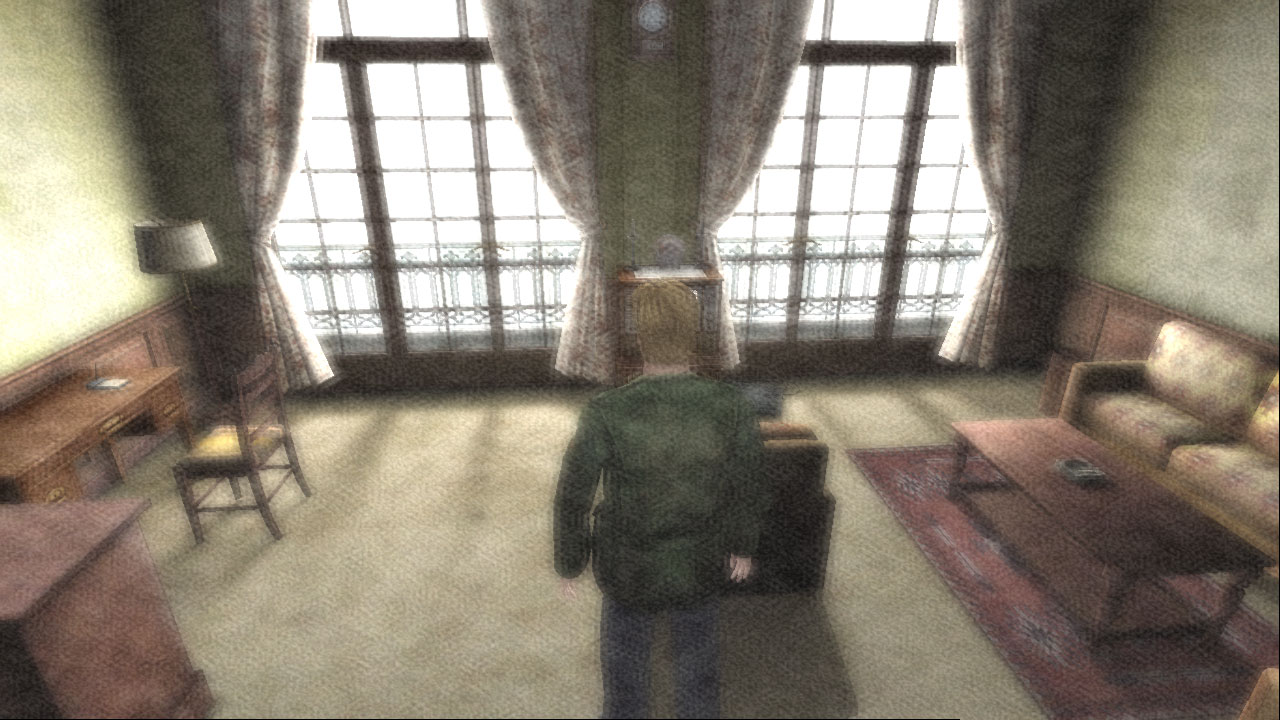
I'm not sure the PC version actually constrains the effect only to the windows. It looks like it does a slight blur pass on the whole screen (by halving the horizontal resolution) then combines this back with the original image using the pixel shader.
FrozenFish24
on 3 Jan 2019
I tried testing your changes in-game, but sadly it still affects the entire screen:
Hm... The game can definitely render the effect only within the windows as seen here. To be sure: Was the original pixel shader code replaced or was this new one added universally on top of the scene?
How about using this address to get rid of the flickering (works for the cutscene too)?
Amazing @Bigmanjapan . How do you even find these addresses?!
- WHEN room ID 01FB7DAC (4 bytes) is 000000A2 (Hotel Room 312)
Description | Address | Original Value | New Value
-- | -- | -- | --
Shadow flicker fix | sh2pc.exe+6333C5 (00A333C5) byte | 0 | 7
- Release/reset value to 0 upon room ID end (in case this address is used elsewhere in the game).
Polymega
on 3 Jan 2019
The game can definitely render the effect only within the windows as seen here.
I must be overlooking something. For reference I tested by adding the following code to Direct3DDevice8::CreatePixelShader at line 2129:
std::string TargetShader =
" ps_1_1\n"
" def c0, 0.5, 0.5, 0.5, 0.5\n"
" tex t0\n"
" tex t1\n"
" tex t2\n"
" tex t3\n"
" add_d2 r0, t0_bias, t1_bias\n"
" add_d2 r1, t2_bias, t3_bias\n"
" add_d2 r0, r0, r1\n"
" add r0, r0, c0\n";
std::string ReplacementShader =
" ps_1_4\n"
" def c0, 0, 0.00499999989, 0, 0.75\n"
" def c1, 0.00499999989, 0, 0, 0.75\n"
" texcrd r0.xyz, t0\n"
" sub r3.xyz, r0, c1\n"
" sub r2.xyz, r0, c0\n"
" add r1.xyz, r0, c1\n"
" add r0.xyz, r0, c0\n"
" phase\n"
" texld r0, r0\n"
" texld r1, r1\n"
" texld r2, r2\n"
" texld r3, r3\n"
" add r0, r1, r0\n"
" add r0, r2, r0\n"
" add_d2 r0.xyz, r3, r0\n"
" + mov r0.w, c1\n";
if (SourceCode.find(TargetShader) != std::string::npos)
SourceCode = ReplacementShader;
This is mostly greek to me but, relevant? For our case, is the alpha the boundaries outside of the window geometry that the pixel shader effect is applied to?
The unfortunate side-effect of the phase transition is that the alpha component of temporary registers do not persist across the transition. In other words, the alpha component must be reinitialized after the phase instruction.
https://docs.microsoft.com/en-us/windows/desktop/direct3dhlsl/phase---ps
What's interesting is, if we refer back to the source code I based this off of, the last line reads:
+mov r0.a,c1 //And fill in the alpha channel again. (It gets lost on the phase instruction)
However, everytime I applied that line Intel Frame Analyzer forcefully changed it to:
+mov r0.w,c1
@FrozenFish24 , what if you changed r0.w to r0.a on the last line, would that fix it?
UPDATE: Looking back, Intel Frame Analyzer changed more than just that. It also changed rgb to xyz. Perhaps rgba is the equivalent to xyzw?
Polymega
on 3 Jan 2019
Beside the flashlight reflection at night, the storefronts on the PS2 version have reflection at day too. You can notice this when you walk nearby a storefront and see the glass white. This effect it's missing on the PC version. I noticed that the spike of the wooden stick weapon in the PS2 version has reflection too, maybe other weapons have it too.
Also, after James go down on the big elevator after leaving the prison, you will arrive to a save room. If you look at the ceiling on this room, you'll notice there's no ceiling texture and you can see the elevator's room at the other side. Is it possible to add some texture to the ceiling?
 Storm3000
on 21 Jan 2019
Storm3000
on 21 Jan 2019
Observational note:
The same bloom effect pixel shader is also used for the tunnel bloom when encountering the first Lying Figure (no surprise there) but also for the beginning bathroom depth-of-field effect?
Polymega
on 20 Feb 2019
sh2pc.exe+492AFC (00892AFC) float controls the blood pool size. Default is 0.5.
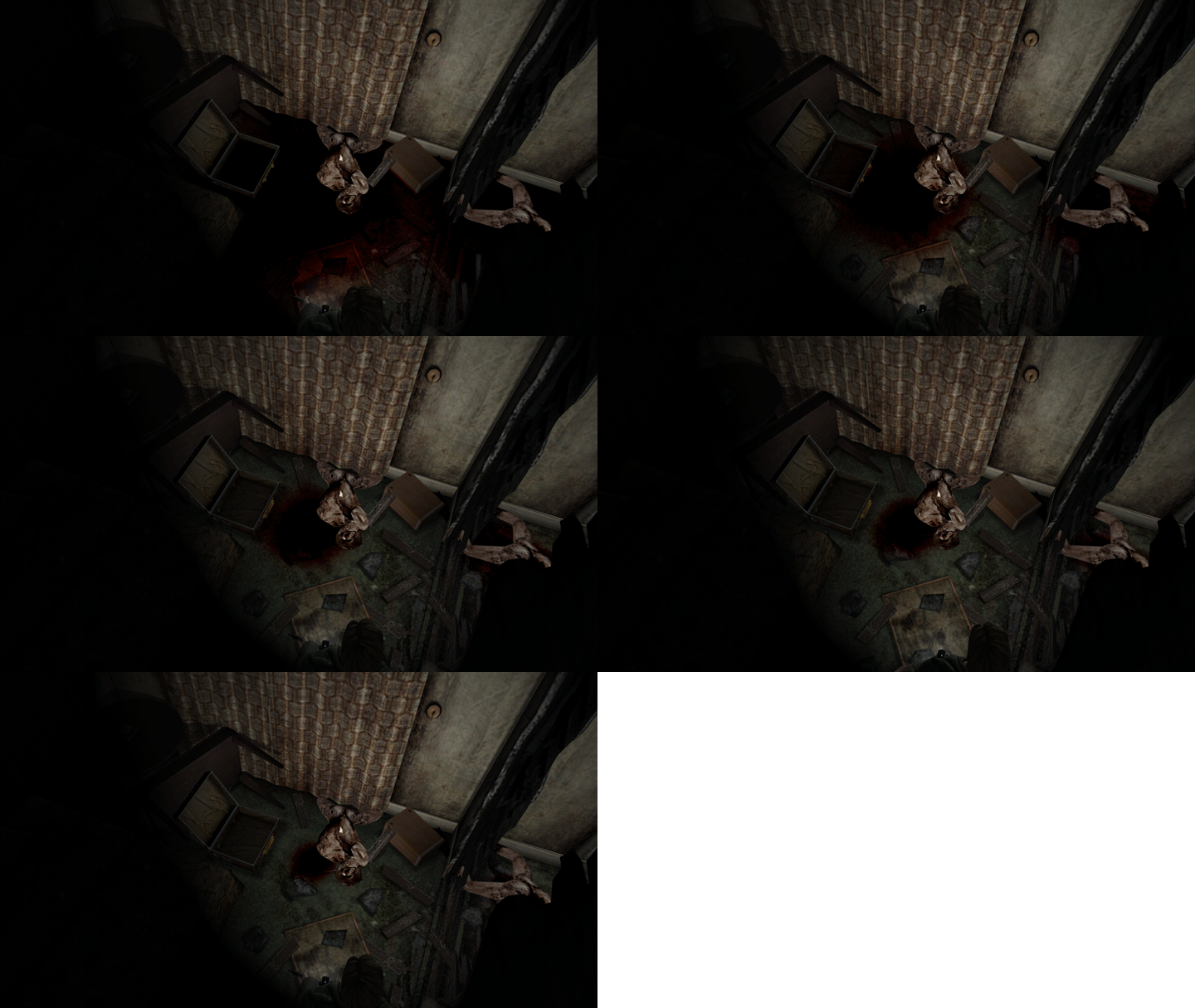
sh2pc.exe+492688 (00892688) float
sh2pc.exe+49268C (0089268C) float
sh2pc.exe+49269C (0089269C) float
sh2pc.exe+4926B8 (008926B8) float
sh2pc.exe+4926DC (008926DC) float
sh2pc.exe+4926F8 (008926F8) float
sh2pc.exe+49271C (0089271C) float
...all control blood pool placements/patterns. Default is 0.5 for all of them. sh2pc.exe+492688 (00892688) seems to be the "master" address for these adjustments
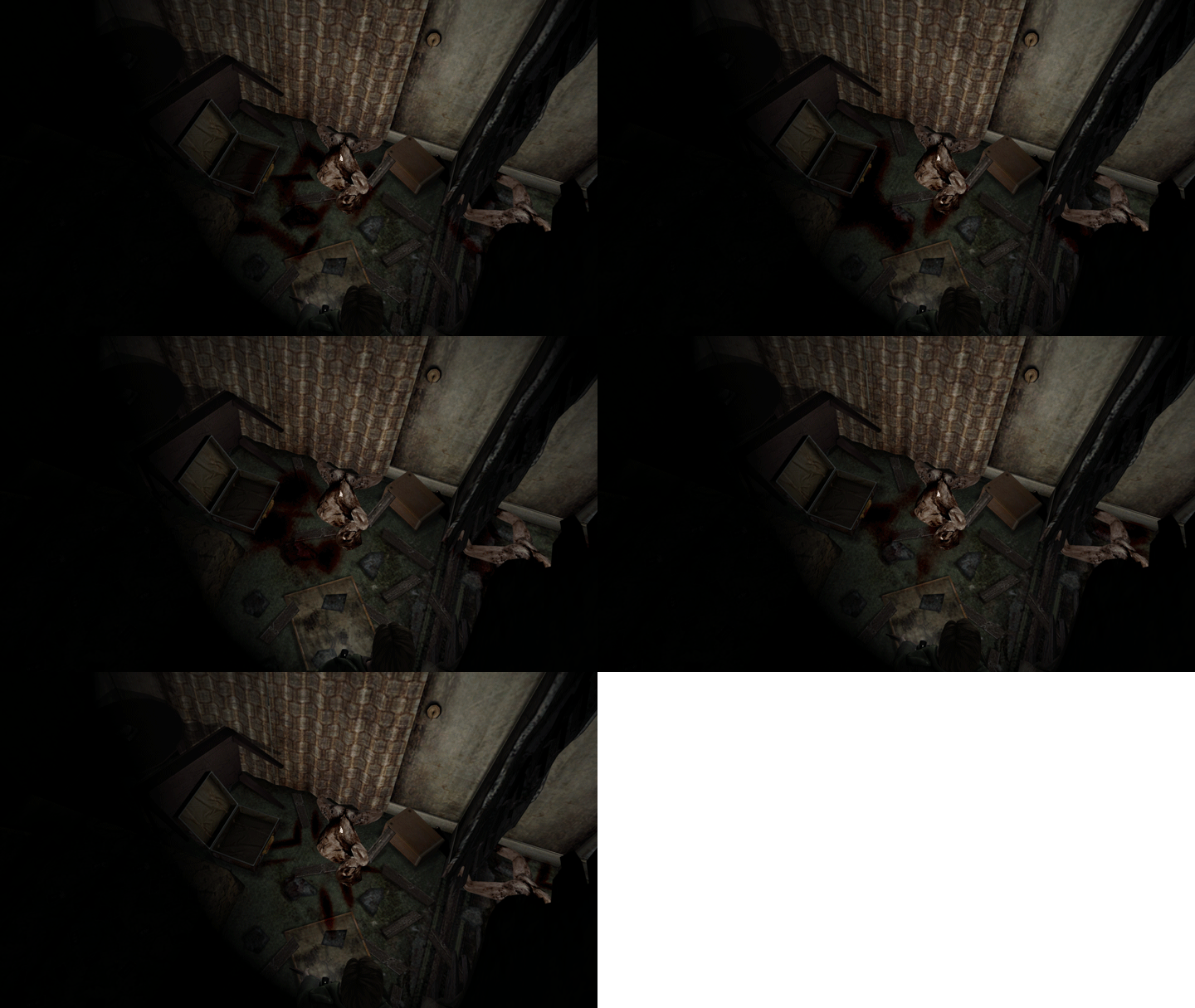
Polymega
on 12 May 2019
@Polymega @AeroWidescreen
sh2pc.exe+633404 (00A33404) 4 byte — activates blur events
sh2pc.exe+633408 (00A33408) 4 byte — activates white wall / depth of field events
These two addresses form Advanced Filter option in the game's Options.
When James enters a particular room or a particular cutscene is activated the functions from the following memory regions poll the above two addresses for a value of 1 in order to activate the effects.
Regions that contain code for each effect in question:
First toilet cutscene (depth of field): sh2pc.exe+1A1F53 (005A1F53)
James finds radio cutscene (white wall in the tunnel): sh2pc.exe+19F206 (0059F206)
Dead body in front of a TV in Woodside Apt. cutscene (blur): sh2pc.exe+19BF60 (0059BF60)
Blur event when the last hanger is killed (blur): sh2pc.exe+18B82C (0058B82C)
Blood corridor ride after hanger's fight cutscene (blur): sh2pc.exe+18B9B5 (0058B9B5)
Drop into the well (Strange Area 1) cutscene (blur): sh2pc.exe+187980 (00587980)
Drop into the prison (Strange Area 2) cutscene (blur): sh2pc.exe+1871F0 (005871F0)
Maria behind bars cutscene (blur): sh2pc.exe+183480 (00583480)
Abstract Daddy boss defeated cutscene (blur): sh2pc.exe+181600 (00581600)
Maria lies dead on the bed (blur): sh2pc.exe+180684 (00580684)
Room 312 white wall (bloom): sh2pc.exe+178FA5 (00578FA5)
Maria/Mary boss defeated cutscene (blur): sh2pc.exe+405E5 (004405E5)
There you will find various values that control events timings, intensity, various cutoffs, timeline stretching parameters etc
Bigmanjapan
on 17 May 2019
Attempts at fixing the blur events (if the values are set in particular fashion it automatically fixes the 1 frame flicker issue which stems directly from the broken blur events):
Drop into the well (Strange Area 1) cutscene (blur)
sh2pc.exe+4D46B8 (008D46B8) float — set to -10
sh2pc.exe+4D46C4 (008D46C4) float — set to 10
Drop into the prison (Strange Area 2) cutscene (blur)
sh2pc.exe+4D4304 (008D4304) float — set to -10
sh2pc.exe+4D4310 (008D4310) float — set to 10
Bigmanjapan
on 17 May 2019
 AeroWidescreen
on 17 May 2019
AeroWidescreen
on 17 May 2019
For sure! Damn fine research here, Bigmanjapan!
Aero_, we'll probably need your help some with restoring these features, of course. For example: The depth-of-field effect used in the beginning bathroom will possibly need changes directly to the ASM instructions: https://www.youtube.com/watch?v=6fVnWJdePjQ
Polymega
on 17 May 2019
Dipping my toes into this to learn more, myself. I want to give a special public thank you to Bigmanjapan for teaching me more about Cheat Engine/memory region browsing to help out some with this:
More memory regions that poll sh2pc.exe+633404 (00A33404) 4 byte — activates blur events:
- RPT knocking you off the Hospital Roof:
sh2pc.exe+18D220 (0058D220) - Jumping down the fifth hole (right before the massive elevator):
sh2pc.exe+184270 (00584270) - Immediately after killing Eddie (before the cutscene starts):
sh2pc.exe+A8210 (004A8210) - Angela in the Hotel Stairs on Fire:
sh2pc.exe+1755C0 (005755C0)
RPT knocking you off the Hospital Roof (blur intensities)
sh2pc.exe+4D7C7C (008D7C7C) float (_beginning of cutscene blur_) - set to 20
sh2pc.exe+4D7C78 (008D7C78) float (_around when James impacts the fence blur_) - set to 10
There's a one-frame flicker for this when the blur initiates:
https://youtu.be/6IaZyKV78PQ
Jumping down the fifth hole (right before the massive elevator) (blur intensities)
sh2pc.exe+4D1D4C (008D1D4C) float - set to -10
sh2pc.exe+4D1D58 (008D1D58) float - set to 10
Like Bigmanjapan's other value tests, this also fixes the one-frame flicker for this cutscene:
https://youtu.be/cnc6TxGDscc
Immediately after killing Eddie (before the cutscene starts) (blur intensities)
Even though sh2pc.exe+633404 (00A33404) 4 byte gets accessed upon killing Eddie there seems to be no addresses/codes that call up a blur filter? (PS2 video example of the blur initiating.)
Angela in the Hotel Stairs on Fire (blur intensities)
sh2pc.exe+4C6F84 (008C6F84) float (blur) - 64 (default)
sh2pc.exe+4C6F80 (008C6F80) float (blur) - 64 (default)
The default values look good here, so not going to make a video on it. However, I'm not sure if the PC version is using a "camera jitter" effect like the PS2 version does to simulate high heat from the fire? (PS2 video example of the "camera jitter" effect.)
Polymega
on 19 May 2019
Aero_, we'll probably need your help some with restoring these features, of course. For example: The depth-of-field effect used in the beginning bathroom will possibly need changes directly to the ASM instructions: https://www.youtube.com/watch?v=6fVnWJdePjQ
I remember this problem. I found an address that should allow you to control the blur intensity without messing up the depth of field.
006A1488
It should only apply to that cutscene, since apparently that's the only cutscene that uses an actual depth of field effect.
AeroWidescreen
on 20 May 2019
Right on! Thanks, brother. One thing I've noticed is the PC version makes the blur transition a little "jaggy" at certain periods. Here's a video example with 006A1488 (float) set to 1.2 0.12 (as a test); you can see the blur levels "pop" from time to time as their intensities transition:
Also, Aero_, there are only two cutscenes where this is a concern, but whenever the screen is blurred at the camera's edge you'll see lines around certain spots of the edges; typically at the bottom edge. Most likely because the game is only blurring what the display sees (nothing beyond that), and the blur is either shifted upwards or is being blurred _inwards_ instead of _outwards_ (beyond the display boundaries).
If you set YouTube to "Dark Mode" and play these videos you can see lines at the bottom of the videos:
- https://youtu.be/Z3GKKqo0ufQ (in this one, a line also shows up on the right side near the end)
- https://youtu.be/377H3K9jAGA?t=711
Images of the line on the closet bars:
- 27395260/58050131-814b3080-7b1c-11e9-9c37-d9b7aa88998d.png
- 27395260/58050132-81e3c700-7b1c-11e9-92cb-a8bbf7ddd721.png
Would you have any thoughts on if that could be addressed? When previously fixing the blur boundaries for the RPT Closet cutscene, would any discoveries from that be able to carry over for this?
Chances are, Team Silent didn't have to worry about that because of the cutscene borders which would mask it.
Polymega
on 20 May 2019
@Bigmanjapan @AeroWidescreen
I may have found an address that affects the advanced filter overlays, which also may benefit the fake bloom effect. I am also not knowledgeable enough to dive deeper into this so would you two please look into this more to see if it's a viable solution?
Advanced Filter Screen Offset (?) Horizontal: sh2pc.exe+633330 (00A33330) 4 byte
Advanced Filter Screen Offset (?) Vertical: sh2pc.exe+633334 (00A33334) 4 byte
^ These addresses could also be used during the opening cutscene and RPT closet bars to hide the "blur lines."
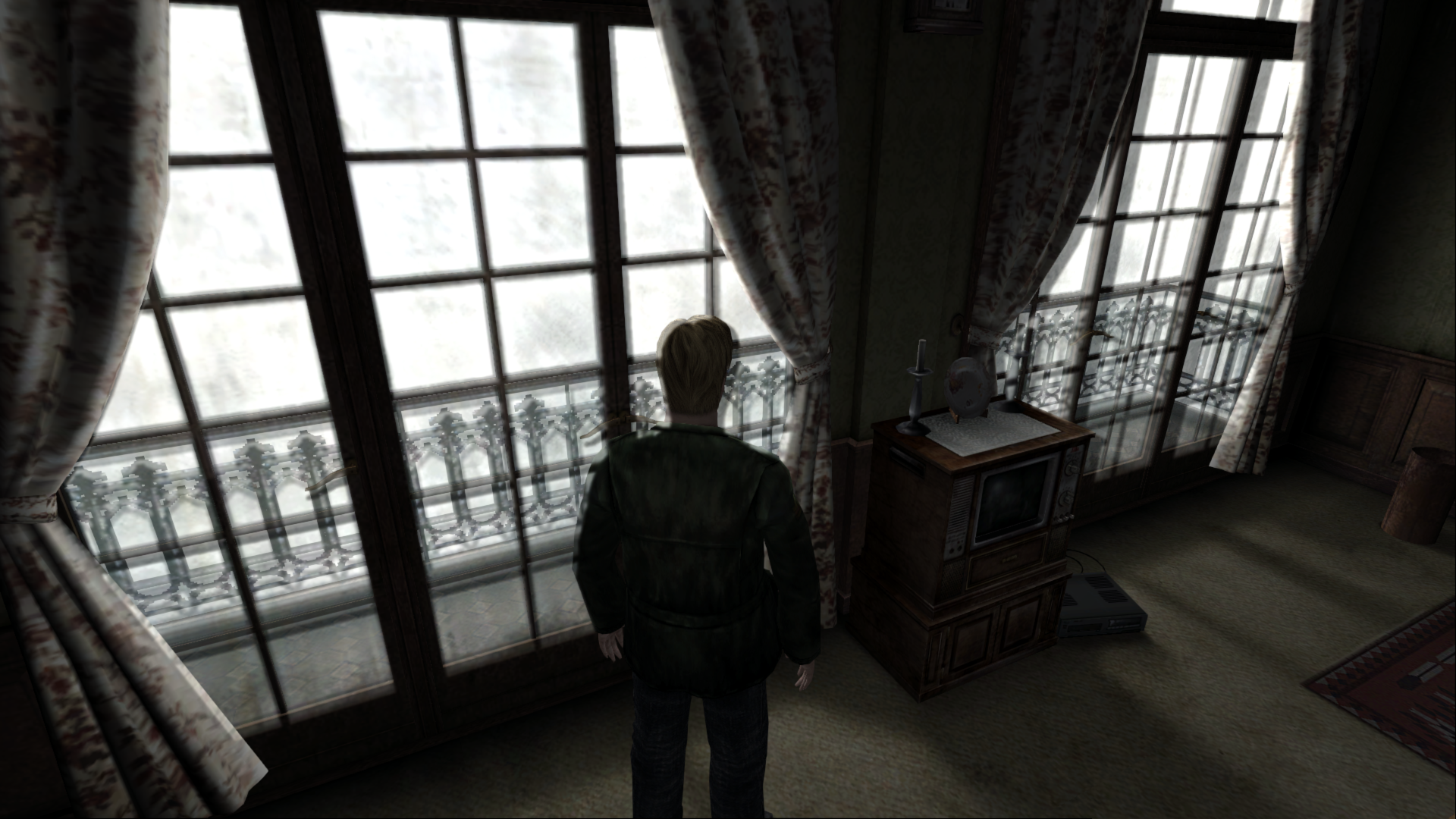
So you could do something like get the value of each address and add X% of that value back to itself for the offeset?
However, there is a problem changing these addresses while in Room 312: The in-game text is also "bloomed." But if I pull up the PC pause menu then back out of it the in-game text is fixed. But once you initiate the cutscene in this room the text/subtitles becomes "bloomed" again.
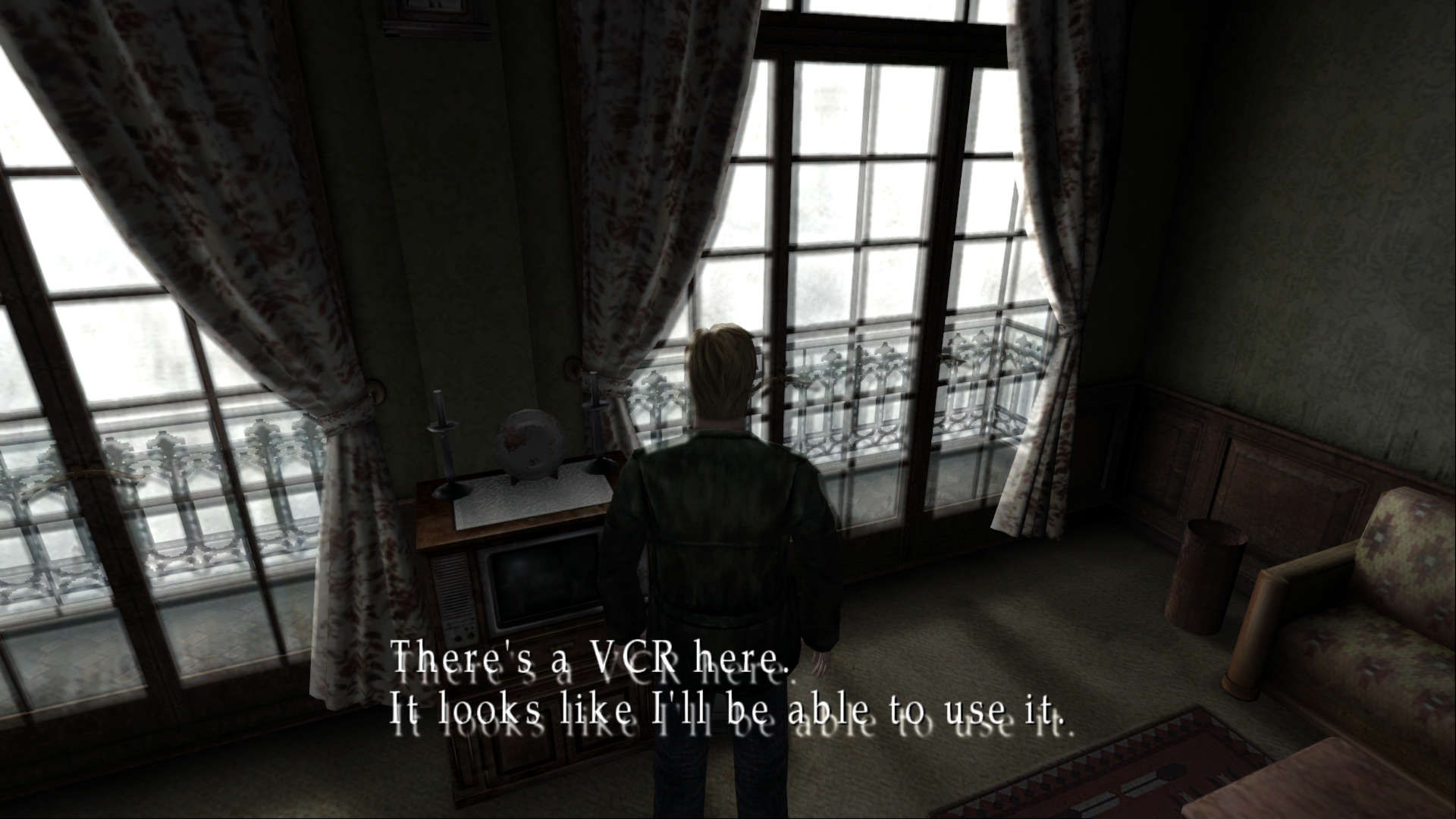
Polymega
on 27 May 2019
I think I may have found legit addresses for this effect.
Hotel Room 312:
sh2pc.exe+231614 (00631614) float = -2 or -3, whichever looks better but keep both values the same
sh2pc.exe+233460 (00633460) float = -2 or -3, whichever looks better but keep both values the same
^ The only issue is the in-game text/subtitles also become "bloomed." If you pull up the PC pause menu this gets fixed, but the issue will happen again once you initiate the VHS cutscene.
First Lying Figure cutscene:
sh2pc.exe+231614 (00631614) float = -2
sh2pc.exe+233460 (00633460) float = -2
Those two addresses can also be used for the beginning cutscene while also preventing all the issues I previously mentioned when increasing its blur:
Beginning bathroom cutscene:
006A1488 float (Aero_'s beginning cutscene blur) = 0.04
00631614 float = -3
00633460 float = -1.5
@Bigmanjapan @AeroWidescreen
I may have stumbled onto something important. More testing needs to be done. In the video below, I changed one opcode line and not only is the one-frame flicker gone, but motion blur is restored for this cutscene. Meaning, I did NOT adjust the motion blur intensities for this cutscene; they're using the default values:
I changed:
Address | Bytes | Opcode | Changed Opcode To:
-- | -- | -- | --
sh2pc.exe+782AE | 8A 44 24 04 | al,[esp+04] | al,[esp+00]
When I changed that, Cheat Engine NOP'ed the appropriate opcodes to create the following result:
Edit: While it seems to remove the one-frame flicker for all motion blur events, it also _removes_ the motion blur for most (all?) other cutscenes besides the one in the video link above.
Polymega
on 30 May 2019
That's a stack pointer. That means that whatever is being pushed to the stack is wrong. Through Break and Trace I was able to determine that the value in [esp] is 30 and the value in [esp+04] is 100 when that cutscene is active. So where does 100 come from? Let's find out.
You can get a list of all the calls for that function by using Dissect Code (Ctrl+J). You can also use Break and Trace, but that's generally the easiest way. Anyway, I'll save you the boredom of having to locate it yourself. This is it:
00587A18 push eax
00587A19 call 00478290
What's in eax? Well, if we go two lines above that we'll find these two instructions:
00587A0D fld dword ptr [008D46C4] (100.00)
00587A13 call 0056FCC0
So it loads a float value of 100, then the function at 0056FCC0 somehow converts this to an integer and stores the result in eax. In other words, all you have to do is change the float value of 008D46C4 to 30 and that should solve the motion blur issue.
As for the flickering, it seems like nop'ing this call solves the problem:
005879F1 call 00478290
This should not affect any other cutscene, however, a solution like this may be possible for the other hole jumping cutscenes as well. I'll have to check later.
AeroWidescreen
on 30 May 2019
Thanks for looking into this more, Aero_. Glad I could help to some minimal capacity (this is still very foreign to me).
As for the flickering, it seems like nop'ing this call solves the problem:
005879F1 call 00478290
I was trying to replicate your process with dissecting and tracing and that's proven too complicated for me at this time. However, I did try nop'ing the call you mentioned above and still got the flicker for that particular hole jump cutscene. I wanted to bring this up to confirm either I'm missing something on my end or maybe something was overlooked?
Polymega
on 31 May 2019
@Polymega No, I thought that nop fixed it but I guess not. Try this:
008D46C4 30 float (blur)
008D46B8 256 float (frame flicker)
008D46C0 256 float (frame flicker)
Feel free to experiment with the frame flicker values. 256 seems to work for me so that's the only reason why I'm using it.
AeroWidescreen
on 2 Jun 2019
Feel free to experiment with the frame flicker values. 256 seems to work for me so that's the only reason why I'm using it.
Hmm, I still get the flicker regardless of what values I plug in. Obviously there's a ton of values you could try, but the random ones I plugged in had no effect in removing the flicker. To be sure: I'm testing this on the fifth hole jump (right before the massive labyrinth elevator).
Additionally, there seems to be other blur addresses for this (and assuredly other blur cutscenes) that have a finer control over the motion blur effect. Referring to previous posts here and here, you can use these two addresses to better fine-tune the blur intensity:
Fifth hole jump cutscene blurs:
sh2pc.exe+4D1D4C (008D1D4C) float
sh2pc.exe+4D1D58 (008D1D58) float
The way these values work is the lower the number, the higher the blur. So 100 isn't very motion blur, but 10 is a lot. So if you set that first address to 30, and the second to 10, the scene will start with _some_ blur (the 30) before easing into more blur (the 10). Just an observation worth noting.
Polymega
on 2 Jun 2019
I wonder how involved sh2pc.exe+5423C0 (009423C0) is involved with the flickering?
Polymega
on 3 Jun 2019
To be sure: I'm testing this on the fifth hole jump (right before the massive labyrinth elevator).
That explains it! I'm testing this on the (first?) jump that leads to the pit where James has to break the wall to escape. Like I said, I should be able to find a similar solution for the other jumps so don't worry about them yet.
It looks similar to the hole shown in your video and happened to work with the mov al,[esp+00] method you posted about, so that's why I confused the two. I'm really sorry about that lol.
So again, try this:
008D46C4 30 float (blur)
008D46B8 256 float (frame flicker)
008D46C0 256 float (frame flicker)
AeroWidescreen
on 4 Jun 2019
Ah! Here we go! Glad we're on the same page now. :)
Yes, your values for that cutscene are working great. Here are some other notes that might help you when looking into the other cutscenes:
- If you need an all-in-one list, you can reference that Excel sheet I emailed you for all other instances of these post-processing effects happening. I can e-mail it to you again, if you'd like.
- Bigmanjapan tested and confirmed that the cutscene where you first meet Maria *behind the jail cell has multiple blur "stages." As the cutscene timer goes on, it'll trigger different address values to change the blur intensity. What we've found that works pretty good so far is:
008D1758 (float) = 30
008D1764 (float) = 50
008D1768 (float) = 100
Feel free to play with those values. (You'll likely find other addresses/approaches for this cutscene that we didn't.) So the cutscene starts off with a lot of blur (30) and transitions to 50 (less), then 100 (even less), before fully being removed several seconds into the cutscene. The first time you initiate this cutscene there is no frame flicker, but a frame flicker will continually persist for all subsequent times you initiate the cutscene. There may very well be other cutscenes that use multiple addresses/values to shift the blur intensity as time goes on. - The game calls/triggers
sh2pc.exe+633404 (00A33404) 4 byte - motion blur eventimmediately after killing Eddie (PS2 example) but I'm not certain any motion blur procedures are truly called for this event in the PC version. My suspicions are furthered by the fact there is no frame flicker upon killing Eddie. I'm getting an original Xbox this Sunday and can test it there, since the PC version is based off the Xbox build. - I'm also not certain the PC version uses a "camera jitter" effect for the Hotel staircase fire cutscene (PS2 example). I'll also check this on the Xbox build soon.
Polymega
on 5 Jun 2019
Future note @AeroWidescreen ,
The Xbox and PC versions have always added the fake bloom effect to the text/subtitles while in Hotel Room 312. Whenever I increase the bloom effect to try and make it look closer to the PS2 version, the effects of this on the text/subtitles becomes much worse.
00631614 float (bloom offset) = -3 (test value at the moment, could change later)
00633460 float (bloom offset) = -3 (test value at the moment, could change later)
Nop'ing either one of these instructions (am I using the correct term here?) while in the room fixes it to where the text/subtitles are no longer affected by the bloom, but the bloom remains on the windows in this room:
Address | Bytes | Opcode
-- | -- | --
sh2pc.exe+178FEF | 8B 3D 94269400 | mov edi,[00942694]
-OR- | |
sh2pc.exe+179001 | 83 3D 94269400 | mov [00942694],edi
Video example: https://youtu.be/zmkmBUfve6k
Polymega
on 5 Jun 2019
Here are the values and addresses for the all the jumping cutscenes that use motion blur. There are a few jumping scenes that are not included here because they don't appear to use the motion blur function, nor can I see any frame flicker or blur.
008D46C4 41F00000 // Jump 1: The Pit // BLUR 30 float
008D46B8 43800000 // Jump 1: The Pit // FLICKER 256 Float
008D46C0 43800000 // Jump 1: The Pit // FLICKER 256 Float
008D4310 41F00000 // Jump 2: Prison Lunch Room // BLUR 30 float
01D836B0 43800000 // Jump 2: Prison Lunch Room // FLICKER 256 Float
008D1D58 41F00000 // Jump 3: Labyrinth Elevator // BLUR 30 float
01D83630 43800000 // Jump 3: Labyrinth Elevator // FLICKER 256 Float
The first time you initiate this cutscene there is no frame flicker, but a frame flicker will continually persist for all subsequent times you initiate the cutscene.
I checked. I can't seem to fix it either... well, that's not entirely true. I can eliminate the frame flicker by copying the code for the other motion blur stages and adjusting the values, but this proves that what we're doing is only a workaround, not a proper solution. I noticed the same problem with Angela's cutscene in the Labyrinth.
I would prefer Elisha look into this before we go any further. I'm only talking about the flame flicker, the motion blur adjustments are fine.
AeroWidescreen
on 26 Jun 2019
Thanks for this, Aero_.
here are a few jumping scenes that are not included here because they don't appear to use the motion blur function, nor can I see any frame flicker or blur.
That's correct. Out of the five hole jumps, jump # 3 and 4 do not have blur events. I've added your new addresses/values to the Excel sheet as well, thank you for obtaining these.
I would prefer Elisha look into this before we go any further. I'm only talking about the flame flicker, the motion blur adjustments are fine.
That video I originally made for Elisha but sent to you first: Would that be helpful/relevant for him? If so, I can email it to him soon.
Polymega
on 26 Jun 2019
I looked into the flicker issue a little bit this weekend and I believe I understand how the game handles blur effects, why there is a momentary "pause" and what is causing the flicker. When you start the game it creates two RenderTextures, one for the game play and one for the menus. When you play a scene with blur effects for the very first time it needs to create a new RenderTexture (as well as a bunch of other stuff) to setup the blur effect. This causes a short delay. There is not much we can do about this (though I doubt many people would notice this unless we told them since the delay is so small).
For the flicker, it is also caused by the new RenderTexture that was created but it is slightly different. When the texture is first created it is black and the game immediately switches to view this new texture (hence the flicker). It takes some time for the game to populate the texture with an image since the image holds the blur effect. The greater the blur effect the more frames it takes to build the blur texture. When doing a second blur effect the texture is no longer blank, but has the image of the last blur effect in it. This is why you see a “burnt in image” of the last blur effect.
For the fix I made the game continue to show the game texture for the first few frames until the blur texture is finished being populated, then I allow the game to switch over to the blur texture. This fix should completely remove the flicker as long as the blur is not too great. If the blur effect is too great then it could switch over to the blur texture before it is fully populated, causing a flicker again. Currently I just hard coded it to show the game texture for the first 10 frames and then switch over to the blur texture after that.
Here is the test build: d3d8.zip
 elishacloud
on 1 Jul 2019
elishacloud
on 1 Jul 2019
Thanks Elisha! I'm posting this here for future reference, but the frame flicker fix unfortunately leaves visual issues during one particular cutscene. It seems to grab the very first frame and holds it for 10 frames as you explained, but on that first frame the flames are still "spawning in":
https://youtu.be/aiv1m14GiVk
The fix may need to be shortened or removed for this one. I'll get back to you with more info on all this soon. Aero_ is still helping us get the remaining motion blur values/info first and then we can fine tune the flicker fix around that.
Polymega
on 7 Jul 2019
Yeah, I was wondering if we would find an issue like this somewhere in the game. I checked in the fix, but made this disabled by default. Just add RemoveEffectsFlicker = 1 to the ini file to re-enable it. Once everything has been tested with this we can change this to be enabled by default.
If you give me information about how to test this myself I can try and put a fix in for it, or just exclude this cutscene.
elishacloud
on 7 Jul 2019
Thank you sir. I sent you an email on the matter.
Polymega
on 7 Jul 2019
The Xbox and PC versions have always added the fake bloom effect to the text/subtitles while in Hotel Room 312. Whenever I increase the bloom effect to try and make it look closer to the PS2 version, the effects of this on the text/subtitles becomes much worse.
00631614 float (bloom offset) =
-3(test value at the moment, could change later)
00633460 float (bloom offset) =-3(test value at the moment, could change later)Nop'ing either one of these instructions (am I using the correct term here?) while in the room fixes it to where the text/subtitles are no longer affected by the bloom, but the bloom remains on the windows in this room:
Address Bytes Opcode
sh2pc.exe+178FEF 8B 3D 94269400 mov edi,[00942694]
-OR-
sh2pc.exe+179001 83 3D 94269400 mov [00942694],ediVideo example: https://youtu.be/zmkmBUfve6k
I put a fix in the latest build for this. I nop'ed the second item sh2pc.exe+179001. I believe that is less risky. Test module: d3d8.zip
elishacloud
on 30 Jul 2019
Worked great across all binaries; no more bloom glow on the subtitles. Thank you Elisha!
Polymega
on 30 Jul 2019
Depth of Field / Bloom Intensity
006A1488 custom value
004795E5 XXXXXXXX
004795F3 XXXXXXXX
XXXXXXXX 3D23D70A // 0.04 float
00631614 custom values
0047775D jmp 00000000
00000000 cmp dword ptr [CutsceneID], 01 // IntroCutscene
00000001 je 00000010
00000002 cmp dword ptr [CutsceneID], 0E // PyramidHeadCutscene
00000003 je 00000012
00000004 cmp dword ptr [CutsceneID], 06 // LyingFigureTunnelCutscene
00000005 je 00000014
00000006 cmp dword ptr [RoomID], A2 // Room ID; Hotel Room 312
00000007 je 00000016
00000008 fld dword ptr [ ] // 0.3333333333 float
00000009 jmp 00477763

IntroCutscene:
00000010 fld dword ptr [ ] // -3.0 float
00000011 jmp 00477763

PyramidHeadCutscene:
00000012 fld dword ptr [ ] // 1.5 float
00000013 jmp 00477763

LyingFigureTunnelCutscene:
00000014 fld dword ptr [ ] // -3.0 float
00000015 jmp 00477763

Hotel Room 312 :
00000016 fld dword ptr [ ] // -8.0 float
00000017 jmp 00477763
00633460 custom values
0047777C jmp 00000000
00000000 cmp dword ptr [CutsceneID], 01 // IntroCutscene
00000001 je 00000011
00000002 cmp dword ptr [CutsceneID], 0E // PyramidHeadCutscene
00000003 je 00000014
00000004 cmp dword ptr [CutsceneID], 06 // LyingFigureTunnelCutscene
00000005 je 00000017
00000006 cmp dword ptr [RoomID], A2 // Room ID; Hotel Room 312
00000007 je 00000020
00000008 fmul dword ptr [ ] // 0.6666666666 float
00000009 test eax,eax
00000010 jmp 00477782

IntroCutscene:
00000011 fmul dword ptr [ ] // -1.5 float
00000012 test eax,eax
00000013 jmp 00477782

PyramidHeadCutscene:
00000014 fmul dword ptr [ ] // -1.5 float
00000015 test eax,eax
00000016 jmp 00477782

LyingFigureTunnelCutscene:
00000017 fmul dword ptr [ ] // -1.0 float
00000018 test eax,eax
00000019 jmp 00477782

Hotel Room 312:
00000020 fmul dword ptr [ ] // -4.0 float
00000021 test eax,eax
00000022 jmp 00477782
Motion Blur Intensity
Universal Motion Blur Intensity
004782AE jmp 00000000
00000000 fild dword ptr [esp + 04]
00000001 fmul dword ptr [ ] // 0.25 float; lower value = more motion blur
00000002 fistp dword ptr  [esp + 04]
00000003 mov al, byte ptr [esp + 04]
00000004 mov dword ptr [00942630], 00000000
00000005 jmp 004782BC
Maria/Mary Boss Transformation Motion Blur Correction
Normally I'd use a call for these, so we don't have 4 duplicates of the same code, but my past attempts have caused the game to crash. Maybe I forgot to put ret at the end or I didn't nop the remaining bytes after each call, I don't remember, but you could give it a try yourself if you want. If not, well, this works too.
0043FDB4 jmp 00000000
00000000 push 00000100
00000001 call 00478290
00000002 jmp 0043FDBB
00440B5C jmp 00000000
00000000 push 00000100
00000001 call 00478290
00000002 jmp 00440B63
0043EA44 jmp 00000000
00000000 push 00000100
00000001 call 00478290
00000002 jmp 0043EA4B
005747D9 jmp 00000000
00000000 push 00000100
00000001 call 00478290
00000002 jmp 005747E0


md5-66b3c0eb1e634b8ebcea2a1dbc7cff78


004A8219 jmp 00000000
00000000 push 00000078
00000001 call 00478290
00000002 jmp 004A8220


md5-301e6515881bda88d004ac99fec10251


0058B9BE jmp 00000000
00000000 push 00000080
00000001 call 00478290
00000002 jmp 0058B9C5


md5-47f0589199aebac05e8e6a5f93e2b300


008D1758 42A00000 // 80.0 float
008D1764 42C80000 // 100.0 float
008D1768 43C80000 // 400.0 float


md5-a172f830ea01d58f280cebc842c82274


008D0610 43C80000 // 400.0 float
008D0618 41F00000 // 30.0 float
008D061C 43C80000 // 400.0 float
008D0628 42B40000 // 90.0 float
008D062C 43340000 // 180.0 float
008D0638 42B40000 // 90.0 float
008D063C 43C80000 // 400.0 float


md5-f6a34dda34520c8c91e74c3990149efd


004B0A2A jmp 00000000
00000000 mov al, [esi + 03]
00000001 cmp al, 28 // motion blur timer
00000002 jg 004B0A53
00000003 push 05 // animation delay
00000004 push esi
00000005 jmp 004B0A2F


md5-f5e6587db8dd952f40299ae079044151


0047C122 jmp 00000000
00000000 cmp dword ptr ds : [RoomID], B5 // Hotel 3rd Floor Hallway
00000001 je 00000005 // jumps to CustomBloomColor
00000002 cmp dword ptr ds : [RoomID], A2 // Hotel Room 312
00000003 je 00000005 // jumps to CustomBloomColor
00000004 jmp 00000011 // jumps to DefaultBloomColor

CustomBloomColor:
00000005 cmp bl, 00
00000006 je 00000011 // jumps to DefaultBloomColor
00000007 mov byte ptr [00942C50], FF // 255 Red
00000008 mov byte ptr [00942C51], FF // 255 Green
00000009 mov byte ptr [00942C52], E3 // 227 Blue
00000010 jmp 0047C134

DefaultBloomColor:
00000011 mov byte ptr [00942C50], bl
00000012 jmp 0047C128
Incredible work. Allow me to be the first to publicly thank you for this work, along with Elisha again for fixing the frame flickering associated with this.
@elishacloud
We can put all of this under one fix, as everything restored here falls under the "Advance Filter" category in the game's options menu. Possible fix name:
; Restores post-processing effects, which includes depth-of-field, motion blur, and pseudo blooms.
RestoreSpecialFX = 1
In addition to Aero_'s work above, a few other adjustments will need to be included with this:
Part 1:
If Room ID is 0xA2 (Hotel Room 312) set (Edit: Accidentally wrote wrong address here) Fog Volume Intensity - sh2pc.exe+1B7A69E (01F7A69E) 2 byte to 0.
When entering this room, the value is immediately set to 16 then changes to 32 a few moments after. You may want to approach this similar to as you've done with preventing the player from saving in certain rooms; whenever the game changes this value while in the room have your fix change it back to 0.
Part 2
There are instances where a motion blur event will happen in-game (meaning, not during a cutscene). In Aero_'s work above, you'll see this under the header Motion Blur Restoration labeled "Eddie Boss Death Sequence."
During play tests we ran into one problem with motion blur happening during non-cutscene events. If you pull up the PC pause menu (Esc or "P" key) and un-pause the game during this motion blur sequence this will happen:
https://youtu.be/9mZH3fMQ1ZQ?t=28
This only happens with the PC pause menu. If you pull up your inventory or the map during this motion blur event the game will correctly continue the motion blur upon exiting from either of these menus.
To play test this: SaveImage.zip
Load the Quick Save save file, drop down into the hole in front of you, run straight, fight Eddie (just hold down F key + Spacebar), then fight Eddie again. On the second rifle shot (the death shot) of the second part of the fight, the motion blur will start and will end when Eddie's death cutscene starts. You can skip all the other cutscenes leading up to this point.
Here's the full set of actions you take to get to this part for play testing: https://youtu.be/9mZH3fMQ1ZQ
For a fix approach:
- Can the game pick up the motion blur sequence upon un-pausing from the PC pause menu at this point? If so, could that correlate to preserving the noise grain filter + post processing effect in Hotel Room 312 when the PC pause menu is pulled up there as well?
- If not, can we prevent the player from bringing up the PC pause menu while the motion blur event is active during this particular part? Similar to the
FixHangonEscfix you created a few months back?
- We only want to disable pressing Esc during this particular motion blur event only, as the other motion blur events happen during cutscenes and the player can press Esc on those to end the cutscenes early without any issues.
Polymega
on 9 Aug 2019
Nice work @AeroWidescreen! I'll work on this after I finish a few other fixes I'm working on.
During play tests we ran into one problem with motion blur happening during non-cutscene events. If you pull up the PC pause menu (Esc or "P" key) and un-pause the game during this motion blur sequence this will happen:
https://youtu.be/9mZH3fMQ1ZQ?t=28
This is most likely caused by my frame flicker fix. Basically my fix will 'reset' the blur render texture each time you exit a blur scene and then enter a new blur scene. However, in this case you are exiting a blur scene and then coming back to the same scene, so it should not reset the texture in this case.
To fix this I should detect when you enter the menu and not 'reset' the texture if you are just entering a menu.
elishacloud
on 9 Aug 2019
I created the first test implementation of this feature. A few notes below:
- I did not really do much testing. I just made sure that it did not crash when I started a new game. Hopefully most of the items work ok.
- All the addresses are hard coded for v1.0 for now. If you try with any other binary it will crash. There are 15 addresses that need to be made dynamic so support for the other binaries will take a while to add.
- All the features are added except the fix for the PC pause menu during motion blur. I have most of the code for this, but I need some way to tell when the user is in a menu. I remember there was some address that @Bigmanjapan found that could tell when the user was in a menu or not, but I could not find it. Once I get that address I will finish this implementation.
Test build: d3d8.zip
elishacloud
on 15 Sep 2019
Thank you very much, Elisha! I will start the first play test for this tonight or tomorrow. In the meantime:
I remember there was some address that @Bigmanjapan found that could tell when the user was in a menu or not, but I could not find it. Once I get that address I will finish this implementation.
I believe that info is found on this post. More specifically, these comments:
- (Trying using this one first) https://github.com/elishacloud/Silent-Hill-2-Enhancements/issues/104#issuecomment-482776798
- https://github.com/elishacloud/Silent-Hill-2-Enhancements/issues/104#issuecomment-481061340
Polymega
on 15 Sep 2019
I did a _very_ quick play test (not a full playthrough) because it crashed on the first post-processing effect that happens during the beginning cutscene.
Since it crashed there, I just loaded up and only tested the points in the game that utilize post-processing effects for the time being. Once we get the crashes addressed, I'll do a solid playthrough afterwards:
Crashes on:
- Intro cutscene (depth of field effect)
- From Aero_'s post: Check "006A1488 custom value"
- If that checks out, then check "00631614 custom values" and "00633460 custom values". Although the other post-processing effects from these two categories work correctly.
- From Aero_'s post: Check "006A1488 custom value"
- After killing the Flesh Lips (cutscene motion blur)
- Check "Hospital Otherworld Transition Motion Blur Correction"
- Angela killing Abstract Daddy (cutscene motion blur)
- Check "Angela Killing Abstract Daddy Motion Blur Correction"
- The moment after you kill Eddie (in-game (not cutscene) motion blur)
- Check "Eddie Boss Death Sequence"
- Mary/Maria (boss) transformation - before fighting her (cutscene motion blur)
- Check "Maria/Mary Boss Transformation Motion Blur Correction"
I'm not able to check the final motion blur event (Mary/Maria (boss) falls to the ground/falls to her death) because I can't load a save point after the previous cutscene (Maria/Mary boss transformation) which is currently crashing the game. If you'd also like to look over that one, please check Aero_'s notes under "Mary/Maria Boss Death Motion Blur Correction".
Polymega
on 15 Sep 2019
@Polymega, thanks for the great testing and notes.
- (Trying using this one first) https://github.com/elishacloud/Silent-Hill-2-Enhancements/issues/104#issuecomment-482776798
Perfect! I will try this tomorrow. I don't have time to do it today.
- From Aero_'s post: Check "006A1488 custom value"
Yes, I found the issue. Looks like I was using 0.4 float rather than 0.04 float. Should be fixed now.
- Check "Hospital Otherworld Transition Motion Blur Correction"
- Check "Maria/Mary Boss Transformation Motion Blur Correction"
All of these were the same issue. I forgot to set the 'call' variable. Should be fixed now.
- Check "Angela Killing Abstract Daddy Motion Blur Correction"
I verified each of the values at each of the addresses with a debugger and the values are being set correctly. @AeroWidescreen may need to check this one.
Note: There does seem to be an issue here with Aero_'s notes. He mentions:
008D0640 00000000 // 160.0 float
However, 160.0 float does not equal 00000000. In my code I am setting it to 160.0 float. Maybe I should be setting it to 00000000?
- Check "Eddie Boss Death Sequence"
I could not find any issues with my code here either. @AeroWidescreen may need to check this one as well.
I also noticed a potential issue here. Aero_'s code says that line 00000003 should be:
00000003 push 05
However, in the game code it shows it as:
00000003 push 5A
So I am wondering if this is a typo and it should match the game code?
Anyways, here is the new testing build with the fixes in it: d3d8.zip
elishacloud
on 16 Sep 2019
Great! Thank you. I've done another quick and dirty test (only testing parts that utilize post-processing effects again):
Crashes on:
- Intro cutscene (cutscene depth of field effect)
...that seems to be it!
Check "Angela Killing Abstract Daddy Motion Blur Correction"
I verified each of the values at each of the addresses with a debugger and the values are being set correctly.
Check "Eddie Boss Death Sequence"
I could not find any issues with my code here either. @AeroWidescreen may need to check this one as well.
Interestingly these worked this time for me. Maybe when something else got fixed it also fixed something for these ones; like a domino effect?
Polymega
on 16 Sep 2019
@elishacloud
006A1488 custom values
This is the cause of the crash for the intro cutscene. You're using the value of 0.04 instead of a pointer. Sorry if I confused you, it should look like this:
004795E5 AddressGoesHere
004795F3 AddressGoesHere

Then the value of that address is: 3D23D70A // 0.04 float
00633460 custom values
PyramidHeadCutscene should have a value of -1.5, not 1.5.
PyramidHeadCutscene:
00000014 fmul dword ptr [ ] // -1.5 float
I'll take @Polymega's word that everything else is correct.
However, 160.0 float does not equal 00000000. In my code I am setting it to 160.0 float. Maybe I should be setting it to 00000000?
No, the 00000000 was a placeholder. I forgot to put the hexadecimal for 160.0f. What you have is correct.
So I am wondering if this is a typo and it should match the game code?
Nope, that's a deliberate change. The push controls how soon the death animation begins or how much it's delayed. Eddie would awkwardly stand there and do nothing for a few seconds after the motion blur sequence was over, if I remember correctly, so I had to use a lower value.
AeroWidescreen
on 16 Sep 2019
Thanks for the comments @AeroWidescreen and @Polymega. I believe I got all the issues fixed in this update. I also implemented fix for the PC pause menu during motion blur. Again, this will only work on v1.0.
Here is the testing patch: d3d8.zip
elishacloud
on 17 Sep 2019
Thank you! I'm already on my PC doing related work so I gave this another very quick test. I only tested the intro cutscene and PC pause menu during motion blur:
- Intro cutscene is working great now! (Pyramid Head closet cutscene -1.5 float change is also working well.)
- Unfortunately the same issue still persists for bringing up the PC pause menu during a motion blur event. Quick Save save file for testing found in this comment.
Polymega
on 17 Sep 2019
- Unfortunately the same issue still persists for bringing up the PC pause menu during a motion blur event.
I did some debugging and it looks like the fix I added does what it is supposed to do. However, the issue is still there because it was not caused by the frame flicker fix. This is a bit more complicated of a fix so I decided the best way to fix this was to just disable the menu during that particular part. It disables the ESC key only when a bloom effect is happening and the user is in that particular room (ID 0x90).
New test build: d3d8.zip
** Edit: I should mention that this PC pause menu during a motion blur event fix is added as part of the HangOnEsc fix. So you need FixHangOnEsc enabled for this to work.
elishacloud
on 17 Sep 2019
I decided the best way to fix this was to just disable the menu during that particular part.
This is a great alternative solution. I quickly tested it out and it works great. I'll do a full, thorough play test with these fixes in effect tomorrow, but I assume everything will work without a hitch now. Thanks a ton Elisha, I'll report back soon.
Polymega
on 17 Sep 2019
All worked great on 1.0 Elisha!
Polymega
on 17 Sep 2019
I had some trouble getting all the addresses. But I think this one should work on all binary versions: d3d8.zip
elishacloud
on 18 Sep 2019
Thanks Elisha. You did a great job with finding the relevant addresses for the other binaries! I only came across one crash this time.
Crashes on:
- 1.0/1.1/DC: When you try and enter Hotel Room 312
After we get the crash resolved I'll do a final full playthrough, but across all binaries this time. So please be patient with me on this final play test.
Polymega
on 18 Sep 2019
Yep, it was the Bloom Color. I was getting the right address but I moved some code around to make it flow better (or so I thought) and my logic was wrong. I think this one should be good: d3d8.zip
After we get the crash resolved I'll do a final full playthrough, but across all binaries this time. So please be patient with me on this final play test.
Sure, no problem.
elishacloud
on 19 Sep 2019
Hi Elisha,
Finished play testing and the post processing fix works great on all binaries! Excellent, excellent work to both you and Aero_!!
Polymega
on 21 Sep 2019
@elishacloud
Twitch streamer AnEternalEnigma had a great time with our test build of the upcoming release that he streamed a week ago. While watching his stream, I noticed something that completely flew over our radars while originally working on the post-processing FX fix:
When you play the game at different resolutions some of the FX do not scale correctly.
Enigma was playing in 4K and the depth-of-field effect, bloom effect, and static blur effects looked almost non-existent. (I'm glad we caught this before public release!) Unfortunately, I can't test at 4K but I just did a test between 720 & 1080 and can confirm this:

Fortunately, motion blur is safe from this (which makes up the bulk of post-processing effects). I can't test on 4K, but from my tests between 720 and 1080, motion blur looked the same. Aero_ speculates we're safe with motion blur because it's frame-based. So we'd only need to worry about the depth-of-field effect, bloom effect, and static blur effects, which there are far fewer events of.
The relative pointers for addresses 00631614 and 00633460 are what we need to scale the values for. Those values are found here:
https://github.com/elishacloud/Silent-Hill-2-Enhancements/blob/master/Patches/SpecialFX.cpp#L27-L34
For point of reference: The values we originally gave you for these were tested/done in 1080.
(@AeroWidescreen: I don't believe these address values need to be scaled?)
Aero_'s recommendation for this is:
Tell Elisha to base the scaling on the y axis (480, 720, 1080, 2160, etc.) and he should be able to take care of the rest.
If he uses the x axis then the values would be different for something like 1440x1080 and 1920x1080, even though they’re both technically 1080p, just different aspect ratios.
Please let me know how I can help with this. Would it be helpful if I tried to match the intensity of the effects between 720 & 1080, and the value percentage difference we get from there can then be transposed/scaled to all other resolutions?
Additionally, the soft shadows suffer from the same problem, it seems. GIF comparison example here. I can't test in 4K but I'd wager the soft shadows would probably look pretty sharp at that resolution. I can take screenshots in 4K, so GIF now also shows shadows at 4K.
I'll properly bring this up over at the soft shadows thread after FrozenFish looks into the self shadow work.
Polymega
on 2 Oct 2019
I learned something cool a moment ago: I _can_ play test the game at 4K, but the visuals are completely distorted (it stretches horizontally across both my monitors). However, with ReShade, I can at least grab a screen capture and it saves the image out in the correct aspect ratio so I can compare things.
Going off Aero_'s suggestion of using the width height (Y) of a resolution to scale these values, the effects seem to scale pretty well. The effects do not stay perfectly 1:1 on different resolutions, but they remain fairly close.
For my tests, I just used our current values at 1080 height as the base values, then multiplied accordingly. So at 720, you'd multiply the value by 0.66 (720 / 1080 = 0.66) . At 2160, multiplied by 2 (2160 / 1080 = 2). Please check my math on this; I'm awful at math.
| 1280 x 720 | 1920 x 1080 (base) | 3840 x 2160
-- | -- | -- | --
IntroCutsceneValue1 | -1.98 | -3 | -6
IntroCutsceneValue2 | -0.99 | -1.5 | -3
LyingFigureTunnelCutsceneValue1 | -1.98 | -3 | -6
LyingFigureTunnelCutsceneValue2 | -0.66 | -1 | -2
PyramidHeadCutsceneValue1 | 0.99 | 1.5 | 3
PyramidHeadCutsceneValue2 | -0.99 | -1.5 | -3
HotelRoom312Value1 | -5.28 | -8 | -16
HotelRoom312Value2 | -2.64 | -4 | -8
Here are some comparison photos:
| 1280 x 720 | 1920 x 1080 (base) | 3840 x 2160
-- | -- | -- | --
Intro Cutscene | Screenshot | Screenshot | Screenshot
Lying Figure Tunnel | Screenshot | Screenshot | Screenshot
PH Cutscene | Screenshot | Screenshot | Screenshot
Hotel Room 312 | Screenshot | Screenshot | Screenshot
The differences in the intro cutscene depth-of-field effect look the most different between the different resolutions, probably related to the same/similar issue as soft shadows at different resolutions. While the soft shadows could maybe be addressed for super resolutions (since its code was created on our end), I think that's an inevitable side effect for the intro cutscene due to the super resolution, unless I'm mistaken.
Side note: For the soft shadows, I'd use how they look at 720 to scale for all other resolutions, if possible. They're oh-so-nice-and-soft in that resolution. You can see examples by looking at the "PH Cutscene" comparison photos above; there's a shadow on the Mannequin's leg.
Polymega
on 3 Oct 2019
@Polymega
Please check my math on this; I'm awful at math.
Hmm... I used a calculator for this and the results I got were _slightly_ different. Within margin of error. As long as Elisha gets the formula right then it shouldn't matter though. Good job.
Y Res / 1080 = Scale
Scale * Variable = BlurValue
Variable | 720 | 1080 (base) | 2160
------------ | ------------ | -------------| -------------
IntroCutsceneValue1 | -2.0 | -3.0 | -6.0 |
etc.
I don't believe these address values need to be scaled?
I think the the "CustomAddress1Value" (0.04) needs to be scaled too. It's the "006A1488 custom value" used for the intro cutscene. Maybe that's part of the reason why it doesn't look exactly the same? I could be wrong.
AeroWidescreen
on 3 Oct 2019
I think the the "CustomAddress1Value" (0.04) needs to be scaled too. It's the "006A1488 custom value" used for the intro cutscene. Maybe that's part of the reason why it doesn't look exactly the same? I could be wrong.
I'm going off old memory now: While 006A1488 does affect the blur intensity, I think we use 00631614 and 00633460 to do the "heavy lifting" for the blur increase instead. I believe 006A1488 would achieve the same results as 00631614 and 00633460, but changing it too much resulted in visual oddities as the cutscene played out or such.
Yeah... I think when we only changed 00631614 and 00633460 for the blur in this cutscene, the blur effect would "jitter" or the foreground toilet would "twitch" as the cutscene was transitioning. By also changing 006A1488, it fixed that. But changing 006A1488 too much reintroduced or amplified the original problem.
006A1488's default value is 0.04166666791 and, by slightly changing it to 0.04, it alleviated those jitters and other oddities, to make a smooth blur transition.
Again, I'm going off fairly old memories on this now, so I could be way off base. I can't truly play the game in 4K, but would you want to poke around with 006A1488? I'm pretty sure we would not scale it like the other values. For example, at 2160 width, I don't think it'd be 0.08 (like how we're scaling the other values).
For testing, I disabled RestoreSpecialFX and directly edited values for 006A1488, 00631614, and 00633460 (not being worried about their pointers for testing).
Polymega
on 3 Oct 2019
Twitch streamer AnEternalEnigma had a great time with our test build of the upcoming release that he streamed a week ago.
Nice! Glad it worked good for him.
When you play the game at different resolutions some of the FX do not scale correctly.
Done! I scaled the values for 006A1488, 00631614, and 00633460.
For the soft shadows, I'd use how they look at 720 to scale for all other resolutions, if possible.
Done! The build below should scale the shadow blur based on the 720 scale.
Test build: d3d8.zip
elishacloud
on 3 Oct 2019
Thanks Elisha!
The only change I see is to exclude 006A1488 from the scaling algorithm (keep it at our custom 0.04 value regardless of resolution). This value can't be scaled using the same formula as all the other addresses, as the effect becomes too much at higher resolutions. We may be able to find an appropriate formula for this one at a later time, but for now, we can keep it static.
...and the new shadows look great across various resolutions!! Very happy we also caught this before release as well. :)

Polymega
on 3 Oct 2019
The only change I see is to exclude 006A1488 from the scaling algorithm (keep it at our custom 0.04 value regardless of resolution).
Ok, no problem. I was confused on this one. I no longer scale this one.
Testing build: d3d8.zip
elishacloud
on 3 Oct 2019
So... this test build has beta: self shadows, soft shadows, and all visual fx restored?
[HEAVY BREATHING]
 umbrellacorp53
on 3 Oct 2019
umbrellacorp53
on 3 Oct 2019
Thanks, Elisha! All is good here!
So... this test build has beta: self shadows, soft shadows, and all visual fx restored?
Correct! But as you said, shadow work is all still in development.
For shadows: We're currently working on properly restoring self shadow behavior, then will move to restoring shadow fading behavior on flashlight toggles. Once these two things are addressed, all major shadow work will be done, and all shadow work in general _should_ be done... barring any tweaks we come across during final testings.
Polymega
on 3 Oct 2019
Closing this ticket. Most of the talking points have been added to the project since this ticket's creation.
Polymega
on 24 Mar 2021
Related issues
 OregonPacifist
·
15Comments
OregonPacifist
·
15Comments
 Ihavedepressionimsad
·
4Comments
Storm3000
·
10Comments
Ihavedepressionimsad
·
4Comments
Storm3000
·
10Comments
 Supernaturallll
·
13Comments
Supernaturallll
·
13Comments
 yukinsaknos
·
14Comments
yukinsaknos
·
14Comments
Most helpful comment
Depth of Field / Bloom Intensity
006A1488 custom value
00631614 custom values
00633460 custom values
Motion Blur Intensity
Universal Motion Blur Intensity
Maria/Mary Boss Transformation Motion Blur Correction
Normally I'd use a call for these, so we don't have 4 duplicates of the same code, but my past attempts have caused the game to crash. Maybe I forgot to put
retat the end or I didn'tnopthe remaining bytes after each call, I don't remember, but you could give it a try yourself if you want. If not, well, this works too.