Silent-hill-2-enhancements: Lighting transition isn't smooth from one light source to another for a few particular areas
There's some particular rooms/areas in SH2 where the light source hitting James doesn't smoothly transition to the next (or lack thereof) light source:
Blue Creek Apt. Room 203:
PC (bugged): https://youtu.be/VYTwfYWlxiw
Quick Save save file of this area
PS2/Xbox (correct): https://youtu.be/32hlmhHUBPg
Alternate Hotel Hallway # 1
PC (bugged): https://youtu.be/EknxF3p4KuM
Quick Save save file of this area
PS2/Xbox (correct): https://youtu.be/PMlu8UCsIf8
Alternate Hotel Hallway # 2
PC (bugged): https://youtu.be/30GQFvHx1DQ
Quick Save save file of this area
Alternate Hotel Hallway # 3
PC (bugged): https://youtu.be/yFdCaChQ3RU
Quick Save save file of this area
Baldwin Mansion Hallway
PC (bugged): https://youtu.be/FN_4cnoc9N4
Quick Save save file of this area
 Polymega
All 101 comments
I have no knowledge on how lightning reflects on James model but if I assume that it has some kind of boundary boxes in a similar fashion to camera angles, then I might poke game assets to see if it affects how lightning works.
Might be useful in some way: http://silenthillcommunity.com/viewtopic.php?f=3319&t=438188&sid=8e84f795b00d4bd5c39bce0cde8e730e
 Bigmanjapan
on 4 Apr 2018
Bigmanjapan
on 4 Apr 2018
I tried nulling data in ap64.cam, ap64.cld and ap64.kg2 to see any changes in lightning behavior — no results. Lightning is probably controlled via sh2pc.exe internals entirely.
Also just for infromation, James texture variant used in that room is hll_jms.mdl.
Bigmanjapan
on 5 Apr 2018
Lightning is _probably_ controlled via sh2pc.exe internal functions entirely.
Process of elimination helps tremendously--thank you for this info!
Polymega
on 5 Apr 2018
There is also ap64.map file left to check but it's 2.72 MB is size which makes manual hex editing a bit tedious. My point here is, none of changes in ap64.cam, ap64.cld and ap64.kg2 files seem to change trigger positions for audio events. In this room 3 audio tracks are played depending on a player's position.
I really doubt that audio events trigger areas for all locations are stored in sh2pc.exe. If they are stored in .map files, then maybe lightning data is also stored in .map files?
Bigmanjapan
on 6 Apr 2018
If they are stored in .map files, then maybe lightning data is also stored in .map files?
Going off the extension alone (.map) this would make sense. That perhaps the .map files would hold many things relevant to specifics areas ("map") of the game.
Looking at the Silent Hill Model Viewer for the game we see that the .map files hold an area's geometry so we could possibly presume it also holds other level-specific assets such as lighting areas.
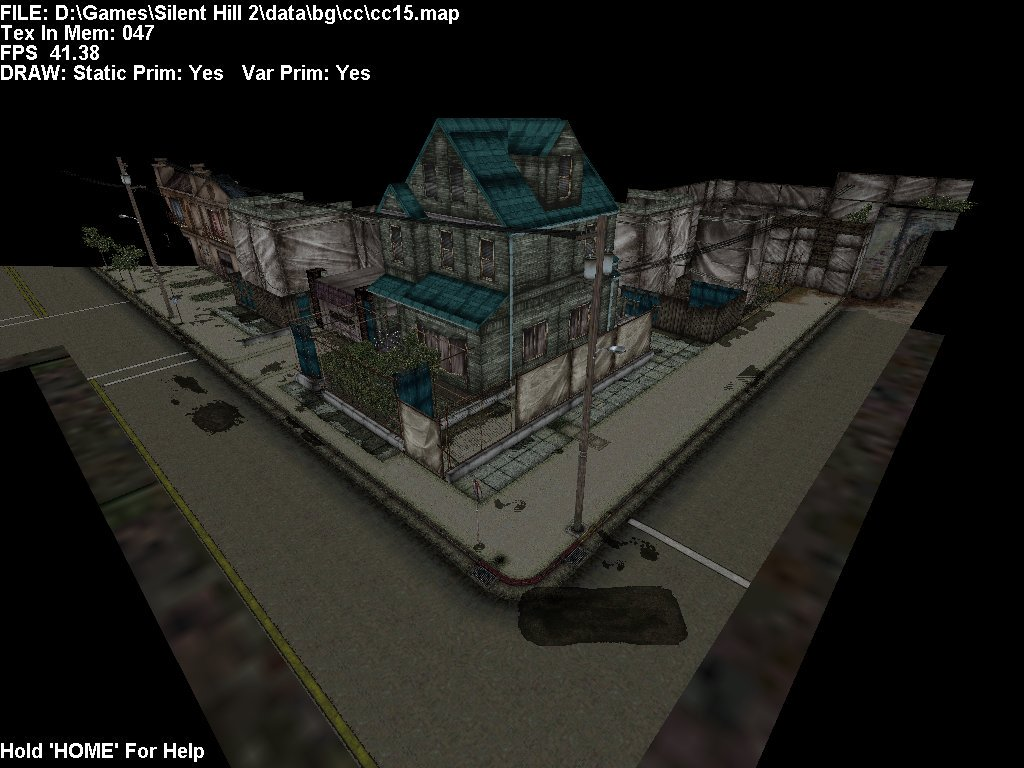
Polymega
on 6 Apr 2018
I just did a debug log of ap64.map through the Level Viewer. While I'm not a modder/programmer it seems like there's no useful information here in relation to lighting data. But I may be wrong. Chances are, this log data only has info relevant to what the Level Viewer loads in/shows.
LoadMap( C:\Program Files (x86)\KONAMI\SILENT HILL 2\data\bg\ap\ap64.map : off: 1836096 ) - TRACKING: Prim Block[ 1 of 4 ]  -  Value of f1 var in prim offset header:  769
LoadMap( C:\Program Files (x86)\KONAMI\SILENT HILL 2\data\bg\ap\ap64.map : off: 1845376 ) - TRACKING: Prim Block[ 2 of 4 ]  -  Value of f1 var in prim offset header:  770
LoadMap( C:\Program Files (x86)\KONAMI\SILENT HILL 2\data\bg\ap\ap64.map : off: 1855776 ) - TRACKING: Prim Block[ 3 of 4 ]  -  Value of f1 var in prim offset header:  257
LoadMap( C:\Program Files (x86)\KONAMI\SILENT HILL 2\data\bg\ap\ap64.map : off: 1856960 ) - TRACKING: Prim Block[ 4 of 4 ]  -  Value of f1 var in prim offset header:  0
NOTE: Unknkown data 1 - TEX: 2173  f1 [0]  q1 [4]  q2 [0]  q3 [0]  q4 [0]  q5 [255]  f1 [0]  endMarker [ 0xff000000 ]
NOTE: Unknkown data 2 - TEX: 2172  f1 [0]  q1 [4]  q2 [0]  q3 [0]  q4 [0]  q5 [255]  f1 [0]  endMarker [ 0xff000000 ]
NOTE: Unknkown data 3 - TEX: 2174  f1 [0]  q1 [4]  q2 [0]  q3 [0]  q4 [0]  q5 [255]  f1 [0]  endMarker [ 0xff000000 ]
NOTE: Unknkown data 4 - TEX: 0  f1 [0]  q1 [1]  q2 [178]  q3 [178]  q4 [178]  q5 [255]  f1 [0]  endMarker [ 0xff000000 ]
NOTE: Unknkown data 5 - TEX: 2178  f1 [0]  q1 [4]  q2 [0]  q3 [0]  q4 [0]  q5 [255]  f1 [0]  endMarker [ 0xff000000 ]
NOTE: Unknkown data 6 - TEX: 2176  f1 [0]  q1 [4]  q2 [0]  q3 [0]  q4 [0]  q5 [255]  f1 [0]  endMarker [ 0xff000000 ]
NOTE: Unknkown data 7 - TEX: 2177  f1 [0]  q1 [4]  q2 [0]  q3 [0]  q4 [0]  q5 [255]  f1 [0]  endMarker [ 0xff000000 ]
NOTE: Unknkown data 8 - TEX: 0  f1 [1112014848]  q1 [2]  q2 [178]  q3 [178]  q4 [178]  q5 [255]  f1 [1112014848]  endMarker [ 0xffffffff ]
NOTE: Unknkown data 9 - TEX: 2181  f1 [0]  q1 [4]  q2 [0]  q3 [0]  q4 [0]  q5 [255]  f1 [0]  endMarker [ 0xff000000 ]
NOTE: Unknkown data 10 - TEX: 2183  f1 [0]  q1 [4]  q2 [0]  q3 [0]  q4 [0]  q5 [255]  f1 [0]  endMarker [ 0xff000000 ]
NOTE: Unknkown data 11 - TEX: 2182  f1 [0]  q1 [4]  q2 [0]  q3 [0]  q4 [0]  q5 [255]  f1 [0]  endMarker [ 0xff000000 ]
NOTE: Unknkown data 12 - TEX: 2182  f1 [0]  q1 [0]  q2 [178]  q3 [178]  q4 [178]  q5 [255]  f1 [0]  endMarker [ 0xff000000 ]
NOTE: Unknkown data 13 - TEX: 1862  f1 [0]  q1 [4]  q2 [0]  q3 [0]  q4 [0]  q5 [255]  f1 [0]  endMarker [ 0xff000000 ]
NOTE: Unknkown data 14 - TEX: 2188  f1 [0]  q1 [4]  q2 [0]  q3 [0]  q4 [0]  q5 [255]  f1 [0]  endMarker [ 0xff000000 ]
NOTE: Unknkown data 15 - TEX: 2187  f1 [0]  q1 [4]  q2 [0]  q3 [0]  q4 [0]  q5 [255]  f1 [0]  endMarker [ 0xff000000 ]
NOTE: Unknkown data 16 - TEX: 2188  f1 [0]  q1 [1]  q2 [178]  q3 [178]  q4 [178]  q5 [255]  f1 [0]  endMarker [ 0xff000000 ]
NOTE: Unknkown data 17 - TEX: 0  f1 [0]  q1 [4]  q2 [0]  q3 [0]  q4 [0]  q5 [255]  f1 [0]  endMarker [ 0xff000000 ]
NOTE: Unknkown data 18 - TEX: 2186  f1 [0]  q1 [4]  q2 [0]  q3 [0]  q4 [0]  q5 [255]  f1 [0]  endMarker [ 0xff000000 ]
NOTE: Unknkown data 19 - TEX: 2189  f1 [0]  q1 [4]  q2 [0]  q3 [0]  q4 [0]  q5 [255]  f1 [0]  endMarker [ 0xff000000 ]
NOTE: Unknkown data 20 - TEX: 1862  f1 [0]  q1 [4]  q2 [0]  q3 [0]  q4 [0]  q5 [255]  f1 [0]  endMarker [ 0xff000000 ]
LoadMap( C:\Program Files (x86)\KONAMI\SILENT HILL 2\data\bg\ap\ap64.map : off: 1836096 ) - TRACKING: Prim Block[ 1 of 4 ]  -  Value of f1 var in prim offset header:  769
LoadMap( C:\Program Files (x86)\KONAMI\SILENT HILL 2\data\bg\ap\ap64.map : off: 1845376 ) - TRACKING: Prim Block[ 2 of 4 ]  -  Value of f1 var in prim offset header:  770
LoadMap( C:\Program Files (x86)\KONAMI\SILENT HILL 2\data\bg\ap\ap64.map : off: 1855776 ) - TRACKING: Prim Block[ 3 of 4 ]  -  Value of f1 var in prim offset header:  257
LoadMap( C:\Program Files (x86)\KONAMI\SILENT HILL 2\data\bg\ap\ap64.map : off: 1856960 ) - TRACKING: Prim Block[ 4 of 4 ]  -  Value of f1 var in prim offset header:  0
@Bigmanjapan a quick unrelated question (if this is something that can be addressed I can make a dedicated post after). Please watch the video below:
https://youtu.be/nna2yt1c9gI?t=19m8s
Do you see how the wall on the right side (PS3 side) loads in? The PC version experiences this same issue in this same exact hallway (Woodside Apartments 2F). As far as I can tell this is the only area in the game to have this issue. I've tested this on Nvidia, AMD, and Intel integrated graphics... they all have same issue.
My question is: Is this is draw distance issue? Do you know much about draw distances for the game? There is another modder, Nekorun, who has hacked the PS2 version of this game in many different ways including increasing the draw distance:
https://youtu.be/lS5WVS5C2AE?t=5m27s
I wonder if his knowledge on PS2 editing can be carried to the PC version similar to how you used PS2 debug camera placements to adjust PC .cam files?
Polymega
on 6 Apr 2018
Do you know much about draw distances for the game?
I do. This issue is easily fixed by increasing front draw distance from 7500 to 8500.
Front draw distance address: sh2pc.exe+542958 (00942958) float
Bigmanjapan
on 6 Apr 2018
Fantastic Bigmanjapan!! The whole modding community here is so awesome!!
I noticed in your video the draw distance number is reset upon new environment load. Is there a way to have the draw distance increased only for the second floor apartment hallway (and it remembers this)? Or can it be permanently increased for the entire game? If it's permanently increased for the whole game, would that cause any issues elsewhere?
EDIT: Ignore last part; much better to increase draw distance for this hallway only.
Polymega
on 6 Apr 2018
If it's permanently increased for the whole game, would that cause any issues elsewhere?
Don't know since I haven't made a full playthrough with increased draw distance.
Or can it be permanently increased for the entire game?
I'm sure it is possible but requires more thought on how to tweak existing function that assigns draw distance value.
Is there a way to have the draw distance increased only for the second floor apartment hallway?
Sure. Every location has it's own index. Make a function that would increase draw distance just for that hallway once the location index is checked positively.
Bigmanjapan
on 6 Apr 2018
@Aerowidescreen
Sure. Every location has it's own index. Make a function that would increase draw distance just for that hallways once the location index is checked positively.
You are a rock star. :)
Polymega
on 6 Apr 2018
Not that interesting but it's possible to turn the lightning source off: https://youtu.be/5NlvyeHhvgU
Bigmanjapan
on 6 Apr 2018
Interesting to me! Even though I don't understand how/why you're changing things as you are it's fascinating to see the changes happening live as you're doing.
It looks as though you sniffed out when an integer changed right when James was lighted and when he was not to determine which addresses to further experiment with? This is cool stuff either way!
Polymega
on 6 Apr 2018
It looks as though you sniffed out when an integer changed right when James was lighted and when he was not to determine which addresses to further experiment with?
Yes. A very simple method. Unfortunately I only found a value that switches from 0 to 1 if a lightning is reflected on James at all.
Bigmanjapan
on 6 Apr 2018
Sure. Every location has it's own index. Make a function that would increase draw distance just for that hallway once the location index is checked positively.
I don't think increasing it universally would be so bad, as long as we don't over do it I mean. This problem is noticeable in other areas, and there's always going to be that "fog" that stops us from seeing anything beyond what was intended. But yes, testing should be done to be safe.
thanks to @Bigmanjapan
0047C19F 45EA6000 // controls draw distance; change to 8500 float
0057E7C5 45EA6000 // controls draw distance; change to 8500 float
 AeroWidescreen
on 8 Apr 2018
AeroWidescreen
on 8 Apr 2018
But yes, testing should be done to be safe.
I'm happy to do this. Since I'm not a programmer I need to step up in other places. :)
Polymega
on 8 Apr 2018
Since on Xbox version the lightning issue is not present (https://youtu.be/6cWw3LYJyag?t=916), maybe ap64.map file from Xbox builds could help.
File is the same for all Xbox versions: Xbox_ap64map.zip
Interesting detail: on PS2 builds ap64.map file is only 806 KB in size, while on PC/Xbox it's more than 2 MB.
20228 / 50382 / 65051 PS2_v1_ap64.zip
20228GH / 51156 / 65098 PS2_v2_ap64.zip
Bigmanjapan
on 12 Apr 2018
The Xbox .map crashes the game but here's what both PS2 .map files do:
What's interesting to note from the video is the lighting bug is still present. Would it be safe to presume the issue with this lighting bug is contained in the .exe then and not the .map file?
Polymega
on 12 Apr 2018
Probably. In theory it's possible to make function that would manually change how lightning is applied to James model based on his coordinates in the room.
I can make James model as bright as he is in the frist section of the room and as dark as in the second section (not really shown in the video, just an overall idea): https://youtu.be/khVaBxZohtg Smooth out transition between those states and it would look like the bug is fixed. An ape level solution tho.
Bigmanjapan
on 12 Apr 2018
I just replaced ap64.cld and .kg2 (with PS2 files) in hopes that would affect lighting in any way but it did not.
I can make James model as bright as he is in the frist section of the room and as dark as in the second section
I appreciate the fact that you're thinking of other solutions should we not find a way to fix hex values within the game code itself. It may not be the most elegant fix but if the fix works, doesn't break any other part of the game, and looks nice to the player then I say that would justify the cause (assuming no other solution could be found).
Smooth out transition between those states and it would look like the bug is fixed.
Do you mean that you can create just a single start/end value for the lighting (based on coordinates) and it will automatically adjust light levels depending on James' location? Or do you mean you would have to manually add numerous light level "steps"/increments between the start/end spots each step of the way?
I hope it would not be the latter as that sounds like it would be way too much work/trouble.
Polymega
on 13 Apr 2018
I can try to help you guys with this later if you want. Right now I want to fix the mouse position for FullscreenImages (I don't think @Bigmanjapan has done anything for that yet, right?), as well as the stretched menu hitboxes, then I'll take a look at this.
AeroWidescreen
on 13 Apr 2018
Thank you both. :)
Polymega
on 13 Apr 2018
Or do you mean you would have to manually add numerous light level "steps"/increments between the start/end spots each step of the way?
This one, but it doesn't necessarily has to be a huge list of "steps". Create a function which will automatically change lightning based on coordinates values via some increment / decrement formula.
Bigmanjapan
on 13 Apr 2018
I spoke with Neko the other day and he said he should be able to extrapolate the lighting data of the Blue Creek room from both the PS2 and PC versions to compare. He hasn't done it yet but thinks both versions would have 1:1 structures for this lighting data. If so, we could compare the two, find the differences between the two, and hopefully correct the PC one to match back up to the PS2 data to fix the lighting bug.
From our conversation:

Neko wouldn't be able to make the patch (he doesn't have the experience in that regard) but I asked him to share his findings here with us when the time comes and also share where the lighting data is stored in the PC version in the hopes that @AeroWidescreen could patch accordingly.
Polymega
on 2 May 2018
Sounds good. Point me in the right direction and I'll see what I can do.
AeroWidescreen
on 4 May 2018
Thanks, Aero. May I also ask you to check your email?
Polymega
on 4 May 2018
I've been thinking about lightning sources having parameters in the fashion of camera angles. If camera angles have area size parameters (tiny, road etc), maybe lightning sources have something like entire room action (James model is fully lit no matter where he is in the room) and diffused light action (distance-light strenght dependance). As I see it, the most logical way to make a second one would be a cylinder geometry and room's collisions for cutting off light from going through walls.
Unfortuntely, rooms' collisions doesn't seem to effect lightning in any way and lightning source in Blue Creek apartment have a proper smooth diffusion on the back side which nullifies my hypothesis about cylinder / entire room light source parameters because in this case the source is both at the same time.
Instead, it seems that it is tile based? Returning to ap64.map file?
Bigmanjapan
on 19 May 2018
While lightning tiles / mapping / area seems to be more accurate on PS2, even on this platfrom lightning goes beyond it's boundaries sometimes.
Corner near the safe seems to light James model a bit: https://youtu.be/RIAsBiJw1w4
Bigmanjapan
on 19 May 2018
As a side note, if Nekorun is right and missing lightning is just a switch that is inactive (all the required code is present in the game build), then one can take another approach at finding how to enable it — trying to disable that lightning portion on PS2 build. If someone learns how to replicate this issue on PS2 build, it would be easy to understand how to fix it on PC.
Might be onto something here: https://youtu.be/Osz0fNsOais
Bigmanjapan
on 19 May 2018
Thanks for looking in to this more, @Bigmanjapan !
As I see it, the most logical way to make a second one would be a cylinder geometry and room's collisions for cutting off light from going through walls.
Hm... if you were to look at this room through an over-head view it almost seems like the lighting data for this area needs to be rotated 180 degrees. From your video it looks like this:
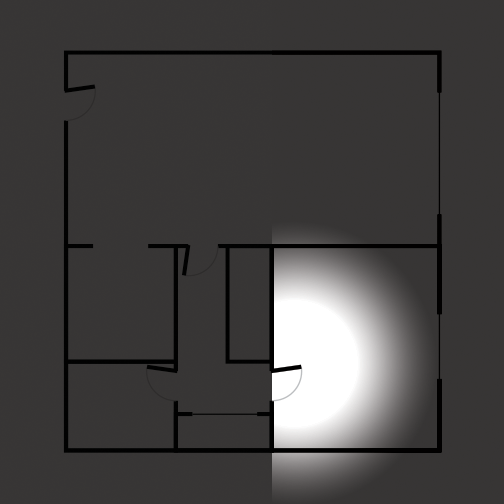
When it should be like this:
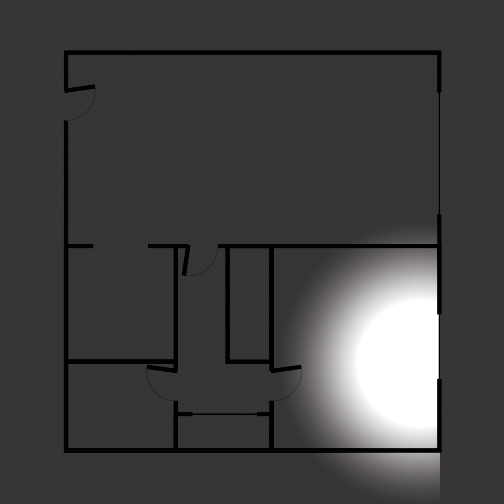
It probably isn't as simple as turning a positive value to negative (or vice versa) but just something I noticed...
Polymega
on 19 May 2018
That is a good idea, although lightning on PS2 version seems to have a "full circle" spread: https://youtu.be/RIAsBiJw1w4?t=6 Although diffusion distance is much shorter on the back side.
Found values that control the entire lightning area position on X and Z axis: https://youtu.be/8fHFJ2YZJOQ
Maybe diffusion distances are also stored as float values?
Edit: apparently every lightning source has its own RGB preset for the color of the light, using this it's possible to confirm that it's the same lightning source spreading through walls in ap64: https://youtu.be/lPQMjr1ArKk
Bigmanjapan
on 19 May 2018
Although diffusion distance is much shorter on the back side [for PS2 lighting].
Yeah, I also noticed that. I'm not sure why the PS2 and PC versions have that difference as well...
Found values that control the entire lightning area position on X and Z axis
Nice! Have you tried giving one of those coordinates a negative value in the hopes that it would simply "flip" (rotate 180 degrees) to fix the problem? I have no clue if that is even possible...
Polymega
on 19 May 2018
Nice! Have you tried giving one of those coordinates a negative value in the hopes that it would simply "flip" (rotate 180 degrees) to fix the problem? I have no clue if that is even possible...
Unfortunately, nothing comes out of it.
Found the same RGB values on PS2 version: https://youtu.be/gz5rtbogiXU
As you can see, what we are trying to reenable is some kind of lightning cancelling function. I've found a lot of lightning source parameters but no addresses to control ANY parameter of this cancelling function. Tried nullifying ap64 files directly in emulator's memory (renderig most textures black etc) and still the thing works just fine.
I did found several float values in ap64 lightning source memory region that seem to disable that function entirely but as far as I can tell it actually just messes up geometry of lightning area and shifts that function to some other place in the loading zone.
OverRustle
Bigmanjapan
on 19 May 2018
Here's some additional info Nekorun has said on the matter:
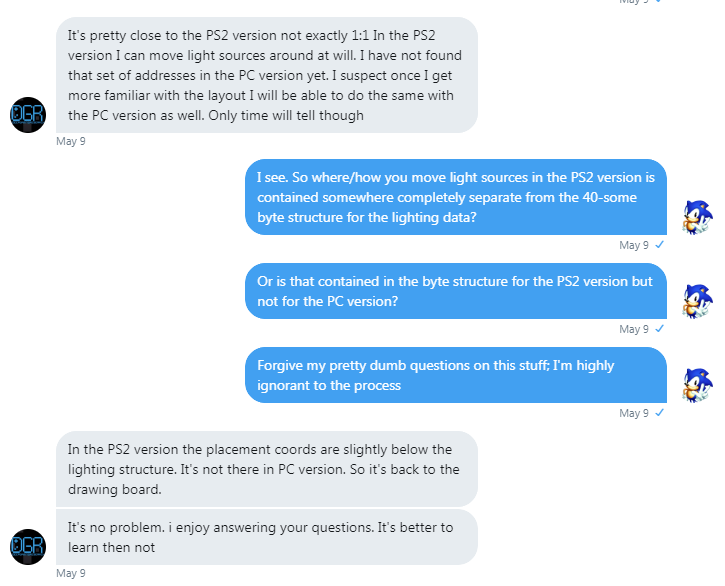
Although I don't believe he's had the chance yet to try it. That, or wasn't able to extrapolate that data from the PC version.
Polymega
on 19 May 2018
Although, for you @Bigmanjapan , I believe you have done just that in your video here. But if not, I wonder if the lighting data for the PS2 version of this area can be directly transposed to the PC version?
Polymega
on 19 May 2018
I did found several float values in ap64 lightning source memory region that seem to disable that function entirely but as far as I can tell it actually just messes up geometry of lightning area and shifts that function to some other place in the loading zone.
To clarify: Whenever you change values for this the geometry (as in, the geometry of the walls, bed, doors, etc) completely disappear? Or it becomes "corrupted"?
Or do you mean the lighting zone is contained in some sort of invisible geometry like the cylinder you were hypothesizing? And that is what becomes corrupted (the entire light for this area)?
As a side note, if Nekorun is right and missing lightning is just a switch that is inactive (all the required code is present in the game build), then one can take another approach at finding how to enable it — trying to disable that lightning portion on PS2 build. If someone learns how to replicate this issue on PS2 build, it would be easy to understand how to fix it on PC.
Maybe diffusion distances are also stored as float values?
Instead, it seems that it is tile based? Returning to ap64.map file?
If this data is possibly stored in ap64.map after all (and not the .exe binary) would it be wise to look into the PS2 .map file more instead to learn how to replicate the issue first? Because, as you previously mentioned, the PS2 .map file is 806 kB vs. the 2+ MB for the PC and Xbox versions. I imagine 806 kB is still not a small file to look in to by any means but it at least would not be 2+ MB large.
Polymega
on 22 May 2018
Or do you mean the lighting zone is contained in some sort of invisible geometry like the cylinder you were hypothesizing? And that is what becomes corrupted (the entire light for this area)?
This one. Invisible lightning source area geometry (which is probably not how it actually works to be honest).
If this data is possibly stored in ap64.map after all (and not the .exe binary) would it be wise to look into the PS2 .map file more instead to learn how to replicate the issue first?
Yes. I spent last several days nullifying data in the game's memory manually (on PCSX2) starting from the "bottom" region which contains actual files data and going "up" to executable data. I'm pretty sure I nulled all of the map, cam, kg etc files with no results. Meaning that lightning function is stored within executables.
Looks like it works but in reverse order. :facepalm:
While digging in the memory I also found debug shadows filters which are not present in E3 trial version. That particular version of debug menu probably doesn't include shadows filters due to lack of lightning sources in the hospital stage (there is a lightning source on the roof but it's it's locked in E3 build).
Bigmanjapan
on 22 May 2018
Looks like it works but in reverse order. :facepalm:
What kind of cruel irony are you playing here, Silent Hill 2 PC version?! :confused:
While digging in the memory I also found debug shadows filters
Nice! Is there anything hidden or any cool things you can play around with that (just for fun)?
Polymega
on 22 May 2018
I have a semi decent solution for the problem which involves manipulating lightning source around the room and making use of it's bottom side (which also have a properly working diffusion). Although this way James model is slightly less lit when he's near the widnow because light source is shifted way above the room.
That being said, I don't want to suggest this solution until it's 100% confirmed that the diffusion cannot be fixed by enabling or restoring it.
Light source in ap64 is controlled via small memory region. In the next picture you can see two CE tables being opened — left for PC addresses, right for PS2 addresses. https://i.imgur.com/V9TjCDG.png
There are three different values in this memory region between the tables (highlighted), moving values from PS2 memory region to PC memory region does nothing to fix the lightning issue.
Next, I managed to replicate the issue on PS2 build. Apparently if some functions that access certain addresses are disabled than the diffusion stops working. https://youtu.be/Pskp_qn1HUs Meaning that it might be possible to research those PS2 functions and replicate them on PC build. I have a limited knowledge of x86 ASM, so maybe @AeroWidescreen can do it.
CE tables for anyone how is up to the task (try playing around with the values, those control various light source parameters):
PCSX2_SH220228GH_ap64_light_source.zip
PC_SH2WSF_ap64_lightning_source.zip
Nice! Is there anything hidden or any cool things you can play around with that (just for fun)?
Bigmanjapan
on 23 May 2018
Fantastic continued research, @Bigmanjapan ! Your knowledge and research thus far has greatly increased the opportunity to solving the riddle. I don't doubt that through collaboration, with the notes you've taken so far, some good things will come to fruition with this!
Thank you very much for your time and attention on this.
Polymega
on 23 May 2018
Another addition. It might be wiser to compare broken PC light sources to the PC normal ones. I made a similar CE table for a normal light source in apartments hallway and managed to replicate the issue.
As you can see, when it comes to a normal light source the two values are accessed by functions. Corresponding values in ap64 are not accessed by any function. This is probably where the issue lies.
CE table for the hallway light source:
Bigmanjapan
on 23 May 2018
Newbie question: Does this area consist of the function for this value (when out in the hallway)? Or is this something non-related to that?
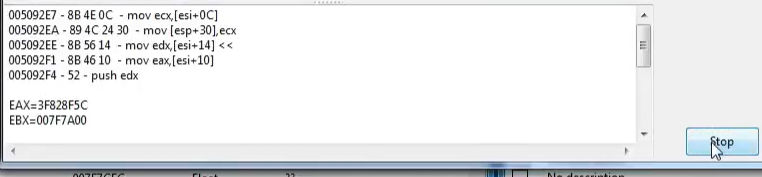
Polymega
on 24 May 2018
This windows shows a portion of assembler code in which instructions (I called them functions earlier) from the window above reside and registers' (CPU's variables) values (EAX, EBX etc).
You can open those instructions in disassembler (there is a button on the right for that) and change them manuallly to see how they affect lightning.
Bigmanjapan
on 24 May 2018
As I was doing a final play test for the audio mod I came across two other areas with bugged lighting transitions. These new two happen right around the same area as the other Alternate Hotel lighting bug. I also updated the original post with these areas:
Alternate Hotel Hallway # 2
PC (bugged): https://youtu.be/30GQFvHx1DQ
Quick Save save file of this area
Alternate Hotel Hallway # 3
PC (bugged): https://youtu.be/yFdCaChQ3RU
Quick Save save file of this area
Polymega
on 3 Jun 2018
Another lightning bug in Maria scenario: https://youtu.be/KuhbToTMp1Y
Bigmanjapan
on 17 Jul 2018
Thank you sir; added to the main list
Polymega
on 18 Jul 2018
I am unsure if Nekorun is still able or wanting to help with this issue but I'd like to share the approach he had in mind for fixing it, in case anyone here is familiar enough with the PS2's assembly language and Lua programming language to try this approach. Posting here for posterity:
Nekorun: I could definitely help out with the PS2 asm but I don't have much experience with x86 myself. I have actually being learning a bit of it along side PPC lately.
Me: Any guidance and further help you can share would be really appreciated. Now with the cause determined, something to get the ball rolling for a solution would be much welcomed!
NR: Did [Bigmanjapan] happen to say what functions were causing the problem?
Me: Check out this post and this post.
I believe the functions are shown in the videos. There are also CE tables he provided that should take you to the address lines to get to those functions.
The problem for the PC version is those functions simply aren't there for the problem light areas. If we can retrieve the PS2's versions of these functions and change them however needed (x86 ASM?) and put them in the PC version (where they're currently missing) that should be the solution.
NR: Okay, That would require a custom script. I could possibly write one but it would only work with cheat engine installed.
Me: If you can write it to work with CE we should be able to get it to work without it. [...] How are you feeling about this? In the realm of possibility?
NR: Possible, yes. Extremely difficult, most likely.
Me: I see... I'm guessing the easy part is extracting the instructions/functions from the PS2 version (as they're already found) and the difficult part is finding a way to translate or rewrite the function so the PC version can understand it?
NR: It's more like finding out how to write the PS2 instructions in Lua format then injecting it into the location where it's supposed to be in the PC version. [...] Finding the correct address to inject it in the PC version.
Polymega
on 18 Jul 2018
It is definitely doable, just takes time.
On a side note, noticed a similar cutoff bug with shadows in 20228/20228GH (might be on other versions also, haven't checked). Played on PCSX2 1.4.0.
Same on PC:
Bigmanjapan
on 20 Jul 2018
A heads up on that: The shadows cut off _everywhere_ throughout the _entire_ game on all versions. I'm thinking this was a limitation of the game engine. I don't necessarily consider that one to be a bug as it's consistent across all platforms/versions.
However, if we do find talent to help us implement soft shadows into the PC version I was going to ask if there's any possibility of doing a fast fade-out for shadows that would cut out otherwise... Similar in spirit to how IndirectSound adds a fade-out to audio that ends before playing to completion.
I have no clue if that's even remotely possible to do but someone qualified could answer. In any case, I don't believe the shadows are a bug.
Polymega
on 20 Jul 2018
I always thought the BFaW campaign has some of the most noticeable areas of multiple shadows loading in and out:
https://youtu.be/Jy935k-CW54
Polymega
on 21 Jul 2018
Xbox version suffers too: https://youtu.be/HOx2Ja1PZTk
Bigmanjapan
on 19 Sep 2018
I'm not seeing it on the Xbox version like it behaves for the PC version?
Do you mean the shadows again? If so, that's normal behavior throughout the game. The shadow abruptly disappearing can be seen on the PS2 version here as well.
Polymega
on 19 Sep 2018
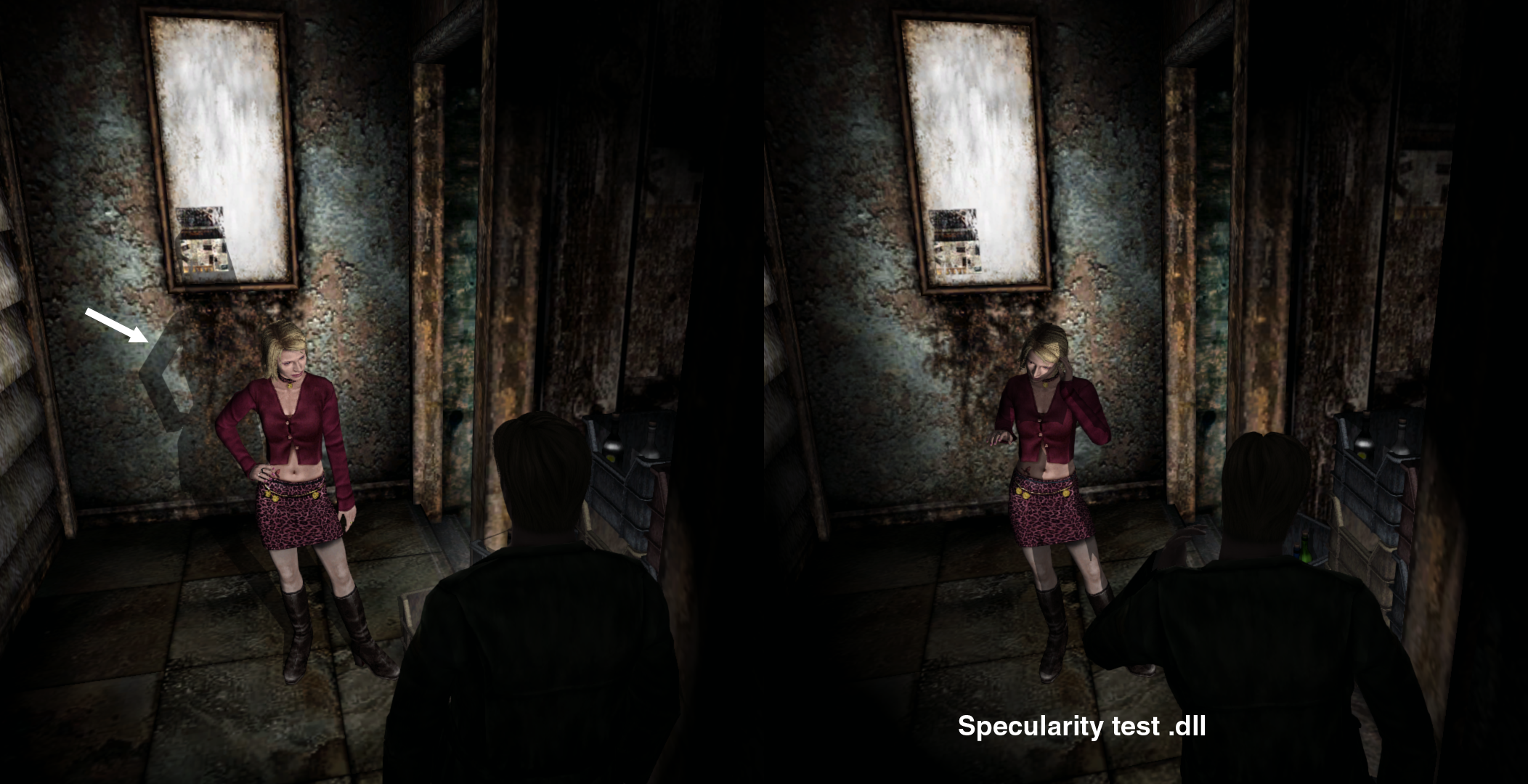
Random observation note: Areas in a room that have specific lighting data can also determine if James (and I assume other objects) receive specularity or not.
In the images below, I'm in Blue Creek Room 203 standing in the corner next to the safe. The lighting transition bug goes through the wall and also affects this corner. While I stand in this corner, James' eyes, his flashlight, and the nails on the plank receive specularity. If I leave the lighting zone, the specularity is also gone. James would also have this specularity in the bedroom (where the main area/source of the light is).
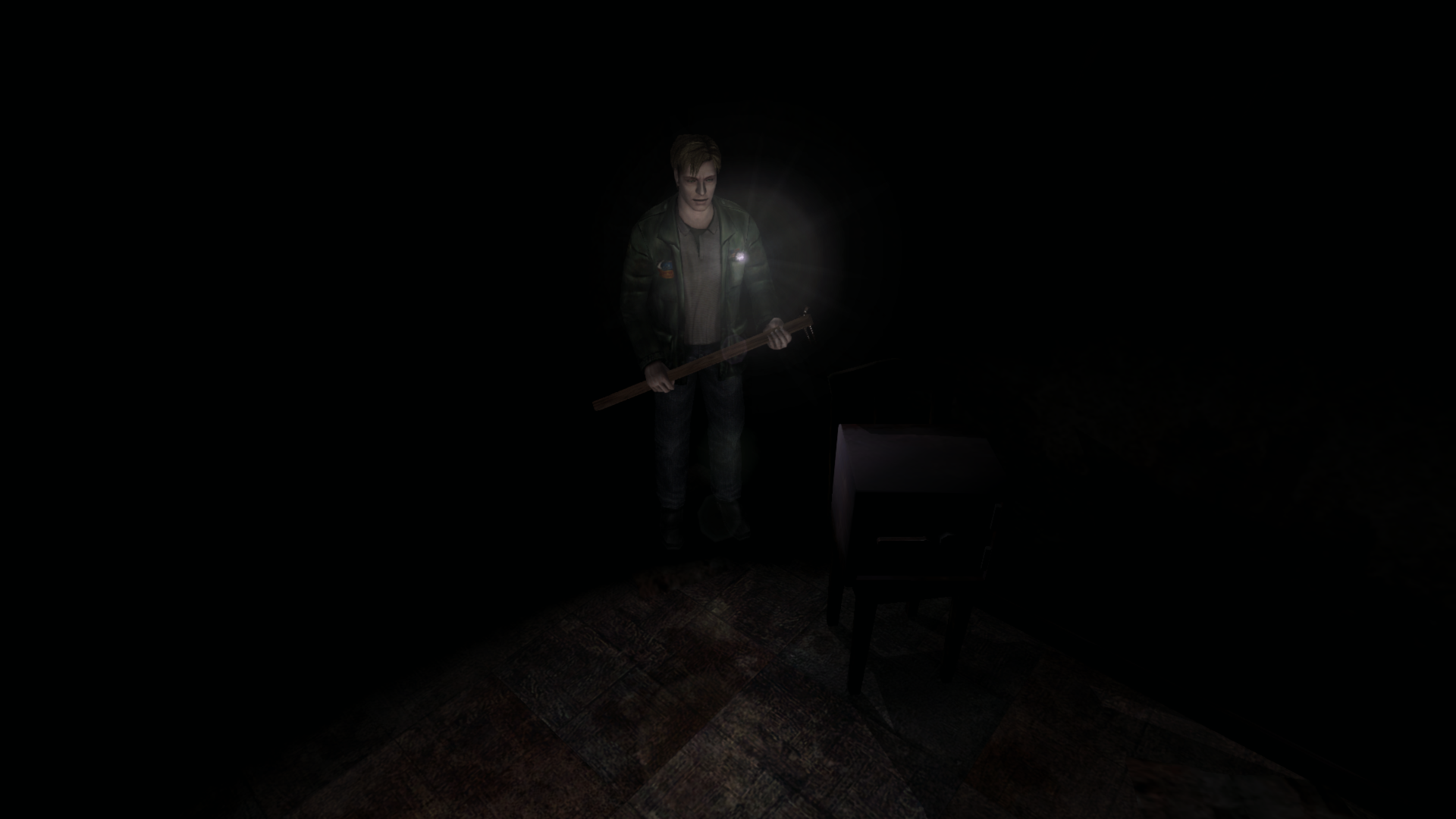
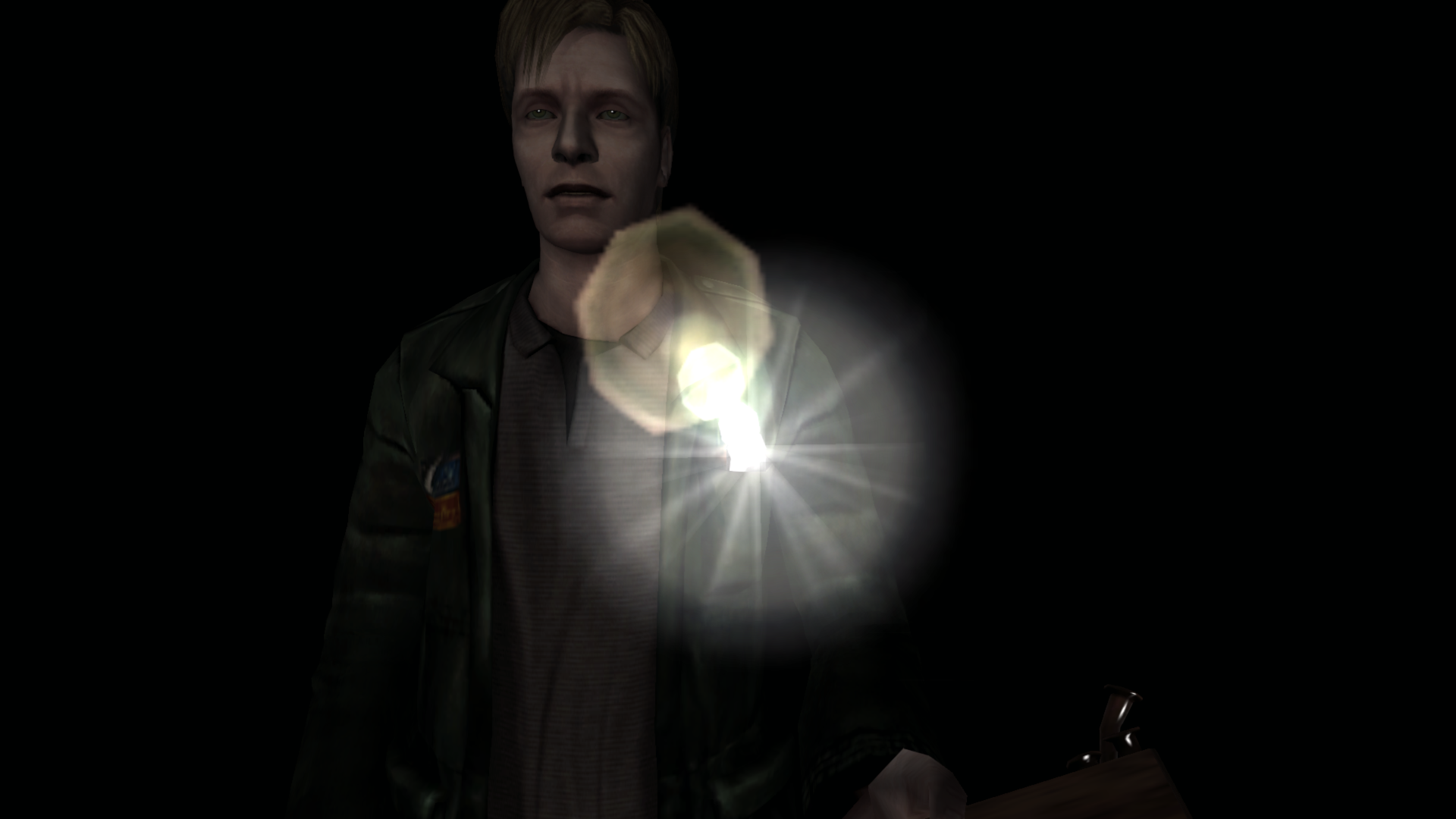
Polymega
on 8 Jan 2019
@Bigmanjapan @AeroWidescreen
@Belek666
I'm tagging you to bring the discussion over on this thread. First of all, this is amazing! Well done, sir!!
Bigmanjapan & Aero, here is Belek666's post on the matter from here:
I've taken a look at the problem and possibly found some workaround. Not sure if it's correct solution. Here is CE table (for sh2pc English version) I'm using:
sh2pc.zip
Change 'SomeType' value to '2'. This value is related to some light calculation and the difference between type '2' and '3' is that '3' make some additional calculation and probably this function is bugged. For now I don't have idea what's wrong. Maybe patching function to use type '2' instead '3' is enough to fix the problem.
@Belek666
Changing SomeType address from 3 to 2 did indeed work!
However, at least for Blue Creek Apt room, James was still far too bright.
I was able to fix this by changing your Light Red/Blue/Green channelsfrom 6 to 1. Now it looks perfect in this room!
Check out a video of the Blue Creek room fixed here!
I'm excited to try out the other problem areas soon but was eager to show that infamous bugged Blue Creek room fixed right away! You're the man, Belek666!
Polymega
on 27 Jan 2019
The only downside is that by changing SomeType to 2 it makes dynamic (movable) objects glow while his flashlight is on, even if the flashlight is not looking at it.
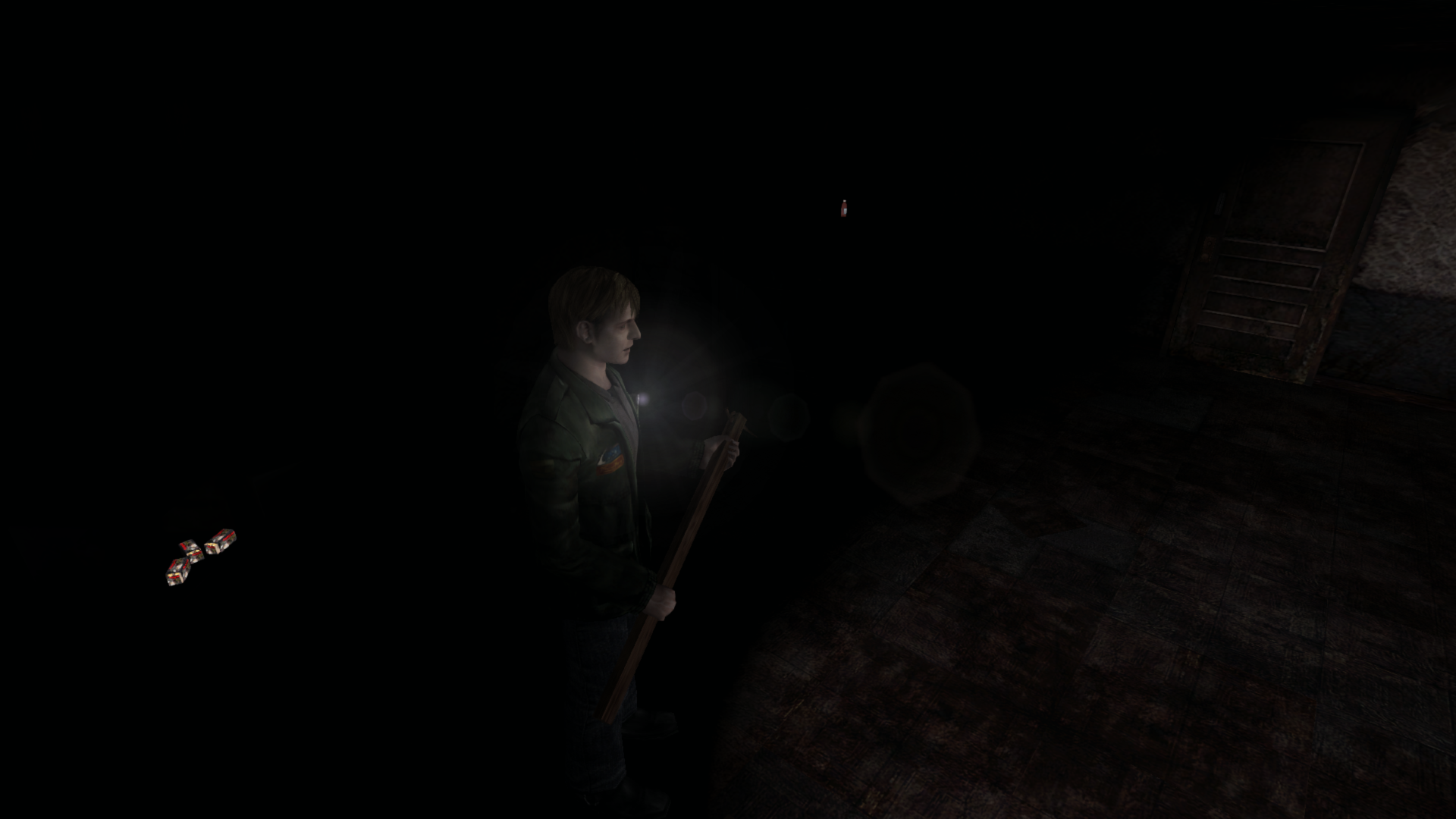
The some-what good news: That Blue Creek room is the only room that has lighting transition issues where James also has a flashlight. For all other problem rooms (including this same room when you come here in Maria's campaign), the flashlight can no longer be used.
This means that this is the only room that needs to be looked in to more; all other rooms that have lighting transition issues (where we could apply this fix) work great just by changing SomeType to 2!
Polymega
on 27 Jan 2019
@Polymega
Try this. I was able to exclude James from other objects, such as health, ammo, and NPCs. Only test this in the rooms where the transition bug occurs. The script does not do this automatically as of yet. In fact, I would appreciate it if you could post their index numbers for me.
@belek666
Nice work! This may have been the breakthrough we needed.
AeroWidescreen
on 28 Jan 2019
In fact, I would appreciate it if you could post their index numbers for me.
Absolutely, I'd be happy to. For v1.0 executable:
Room IDs:
Room ID: 01FB7DAC (4 bytes):
- Blue Creek Apt. Rm. 203: 00000027
- Alternate Hotel 2F West Hallway: 000000B2
- Alternate Hotel 2F West Room Hallway: 000000B1
- Alternate Hotel 2F East Room Hallway: 000000B4
- Baldwin Mansion Hallway: 000000D0
- (Normal) Hotel 2F West Hallway: 000000A0
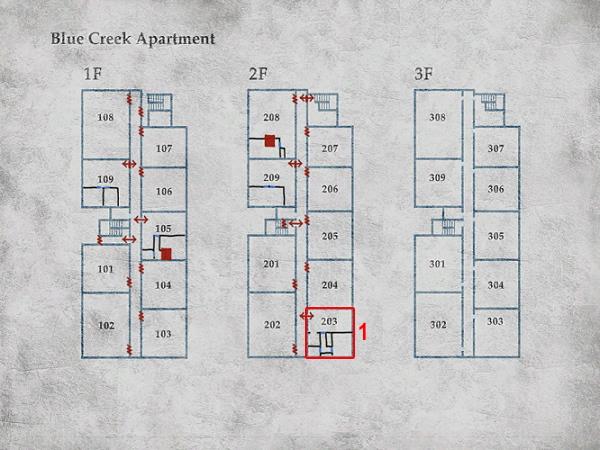
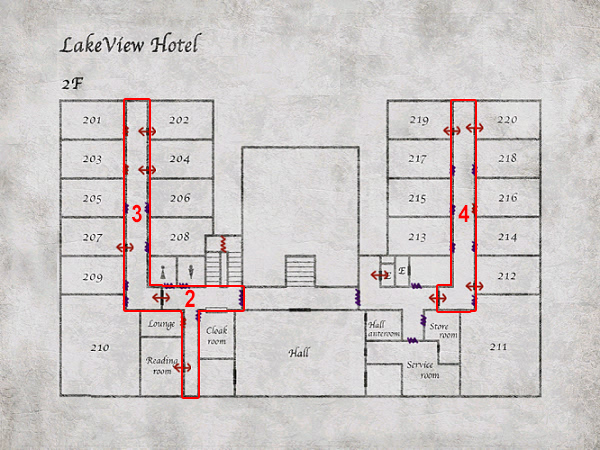
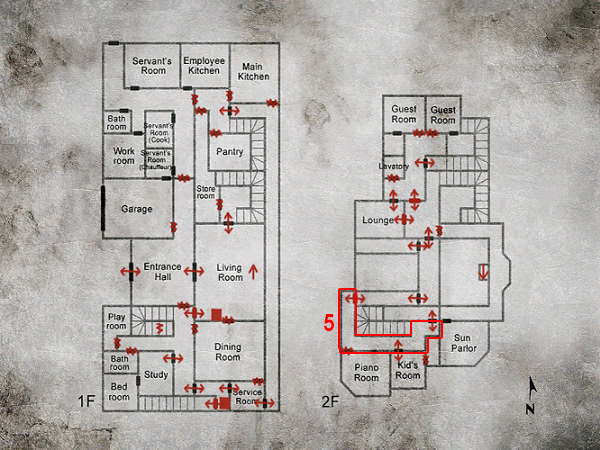
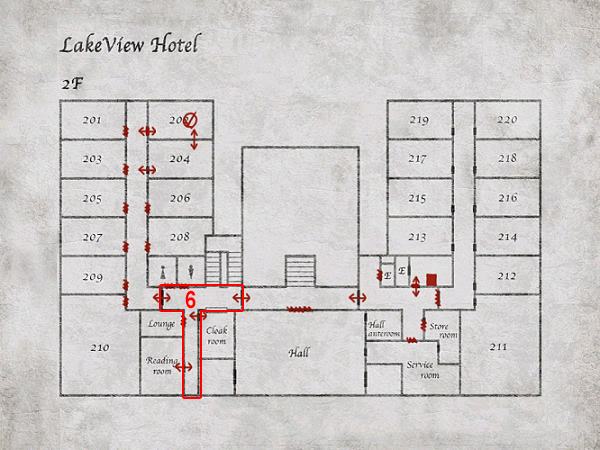
Notes:
Update: Recently added and have yet to be tested using Aero_'s fix:
- (Normal) Hotel 2F West Hallway
Your fix works great for:
- Alternate Hotel 2F West Hallway
- Alternate Hotel 2F West Room Hallway
- Alternate Hotel 2F East Room Hallway
There are issues for:
- Blue Creek Apt. Rm. 203
- Baldwin Mansion Hallway
Blue Creek Rm 203 Issues:
While the dynamic objects no longer glow they are now completely dimmed and their specularity gone when the light is on:
Correct:
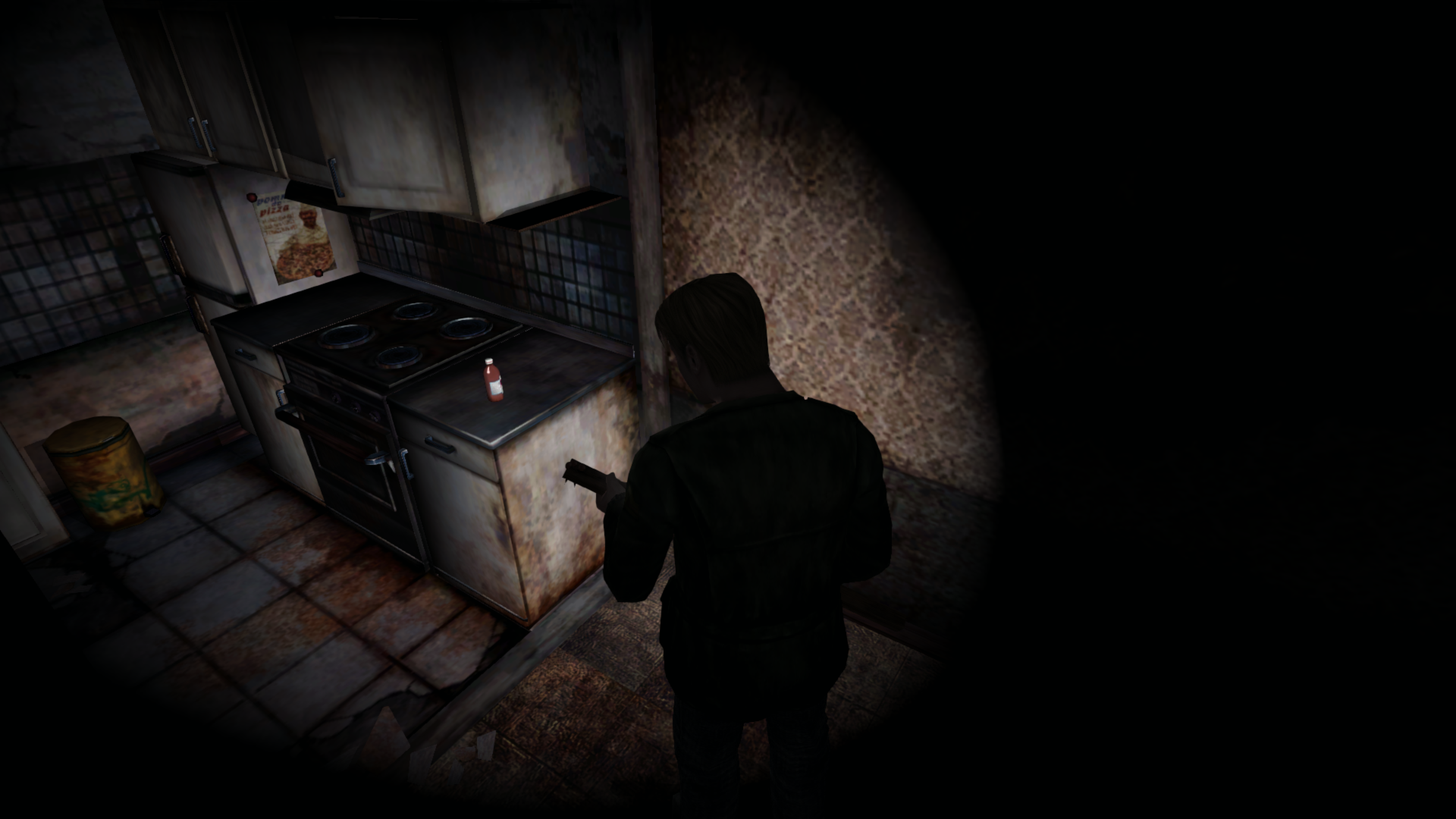
Current CT:
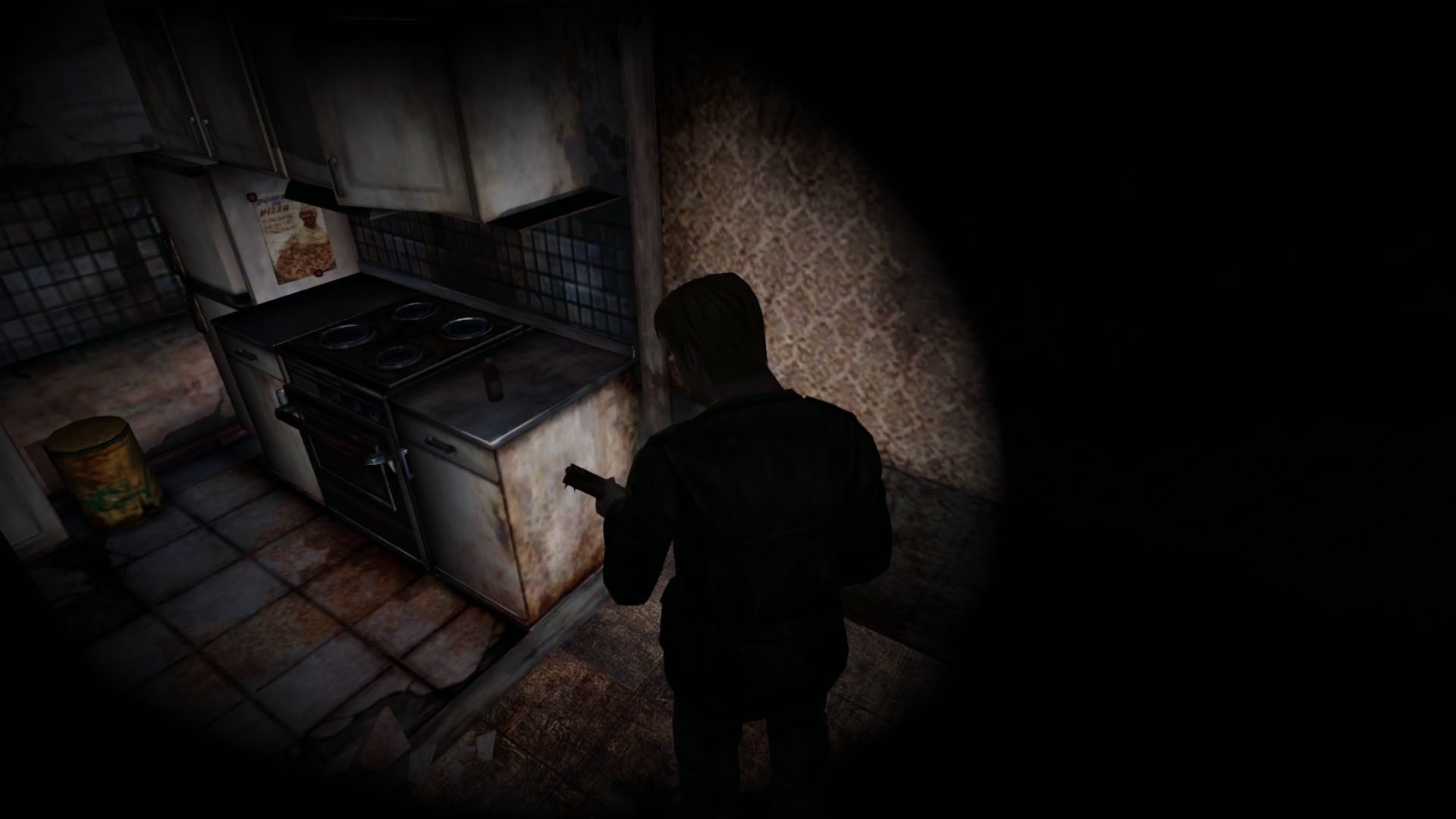
Additionally, this is a bugged lighting transition area that needs additional addresses modified. (For the alternate Hotel areas, simply changing SomeType to 2 fixes the problem.)
But for this Blue Creek room, not only does that need to be changed but so do three lighting addresses (from 6 to 1) while in the room. See this video demonstration. In the video, we first change SomeType, then we change those three lighting addresses. Otherwise, the light source from the window is too bright.
Baldwin Mansion Hallway Issues:
The bugged lighting transition is fixed but she's dimmed in other areas of this hallway (probably because, with this being Maria and not James, she uses different addresses than him).
Additionally, those three lighting addresses we used for the Blue Creek room also need to be used here. Changed from 3 to 1. Otherwise, this area of the hallway would be much brighter than would it should be.
Correct:
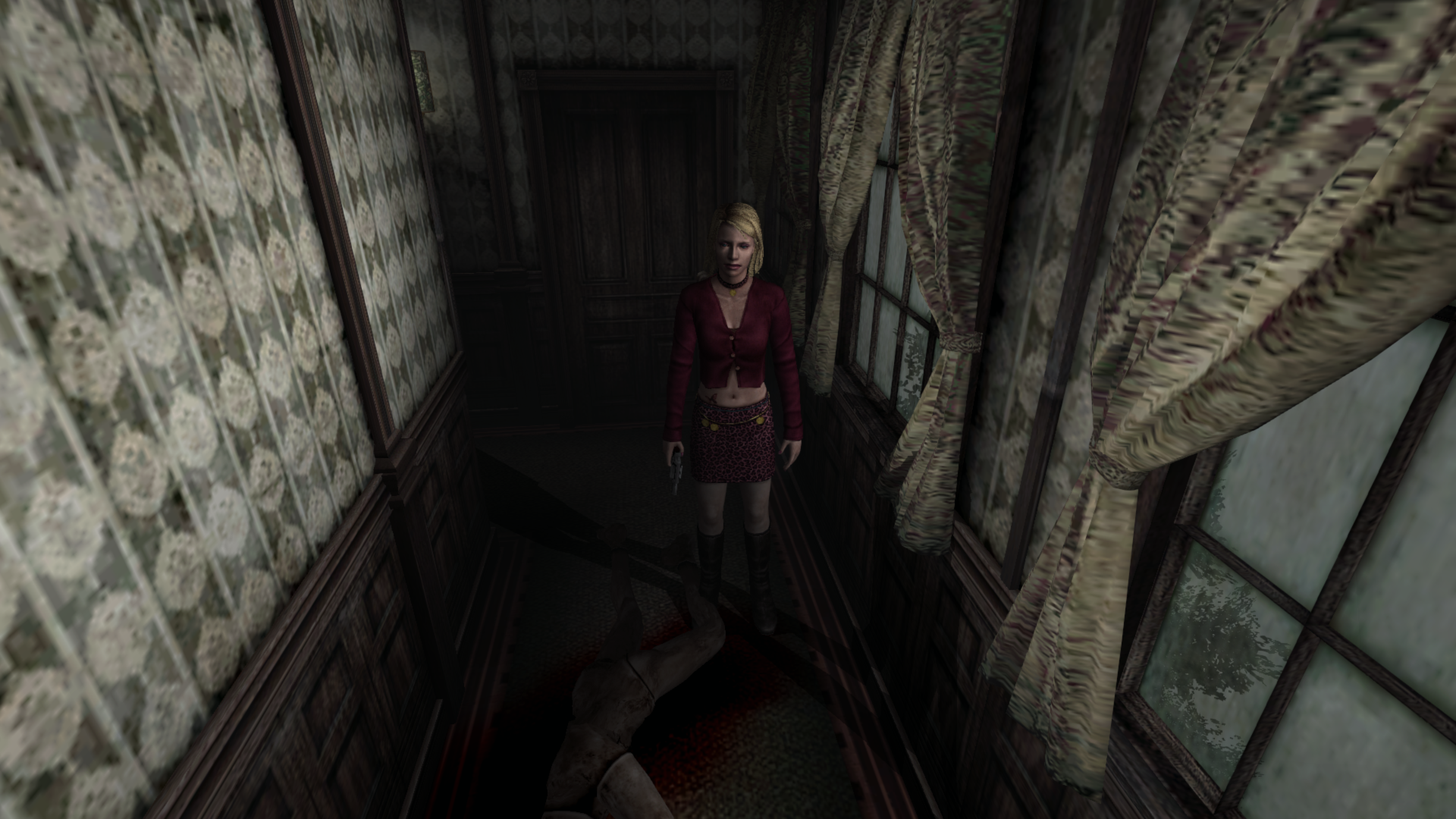
Current CT:
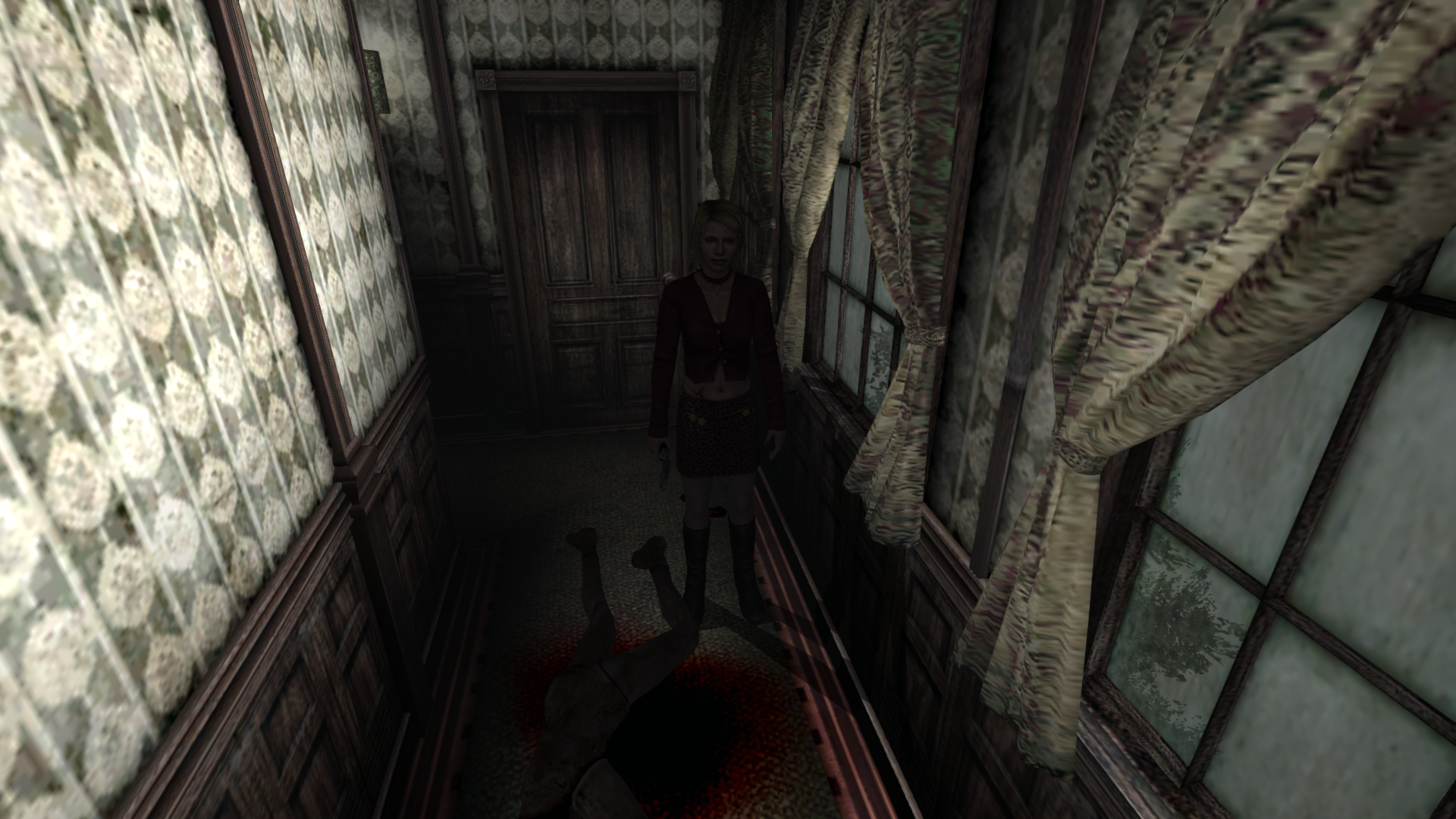
^ On the "correct" image, notice both Maria and the mannequin are lit correctly (by changing SomeType) and the hallway is dimmed to its correct levels (by changing those lighting addresses). Using Belek666's original Cheat Table you can see how the lighting should behave for the Baldwin hallway.
Random musings:
Changing SomeType to 2 also fixes these two rooms, Aero_, in case you'd want to adjust this address instead for the flashlight fix before Elisha implements it. (The images below are not using your addresses from the flashlight fix incojunction with SomeType; it's only changing/using SomeType.)
PC Adjusted:

PCSX2:
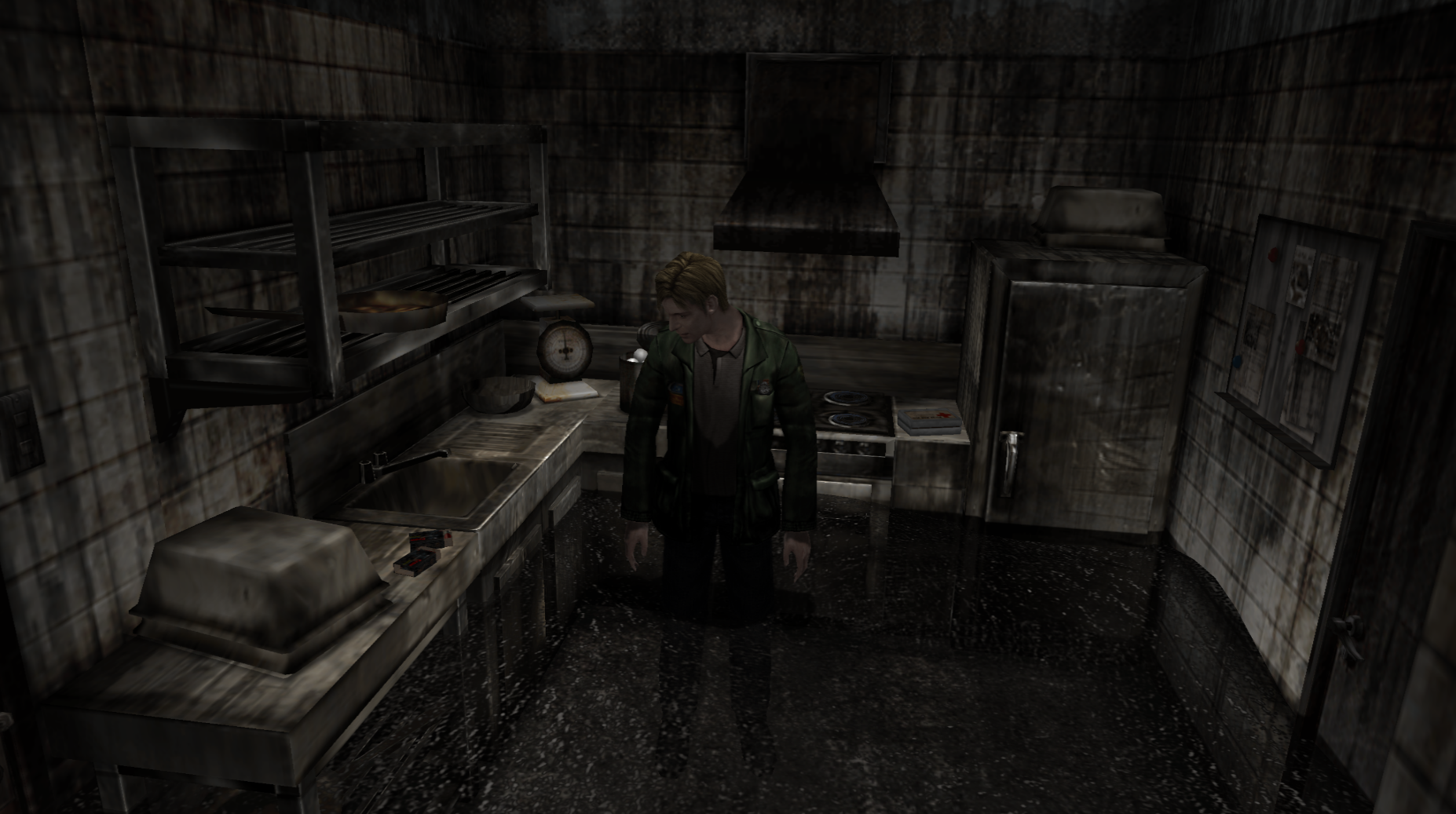
^ For the Hotel kitchen room, the dynamic objects (ammo and med kit) are still properly lit because James doesn't have/isn't using his flashlight.
PC Adjusted:
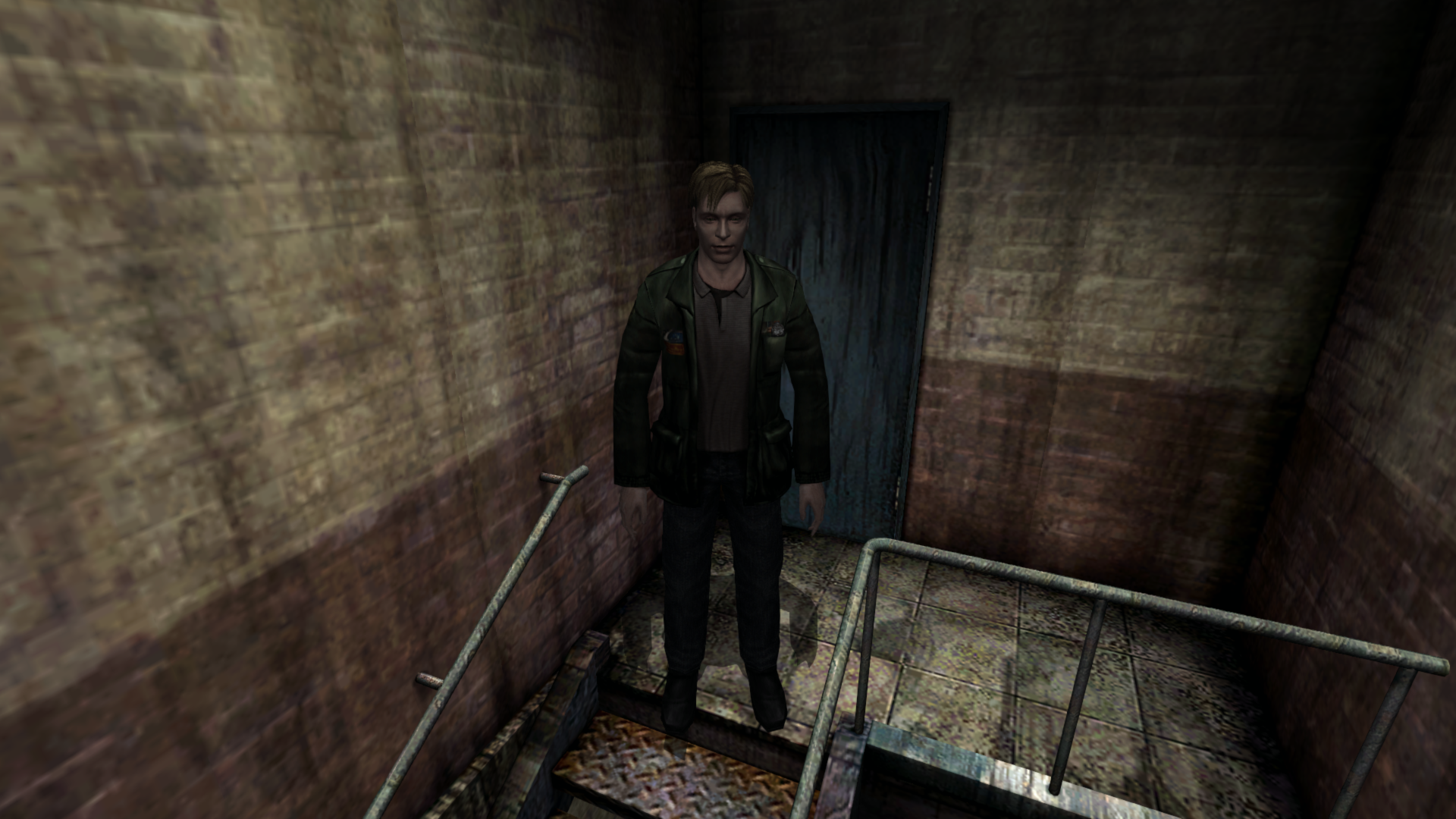
PCSX2:
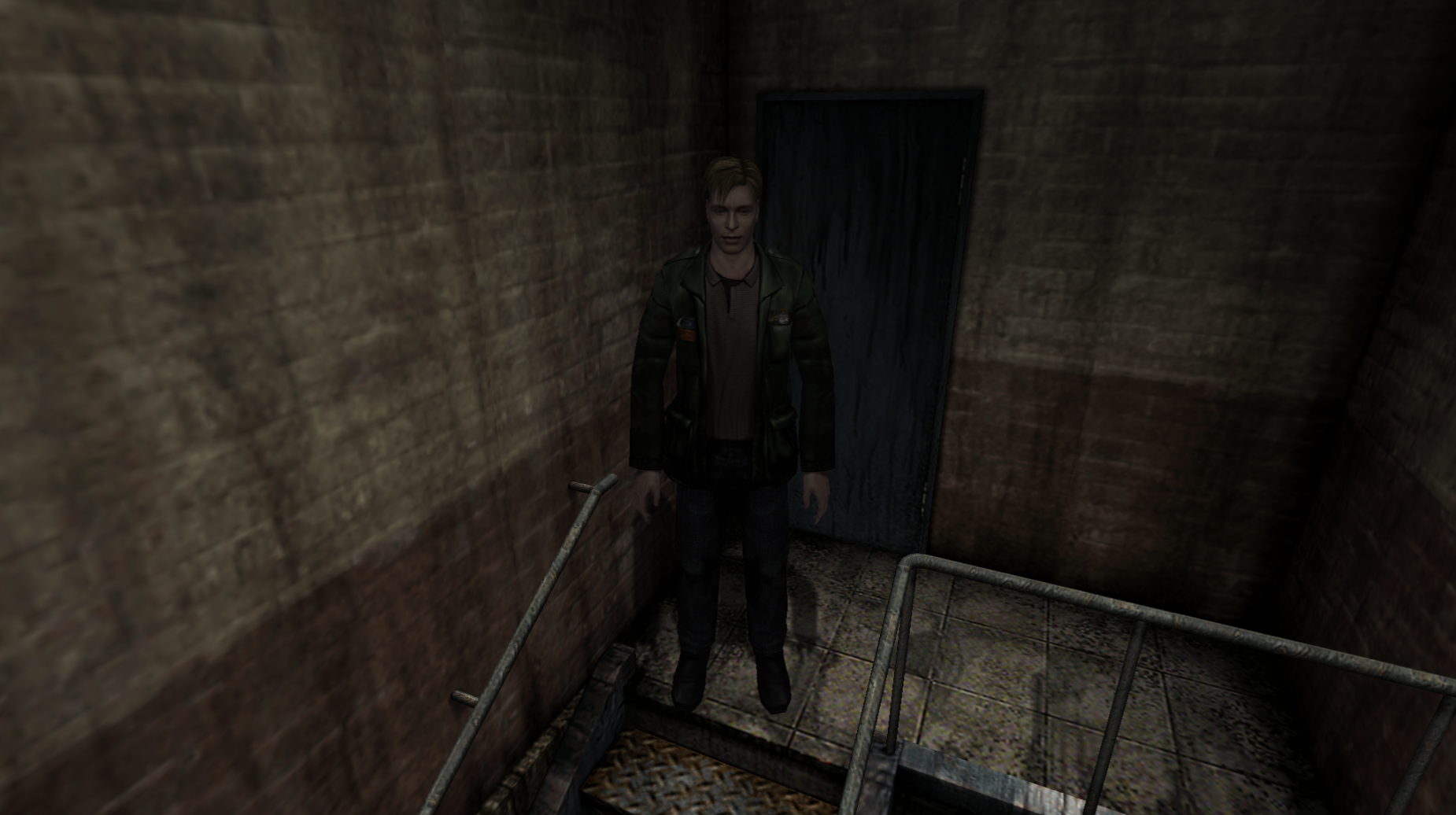
Polymega
on 28 Jan 2019
Actually, Aero_, used _inconjuction_ with your current flashlight fix (4.6) changing SomeType to 2 in those Alternate Hotel rooms makes it just about spot-on to the PS2 version. Only changing SomeType, we properly dim James in these two areas, but also using your flashlight fix we also dim the rooms alongside James. Check it out:
PC Default:
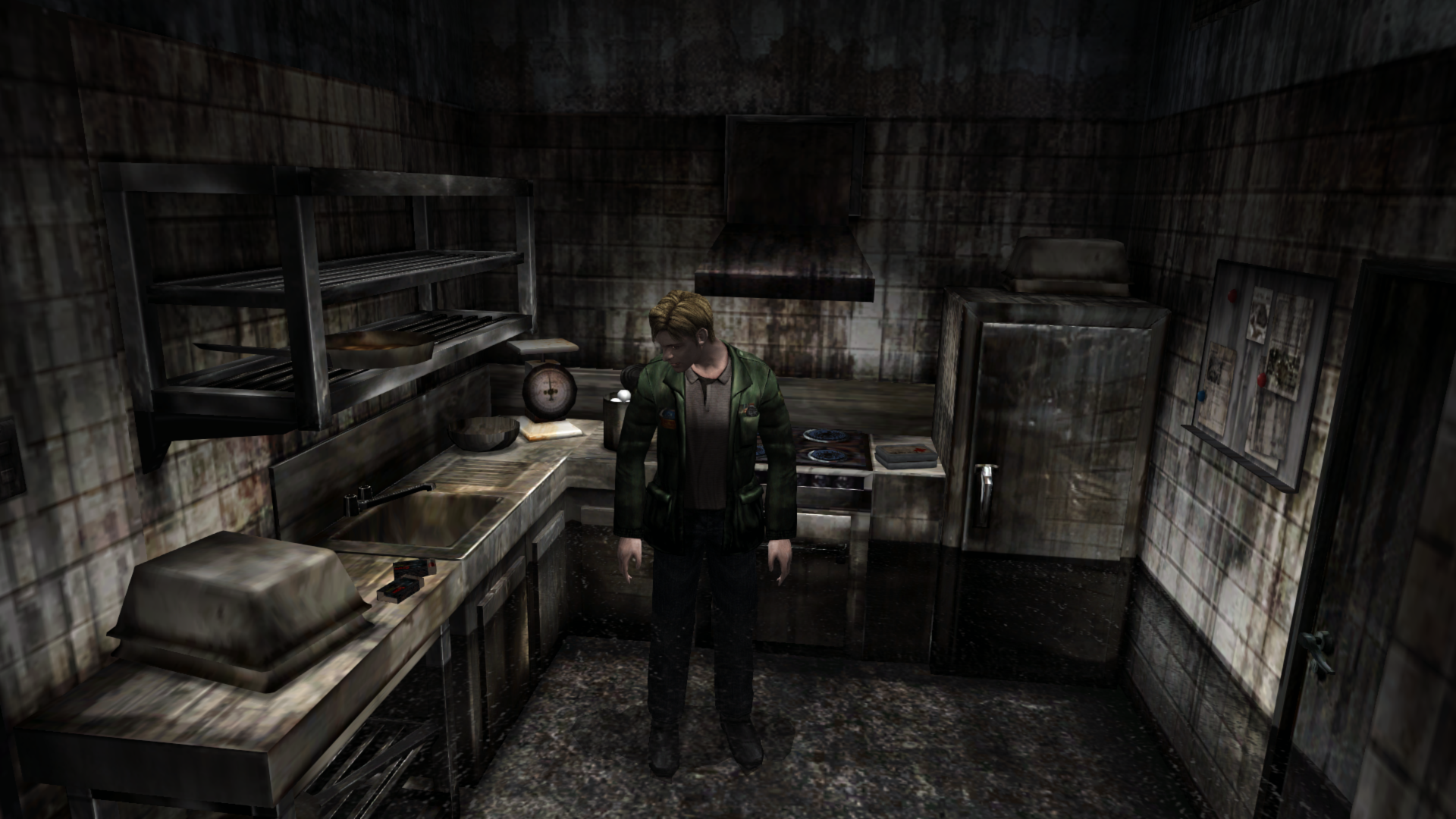
Light transition CT:
Light transition + flashlight fix CT:
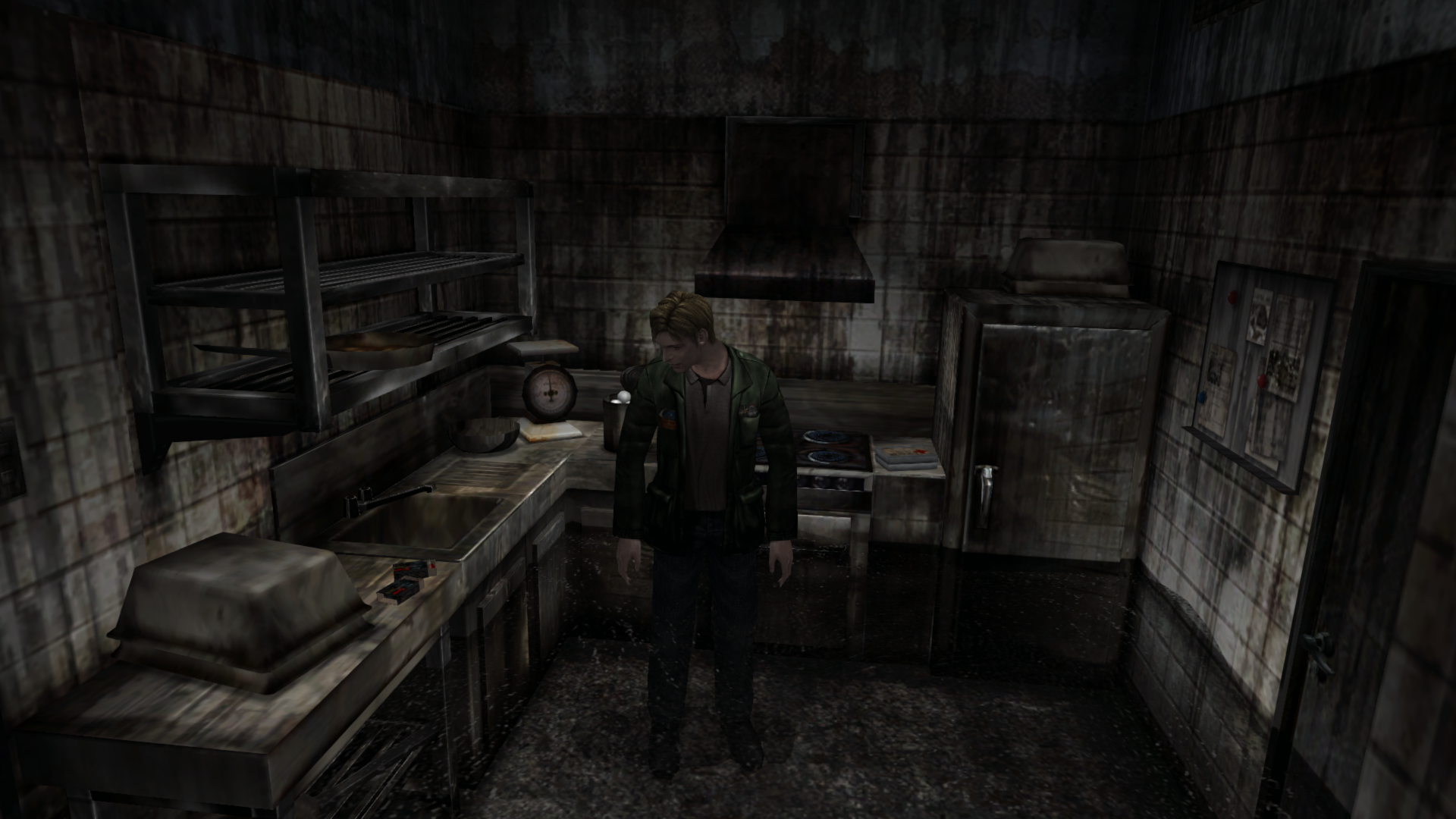
PCSX2:
PC Default:
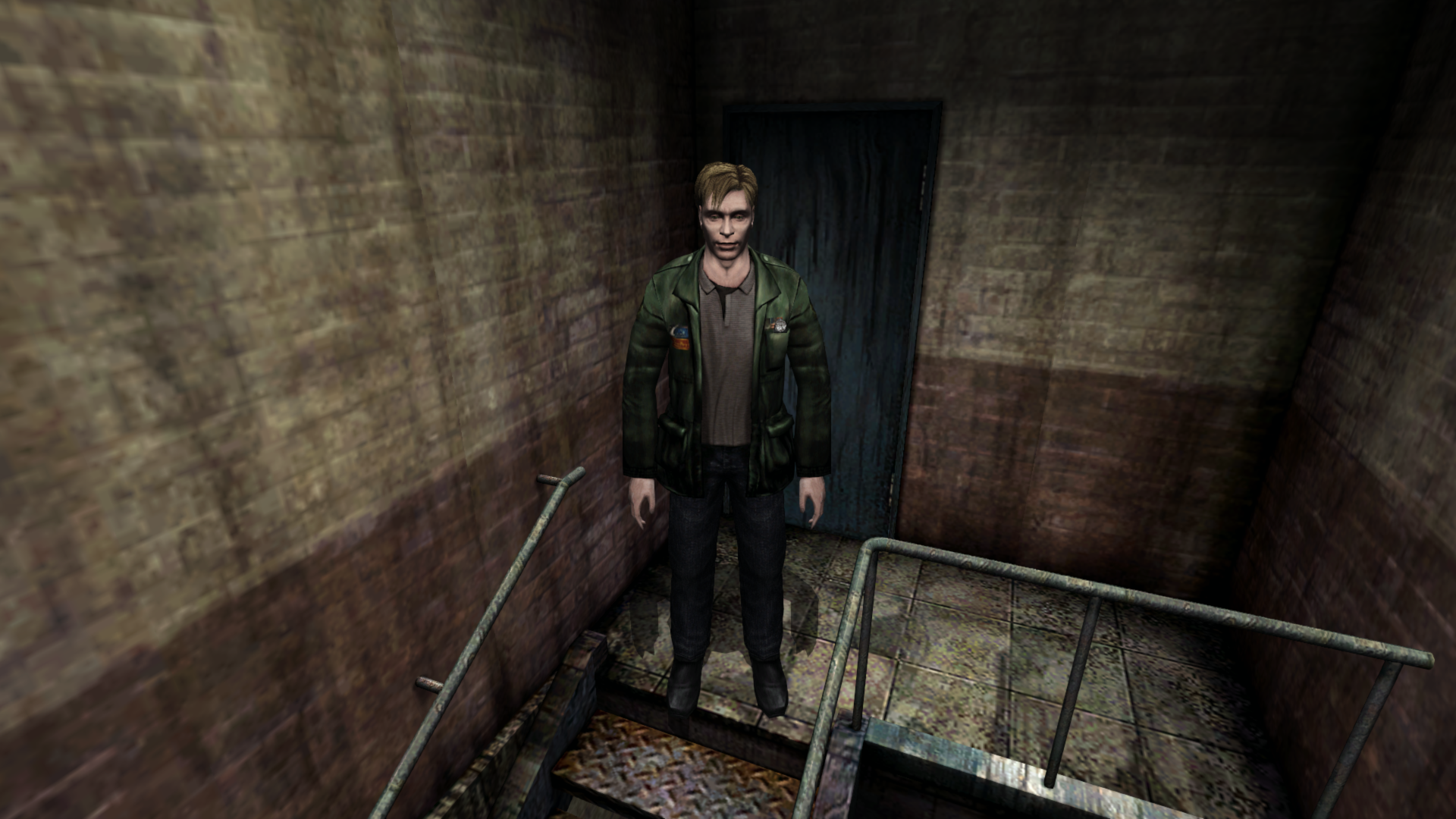
Light transition CT:
Light transition + flashlight fix CT:
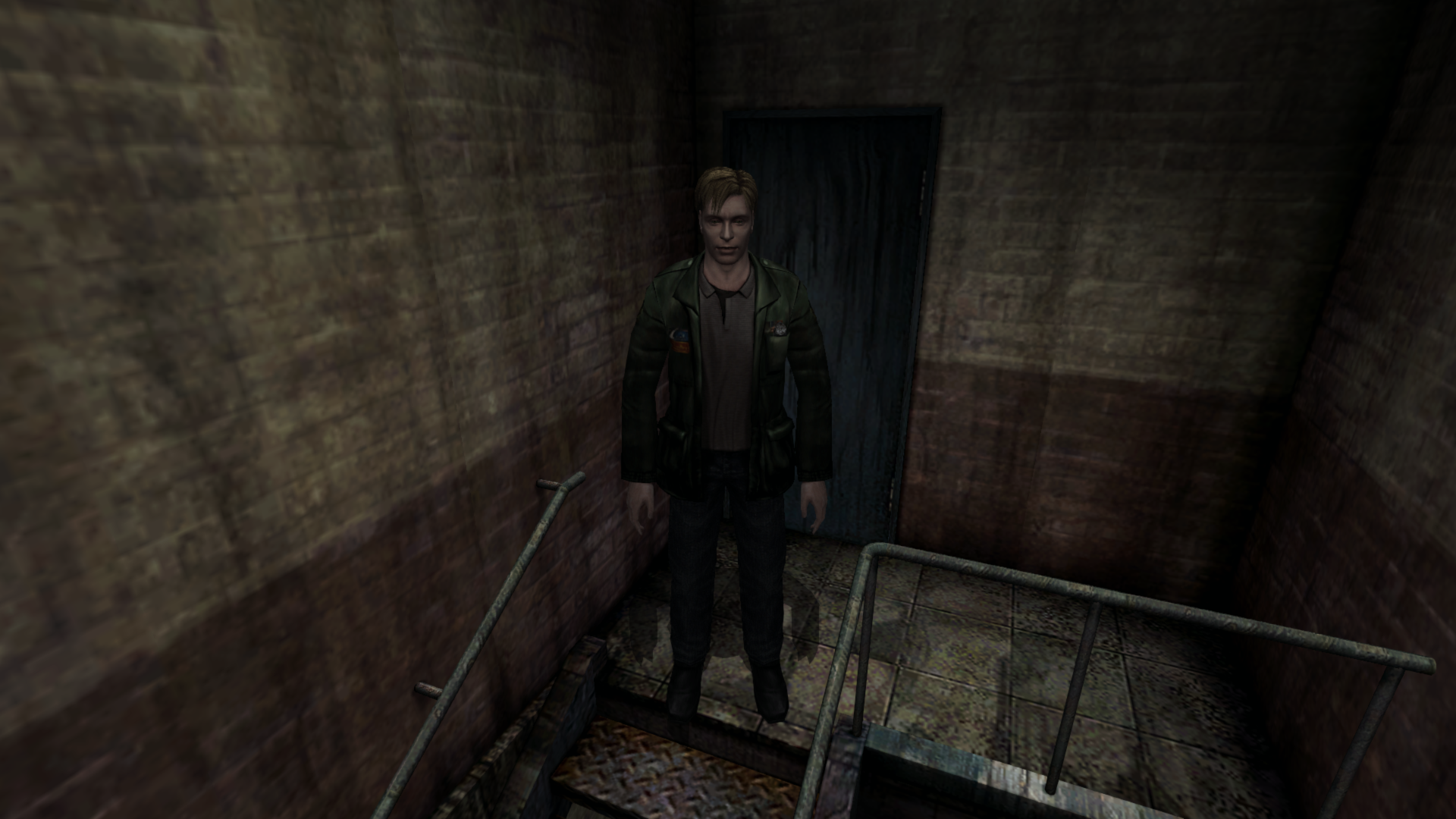
PCSX2:
Polymega
on 28 Jan 2019
@Polymega
But for this Blue Creek room, not only does that need to be changed but so do three lighting addresses (from 6 to 1) while in the room.
I'm aware, but solving this transition bug is the priority. Once that's done we can worry about the details.
AeroWidescreen
on 28 Jan 2019
That's the ticket! The dynamic objects render as they should in the Blue Creek room when the flashlight is active. Well done, Aero_!
The only other thing different I noticed with v2.0 of your CT is that it no longer dims James in the two Alternate Hotel rooms in relation to the flashlight fix (my previous post above). This fix was never planned to also improve these rooms, I know, but just giving you the heads-up on that.
Polymega
on 29 Jan 2019
One additional room to add to the lighting transition fix. This lighting bug behaves identical to the Alternate Hotel version. James still has his flashlight in this area and there is a dynamic object (ammo on the window sill) in this room:
Room ID: 01FB7DAC (4 bytes):
- (Normal) Hotel 2F West Hallway: 000000A0
Polymega
on 29 Jan 2019
@Polymega
As you can see, when it comes to a normal light source the two values are accessed by functions. Corresponding values in ap64 are not accessed by any function. This is probably where the issue lies.
This is caused by bugged code. Fixing it doesn't effect transition bug but it should re-enable some previous missing lighting effects. Here is CE table:
sh2pc.zip
Change 'Bug' value to: 05 0F BE C0 EB 02 33
And 'Bug2' value to: 7E
Edit:
Updated file.
 belek666
on 1 Feb 2019
belek666
on 1 Feb 2019
Excuse my language, but, holy shit @belek666! This restores specularity to objects where it normally didn't have it but always should. THIS IS HUGE.
@FrozenFish24 @AeroWidescreen @Bigmanjapan
I've only tested a _very small handful of spots_ but... WOW!!!
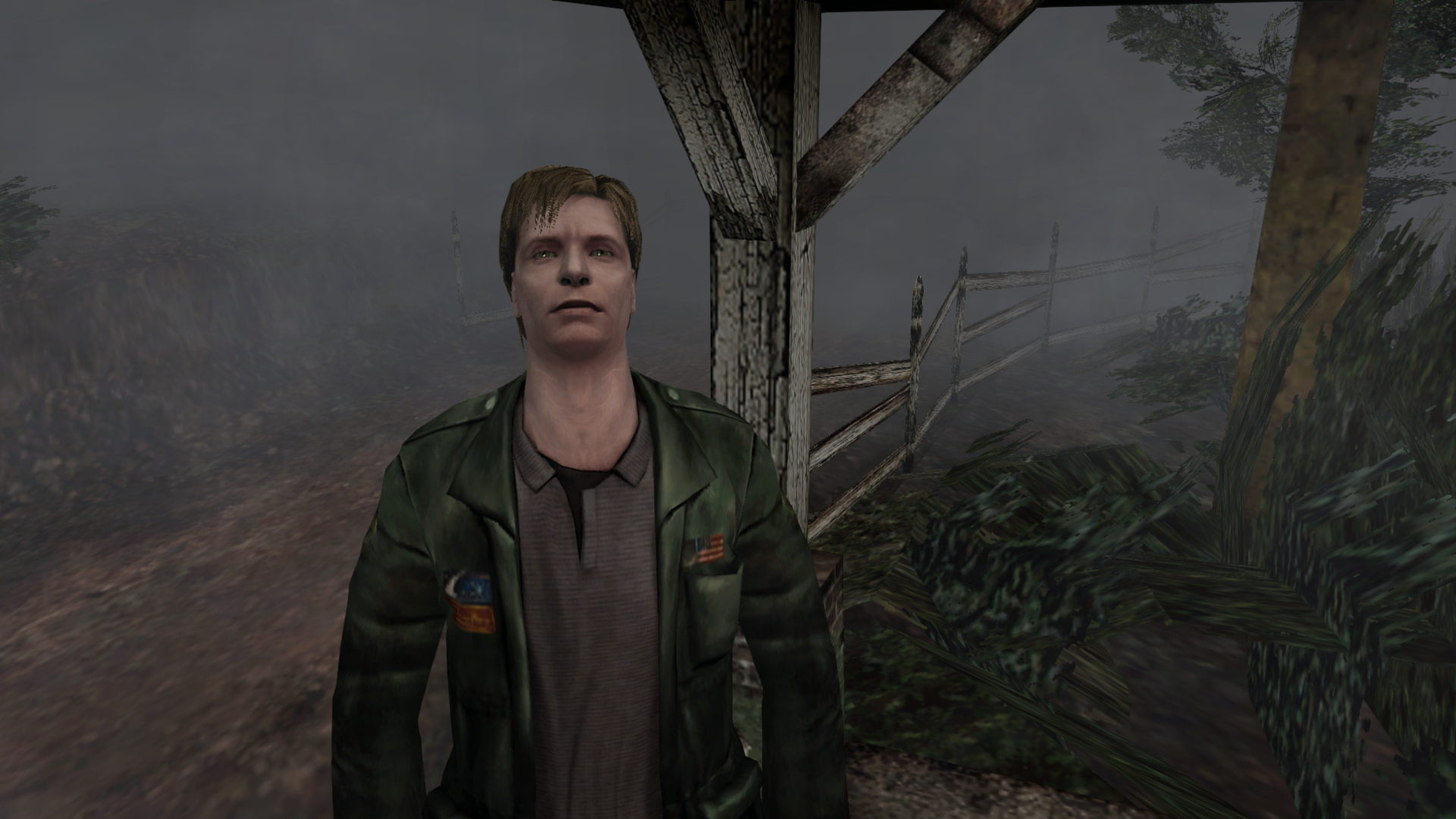

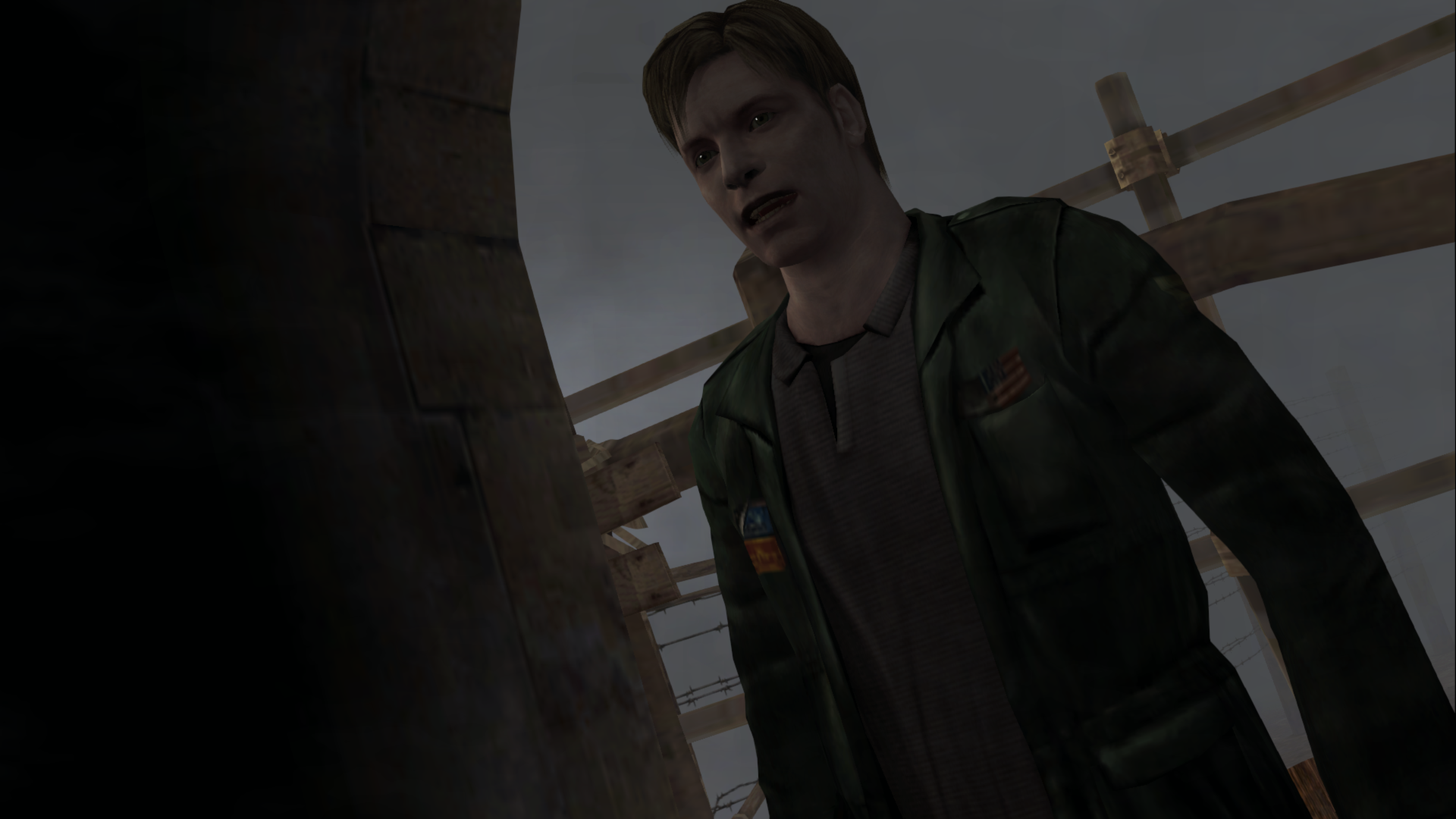
Polymega
on 1 Feb 2019
Change 'Bug' value to: 05 0F BE C0 EB 02 33
And 'Bug2' value to: 7E
This is great! From _very preliminary testing_ this restores specularity perfectly when outdoors (no specific/unique lighting regions touch James):
'Bug': 05 0F BE C0 EB 02 33
'Bug2': 7C
When using the exact values above indoors (with specialized lighting regions) the lighting zones won't affect James but he still has specularity:
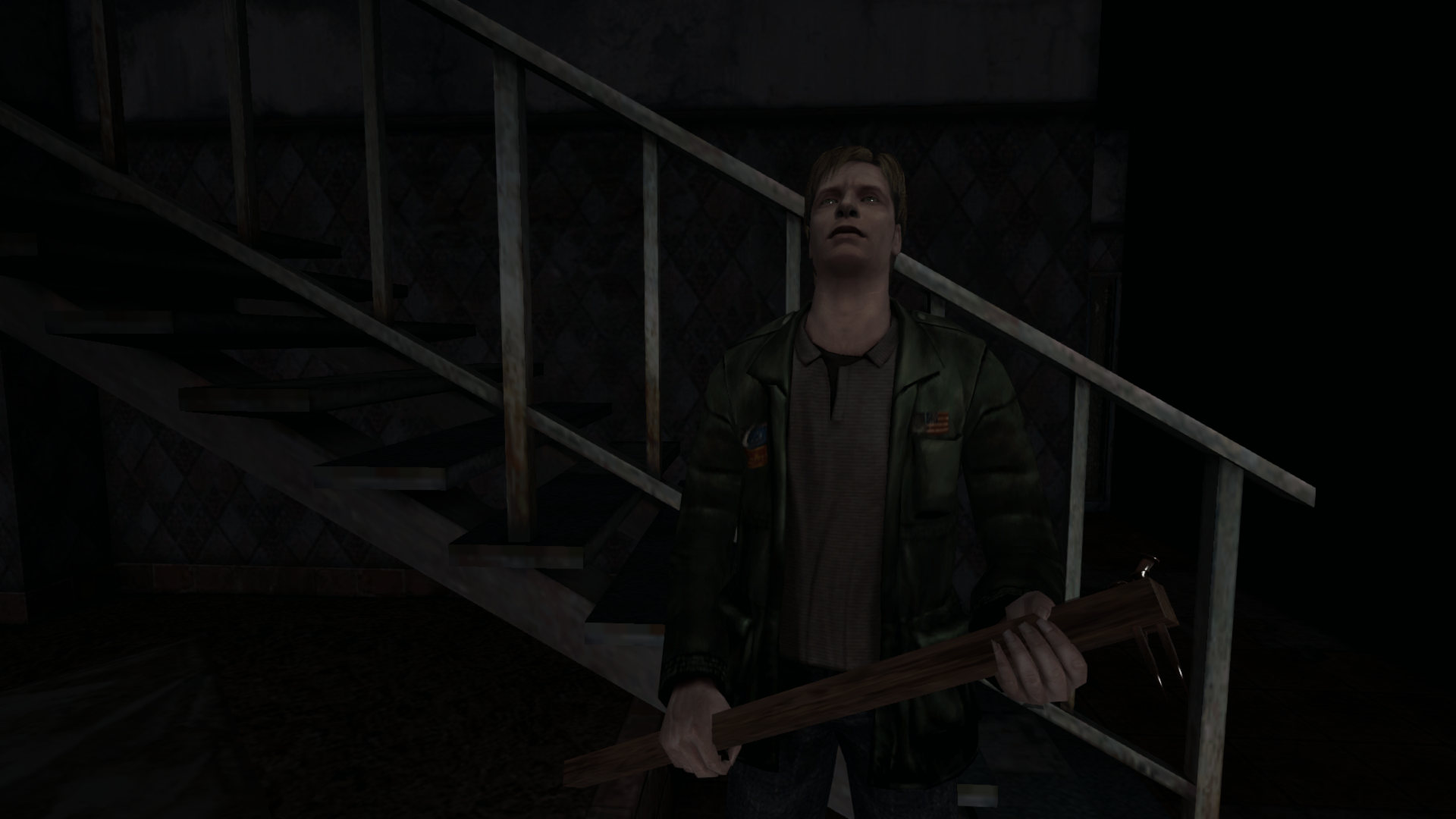
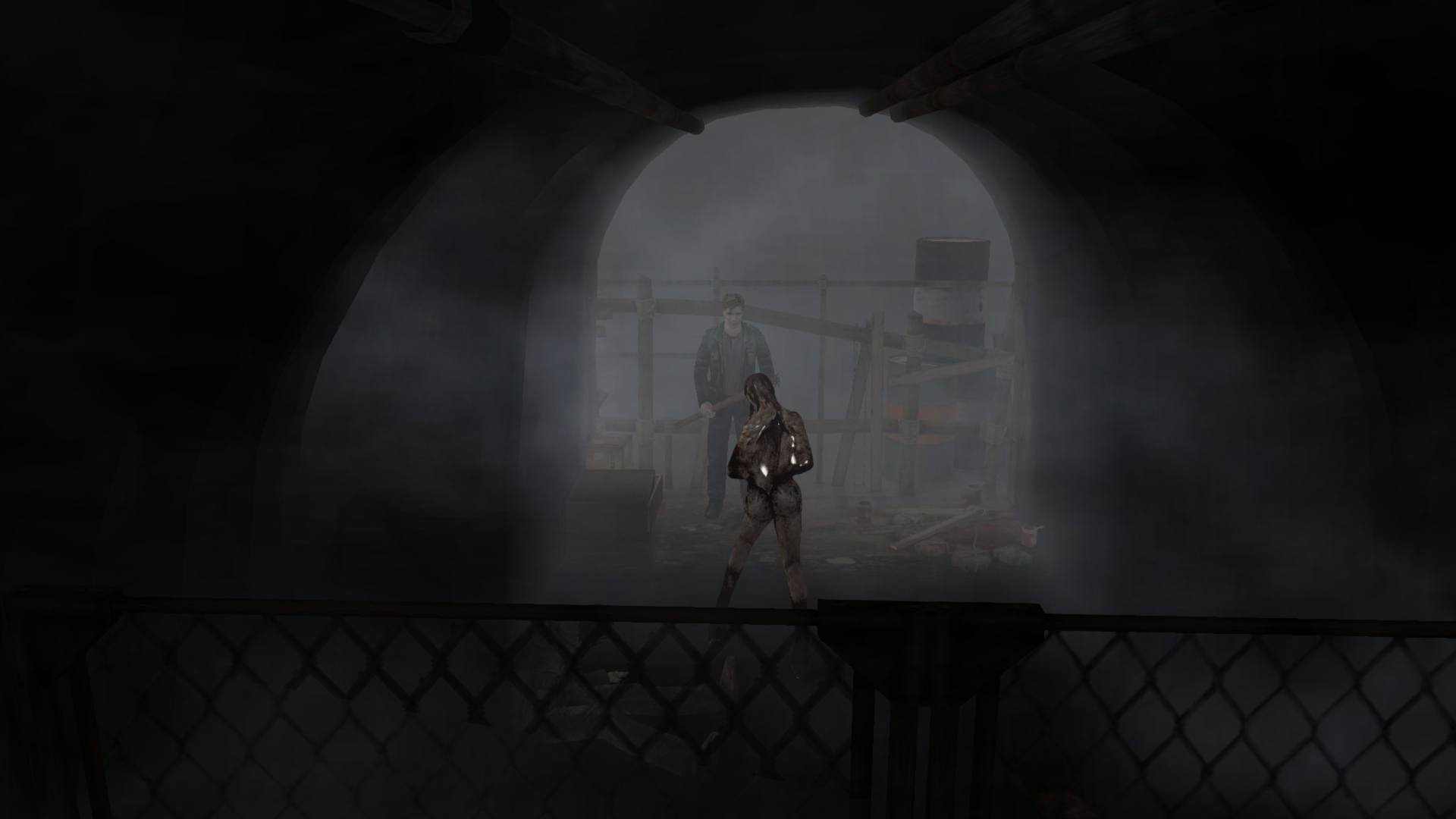
If we use original (bugged) byte array or change 'Bug2' to 7E he is properly lit indoors but specularity is gone:
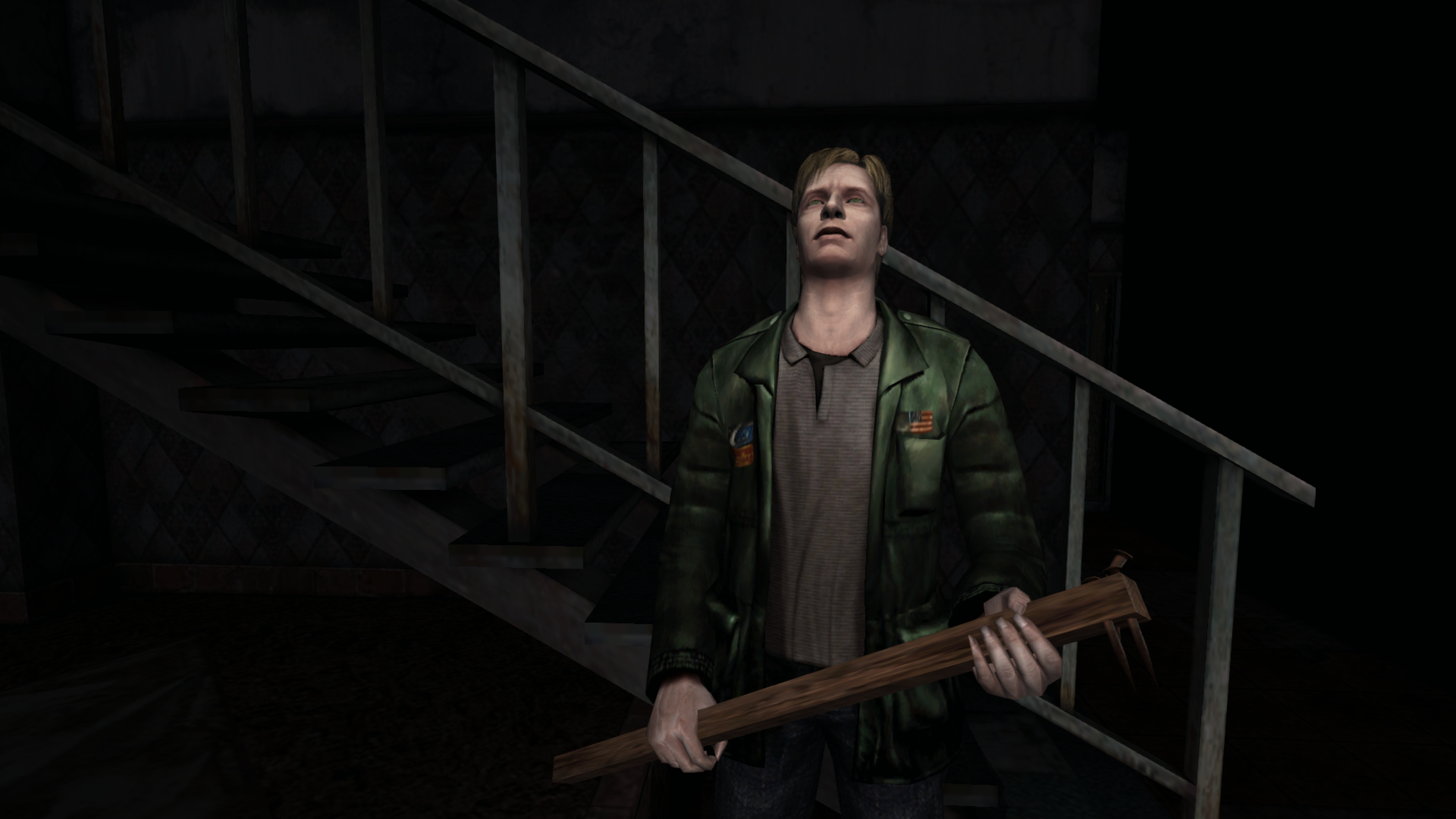
I haven't tested any further than getting to the main entrance of the apartments for right now. But everything looks incredible outdoors leading up to the apartments!
Polymega
on 1 Feb 2019
Try this:
sh2pc.zip
Change only 'Bug' to 90 90 in hex
belek666
on 2 Feb 2019
Thanks. I did not notice any changes for the game when using this one, in regards to how the base PC version incorrectly displays the specularity.
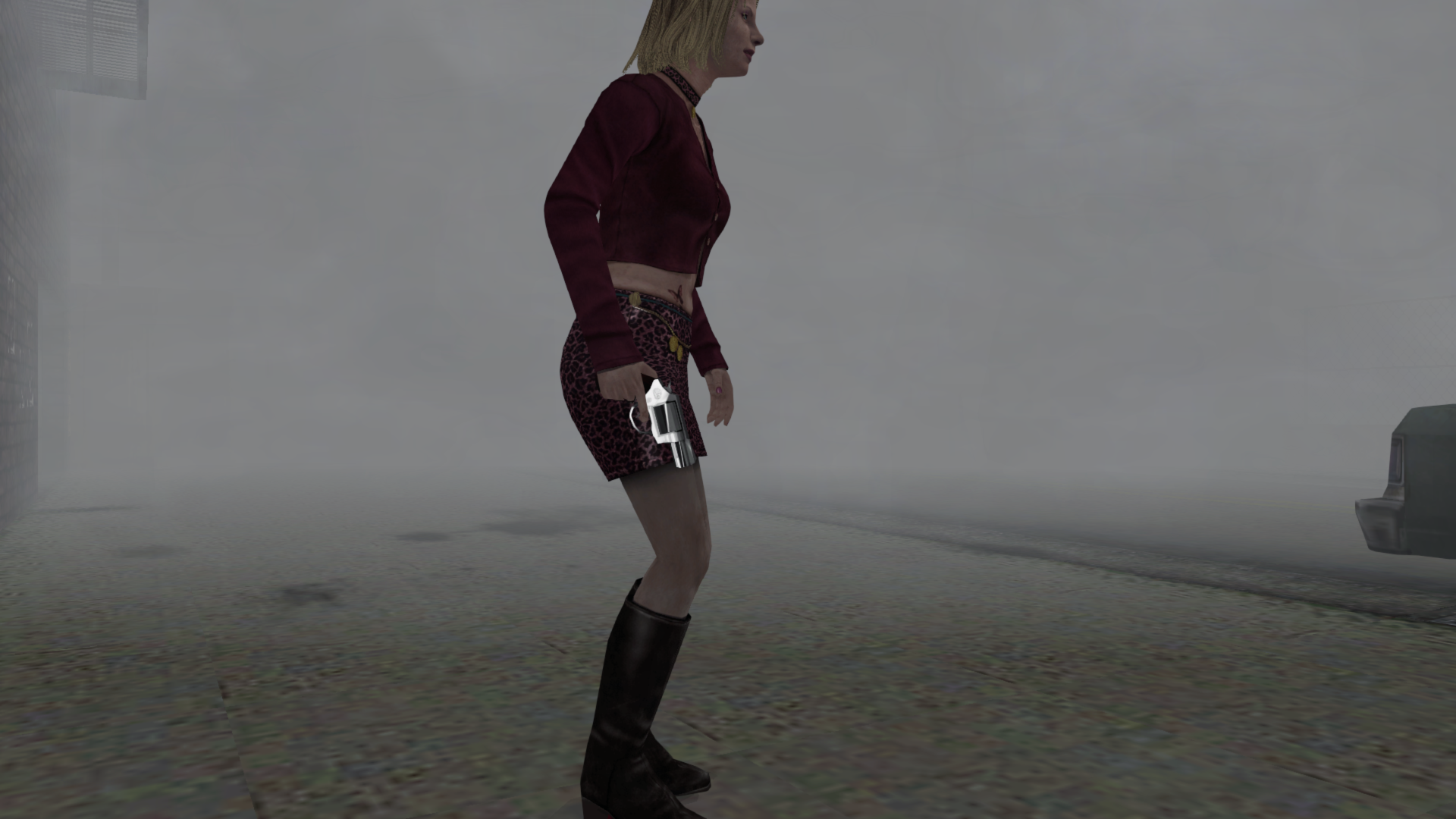
Also, today I learned that the magnum has specularity on it, too. Neat!
Polymega
on 2 Feb 2019
@Polymega
Could you test if this fix works without any issues?
d3d8.zip
Edit:
Workaround for transition and specularity:
Specularity always enabled, only downside: items shine when flashlight is off (e.g. drink in Blue Creek Apt. Room 203):
d3d8_spec_all.zip
Specularity not always enabled (e.g. in Blue Creek Apt. Room 203) but shining on items is correct:
d3d8_spec_not_all.zip
belek666
on 3 Feb 2019
Could this code be used to corrupt a shine on Woodside Apt. Room 205 mannequin? It might be a better solution than the one I've found.
Bigmanjapan
on 3 Feb 2019
Could you test if this fix works without any issues?
d3d8.zip
This is a great improvement , Belek666! James is correctly lit within all unique lighting zones now while specularity remains intact. Well done!
I just left the apartments and will enter the hospital next. In the meantime, here are some things I did notice:
Whenever indoors where a flashlight and dynamic shadows can be used, both James and NPCs/enemies have odd shadow shapes cast onto their bodies:
Video examples:
https://youtu.be/bfzwV8joJGs
https://youtu.be/YG28S_J6Z4k
Click here to see image examples:
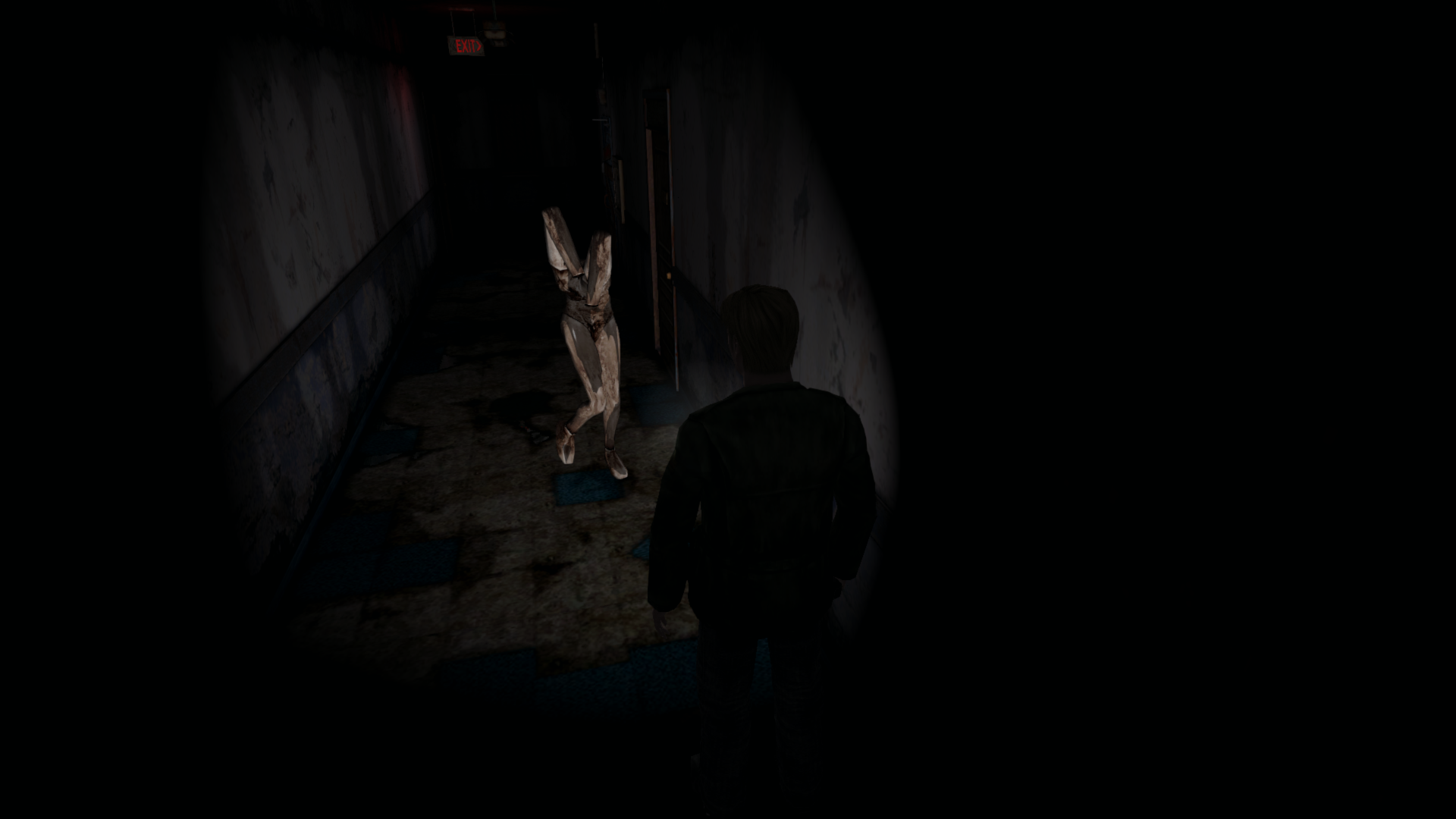
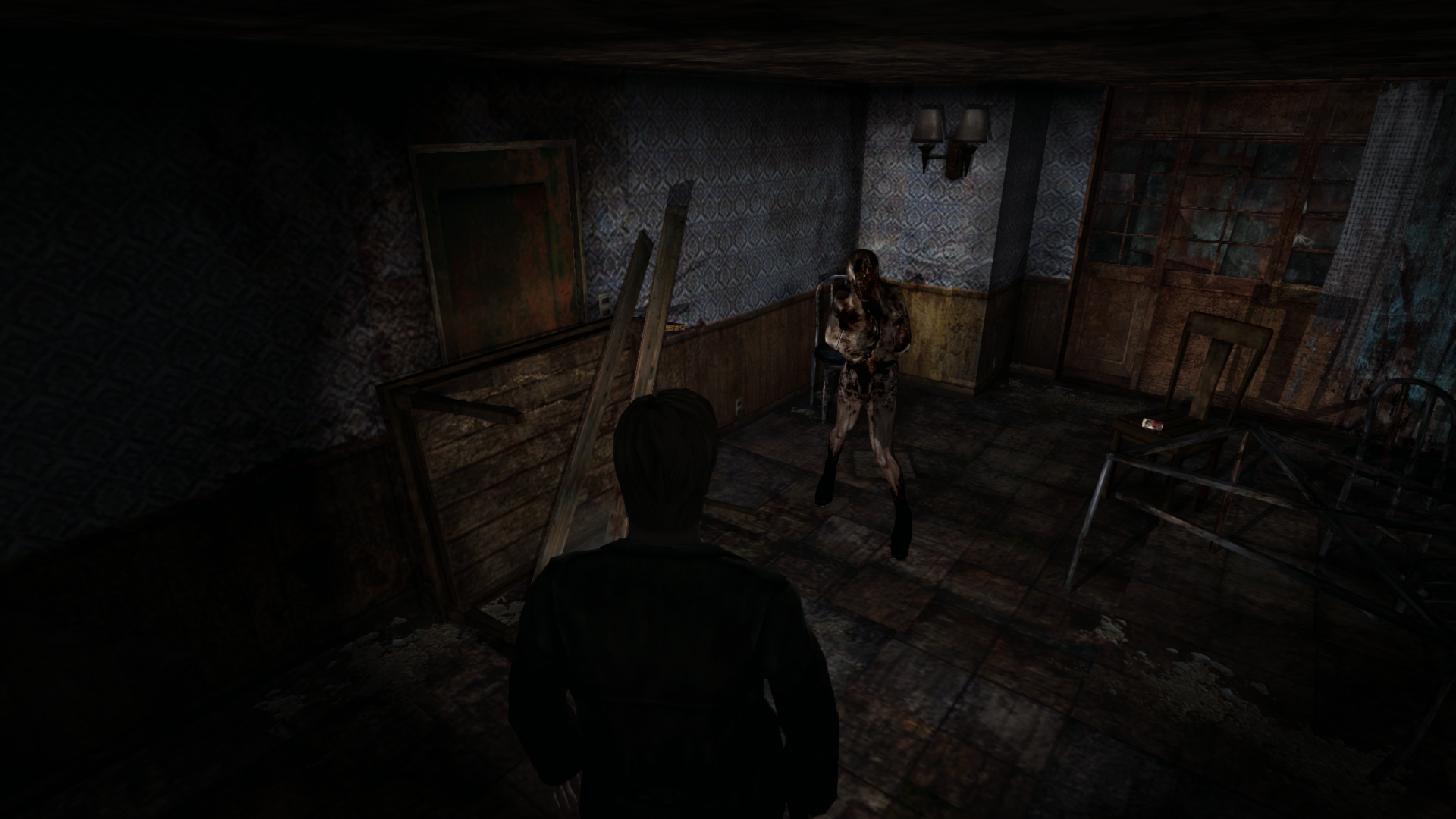
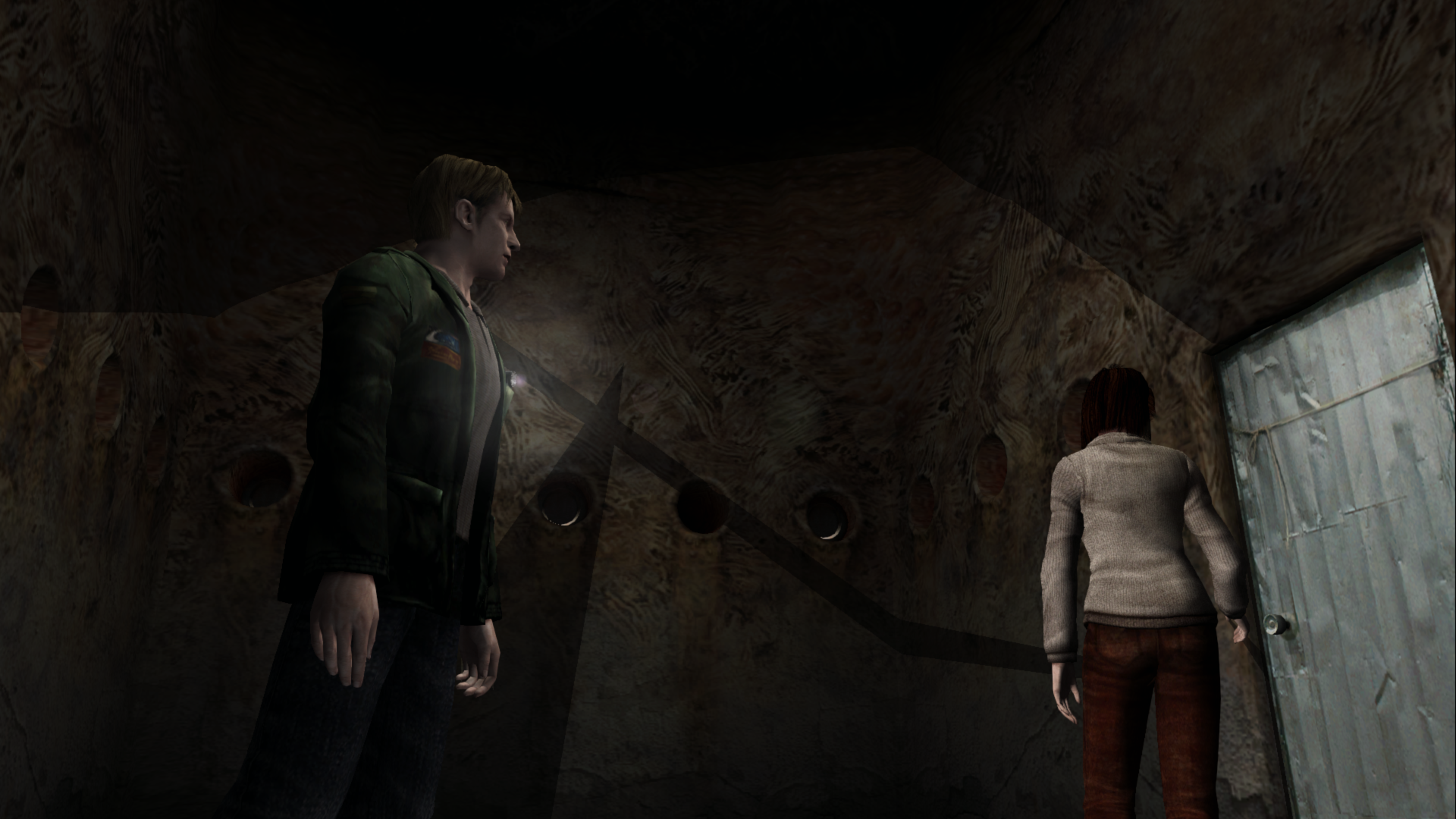
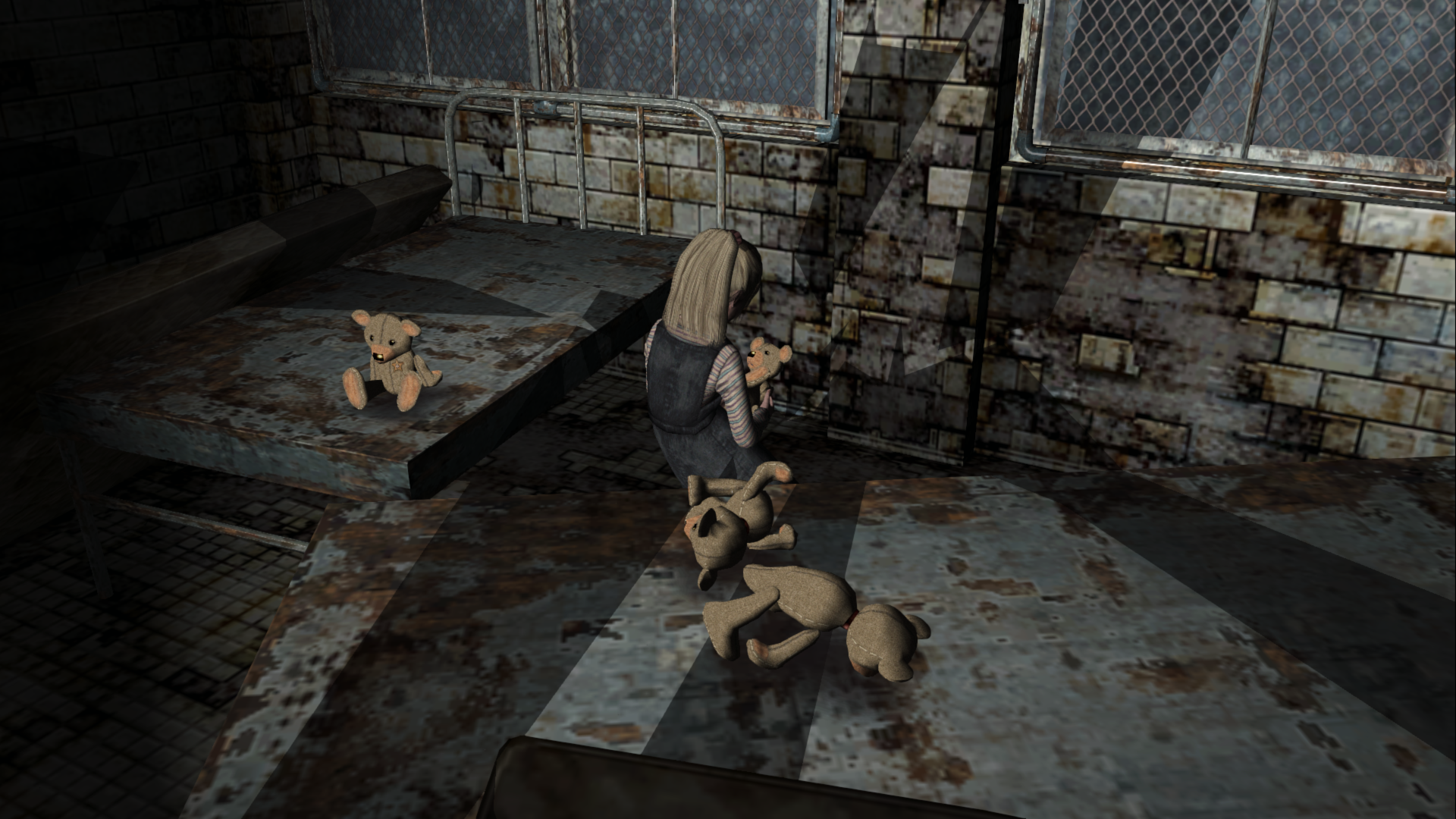
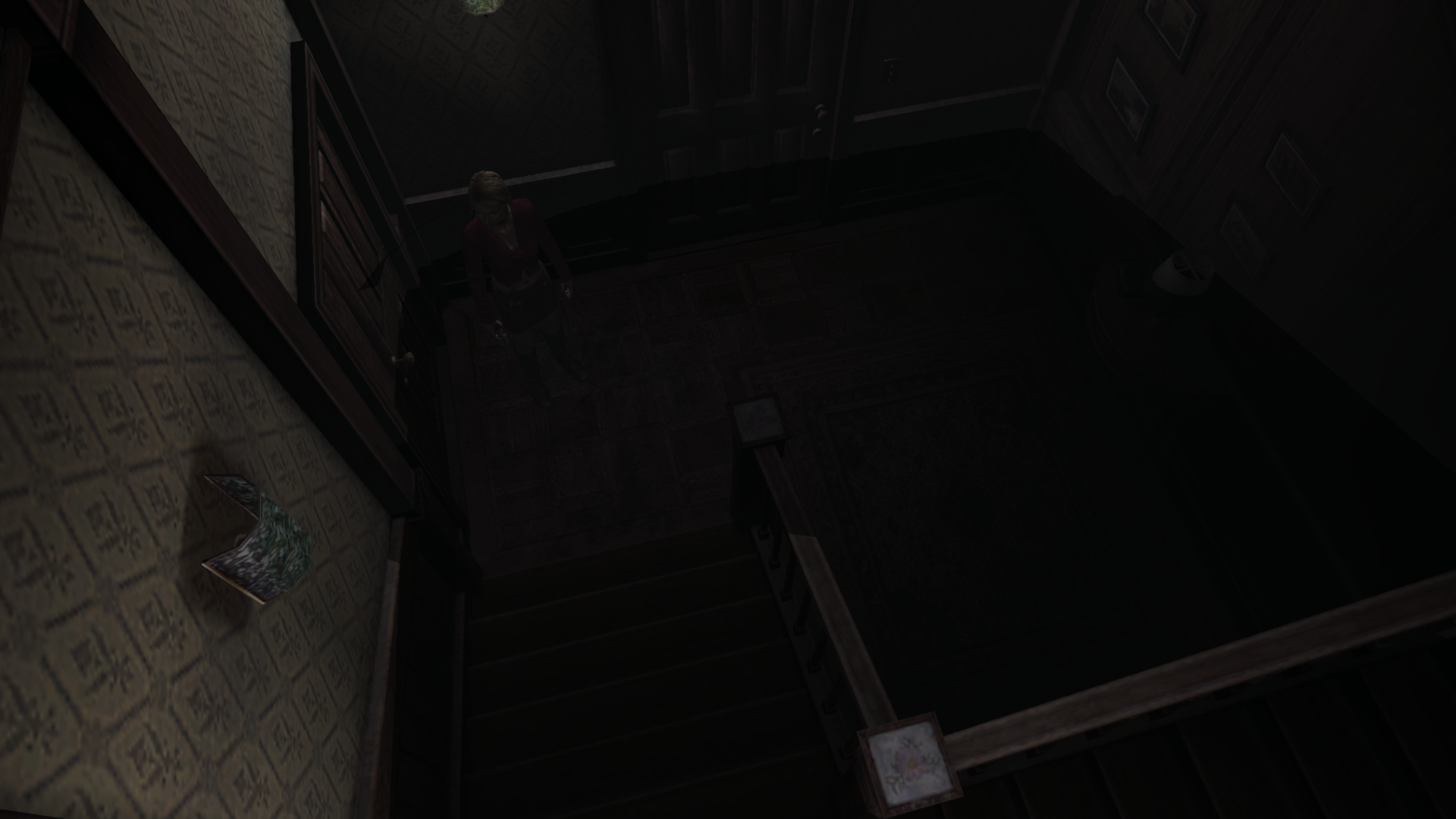
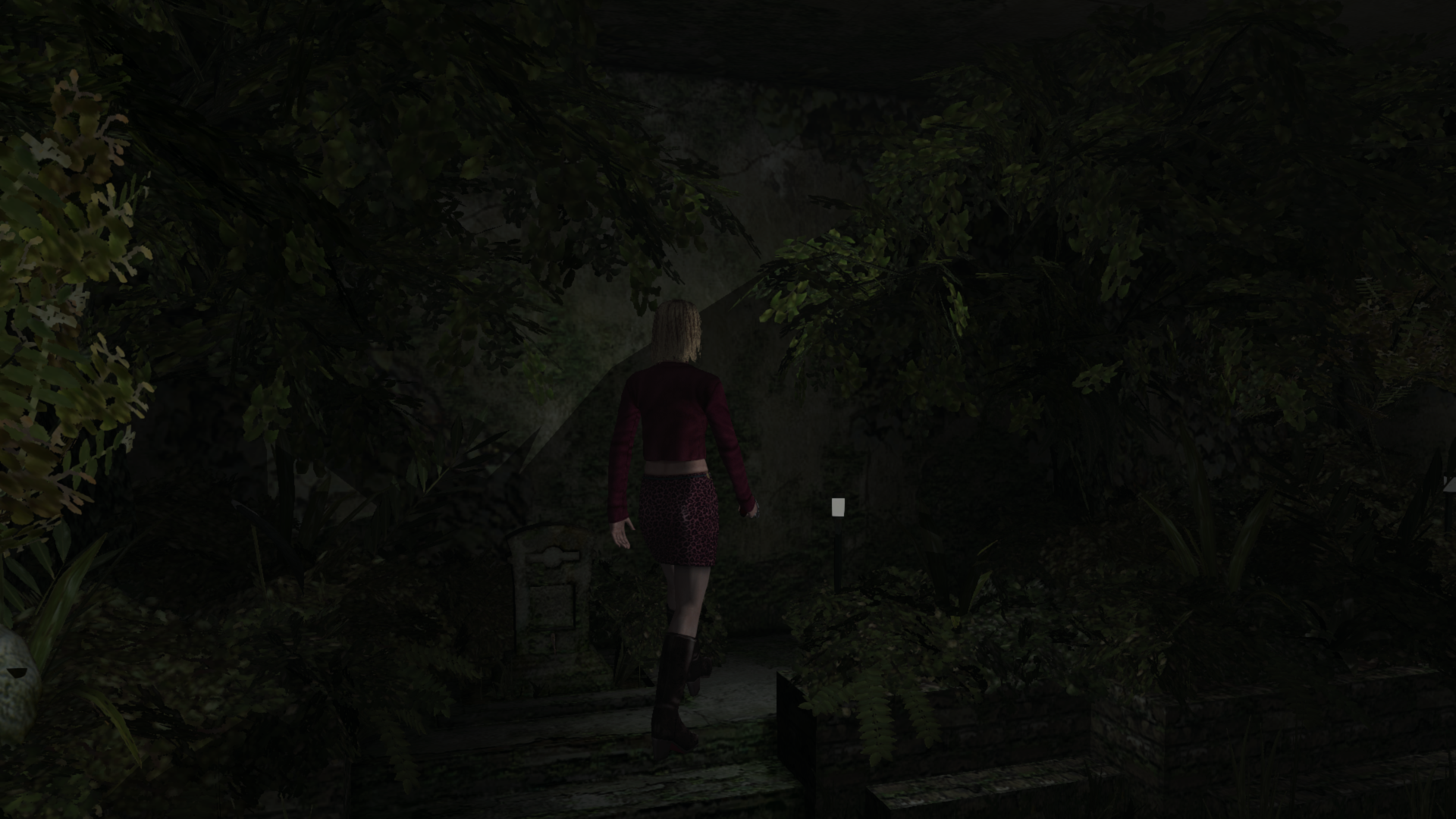
Edit: Workaround for transition and specularity: [...]
For the PS2 version, specularity seems to always be enabled for things like the items and enemies, even when the flashlight is off. For the PS2 version, it just greatly dims/darkens the specularity when this happens:
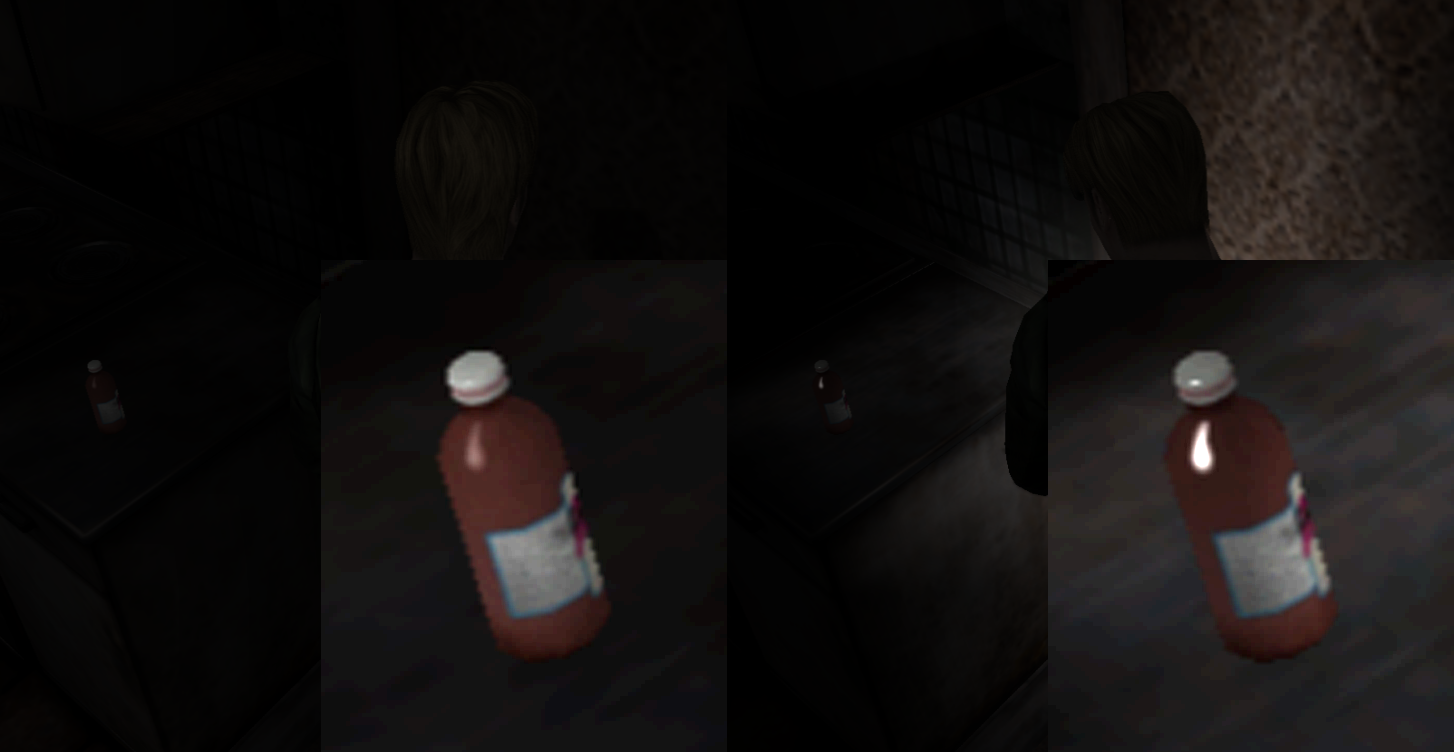
Along with bugged shadows on characters/enemies, the shadows they themselves cast are gone:
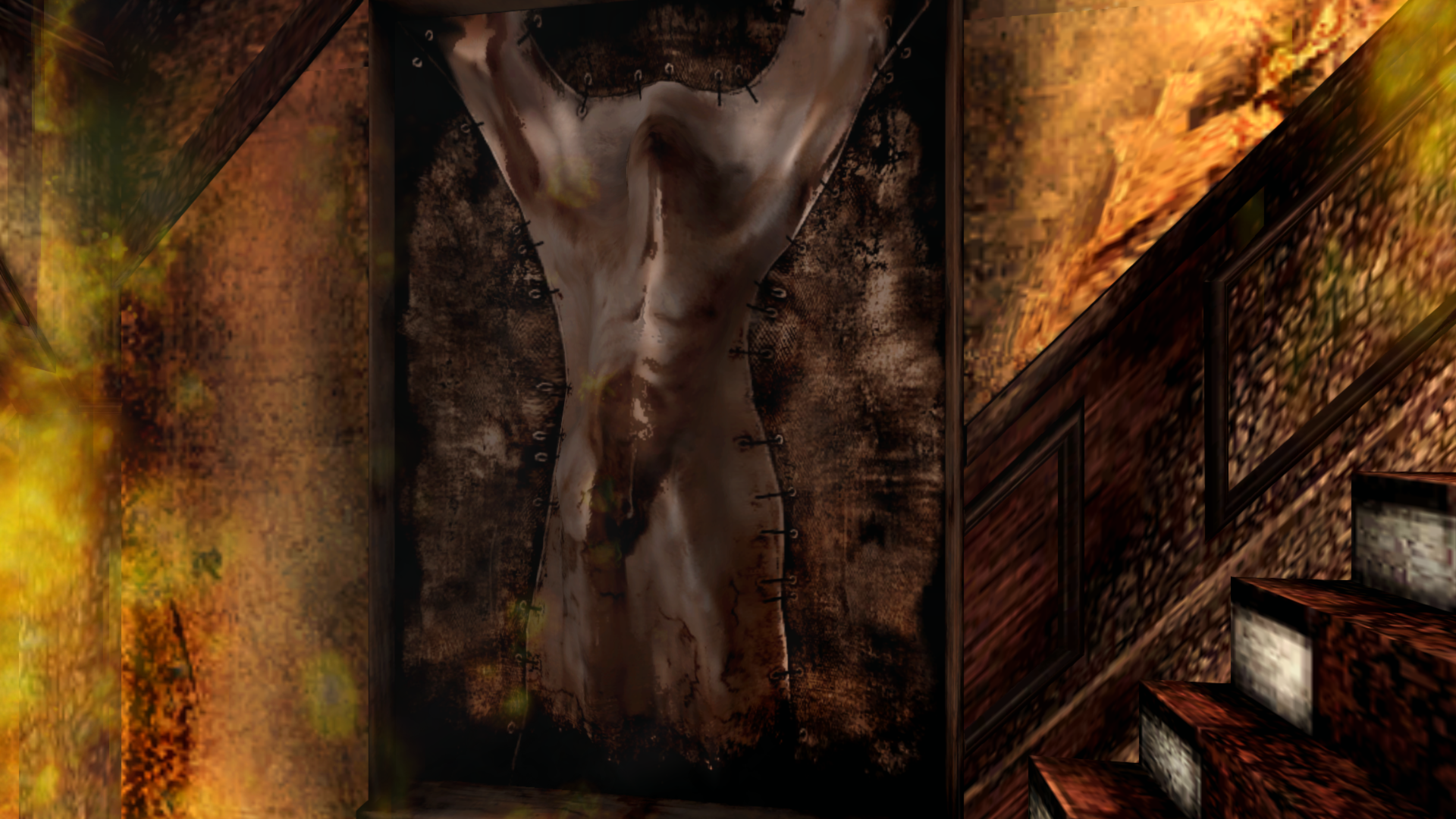
Also, today I learned that the "artwork" on the Hotel fire staircase is specular and so is boss Mary's face. Neat!
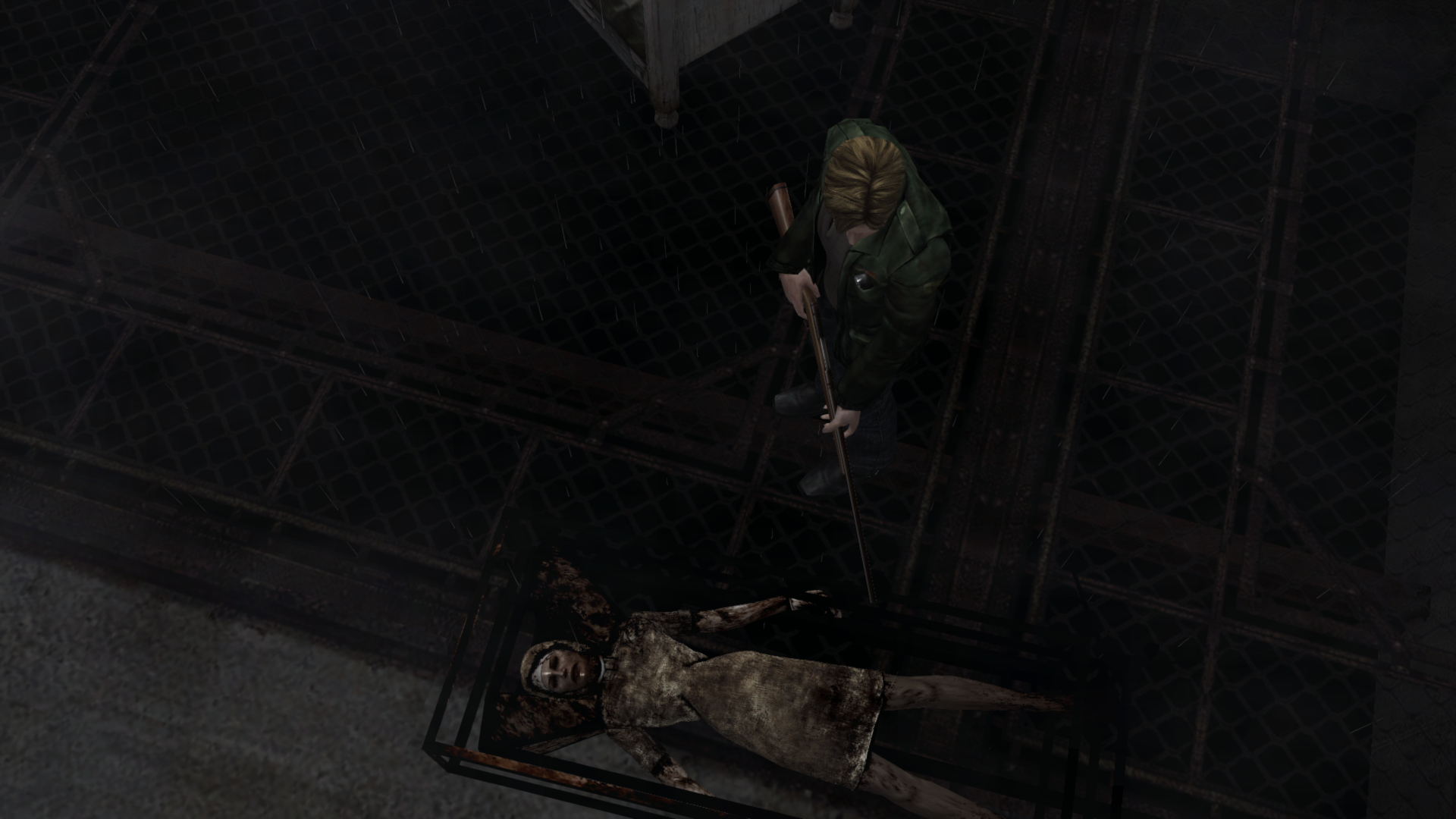
Lastly, I brightened the image afterwards but it's amazing how a little white dot in the eye can bring a character to life:
Polymega
on 3 Feb 2019
@Polymega
Actually, Aero_, used inconjuction with your current flashlight fix (4.6) changing SomeType to 2 in those Alternate Hotel rooms makes it just about spot-on to the PS2 version. Only changing SomeType, we properly dim James in these two areas, but also using your flashlight fix we also dim the rooms alongside James.
Am I missing something here? When I use a value of 2 James is still as bright before while he's in the kitchen, and James becomes way too dark while he's in the stairwell.
One additional room to add to the lighting transition fix.
Added. Download
AeroWidescreen
on 4 Mar 2019
Added. Download
Thanks, Aero_. This is working great. All that needs to be added is special lighting value changes for the Baldwin Mansion hallway (as you've done with the Blue Creek room).
Baldwin Mansion Hallway: 000000D0
Set the light values to 1 while in this room ID (same as Blue Creek room).
Am I missing something here?
Yes, Version 1 of your Cheat Table benefited James in the Alternate Hotel Kitchen and Staircase, that corresponds with your flashlight fix.
Version 2+ of your CT no longer affected these areas. I assume due to changes in your approach for the fix for the lighting transition bug (which is the main focus of the fix).
In summary:
Version 1 of the light transition fix CT:
Corrected James' levels by darkening him when activated in the Alternate Hotel Kitchen and Staircase, which complimented your flashlight fix. If you'd want to implement this into the flashlight fix, the following should also be dropped or reverted for the flashlight fix:
// Otherworld Hotel Kitchen

007FEB10 // Movable Object Brightness (Red); Dropped or reverted back from 0 to 0.6
007FEB14 // Movable Object Brightness (Green); Dropped or reverted back from 0 to 0.6
007FEB18 // Movable Object Brightness (Blue); Dropped or reverted back from 0 to 0.6

// Otherworld Hotel Stairwell

007FED00 // Movable Object Brightness (Red); Dropped or reverted back from -25 to 1
007FED04 // Movable Object Brightness (Green); Dropped or reverted back from -25 to 1
007FED08 // Movable Object Brightness (Blue); Dropped or reverted back from -25 to 1
Version 2.X of the light transition fix CT:
Meant for and fixes the light transition bugs (the intent and purpose of this support ticket).
Polymega
on 5 Mar 2019
All that needs to be added is special lighting value changes for the Baldwin Mansion hallway (as you've done with the Blue Creek room).
@AeroWidescreen, please check my findings, but I believe these three addresses properly dim the Baldwin Mansion after applying the lighting transition fix for it:
Baldwin Mansion Hallway - 000000D0
Light Level R: 008011D0 (float) // Change from 3 to 1
Light Level G: 008011D4 (float) // Change from 3 to 1
Light Level B: 008011D8 (float) // Change from 3 to 1
If those are the correct, permanent addresses, let me know and I'll do one final play test of v2.1 of your light transition fix. If all checks out after the playtest, it can be submitted to Elisha and we can drop the Alternate Hotel Kitchen/Staircase level adjustments from the flashlight fix, as the changes done in the light transition fix benefit James better for those areas.
Polymega
on 9 Mar 2019
Yes, I have everything ready to go, including the pointers for those addresses, but I appreciate the help though. All I have to do is post the ASM, which I plan on doing later today.
AeroWidescreen
on 9 Mar 2019
Gotcha. Sorry, I didn't know you already found them. It gave me an excuse to expand myself with Cheat Engine a little more. Baby steps. :)
Polymega
on 9 Mar 2019
@Polymega
I got the stairwell to work properly, but the kitchen still does nothing. In fact, it looks _worse_ with SomeType 2. This was done after restoring the brightness values to 0.6.

Until we can solve what's going on there, I'm leaving this part out.
@elishacloud
_Remove_ the Otherworld Hotel Stairwell code from PS2FlashlightBrightness. This is no longer needed.
The following information is for the _LightingTransitionFix_
Blue Creek Apt Room 203
0047C309, Offset +24, Offset +1030 = 007F7CA0 (1.0f)
0047C309, Offset +24, Offset +1034 = 007F7CA4 (1.0f)
0047C309, Offset +24, Offset +1038 = 007F7CA8 (1.0f)
Baldwin Mansion 2F Hallway
0047C309, Offset +40, Offset +490 = 008011D0 (1.0f)
0047C309, Offset +40, Offset +494 = 008011D4 (1.0f)
0047C309, Offset +40, Offset +498 = 008011D8 (1.0f)
Normal Hotel Kitchen
0047C309, Offset +30, Offset +2A0 = 007FC260 (0.8f)
0047C309, Offset +30, Offset +2A4 = 007FC264 (0.8f)
0047C309, Offset +30, Offset +2A8 = 007FC268 (0.8f)
This adjusts the "SomeType" value (discovered by belek666) for specific locations that have bugged lighting transitions, completely solving the issue.
Room ID = 01FB7DAC
Object = 00AA9CF8
0050D6E4 jmp 00000000
00000000 cmp [01FB7DAC], 00000027 // Blue Creek Apt Room 203
00000001 je 00000020
00000002 cmp [01FB7DAC], 000000A0 // Hotel 2F West Hallway
00000003 je 00000020
00000004 cmp [01FB7DAC], 000000B2 // Otherworld Hotel 2F West Hallway
00000005 je 00000020
00000006 cmp [01FB7DAC], 000000B1 // Otherworld Hotel 2F West Room Hallway
00000007 je 00000020
00000008 cmp [01FB7DAC], 000000B4 // Otherworld Hotel 2F East Room Hallway
00000009 je 00000020
00000010 cmp [01FB7DAC], 000000AB // Otherworld Hotel Stairwell
00000011 je 00000020
00000012 cmp [01FB7DAC], 000000D0 // Baldwin Mansion 2F Hallway
00000013 je 00000016
// if none of these locations

00000014 mov [esi], 00000003
00000015 jmp 0050D6EA
// if Baldwin Mansion 2F Hallway

00000016 mov [esi], 00000002
00000017 jmp 0050D6EA
// if Blue Creek Apt or Hotel

00000020 push edx
00000021 lea edx, [esi]
00000022 cmp edx, 00AA9CF8 // determines if James or other object
00000023 je 00000027
// if James
00000024 mov [esi], 00000002
00000025 pop edx
00000026 jmp 0050D6EA
// if other object (00AA9CF8)
00000027 mov [esi], 00000003
00000028 pop edx
00000029 jmp 0050D6EA
I got the stairwell to work properly, but the kitchen still does nothing. In fact, it looks worse with SomeType 2. This was done after restoring the brightness values to 0.6.
Totally agree and great catch on that difference. I think there's something screwy with this room but I'm glad you found the better result of the two. Thanks for double-checking me there.
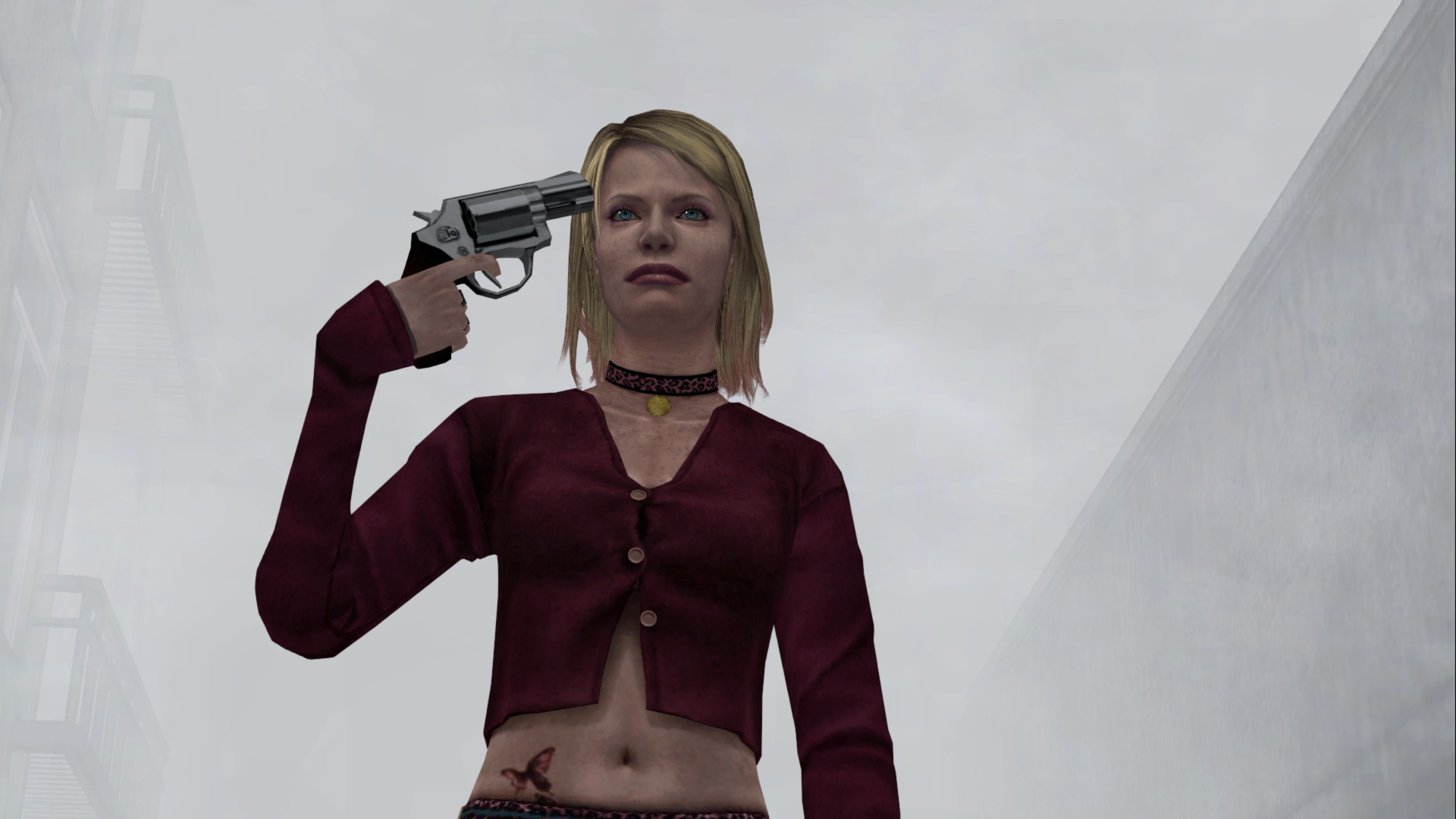
Also, Aero_, if it's not too much trouble, can we add this to the light transition fix? I believe these addresses are unique only to this room, are set at game launch, and could be set by a fix on our end during game launch as well? Is that correct?
Normal Hotel Kitchen James' Brightness (R) - 007FC260 (float) - Change from 2 to 0.8
Normal Hotel Kitchen James' Brightness (G) - 007FC264 (float) - Change from 2 to 0.8
Normal Hotel Kitchen James' Brightness (B) - 007FC268 (float) - Change from 2 to 0.8
I get the impression the last parts of the hotel (both normal and alternate) were probably the last areas the devs worked on before the deadline as the lighting adjustments all feel "off" and kind of rushed...
Polymega
on 10 Mar 2019
Okay, my post has been updated.
AeroWidescreen
on 10 Mar 2019
@Polymega Here is a test module with this fix implemented. Take a look at it and let me know if there are any issues with it. Test module: d3d8.zip
_Note: this only works on v1.0._
 elishacloud
on 29 Mar 2019
elishacloud
on 29 Mar 2019
@Polymega if you get a chance can you take a look at this Object = 00AA9CF8 number and see if it is the same for all versions of SH2? I am trying to decide if I can hard code this number or if I need to search and find this number for different versions of SH2.
elishacloud
on 29 Mar 2019
@elishacloud The address is different for each executable. There are _a lot_ of places you can find this address, so that's why I didn't bother listing any of them.
AeroWidescreen
on 29 Mar 2019
Hi Elisha,
Just finished play testing and I see Aero_ has already answered your follow-up question. In regards to play testing: It all worked great with v1.0!
Polymega
on 29 Mar 2019
Ok, great. Thanks @AeroWidescreen and @Polymega! I will update this to work on all versions of SH2 and check in the fix later tonight.
elishacloud
on 29 Mar 2019
Implemented in check-in: 5a10288
Here is an updated module that works on all versions of SH2: d3d8.zip
elishacloud
on 30 Mar 2019
Thanks Elisha. This doesn't appear to be behaving correctly for v1.1 and DC, sadly. The bugged lighting transition areas are still present. It seems parts of the code are behaving correctly (namely the float values for specific rooms that start off Aero_'s fix solution) but the "SomeType" value part of the code doesn't seem to be taking effect.
Polymega
on 30 Mar 2019
Looks like I was using the wrong addresses. This one should fix it for v1.1 and vDC: d3d8.zip
elishacloud
on 30 Mar 2019
Yes sir; checked all spots in all versions and it all looks great. Thank you!
Polymega
on 30 Mar 2019
This stubborn-ass issue laughed in our faces for a year but has since been put in its place!
An update has been released with this fix in it. See v1.3.1340.0
Polymega
on 18 Apr 2019
@elishacloud
This is a two-part addendum to the LightTransitionFix.
Part 1:
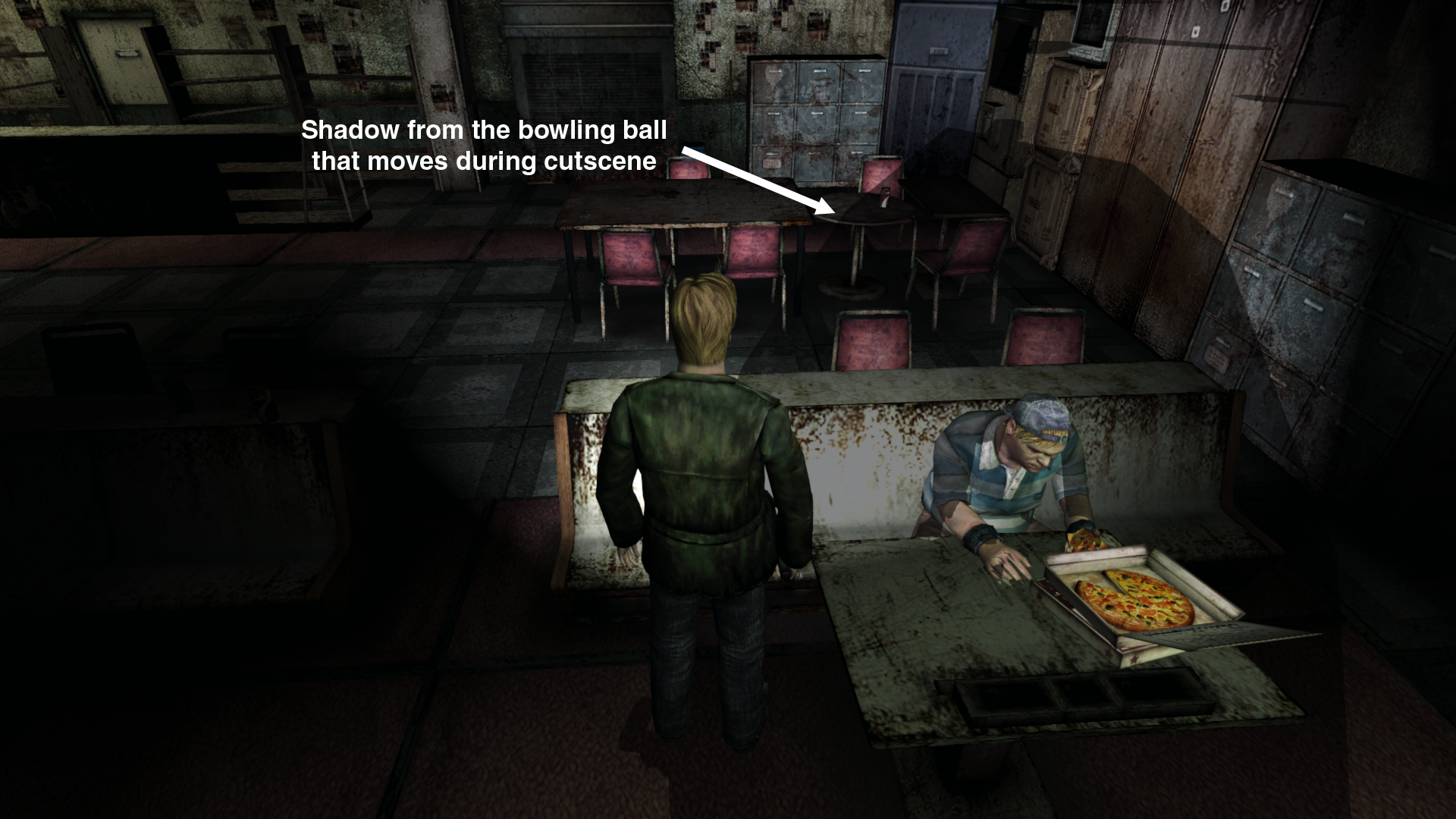
There's one particular cutscene that will behave oddly if a person loads into the room prior to initating this cutscene, and initiates the cutscene while the original game load's fade-in is still transitioning: https://www.youtube.com/watch?v=lLv6n9oyPUM
Notice the characters are glowing for a few moments at the start. This is a vanilla PC bug that has an easy fix. Instead of making a whole new fix just for this one thing, it can be added to LightTransitionFix just to save time/trouble.
To fix this:
Flashlight render: sh2pc.exe+49FF82 (0089FF82) byte
Set to 0 (one write, no constant iteration) on cutscene ID:
00000019 Eddie & Laura Bowling
0000005C Maria Ending (James on handrail)
Edit: Added a some more cutscene IDs that can benefit from this.
You don't have to do anything else beyond that as it will set itself back to either 1 (flashlight on) or 0 (flashlight off) upon cutscene end, depending on if James had his flashlight on/off prior to triggering the cutscene. It will also do this if a person ends the cutscene early on their side.
Part 2:
The PC version has bugged lighting conditions for Hotel Room 202/204. Dynamic objects will "glow" whenever James' flashlight is on and the objects are outside the flashlight cone: https://www.youtube.com/watch?v=SePGsxm1Bk8
To fix this (thanks to Aero_ for finding the pointers for these addresses):
On game launch set the following float addresses (one write, no constant iteration):
0047C309, Offset +30, Offset +2390 = 007FE350 float to 1
0047C309, Offset +30, Offset +2394 = 007FE354 float to 1
0047C309, Offset +30, Offset +2398 = 007FE358 float to 1
0047C309, Offset +30, Offset +23A8 = 007FE368 float to 500
0047C309, Offset +30, Offset +23AC = 007FE36C float to 500
Aero_ confirmed these addresses are unique to this room only so they can be set on game launch and that'd be that.
Thank you!
Polymega
on 10 Jun 2019
Done! This will be in the next update. Attached for testing module: d3d8.zip
elishacloud
on 29 Jul 2019
Thank you Elisha!
Being able to test this in real time helps a lot.
For the byte change on cutscene ID 0000005C our override doesn't work because there's an instruction that overrides and changes the byte back to 01.
That change isn't nearly as impactful/important to fix as the others you've just done, so please remove Cutscene ID 0000005C from the fix.
All other fixes/changes look and behave great across all binaries! Thank you!
Polymega
on 29 Jul 2019
For the byte change on cutscene ID 0000005C our override doesn't work because there's an instruction that overrides and changes the byte back to 01.
I don't know how convoluted you'd want to go with this, but, if you put a 1 second delay on the byte change for cutscene 0000005C that would fix it. A one second delay would also be unnoticeable for this particular cutscene.
I didn't readily find the instruction to change this, hence the delay idea instead. I found _a_ instruction but it affects the flashlight throughout the entirety of the game, which we of course don't want to mess with.
Polymega
on 29 Jul 2019
if you put a 1 second delay on the byte change for cutscene
0000005Cthat would fix it.
Ok, try this one: d3d8.zip
elishacloud
on 29 Jul 2019
Unfortunately, the 0089FF82 byte didn't change to 0 for cutscene 0x5C with the delay.
If all looks good with the code on your end that probably means there's more at play with this cutscene than I realized. We can drop this cutscene from the fix if that's the case because, as mentioned before, it's not critical for this cutscene to have this fix applied to it.
Polymega
on 29 Jul 2019
I'm not quite ready to give up on this one yet. Can you try this module and give me the log file from it? d3d8.zip
elishacloud
on 29 Jul 2019
Sure, here is the log using that particular test module and enabling the cutscene (0x5C) in question. I didn't see any specialized logging notes in this file though?
d3d8.log
Polymega
on 29 Jul 2019
It looks like it is not hitting this code at all. Can you verify that 0x5C is the correct ID and that 0x19 cutscene works ok?
elishacloud
on 29 Jul 2019
Using your above attached test module:
- For 1.0 EXE,
0x19and0x5Care the correct cutscene IDs.
For Part 1 of the fix addendum:
- The fix to immediately change
0089FF82 byteto0for cutscene0x19(fixing this issue) is working great across all binaries. - The delay to change the same byte to
0for cutscene0x5Cunfortunately isn't working.
For Part 2 of the fix addendum:
- Everything is working great across all binaries to fix this issue.
Polymega
on 29 Jul 2019
Can you give me details so I can test this myself? How do I get to this part of the game?
elishacloud
on 30 Jul 2019
It's an ending cutscene so you have to do a little running and fight the last boss fight to initiate it.
- Replace your
/data/save/Folder 01/with this one: Folder 01.zip - Load the Quick Save save file.
- Enter the door in front of you, climb the many staircases, then initiate the cutscene with your wife on the bed.
- You can press Esc to skip this cutscene.
- Kill the boss (you can just hold F + Spacebar).
- A cutscene of her dropping to the ground will then happen (you can also skip this cutscene). You will then need to take one final shot at her while she's on the ground to end the fight.
- After taking the final shot, cutscene
0x5Cwill play. (It will be James leaning on a handrail outside.)
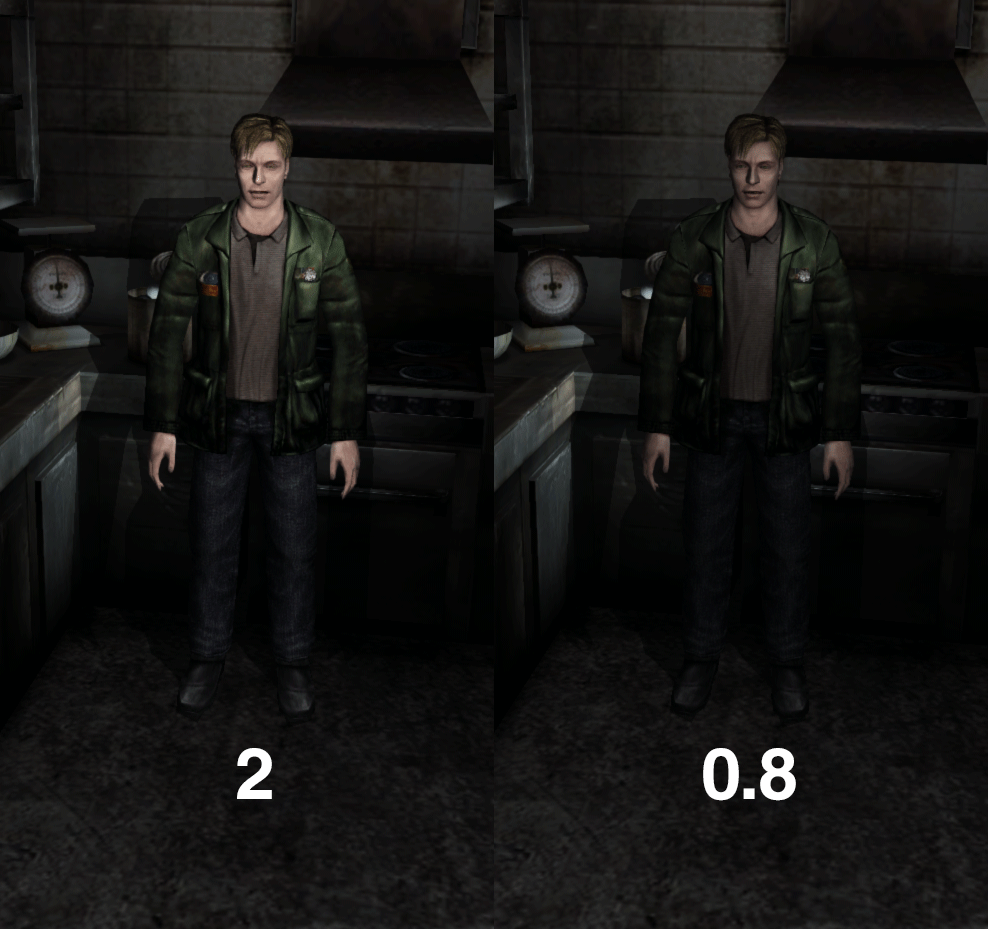
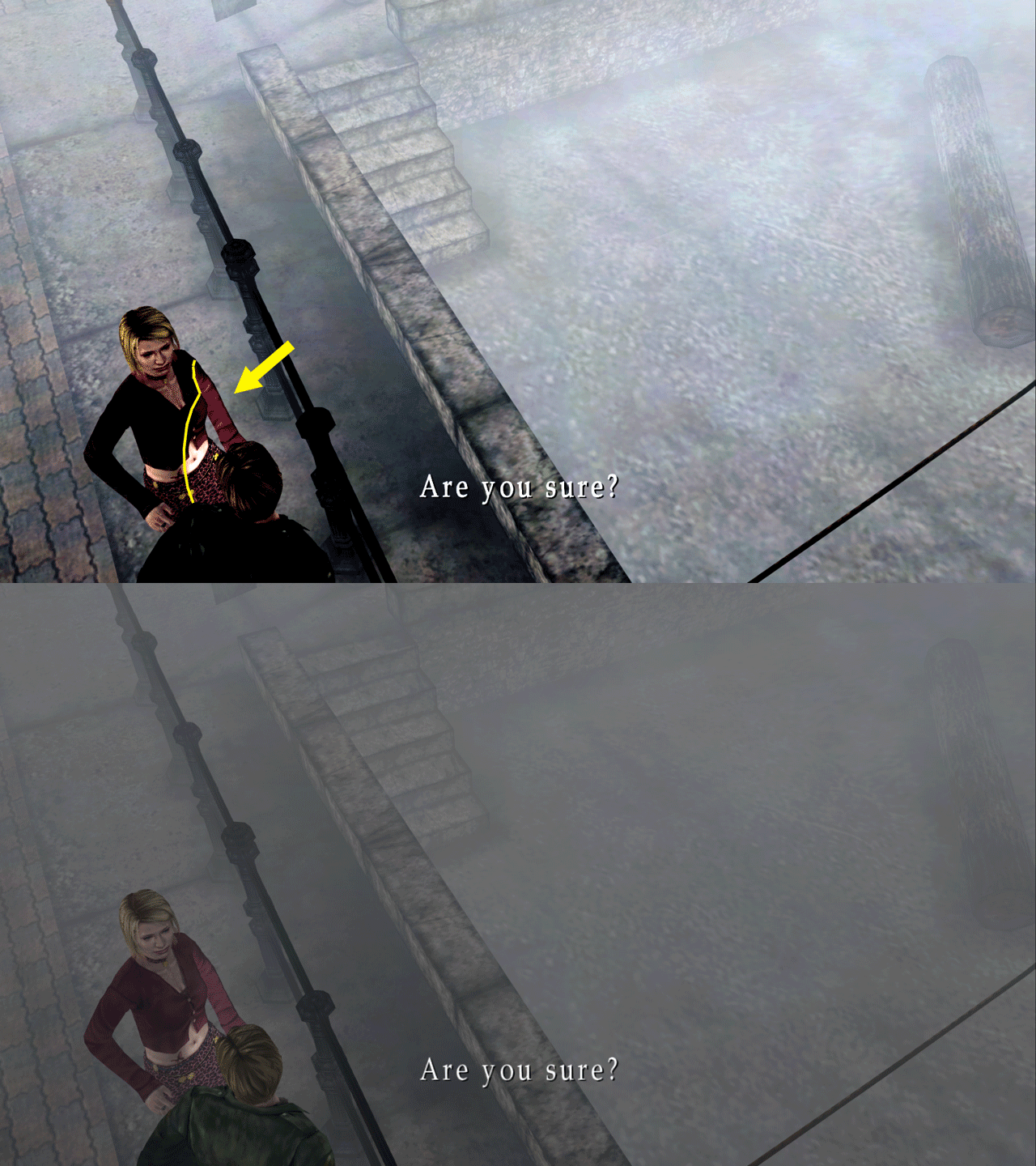
What we're fixing here is disabling James' flashlight glow. Even though his flashlight is off for this scene, he still casts light from his flashlight onto Maria (the girl) midway through this cutscene:
And again: If this one proves to be a PITA then no worries about abandoning it. The other fixes you've recently added to the LightingTransitionFix were far more important to make right.
Polymega
on 30 Jul 2019
Looks like I was using ID 0xC5 instead of 0x5C. Try this one: d3d8.zip
BTW: the solution I chose for this ID was to monitor the address and if it changes then change it back. So I will change this address up to two times per cutscene, the first time when you first enter the cutscene and then once more during the scene if it gets changed later. This was easier than trying to wait one second and modifying it there. I don't really like doing things on a timer if I can help it because different computers run at different speeds and timers can cause all kinds of weird issues.
elishacloud
on 30 Jul 2019
Worked great on all binaries! I'm glad you figured this out and thank you once more!
I don't really like doing things on a timer if I can help it because different computers run at different speeds and timers can cause all kinds of weird issues.
Great reasoning and something I wouldn't have considered due to my lack of programming skills. Thanks for finding a better approach to that. All is well with this fix now!
Polymega
on 30 Jul 2019
Related issues
 yukinsaknos
·
14Comments
yukinsaknos
·
14Comments
 snigelpasta
·
13Comments
Polymega
·
14Comments
snigelpasta
·
13Comments
Polymega
·
14Comments
 silentdream21
·
8Comments
Polymega
·
15Comments
silentdream21
·
8Comments
Polymega
·
15Comments
Most helpful comment
Another addition. It might be wiser to compare broken PC light sources to the PC normal ones. I made a similar CE table for a normal light source in apartments hallway and managed to replicate the issue.
https://youtu.be/gFn-5iuBeUo
As you can see, when it comes to a normal light source the two values are accessed by functions. Corresponding values in ap64 are not accessed by any function. This is probably where the issue lies.
CE table for the hallway light source:
PC_SH2_WSF_aphallway_light_source.zip