Signal-desktop: Reaction overview displays contacts with grey color instead of assigned color
- [x] I have searched open and closed issues for duplicates
Steps to Reproduce
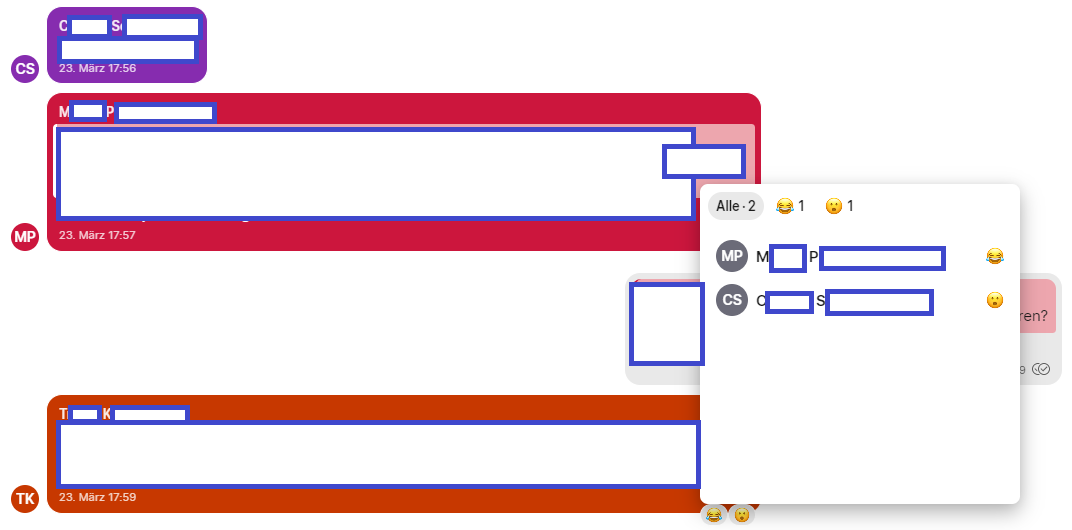
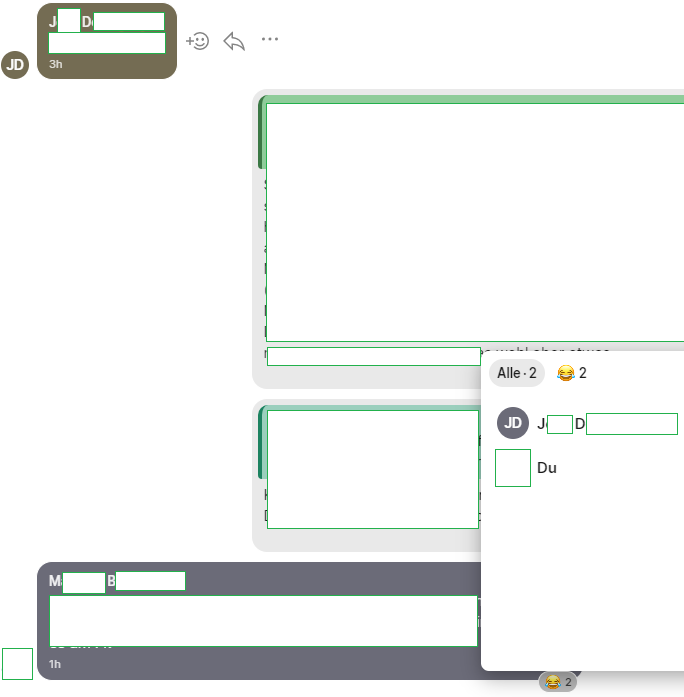
- let people react to messages who have not set a profile picture.
- look at the reaction overview
Actual Result:
- grey is used instead of the assigned contact color. It reproduces for me on three different Signal Desktop installs on two laptops and it also does not change after a fresh start.
Expected Result:
- the assigned contact color is displayed
Screenshots
Platform Info
Signal Version / Operating Systems:
- v1.33.0 on Windows 7 64-bit
- v1.33.0 on Windows 10 64-bit
- v1.33.0-beta.5 on Windows 10 64-bit
Linked Device Version:
- Signal Android 4.58.5; Fairphone 3, Android 9
Bug
 rainerzufall
All 4 comments
I was able to fix this with a couple of small changes in ReactionViewer with the way it maps Avatars to reactions. Will put in a PR shortly.
 nathanieltalbot
on 4 Jun 2020
nathanieltalbot
on 4 Jun 2020
👍1
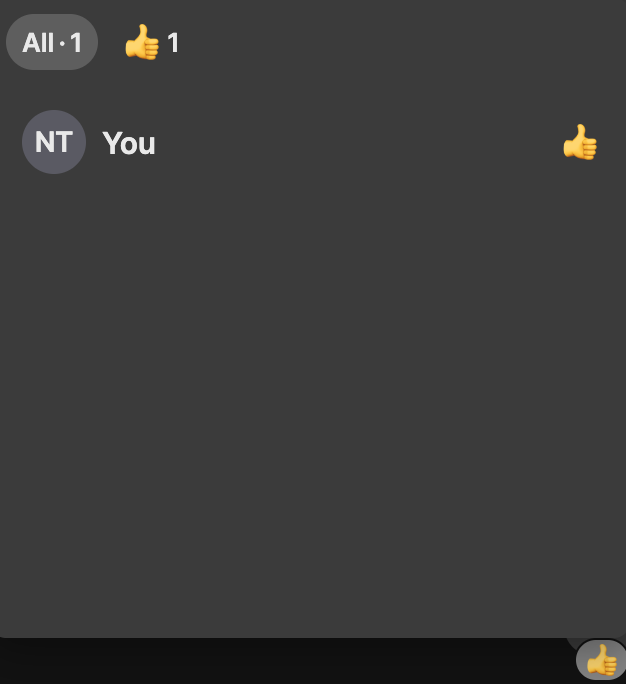
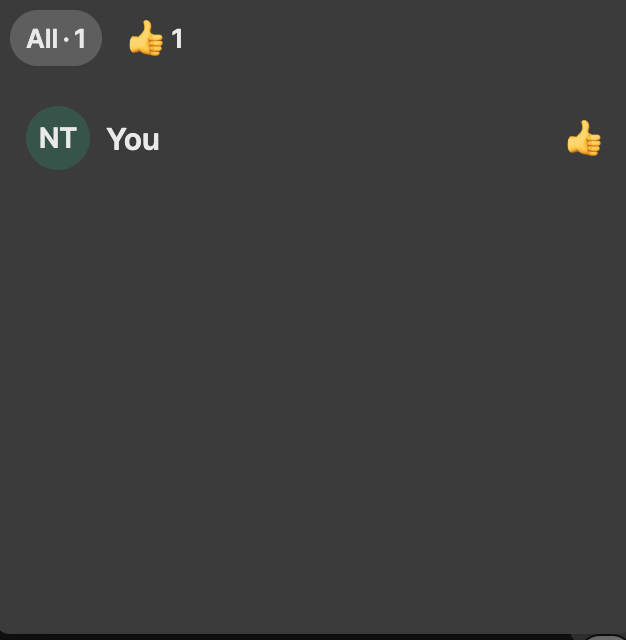
Comparison of the change:
Before:
After:
@scottnonnenberg-signal it seems like for a lot of design-related changes you need signoff from your designers before approving this (at least, looking at #4125) -- is this one of those cases?
nathanieltalbot
on 4 Jun 2020
@nathanieltalbot This one was on my todo list to tackle but I haven't gotten around to it yet, that said we have design sign-off for it. Feel free to open a PR!
 kenpowers-signal
on 4 Jun 2020
kenpowers-signal
on 4 Jun 2020
@kenpowers-signal PR opened
nathanieltalbot
on 4 Jun 2020
🚀1
🎉1
Was this page helpful?
0 / 5 - 0 ratings
Related issues
 vincenzopalazzo
·
3Comments
vincenzopalazzo
·
3Comments
 TarkanY
·
3Comments
TarkanY
·
3Comments
 lokesh-krishna
·
3Comments
lokesh-krishna
·
3Comments
 ProactiveServices
·
3Comments
ProactiveServices
·
3Comments
 fredaas
·
3Comments
fredaas
·
3Comments
Most helpful comment
@kenpowers-signal PR opened