Signal-desktop: Error Handling incoming message - over 2000 messages into the future
Bug Description
When syncing messages over the past few days, i receive all messages as "Error handling incoming message".
I have tried unlinking and relinking.
Unlinking and uninstalling and relinking.
All of which do not fix this issue yet.
Steps to Reproduce
- Close signal
- Do not use for a number of days (4-5)
- Sync 100's of messages
Actual Result:
Receive "error handling incoming message"
over 2000 messages into the future
Expected Result:
Syncs messages
Screenshots:
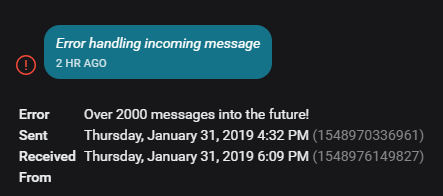

Platform Info
Signal Version:
V1.20.0
Operating System:
Win 10 pro 64 bit
Version 1809
Linked Device Version:
Android 4.32.8
Link to Debug Log
https://debuglogs.org/892fd24af8901b7888d077db8d8fc32869e9bf710cf611925ce149d546aa7fb6
 WCSLoschy
All 188 comments
Which contacts (is it more than one) are generating this error for you? An unlink/re-link should definitely solve it, as should a reset secure session. Please get as detailed as you can about the contacts sending these problematic messages, ideally, the specific devices they are using to send the messages.
 scottnonnenberg-signal
on 1 Feb 2019
scottnonnenberg-signal
on 1 Feb 2019
This also recently happened to me, just like the original bug noted, it happens I believe when a desktop client is offline for a period of time during which LOTS of messages are exchanged with another person. In my particular case the other person was sending from an iphone, I received all the messages on my android client without a problem, but when I turned on the desktop clients (1 on my laptop, 1 on my desktop), they both started receiving messages in droves but they were all this same "error handling incoming message" with the error of "over 2000 messages into the future for each one".
What's interesting is that even the most recent messages (one that had been sent from the person only a few hours before I opened the desktop client and was the most recently exchanged message) showed that it was "over 2000 messages into the future". I'm guessing the client/signal-protocol keeps some sort of counter internal the client and if the last one on local record is more than 2000 messages ago, all future messages are deemed too far out? It strikes me that this limit is a bit odd.
Either way. A "reset session" has me able to receive messages on the desktop clients again, but I still don't have access to the other messages that errored out on the desktop client (that's ok, I don't really need them, they are on my phone, just a little annoying).
Let me know if I can provide you any other useful information, happy to help!
 eceforge
on 2 Feb 2019
eceforge
on 2 Feb 2019
Thanks @scottnonnenberg-signal @eceforge - A reset session also did the trick for me for now, but i believe the problem will reoccur once i log back in next week and sync all my messages again.
This was for a single contact.
As @eceforge noted, i don't have access to any messages that this person had sent all week - managed to pull them from my mobile.
I will update if this happens again but a fix from losing large amount of messages would be ideal.
Thanks
WCSLoschy
on 2 Feb 2019
I experienced the exact same issue.
Did not use the Desktop App for over a week.
Exchanged a lot of message with one contact.
Reopen the Desktop App
All messages from this period are received with the error "Over 2000 messages into the future!".
Reset sessions.
New message are perceived without error.
As signal automatically updated just now, I must have been on the prior version. Now I'm on v1.21.1
 eppfel
on 11 Feb 2019
eppfel
on 11 Feb 2019
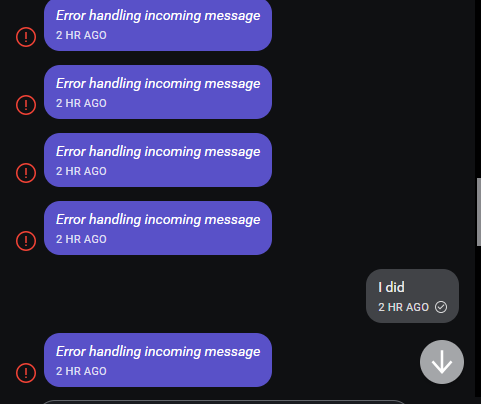
I am having this issue too. It looks like its only happening with messages with single contacts, not with groups. Also, sending a message to this contact over the desktop app works, and reopening the app remembers that message, but none around it (even if those other messages were from you, but on the phone app)
 scytail
on 25 Feb 2019
scytail
on 25 Feb 2019
@scytall Can you talk more about this 'remembering that message' behavior? Is it reproducible? Maybe you can take a screenshot before and after to make it clearer?
scottnonnenberg-signal
on 25 Feb 2019
To reproduce:
- Open a conversation that has the "2000 messages in the future" error
- Send a message to this contact over the desktop app (notice that the message appears as my above screenshot)
- Send a message to this contact over the mobile app (notice that the message will appear as an "error handling incoming message" in the desktop client)
- Restart the desktop app
- The messages sent previously over the desktop app will continue to be displayed correctly in the desktop app, even though all other messages (sent and received) will continue to display as errors.
If I had to hazard a guess, I'd say that there's some sort of message desync in the desktop client, that doesn't affect when messages are sent out from the desktop client itself. I'm not sure how this affects the receiving client.
scytail
on 25 Feb 2019
I have the same issue after not using Signal Desktop for a couple of days. "Reset secure session" usually helps, but sometimes I need to do it twice or on multiple devices. Is this by design?
 lnicola
on 4 Mar 2019
lnicola
on 4 Mar 2019
Same error for me. over 2000 messages in furture.
- Signal Desktop version vor Windows v1.23.1
- Message is deliverred repeately, but always same error.
- is floodening the message window
- deleting the complete chat does not stop this behaviour.
 ddmesh
on 24 Mar 2019
ddmesh
on 24 Mar 2019
@ddmesh 'Reset Secure Session,' in the top-right gear menu, is the fix for this issue.
scottnonnenberg-signal
on 25 Mar 2019
I've had this issue as well. Reset secure session would temporarily solve the issue, only for it to pop-up again when syncing again a few days later.
Contacts' Signal Desktop version was slightly out of date (I think 1.21.1, but not sure) and updated it manually. The issue hasn't reoccurred since then.
 olbrew
on 27 Mar 2019
olbrew
on 27 Mar 2019
thanks, it solved this problem. but generally it should not happen :)
On 25 March 2019 18:47:02 CET, Scott Nonnenberg notifications@github.com wrote:
@ddmesh 'Reset Secure Session,' in the top-right gear menu, is the fix
for this issue.--
You are receiving this because you were mentioned.
Reply to this email directly or view it on GitHub:
https://github.com/signalapp/Signal-Desktop/issues/3098#issuecomment-476307507
Freifunk Dresden
ddmesh
on 28 Mar 2019
I'm having the same issue, under the same circumstances: I hadn't used the desktop app for a few weeks. Upon opening, it updated to version 1.23.2. Upon re-opening after update, it synced hundreds of messages. All messages from one contact came up as "Error handling incoming message", "Over 2000 messages into the future!".
This same contact is also in a group message thread. There are no error messages in the group thread, but all of this contacts messages are missing from the group thread, as if they had never contributed.
Correction: I went further back in the group thread and all of this contact's messages from several weeks ago (and further back) are there. That's probably the last time I had the desktop app opened. Similarly in the solo thread, this contacts messages from before I last closed the desktop app are there, but all of the messages that came in while the desktop app was closed are replaced by the error message.
 mansart-git
on 14 Apr 2019
mansart-git
on 14 Apr 2019
Same problem here. Except that it desktop app is still loading 100s of these. Now the info has changed to "Bad MAC".
https://debuglogs.org/6b2922384457ecd8a94ece9b6dbac6a5936dbb49f4e8cbd7f5849a3c19f81286
 jeromio
on 15 Apr 2019
jeromio
on 15 Apr 2019
So, desktop app is full of these messages and now I'm getting 100s of "Bad Encrypted Message" on the android from the person I text the most and she is also getting 100s of these messages.
jeromio
on 15 Apr 2019
@JustStan1 @jeromio It's expected that once a contact flips over into this 'over 2000 messages into future' mode, messages will go missing in any group chat's they're in (we can't decrypt, so we don't know what group those messages should go to). And it's also known that if you message someone really heavily and then don't open Signal Desktop very often, it's easy to get into this state.
The surprise is that the other side is getting errors @jeromio. If you could provide logs from that other device also getting errors, that would be really helpful. Thanks!
As workarounds, first try sending a message to that contact from the desktop receiving the errors - the key problem is that desktop isn't participating at all, just listening to lots and lots of messages.
Then, if that doesn't help, you can Reset the Session via the gear menu in the top right.
scottnonnenberg-signal
on 15 Apr 2019
Here is the log from my Android device
https://debuglogs.org/bb186a70afa4b79c7db7d02335f92930b786a8c456f7b0249cbd3302a52779cb
I have sent msgs to this contact from desktop and Android and we've both reset session . She hasn't been using desktop.
Once I get access to her Android I can add the log
jeromio
on 15 Apr 2019
I also had the same issue. I tried resetting the session, it fixed the issue for me.
This is the earliest issue created for this problem. #3233, #3230 and #3268 are probably duplicates.
 OrfeasLitos
on 7 May 2019
OrfeasLitos
on 7 May 2019
@OrfeasLitos Can you talk about the history of your desktop instance? Why do you think desktop got into that state? Was it offline for a long time?
scottnonnenberg-signal
on 7 May 2019
Yes, my desktop was offline for a while, so it probably got out of sync. I can give you the debug log later today if you need it. As an executive summary for now, the only recent and recurring ERROR it contains is over 2000 messages into the future.
OrfeasLitos
on 8 May 2019
Messaging really heavily with one or more contacts while your desktop is offline can result in this. We're always interested in what exactly that means in practice. Could you estimate how long Desktop was offline, and how many messages, roughly, the conversations with errors had in them per day while Desktop was offline?
BTW, the workaround for the conversations still showing these errors is a Reset Secure Session, available in the top-right menu for that conversation.
scottnonnenberg-signal
on 8 May 2019
@scottnonnenberg-signal I've installed the desktop version at work. I've got the same issue not using the client for two and a half week. In between I used the android client daily.
Now this issue occures after starting the desktop client.
I guess that the counter starts much earlier than ist should do, because it loads/counts much more messages than it should have been yet (like s.o. said in another case releated to this).
Edit: In my case the number of messages is about 300-500 with one contact.
 p3nnyman
on 9 May 2019
p3nnyman
on 9 May 2019
Here is the debug log from the desktop: https://debuglogs.org/45d39ddc6ea7d7d4c2526c3504e20aed3e095db2bec6099f3f058f5341151e9f
Could you estimate how long Desktop was offline, and how many messages, roughly, the conversations with errors had in them per day while Desktop was offline?
I won't be very precise, but I'd guess the Desktop was offline for 10 days and in the meanwhile I've exchanged ~5000 messages. Take this with a huge grain of salt and let me know if I can help you in any other way (apart from submitting the mobile debug log, I'm not too comfortable with that, sorry).
OrfeasLitos
on 9 May 2019
Here is another debug log
https://debuglogs.org/21e07cec0eacfbf61099bec6e8a98b91b66d64412b1ca8157534603f906c9154
It happens with a very frequent contact on a W10 device which is used rarely.
So it's fairly possible there were 2000+ messages since last sync process.
Is there a possibility to get rid off >2000 messages in the past and get the device back to sync without resetting encryption?
 UserX404
on 22 May 2019
UserX404
on 22 May 2019
No, resetting the session is the only way to fix things in that case. Unless you unlink and relink your desktop. Which is essentially resetting the local session with all of your contacts.
scottnonnenberg-signal
on 24 May 2019
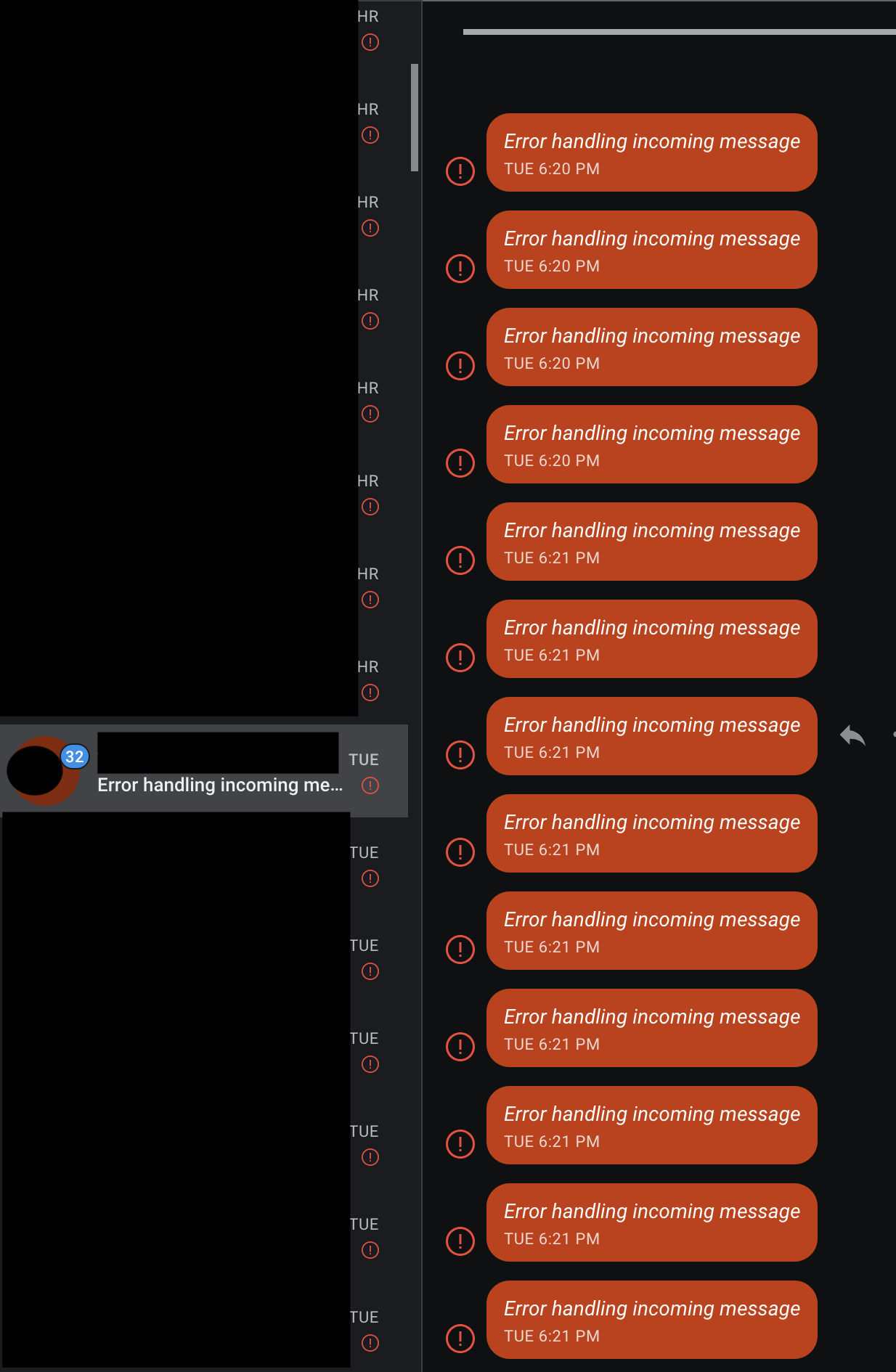
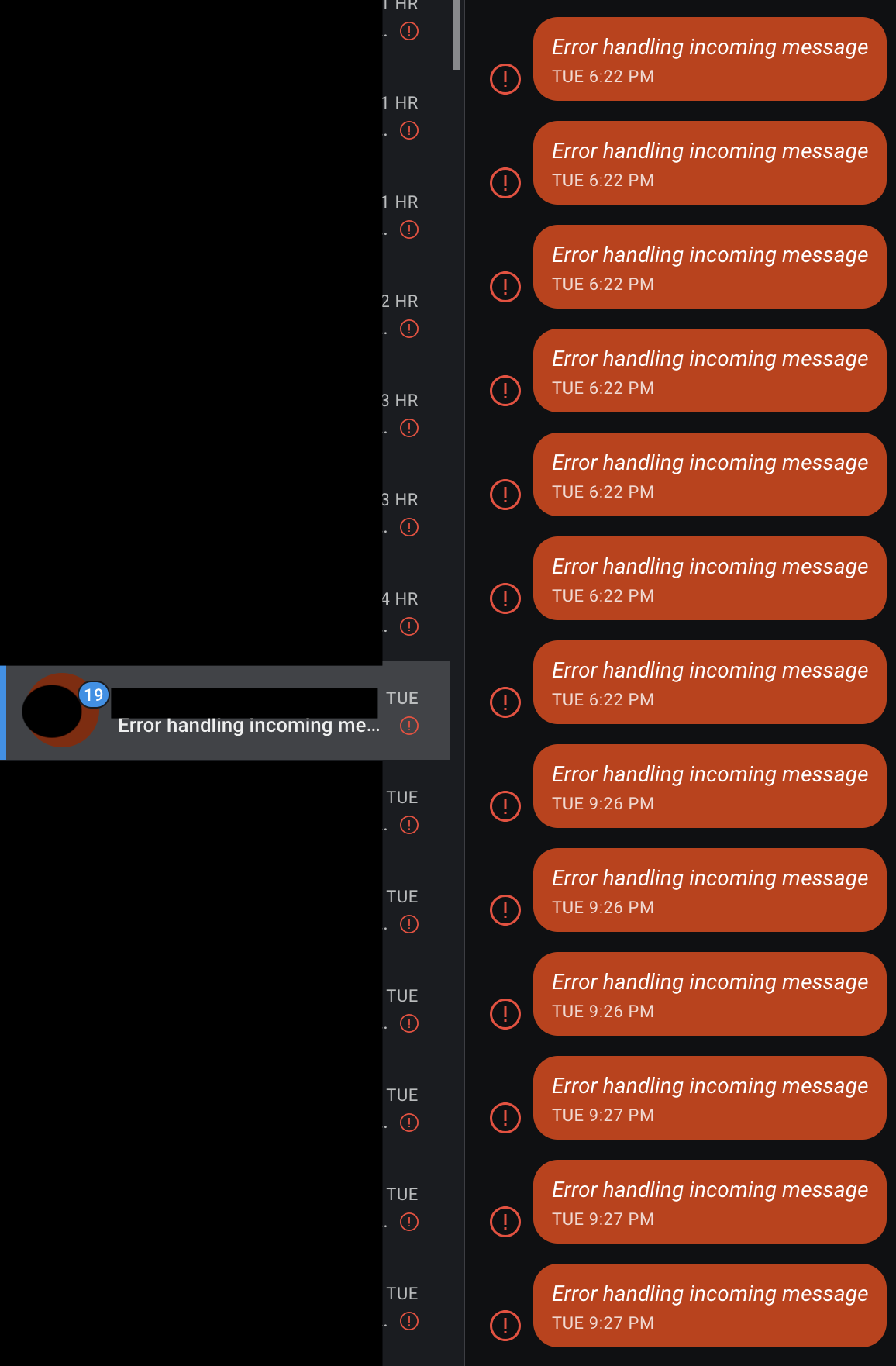
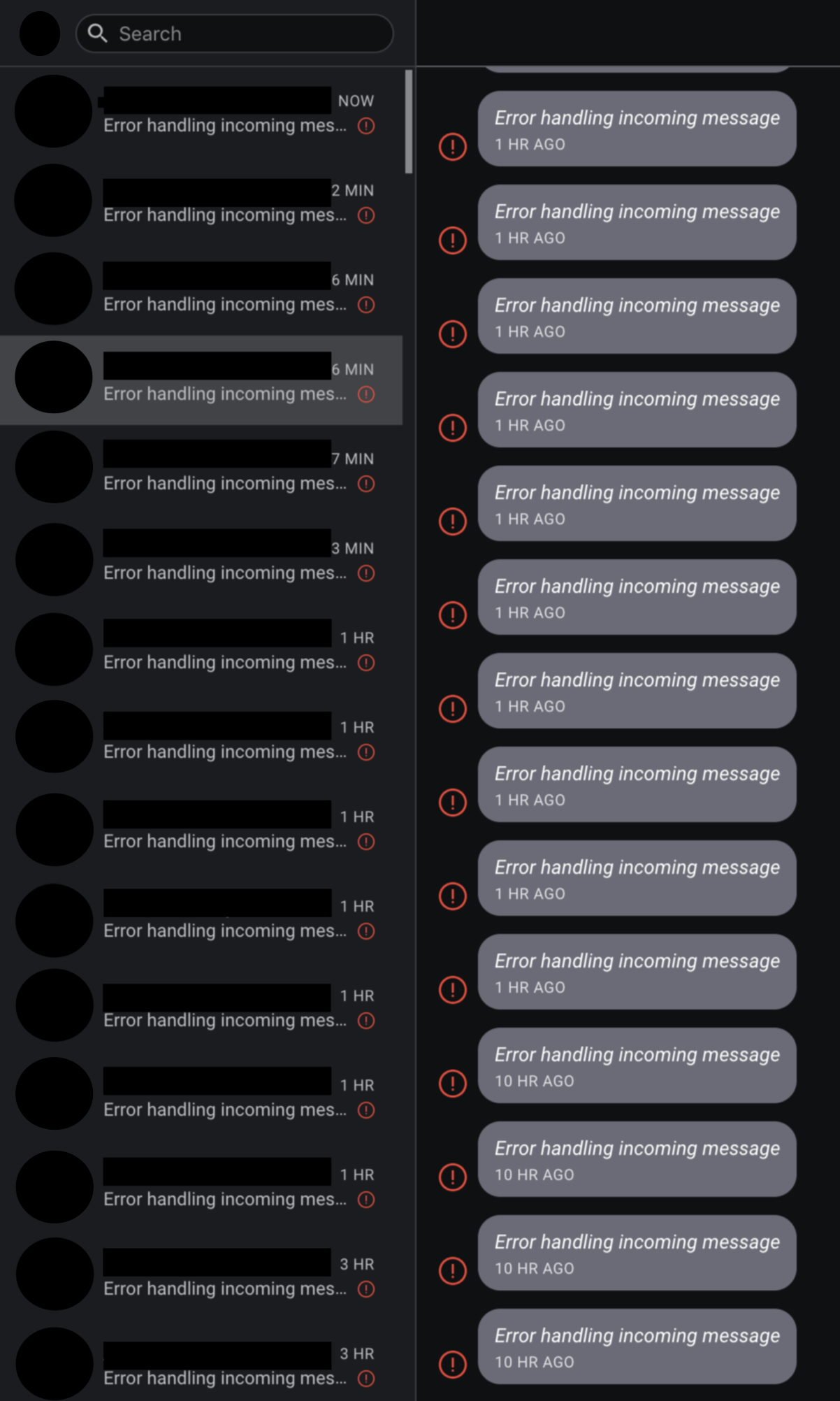
This is happening, repeatedly, even after sessions are reset or I do an update / un-install & reinstall. In my most recent case, the desktop app keeps generating the "error handling incoming messages", even though no message has been received since the desktop app was closed.
Most recent experience was after a 12 hour desktop shutdown. I have attached three images -- an example of the client on reboot of machine + restart, and two images showing an example of messages being randomly marked read, even though I have opened the conversation two times within 21 seconds.
Platform Info
Signal Version:
V1.25.1
Operating System:
macOS Mojave 10.14.3 (18D109)
Linked Device Version:
Android 4.41.6
Error logs
Mobile:
https://debuglogs.org/156262cedd8b89029b7fc0e14dd35315f8204b78624d29d236962678376c1dfb
 alphastanley
on 19 Jun 2019
alphastanley
on 19 Jun 2019
The issues stopped only after a COMPLETE removal of all the Signal data from the computer (on my Mac that meant searching for and removing everything from ~/Library/App..Support ~/Library/Cache and ~/Library/Preferences
 bbelo
on 21 Jun 2019
bbelo
on 21 Jun 2019
@bbelo Did you ever try the 'Clear Data' button at the bottom of Preferences?
scottnonnenberg-signal
on 21 Jun 2019
@scottnonnenberg-signal I tried the Clear Data button to no avail. @bbelo instead of hunting through all of the localdir's, I just used CleanMyMac to nuke the app.
alphastanley
on 21 Jun 2019
@scottnonnenberg-signal I tried the Clear Data button to no avail. @bbelo instead of hunting through all of the localdir's, I just used CleanMyMac to nuke the app.
Thank you for confirmation.
bbelo
on 21 Jun 2019
It's happening to me now. I have two signal-desktop clients running on two different computers, both running signal-desktop 1.25.1
I haven't reset the session yet and I'm happy to provide logs or data files if it can help debug this issue.
 codewiz
on 22 Jun 2019
codewiz
on 22 Jun 2019
@codewiz Your debug logs won't be as useful as a description of your usage patterns. Which conversations is this error happening in, exactly? How do you generally use the app? What changed recently that may have caused this error? If you don't feel comfortable providing that here, please feel free to email [email protected].
scottnonnenberg-signal
on 24 Jun 2019
I too encounter this. I use Signal on three devices (phone and two computers), and the person I'm chatting with uses only a phone. We talk quite a lot, and usually have problems when one of my computers is turned off for a lot of time. When I turn it back on, it starts syncing, and if the key expired in the meanwhile, I reset the session.
When I go back to the other computer and run or re-connect Signal, it takes a while (some 6 seconds per message) for it to retrieve any new messages. In the meanwhile, the person I'm chatting with sees errors like this, and resets the session, which doesn't really help, at least during the sync.
I think this got much worse after typing indicators were added. I imagine the issue is that:
- when I keep a computer turned off for a long time, the key expires
- I reset the session key
- any new messages use the new key
- when I go back to the other computer, I get the new messages; somewhat surprisingly, they work, even though I reset the key
- while I'm receiving these messages, Signal tries to send back read receipts or whatever it's doing
- these are encrypted with the old key, so the other person can't see them, and gets spammed by errors instead
- when they reset the session, the messages I'm receiving break so I start seeing errors
I think one important point is that the session reset messages are sent and received immediately, while the incoming chats haven't been all processed. I'm not sure it matters, but I use sleep on one of the two computers, so Signal stays running.
lnicola
on 24 Jun 2019
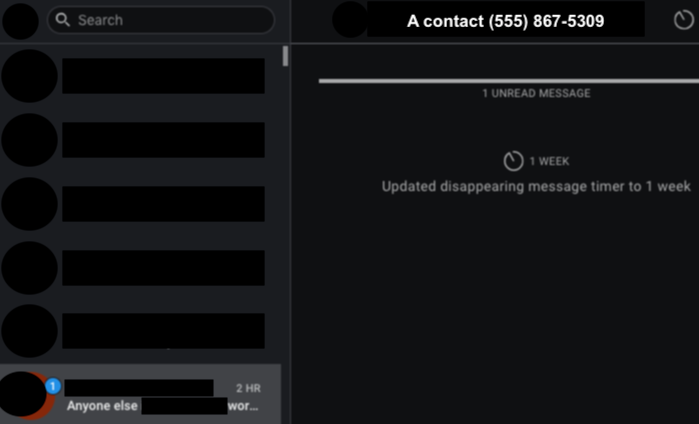
FWIW, I am a very heavy user of the app. Probably 500 messages exchanged in a day, plus multiple phone calls, and across 30+ contacts. Two clients, one Android, one Mac. All up to date. This issue most recently happened after being off line for maybe 12 hours. In my previous screenshots, the error occurred in every conversation that synced.
Oddly enough, after re-installing + re-linking the desktop app, the very first message in a conversation does not render in the conversation pane -- but it does show up in the notification/contacts pane.
alphastanley
on 24 Jun 2019
@alphastanley would you say your experience matches my report above?
lnicola
on 24 Jun 2019
Continuing with my report above, it doesn't seem to explain every issue I'm seeing.
- after restarting what seems to be a fully-synced Signal, sometimes I start getting errors for older messages
- after that whole session reset dance and restarting Signal on the other computer, sometimes I get "Error handling incoming message" for _new_ messages that show up as having _old_ dates (from around the time of the previous errors)
- the typing indicators and read receipts probably don't help, since they increase the amount of messages towards that limit of 2000, and the time needed for syncing; as I mentioned, each (chat) message takes around 6 seconds to show up
lnicola
on 25 Jun 2019
@lnicola Seems like you're dealing with a couple issues. One of which likely has to do with our attempts to re-process failed messages on startup. So when you restart you see those old message retries causing errors.
The other is that your conversations are active enough (with typing indicators, read receipts) whatever, that a number of your conversations get into that 'Over 2000 messages into the future' state if Desktop is offline for even a couple hours.
scottnonnenberg-signal
on 25 Jun 2019
Hey there, Scott,
I read through the comments and your responses. This happens to a friend and me when their desktop is online and in-use and I am on my android. We started noticing this error perhaps in the last two months or so? Nothing changed on our end though.
I will say that I never log into my desktop app on my laptop because there are too many messages to sync. I haven't opened the desktop version in 8+ months and am not even logged into it though, so I don't know if that would still be considered to be "reading messages offline?"
 AkikoBremar
on 17 Jul 2019
AkikoBremar
on 17 Jul 2019
@AkikoBremar When you say 'this happens' you mean that in that set of three devices, their desktop device runs into this when all of them are online and receiving messages? I'd certainly like to see a debug log from that device, as well as a detailed description of the messages being exchanged.
scottnonnenberg-signal
on 17 Jul 2019
I get this issue a lot. The scenarios are usually after the client has been offline, and is "catching up"
Is there a fixed limit of backlogged messages held on the server that overflows ? Maybe the protocol could "checkpoint" every so often so the whole stream is not corrupted. Maybe it could do a message recovery via other client instances, some sort of back channel "please send me the missing messages" request
 edmaher
on 23 Jul 2019
edmaher
on 23 Jul 2019
@scottnonnenberg Over the past week, a friend and I have been experiencing these errors with frustrating frequency. It seems like conversations between our phones are fine, as are asynchronous conversations involving a desktop app. But as soon as we're in an active conversation and a desktop client is launched, the errors begin to happen. It began when I booted over into Windows for the first time in a few months and has continued to be a problem even though the session has been reset several times, we've both deleted and restarted our conversation, and we both cleared the data from our desktop clients and reconnected them. It has been triggered by both my desktop client and my friend's.
I'm going to email the details to the support address you linked above, since it's a bit of a novel with as much usage detail and logs as I can include.
 the-sane
on 25 Jul 2019
the-sane
on 25 Jul 2019
I have had this happen again, and found the "more info" part mentioned in other posts
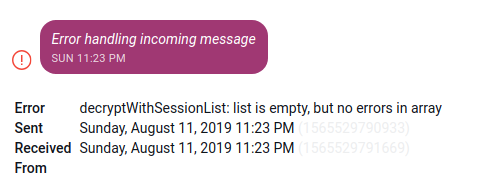
Note that I am running the latest linux version that seems to be available 1.25.3.
It seems that the windows version has more updates, are any of those updates also relvant to the linux version ?
edmaher
on 12 Aug 2019
This happened to me as well. I use Signal desktop everyday. Just today I'm getting 145 error messages. I'm using the Signal desktop app windows 10. :
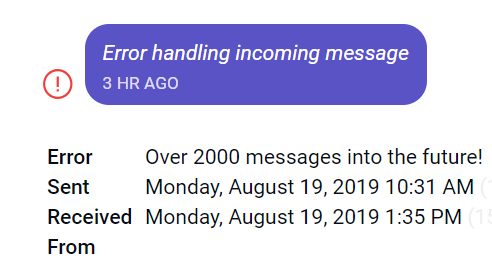
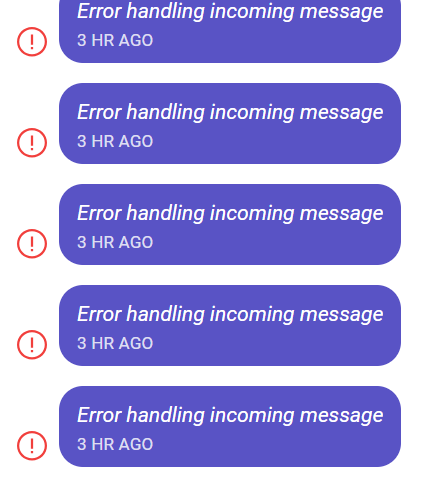
 chocolatekitkat
on 19 Aug 2019
chocolatekitkat
on 19 Aug 2019
@chocolatekitkat Can you post a debug log for us to look at?
 kenpowers-signal
on 20 Aug 2019
kenpowers-signal
on 20 Aug 2019
Co-sign on this one - same steps to repro: client that has not been used in a while.
EDIT: not sure I'm seeing the "over 2000 messages into the future message", but otherwise the behaviour looks the same
 moconnell
on 20 Aug 2019
moconnell
on 20 Aug 2019
hi Ken, Is there any personal information in those debug logs? or security
compromising info?
On Tue, Aug 20, 2019 at 10:43 AM Ken Powers notifications@github.com
wrote:
@chocolatekitkat https://github.com/chocolatekitkat Can you post a
debug log for us to look at?—
You are receiving this because you were mentioned.
Reply to this email directly, view it on GitHub
https://github.com/signalapp/Signal-Desktop/issues/3098?email_source=notifications&email_token=AD4EW6DZWHLBSESUDPXFC43QFP7JZA5CNFSM4GTVWRNKYY3PNVWWK3TUL52HS4DFVREXG43VMVBW63LNMVXHJKTDN5WW2ZLOORPWSZGOD4WRDRI#issuecomment-523047365,
or mute the thread
https://github.com/notifications/unsubscribe-auth/AD4EW6C44IDG52PXNS6IV3DQFP7JZANCNFSM4GTVWRNA
.
chocolatekitkat
on 20 Aug 2019
@chocolatekitkat The logs are redacted and you are able to review them before uploading. The logs are also only kept for a short amount of time.
kenpowers-signal
on 21 Aug 2019
As with other users, I see this error when opening Signal desktop (Windows) on a machine where I haven't opened it for a while. Sorry, can't be more specific about the timeframe. But it just happened again today.
As others have reported, I see the "over 2000 messages into the future!" error on the message info. In the client I just opened, the issue is with one particular contact. On another machine, when I first encountered this issue, it was all in the "Note to self" contact, which I've never actually used.
 gadgetfan10
on 3 Sep 2019
gadgetfan10
on 3 Sep 2019
This is now happening whenever I update Signal. Signal desktop and mobile were in sync before I upgraded (via the auto-update notification.) I had no unread messages. When it restarted, less than 2 minutes later, I had 22 unread messages. No new messages had been sent to me in the 2 minute gap.
Here is the debug log:
https://debuglogs.org/24d58764cb3a009747d2692cef4f7a0b82765c9a75b285c8b26cdd14121b0249
alphastanley
on 5 Sep 2019
@alphastanley Yep, that's because on restart Desktop retries messages that had problems processing the first time. v1.27.1 introduces a new system for retrying messages still in the cache - they'll be retried after messages are done processing, instead of waiting until the next restart.
scottnonnenberg-signal
on 5 Sep 2019
'Reset Secure Session,' in the top-right gear menu, is the fix for this issue.
@scottnonnenberg-signal the menu don't exists for "Note to Self" on desktop. What else can i do?
The last message that is also on the desktop is from 2019-08-29. There are 6 new messages on android.
When i send a message from desktop, i get one "Error handling incoming message" on desktop in addition to the message itself, when i send a message from android, i get 2 "Error handling incoming message" on the desktop.
 davidak
on 23 Sep 2019
davidak
on 23 Sep 2019
@davidak This is what I'm talking about:
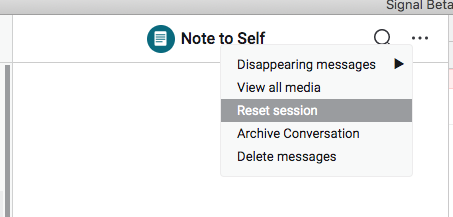
scottnonnenberg-signal
on 24 Sep 2019
@scottnonnenberg-signal i know. it looks like that in other conversations. and i have it now since i started signal again. it was not there when i wrote the previous comment. the whole upper area with name and menu gear was not there...
Do you make progress in finding the cause of this issue? I think less than a month and 6 messages difference is quiet an extreme.
davidak
on 25 Sep 2019
This just blew up for me again. I have one thread with a contact with 6K
"Error retrieving" msgs and then Note to Self has a never ending stream of
them that just won't stop. Reset session is not doing anything. This is v
1.27.3.
- Jeremy
On Tue, Sep 24, 2019 at 7:35 PM David Kleuker notifications@github.com
wrote:
@scottnonnenberg-signal https://github.com/scottnonnenberg-signal i
know. it looks like that in other conversations. and i have it now since i
started signal again. it was not there when i wrote the previous comment.
the whole upper area with name and menu gear was not there...Do you make progress in finding the cause of this issue? I think less than
a month and 6 messages difference is quiet an extreme.—
You are receiving this because you were mentioned.
Reply to this email directly, view it on GitHub
https://github.com/signalapp/Signal-Desktop/issues/3098?email_source=notifications&email_token=AAADFKQI4D52EOCTGPSH3GTQLKW33A5CNFSM4GTVWRNKYY3PNVWWK3TUL52HS4DFVREXG43VMVBW63LNMVXHJKTDN5WW2ZLOORPWSZGOD7QGR7Y#issuecomment-534800639,
or mute the thread
https://github.com/notifications/unsubscribe-auth/AAADFKR6MPCIFHTQ7CMVO4TQLKW33ANCNFSM4GTVWRNA
.
jeromio
on 9 Oct 2019
@jeromio Debug logs are always useful. Is the scenario 'open desktop after weeks of nonuse?'
scottnonnenberg-signal
on 9 Oct 2019
Hm. Not weeks, more like 4-5 days of non-use.
Hard to do anything w the application including get logs bc the volume of
Note to Self "error" messages is so overwhelming the app is basically
locked up.
- Jeremy
On Tue, Oct 8, 2019, 17:41 Scott Nonnenberg notifications@github.com
wrote:
@jeromio https://github.com/jeromio Debug logs are always useful. Is
the scenario 'open desktop after weeks of nonuse?'—
You are receiving this because you were mentioned.
Reply to this email directly, view it on GitHub
https://github.com/signalapp/Signal-Desktop/issues/3098?email_source=notifications&email_token=AAADFKVXE7NORUCY3BKKJBTQNUD7ZA5CNFSM4GTVWRNKYY3PNVWWK3TUL52HS4DFVREXG43VMVBW63LNMVXHJKTDN5WW2ZLOORPWSZGOEAV26SI#issuecomment-539733833,
or mute the thread
https://github.com/notifications/unsubscribe-auth/AAADFKUWNS64IIBBIEDW7DDQNUD7ZANCNFSM4GTVWRNA
.
jeromio
on 9 Oct 2019
@jeromio Could you provide a bit more detail? Are you saying that new messages are coming in constantly? Or you've opened a conversation where there are lots and lots of error messages? What happens if you close the app and reopen it?
scottnonnenberg-signal
on 9 Oct 2019
There were 2 message threads with the "Error retrieving" messages in
them. One was with a contact and had over 6K unread "Error retrieving"
messages, but it had stopped. The other was Note to Self (so, msgs to
my number) and it had thousands and was generating more each second.
Closing and re-opening has no effect - except that it takes awhile to
re-open bc it has to count thru the 1000s of msgs. Reset session (the
menu no longer says "reset secure session") has no effect. Deleting
the thread has no effect.
I have it up now, it's still "loading messages" but the unread count
in the title bar is also increasing at a steady pace. I am still
trying to collect the debug log.
- Jeremy
On Tue, Oct 8, 2019 at 7:05 PM Scott Nonnenberg
notifications@github.com wrote:
>
@jeromio Could you provide a bit more detail? Are you saying that new messages are coming in constantly? Or you've opened a conversation where there are lots and lots of error messages? What happens if you close the app and reopen it?
—
You are receiving this because you were mentioned.
Reply to this email directly, view it on GitHub, or mute the thread.
jeromio
on 9 Oct 2019
@jeromio If you can't collect a debug log via View -> Debug Log you can close the app and go to the application data directory and send us thelogs directory zipped up. The application data directory is different per OS - details here: https://github.com/signalapp/Signal-Desktop/blob/development/CONTRIBUTING.md#the-staging-environment
Also, I would recommend that you reach out to [email protected]. That's a really severe situation you've run into there, and we'd like to resolve it quickly.
scottnonnenberg-signal
on 9 Oct 2019
Ok, log attached.
- Jeremy
On Wed, Oct 9, 2019 at 11:50 AM Scott Nonnenberg notifications@github.com
wrote:
@jeromio https://github.com/jeromio If you can't collect a debug log
via View -> Debug Log you can close the app and go to the application
data directory and send us thelogs directory zipped up. The application
data directory is different per OS - details here:
https://github.com/signalapp/Signal-Desktop/blob/development/CONTRIBUTING.md#the-staging-environmentAlso, I would recommend that you reach out to [email protected]. That's
a really severe situation you've run into there, and we'd like to resolve
it quickly.—
You are receiving this because you were mentioned.
Reply to this email directly, view it on GitHub
https://github.com/signalapp/Signal-Desktop/issues/3098?email_source=notifications&email_token=AAADFKVHRDDYZLTODHXGMBTQNYDVVA5CNFSM4GTVWRNKYY3PNVWWK3TUL52HS4DFVREXG43VMVBW63LNMVXHJKTDN5WW2ZLOORPWSZGOEAYRRCQ#issuecomment-540088458,
or unsubscribe
https://github.com/notifications/unsubscribe-auth/AAADFKV6PLUUFJVIVIQTG53QNYDVVANCNFSM4GTVWRNA
.
jeromio
on 9 Oct 2019
@jeromio Github strips attachments sent to issues via email. Can you use the Github web ui to upload the logs?
kenpowers-signal
on 14 Oct 2019
Same problem here - the problem seems to almost always been occurring in the "Note to Self" feature until now (I never use it), but started to occur in my other chat today. I do use several Desktop clients and a mobile client. No messages are being sent, nor have I been offline for a prolongated period of time.
 chiffa
on 26 Nov 2019
chiffa
on 26 Nov 2019
@chiffa @jeromio We do need those debug logs to make progress on this, as well as the rought details of your last week or so of Signal device usage.
scottnonnenberg-signal
on 2 Dec 2019
@chiffa @jeromio We do need those debug logs to make progress on this, as well as the rought details of your last week or so of Signal device usage.
@scottnonnenberg-signal
Debug log: https://debuglogs.org/2c1a9913383bcf1a8ebba65ae6a11a6a93bcec30f8a18df95fc8f7454f4cb41f
As for details:
Exception array occurred twice in a single chat on the PC desktop application on Friday 29/11/2019; second time occurring on or around 12:29 pm.
The pattern of use was not that different from the standard one - the only recent modification being the adding of an additional desktop client on a Mac. Overall it's four active personal chats and a single 3-member group chat, none exceeding 100 messages per day.
Please feel free to contact me in case any additional details are needed.
chiffa
on 2 Dec 2019
@scottnonnenberg-signal I'm having the same issue where it says "Error handling incoming message" on my desktop. Works fine on my Android, but causes this issue on my desktop from 1 contact that's using an Apple phone. Note to self also contains the same error. Clicking "more info" comes up with this error: "Over 2000 messages into the future!" I imagine that I have sent and received hundreds or perhaps thousands of messages from my phone to this specific contact in the week-ish since I've opened Signal on my desktop. I've tried opening and closing Signal, updating Signal, and clicking "reset session" - none of those helped at all.
https://debuglogs.org/acf9549a7b455f17082bfddb8fcbe4edf4baa263cbc2c1f51fecccc35e354a60
 Leah974843
on 4 Dec 2019
Leah974843
on 4 Dec 2019
@Leah974843 Looking at your log, it appears that communication with your contact +[REDACTED]470 was repaired by the session reset. But it does look like your Note to Self conversation is still having problems. You can solve that by opening that Note to Self conversation and selecting 'Reset session' there.
Please do provide another log if it comes back! Do you generally leave Signal Desktop offline for extended time periods?
scottnonnenberg-signal
on 5 Dec 2019
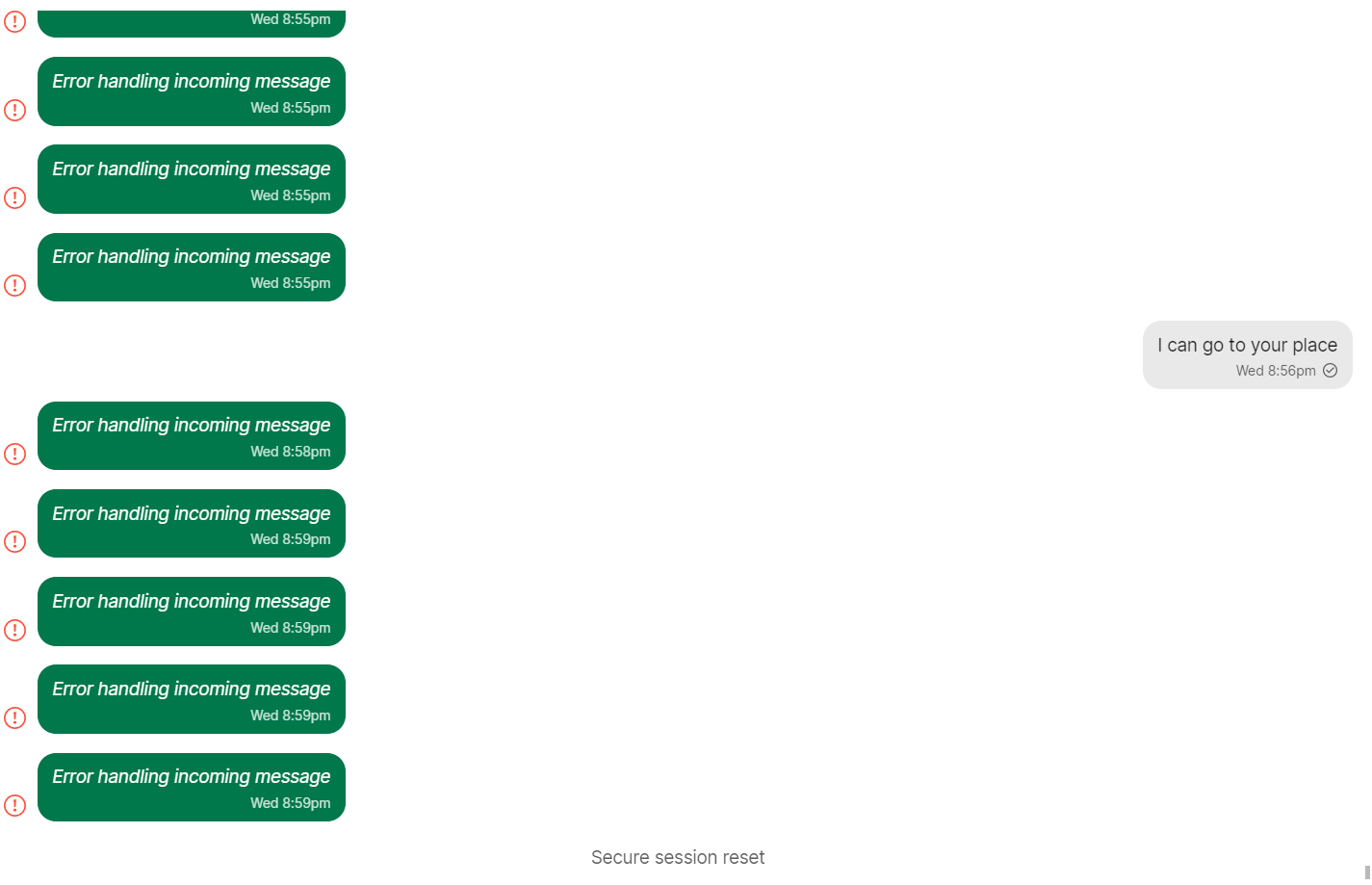
Leah974843
on 5 Dec 2019
@scottnonnenberg-signal Hmm it doesn't look like it's fixed. See above for a screenshot of what it looks like for my problematic contact, which is the same for Note to Self. I updated Signal again, opened and closed it a few times, and reset the session with that particular contact. I'm imagining that the problematic contact would be listed as [redacted]153 if it's based on the last 3 numbers of their phone number. My own number ends in 470. I usually leave Signal Desktop unopened for half a week to a week at a time. I'll leave it open and see how things go.
https://debuglogs.org/124053be680968d2df0e648fc09c0c5c1c59e83913392e0e8aebb28edefdec33
Leah974843
on 5 Dec 2019
@Leah974843 Maybe it's unclear what 'fixed' means in this case? Messages sent after the secure session reset should work, but all old messages will still show as errors.
scottnonnenberg-signal
on 5 Dec 2019
I left my laptop off for a week and now i have tons of "Error Handling..." messages, including under "Note To Self"
Users should not be forced to play whack-a-mole with contacts, by manually picking "Reset session" for dozens of contacts. Does this happen automatically or not?
 jerkey
on 6 Dec 2019
jerkey
on 6 Dec 2019
@jerkey A debug log would help us ensure that this doesn't happen to other people in the future.
A faster tool to get back to a good place would be to go to your phone and remove your desktop device. When you restart desktop, it will ask for a re-link. That re-link process resets encryption for all of your contacts.
scottnonnenberg-signal
on 6 Dec 2019
It happened again, except this time the behavior has changed. Now, the bad encrypted messages are two way, if initiated by the desktop client. The number of bad encrypted messages in a given conversation is not the same as the total number of messages exchanged in a given conversation. Groups come back as a discrete bad encrypted message per group member. Interestingly enough, conversations that had no messages during the time the app was closed do not suffer from this behavior. Edit: what I mean by two-way is that the receiver also receives a Bad Encrypted Message.
In the attached screenshot, the first 4 conversations are messages to one group, of which the contacts listed (incl. note to self) are members of the group. This is just a selection of the >20 conversations that demonstrated this behavior.
Debug log at debuglogs.org
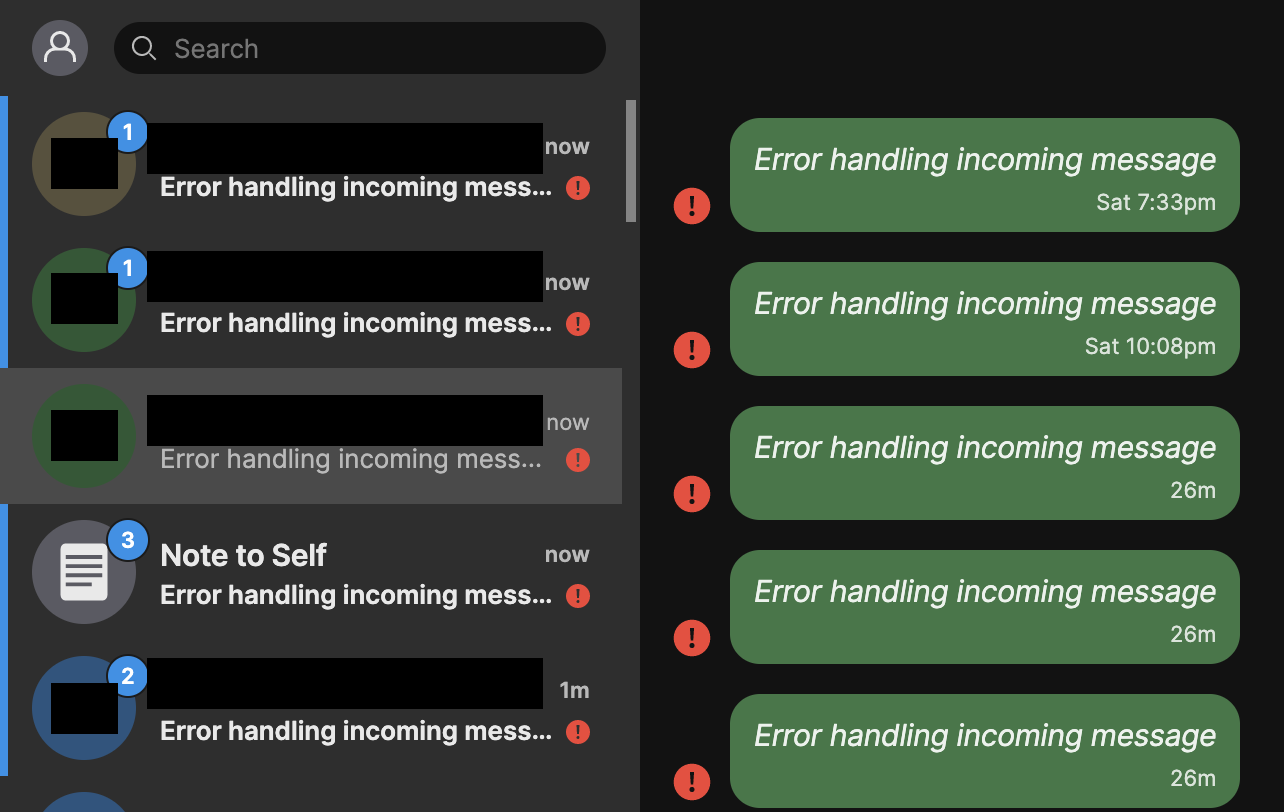
alphastanley
on 16 Dec 2019
@alphastanley I'd recommend that you reach out to [email protected]. Your usage patterns seem to be uniquely-suited to errors! Anything you can tell us about the history of this desktop instance and your general usage patterns would really be helpful.
scottnonnenberg-signal
on 16 Dec 2019
I'm using Signal Desktop on Ubuntu 19.10 and Windows 10. I've always seen the 'error handling incoming message' message, this time the problem occurred first thing this morning, the only period of non-use was overnight. I haven't seen these messages tied to any usage behaviors, sorry, wish I could point something out.
Logs posted to:
https://debuglogs.org/f831a4641a0cbad7ba364bdc2f52bffbbe41a84fe84f231855565662250ff2e4
 mendhak
on 30 Dec 2019
mendhak
on 30 Dec 2019
Hello, I just wanted to confirm, this behavior still occurs. I started the desktop client after 17 days of inactivity and the messages didn't sync because of "Error handling incoming message" error.
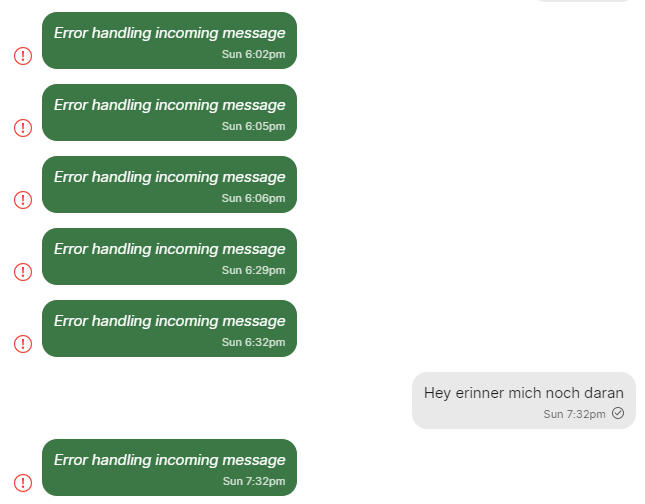
 LukeKiller
on 6 Jan 2020
LukeKiller
on 6 Jan 2020
@LukeKiller Thanks for the update. We won't be able to do much with your report without a Debug Log.
@mendhak Thanks for the report and the debug log. We'll take a look.
scottnonnenberg-signal
on 6 Jan 2020
Not to beat a dead horse or anything but I too am getting this error; however, I believe it to be part of a group message. I can get the messages from one person but not the other three.
Steps to reproduce:
- Talk to one person consistently
- Don't talk to 3 people for a week
- Start a group chat with all 5 people
- Responses from the consistently messaged person will be correct however "error handling incoming message" will be displayed in the other 3 participance direct messages without them having responded equalling the number of messages sent and received between the consistently messaged person.
Checking the message info I get:
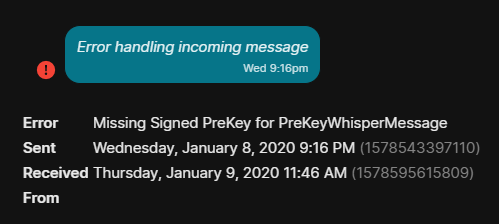
Note: If I message them individually after these errors I can receive messages and not get errors from them
Debug Log:
https://debuglogs.org/addb0b5a31df92c171ceb866ecf809021b47e3a1c4bdabf1882c0439e90883f2
 LuckyGinger
on 9 Jan 2020
LuckyGinger
on 9 Jan 2020
I'll add my issue to the stack... Same scenario. I have one contact showing the issue. I can see all of my sent messages, but my received messages are all shown as "Error handling incoming message". My other contacts are fine.
 rmrfslashbin
on 28 Jan 2020
rmrfslashbin
on 28 Jan 2020
@rmrfslashbin It would really help our investigation to get your debug log, or at least the specific error message shown on the details screen for the messages in question. Thanks!
scottnonnenberg-signal
on 28 Jan 2020
Me and two of my contacts are experiencing this as well. The Android clients we're all using didn't seem to be having the issue... until one of my contacts began experiencing the errors there after I reset the session and deleted the messages from the desktop client.
Messages I've checked have this error:
Error | Over 5000 messages into the future! New: 311918, Existing: -1
-- | --
Sent | Wednesday, January 29, 2020 11:28 AM (1580322508216)
Received | Wednesday, January 29, 2020 11:35 AM (1580322939401)
Here's the desktop client debug log:
https://debuglogs.org/13b4f05dc24991196758851631ebf6277d2b9536d8ec88c9ec81064431f1c9cc
 anEXPer
on 29 Jan 2020
anEXPer
on 29 Jan 2020
@anEXPer You have different numbers than most in your error message, so we need more information. The more detail you can provide about which devices/accounts are involved, when exactly the session reset happened, what you did exactly to deleted messages, and which devices are getting errors, that would help us understand the situation.
scottnonnenberg-signal
on 29 Jan 2020
I do not use Signal under carefully tracked circumstances. I use Signal as an all-purpose message client for most of my communication with family and friends, both in direct messages and something like a dozen group chats with shifting membership. I can attempt to add detail, but I'm somewhat alarmed that error messages, multiple reports, and multiple sets of debug logs aren't sufficiently illuminating after a year of people reporting this issue. I've devoted substantial effort to getting people over to Signal over the last three years, and it's looking like this issue is going to be the one that brings that experiment to an end; the people I need to communicate with are talking switching to Telegram.
I cannot imagine I am particularly unique in experiencing these issues, or in teetering on the brink of a whole communications ecosystem being about to switch off Signal, despite my ongoing advocacy for the software, its broad social importance, and its individual security benefits.
That said, here's what I can provide:
I currently use Signal on two devices, on an account with a phone number ending in x909. The devices are a Pixel 2 on Google Fi running Android 10 with Signal 4.53.7 and a Macbook Air running macOS 10.14.6, with Signal 1.30.0.
My friend, An (x778), is on a Pixel 4 running the same android, and a 2018 Macbook Pro running macOS 10.15.2 - his Signal client versions are the same as mine. He submitted a support request through the website yesterday morning.
My sister, Au (x675), is on a Pixel 3a with the same versions, and a Macbook of some variety or another. Again, her client versions match.
An first reported this issue on his desktop client yesterday. It was particular to his messages with me and with Au, and the "Note to Self" chat, which as far as I know, none of us had previously used or been aware of. He had over thirty thousand notifications listed for each of these contacts, for a total of over 112,000 notifications when he launched his desktop client.
Au was also having these issues, and "reset Signal" (sorry, I don't know what that means either) and it was "fine for a few hours" but then became unusable due to constant notifications. Neither of them had any issues with their mobile devices at that time. They have both since simply left their desktop clients off.
I launch my desktop client every few days to every couple of weeks; I didn't happen to have it open at the time. This morning, I launched it, and after the normal but extremely irritating message loading delay, had huge numbers of failures with both of them and with "note to self." Also, other chats were missing messages since I'd last launched it, though over the half hour or so I had it open for trouble-shooting, some of them began to trickle in. I was able to send but not receive a message to An.
Apparently when I reset my session with An, in an attempt to follow trouble-shooting advice near the top of this issue, he began getting errors on his mobile device as well - approximately 30 "Bad encrypted message" errors, which have since stopped. I also used the "Delete Messages" menu option from my desktop client on both the chat with An and my "note to self," but it didn't seem to do anything.
We've also noted high battery usage, phones getting hot, and in my case unexpected reboots on our mobile devices. (An's app power usage report said background usage from signal was 12+ hours yesterday.) Other than these issues, Signal appears to be functional on the phones.
Here are the logs from my mobile device: https://debuglogs.org/1f9e40a1b5d4035d73a46abfc11ae7c678a76e18648d360f9b30edd694038744
anEXPer
on 29 Jan 2020
@anEXPer Thanks for the additional detail - that really helps. I haven't been forwarded the issue reported to support yet; I'll take a look.
Regarding your Desktop log, it looks like there was a problem with the upload - this URL is giving me an error: https://debuglogs.org/13b4f05dc24991196758851631ebf6277d2b9536d8ec88c9ec81064431f1c9cc
If we're talking about a whole lot of messages/notifications flying around, it stands to reason that your debug log would be very large. Our upload process isn't set up to handle truly large logs. You can still get that log to us by zipping up your /Users/<username>/Library/Application Support/Signal/logs directory and sending it to [email protected] (so it goes to desktop developers directly).
scottnonnenberg-signal
on 29 Jan 2020
I'm having the same issue as above. My env is:
OS: mac OS Catalina
Signal version: v1.31.0-beta.2
 vraravam
on 9 Feb 2020
vraravam
on 9 Feb 2020
My cousin had this problem few day's back. Now I have this problem on windows 10 client version v1.30.1
 acekrystal
on 10 Feb 2020
acekrystal
on 10 Feb 2020
Hello @vraravam and @acekrystal thank you for reporting. Can you please send us your Debug Log so we can look for the root cause?
 josh-signal
on 10 Feb 2020
josh-signal
on 10 Feb 2020
@josh, I'm on a mac, where can I find the debug logs? The path from the
older comment isn't present
sent using an itty-bitty keyboard that assumes it can think
On Mon, 10 Feb, 2020, 11:13 AM Josh Perez, notifications@github.com wrote:
Hello @vraravam https://github.com/vraravam and @acekrystal
https://github.com/acekrystal thank you for reporting. Can you please
send us your Debug Log so we can look for the root cause?—
You are receiving this because you were mentioned.
Reply to this email directly, view it on GitHub
https://github.com/signalapp/Signal-Desktop/issues/3098?email_source=notifications&email_token=AAAQ77JSCUZ33R673RLYJALRCGROBA5CNFSM4GTVWRNKYY3PNVWWK3TUL52HS4DFVREXG43VMVBW63LNMVXHJKTDN5WW2ZLOORPWSZGOELJ32SY#issuecomment-584301899,
or unsubscribe
https://github.com/notifications/unsubscribe-auth/AAAQ77KZOQPK3GNEOPQGEO3RCGROBANCNFSM4GTVWRNA
.
vraravam
on 10 Feb 2020
@vraravam menu bar View -> Debug Log. Click Submit and paste the link in here.
josh-signal
on 11 Feb 2020
My debug logs are here: https://debuglogs.org/6e2743fd3bc4247718cd194b8668c7000cb9475356b7e9633fba46ed87f4138c - thanks @josh-signal !
vraravam
on 11 Feb 2020
Just had this issue for the first time in a few months, and on a different computer. I've used Signal Desktop routinely on this machine, probably having it open most weekdays. As far as I know there was nothing different about today than other days.
Debug log: https://debuglogs.org/5f130f29a62cfa6e7324f5607d50d74dacbbe05d9c15575369baa76ab82bbed8
gadgetfan10
on 14 Feb 2020
@vraravam @gadgetfan10 I don't see the 5000 messages into the future error appear in either of your logs I do see quite a few other errors related to decryption. If both of you reset your session I believe it'll make the errors go away.
@gadgetfan10 out of curiosity how many contacts is this happening with?
josh-signal
on 14 Feb 2020
@josh-signal Just one. I'll try a session reset and report back if it happens again.
gadgetfan10
on 14 Feb 2020
@josh-signal - I have tried the session reset - and my contacts are still
seeing the same behavior.
I have tried uninstalling the desktop app, removing all
cache/settings/other folders - and reinstalling - and still see the same
tx,
Vijay
On Thu, Feb 13, 2020 at 8:15 PM gadgetfan10 notifications@github.com
wrote:
@josh-signal https://github.com/josh-signal Just one. I'll try a
session reset and report back if it happens again.—
You are receiving this because you were mentioned.
Reply to this email directly, view it on GitHub
https://github.com/signalapp/Signal-Desktop/issues/3098?email_source=notifications&email_token=AAAQ77KQBPF6PADMHHPNY4LRCYLELA5CNFSM4GTVWRNKYY3PNVWWK3TUL52HS4DFVREXG43VMVBW63LNMVXHJKTDN5WW2ZLOORPWSZGOELXQKFY#issuecomment-586089751,
or unsubscribe
https://github.com/notifications/unsubscribe-auth/AAAQ77J65BK34CYA2LQ2FNLRCYLELANCNFSM4GTVWRNA
.
vraravam
on 14 Feb 2020
@vraravam when you uninstalled Signal on your OS did you also happen to delete the files from ~/Library/Application\ Support/Signal/?
WARNING: Doing this will delete all of your chat history saved on your device. I recommend you back this up somewhere before removing it.
josh-signal
on 15 Feb 2020
@Josh Dolan Josh.Dolan@jetstar.com - yes, i did.
On Fri, Feb 14, 2020 at 5:42 PM Josh Perez notifications@github.com wrote:
@vraravam https://github.com/vraravam when you uninstalled Signal on
your OS did you also happen to delete the files from ~/Library/Application\
Support/Signal/?—
You are receiving this because you were mentioned.
Reply to this email directly, view it on GitHub
https://github.com/signalapp/Signal-Desktop/issues/3098?email_source=notifications&email_token=AAAQ77IPWJUASPHLOLYGZR3RC5B7NA5CNFSM4GTVWRNKYY3PNVWWK3TUL52HS4DFVREXG43VMVBW63LNMVXHJKTDN5WW2ZLOORPWSZGOEL26MMI#issuecomment-586540593,
or unsubscribe
https://github.com/notifications/unsubscribe-auth/AAAQ77KMZL6I7TLO3HJDQ4TRC5B7NANCNFSM4GTVWRNA
.
vraravam
on 16 Feb 2020
Any update on this? I sent my logs in to the dev email over a week ago.
anEXPer
on 18 Feb 2020
@vraravam Can you reach out to [email protected]? It sounds like you have something else going on.
kenpowers-signal
on 18 Feb 2020
This same issue has popped up on my partner's Signal desktop client -- with the additional symptoms of draining his smartphone battery almost faster than it can charge, and spamming all of his contacts' chats with the bogus messages.
Reinstalling Signal on both phone and Desktop only staved off the problems for a day or two (until he turned off his computer for several hours?).
@anEXPer Did you ever hear back from the devs?
 LeahLemur
on 22 Mar 2020
LeahLemur
on 22 Mar 2020
Is there a good way to save a copy of all chat logs or to recover messages otherwise obscured by this "error handling incoming message"? It really can be problematic losing access to such things.
 b4n4n4p4nd4
on 25 Mar 2020
b4n4n4p4nd4
on 25 Mar 2020
I did not. Eventually, all three of us that were affected accepted message loss and completely uninstalled from both phone and computer, manually scraped out the Application Support directories for Signal on our macs, and were able to return to normal function at the cost of our entire message history.
The only additional thing I can offer is that we think the root cause may have been a safety number change while one of us (Au x675) was somehow still using the _ancient_ Chrome app desktop client, but since we never heard back from devs or support... who knows! We might have been able to get away with not nuking the phone message history if we had sync'd up eliminating files on the desktop versions better, it's hard to say.
anEXPer
on 25 Mar 2020
@LeahLemur can you please post the debug logs for all affected devices here? Both the phone and desktop for the sender/receiver of the messages. On desktop you can get them via the menu View -> Debug Logs.
josh-signal
on 25 Mar 2020
Sadly, my partner ran out of patience two days ago and removed Signal from his phone completely before I could get debug logs from his phone.
However, the issue has now spread to my devices (yay?) so I can provide my debug logs. They also include some bogus messages I received from him while he had these problems (All messages with " +[REDACTED]474.1" are from him, +[REDACTED]303.1 are in my "note to self" chat).
This is from my phone, and this is from my Signal Desktop client on my laptop.
I did get a debug log from the (now unlinked) Signal Desktop client on my partner's Windows PC - linked here. However, this only goes back to Monday, the 23rd and does not show the error messages (even though I received bogus messages from him on Monday afternoon). He uninstalled Signal on Monday evening, and his client was automatically unlinked one or two days later.
Note: As I mentioned earlier, in my partner's case the messages were not restricted to his "note to self", but his contacts (including me) got a lot of them - and they're documented in my debug log. The bogus messages never show up on my phone - neither those in my "Note to self" chat, nor those I received from my partner in the chat with him. As far as I know, none of my contacts have received bogus messages from me (yet).
I have not experienced the excessive battery drain on my phone that my partner observed in the last few days (and which was the cause of his lack of patience with keeping Signal), so I have no data on that, sorry.
Does Signal on Android by chance store the debug logs somewhere where they persist even if the app is uninstalled?
Hope this helps!
LeahLemur
on 26 Mar 2020
I just realized something:
Some of the messages I've sent in other conversations do not appear in their respective chats, but instead in the "Note to self" chat as bogus "Error handling incoming message".
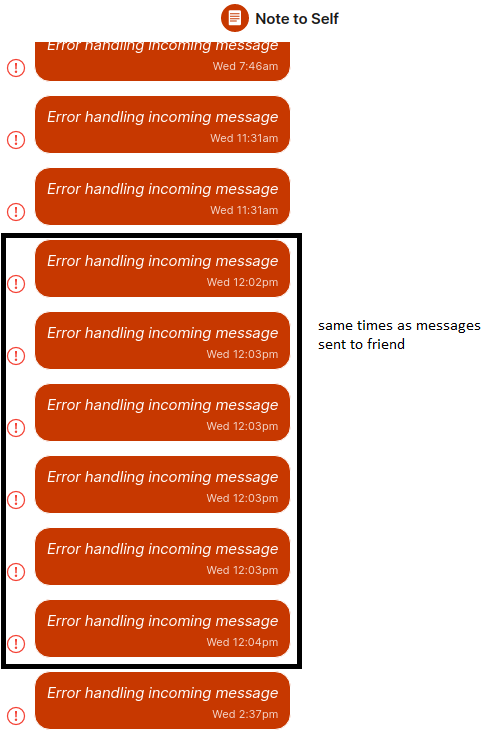
There is a set of Messages I sent to a contact on 25.03., 12:03 which show up on my phone but do not appear in that conversation on my Desktop client. There, I have a set of "Error handling incoming message" messages with the corresponding Date sent entries in my "Note to self" chat - but their "Received" field is shown to be ~16 mins before they were sent...
I'm attaching some images to elucidate:
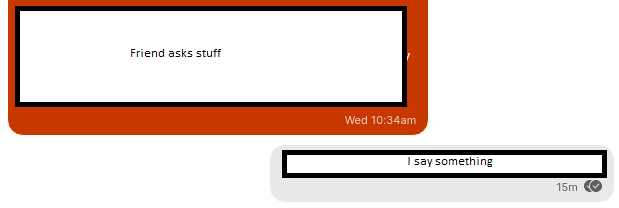
Conversation on my phone, in two parts:
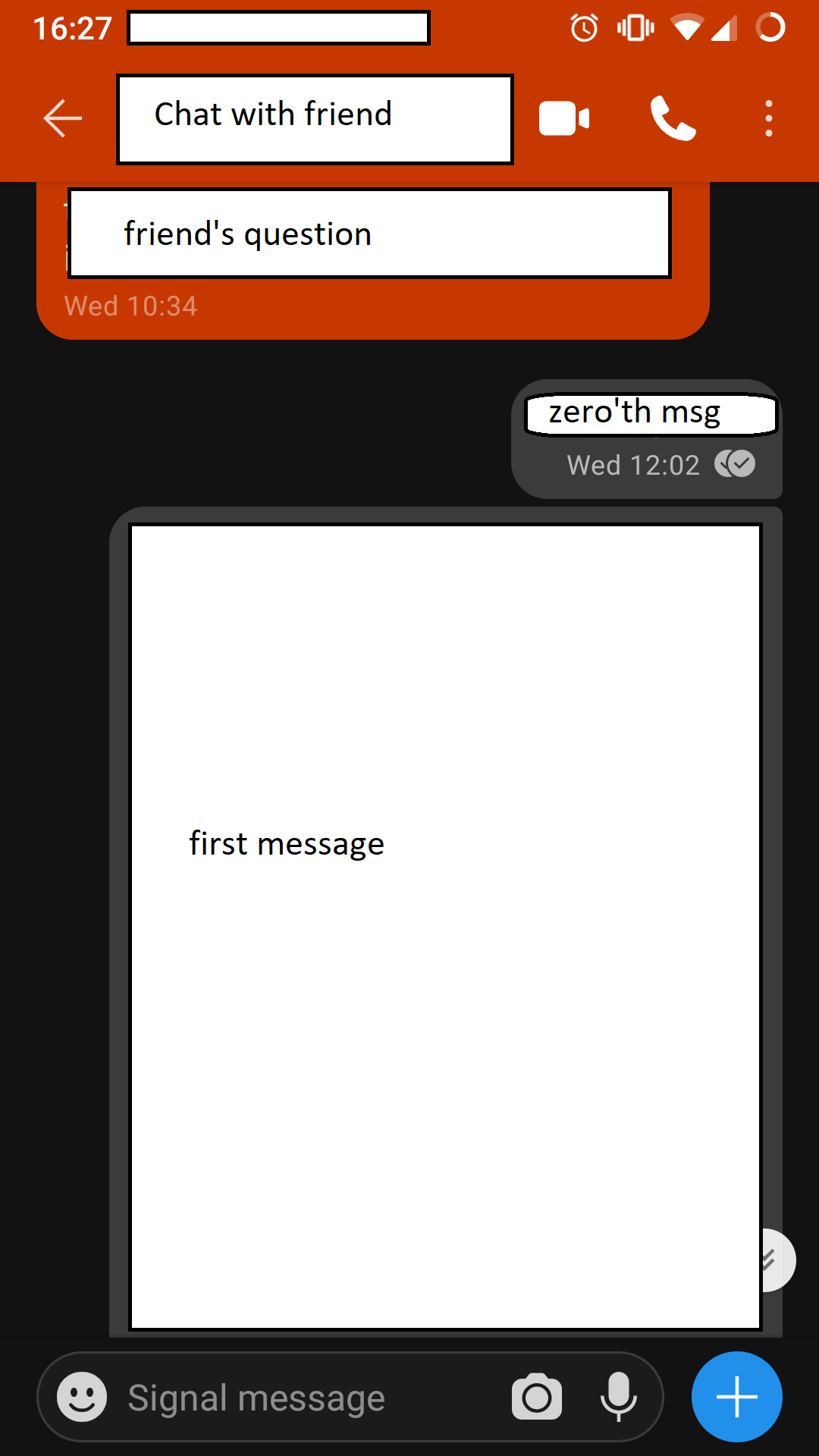
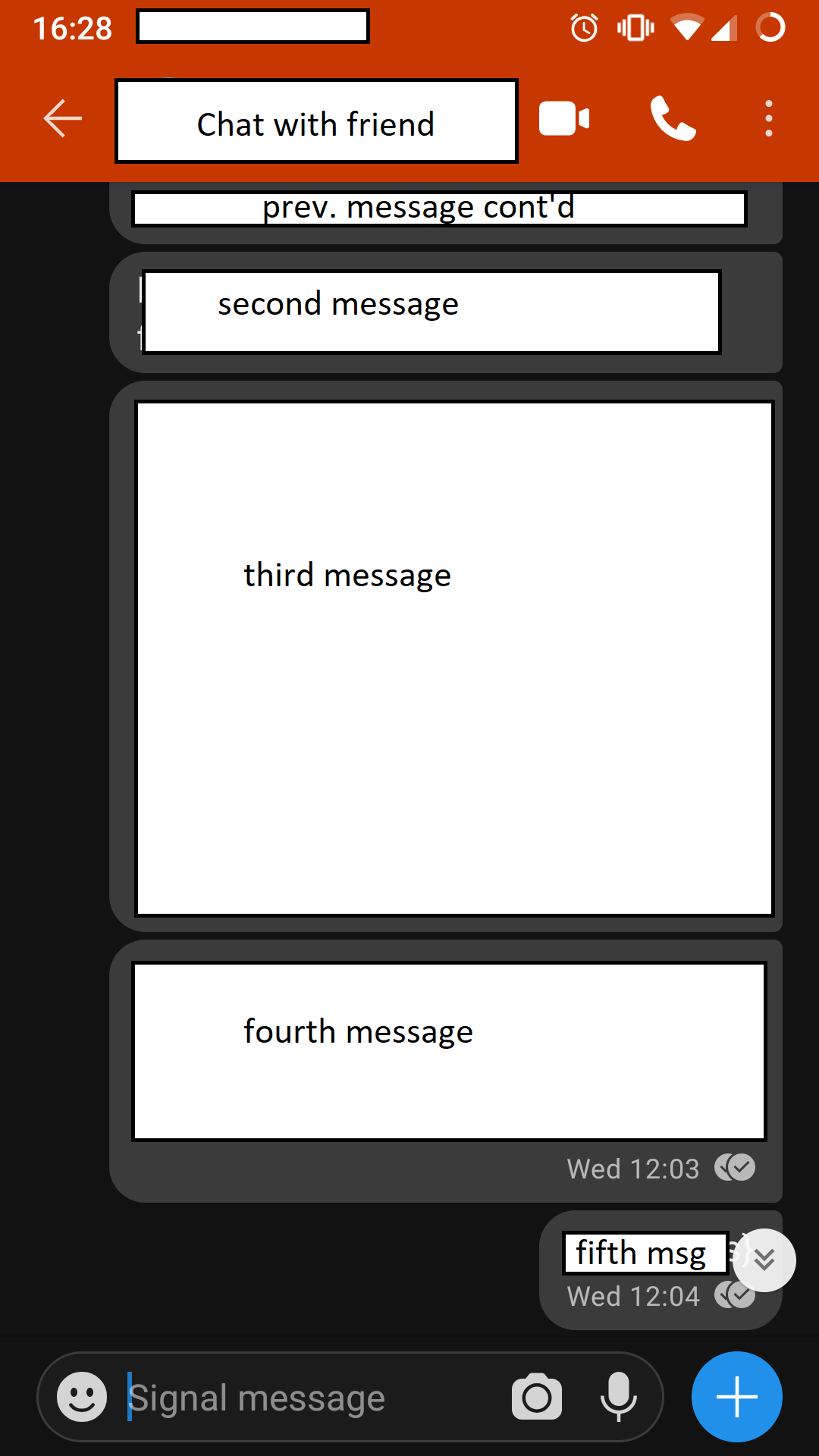
Conversation on my desktop client with missing messages:
Missing messages found in "Note to self":
Details on one of these messages:
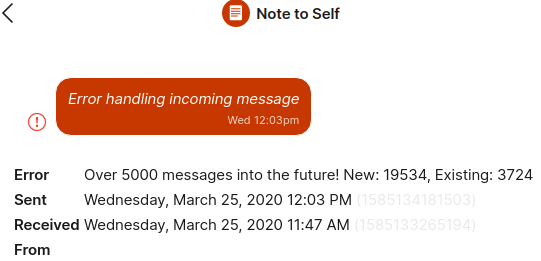
I think all of the bogus messages in my "note to self" may be actually missing messages from other conversations.
LeahLemur
on 26 Mar 2020
Some of the messages I've sent in other conversations do not appear in their respective chats, but instead in the "Note to self" chat
Right. All messages you send to other Signal users are copied to yourself so that your other devices can see them. If your client can't decrypt them, then it doesn't know which conversation to sort them into, so they appear in "Note to Self."
 whitslack
on 26 Mar 2020
whitslack
on 26 Mar 2020
Okay. I'm not sure why, but the issues stopped occurring for me.
@anEXPer here mentioned that their friend had an ancient Signal desktop client somewhere that they hadn't used in forever. I also had a Signal desktop installation on a PC I hadn't used in months, which I started, updated and re-linked after I posted here. Maybe that was in fact causing the issue? :woman_shrugging:
LeahLemur
on 2 Apr 2020
Hi, similar situation. Here is my debug log: https://debuglogs.org/e4d5deab5e0afe51adcf43921397fb768eecf579bb8bdc6d69e1a0001075b070
 joshuaobrien
on 10 Apr 2020
joshuaobrien
on 10 Apr 2020
This is happening to me all the time too now https://debuglogs.org/389be818551255856345226acb6e5df3f59d11b75f246c5582c2beb432cd7ff5
 senlamy
on 14 Apr 2020
senlamy
on 14 Apr 2020
Can somebody at Signal confirm whether or not Signal developers are able to reproduce this bug on their own?
 roycedot
on 28 Apr 2020
roycedot
on 28 Apr 2020
@roycedot We use Signal Desktop heavily, and no, we don't see this error. Do you have a specific set of steps you'd like us to try?
scottnonnenberg-signal
on 29 Apr 2020
@roycedot We use Signal Desktop heavily, and no, we don't see this error. Do you have a specific set of steps you'd like us to try?
I have Signal on my Macbook Pro and iPhone, my wife has it on her Macbook Air and Android phone. We're constantly running into this issue
senlamy
on 29 Apr 2020
@senlamy The more information you can tell us about your situation, the better. When does it work, and when does it not? Do you go without using SIgnal Desktop for a long time, and it happens when you start Desktop up after that long break? Debug logs and those additional details would give us a chance of making progress on this issue.
scottnonnenberg-signal
on 29 Apr 2020
@senlamy The more information you can tell us about your situation, the better.
We use Signal every day, multiple times, it is our main app for messaging with my wife. Sending links, pictures. We run into issues where is sometimes says !restart required! and since we have it on so many devices we might be running different versions all the time. You push new version out every couple days and it is not easy to be on the latest version on all devices at once all the time.
Happy to get a log anytime, where do I send it to and when? When I see the errors?
senlamy
on 30 Apr 2020
@senlamy Yes, as soon as you see an error, please go to View -> Debug Log and grab that URL, post it here. Ideally, a log from the device that sent the message resulting in an error as well. Then provide as much detail as you can remember about the last week or so of usage of those devices - we're looking for the situations which could result in these errors. Thanks!
scottnonnenberg-signal
on 30 Apr 2020
Same problem. Similar circumstance. I have signal desktop open pretty much 24/7 except for reboot/update. Desktop app gets updated pretty much as soon as I catch that there's an update available. Most messages with most people are fine, but occasionally there's an old contact which says something and it just comes in as "Error handling incoming message".
Worth noting... the desktop app picked up the error message... while my phone didn't receive it at all. It doesn't even show up in the Note to Self bucket (by looking for correlated timestamps).
b4n4n4p4nd4
on 30 Apr 2020
@b4n4n4p4nd4 When this happens next, please provide a debug log, and ideally a debug log from the other device involved in the error. We're looking for that transition between working messages between two devices, and failing messages between two devices. That transition into error state is the key thing we need more information about.
scottnonnenberg-signal
on 1 May 2020
FYI - I've found this same thing happens in the following circumstances
- A group message between the person who is generating the
Error handling incoming messageexists with other people - The error only occurs on our 1:1 conversation
- The error occurs specifically from when there are "the other person is typing" bubbles in the aforementioned group message.
Resetting the session works to resolve it temporarily, but it continues to happen, likely because I've only reset the session on the 1:1, not the group exchange.
 wyattearp
on 3 May 2020
wyattearp
on 3 May 2020
@wyattearp You're sure that the error message is 'Over 5000 messages into the future?' Many different specific error messages can be behind that 'Error handling incoming message' text in the message bubble.
Also, please provide debug logs, from both the sender and receiver side, when this happens next.
scottnonnenberg-signal
on 4 May 2020
@scottnonnenberg-signal you're correct - my error is different with a decryptWithSessionList: list is empty, but no errors in array - disregard my details on this.
wyattearp
on 6 May 2020
Happens quite often for me, over many years. Here is a recent debug log. The errors typically say "Bad MAC".
 adrianlshaw
on 15 Jun 2020
adrianlshaw
on 15 Jun 2020
This error totally destroyed my message history and f** up with over 2000 equal error messages within a few hours! So please turn this off, because it's doing totally crazy things and no one of "normal" person would recognized this error is because of too much messages, so why not post the error directly instead of a generic error message?
and there is no possibility to delete the 2000+ error messages at once?
The option "delete messages" or "archive" didn't do anything - I had to do a total reset for ALL messages :/
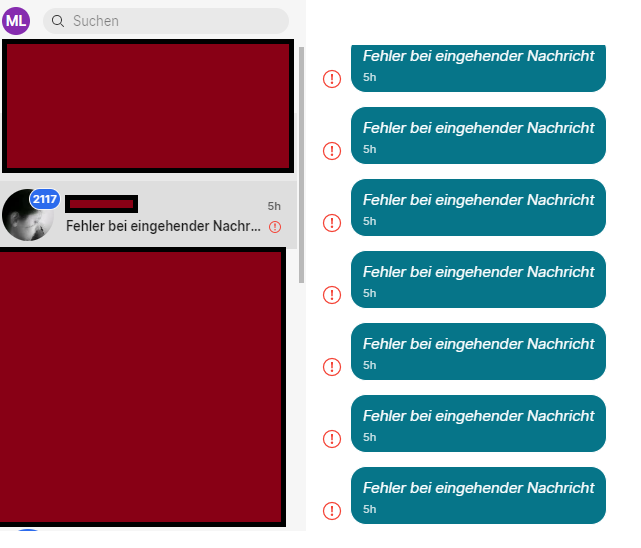
Details:
Fehler Over 5000 messages into the future! New: 6215, Existing: -1
Gesendet Donnerstag, 18. Juni 2020 15:39 (1592487559995)
Empfangen Donnerstag, 18. Juni 2020 17:36 (1592494581557)
Von
OS:
Windows 64
v1.34.2
 madias123
on 18 Jun 2020
madias123
on 18 Jun 2020
...now permanently "bad mac" and signal is spamming error messages again
madias123
on 18 Jun 2020
@madias123 can you please send us your debug logs, you can find them via the menu View -> Debug Logs.
I see you've reset your message history, in the future can you please try and send us debug logs prior to resetting so we can perhaps get a glimpse of how your instance went from a good state to a bad state?
josh-signal
on 19 Jun 2020
Hi folks -- this happened with one conversation the night before last, and five (different) conversations last night. Here are my logs from the last ~7 hours: https://pastebin.com/Ciwh2DQD
I've used signal mobile (ios) for many years, but just got the mac desktop client ~3 days ago. I had it open most of the day yesterday ~& last night~ [Edited -- computer was closed last night, so client was not connected until this morning; messages were there when I first looked at signal after opening]. All of the contacts with whom this happened are people I hadn't messaged with in a while. Prior to dumping the logs, I reset my sessions with these people and sent a few messages to a group chat, so you may see those in there, sorry. LMK if you need any further info.
EDIT: Thanks for all your hard work!
 jackphelps
on 23 Jun 2020
jackphelps
on 23 Jun 2020
Hi @jackphelps,
usually devs request sender ids (it's a partly redacted phone number like +[REDACTED]321) and also need timestamps for problematic messages.
You can get timestamps in Desktop client. Hover on the message, use the 3dot (...) option, choose "More info" and copy "Sent" and "Received" timestamps (they're like 1592895343716). These help devs to identify and track problematic messages' debug history.
 kaktusztea
on 23 Jun 2020
kaktusztea
on 23 Jun 2020
Here are a few such messages (since there are lots):
From one conversation (tel ends in 538), the first one:
Error | Missing Signed PreKey for PreKeyWhisperMessage
-- | --
Sent | Monday, June 22, 2020 6:51 PM (1592866312733)
Received | Monday, June 22, 2020 7:13 PM (1592867582405)
and the last one:
Error | Missing Signed PreKey for PreKeyWhisperMessage
-- | --
Sent | Monday, June 22, 2020 9:23 PM (1592875387391)
Received | Monday, June 22, 2020 9:23 PM (1592875388081)
From another conversation (tel ends in 319), the first one:
Error | Missing Signed PreKey for PreKeyWhisperMessage
-- | --
Sent | Monday, June 22, 2020 6:51 PM (1592866311259)
Received | Monday, June 22, 2020 7:13 PM (1592867582293)
and the last one:
Error | Missing Signed PreKey for PreKeyWhisperMessage
-- | --
Sent | Monday, June 22, 2020 9:23 PM (1592875384397)
Received | Monday, June 22, 2020 9:23 PM (1592875385033)
EDIT: Updated to add last three of sender ID
jackphelps
on 23 Jun 2020
Also, I'm an idiot/lied -- my computer was closed last night, so I did not in fact have the client open all night. Messages were there as soon as I looked at signal after opening my computer. Sorry -- need more coffee. Updated the first comment to reflect this.
jackphelps
on 23 Jun 2020
I am having this issue with two contacts that use signal but not all of them. I can no longer get messages on desktop. https://debuglogs.org/f688938350ba052dc902d7efc7e0585242da03f56a4cd6c748ec1974349b0ad1
 brimwats
on 28 Jul 2020
brimwats
on 28 Jul 2020
@brimwats What can you tell us about your previous interactions with these contacts? Is there any action you can connect this behavior to? For example, did you have desktop offline for a while, and then when you started it back up you saw this? FYI, I only see the 'Over 5000 messages into the future' error for one contact in your log. I see no successful messages from that contact in your log, so we have no evidence for 'good -> bad transition' theories.
To fix this issue with those contacts, you can click 'Reset session' in the top right menu for that conversation.
scottnonnenberg-signal
on 28 Jul 2020
Today I experienced a flood of these errors on the Mac app. The errors appeared in my 1:1 chats with several individuals, but they are all part of a group chat and none had been talking to me 1:1. The group chat is missing quite a few recent messages. It seems likely the group thread tried to sync to the desktop app and something went wrong, then an error was generated for every individual group message and each error was put into the 1:1 thread for each sender.
Here is an example message that was part of the group chat, failed to sync into that group chat, and then appeared in the 1:1 thread with that individual:
Error | Bad MAC
Sent | Tuesday, July 28, 2020 2:39 PM (1595965190473)
Received | Tuesday, July 28, 2020 5:56 PM (1595976993192)

Number ends in 231.
I've submitted a debug log here: https://debuglogs.org/1b3865a0f1902a3f2cda553ca0da6779a39cdce7028742d774aebd93a6afb3b8
 putnam
on 29 Jul 2020
putnam
on 29 Jul 2020
Still happens more often than not, with my sporadic usage of Signal Desktop but everyday usage of Signal for Android. Main reason I wouldn't easily recommend Signal for general usage right now, this has been happening for a while...
 insideClaw
on 16 Aug 2020
insideClaw
on 16 Aug 2020
@insideClaw If you provide a debug log, we can do our best to make progress on the issues you're running into.
scottnonnenberg-signal
on 24 Aug 2020
Just a heads up, this just happened to me as well. My android client has the right messages but my linux Desktop client has the 'bugged out' messages. Also from an iOS sender. Not sure the cause but I'll try to get a debug log at some point
 errantmind
on 27 Aug 2020
errantmind
on 27 Aug 2020
It happened again -- but, there is a new behavior in here. Machine was shut off for 2 weeks. I boot, open Signal, and have over 1k messages unread.
The standard behavior is there -- high volume 1:1 conversations are showing up with multiple error messages. However, I belong to a group where I don't have all of the contacts in my address book. The group wasn't very busy over the 2 week period. Yet, I have hundreds of new errors -- "Message request" -- from members of the group. Members of the group who are synced contacts show up with the standard "Error handling incoming message". See the boxes highlighted in red below.

https://debuglogs.org/d50aa051280062922737ff261cbe50ebf7d64b777c860420111f904391cfa6bd
alphastanley
on 14 Sep 2020
@alphastanley I'm sorry this happened to you. The reason you see 1:1 conversations from those group members is: when a message can't be decrypted we don't know what group that message was sent to, so we create a 1:1 conversation with that person.
Now, as for your errors with those people. What can you tell us about the devices which sent those messages, and your prior communication with them? Was this desktop in regular contact with those people before that two-week period of being offline?
scottnonnenberg-signal
on 18 Sep 2020
I received the Error Handling Message error from people who I talk with
frequently -- some of them many messages per day, some from time to time,
some rarely. The Message Request only comes from I have not had direct
communication with, but have communicated with by virtue of being in the
same Signal group(s).
This desktop was not in regular contact. It was completely offline and did
not sync until I booted on Monday. The desktop device is a Mac running
Catalina and the most recent version of the Signal client. The mobile
device is an Android device running the most recent version of the client.
Before I shut down the machine, I used the Mac desktop client daily. I
exchanged at least 1k messages in the two weeks I was mobile only.
On Thu, Sep 17, 2020 at 8:02 PM Scott Nonnenberg notifications@github.com
wrote:
@alphastanley https://github.com/alphastanley I'm sorry this happened
to you. The reason you see 1:1 conversations from those group members is:
when a message can't be decrypted we don't know what group that message was
sent to, so we create a 1:1 conversation with that person.Now, as for your errors with those people. What can you tell us about the
devices which sent those messages, and your prior communication with them?
Was this desktop in regular contact with those people before that two-week
period of being offline?—
You are receiving this because you were mentioned.
Reply to this email directly, view it on GitHub
https://github.com/signalapp/Signal-Desktop/issues/3098#issuecomment-694563990,
or unsubscribe
https://github.com/notifications/unsubscribe-auth/AGEYHF5KFJN7TUJCG3KCVVDSGKPPTANCNFSM4GTVWRNA
.
alphastanley
on 18 Sep 2020
@alphastanley Thanks for the additional detail.
Just for future reference you actually didn't run into the 'Over 5000 messages' error - you ran into 'Missing Signed PreKey'. It would help if you entered a new bug next time instead of this one, since the error is indeed different. Thanks!
scottnonnenberg-signal
on 18 Sep 2020
Hello,
I just encountered the same error messages.
Debug log:
https://debuglogs.org/95c75db63010e43df6ab38389daa0e9c2f4b2f4bc11ac92f394854e9e012b2b1
I primarily use signal on android for calls and to some extend, chat, and in-frequently use the desktop app on Fedora Workstation 32, for chat, but the desktop app is usually running for approx. the same time as the system uptime.
I have encountered the issue multiple times and a common denominator for me have been "restart of signal-desktop", usually during reboot of my computer.
It _seems_ the issue affects all communication that has happened during the previous app-launch cycle.
I reboot my computer approx every 2-5 weeks
"reset session" is the workaround atm.
/Heðin
 Ejdesgaard
on 19 Sep 2020
Ejdesgaard
on 19 Sep 2020
Happened once again. It's practically a guarantee if I don't use Signal Desktop for a while. Not too keen on attaching my chat logs, but I can see there are some above and it's a fairly widespread issue that's not hard to reproduce, even if it takes keeping Signal Desktop until a version or two is released.
insideClaw
on 22 Sep 2020
@insideClaw you don't have to attach your chat logs, but your debug logs will be useful in trying to identify the issue you're experiencing.
josh-signal
on 24 Sep 2020
If needed, here are more datapoints. Client which experienced errors: Linux x86_64, associated mobile client runs Android 11. User which sent message and appeared with Error handling incoming message ran iOS. Similar to what @insideClaw and others have mentioned, these errors appear only if I don't start after an extended period of time (e.g., two weeks in my scenario). I text this user "frequently" i.e. ~100s of messages/day. Mobile client functioning "normally". Sender's client, no errors.
Receiver Logs: https://debuglogs.org/49b9b6081e9bdc02dcdadbb635c3f8b3ce87ab0780f1e31c60356d27ce03b3b2
 jdnlab
on 27 Sep 2020
jdnlab
on 27 Sep 2020
@scottnonnenberg-signal same here I see some prekey & bad mac errors on the log: https://debuglogs.org/9dd84a712cfd734a9473153a7d2a02c2136556c085cc0d6f0d8e998f069294ad
All related to a group chat.
 vladox
on 28 Sep 2020
vladox
on 28 Sep 2020
Experiencing the same issue. I use Signal on Android, 2 different Linux machines and a Mac. The reset option isn't viable for me because I keep retriggering the behavior when I open one of these devices after it's been unused for a couple days. All errors come into the "Note to Self" conversation, which I used to use but obviously cannot now.
 adsteel
on 30 Sep 2020
adsteel
on 30 Sep 2020
@adsteel It'd be great to see your debug logs, which you can get via View, Debug Log.
 EvanHahn-Signal
on 1 Oct 2020
EvanHahn-Signal
on 1 Oct 2020
I have the same issue too. I installed Signal yesterday, and today when I opened Signal on my Mac Laptop I saw my new messages are like "Error handling incoming message".
I only chat with one person and messages were under 20
_My Signal version on Mac: 1.36.3 on my android: 4.71.5 and my friend installed the latest one from the Apple store on his iPhone._
It is interesting that it's more than a year that this issue has not been solved.
 abolfazli
on 4 Oct 2020
abolfazli
on 4 Oct 2020
@abolfazli Please provide your debug logs when reporting issues. You can upload your debug log by going to View -> Debug Log
scottnonnenberg-signal
on 5 Oct 2020
I'm have the same issue as well: Over 5000 messages into the future! New: 6263, Existing: -1
Debug log: https://gist.github.com/wmayner/a79df75c92b1b0dd8e1a7e767d70dde1
 wmayner
on 9 Oct 2020
wmayner
on 9 Oct 2020
Debug log:
https://debuglogs.org/ab15099e4697a820041e56f50648ddae3496883c196087ed70651cbcbcee2939
I don't have this "5000 messages into the future" message. Using OS X version of the Desktop app, 1.36.3
 mikedotexe
on 11 Oct 2020
mikedotexe
on 11 Oct 2020
Another debug log: https://debuglogs.org/5ce0305bd692fe19fd466a773ad53859d6d2cec93fafe62e6508987fb395492c
 alpha-tango-kilo
on 15 Oct 2020
alpha-tango-kilo
on 15 Oct 2020
not that many messages, but I have also the problem of "error handling incoming messages" with the client installed on linux and android. My friends also on android:
https://debuglogs.org/5d81ba4fd2a13a24540a435067fd3493f0cc908c286121631c6025884d474d52
 fabian727
on 20 Oct 2020
fabian727
on 20 Oct 2020
Just tuning in to mention that the workaround provided in the brother topic to this issue of resetting session is working very nicely for me! Even persisted through one update.
insideClaw
on 21 Oct 2020
The problem persists. I have not used Signal on Windows 10 for a week, then opened it, and it threw this error: ‘Error | Over 5000 messages into the future! New: 8212, Existing: 1’. Then, Signal indicated that an update was available, and I updated to 1.37.3. However, after the update, it still did not work, and was still displaying the same error. Debug log:
https://debuglogs.org/d9e7ec2c396a31488beeaf9c0c0bb0e641eff53f9c9a44af480a8b14d14860a3
I tried resetting the session, but to no avail. As if it gave up on trying to re-read the botched messages. I did a complete and clean reinstall with re-linking once after such an error, and lost the conversation history on this device (a couple of months ago), so this is the second time I am having such troubles.
 Fifis
on 12 Nov 2020
Fifis
on 12 Nov 2020
I deleted the desktop app a while ago because of this issue but wanted to give it another try. Worked nice for a few weeks. Until today...
Setup: Android (Pixel 5, v4.76.3) and Fedora Destop (v1.38.1)
Desktop is in sleep mode every night, and not rebooted very often.
I wanted to write a message on desktop to a group chat, but when sending it the app crashed.
After restart not only the just wrote message is missing (according to the Android app it wasn't sent), but also ALL messages from the last 2 weeks are missing. Also, on 2 private chats (I didn't write with more contatcs recently) and "Note to Self" I see the "Error handling incoming message" error, with a 3h old timestamp. At that time the desktop was still sleeping. But there was a message in said group chat (I saw it in the Android App already) at that time (roughly at least). Interestingly I don't have that error in the group chat.
Note: I have some mobile connection issues since yesterday, in case it might be related.
Also, the Android logs were created after clear data & resync of the desktop app.
desktop logs (after restart only it seems): https://debuglogs.org/3932be6fe1092b245166bce704adb65f827906e455cef3a7188c7735340ca870
android logs: https://debuglogs.org/0797d72c26587a42839a63d2a432009c65b8b510ff2bf9347d3fd97b32d03418
 slintes
on 18 Nov 2020
slintes
on 18 Nov 2020
@slintes Unfortunately your log has only a few Bad MAC errors in it, and is very short. Can you tell us any more about the crash that happened? Do you remember any specifics of that error?
scottnonnenberg-signal
on 3 Dec 2020
this also happens on complete fresh setups. just signed up a few minutes ago, downloaded the desktop app, linked them and am greeted with this errors:
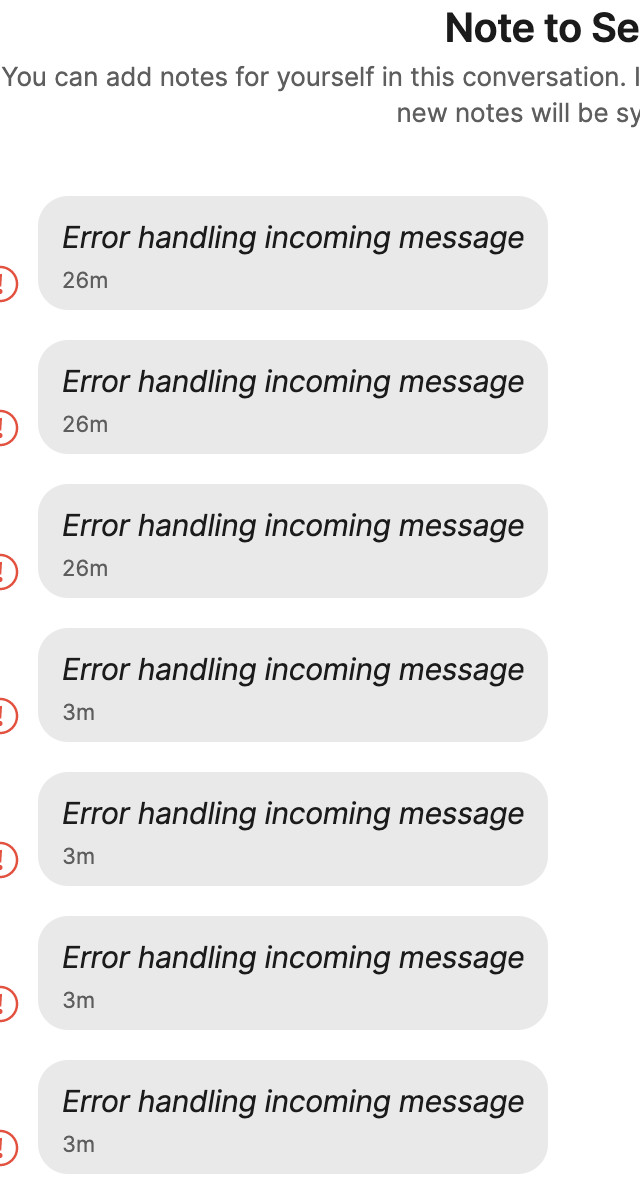
 core-code
on 10 Jan 2021
core-code
on 10 Jan 2021
this also happens on complete fresh setups. just signed up a few minutes ago, downloaded the desktop app, linked them and am greeted with this errors:
@scottnonnenberg-signal I have the same issue like @core-code.
- I get the messages from other people in the chat. But the Error occur when the Mac Desktop client tries to sync my own message into the chat.
- The error does not occur on the iOS app. But there are also not my own messages, i’ve sent from the Mac Desktop Client.
- I’ve created the Signal Account yesterday on my iOS device.
- I have never installed Signal before on neither devices.
Reproduce:
- Complete fresh install of the iOS App and then the Mac App.
- Then linked it via desktop client with QR-Code Scan via iOS App.
- When i’ve sent a message on iOS, the error occurs in the Mac Desktop client.
iOS Version:
14.3
iPhone X
Signal iOS Version:
5.0.3.0
Mac OS Version:
10.15.7
macbook pro 13" 2018
Signal mac OS Version:
v1.39.4
Region (maybe something with servers?):
Austria
 Maybach91
on 11 Jan 2021
Maybach91
on 11 Jan 2021
@Maybach91: you should include debug log from your desktop client otherwise developers can not find the root cause of the problem.
View -> Debug log -> Submit
Then copy and paste here the debug log URL.
kaktusztea
on 11 Jan 2021
i got a debug log
debuglog.txt
core-code
on 12 Jan 2021
Getting error on macOS - https://debuglogs.org/c6735562a9b341c49ccd3b63cfd163257e13ca538b44bf9a3a4c640e6a4c47de
 sidhantpanda
on 12 Jan 2021
sidhantpanda
on 12 Jan 2021
Same problem w/ the desktop app on macOS.
 ruschein
on 14 Jan 2021
ruschein
on 14 Jan 2021
I am not even actively using anything but the phone app right now, but it's crazy this has not been fixed for 2 years. This being a common problem, which leads to cross-platform compatibility not being up to the level users expect these days, is seriously the main reason I can't wholeheartedly recommend using Signal over other seamlessly integrating between platform messengers to friends.
insideClaw
on 15 Jan 2021
Apparently there's no one left who understands the low-level nuts and bolts of the Signal platform, just a bunch of UI/UX folks who can add new porcelain but can't really fix the plumbing. Sad.
whitslack
on 15 Jan 2021
Unlinking the device from my phone and re-linking helped fixed the issue. However, note that the desktop app will then sync afresh and only show newer messages shared after re-linking. Signal does it for security reasons.
@whitslack Come on, let's not get negative. There could be a lot of other things they could be adding/fixing/improving affecting more people. If enough people comment here, it might get prioritised.
sidhantpanda
on 15 Jan 2021
So this must be affecting a lot of people since everyone I know is seeing this problem.
 ruipacheco
on 16 Jan 2021
ruipacheco
on 16 Jan 2021
I am having the same problem for years, a major problem why friends are quitting Signal.
I think that those are group messages (including technical messages like read status) that are not correctly assigned to a group and as result appear as unencryptable personal messages.
 erlenmayr
on 17 Jan 2021
erlenmayr
on 17 Jan 2021
Is there someone who can be tagged in order to finally prioritize this much higher?
Also I'd like to remind everyone that there is a working containment measure for this issue - click "Reset secure session" in any one chat, on the host with the issue.
Heck, even just putting this step in the error message, while it's being fixed, would go a long way towards not alienating users.
insideClaw
on 17 Jan 2021
This announcement seems to be related.
https://twitter.com/signalapp/status/1350631020756828160
erlenmayr
on 17 Jan 2021
Same problem here on Windows 10.
Reset, archive and delete chat from desktop client on my side didn't work, I asked my friend to do the same on his side and now looks like it's fixed.
Let me add that this bug is potentially DANGEROUS because I had first-hand reports of people who installed signal after it was introduced as a whatsapp replacement in their corporate environment, which chose Signal as default SMS client, and when they were affected by this bug Signal tried to send thousands of text messages from his mobile provider, resulting in a 4-digit bill which is still disputed.
If someone of the core development team is listening, please consider that this is a high-impact issue to be carefully handled, even if apparently this issue was reported almost two years ago and it's still occurring. At least disable the SMS sending functions at the first occurrence of the error.
 cgubi
on 18 Jan 2021
cgubi
on 18 Jan 2021
This is marked "Needs Information" - what else would the devs need? Honest question.
ruipacheco
on 21 Jan 2021
New to Signal, same issue here. On Desktop "Note to Self" keep showing the message "Error handling incoming message". So far about 30-40 of them in 1-2 weeks on Windows 10.
 Ludomancer
on 21 Jan 2021
Ludomancer
on 21 Jan 2021
New to Signal. Here to report the same issue..
 why-not
on 21 Jan 2021
why-not
on 21 Jan 2021
New to Signal too. Experienced the same issue on the desktop (linux)
 mamaque
on 22 Jan 2021
mamaque
on 22 Jan 2021
Same here https://debuglogs.org/9649d0c4e05483080d9e004e3e2f51423accd11deb5f2b8fdf6b148d8555b3b9
More Info shows "Error | Bad MAC". Just had it happen again after I got a "{user} uses signal!" notification on mobile, and linux desktop app gave the error again in "Note to self" conversation.
 adrianrudnik
on 22 Jan 2021
adrianrudnik
on 22 Jan 2021
New Signal User (just a week or two since I signed up) getting this in my "Note to Self". My Android and iPad both fine but my Linux desktop app shows the "Error handling incoming message" over and over.
Linux Desktop App: https://debuglogs.org/534afe830d2aeb0087b775b421a29d313150961e1b32081cb64360239257edb3
Android phone (primary device): https://debuglogs.org/75ad2b0a5e9469a46c28225c888aafe5cdfa5e0dc8b29f46844884758552e7f0
iPad: iPad https://debuglogs.org/2b548842bead8d931b58da2e88e479809b637536f0029be69f5a7b361f6694ba.zip
Edit 2020-02-02: Uploaded logs from my Android phone and iPad. When using Signal to send a "Note to Self", the Android was able to submit them fine _but when I sent one from the iPad, the desktop app threw "Error handling incoming message" whereas the Android was able to read them fine_. This is the same experience that @adrianrudnik experiences
 pnlrogue1
on 28 Jan 2021
pnlrogue1
on 28 Jan 2021
Hi @pnlrogue1,
it would be useful if you could attach debug log from your Android device as well - you can edit your original post and add there.
kaktusztea
on 28 Jan 2021
@pnlrogue1 All of your errors are from a Device 3, not your primary device which is always 1:
ERROR 2021-01-25T09:31:25.680Z queueEnvelope error handling envelope [REDACTED]b53.3 1611513975858
What can you say about your other desktop (or iPad) devices?
scottnonnenberg-signal
on 29 Jan 2021
@adrianrudnik The same thing for you - the errors are from your device 3:
ERROR 2021-01-22T19:32:24.097Z queueEnvelope error handling envelope [REDACTED]1ac.3 1611298036479
@adrianrudnik The same thing for you - the errors are from your device 3:
ERROR 2021-01-22T19:32:24.097Z queueEnvelope error handling envelope [REDACTED]1ac.3 1611298036479
How to see what device 3 is? I think I linked my Android first, iPad second and linux desktop last. The "bad mac" message is also only visible on the linux app, I have no "note to self" channel visible on the two mobile devices. Anything to monitor/test to advance a fix?
adrianrudnik
on 29 Jan 2021
@adrianrudnik I'd recommend that you open each of your devices, and search for the Note to Self conversation on each. Then send a message with 'test' from each, and that would tell you which devices are having trouble.
scottnonnenberg-signal
on 29 Jan 2021
@scottnonnenberg-signal Thanks, I've tried to get more logs about this error.
I've sent a message into the "note to self" channel:
- From iPad: Linux app shows "Error handling incoming message", Android shows message.
- From Android: Linux shows message, iPad shows message.
- From Linux: Android shows message, iPad shows message.
Debug logs of all three devices:
iPad: https://debuglogs.org/6493e61ebc31000c1b19e3f9ecebc237fe173fe88a9ee88e899d8b5bee067732.zip
Android: https://debuglogs.org/77aa7f88efc08c88c1b922f4a1d3c32eb1e02f13f2d1a4590f79ca4209ec56c7
Linux: https://debuglogs.org/535e65155fd68a75821f12b664871f10010cf75395cc0dfcf160b1a45ef7212e
Not sure why a message from iPad is not receivable on the linux app. Might try recoupling that app later.
adrianrudnik
on 29 Jan 2021
This happened to me as well and I have some details that weren't covered by others.
- There are thousand (6k I think) of messages
- I don't have direct conversation with the other guy (as far as i remember)
- But we are in the same group with active conversation
- I didn't find this issue before doing any action - so I probably did some dumb thing
- I think I clicked the "reset session" button - didn't work. nothing seems to have changed
- I clicked "delete conversation" (or some similar wording)
- Then a dialog opens and said it's deleting (or some similar wording)
- Then the app hangs
- I quit the app (command-q)
- I reopened the app
- It stucked at "Loading..." screen
- The app title shows "Signal (4517)" where I believed the number means unread message
Not sure if related - It could be because I am using an old phone (iPhone SE)
-> I opened my iOS app and just put it in the home screen.
-> It just killed itself after 2 or 3 minutes.
-> phone get quite hot and very huge battery consumptionI unlinked all devices from my app
- I sent some messages to other person - it takes at least 10 seconds to get a one-tick.
- After a few minutes, it's still hot and draining battery, even I have charger connected. I turned off the phone to cool it down
- Restarted. Still in bad state - hot, huge batter consumption, can't properly send and receive message (stayed at one-tick)
So finally, I deleted the app and re-register. Everything is back to normal with a cost of losing all history
This sounds like a very serious bug to me. I hope the teams please prioritize the issue
Platform: Mac & iOS 14
Update
After a few hours of the 1st error happening, it turned out that that other guy was having network issue - he failed to send message to the group.
Then I believe all the error went to the direct message
 cklll
on 31 Jan 2021
cklll
on 31 Jan 2021
I am having the same problem
I am connected with an Android app, windows PC and linux machine.
On Android and Windows everything works great.
But on linux I can see old messages but any new messages I am getting this error.
Ubuntu 20.04
Signal v1.39.6
It start to happend after a week I didn't use the linux versino Signal
Here are the debug logs:
https://debuglogs.org/3ffe55d89f0b751f0a1832b269d75085c9c9d4ea1d014f119544de98c3c73215
 genius8901
on 1 Feb 2021
genius8901
on 1 Feb 2021
I've also just started using Signal in the past few months, and I'm seeing the same issue too. Same symptoms as others who have posted there. I'm using Macos 11.2.1
 eugeneware
on 20 Feb 2021
eugeneware
on 20 Feb 2021
i get this too
 gringorichards
on 20 Feb 2021
gringorichards
on 20 Feb 2021
Another one here with the same issue. I'm on Windows 10 latest version fully up to date and the Signal version is 1.40.0.
I don't usually have Signal running on my Windows PC. I normally just start it once in a while when I'm about to write a message to someone to make it a bit quicker than it would be typing on the mobile. So as others said, this seems to happen when you launch Signal Desktop and have been using the mobile app in between.
 WebMaximus
on 21 Feb 2021
WebMaximus
on 21 Feb 2021
Hi @eugeneware, @gringorichards , @WebMaximus,
you could help developers better is you'd attach some debug logs right after the issue. From the device it happened and all other linked devices as well.
Also the contact's redacted phone number with whom the issue happened. Like xxx123 (last 3 digits).
Thanks!
kaktusztea
on 21 Feb 2021
Will keep that in mind next time I see the issue.
-------- Originalmeddelande --------Från: kaktusztea notifications@github.com Datum: 2021-02-21 21:33 (GMT+01:00) Till: signalapp/Signal-Desktop Signal-Desktop@noreply.github.com Kopia: WebMaximus richard@asberg.com, Mention mention@noreply.github.com Ämne: Re: [signalapp/Signal-Desktop] Error Handling incoming message - over 2000 messages into the future (#3098)
Hi @eugeneware, @gringorichards , @WebMaximus,
you could help developers better is you'd attach some debug logs right after the issue. From the device it happened and all other linked devices as well.
Also the contact's redacted phone number who with the issue happened. Like xxx123 (last 3 digits).
Thanks!
—You are receiving this because you were mentioned.Reply to this email directly, view it on GitHub, or unsubscribe.
WebMaximus
on 21 Feb 2021
Just to close the loop in my case - I removed all my devices from Signal except my mobile phone (my primary device). I then re-added them and now I don't get errors anymore
I did notice that my phone and my iPad were both able to save notes but my Linux desktop wasn't but decided to remove both linked devices instead of just the Linux machine.
pnlrogue1
on 24 Feb 2021
On my Mac app, this only occurred in one of my contacts, what I did to solve this issue is to Reset session in the contact top right arrow menu.
 chengsam
on 5 Mar 2021
chengsam
on 5 Mar 2021
Related issues
 PanderMusubi
·
3Comments
PanderMusubi
·
3Comments
 lokesh-krishna
·
3Comments
lokesh-krishna
·
3Comments
 mawed
·
3Comments
mawed
·
3Comments
 jeremymasters
·
3Comments
jeremymasters
·
3Comments
 TarkanY
·
3Comments
TarkanY
·
3Comments
Most helpful comment
this also happens on complete fresh setups. just signed up a few minutes ago, downloaded the desktop app, linked them and am greeted with this errors: