Signal-desktop: [Windows] Signal Desktop (Electron) fails to connect through proxy
After signal prompted me to update to new signal desktop from the Chrome plugin, the new signal desktop app will not connect at all. There is a yellow box with "Disconnected" on the upper left corner.
Here is the debug log: https://gist.github.com/anonymous/3ab3f0278b98facf6b8f8c0937d6bfeb
Using Windows 10.
 Hyvok
Hyvok
All 31 comments
It looks like you're behind some sort of proxy which is causing problems with our secure communication. What do you know about it?
 scottnonnenberg-signal
on 16 Mar 2018
scottnonnenberg-signal
on 16 Mar 2018
You are correct, this is in a network with with a proxy configured. I don't know more about the proxy other than that is configured via a proxy setup script. Seems to generally work without any problems or additional needed configuration on most softwares, including the Chrome plugin Signal. Can I provide some additional/more specific information of the proxy?
Hyvok
on 16 Mar 2018
We currently have beta support for configuring the app for a proxy. Could you try the following workaround and let us know if that works for you? https://github.com/signalapp/Signal-Desktop/issues/2036#issuecomment-370865593
/cc @scottnonnenberg
 gasi-signal
on 16 Mar 2018
gasi-signal
on 16 Mar 2018
I am not easily able to test this. The (windows) proxy is configured via a proxy script which seems to have close to a thousand lines of stuff in it which will not be easy to decypher which server do I need. I would also assume the IPs/servers might rotate.
Hyvok
on 19 Mar 2018
@Hyvok Is your proxy script a PAC file? If so, we should support this: https://github.com/signalapp/Signal-Desktop/issues/1632#issuecomment-351545502 If not, we’d appreciate more information on your setup so we can improve our proxy support in the future.
gasi-signal
on 19 Mar 2018
Yes the script is a PAC-file, if that is supported then I will try it out and report.
Hyvok
on 19 Mar 2018
I tried downloading the pac file and pointing the HTTPS_PROXY env variable to that and also tried setting the HTTPS_PROXY variable to directly to the url from which the pac file is downloaded but neither seems to work.
Hyvok
on 26 Mar 2018
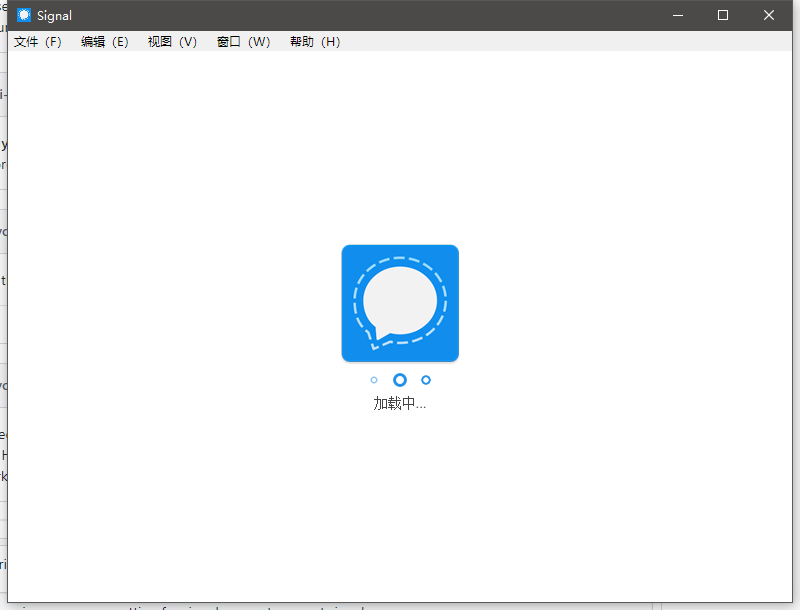
Please improve proxy setting for signal, can not connect signal server
 cnmade
on 26 Mar 2018
cnmade
on 26 Mar 2018
Hi guys,
coming from the Signal Community discussion here it seems I do have the exact same problem.
My company also restricts Internet access via a proxy. I also downloaded the PAC file which I got from the IE settings. I used the proxy.mycompany.local:8080 and set up
setx HTTP_PROXY "proxy.mycompany.local:8080"
setx HTTPS_PROXY "proxy.mycompany.local:8080"
setx WSS_PROXY "proxy.mycompany.local:8080"
setx ALL_PROXY "proxy.mycompany.local:8080"
When starting Signal Desktop it tells me:
{"name":"log","hostname":"blablabla","pid":8100,"level":30,"msg":"using proxy url proxy.mycompany.local","time":"2018-03-26T14:00:14.025Z","v":0}
Also checked if traffic is man-in-the-middled like described here but that seems not to be the case (I get an certificate error in Firefox).
How can we proceed to figure this out?
 ghost
on 26 Mar 2018
ghost
on 26 Mar 2018
@CarlFromVienna The next step is to provide the log from your Signal Desktop instance having trouble connecting. We need the specific errors from when we attempt to use your proxy settings to connect.
@Hyvok and @netroby the same applies to you. Thank you for letting us know that it's not working, but we need additional detail to help us figure out exactly why it's not working. Thanks!
scottnonnenberg-signal
on 26 Mar 2018
@scottnonnenberg-signal here you go:
There is one more twist: When setting the environmental variables to point to a proxy server directly (see my post above) Signal Desktop doesn't even load the user interface. So I pointed the variables to http://...file.pac Signal then at least loads the UI. To submit the log I had to switch to a not-proxied network, though.
ghost
on 27 Mar 2018
@CarlFromVienna Based on a cursory scan of your log, it looks like your proxy is rejecting the requests we're attempting to make. Maybe it requires some sort of login/password? Either way, we need better reporting of network/proxy errors in the app to make heads or tails of the situation, so thank you for alerting us to that.
Can you provide a little bit more detail about what happens when it doesn't 'load the user interface?' What exactly do you see?
scottnonnenberg-signal
on 27 Mar 2018
@scottnonnenberg-signal When not loading the UI all it does is showing "Loading o o o" and that's it (no contact list, no chats).
- If it helps I can create a log for both situations so maybe by comparing them you might understand what's happening.
- To make the comparison easier: is there a way to clean the log between both attempts? Where is the log file actually stored? Maybe I could just delete it between both attempts.
- Also, any OS logs that I can provide?
Best,
Carl
ghost
on 28 Mar 2018
I had some issues getting the proxy configuration right on Windows so maybe that is an issue for you. What I did:
- Go into windows Settings
2, Search for "Edit environment variables" (for your account) - Add a variable named "https_proxy" (using HTTPS_PROXY should also work but I was lazy...)
- In the value field enter the proxy information, in my case I can either point at one of our proxies directly or at an autoconfig file
a) Direct proxy url:
http://<ip address or fqdn>:8080
b) autoconfig url copied from the Internet Options control panel and added the "pac+" part:
pac+http://xxx.yyy.zzz - Press OK
- (Re)Start Signal
HTH!
/Johan
 jnasm
on 28 Mar 2018
jnasm
on 28 Mar 2018
@CarlFromVienna Yes, logs for each situation would really help. You can delete existing logs by deleting the logs folder in our Signal's data folder (Users/<User>/AppData/Roaming/Signal)
scottnonnenberg-signal
on 28 Mar 2018
@jnasm I tried your solution and it works! The difference really was, that you have to put the "pac+" part into the variable!
@scottnonnenberg-signal With that in mind, can you think of a fix for Signal Desktop to cover this case or would you still need the logs?
Scott, I hope you don't mind that I'd like to use this opportunity: As you now know, I use Signal Desktop on my company's computer. Please understand that without a password lock for the desktop client, we have no protection against evil admins - we are a large company and dozens of people have maintenance access to my laptop. Ok, thanks for listening now that I've mentioned this scenario, I won't bring it up again.
ghost
on 29 Mar 2018
@CarlFromVienna Glad to hear that those steps worked for you!
I'd be happy to talk further with you offline about security. But the short version is: you don't have protection from sysadmins even with password protection and full encryption of all data on disk - they have any number of ways around your protections since they are managing your computer for you. Unless you are both technical and able watch them closely when they do maintenance tasks on your machine, you can no longer trust that anything on that machine is private. And then there's the problem of remote administration...
scottnonnenberg-signal
on 29 Mar 2018
@scottnonnenberg-signal Just send you 3 log files for all three cases, see log file names.
Concerning the desktop password protection: you're right, this wouldn't help against keyloggers etc. and or other attacks. Maybe then we could think of it as a privacy feature not a security measure.
If you need more logs / tests, let me know.
ghost
on 30 Mar 2018
Please add proxy options.
cnmade
on 13 Apr 2018
@jnasm thanks for the +pac tip, solved my issue.
 rudkowski
on 8 Aug 2018
rudkowski
on 8 Aug 2018
I'm not a Windows admin but as far as I can see a typical enterprise setup looks like this:
- Define a PAC file with your company's proxy settings and put it on a web server.
- Either
- set a group policy for client computers to use WPAD to discover the PAC file OR
- manually set the URL in Window's internet settings to load the PAC file.
I could solve the issue by creating a new environmental variable HTTPS_PROXY like described by jnasm. However, I needed local admin rights on my machine to do this and it's not feasable for the normal user.
So one solution could be a fallback rule for Signal Desktop to extract the PAC files URL from the Windows registry.
This can be done using a powershell command like this:
(Get-ItemProperty -Path 'hkcu:\Software\Microsoft\Windows\CurrentVersion\Internet Settings' -Name AutoConfigURL).AutoConfigURL
Signal could then try to connect using the proxy settings described in the PAC file.
This fallback could be triggered if all other means of trying to connect fail and the command above yields a non-zero value.
I am neither a developer nor an admin, but I hope anyone can look into this. I can provide log files if needed.
ghost
on 29 Jan 2019
Hi there. I have another solution, which I believe should work even if you are not able to edit environment variables through the control panel - but I haven't tested it with that limitation so your mileage may vary. It works for me (tm). Got the idea from this page: https://superuser.com/questions/424001/launch-windows-program-with-custom-environment-variable.
Basically, create a file named startSignal.bat (or something equally suitable, the important part is the file extension) and put this oneliner in it:
C:\Windows\System32\cmd.exe /c "set HTTPS_PROXY=pac+http://your.auto.proxy.config.uri/ && start C:\Users\youruser\AppData\Local\Programs\signal-desktop\Signal.exe"
Modify paths so it corresponds to your system.
Save the file (for example on your desktop) and test by double-clicking. Signal should start with proxy configured, and you will probably also note another window quickly flash first.
It simply starts a cmd session (the first window that flashes past), runs a command line that first sets the HTTPS_PROXY variable (so it will only be available in that session) and second launches Signal, which then has access to the HTTPS_PROXY variable.
jnasm
on 22 Mar 2019
@jnasm
Your solution works great ; thanks a lot ! :D
In my case, I had to set the HTTP_PROXY variable too (but no PAC), like this :
C:\Windows\System32\cmd.exe /c "set HTTP_PROXY=http://your.auto.proxy.config.uri/ && set HTTPS_PROXY=http://your.auto.proxy.config.uri/ && start C:\Users\youruser\AppData\Local\Programs\signal-desktop\Signal.exe"
 breversa
on 18 Apr 2019
breversa
on 18 Apr 2019
@breversa : Thanks,
@jnasm : Thanks
You both helped me out a lot.
 ccooll
on 29 Oct 2019
ccooll
on 29 Oct 2019
@ccooll
@breversa
@jnasm
Would you happen yo know a solution for the case when the proxy server requires credentials (username & password) ?
I tried the following variables, but with no effect..
SET proxyuser=*
SET proxy_username=
SET proxypassword=*
SET proxy_password=**
Thanks.
 salexe
on 30 Mar 2020
salexe
on 30 Mar 2020
No, sorry… I guess you could browse the source code and look for "HTTP_PROXY" or other variable names, and see if there’s anything related to username/password nearby.
You might also want to try all the combinations with "user/username/login" and "password/passwd".
breversa
on 30 Mar 2020
In my case, I had to set the HTTP_PROXY variable too (but no PAC), like this :
C:\Windows\System32\cmd.exe /c "set HTTP_PROXY=http://your.auto.proxy.config.uri/ && set HTTPS_PROXY=http://your.auto.proxy.config.uri/ && start C:\Users\youruser\AppData\Local\Programs\signal-desktop\Signal.exe"
@breversa Works great ;)
 mucke5
on 26 May 2020
mucke5
on 26 May 2020
I set both env vars HTTP_PROXY and HTTPS_PROXY and they work for e.g. curl -X $HTTP_PROXY or installing python packages via pip.
Signal Desktop does not work. Here's the entire log for one unsuccessful start/stop:
https://gist.github.com/bwagner/ad185d8a04d494446b71d14c7b813b12
This line gives a hint:
{"name":"log","hostname":"C43L37WS1065","pid":3120,"level":50,"msg":"checkDownloadAndInstall: error HTTPError: Response code 407 (Proxy Authentication Required)\n at C:\\Users\\czxbwg\\AppData\\Local\\Programs\\signal-desktop\\resources\\app.asar\\node_modules\\got\\index.js:341:13","time":"2020-06-25T12:46:25.935Z","v":0}
Response code 407.
My credentials are embedded in the proxy url and work just fine in the other usage scenarios, i.e.
http://user:password@proxyIP:proxyPort/
 bwagner
on 25 Jun 2020
bwagner
on 25 Jun 2020
@bwagner I had a similar problem some time ago: I was unable to supply credentials to my company's proxy as I used to all the years before. Turns out, they had changed the configuration and are requiring NTLM authentication now (as opposed to HTTP Basic authentication).
The solution to this was to simply download px: a HTTP proxy that automatically authenticates you against NTLM proxies. And the best thing: it does not require any configuration as it uses the current user's session. Just launch it and you can use http://127.0.0.1:3128 as a proxy for Signal (and others) right away. Maybe it can help you, too.
 mh166
on 19 Jan 2021
mh166
on 19 Jan 2021
Here is how I found it works in our IT environment (thanks to everyone who gave bits & pieces above)
I have set the HTTP_PROXY & HTTPS_PROXY environment variables with "pac+http://your-proxy-address.dat" if you are using WPAD. Restart & signal should work.
 subashp
on 20 Jan 2021
subashp
on 20 Jan 2021
@bwagner I had a similar problem some time ago: I was unable to supply credentials to my company's proxy as I used to all the years before. Turns out, they had changed the configuration and are requiring NTLM authentication now (as opposed to HTTP Basic authentication).
The solution to this was to simply download px: a HTTP proxy that automatically authenticates you against NTLM proxies. And the best thing: it does not require any configuration as it uses the current user's session. Just launch it and you can use
http://127.0.0.1:3128as a proxy for Signal (and others) right away. Maybe it can help you, too.
Thanks, @mh166 . Unfortunately, even starting px before running Signal still fails.
However, I found a completely different reason for the failure (and a nasty workaround):
I have particular circumstances that require apps to be installed as an admin user.
But when running Signal as a normal user the app still tries to access the admin user's home directory and fails (as gleaned from the logfile).
Others apparently have struggled with relocating the application, but were met with little sympathy.
The process described here failed as well, since the extracted Signal app still attempts to access the admin's home dir.
Grepping for the admin's username in the relocated app dir or the corresponding roaming dir (in the hopes to tweak some config files) resulted in nothing (except the log file).
So for now, I need to run Signal as the admin user (ugh).
bwagner
on 22 Jan 2021
Related issues
 halb9
·
3Comments
halb9
·
3Comments
 PanderMusubi
·
3Comments
PanderMusubi
·
3Comments
 cmdrogogov
·
3Comments
cmdrogogov
·
3Comments
 vincenzopalazzo
·
3Comments
vincenzopalazzo
·
3Comments
 McLoo
·
3Comments
McLoo
·
3Comments
Most helpful comment
Hi there. I have another solution, which I believe should work even if you are not able to edit environment variables through the control panel - but I haven't tested it with that limitation so your mileage may vary. It works for me (tm). Got the idea from this page: https://superuser.com/questions/424001/launch-windows-program-with-custom-environment-variable.
Basically, create a file named startSignal.bat (or something equally suitable, the important part is the file extension) and put this oneliner in it:
C:\Windows\System32\cmd.exe /c "set HTTPS_PROXY=pac+http://your.auto.proxy.config.uri/ && start C:\Users\youruser\AppData\Local\Programs\signal-desktop\Signal.exe"Modify paths so it corresponds to your system.
Save the file (for example on your desktop) and test by double-clicking. Signal should start with proxy configured, and you will probably also note another window quickly flash first.
It simply starts a cmd session (the first window that flashes past), runs a command line that first sets the HTTPS_PROXY variable (so it will only be available in that session) and second launches Signal, which then has access to the HTTPS_PROXY variable.