Signal-desktop: Default "show_signal" shortcut overrides shortcut to type "ß"
- [x] I have searched open and closed issues for duplicates
Bug description
On macOS the default "show_signal" shortcut overrides the shortcut to type "ß" with an international keyboard layout.
There doesn't seem to be an obvious way to disable or override the shortcut in Chrome and it probably won't allow for setting it to output "ß" without some hackery.
It might be good to consider an option to be added that allows changing the "show_signal" shortcut, or disable it all together.
Steps to reproduce
- Open any website with a input/textfield
- Press ALT+S
Actual result: Opens Signal
Expected result: Output "ß"
Platform info
Operating System: macOS
Browser: Google Chrome 58
 bastilian
All 11 comments
There is a way in Chrome to set your own shortcuts or disable them. Alt+s is only the default set by Signal, which you can change to your liking.
To do that go to chrome://extensions/. At the bottom of the screen you can see the link 'Keyboard shortcuts', where you can define your own shortcut.
 He-Ro
on 27 May 2017
He-Ro
on 27 May 2017
@He-Ro Ah! Thank you!
bastilian
on 27 May 2017
Oh my. i reported that bug too. And I googled like crazy how to change keyboard shortcuts for apps. Thanks, finally I know where to do that!
 gullevek
on 16 Jun 2017
gullevek
on 16 Jun 2017
Thank you so much! This was driving me crazy!
 goemb
on 19 Jun 2017
goemb
on 19 Jun 2017
THX, You made my day!
 ChrisHubinger
on 20 Jul 2017
ChrisHubinger
on 20 Jul 2017
I believe users should be able to enable/disable/define the shortcut from the Signal window
 oussjarrousse
on 15 Sep 2017
oussjarrousse
on 15 Sep 2017
I've gone to chrome://extensions/shortcuts and I don't see any shortcuts defined for Signal. There is no setting if I go to Signal extension details either and there are no preferences 😞
 metakermit
on 21 Jun 2018
metakermit
on 21 Jun 2018
@metakermit Is Signal installed as a Chrome Extension on your machine, or as a standalone app?
 scottnonnenberg-signal
on 21 Jun 2018
scottnonnenberg-signal
on 21 Jun 2018
@scottnonnenberg it's a Chrome extensions, I think (although it gets its own window when it launches). It's listed in chrome://extensions/ anyway.
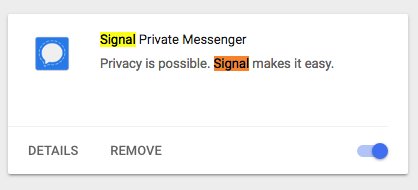
Just no sign of it in the shortcuts list.
Signal 0.46.3, Chrome 67.0.3396.87 and macOS 10.13.3 BTW.
metakermit
on 22 Jun 2018
@metakermit The current way to use Signal Desktop is via the standalone app: https://signal.org/download. You can export your data from the Chrome extension via the 'Migrate to standalone' option in the main application menu.
scottnonnenberg-signal
on 22 Jun 2018
@scottnonnenberg ok, thanks. It was a bit fiddly to figure out the data export/import, but with a bit of googling got through it. Works now. ßßß 😄
BTW, it would maybe be helpful to show a banner in the Chrome Signal to notify users to switch. This deprecation and migration to a standalone app completely slipped by me.
metakermit
on 25 Jun 2018
Related issues
 github-cygwin
·
3Comments
github-cygwin
·
3Comments
 cmdrogogov
·
3Comments
cmdrogogov
·
3Comments
 gesus14
·
3Comments
gesus14
·
3Comments
 TarkanY
·
3Comments
TarkanY
·
3Comments
 hanzei
·
3Comments
hanzei
·
3Comments
Most helpful comment
There is a way in Chrome to set your own shortcuts or disable them. Alt+s is only the default set by Signal, which you can change to your liking.
To do that go to
chrome://extensions/. At the bottom of the screen you can see the link 'Keyboard shortcuts', where you can define your own shortcut.