Shopify_app: Missing app name in third-party cookie screen, and content improvements
Maybe related to #734
@emilybulger and @RyaGershcovich flagged some content and copy issues with the cookie screen. Rya has been delegated to propose some copy improvements, and there’s also a functional problem with the %{app} variable not rendering. Emily took a screenshot and I've annotated it below:
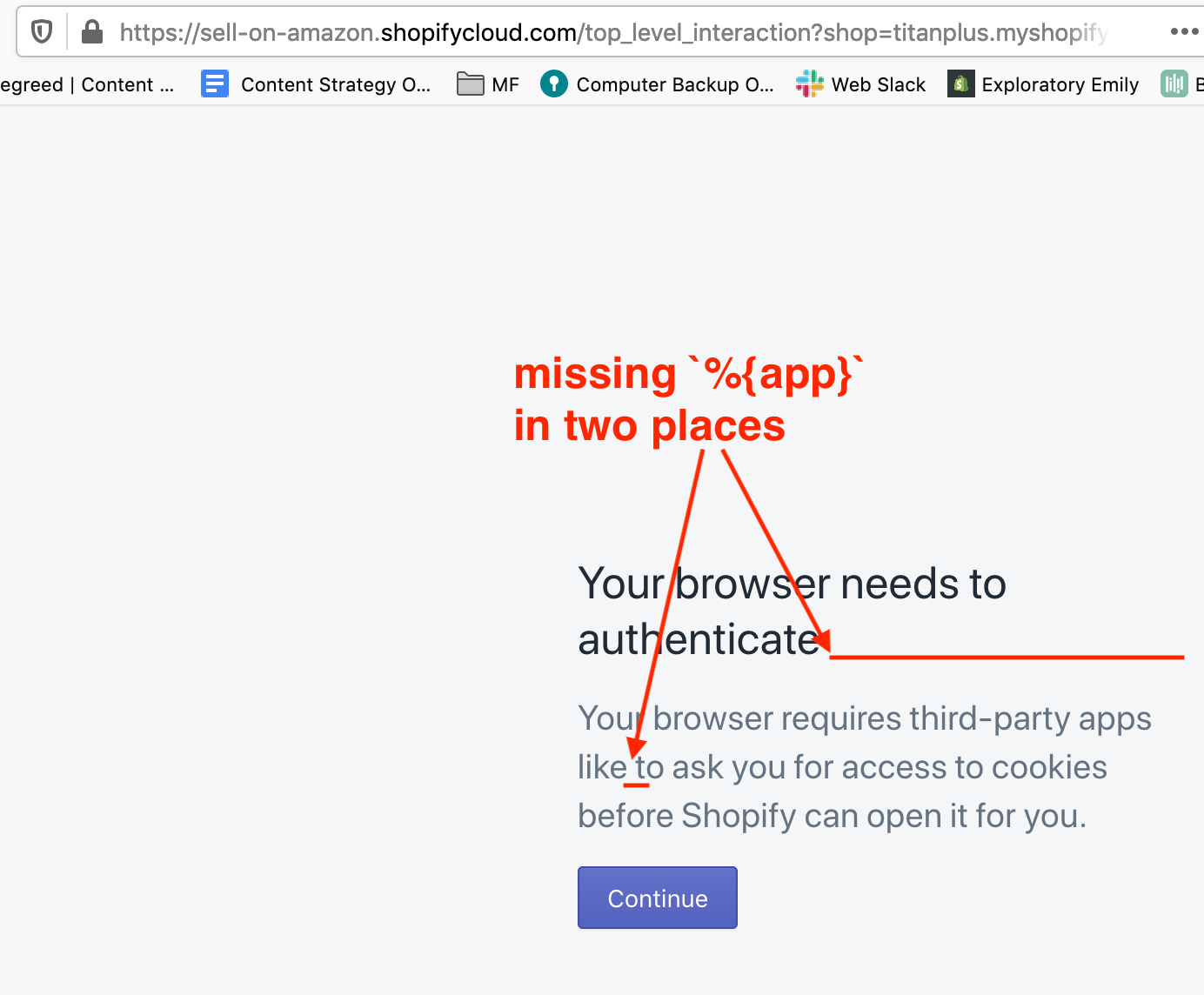
Note: I'm just filing this issue to introduce the relevant people! I'm unsubscribing from the thread so you can all take it from here!
 gfscott
All 18 comments
This is because your ShopifyApp.configuration.application_name is not set. If this is set it will show up. https://github.com/Shopify/shopify_app/blob/master/app/views/shopify_app/sessions/top_level_interaction.html.erb#L41
 tanema
on 6 Jan 2020
tanema
on 6 Jan 2020
@tanema how might one set it?
 RyaGershcovich
on 6 Jan 2020
RyaGershcovich
on 6 Jan 2020
So talking this through offline, the issue is that some apps don’t set ShopifyApp.configuration.application_name, and this messaging relies on that value existing.
It seems to me:
- Budget fix: change the copy to eliminate the need to name the app in this message.
- Business-class fix: use the name if present and fall back to an alternate nameless message if it’s not there.
I can easily file a PR to do the budget fix. I'd need dev assistance for the deluxe version.
gfscott
on 6 Jan 2020
The budget fix would do, you can also add a warning if the app starts without an app name.
@RyaGershcovich You set your application name within your initializer where all the other application configuration is set.
Shopify.configure do |config|
   config.application_name = "Your app"
end
@ccleung @xto @marytal Can you guys please help with this? Currently, it's not pulling the app name. We need to add, Facebook, Google, and Amazon. Thank you!
RyaGershcovich
on 7 Jan 2020
Google Shopping is already defining the application_name : https://github.com/Shopify/google-shopping/blob/fa83b74c0c932d5d9037177202749902fc4246d5/config/initializers/03_shopify_app_platform.rb#L22
 xto
on 7 Jan 2020
xto
on 7 Jan 2020
@xto can you please run your console and check what the value of ShopifyApp.configuration.application_name is?
tanema
on 7 Jan 2020
To run Rails commands use /exec rails ...
root@web-66f789858d-4hkn7:/# /exec rails c
Association Tracking for PaperTrail has been extracted to a separate gem. To use it, please add `paper_
trail-association_tracking` to your Gemfile. If you don't use it (most people don't, that's the default
) and you set `track_associations = false` somewhere (probably a rails initializer) you can remove that
 line now.
Loading production environment (Rails 5.2.2.1)
irb(main):001:0> ShopifyApp.configuration.application_name
=> "Google Shopping"
irb(main):002:0>
Is there something that you're doing custom to ShopifyApp.configuration? Because the line in that page is as follows
app/views/shopify_app/sessions/top_level_interaction.html.erb
<h1 class="Polaris-DisplayText Polaris-DisplayText--sizeMedium"><%= I18n.t('top_level_interaction_heading', app: ShopifyApp.configuration.application_name) %></h1>
<div class="Polaris-EmptyState__Content">
  <p><%= I18n.t('top_level_interaction_body', app: ShopifyApp.configuration.application_name) %</p>
</div>
config/locales/en.yml
en:
  top_level_interaction_heading: "Your browser needs to authenticate %{app}"
  top_level_interaction_body: "Your browser requires apps like %{app} to ask you for access to cookies before Shopify can open it for you."
The only two things I can suggest for debugging purposes are updating the gem and runing a binding.pry during that page render and check the state of the configuration again. The code is not complicated so I am not sure what could go wrong here.
tanema
on 7 Jan 2020
@tanema We just push a gem update. How can I trigger that page to see if the update fixed it ?
xto
on 9 Jan 2020
You should be able to just request that url (GET) but make sure you have a shop param
tanema
on 9 Jan 2020
@emilybulger Can you please reproduce the error and give a little bit more context on how the devs might be able to reproduce it as well. Thank you!
RyaGershcovich
on 9 Jan 2020
Sure thing. Was looking at this test shop: titanplus.myshopify.com
Clicked on Channels > Messenger and saw this screen:
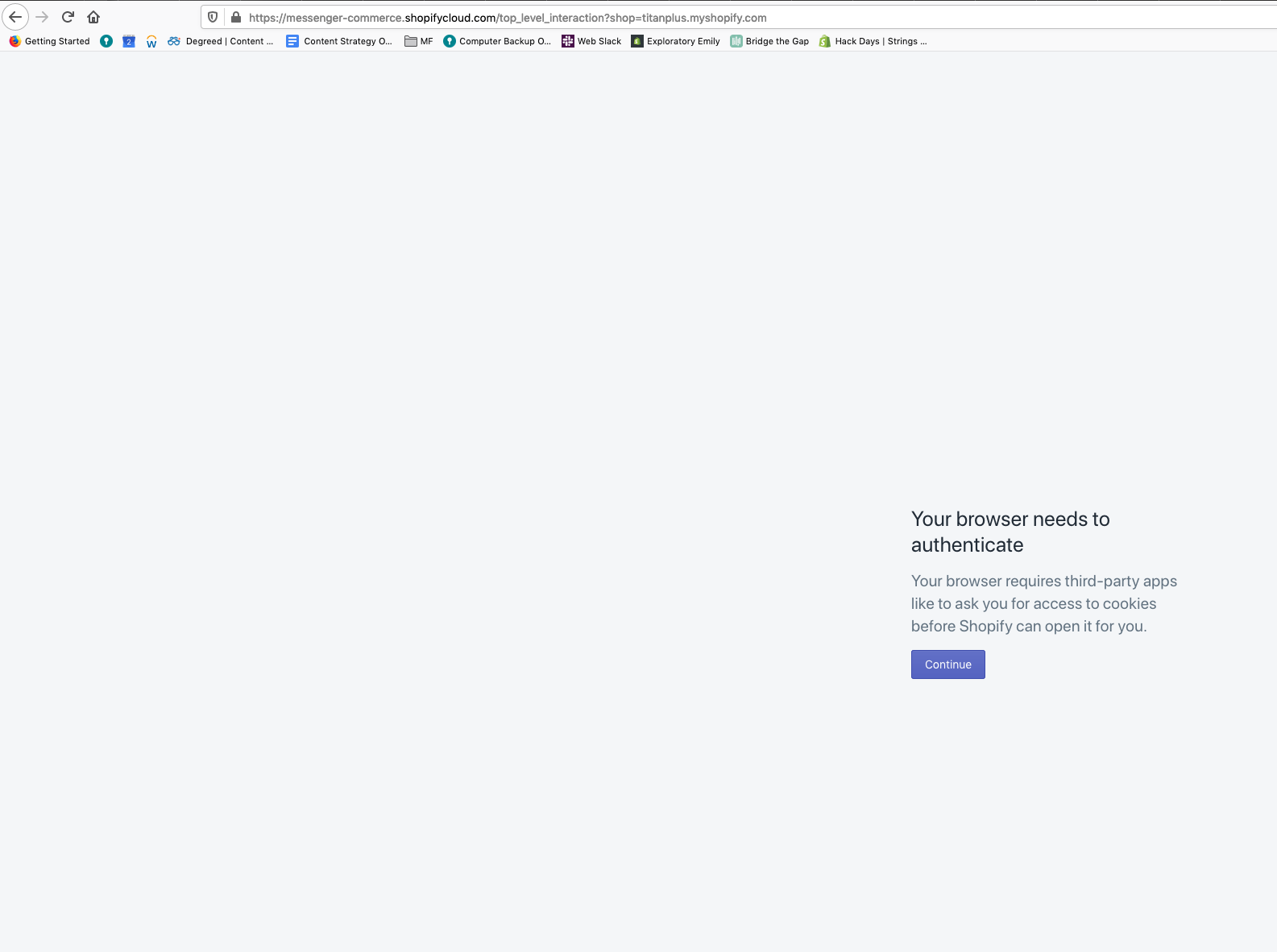
Amazon also wasn't displaying correctly when I first noticed this bug on 12/13, but it now appears correctly. The Point of Sale Channel has appeared correctly throughout.
Was able to reproduce the same bug in my own test store (exploratory-emily.myshopify.com)
Firefox 71.0 (64-bit)
Anything else that would be helpful?
 emilybulger
on 9 Jan 2020
emilybulger
on 9 Jan 2020
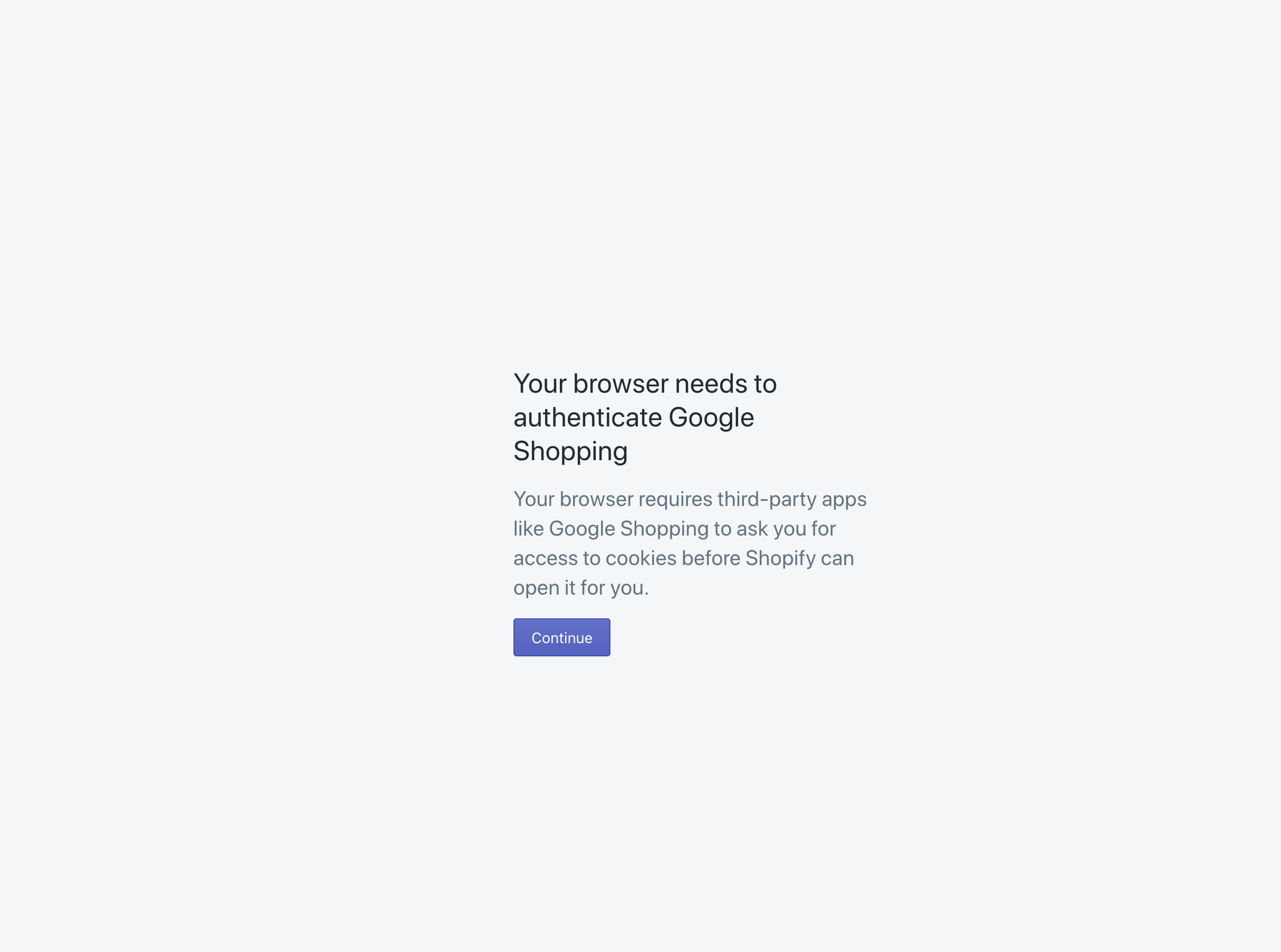
Google Shopping shows up as expected after the gem update.
xto
on 10 Jan 2020
this is great!! Thank you @xto
RyaGershcovich
on 10 Jan 2020
we have this set in Facebook Marketing: https://github.com/Shopify/facebook-ads/blob/master/config/initializers/03_shopify_app.rb#L18
 ccleung
on 10 Jan 2020
ccleung
on 10 Jan 2020
Is this all fixed after updating your apps?
tanema
on 28 Jan 2020
@xto @ccleung @marytal can you confirm please?
RyaGershcovich
on 29 Jan 2020
Related issues
 arialblack14
·
5Comments
arialblack14
·
5Comments
 matias-eduardo
·
6Comments
matias-eduardo
·
6Comments
 marisveide
·
5Comments
marisveide
·
5Comments
 skillmatic-co
·
6Comments
skillmatic-co
·
6Comments
 jakeyeaton16
·
6Comments
jakeyeaton16
·
6Comments