Shoelace: Autocomplete with saved logins not possible in `<sl-input autocomplete="on">`
Describe the bug
Is it intentional that autocomplete on inputs won't work? Login and password for example.
To Reproduce
Steps to reproduce the behavior:
native|<sl-input autocomplete="on">
-|-
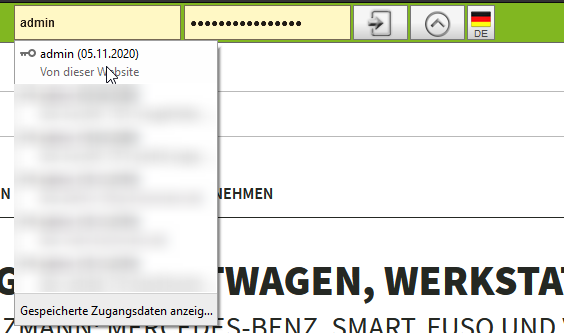
Use native input in html form, select browsers saved login - the password is autofilled|Password not filled, saved logins not used
 |
|
Expected behavior
Would be nice, if saved logins are provided and used too if clicked
Desktop (please complete the following information):
- OS: Win 10
- Browser FF Nightly
 trailsnail
All 9 comments
Would be nice to know, if this is a bug or a feature / expected behavior 😉
trailsnail
on 12 Nov 2020
It's intended to work, and I've seen it work first hand many times. In fact, it worked so well that a composed <sl-input> inside of <sl-select> was getting autocompleted (#266). 😂
Can you post a test case?
 claviska
on 12 Nov 2020
claviska
on 12 Nov 2020
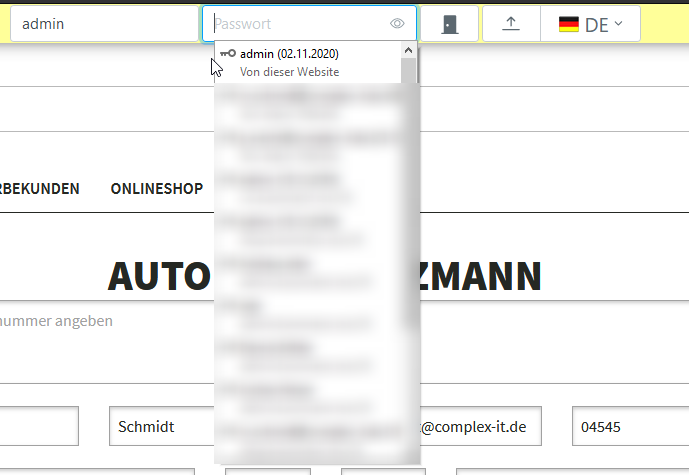
The suggestions are shown, this is correct, but the password is not filled with the value which is stored in browser for the login field.
With <sl-input> you have to click / select the correct password entry manually from browser suggestions.
I will try to create a codepen for this later 😉
trailsnail
on 12 Nov 2020
Here we go:
https://codepen.io/trailsnail-the-lessful/pen/wvWRmmK
- enter
testuserin native Login andtestin native password field - submit and save credentials in browser dialog
- after that reload pen
- click into native login and select the
testuser
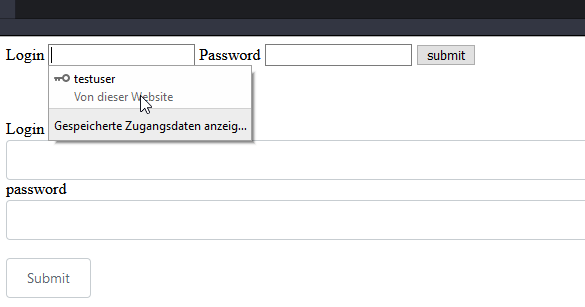
- the password is filled
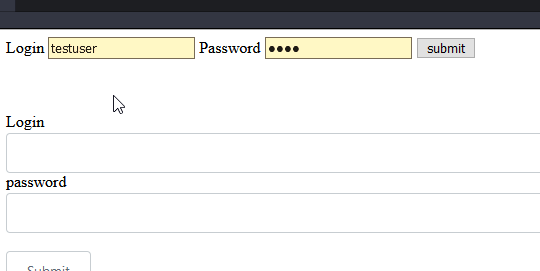
- try the same in
<sl-input name="login">
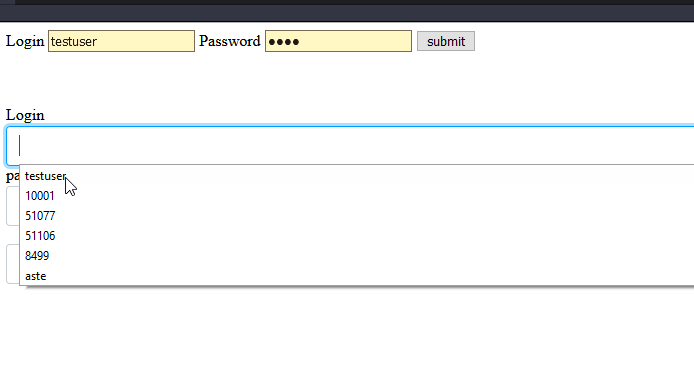
- the suggestions appear, but on click, the password field isn't filled.
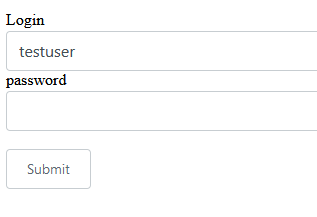
It seems, that the fields aren't linked to browsers saved logins
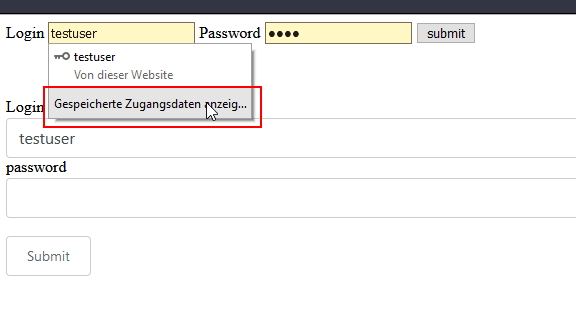
Hope this helps 🍻
trailsnail
on 12 Nov 2020
Possibly related: https://bugs.chromium.org/p/chromium/issues/detail?id=649162
claviska
on 17 Nov 2020
Seems you are right. Thanks for investigation.
@staabm fyi
trailsnail
on 18 Nov 2020
But AFAIR FF had the same issue, no?
 staabm
on 18 Nov 2020
staabm
on 18 Nov 2020
But AFAIR FF had the same issue, no?
What's this? https://bugzilla.mozilla.org/show_bug.cgi?id=1629226
While searching for matching topics, the Shadow Dom seems to be responsible for many other strange behaviors 🤣
trailsnail
on 18 Nov 2020
Seems this is still an issue with Safari. 😞 Guess I'll need to use a standard light DOM input for username/password fields.
 jaredcwhite
on 13 Apr 2021
jaredcwhite
on 13 Apr 2021
Related issues
 liskicious
·
4Comments
liskicious
·
4Comments
 cetinsert
·
4Comments
cetinsert
·
4Comments
 kevinlandsberg
·
4Comments
jaredcwhite
·
6Comments
kevinlandsberg
·
4Comments
jaredcwhite
·
6Comments
 crutchcorn
·
7Comments
crutchcorn
·
7Comments