Shields: Wercker shields reporting "application not found"
When trying the Wercker shields they are not finding the application using the application id from the official wercker shields badge.
eg. these 2 addresses on wercker work with this id
https://app.wercker.com/status/c46a517909343e278c9ce354164394ae/s/master
https://app.wercker.com/project/byKey/c46a517909343e278c9ce354164394ae
so I infer the application ID to be c46a517909343e278c9ce354164394ae, but this doesn't work on shield.io as generated by the https://shields.io/category/build page:
https://img.shields.io/wercker/build/harisekhon/c46a517909343e278c9ce354164394ae
I've also tried this:
https://img.shields.io/wercker/ci/c46a517909343e278c9ce354164394ae
 HariSekhon
All 13 comments
The /ci/:application route is returning a badge not found 404, so there's definitely a bug in the routing there (haven't looked at the code yet but probably a redirector)
https://img.shields.io/wercker/ci/c46a517909343e278c9ce354164394ae

For the build badge, you should use the application name and not the ID. However, it's showing a status of not built which doesn't seem right either
https://img.shields.io/wercker/build/harisekhon/DevOps-Bash-tools/master

 calebcartwright
on 29 Feb 2020
calebcartwright
on 29 Feb 2020
Thanks for the reply, I wonder if Wercker changed their API... as I assume this used to work at some point...
Btw the builds page tells users to enter the application id to construct the URL when you click on the wercker badges, so that may need updating too:
HariSekhon
on 29 Feb 2020
Btw the builds page tells users to enter the application id to construct the URL when you click on the wercker badges, so that may need updating too:
I'm not sure what you are referring to. The Wercker CI badges refer to the application id but both the example listing and the badge builder window for the Wercker Build badges say application name:
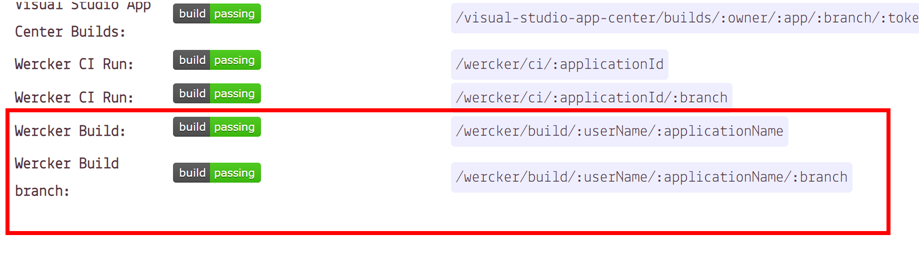
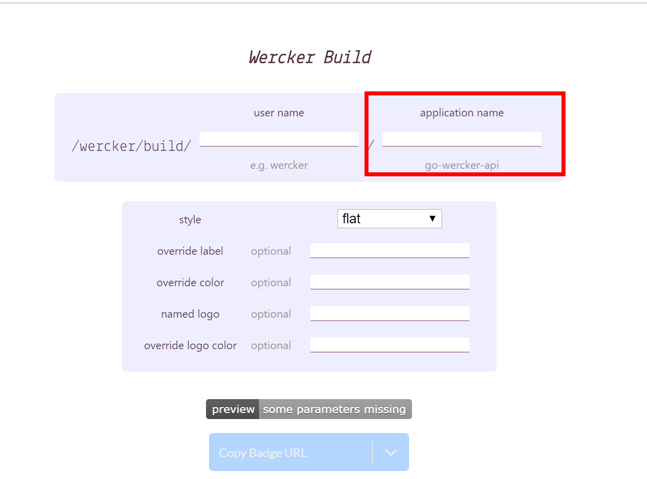
calebcartwright
on 29 Feb 2020
Hi HariSekhon, you're using the wrong ID for your CI badge. It should be 5e53ee68d1f86d0900f031dc instead of c46a517909343e278c9ce354164394ae. The string you were using is the "badgeKey", which is an identifier Wercker uses for their own badges. This explains the 404, as Shields expects an identifier of 24 characters to be provided.
Shields displaying not built for the Build badge can be explained by the fact that the builds endpoint of the Wercker API returns an empty list. Wercker differentiates a "build" from a "CI run". I remember being unclear about the difference in the past, the documentation wasn't very helpful.
 PyvesB
on 29 Feb 2020
PyvesB
on 29 Feb 2020
Good catch @PyvesB!
So the badge url should be
https://img.shields.io/wercker/ci/5e53ee68d1f86d0900f031dc

I'll open a PR to try to enchance the inline example doc on the CI badge
calebcartwright
on 1 Mar 2020
@PyvesB thanks for the response. Where did you get 5e53ee68d1f86d0900f031dc from? In the Wercker UI -> workflows -> build pipeline page I see 5e53ee690783f9080047a6ce

but pasting that in results inbuild invalid:
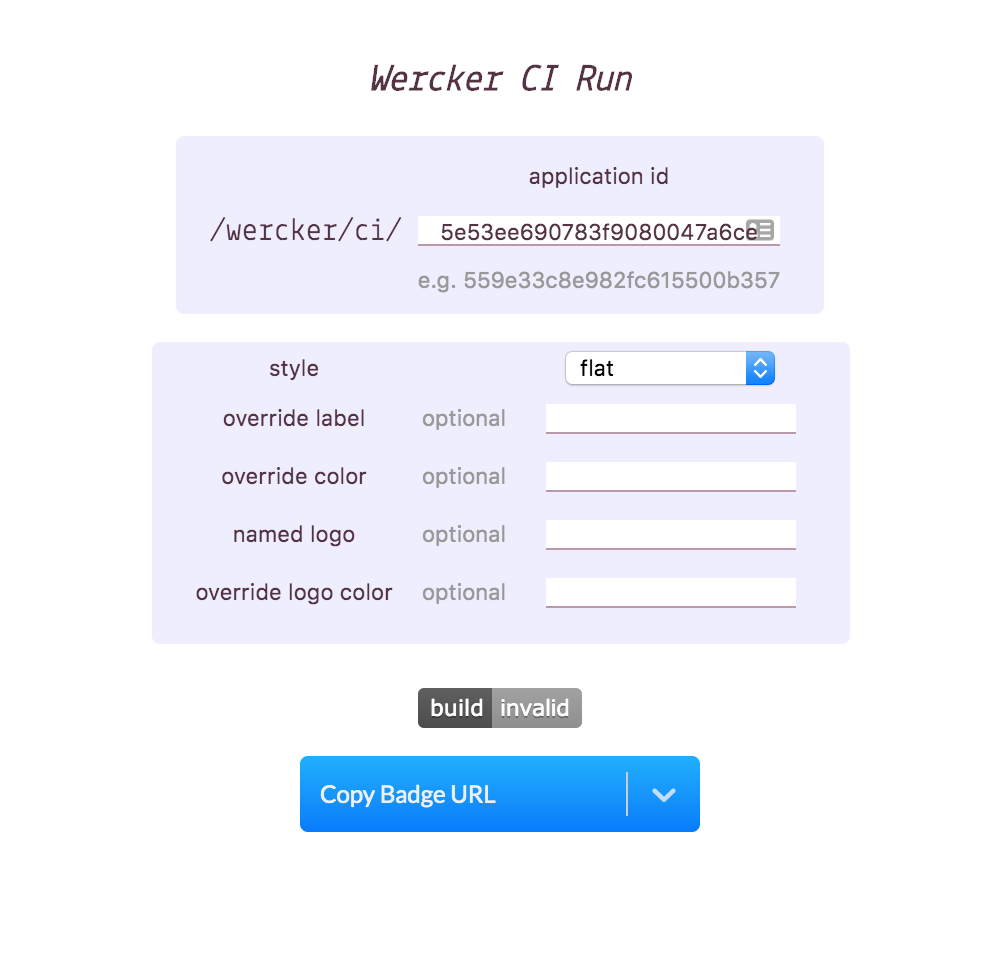
I can't see find 5e53ee68d1f86d0900f031dc on any of the pages for that project.
HariSekhon
on 1 Mar 2020
@calebcartwright using the name on the builds badge doesn't seem to work either:
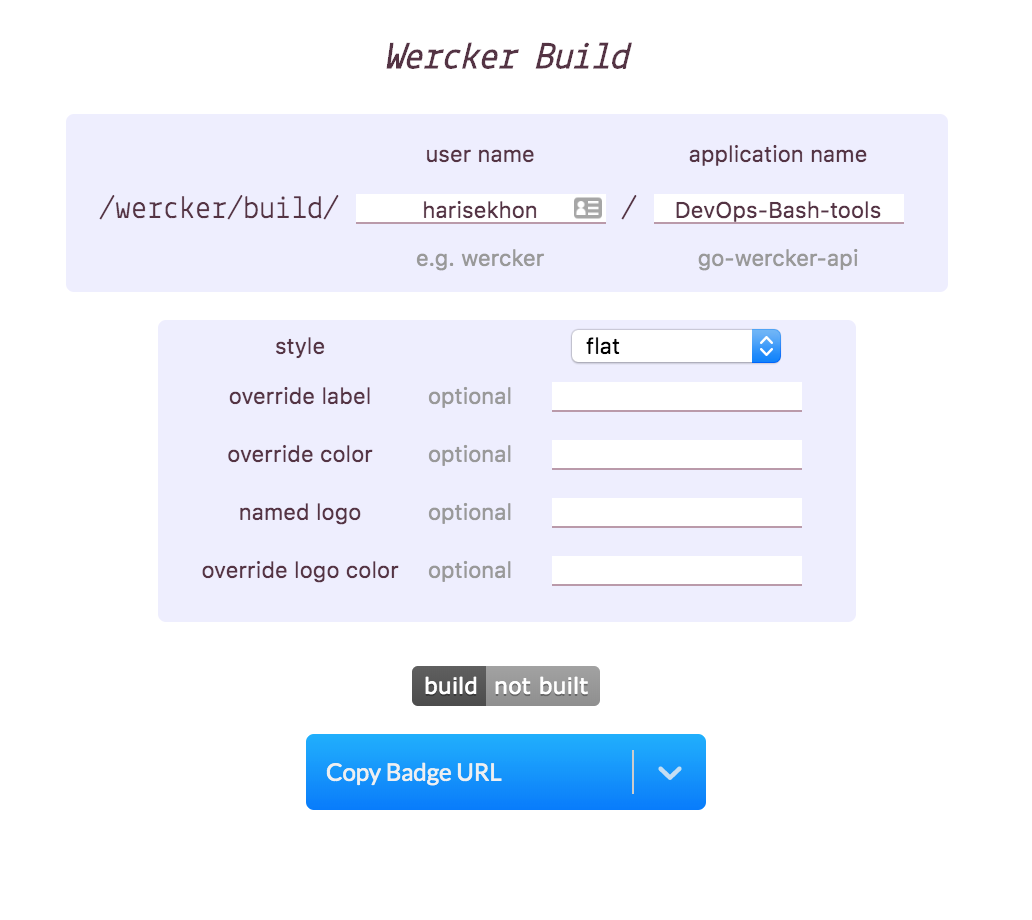
Either that is a bug or I am finding something non-intuitive in this setup?? I have used shields.io a lot and all my other badges for other CI systems have worked fine for these same repos but Wercker is the one I am least familiar with...
HariSekhon
on 1 Mar 2020
@HariSekhon -
5e53ee690783f9080047a6ce is your pipeline id, which is yet another Wercker-maintained id that will not work. The Shields Wercker CI badges need the application id, and I've opened #4723 to add inline text on the badge modal with the API call users can use to determine their Wercker Application Id
You can use the Wercker Application Get API for your app to find your application id
https://app.wercker.com/api/v3/applications/harisekhon/DevOps-Bash-tools:
{
  "id": "5e53ee68d1f86d0900f031dc",
  "url": "https://app.wercker.com/api/v3/applications/harisekhon/devops-bash-tools",
  "name": "DevOps-Bash-tools",
  "owner": {
    "type": "wercker",
    "name": "harisekhon",
    "avatar": {
      "gravatar": "2ef2f5fb63b6cf60336601f017751bb3"
    },
    "userId": "5e52c69260e0e308006a82f7",
    "meta": {
      "username": "harisekhon",
      "type": "user",
      "werckerEmployee": false
    }
  },
  "builds": "https://app.wercker.com/api/v3/applications/harisekhon/devops-bash-tools/builds",
  "deploys": "https://app.wercker.com/api/v3/applications/harisekhon/devops-bash-tools/deploys",
  ...
}
calebcartwright using the name on the builds badge doesn't seem to work either:
Either that is a bug or I am finding something non-intuitive in this setup?? I have used shields.io a lot and all my other badges for other CI systems have worked fine for these same repos but Wercker is the one I am least familiar with...
No this is not a bug with Shields. @PyvesB mentioned this in a previous answer, but the API call for builds for your application is
https://app.wercker.com/api/v3/applications/harisekhon/DevOps-Bash-tools/builds
and as you can see the API responds with empty array, which is why Shields shows a not built badge.
I honestly don't know what the difference is within Wercker, and their documentation is non-existent (the API endpoints are enumerated but there's no content I can find that provides any context). Shields can only work with the data provided by the upstream platforms, and this is another example of unexplained behavior in the upstream API.
If you think there's a bug in Werckers API, then you'll have to raise that issue with them.
calebcartwright
on 1 Mar 2020
@PyvesB thanks for the response. Where did you get
5e53ee68d1f86d0900f031dcfrom? In the Wercker UI -> workflows -> build pipeline page I see5e53ee690783f9080047a6ce
So, I got it from the API directly https://app.wercker.com/api/v3/applications/harisekhon/DevOps-Bash-tools . I don't have an account with any applications, but I would be surprised if it wasn't visible anywhere in the UI (I imagine users would have complained about this already otherwise).
the builds badge doesn't seem to work either
Not sure what you mean. What isn't working?
PyvesB
on 1 Mar 2020
This was working with the correct ID but is now failing with "invalid response data" (throttling?):
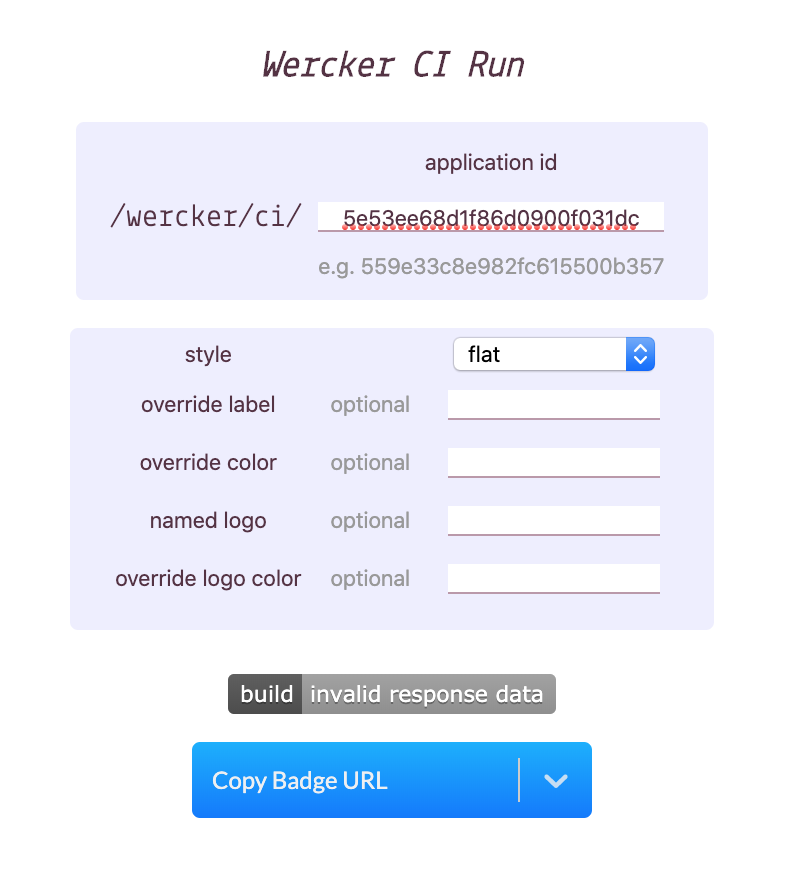
HariSekhon
on 2 Mar 2020
Also, technically shouldn't this work by name on the build page, this is the name field returned by the API:
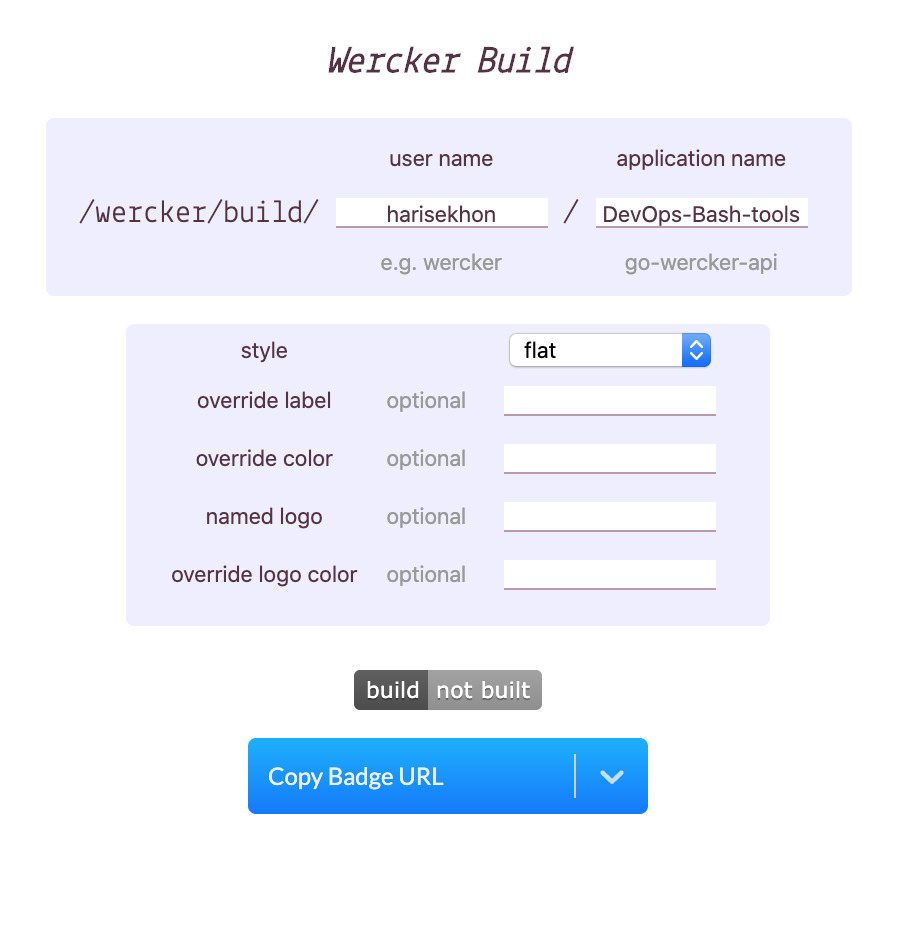
HariSekhon
on 2 Mar 2020
Also, technically shouldn't this work by name on the build page, this is the name field returned by the API:
What exactly are you asking @HariSekhon? If your question is:
Why is the Wercker Build badge showing not built for your DevOps-Bash-tools project`
Then please refer the answers @PyvesB and I have both provided above in various responses. We can't tell you why the Wercker API is returning the response that is, you will have to ask Wercker that question.
This was working with the correct ID but is now failing with "invalid response data" (throttling?):
I cannot reproduce that. You may want to make sure there's no leading nor trailing spaces in the application id box, especially if you copy/pasted the value in there
calebcartwright
on 2 Mar 2020
@PyvesB / @calebcartwright thanks for the responses guys, sorry I was rushing out of the door to catch a train, I re-reviewed your responses above and they make sense.
I don't think it was a whitespace issue, I think it's because I hit it too many times, both in browser and because I wrote a couple scripts to query the API and parse the json to easily get the application id for my other projects... I've since reproduced it today.
I was hitting
https://img.shields.io/wercker/ci/5e53ee68d1f86d0900f031dc/master

I literally just refreshed the tab and got:

I wonder if this means that the Wercker badge might stop working if too many people use it or hit it too often or whether it was a temporary blip on the wercker side? Next time I'll try and query the Wercker API directly to debug it better for you.
HariSekhon
on 3 Mar 2020
Related issues
 kirankotari
·
3Comments
kirankotari
·
3Comments
 Fazendaaa
·
3Comments
calebcartwright
·
3Comments
Fazendaaa
·
3Comments
calebcartwright
·
3Comments
 kerolloz
·
3Comments
kerolloz
·
3Comments
 salaros
·
3Comments
salaros
·
3Comments