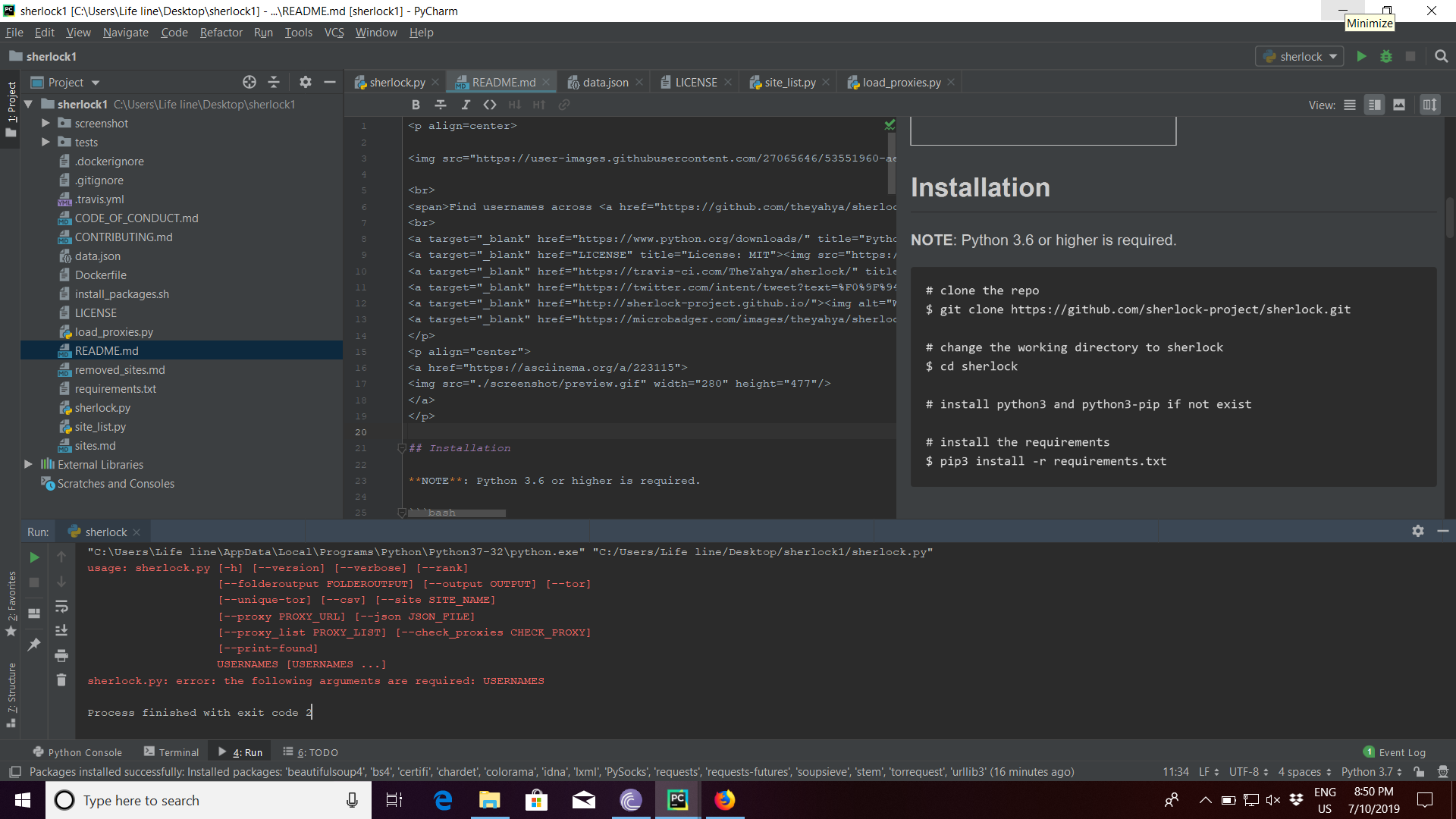
hi i am having issues while running ,how to resolve this please help
usage: sherlock.py [-h] [--version] [--verbose] [--rank]
                   [--folderoutput FOLDEROUTPUT] [--output OUTPUT] [--tor]
                   [--unique-tor] [--csv] [--site SITE_NAME]
                   [--proxy PROXY_URL] [--json JSON_FILE]
                   [--proxy_list PROXY_LIST] [--check_proxies CHECK_PROXY]
                   [--print-found]
                   USERNAMES [USERNAMES ...]
sherlock.py: error: the following arguments are required: USERNAMES
 manishyadav1400
All 7 comments
manishyadav1400
on 10 Jul 2019
python3 sherlock.py user123
You would run a query like this. Gotta put in the username you're looking for
 tommywei110
on 11 Jul 2019
tommywei110
on 11 Jul 2019
Sherlock is a command line program. Since PyCharm is an IDE, you have to tell it what command line options you want to use. The message you are giving is because you are running Sherlock without giving it any users to search for.
Here is a StackOverflow entry talking about how to add command line options. I don't use PyCharm, so I am not sure if this works for your specific version. But, this is what is happening.
 hoadlck
on 11 Jul 2019
hoadlck
on 11 Jul 2019

 LeeHarvey
on 11 Jul 2019
LeeHarvey
on 11 Jul 2019
python3 sherlock.py user123
You would run a query like this. Gotta put in the username you're looking for
I've try this kind of format but it doesn't work and then I got error message

 monraPH
on 13 Jul 2019
monraPH
on 13 Jul 2019
@monraPH
Before you run Sherlock, you have to install the all the modules that are required by running this:
$ cd sherlock
$ pip3 install -r requirements.txt
 sdushantha
on 14 Jul 2019
sdushantha
on 14 Jul 2019
This issue appears to be an environmental issue rather than a problem with Sherlock itself. It also has been hanging out for some time. So, I am closing it out now to remove the clutter.
hoadlck
on 20 Oct 2019
Related issues
 senthilnayagam
·
4Comments
senthilnayagam
·
4Comments
 PythonB
·
7Comments
PythonB
·
7Comments
 nareddyt
·
4Comments
nareddyt
·
4Comments
 Berghopper
·
6Comments
Berghopper
·
6Comments
 dewjiguang
·
3Comments
dewjiguang
·
3Comments
Most helpful comment
python3 sherlock.py user123You would run a query like this. Gotta put in the username you're looking for