Sherlock: Mac OS X Catalina abort on launch
On Mac OS X 10.15.3 when launching getting error
[1] 3662 abort python3 sherlock.py
Python 3.7.6
All requirements installed from requirements.txt
 PythonB
All 7 comments
Hi @PythonB,
Thank you for letting us know about this. It seems like a strange problem.
I am also on Catalina, version 10.15.2, and havent seen any issues.
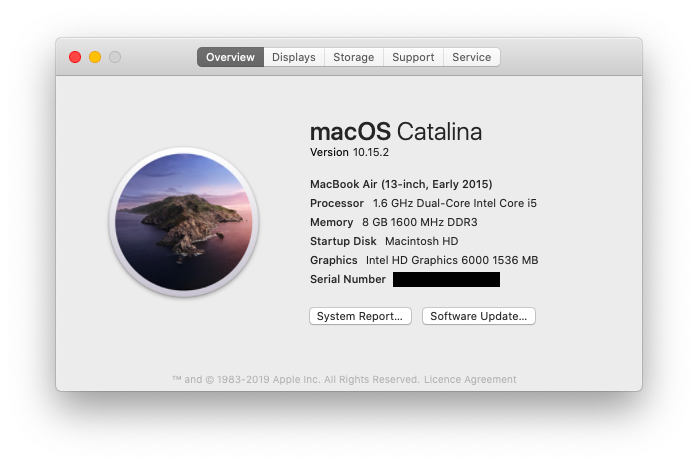
I'll try updating to 10.15.3 and see if that changes anything.
 sdushantha
on 14 Mar 2020
sdushantha
on 14 Mar 2020
Updated. Nothing changed. Here's output
$ python3 sherlock.py
[1] 3702 abort python3 sherlock.py
$ python3 sherlock.py --help
[1] 3670 abort python3 sherlock.py --help
$ python3 sherlock.py username
[1] 3732 abort python3 sherlock.py username
Edit: Added commands I ran before errors and fixed formatting
PythonB
on 15 Mar 2020
Important to mentions that in Google Cloudshell all works perfectly fine.
PythonB
on 15 Mar 2020
@PythonB Which shell are you using? (zsh, bash, fish, etc)
The reason why I am asking this is because I have never seen that abort error before.
sdushantha
on 16 Mar 2020
zsh
PythonB
on 16 Mar 2020
The problem you are having seems similar in flavour with one opened against pip3.
Are you able to run any Python script?
 hoadlck
on 16 Mar 2020
hoadlck
on 16 Mar 2020
Thank you @hoadlck .
I found something that may be helpful!
The asn1crypto python package imports libcrypto. I removed this package from my site packages
/usr/local/lib/python3.7/site-packages and now pip3 works
It worked for me.
PythonB
on 16 Mar 2020
Related issues
 plgrazon
·
6Comments
plgrazon
·
6Comments
 bialybudyn
·
6Comments
bialybudyn
·
6Comments
 ptalmeida
·
3Comments
ptalmeida
·
3Comments
 moran04
·
3Comments
moran04
·
3Comments
 termashacker69
·
6Comments
termashacker69
·
6Comments