Shell: Two titlebar on Firefox with Pop Shell.
Distribution (run cat /etc/os-release):
NAME="Manjaro Linux"
ID=manjaro
ID_LIKE=arch
PRETTY_NAME="Manjaro Linux"
ANSI_COLOR="1;32"
HOME_URL="https://www.manjaro.org/"
SUPPORT_URL="https://www.manjaro.org/"
BUG_REPORT_URL="https://bugs.manjaro.org/"
LOGO=manjarolinux
Related Application and/or Package Version (run apt policy pop-shell or provide the latest commit if building locally):
r447.ff5f374-1
Issue/Bug Description:
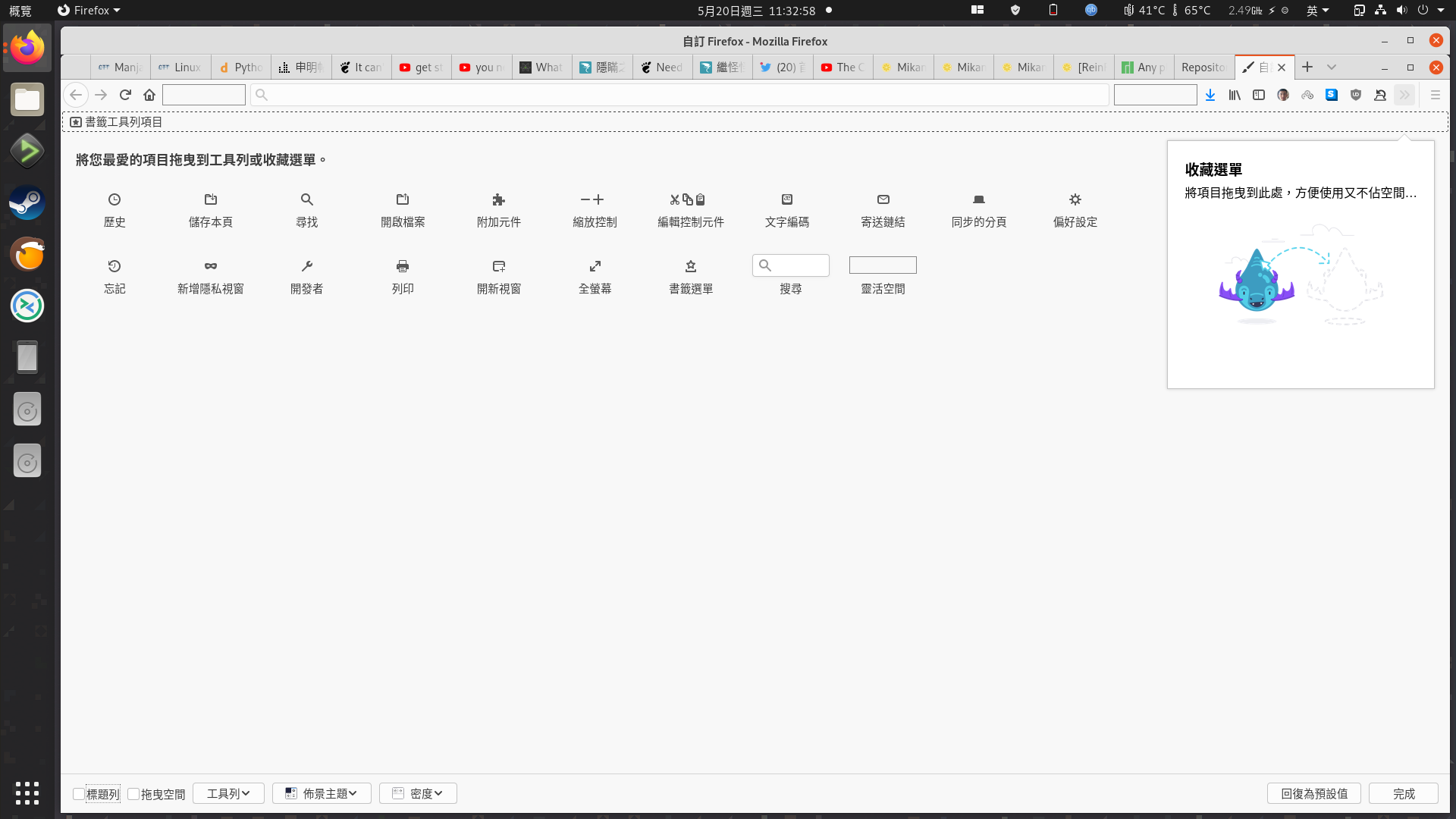
There are two titlebar on firefox
Steps to reproduce (if you know):
Enable the Pop Shell plugin.
Disable the title bar in Firefox.
Expected behavior:
It looks normal without titlebar.
Other Notes:
 laichiaheng
All 28 comments
It also crashes when I right click on the firefox icon on dock.
laichiaheng
on 20 May 2020
Can anyone fix it?
laichiaheng
on 21 May 2020
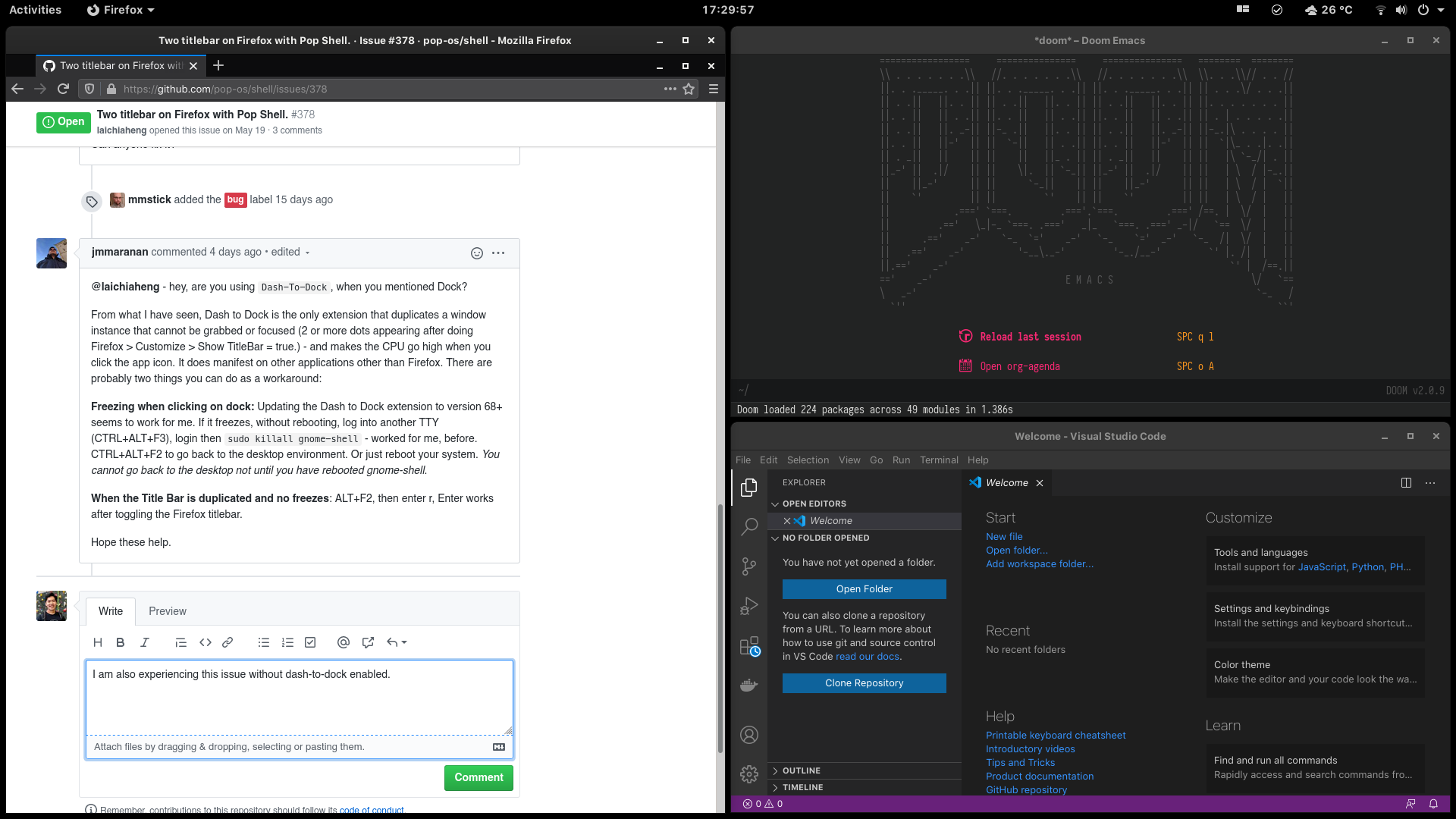
@laichiaheng - hey, are you using Dash-To-Dock, when you mentioned Dock?
From what I have seen, Dash to Dock is the only extension that duplicates a window instance that cannot be grabbed or focused (2 or more dots appearing after doing Firefox > Customize > Show TitleBar = true.) - and makes the CPU go high when you click the app icon. It does manifest on other applications other than Firefox. There are probably two things you can do as a workaround:
Freezing when clicking on dock: Updating the Dash to Dock extension to version 68+ seems to work for me. If it freezes, without rebooting, log into another TTY (CTRL+ALT+F3), login then sudo killall gnome-shell - worked for me, before. CTRL+ALT+F2 to go back to the desktop environment. Or just reboot your system. _You cannot go back to the desktop not until you have rebooted gnome-shell_.
When the Title Bar is duplicated and no freezes: ALT+F2, then enter r, Enter works after toggling the Firefox titlebar.
Hope these help.
 jmmaranan
on 14 Jun 2020
jmmaranan
on 14 Jun 2020
I am also experiencing this issue without dash-to-dock enabled.
 eh8
on 18 Jun 2020
eh8
on 18 Jun 2020
This is perhaps related to the enable / disable titlebar feature in PopShell.
- start Firefox
- click Hamburger menu
- click Customize menu item
- [x] Titlebar
This feature does not seem to hide the titlebar in Firefox but does work in PyCharm. I am expecting this issue to be a Firefox upstream one.
 skewty
on 25 Jun 2020
skewty
on 25 Jun 2020
428 - should be able to fix the dash-to-dock ghosting - so clicking on the dock will not freeze when a persistent dot appears. I think I agree on the double title bars are something related to Firefox.
jmmaranan
on 26 Jun 2020
This is perhaps related to the enable / disable titlebar feature in PopShell.
* start Firefox

* click Hamburger menu

* click Customize menu item

* [x]  Titlebar
This feature does not seem to hide the titlebar in Firefox but does work in PyCharm. I am expecting this issue to be a Firefox upstream one.
How? It does hide the title bar without Pop Shell.
428 - should be able to fix the dash-to-dock ghosting - so clicking on the dock will not freeze when a persistent dot appears. I think I agree on the double title bars are something related to Firefox.
Does it mean that this issue has been solved once Firefox accept this patch?
laichiaheng
on 26 Jun 2020
@laichiaheng, no, it will only resolve your comment about crashing which is if you are using dash to dock and toggling the title bar on/off
jmmaranan
on 26 Jun 2020
As for the title bar, that needs more research either that is pop-shell or the main Firefox app. The patch I did is for pop-shell.
jmmaranan
on 26 Jun 2020
Does anyone have any clue now?
laichiaheng
on 7 Jul 2020
I installed this via gnome-shell-extension-pop-shell-git in the AUR.
I solved it by disabling show title bars in the applet settings.
eh8
on 7 Jul 2020
@laichiaheng - just curious - did you follow @skewty 's suggestion? And would you be able to send a screenshot after? It pertains to Firefox Customize menu/page and not exactly pop-shell.
jmmaranan
on 8 Jul 2020
@jmmaranan What does he suggest? Disable hiding the titlebar? I have disabled it since I noticed this issue.
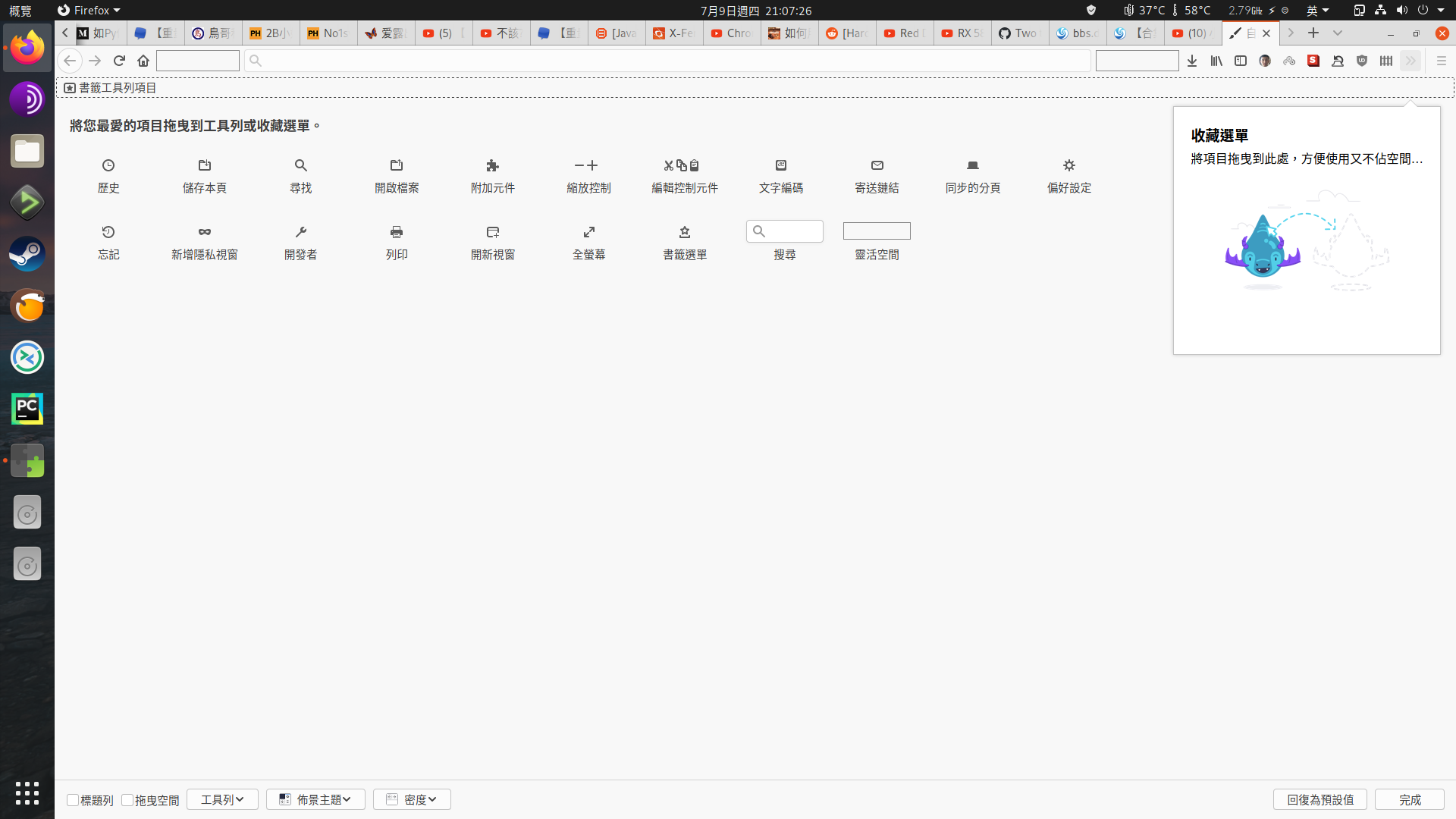
If it were a Firefox issue, it should happen without Pop Shell.
Without Pop Shell, it works fine. (Forget about the PH icon in the tab menu)
laichiaheng
on 9 Jul 2020
@laichiaheng - it is pop-shell conflicting with the title-bars. The last comment context is about Firefox's title bar. So it is both of them.
The setup should be like this for now when you have Firefox, Pop-Shell and VSCode (or any Electron app):
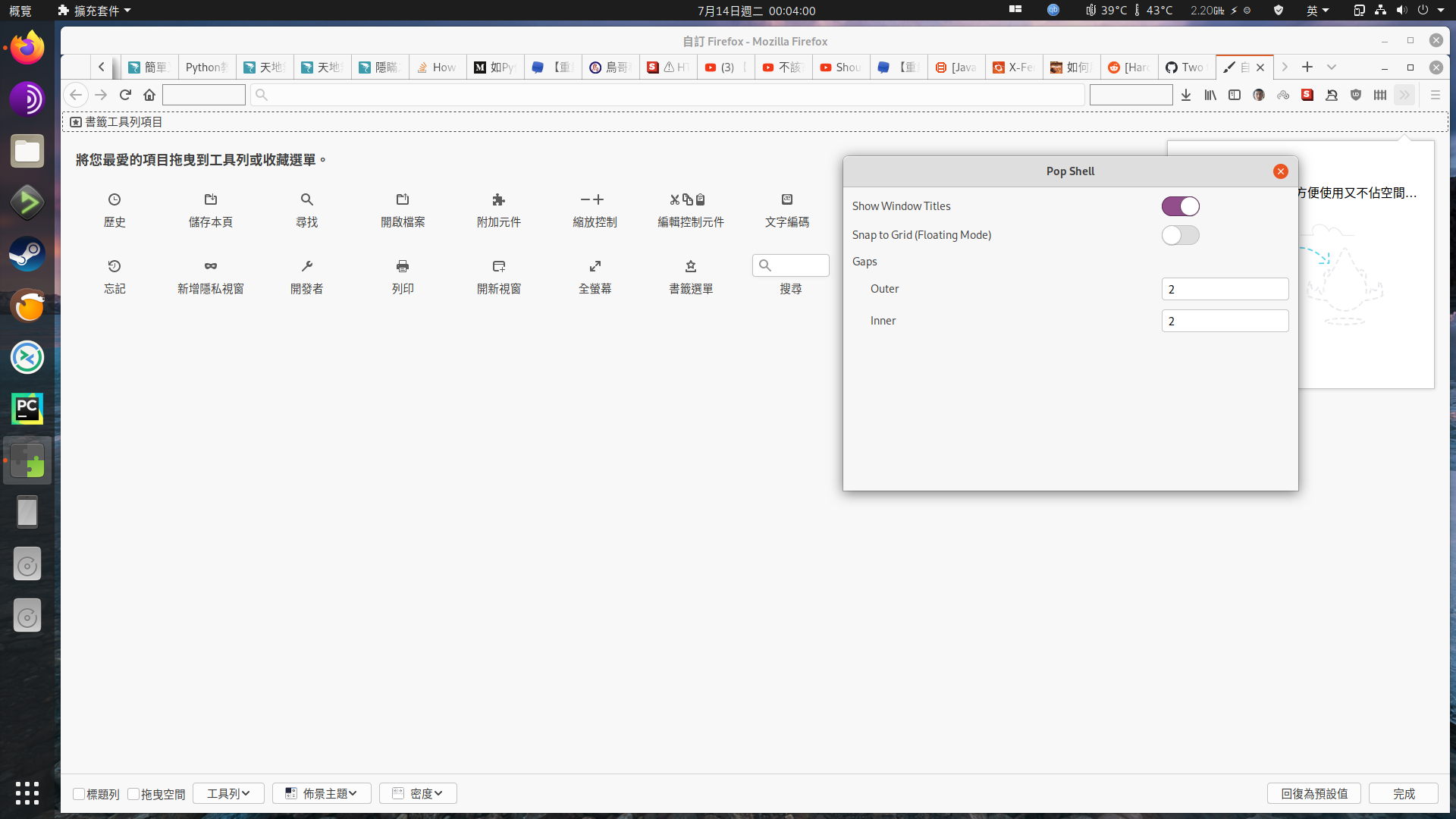
- Tweaks > Extensions > Pop-Shell gear > Show Title Bars (should be checked) - so VSCode title bar will not disappear.
- Firefox > Customize > Show Title Bars (do not check)
the settings above is the fix to your original issue and I believe this can be closed.
The freezing when toggling Firefox Customize Title Bars should be fixed, and you have Dash-To-Dock installed, and it is showing an extra dot or leaves a dot when all Firefox windows are already closed.
jmmaranan
on 12 Jul 2020
@jmmaranan Thanks, after disabling "Show Title Bars" in the Pop Shell extension setting, it works as expected now.
laichiaheng
on 13 Jul 2020
If you are going to use VS Code, reverse the two settings.
jmmaranan
on 13 Jul 2020
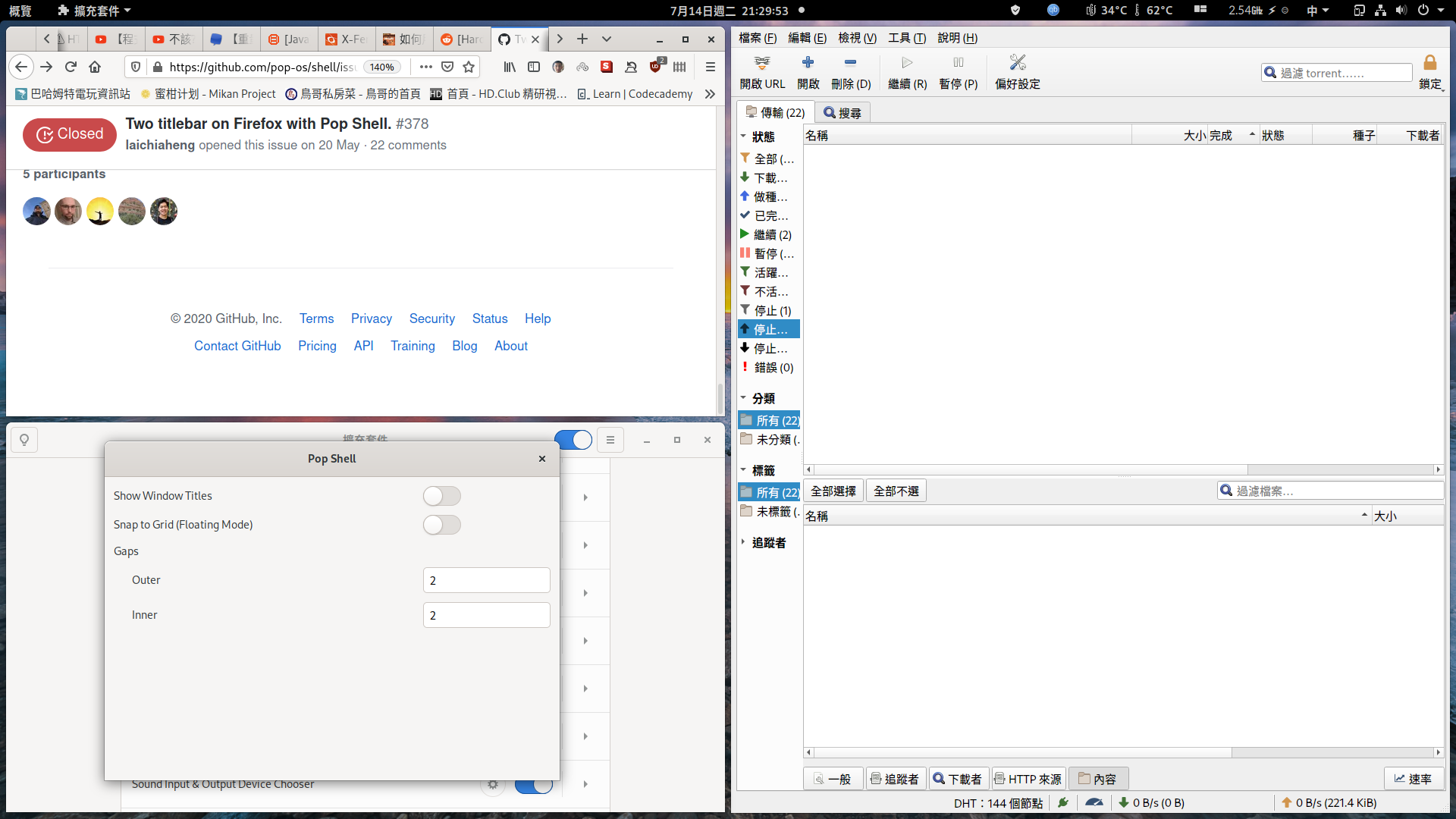
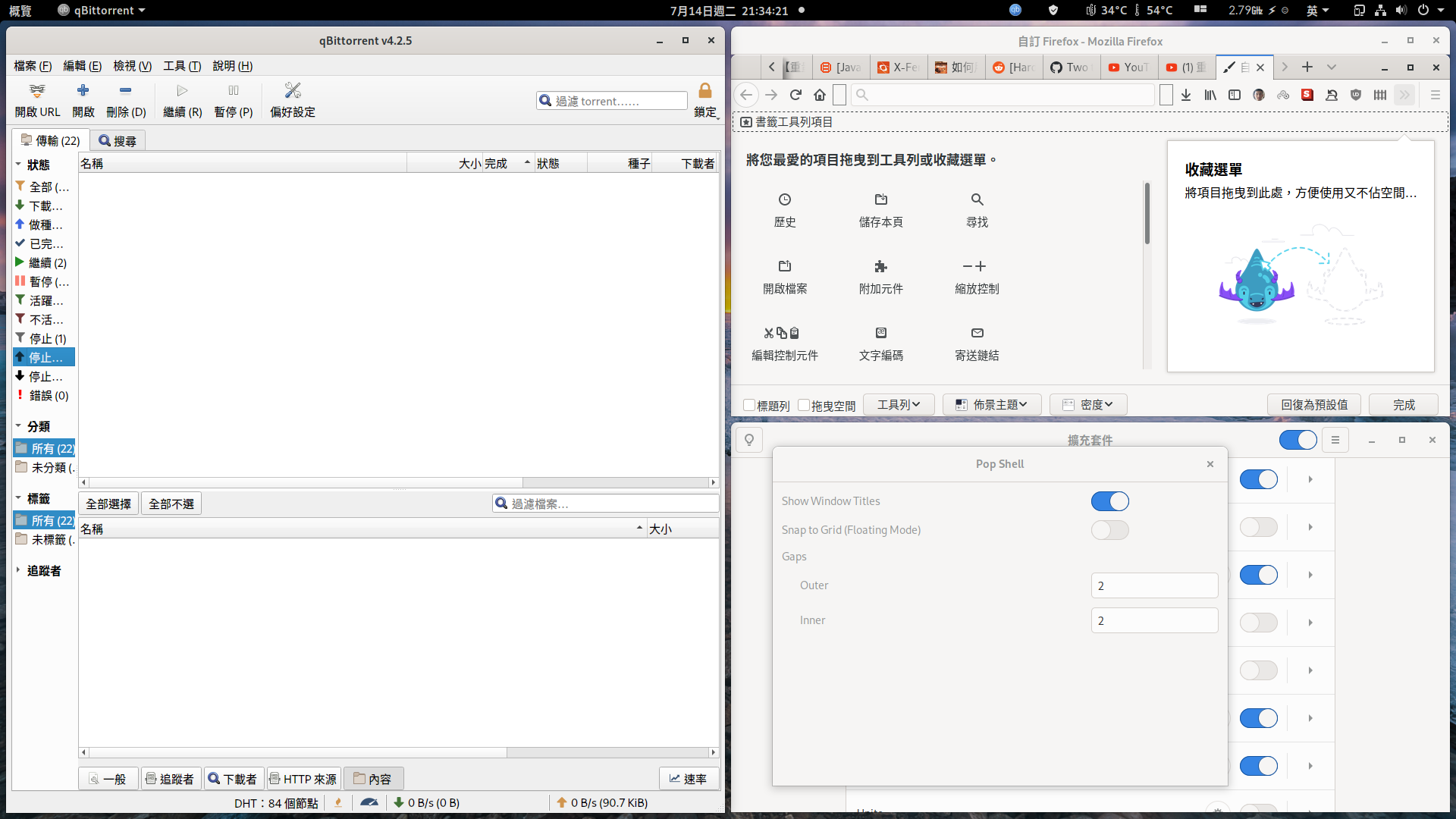
@jmmaranan There is another problem, if I disable Show Title Bars, the title bar of qbittorrent is gone. So I have no choice, I can only choose the second method, it looks ugly.
laichiaheng
on 13 Jul 2020
If you follow my original suggestion of the two settings, pop shell show title, firefox off title bar. That should work
jmmaranan
on 13 Jul 2020
@jmmaranan It does not.
laichiaheng
on 13 Jul 2020
Could you restart gnome shell leaving them as is, as suggested? Alt + f2, r and popshell title check, Firefox off title.
jmmaranan
on 13 Jul 2020
Could you restart gnome shell leaving them as is, as suggested? Alt + f2, r and popshell title check, Firefox off title.
The same.
Name            : gnome-shell-extension-pop-shell
Version         : r469.9e8ab29-1
Description     : Pop Shell - Tiling window management in Gnome (WIP)
Architecture    : any
URL             : https://github.com/pop-os/shell
Licenses        : GPLv3
Groups          : None
Provides        : None
Depends On      : gnome-shell
Optional Deps   : pop-shell-shortcuts: show custom keybindings [installed]
Required By     : None
Optional For    : None
Conflicts With  : gnome-shell-extension-pop-shell
Replaces        : None
Installed Size  : 733.78 KiB
Packager        : Matti Hyttinen <[email protected]>
Build Date      :
Install Date    :
Install Reason  : Explicitly installed
Install Script  : No
Validated By    : Signature
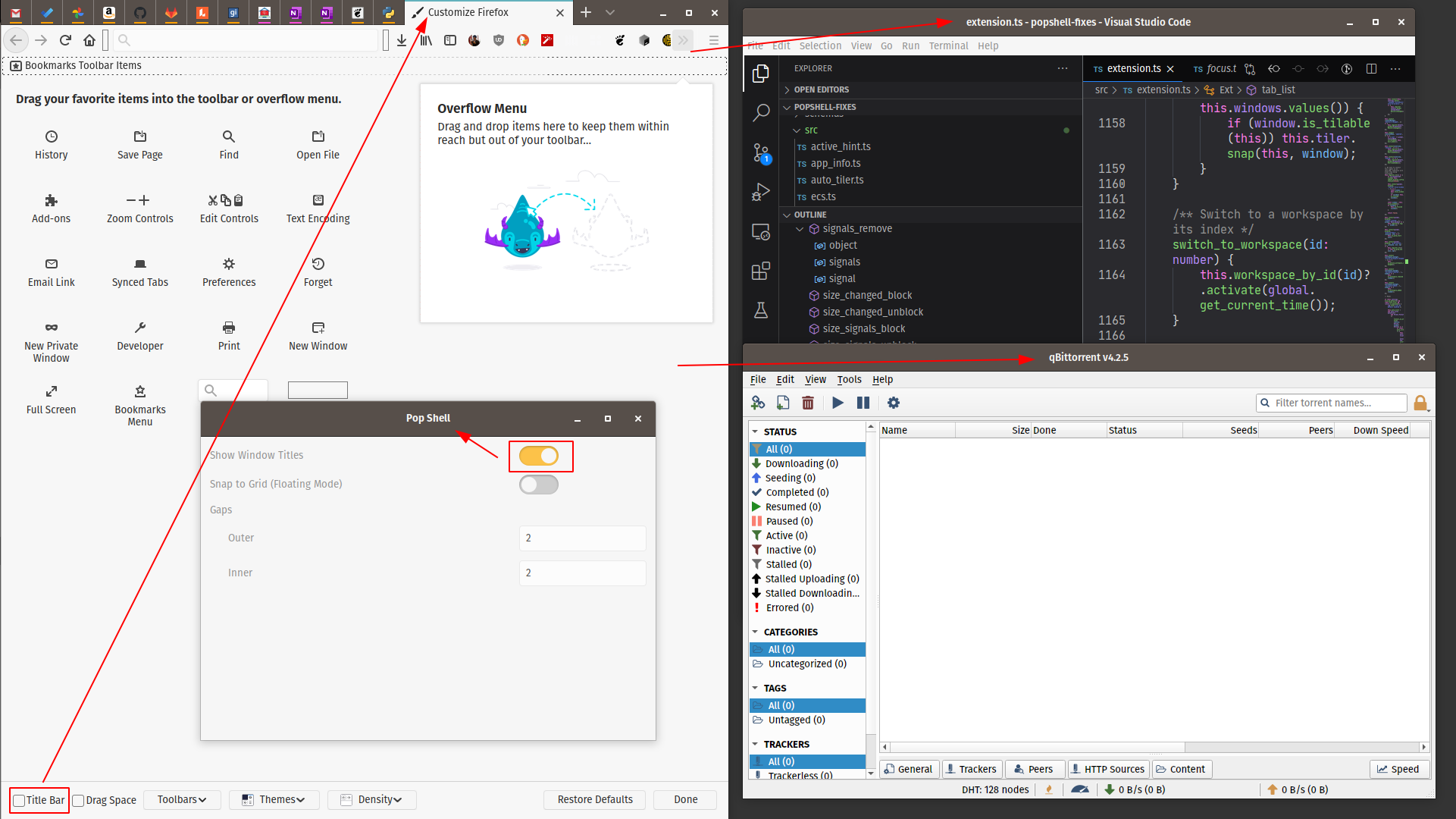
@laichiaheng - I do not use qbittorrent but here is how it looks like on my end with the suggested settings.
Curious also on the theme you are using. I am using the default pop-dark/pop.
jmmaranan
on 13 Jul 2020
I have tried it with the default Xorg session and Adwaita theme, the problem is still there.
laichiaheng
on 14 Jul 2020
Any clue yet?
laichiaheng
on 23 Jul 2020
This is more than likely a Firefox upstream bug. Has anyone created one for this? If yes, please post a link to it here.
We will likely have more traction getting this resolved by the Mozilla devs. as development on this extension seems dead (for now?). It may / will hopefully pickup prior to the next PopOS release.
skewty
on 30 Jul 2020
This is more than likely a Firefox upstream bug. Has anyone created one for this? If yes, please post a link to it here.
We will likely have more traction getting this resolved by the Mozilla devs. as development on this extension seems dead (for now?). It may / will hopefully pickup prior to the next PopOS release.
This feature of Firefox works without the Pop Shell extension.
laichiaheng
on 31 Jul 2020
@laichiaheng - sorry, do not have resolution for you because cannot replicate it on my end. Looking at the current code and history, @mmstick - has hidden the show title bar toggle in the prefs (Tweaks). If I am guessing correctly, it doesnt want to be found or changed just yet. The default on tweaks as far as I can remember, is that Pop-Shell Extension is enabled, inside it the Show Title Bar is enabled too. Then by default, Firefox ships with the Title Bar disabled from Customize.
@skewty - is this happening on your end too?
jmmaranan
on 31 Jul 2020
@mmstick Holy Jesus! It is fixed! Thanks.
laichiaheng
on 14 Aug 2020
Related issues
 diegobernardes
·
3Comments
diegobernardes
·
3Comments
 jacobgkau
·
6Comments
jacobgkau
·
6Comments
 rengare
·
5Comments
rengare
·
5Comments
 BTBlueSkies
·
6Comments
BTBlueSkies
·
6Comments
 qnm
·
9Comments
qnm
·
9Comments
Most helpful comment
As for the title bar, that needs more research either that is pop-shell or the main Firefox app. The patch I did is for pop-shell.